ആമുഖം
Thank you for choosing the Sentry HPXBTA105 True Wireless Earbuds. These earbuds are designed to provide a superior audio experience with active noise canceling technology, comfortable wear, and intuitive touch controls. This manual will guide you through the setup, operation, and maintenance of your new earbuds to ensure optimal performance and longevity.
സുരക്ഷാ വിവരങ്ങൾ
പരിക്കുകളോ കേടുപാടുകളോ തടയാൻ ഈ ഉൽപ്പന്നം ഉപയോഗിക്കുന്നതിന് മുമ്പ് എല്ലാ സുരക്ഷാ മുന്നറിയിപ്പുകളും നിർദ്ദേശങ്ങളും ശ്രദ്ധാപൂർവ്വം വായിക്കുക. ഭാവിയിലെ റഫറൻസിനായി ഈ മാനുവൽ സൂക്ഷിക്കുക.
- ഇയർബഡുകളോ ചാർജിംഗ് കേസോ ഉയർന്ന താപനിലയിലോ ഈർപ്പത്തിലോ ദ്രാവകങ്ങളിലോ തുറന്നുകാട്ടരുത്.
- ഉപകരണം താഴെയിടുകയോ, അടിക്കുകയോ, വേർപെടുത്തുകയോ ചെയ്യുന്നത് ഒഴിവാക്കുക.
- നൽകിയിരിക്കുന്ന ചാർജിംഗ് കേബിളോ സാക്ഷ്യപ്പെടുത്തിയ തത്തുല്യമായതോ മാത്രം ഉപയോഗിക്കുക.
- Prolonged exposure to loud volumes may cause hearing damage. Adjust volume to a safe level.
- ആംബിയന്റ് ശബ്ദങ്ങൾ കേൾക്കാൻ കഴിയാത്തത് അപകടകരമായേക്കാവുന്ന സാഹചര്യങ്ങളിൽ (ഉദാ: ഡ്രൈവിംഗ്, സൈക്ലിംഗ്, ഗതാഗതത്തിൽ നടക്കുക) ഇയർബഡുകൾ ഉപയോഗിക്കരുത്.
- കുട്ടികൾക്കും വളർത്തുമൃഗങ്ങൾക്കും ലഭ്യമാകാതെ സൂക്ഷിക്കുക.
ബോക്സിൽ എന്താണുള്ളത്
പാക്കേജിംഗിൽ എല്ലാ ഇനങ്ങളും ഉണ്ടെന്ന് ഉറപ്പാക്കുക:
- Sentry HPXBTA105 True Wireless Earbuds (Left and Right)
- ചാർജിംഗ് കേസ്
- യുഎസ്ബി ചാർജിംഗ് കേബിൾ
- ഉപയോക്തൃ മാനുവൽ (ഈ പ്രമാണം)

Figure 1: Product packaging showing the Sentry HPXBTA105 True Wireless Earbuds and charging case.
ഉൽപ്പന്നം കഴിഞ്ഞുview
Familiarize yourself with the components of your Sentry HPXBTA105 True Wireless Earbuds.

Figure 2: The Sentry HPXBTA105 True Wireless Earbuds shown outside and inside their open charging case.
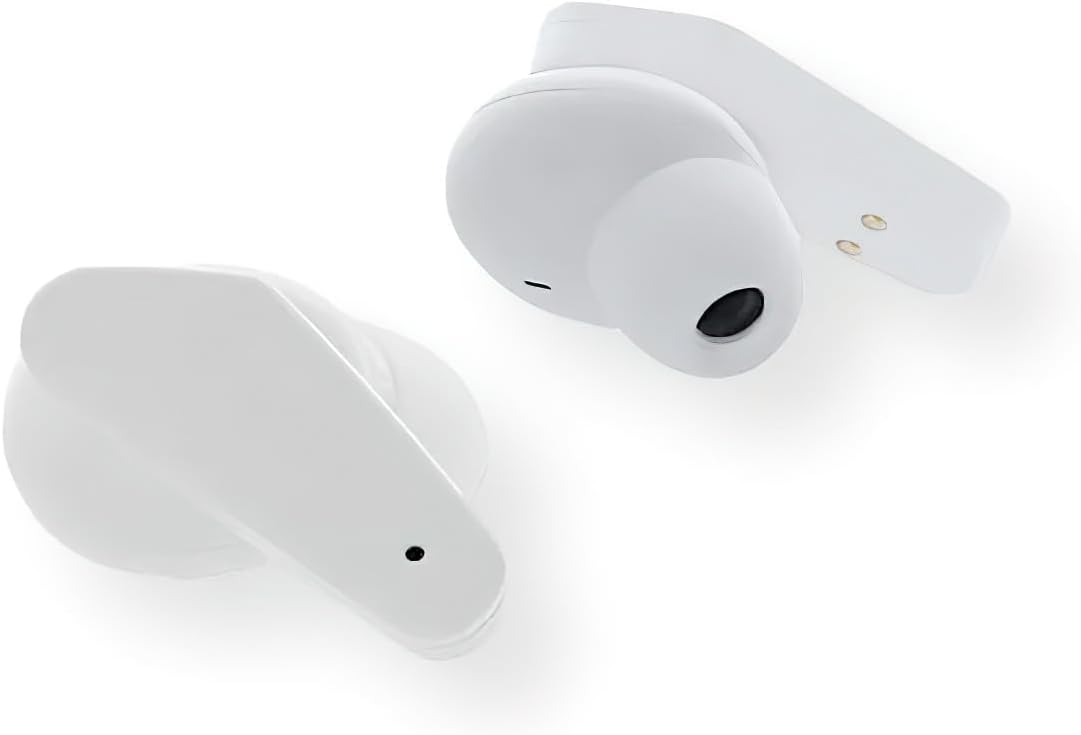
ചിത്രം 3: ഒരു ക്ലോസ്-അപ്പ് view of the Sentry HPXBTA105 True Wireless Earbuds, highlighting their design and in-line microphone.
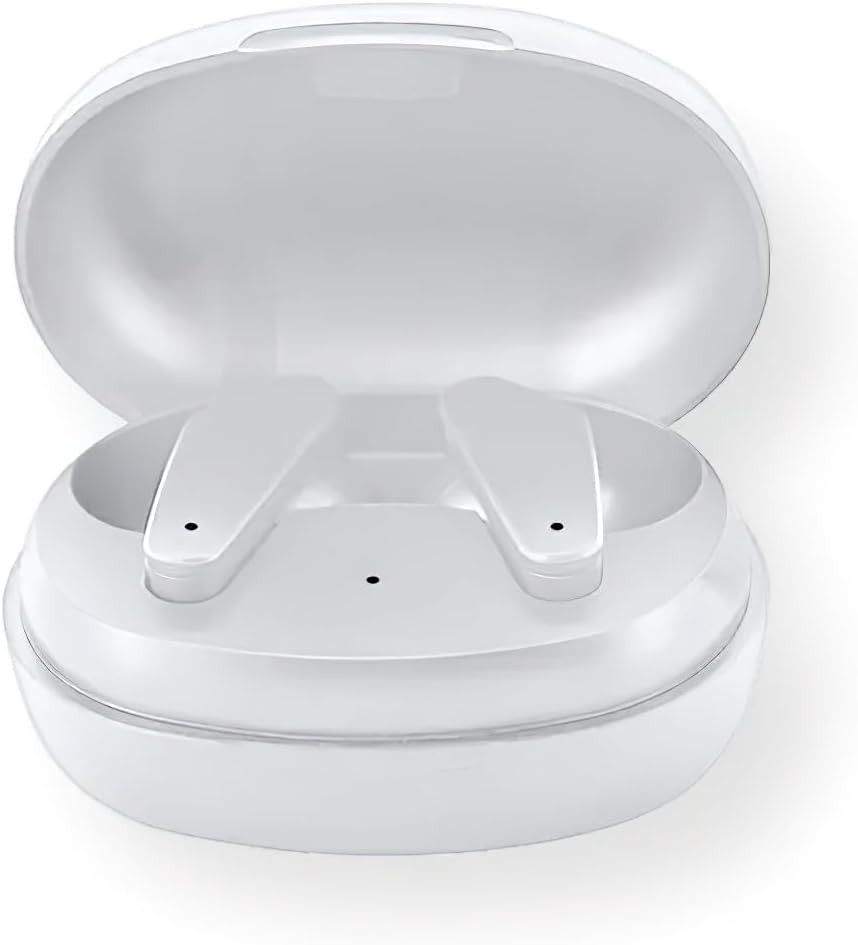
Figure 4: The Sentry HPXBTA105 charging case with both earbuds securely placed inside.
The earbuds feature a sleek white design with touch control buttons for easy operation. They are equipped with an in-line microphone for clear call handling and extra soft noise reduction earpads for comfort and effective noise cancellation.
സജ്ജമാക്കുക
1. ഇയർബഡുകളും കേസും ചാർജ് ചെയ്യുന്നു
ആദ്യമായി ഉപയോഗിക്കുന്നതിന് മുമ്പ്, ഇയർബഡുകളും ചാർജിംഗ് കേസും പൂർണ്ണമായും ചാർജ് ചെയ്യുക.
- ഇയർബഡുകൾ ചാർജിംഗ് കേസിൽ വയ്ക്കുക, അവ ശരിയായി ഇട്ടിട്ടുണ്ടെന്ന് ഉറപ്പാക്കുക.
- USB ചാർജിംഗ് കേബിൾ കേസിലെ ചാർജിംഗ് പോർട്ടിലേക്കും മറ്റേ അറ്റം ഒരു USB പവർ സ്രോതസ്സിലേക്കും (ഉദാ: കമ്പ്യൂട്ടർ, വാൾ അഡാപ്റ്റർ) ബന്ധിപ്പിക്കുക.
- The indicator lights on the case and/or earbuds will show charging status. Refer to the specific light patterns in the quick start guide for details.
- പൂർണ്ണമായി ചാർജ് ചെയ്തുകഴിഞ്ഞാൽ, ചാർജിംഗ് കേബിൾ വിച്ഛേദിക്കുക.
2. ബ്ലൂടൂത്ത് ജോടിയാക്കൽ
Pair your earbuds with your device (smartphone, tablet, laptop) for wireless audio.
- ഇയർബഡുകൾ ചാർജ് ചെയ്തിട്ടുണ്ടെന്നും ചാർജിംഗ് കെയ്സിൽ വച്ചിട്ടുണ്ടെന്നും ഉറപ്പാക്കുക.
- Open the charging case lid. The earbuds will automatically enter pairing mode (indicator lights will flash).
- On your device, go to Bluetooth settings and turn Bluetooth ON.
- ഇതിനായി തിരയുക available devices. Select "HPXBTA105" from the list.
- Once connected, the earbuds will indicate successful pairing (e.g., a voice prompt or steady light).
- ഉപകരണത്തിൽ ബ്ലൂടൂത്ത് പ്രവർത്തനക്ഷമമാക്കിയിട്ടുണ്ടെങ്കിൽ, കേസിൽ നിന്ന് പുറത്തെടുക്കുമ്പോൾ ഇയർബഡുകൾ അവസാനം ജോടിയാക്കിയ ഉപകരണവുമായി യാന്ത്രികമായി വീണ്ടും കണക്റ്റുചെയ്യും.
പ്രവർത്തന നിർദ്ദേശങ്ങൾ
ടച്ച് നിയന്ത്രണങ്ങൾ
The Sentry HPXBTA105 earbuds feature intuitive touch controls on each earbud. The specific functions may vary slightly, but common controls include:
- പ്ലേ/താൽക്കാലികമായി നിർത്തുക: ഇയർബഡുകളിൽ ഏതെങ്കിലുമൊന്നിൽ ഒറ്റ ടാപ്പ് ചെയ്യുക.
- അടുത്ത ട്രാക്ക്: വലതുവശത്തെ ഇയർബഡിൽ രണ്ടുതവണ ടാപ്പ് ചെയ്യുക.
- മുമ്പത്തെ ട്രാക്ക്: ഇടതുവശത്തെ ഇയർബഡിൽ രണ്ടുതവണ ടാപ്പ് ചെയ്യുക.
- വോളിയം കൂട്ടുക: വലതുവശത്തെ ഇയർബഡിൽ മൂന്ന് തവണ ടാപ്പ് ചെയ്യുക.
- വോളിയം താഴേക്ക്: ഇടതുവശത്തെ ഇയർബഡിൽ മൂന്ന് തവണ ടാപ്പ് ചെയ്യുക.
- ഉത്തരം/അവസാന കോൾ: ഇൻകമിംഗ് കോളിലോ സജീവ കോളിലോ ഇയർബഡിൽ ഒറ്റ ടാപ്പ് ചെയ്യുക.
- കോൾ നിരസിക്കുക: ഇൻകമിംഗ് കോൾ വരുമ്പോൾ ഏതെങ്കിലും ഒരു ഇയർബഡിൽ അമർത്തിപ്പിടിക്കുക.
- വോയ്സ് അസിസ്റ്റന്റിനെ സജീവമാക്കുക: Press and hold for 2 seconds on either earbud (e.g., Siri, Google Assistant).
- ANC/സുതാര്യത മോഡ് ടോഗിൾ ചെയ്യുക: Long press (e.g., 3 seconds) on either earbud. Refer to the quick start guide for exact gesture.
ആക്ടീവ് നോയിസ് ക്യാൻസലിംഗ് (ANC)
The earbuds are equipped with Active Noise Canceling technology to reduce ambient noise. This feature is ideal for travel or noisy environments.
- To activate ANC, use the designated touch control gesture (as described above).
- You may hear a slight change in audio quality when ANC is engaged, which is normal.
- To deactivate ANC or switch to Transparency Mode (if available), repeat the touch control gesture.
Video 1: Official product video demonstrating key features and design of the Sentry HPXBTA105 True Wireless Earbuds, including active noise canceling.
മെയിൻ്റനൻസ്
ശരിയായ പരിചരണം നിങ്ങളുടെ ഇയർബഡുകളുടെ ആയുസ്സ് വർദ്ധിപ്പിക്കും.
- വൃത്തിയാക്കൽ: മൃദുവായതും ഉണങ്ങിയതും ലിന്റ് രഹിതവുമായ തുണി ഉപയോഗിച്ച് ഇയർബഡുകളും ചാർജിംഗ് കെയ്സും സൌമ്യമായി തുടയ്ക്കുക. കഠിനമായ രാസവസ്തുക്കളോ ഉരച്ചിലുകളോ ഉള്ള വസ്തുക്കൾ ഉപയോഗിക്കരുത്.
- സംഭരണം: ഉപയോഗത്തിലില്ലാത്തപ്പോൾ, ഇയർബഡുകൾ സംരക്ഷിക്കുന്നതിനും ചാർജ്ജ് ചെയ്ത് നിലനിർത്തുന്നതിനും അവ ചാർജിംഗ് കേസിൽ സൂക്ഷിക്കുക. തണുത്തതും വരണ്ടതുമായ സ്ഥലത്ത് സൂക്ഷിക്കുക.
- വെള്ളം ഒഴിവാക്കുക: ഇയർബഡുകൾ വാട്ടർപ്രൂഫ് അല്ല. വെള്ളം, വിയർപ്പ്, മഴ എന്നിവയിൽ സമ്പർക്കം ഒഴിവാക്കുക.
ട്രബിൾഷൂട്ടിംഗ്
നിങ്ങളുടെ ഇയർബഡുകളിൽ പ്രശ്നങ്ങൾ നേരിടുകയാണെങ്കിൽ, ഇനിപ്പറയുന്ന പരിഹാരങ്ങൾ പരീക്ഷിക്കുക:
| പ്രശ്നം | സാധ്യമായ പരിഹാരം |
|---|---|
| ഇയർബഡുകൾ ജോടിയാക്കുന്നില്ല |
|
| ഒരു ഇയർബഡിൽ നിന്ന് ശബ്ദമില്ല |
|
| ചാർജിംഗ് കേസ് ചാർജുചെയ്യുന്നില്ല |
|
| Active Noise Canceling not working |
|
സ്പെസിഫിക്കേഷനുകൾ
| ഫീച്ചർ | വിശദാംശങ്ങൾ |
|---|---|
| മോഡലിൻ്റെ പേര് | HPXBTA105 ന്റെ വിവരണം |
| കണക്റ്റിവിറ്റി ടെക്നോളജി | വയർലെസ് (ബ്ലൂടൂത്ത്) |
| ഡ്രൈവ് യൂണിറ്റ് | 10 മി.മീ |
| ഫ്രീക്വൻസി റേഞ്ച് | 20Hz - 20KHz |
| സംവേദനക്ഷമത | 103dB +/- 3dB |
| പ്രതിരോധം | 32 ഓം |
| ശബ്ദ നിയന്ത്രണം | സജീവ നോയ്സ് റദ്ദാക്കൽ |
| മൈക്രോഫോൺ | ഇൻ-ലൈൻ മൈക്രോഫോൺ |
| നിയന്ത്രണ തരം | നിയന്ത്രണ ബട്ടണുകൾ സ്പർശിക്കുക |
| നിറം | വെള്ള |
| ഇനത്തിൻ്റെ ഭാരം | 6.4 ഔൺസ് |
| പാക്കേജ് അളവുകൾ | 8 x 5.75 x 2.5 ഇഞ്ച് |
വാറൻ്റിയും പിന്തുണയും
Sentry products are designed and manufactured to the highest quality standards. For information regarding warranty coverage, technical support, or service, please refer to the warranty card included with your product or visit the official Sentry webസൈറ്റ്. വാറന്റി ക്ലെയിമുകൾക്കായി നിങ്ങളുടെ വാങ്ങലിന്റെ തെളിവ് സൂക്ഷിക്കുക.
For further assistance, you may also refer to the product detail page on Amazon.com: https://www.amazon.com/dp/B0D5DP1G3M


