ആമുഖം
വാങ്ങിയതിന് നന്ദി.asing the DANFI AUDIO DF TE-2030 Vinyl Record Player. This manual provides essential information for the safe and efficient operation of your new record player. Please read it thoroughly before use and retain it for future reference.
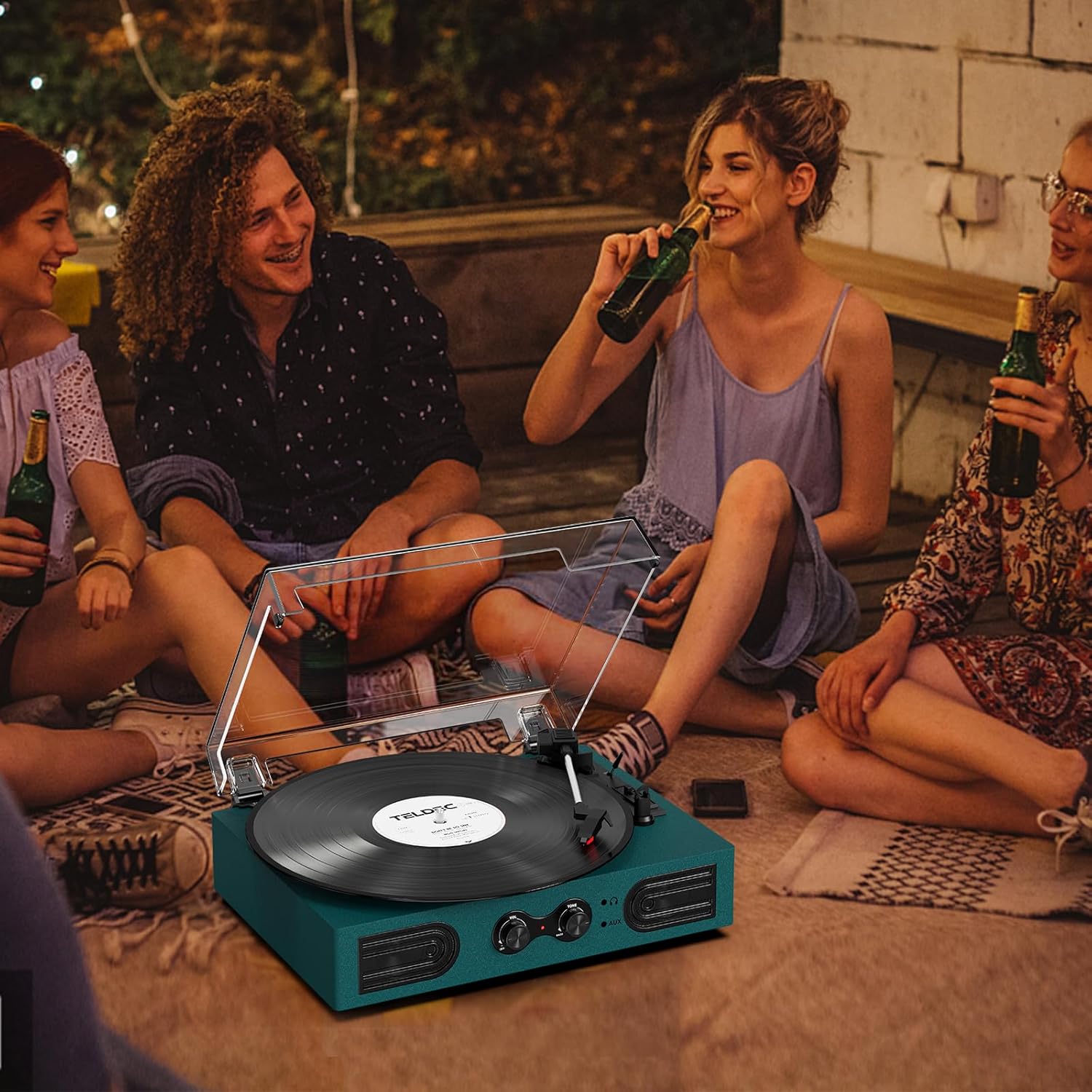
The TE-2030 is a versatile 3-speed vintage-style record player featuring built-in speakers, adjustable treble and bass controls, Bluetooth input for wireless streaming, and multiple connectivity options including RCA line-out, AUX-in, and a 3.5mm headphone jack. Its belt-driven turntable is designed for smooth vinyl playback, making it suitable for 7", 10", and 12" records.
സുരക്ഷാ വിവരങ്ങൾ
- Read all instructions before operating the record player.
- വെള്ളം അല്ലെങ്കിൽ ഈർപ്പത്തിൽ നിന്ന് യൂണിറ്റ് സൂക്ഷിക്കുക.
- വെൻ്റിലേഷൻ ഓപ്പണിംഗുകളൊന്നും തടയരുത്.
- നിർമ്മാതാവ് വ്യക്തമാക്കിയ അറ്റാച്ച്മെൻ്റുകൾ/ആക്സസറികൾ മാത്രം ഉപയോഗിക്കുക.
- മിന്നൽ കൊടുങ്കാറ്റുകളുടെ സമയത്തോ ദീർഘകാലത്തേക്ക് ഉപയോഗിക്കാത്ത സമയത്തോ യൂണിറ്റ് അൺപ്ലഗ് ചെയ്യുക.
- എല്ലാ സേവനങ്ങളും യോഗ്യതയുള്ള സേവന ഉദ്യോഗസ്ഥർക്ക് റഫർ ചെയ്യുക.
ബോക്സിൽ എന്താണുള്ളത്
അൺപാക്ക് ചെയ്യുമ്പോൾ, താഴെ പട്ടികപ്പെടുത്തിയിരിക്കുന്ന എല്ലാ ഇനങ്ങളും ഉണ്ടെന്നും നല്ല നിലയിലാണെന്നും ഉറപ്പാക്കുക:
- DANFI AUDIO DF Vinyl Record Player (TE-2030)
- 45 ആർപിഎം അഡാപ്റ്റർ
- Power Cord (100V-240V~)
- പൊടി കവർ
- ഉപയോക്തൃ മാനുവൽ
ഉൽപ്പന്നം കഴിഞ്ഞുview
ചിത്രം 1: മുന്നിലും മുകളിലും View of the TE-2030 Record Player with Labeled Components
Front Panel Controls & Features:
- പവർ സ്വിച്ച്/വോളിയം നോബ്: Turns the unit on/off and adjusts playback volume.
- Treble/Bass Knob: Adjusts the tone for enhanced listening.
- 3.5 എംഎം ഹെഡ്ഫോൺ ജാക്ക്: സ്വകാര്യ ശ്രവണത്തിനായി.
- 3.5mm AUX-in: ബാഹ്യ ഓഡിയോ ഉപകരണങ്ങൾ ബന്ധിപ്പിക്കുക.
- ബിൽറ്റ്-ഇൻ സ്പീക്കറുകൾ: ഓഡിയോ ഔട്ട്പുട്ടിനായി സംയോജിത സ്റ്റീരിയോ സ്പീക്കറുകൾ.
Turntable Components:
- ടേൺടേബിൾ പ്ലാറ്റർ: വിനൈൽ റെക്കോർഡ് എവിടെയാണ് കിടക്കുന്നത്.
- Turntable Spindle: റെക്കോർഡ് സ്ഥാനത്ത് നിലനിർത്തുന്നു.
- 45 RPM അഡാപ്റ്റർ: Used for 7-inch records with large center holes.
- Tone Arm Lifter: ടോണെർം ഉയർത്തുകയും താഴ്ത്തുകയും ചെയ്യുന്നു.
- ഓട്ടോ സ്റ്റോപ്പ് സ്വിച്ച്: Enables/disables automatic stopping of the platter.
- വേഗത മാറൽ: Selects playback speed (33 1/3, 45, 78 RPM).
- Cartridge/Stylus: റെക്കോർഡിന്റെ ആഴങ്ങൾ വായിക്കുന്നു.
- Tone Arm Lock: Secures the tonearm when not in use.
പിൻ പാനൽ കണക്ഷനുകൾ:
- പവർ പോർട്ട്: പവർ അഡാപ്റ്റർ ബന്ധിപ്പിക്കുന്നു.
- RCA Audio Out (L/R): ബാഹ്യ സ്പീക്കറുകളിലേക്ക് കണക്റ്റുചെയ്യുന്നു അല്ലെങ്കിൽ ഒരു ampജീവൻ.
സജ്ജമാക്കുക
- യൂണിറ്റ് അൺപാക്ക് ചെയ്യുക: Carefully remove all packaging materials and place the record player on a stable, flat surface.
- പവർ ബന്ധിപ്പിക്കുക: Plug the power cord into the DC 5V 1A input on the back of the unit, then plug the adapter into a standard wall outlet.
- സ്റ്റൈലസ് പ്രൊട്ടക്ടർ നീക്കം ചെയ്യുക: Gently remove the white protective cap from the stylus.
- പൊടി കവർ: Place the clear dust cover onto the hinges at the back of the unit.
പ്രവർത്തന നിർദ്ദേശങ്ങൾ
വിനൈൽ റെക്കോർഡുകൾ പ്ലേ ചെയ്യുന്നു
- Turn the Power/Volume knob clockwise to turn on the unit. The indicator light will illuminate.
- Place a vinyl record on the turntable platter. If playing a 7-inch record, place the 45 RPM adapter on the center spindle.
- Select the appropriate speed (33 1/3, 45, or 78 RPM) using the Speed Switching lever.
- ടോൺ ആം അതിന്റെ വിശ്രമത്തിൽ നിന്ന് അൺലോക്ക് ചെയ്യുക.
- Lift the tone arm using the Tone Arm Lifter lever.
- Manually move the tone arm to the desired position over the record.
- Gently lower the tone arm onto the record using the Tone Arm Lifter lever. The record will begin playing.
- Adjust the volume using the Power/Volume knob. Use the Treble/Bass knob to fine-tune the sound.
- At the end of the record, if the Auto Stop switch is ON, the platter will stop spinning automatically. If OFF, the platter will continue to spin.
- To stop playback, lift the tone arm, return it to its rest, and lock it. Turn the Power/Volume knob counter-clockwise to turn off the unit.
ബ്ലൂടൂത്ത് ഇൻപുട്ട്

Figure 2: Wireless Bluetooth Streaming to the Record Player
- Turn the Power/Volume knob clockwise to turn on the unit. The indicator light will flash blue, indicating Bluetooth pairing mode.
- Enable Bluetooth on your smartphone or other device and search for “TE-2030”.
- Select “TE-2030” to pair. Once connected, the indicator light will turn solid blue.
- Play music from your device. Audio will stream through the record player's built-in speakers.
- Adjust volume and tone using the knobs on the record player or your device.
AUX ഇൻപുട്ട്

Figure 3: AUX-In and RCA Output Ports
- Connect a 3.5mm audio cable (not included) from your external audio device to the AUX-in port on the front of the record player.
- The unit will automatically switch to AUX mode.
- Play music from your connected device. Audio will be routed through the record player's speakers.
- Adjust volume and tone as desired.
ഹെഡ്ഫോൺ കേൾക്കൽ

Figure 4: Private Listening via Headphone Jack
- Plug your 3.5mm headphones (not included) into the headphone jack on the front of the unit.
- Audio will now be routed through your headphones for private listening.
- Adjust volume and tone as desired.
RCA ലൈൻ-ഔട്ട്
- Connect an RCA cable (not included) from the RCA Audio Out ports (red for right, white for left) on the back of the unit to your external ampലൈഫയർ അല്ലെങ്കിൽ പവർഡ് സ്പീക്കറുകൾ.
- നിങ്ങളുടെ ബാഹ്യ ഓഡിയോ സിസ്റ്റം ശരിയായ ഇൻപുട്ടിലേക്ക് സജ്ജീകരിച്ചിട്ടുണ്ടെന്ന് ഉറപ്പാക്കുക.
- Audio will play through the connected external system.
മെയിൻ്റനൻസ്
സ്റ്റൈലസ് മാറ്റിസ്ഥാപിക്കൽ
The stylus should last about 200-250 hours under normal use. If you notice a change in sound quality, it may be time to replace the stylus. The stylus needle is a universal type for Victrola and Crosley record players, purchasable on Amazon.
- പഴയ സ്റ്റൈലസ് നീക്കംചെയ്യുന്നു: Gently pull down the front edge of the needle. Pull the needle forward. Pull out and remove.
- ഒരു പുതിയ സ്റ്റൈലസ് ഇൻസ്റ്റാൾ ചെയ്യുന്നു: Hold the tip of the stylus and insert the other edge by pressing upward. Push the stylus upward until it locks at the tip.
ജനറൽ കെയർ
- Keep the unit clean and dust-free. Use a soft, dry cloth for cleaning.
- നിങ്ങളുടെ വിരലുകൾ കൊണ്ട് സ്റ്റൈലസിൽ തൊടുന്നത് ഒഴിവാക്കുക.
- Handle records by the edges to prevent fingerprints and dust.
ട്രബിൾഷൂട്ടിംഗ്
| പ്രശ്നം | സാധ്യമായ കാരണം | പരിഹാരം |
|---|---|---|
| ശക്തിയില്ല | പവർ കോർഡ് ബന്ധിപ്പിച്ചിട്ടില്ല; പവർ ഔട്ട്ലെറ്റ് തകരാറിലാണ് | പവർ കോർഡ് സുരക്ഷിതമായി ബന്ധിപ്പിച്ചിട്ടുണ്ടെന്ന് ഉറപ്പാക്കുക; മറ്റൊരു ഔട്ട്ലെറ്റ് പരീക്ഷിക്കുക. |
| ശബ്ദമില്ല | Volume too low; Stylus damaged; External speakers not connected correctly | Increase volume; Replace stylus; Check RCA connections. |
| റെക്കോർഡ് ഒഴിവാക്കൽ | Record dirty/damaged; Stylus worn; Unit not level | Clean record; Replace stylus; Place unit on a stable, level surface. |
| ബ്ലൂടൂത്ത് കണക്റ്റ് ചെയ്യുന്നില്ല | Bluetooth not enabled on device; Device too far | Ensure Bluetooth is on and device is within range (approx. 10m). |
സ്പെസിഫിക്കേഷനുകൾ
| ഫീച്ചർ | വിശദാംശങ്ങൾ |
|---|---|
| ഉൽപ്പന്ന അളവുകൾ | 11.5 x 9 x 3.5 ഇഞ്ച് |
| ഇനത്തിൻ്റെ ഭാരം | 5.45 പൗണ്ട് |
| ഇനം മോഡൽ നമ്പർ | TE-2030 |
| ബ്രാൻഡ് | DANFI ഓഡിയോ ഡിഎഫ് |
| പരമാവധി റൊട്ടേഷണൽ സ്പീഡ് | 78 ആർപിഎം |
| മെറ്റീരിയൽ | Acrylic, Engineered Wood, Plastic |
| പ്രത്യേക സവിശേഷതകൾ | Adjustable Speed, Built-In Speaker, Treble & Bass Control |
| അനുയോജ്യമായ ഉപകരണങ്ങൾ | Headphone, PC, Smartphone, Tablet |
ഔദ്യോഗിക ഉൽപ്പന്ന വീഡിയോ
Video: DANFI AUDIO DF TE-2030 Vinyl Record Player with Built-in Speakers - Product Overview സവിശേഷതകളും.
വാറൻ്റി & പിന്തുണ
For any questions, problems, or missing parts, please contact customer support directly. The manufacturer offers support for product inquiries.
ഉപഭോക്തൃ പിന്തുണാ ഇമെയിൽ: support23@163.com
Please refer to the original purchase documentation for specific warranty details.


