ആമുഖം
Thank you for choosing the Kipcush Portable White Noise Sound Machine. This device is designed to enhance your sleep, relaxation, and focus with a variety of soothing sounds, guided breathing exercises, and a multi-functional alarm clock. Please read this manual thoroughly to understand its features and ensure optimal performance.
സുരക്ഷാ വിവരങ്ങൾ
- വെള്ളം, ഉയർന്ന ആർദ്രത എന്നിവയിൽ നിന്ന് ഉപകരണം അകറ്റി നിർത്തുക.
- Do not disassemble or attempt to repair the device yourself. Refer to qualified service personnel.
- നൽകിയിരിക്കുന്ന ചാർജിംഗ് കേബിളും അനുയോജ്യമായ ഒരു പവർ അഡാപ്റ്ററും മാത്രം ഉപയോഗിക്കുക.
- തീവ്രമായ താപനിലയിലോ നേരിട്ടുള്ള സൂര്യപ്രകാശത്തിലോ ഉപകരണം തുറന്നുകാട്ടുന്നത് ഒഴിവാക്കുക.
- ചെറിയ ഭാഗങ്ങൾ ആകസ്മികമായി അകത്താക്കുന്നത് തടയാൻ ചെറിയ കുട്ടികൾക്ക് ലഭ്യമാകാതെ സൂക്ഷിക്കുക.
പാക്കേജ് ഉള്ളടക്കം
- Kipcush Portable White Noise Sound Machine (Model D2)
- യുഎസ്ബി ചാർജിംഗ് കേബിൾ
- ഉപയോക്തൃ മാനുവൽ
ഉൽപ്പന്നം കഴിഞ്ഞുview
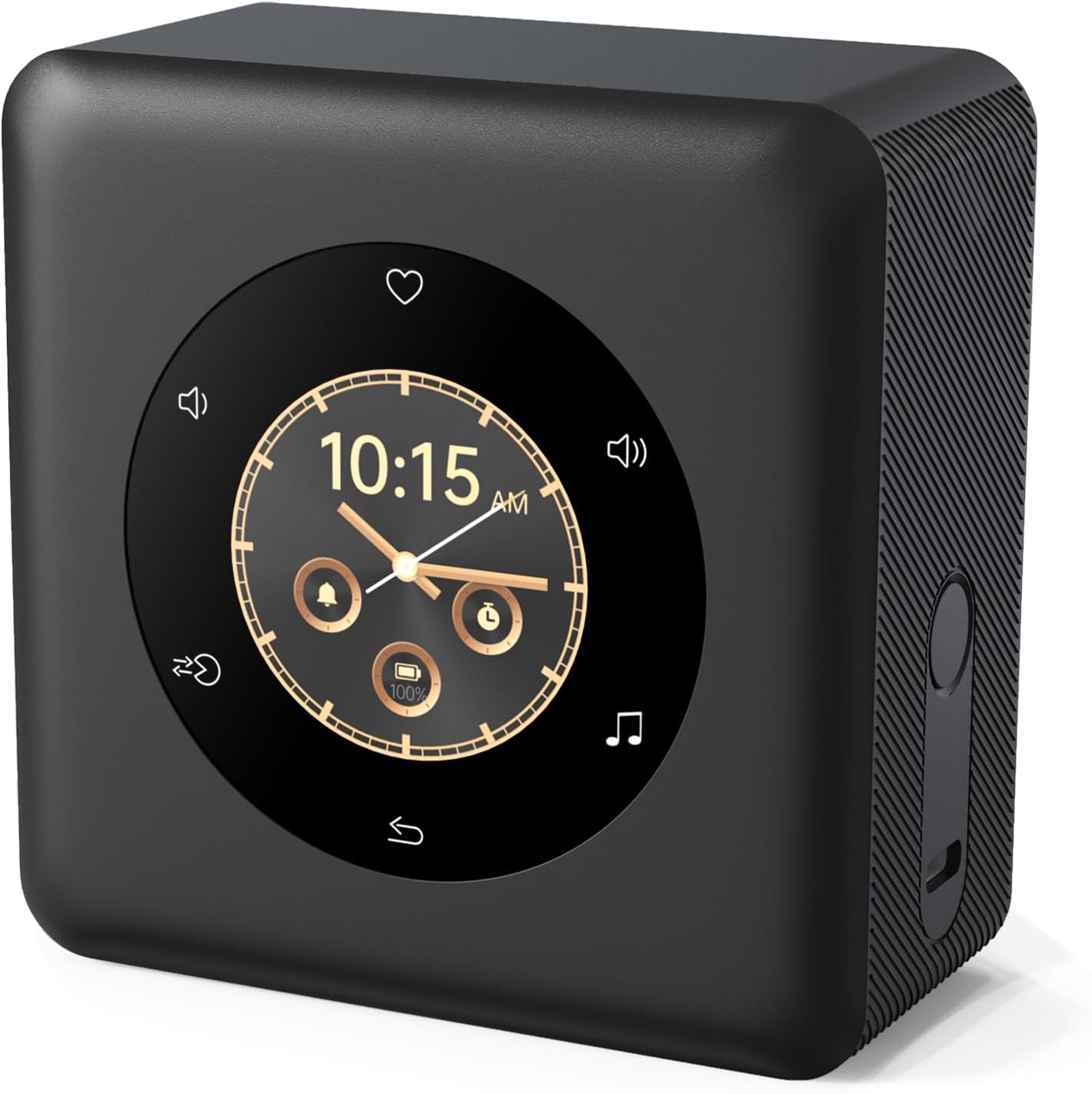
ഫ്രണ്ട് view of the Kipcush Sound Machine, showcasing its intelligent color LCD touch screen and compact design.
പ്രധാന ഘടകങ്ങൾ:
- കളർ LCD ടച്ച് സ്ക്രീൻ: For navigation, settings, and display.
- സ്പീക്കർ ഗ്രിൽ: Located on the top surface for sound output.
- USB-C ചാർജിംഗ് പോർട്ട്: പവർ ഇൻപുട്ടിനും ചാർജിംഗിനും.
- പവർ ബട്ടൺ: On/Off and screen wake/sleep.
- വോളിയം നിയന്ത്രണങ്ങൾ: Integrated into the touch screen interface.
സജ്ജമാക്കുക
1 ഉപകരണം ചാർജ് ചെയ്യുന്നു
Before first use, fully charge the device. Connect the provided USB charging cable to the USB-C port on the side of the sound machine and the other end to a compatible USB power adapter (not included). The screen will indicate charging status. A full charge provides up to 24 hours of battery life.

The device features a 5000mAh rechargeable battery for extended use.
2. പ്രാരംഭ പവർ ഓൺ
Press and hold the power button located on the side of the device until the screen illuminates. Follow any on-screen prompts for initial setup, such as language selection or time zone.
പ്രവർത്തന നിർദ്ദേശങ്ങൾ
ടച്ച് സ്ക്രീൻ നാവിഗേറ്റ് ചെയ്യുന്നു
The Kipcush Sound Machine features an intuitive color LCD touch screen. Swipe left or right to navigate between different functions and settings. Tap icons to select options or adjust parameters.

The intelligent touch design allows for easy navigation through menus and settings.
Sound Selection (24 Soothing Sounds)
Access the sound library from the main menu. Swipe through the available categories and tap to select your desired sound. The device offers 24 unique soothing sounds, including various noises (white, pink, brown), nature sounds (ocean, rain, forest), and lullabies.

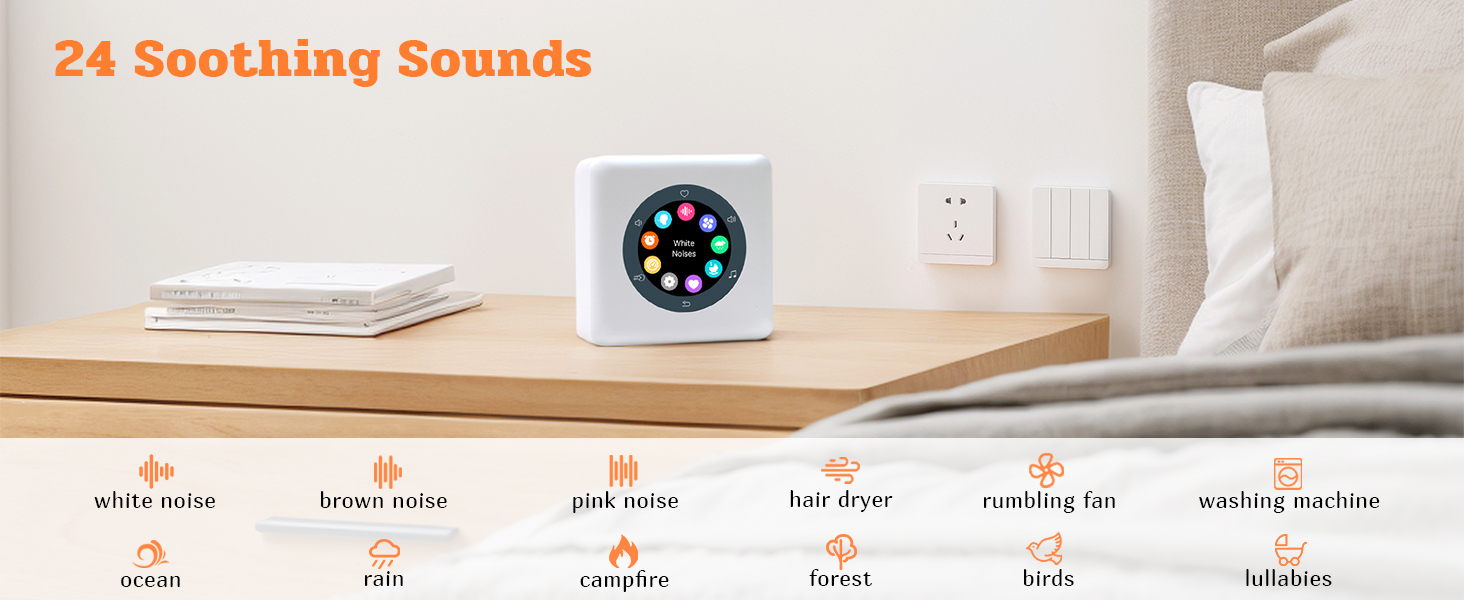
Explore a wide range of sounds scientifically proven to aid sleep and relaxation.
Guided Breathing Exercises
The device includes built-in guided breathing programs to help you relax and de-stress. Select the breathing exercise option from the menu and follow the visual cues on the screen. Available modes include 4-7-8, 3-4-5, 4-8, 5-7, and 3-4.
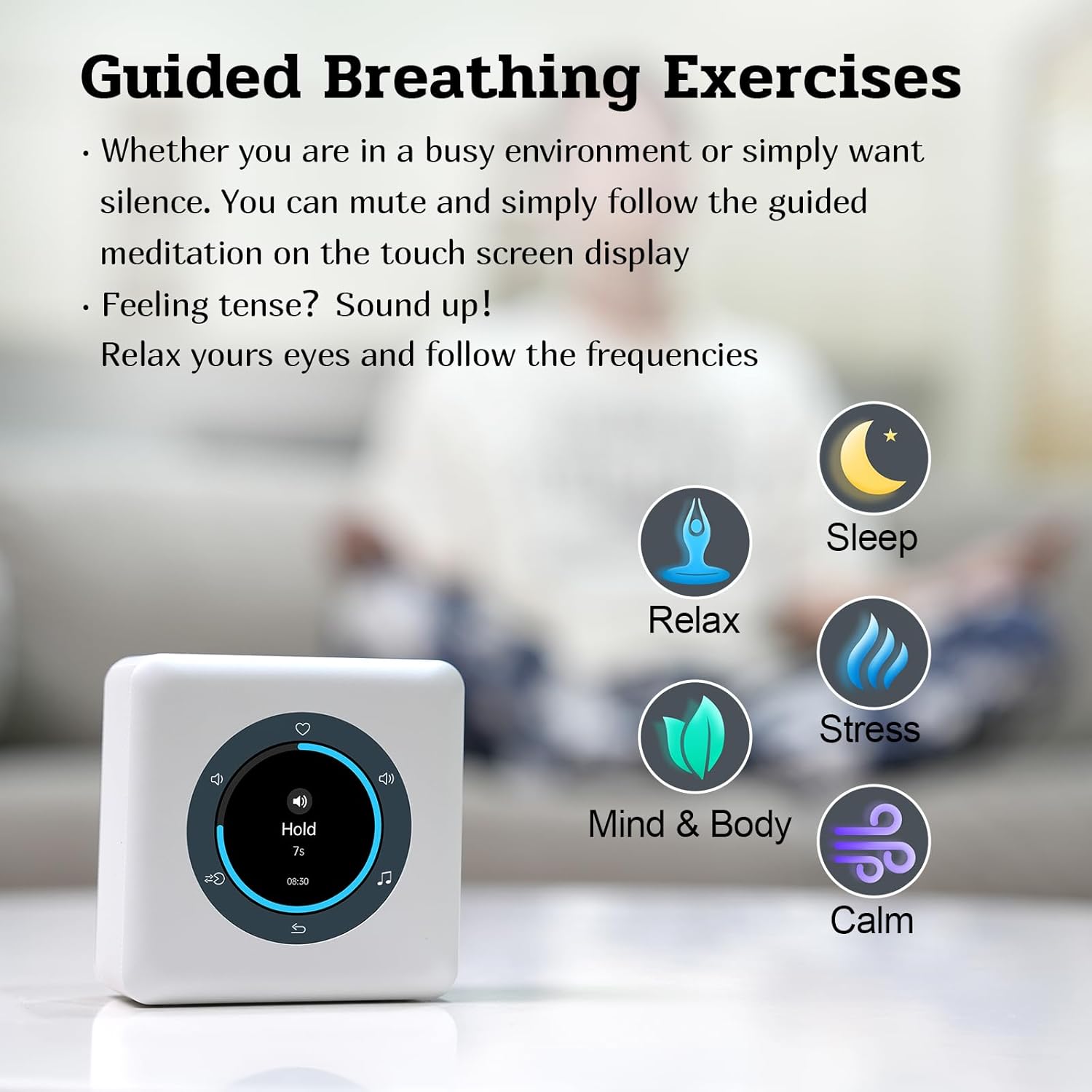

Engage in professional breath training functions for improved relaxation and focus.
അലാറം ക്ലോക്ക് പ്രവർത്തനങ്ങൾ
The device functions as a multi-functional alarm clock. You can set multiple alarms, choose alarm sounds, and configure snooze times. Navigate to the alarm settings via the touch screen.
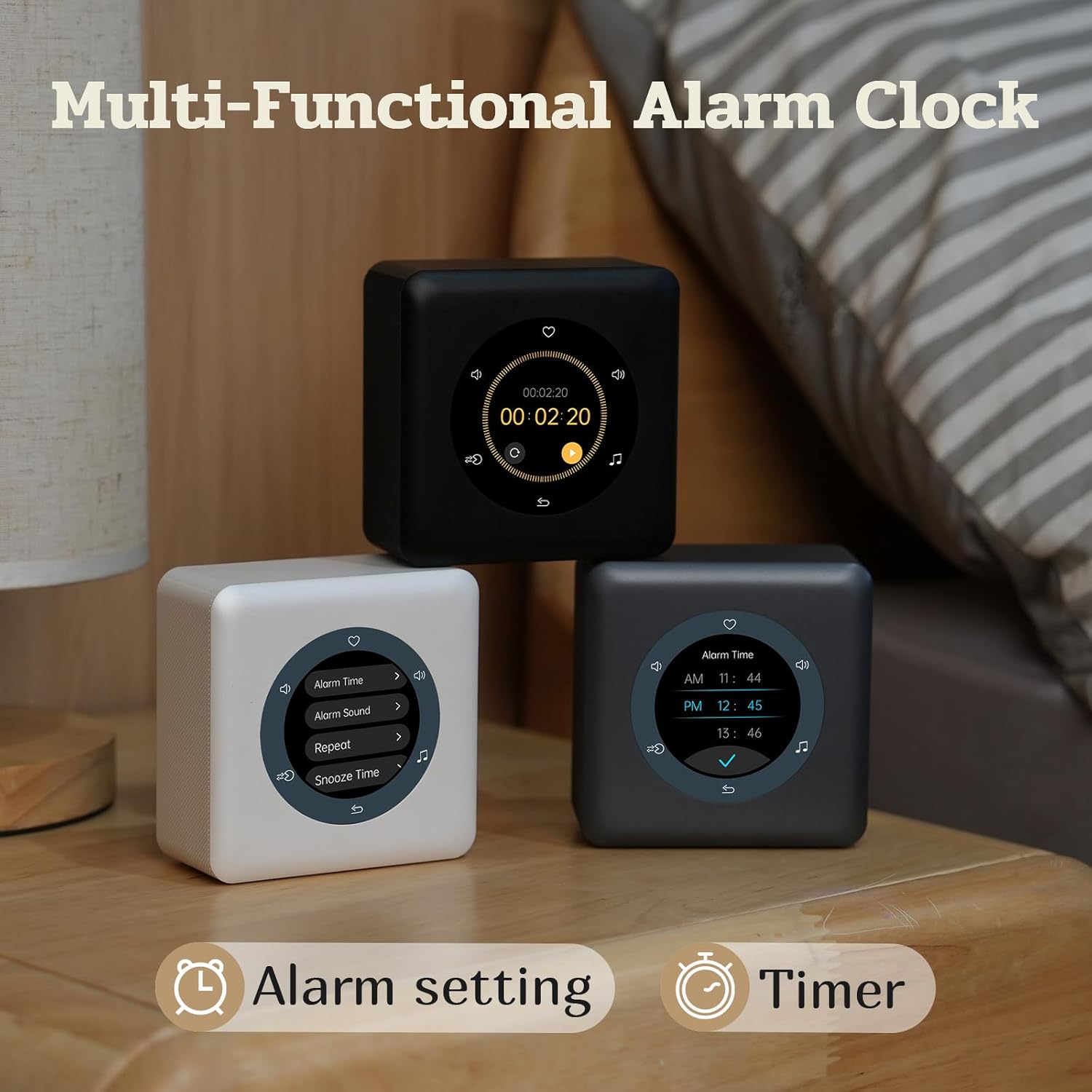
Set alarms and timers with ease using the intuitive interface.
Flip to Snooze
When an alarm sounds, simply flip the device over to activate the snooze function. This action can also pause any currently playing sounds or music.

Conveniently snooze alarms or pause sounds by flipping the device.
വോളിയം നിയന്ത്രണം
Adjust the volume directly on the touch screen. Tap the volume icons or use a sliding gesture to achieve your desired sound level. The device offers precise volume control from 0% to 100%.
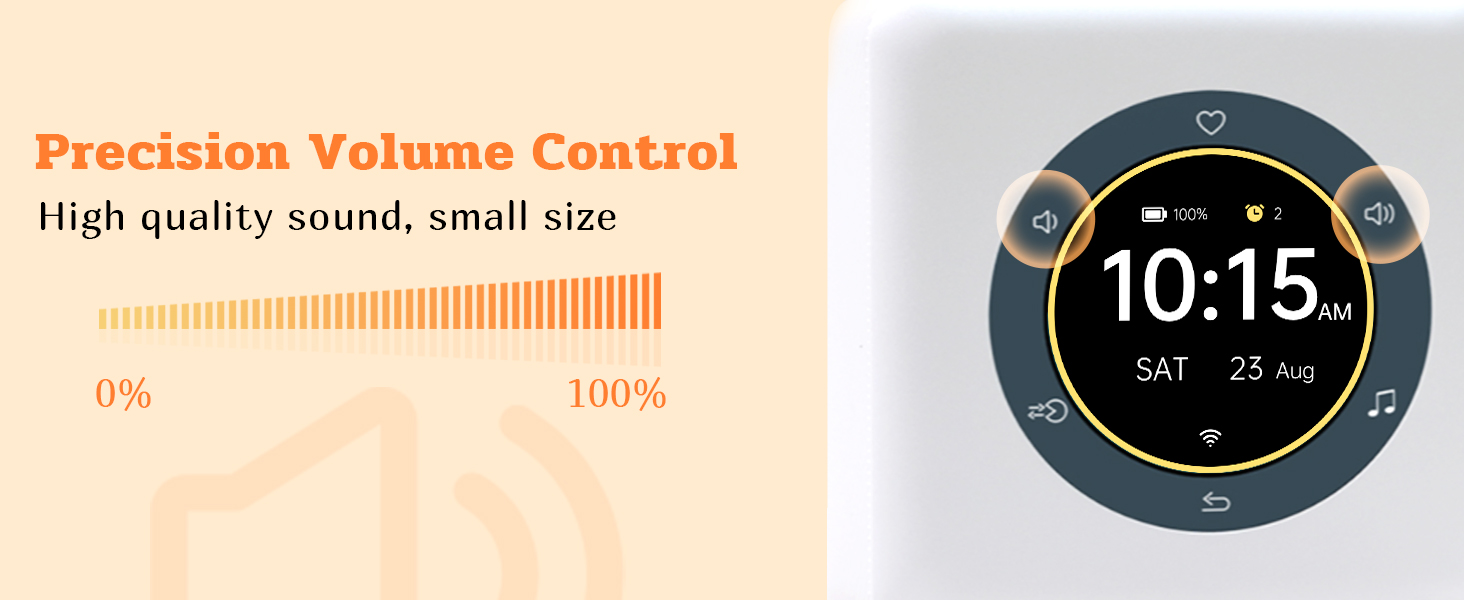
Achieve high-quality sound with precise volume adjustments.
Customizing the Display Dial
Personalize your device by choosing from a variety of watch dials. Swipe left and right on the screen to browse and select your preferred display style.
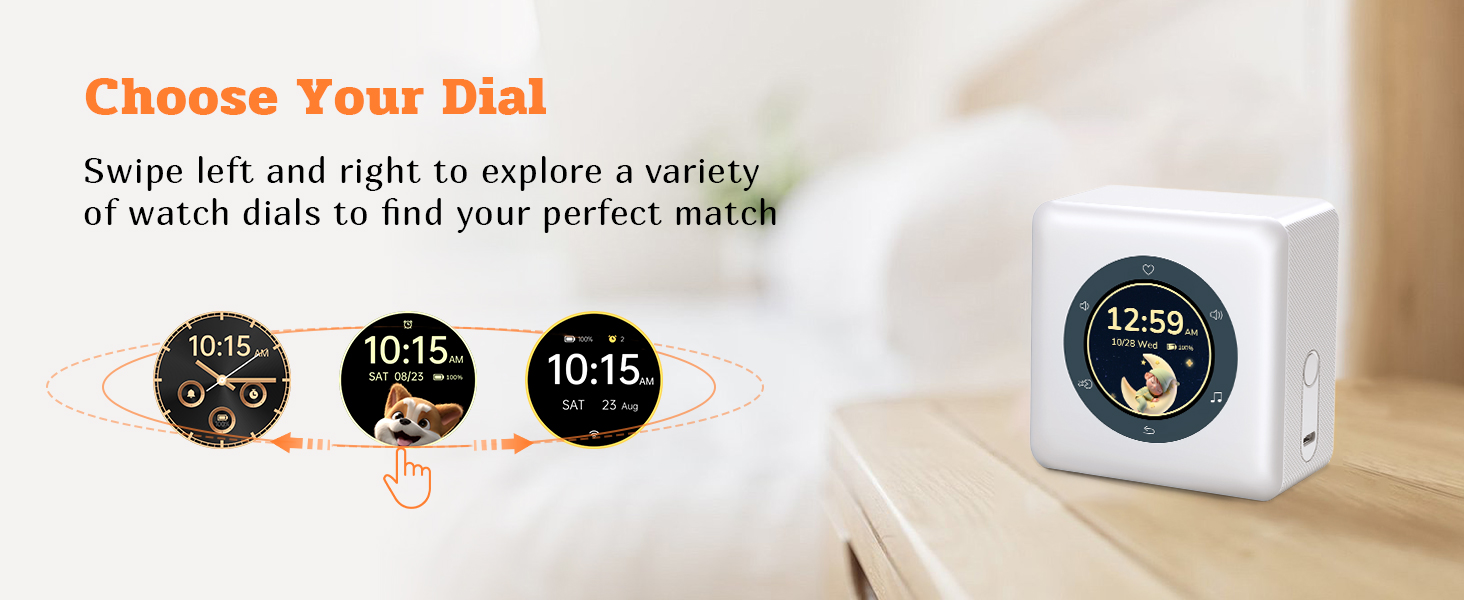
Customize your device's appearance with various watch dial options.
പ്രിയപ്പെട്ടവയുടെ പ്രവർത്തനം
Easily save and access your most-loved sounds, noises, and lullabies using the favorites feature. This allows for quick selection of your preferred audio.

Store your favorite sounds for quick and easy access.
മെയിൻ്റനൻസ്
- വൃത്തിയാക്കൽ: ഉപകരണം തുടയ്ക്കാൻ മൃദുവായതും ഉണങ്ങിയതുമായ തുണി ഉപയോഗിക്കുക. അബ്രസീവ് ക്ലീനറുകളോ ലായകങ്ങളോ ഉപയോഗിക്കരുത്.
- സംഭരണം: ദീർഘനേരം ഉപയോഗത്തിലില്ലാത്തപ്പോൾ, ഉപകരണം തണുത്തതും വരണ്ടതുമായ സ്ഥലത്ത് സൂക്ഷിക്കുക.
- ബാറ്ററി കെയർ: To prolong battery life, avoid fully discharging the battery frequently. Charge it regularly.
ട്രബിൾഷൂട്ടിംഗ്
| പ്രശ്നം | സാധ്യമായ കാരണം | പരിഹാരം |
|---|---|---|
| ഉപകരണം ഓണാക്കില്ല. | ബാറ്ററി കുറവാണ് അല്ലെങ്കിൽ ചാർജ് ഇല്ല. | Connect to power source and charge for at least 30 minutes. |
| ശബ്ദ ഔട്ട്പുട്ട് ഇല്ല. | ശബ്ദം വളരെ കുറവാണ് അല്ലെങ്കിൽ മ്യൂട്ട് ചെയ്തിരിക്കുന്നു. | Increase volume using the touch screen controls. |
| ടച്ച് സ്ക്രീൻ പ്രതികരിക്കുന്നില്ല. | താൽക്കാലിക സോഫ്റ്റ്വെയർ തകരാർ. | Press and hold the power button for 10 seconds to force restart the device. |
| അലാറം മുഴങ്ങുന്നില്ല. | അലാറം ശരിയായി സജ്ജീകരിച്ചിട്ടില്ല അല്ലെങ്കിൽ വോളിയം വളരെ കുറവാണ്. | Verify alarm settings and ensure alarm volume is audible. |
സ്പെസിഫിക്കേഷനുകൾ
| ഫീച്ചർ | വിശദാംശങ്ങൾ |
|---|---|
| ബ്രാൻഡ് | കിപ്കുഷ് |
| മോഡൽ നമ്പർ | D2 |
| ഡിസ്പ്ലേ തരം | Digital Color LCD Touch Screen |
| ഉൽപ്പന്ന അളവുകൾ | 1"W x 1"H (approximate, based on input) |
| പവർ ഉറവിടം | ബാറ്ററി പവർ (റീചാർജ് ചെയ്യാവുന്ന ലിഥിയം അയൺ) |
| ബാറ്ററി ശേഷി | 5000mAh (up to 24 hours battery life) |
| ഇനത്തിൻ്റെ ഭാരം | 1.04 പൗണ്ട് (0.47 കിലോഗ്രാം) |
| ശബ്ദങ്ങളുടെ എണ്ണം | 24 ശാന്തമായ ശബ്ദങ്ങൾ |
| Breathing Modes | 5 (4-7-8, 3-4-5, 4-8, 5-7, 3-4) |
| മെറ്റീരിയൽ | പ്ലാസ്റ്റിക് |
| മൗണ്ടിംഗ് തരം | ടേബിൾടോപ്പ് |
വാറൻ്റിയും പിന്തുണയും
Kipcush products come with a standard manufacturer's warranty. For detailed warranty information, technical support, or service inquiries, please refer to the contact information provided on the product packaging or visit the official Kipcush webസൈറ്റ്. വാറന്റി ക്ലെയിമുകൾക്കായി നിങ്ങളുടെ വാങ്ങലിന്റെ തെളിവ് സൂക്ഷിക്കുക.
കുറിപ്പ്: ഉൾച്ചേർക്കുന്നതിനായി നൽകിയിരിക്കുന്ന ഡാറ്റയിൽ 'സെല്ലർ' ക്രിയേറ്റർ തരമുള്ള ഔദ്യോഗിക ഉൽപ്പന്ന വീഡിയോകളൊന്നും കണ്ടെത്തിയില്ല.


