ആമുഖം
Thank you for choosing the Soobest 14.2" Large Display Digital Wall Clock. This versatile clock features a large LED screen, 8-in-1 color changing display, date, day of week, temperature, and timer functions. It is designed for easy readability and convenient operation with a remote control, making it ideal for various indoor settings including living rooms, bedrooms, offices, and gyms. This manual provides detailed instructions for setup, operation, and maintenance to ensure optimal performance and longevity of your device.

Image: The Soobest 14.2" Large Display Digital Wall Clock, showcasing its vibrant multi-color display and the included remote control.
പാക്കേജ് ഉള്ളടക്കം
എല്ലാ ഇനങ്ങളും ഉണ്ടെന്നും നല്ല നിലയിലാണെന്നും ഉറപ്പാക്കാൻ ദയവായി പാക്കേജ് ശ്രദ്ധാപൂർവ്വം പരിശോധിക്കുക.
- 1 x Soobest 14.2" Large Display Digital Wall Clock
- 1 x റിമോട്ട് കൺട്രോൾ
- 1 x പവർ അഡാപ്റ്റർ (കോർഡഡ് ഇലക്ട്രിക്)
- 1 x Button Battery (for memory function, pre-installed)
- Mounting Hardware (Nails)
- ഉപയോക്തൃ മാനുവൽ (ഈ പ്രമാണം)

Image: An illustration of all items included in the Soobest Digital Wall Clock package, including the clock, remote, power adapter, and manual.
സജ്ജമാക്കുക
പവർ കണക്ഷൻ
- Unpack the clock and all accessories from the box.
- Connect the power adapter cable to the "power in" port on the back of the clock.
- പവർ അഡാപ്റ്റർ ഒരു സ്റ്റാൻഡേർഡ് ഇലക്ട്രിക്കൽ ഔട്ട്ലെറ്റിലേക്ക് പ്ലഗ് ചെയ്യുക. ക്ലോക്ക് ഡിസ്പ്ലേ പ്രകാശിക്കും.
- The pre-installed button battery serves as a memory function, retaining time and alarm settings during power outages. It does not power the display.
മൗണ്ടിംഗ് ഓപ്ഷനുകൾ
The clock can be mounted on a wall or placed on a tabletop.
- വാൾ മൗണ്ട്: Use the provided nails and the mounting holes on the back of the clock to secure it to a wall. Ensure the wall can support the clock's weight (approximately 1.34 pounds).
- ടേബിൾടോപ്പ്: The clock can stand freely on a flat surface.

Image: Visual representation of the clock's dimensions and power connection, illustrating its suitability for wall mounting or tabletop use.
പ്രവർത്തന നിർദ്ദേശങ്ങൾ
Basic Display Information
The large LED display shows the following information at a glance:
- സമയം: Large digits for hours and minutes, with smaller seconds display.
- തീയതി: Month and Day.
- ആഴ്ചയിലെ ദിവസം: Indicated by illuminated abbreviations (MON, TUE, etc.).
- ഇൻഡോർ താപനില: Displayed in Fahrenheit (°F).
റിമോട്ട് കൺട്രോൾ ഉപയോഗിക്കുന്നു
All settings and functions are easily controlled via the included remote control.
- റിമോട്ട് കൺട്രോളിൽ പ്രവർത്തിക്കുന്ന ബാറ്ററി ഉണ്ടെന്ന് ഉറപ്പാക്കുക.
- Point the remote control directly at the clock for optimal response.

Image: The clock displaying both time and timer modes, highlighting the seamless transition between them using the remote control.
സമയവും തീയതിയും ക്രമീകരിക്കുന്നു
- അമർത്തുക സെറ്റ് button on the remote control. The hour digits will flash.
- ഉപയോഗിക്കുക മുകളിലേക്ക് / താഴേക്ക് മണിക്കൂർ ക്രമീകരിക്കാനുള്ള അമ്പടയാളങ്ങൾ.
- അമർത്തുക സെറ്റ് again to move to minutes, then date, month, and year, adjusting each with the മുകളിലേക്ക് / താഴേക്ക് അമ്പുകൾ.
- അമർത്തുക സെറ്റ് എല്ലാ ക്രമീകരണങ്ങളും സ്ഥിരീകരിക്കാൻ അവസാനമായി ഒരിക്കൽ കൂടി.
നിറം മാറ്റുന്ന ഡിസ്പ്ലേ
The clock offers 8 RGB color modes: 4 fixed pure colors and 4 dynamic RGB color changes.
- അമർത്തുക നിറം button on the remote control to cycle through the available color modes.
- Choose the color that best suits your environment or mood.

ചിത്രം: ഉദാamples of the clock's diverse color display options, from solid colors to dynamic RGB changes.
Timer Function (Count Up/Count Down)
The clock can function as a timer, useful for kitchen, gym, or study activities.
- അമർത്തുക ടൈമർ മോഡ് button on the remote control to switch to timer mode. The display will show "00:00".
- Setting Countdown: Use the number buttons on the remote to input the desired countdown time (e.g., "0500" for 5 minutes). Press ആരംഭിക്കുക/നിർത്തുക ആരംഭിക്കാൻ.
- Setting Count Up: ടൈമർ മോഡിൽ, അമർത്തുക ആരംഭിക്കുക/നിർത്തുക without setting a time to begin counting up from "00:00".
- When a countdown finishes, the clock will emit a crisp beep for 60 seconds.
- അമർത്തുക സമയ മോഡ് to return to clock display.

Image: The clock functioning as a digital timer, demonstrating its utility in a home gym setting.
Auto Daylight Saving Time (DST)
If your region observes Daylight Saving Time, you can enable the auto DST feature.
- അമർത്തുക ഡിഎസ്ടി button on the remote control to toggle Auto DST ON or OFF.
- When ON, the clock will automatically adjust forward or backward by one hour at the appropriate times of the year.
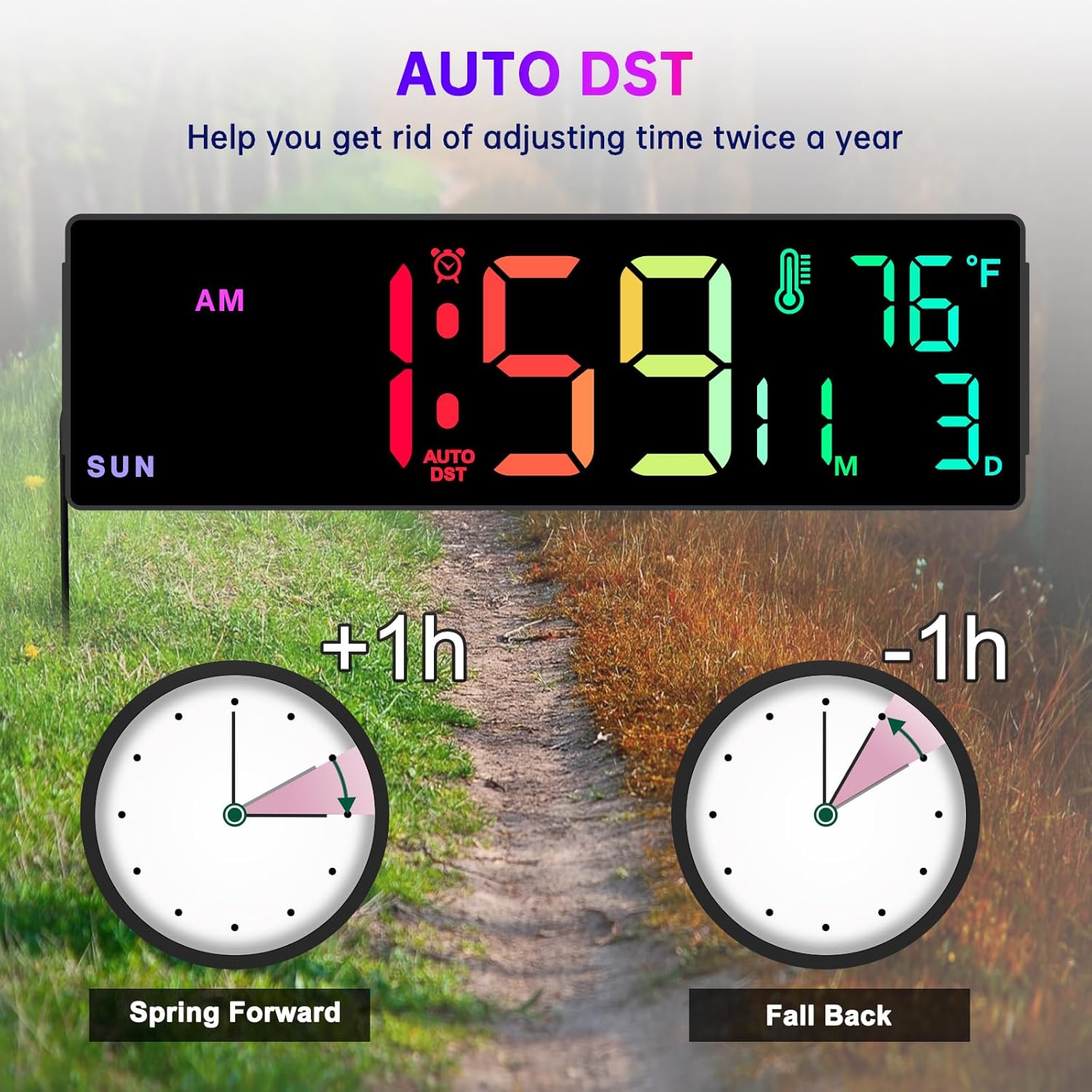
Image: A visual explanation of the Auto DST function, showing how the clock automatically adjusts for Daylight Saving Time.
ഡിമ്മർ ഫംഗ്ഷൻ
The clock features 5 levels of brightness to suit different lighting conditions and preferences.
- അമർത്തുക ഡിമ്മർ button on the remote control to cycle through the 5 brightness levels.
- Adjust the brightness to prevent the display from being too bright, especially in dark rooms or at night.
Time Format Switch (12/24 Hour)
You can switch between 12-hour (AM/PM) and 24-hour (military) time formats.
- അമർത്തുക 12/24എച്ച് button on the remote control to toggle between the two formats.
മെയിൻ്റനൻസ്
- വൃത്തിയാക്കൽ: Use a soft, dry cloth to wipe the clock's surface. Do not use abrasive cleaners or solvents, as they may damage the display or casing.
- ശക്തി: Always ensure the clock is connected to a stable power source.
- ബാറ്ററി മാറ്റിസ്ഥാപിക്കൽ (റിമോട്ട് കൺട്രോൾ): If the remote control becomes unresponsive, replace its battery. Refer to the remote control's markings for the correct battery type.
- മെമ്മറി ബാറ്ററി: The internal button battery for memory function typically lasts for a long time. If you notice settings are not retained after a power outage, it may need replacement by a qualified technician.
ട്രബിൾഷൂട്ടിംഗ്
| പ്രശ്നം | സാധ്യമായ കാരണം | പരിഹാരം |
|---|---|---|
| ക്ലോക്ക് ഡിസ്പ്ലേ ഓഫാണ്. | വൈദ്യുതി കണക്ഷനോ വൈദ്യുതി കണക്ഷനോ ഇല്ലtage. | Ensure the power adapter is securely plugged into the clock and a working electrical outlet. Check the power outlet with another device. |
| റിമോട്ട് കൺട്രോൾ പ്രവർത്തിക്കുന്നില്ല. | Remote battery is dead or incorrect orientation. Obstruction between remote and clock. | Replace the remote control battery. Ensure there are no obstructions and point the remote directly at the clock. |
| Time/Date/Day is incorrect. | Not set correctly or Auto DST issue. | Follow the "Setting Time and Date" instructions. Verify Auto DST setting is correct for your region. |
| ഡിസ്പ്ലേ വളരെ തെളിച്ചമുള്ളതാണ്/മങ്ങിയതാണ്. | Dimmer setting is not adjusted. | ഉപയോഗിക്കുക ഡിമ്മർ button on the remote to adjust brightness levels. |
| താപനില വായന തെറ്റാണെന്ന് തോന്നുന്നു. | Clock placed near heat source/vent or in direct sunlight. | Relocate the clock to an area with stable ambient temperature. Note that minor variations compared to other thermometers are normal. |
സ്പെസിഫിക്കേഷനുകൾ
- ബ്രാൻഡ്: Soobest
- മോഡൽ: SO800E
- ഡിസ്പ്ലേ തരം: ഡിജിറ്റൽ LED
- ഡിസ്പ്ലേ വലുപ്പം: 14.2 ഇഞ്ച് (ഡയഗണൽ)
- അക്ക ഉയരം: Approximately 3.1 inches (main time digits)
- ഉൽപ്പന്ന അളവുകൾ: 13.1" (പശ്ചിമം) x 4.1" (ഉയരം) x 1.1" (ഡി)
- ഊർജ്ജ സ്രോതസ്സ്: Corded Electric (AC Adapter included)
- ബാക്കപ്പ് ബാറ്ററി: 1 x Lithium Metal battery (included, for memory function only)
- ഫീച്ചറുകൾ: Time, Date, Day of Week, Indoor Temperature, Timer (Count Up/Down), 8 RGB Color Modes, 5-Level Dimmer, Auto DST, 12/24H Format.
- മൗണ്ടിംഗ് തരം: വാൾ മൗണ്ട് / ടാബ്ലെറ്റ്
- മെറ്റീരിയൽ: പ്ലാസ്റ്റിക്
- ഇനത്തിൻ്റെ ഭാരം: 1.34 പൗണ്ട്
വാറൻ്റിയും പിന്തുണയും
The Soobest 14.2" Large Display Digital Wall Clock comes with a 6 മാസ വാറൻ്റി വാങ്ങിയ തീയതി മുതൽ, നിർമ്മാണ വൈകല്യങ്ങൾ ഉൾക്കൊള്ളുന്നു.
For technical support, warranty claims, or any questions regarding your product, please contact Soobest customer service. Refer to the contact information provided on the product packaging or the official Soobest webസൈറ്റ്.
വാറന്റി ആവശ്യങ്ങൾക്കായി വാങ്ങിയതിന്റെ തെളിവായി നിങ്ങളുടെ വാങ്ങൽ രസീത് സൂക്ഷിക്കുക.