1. ആമുഖം
The JINBEI TR-RVII is a 2.4GHz wireless flash receiver designed to trigger compatible flashes equipped with a 3.5mm trigger jack. This device enables remote control of your flash units, offering enhanced flexibility and convenience in various photographic setups. It features a built-in lithium battery and supports USB-C charging.
2. ഉൽപ്പന്നം കഴിഞ്ഞുview
Familiarize yourself with the components and features of your TR-RVII receiver.

ചിത്രം 2.1: മുൻഭാഗം view of the JINBEI TR-RVII Flash Receiver, showing the channel switches and power button.

Figure 2.2: Labeled components of the TR-RVII receiver, indicating the Status Indicator, Channel Adjustment Switch, and Power button.
പ്രധാന ഘടകങ്ങൾ:
- സ്റ്റാറ്റസ് ഇൻഡിക്കേറ്റർ: Displays the operational status of the receiver.
- Channel Adjustment Switch: A set of four DIP switches used to set the communication channel.
- പവർ ബട്ടൺ: Used to turn the receiver on or off.
- 3.5mm Sync Plug: Connects to the flash unit's trigger jack.
- USB-C ചാർജിംഗ് പോർട്ട്: ആന്തരിക ബാറ്ററി ചാർജ് ചെയ്യുന്നതിന്.
3. സജ്ജീകരണം
3.1 ചാനൽ ക്രമീകരണം
The TR-RVII receiver uses a 4-position DIP switch for channel selection. To ensure proper communication, the channel setting on the receiver must match the channel setting on your JINBEI flash inducer or transmitter.
Figure 3.1: Illustration of the channel switch and its settings. 'ON' indicates '0', and 'OFF' (not ON) indicates '1'.
Refer to the table below for channel configuration:
| ചാനൽ | മാറുക 1 | മാറുക 2 | മാറുക 3 | മാറുക 4 |
|---|---|---|---|---|
| 1 | ഓൺ (0) | ഓൺ (0) | ഓൺ (0) | ഓൺ (0) |
| 2 | ഓഫ് (1) | ഓൺ (0) | ഓൺ (0) | ഓൺ (0) |
| ... | ... | ... | ... | ... |
| 16 | ഓഫ് (1) | ഓഫ് (1) | ഓഫ് (1) | ഓഫ് (1) |
കുറിപ്പ്: Ensure the channel settings on both the receiver and the transmitter are identical for successful communication.
3.2 Connecting to a Flash Unit
The TR-RVII receiver connects to your flash unit via its 3.5mm sync plug.
- Locate the 3.5mm trigger jack on your flash unit.
- Insert the 3.5mm sync plug of the TR-RVII receiver firmly into the flash unit's trigger jack.

Figure 3.2: The TR-RVII receiver connected to a flash unit via its 3.5mm sync plug.
4. പ്രവർത്തന നിർദ്ദേശങ്ങൾ
4.1 പവർ ഓൺ/ഓഫ്
- പവർ ഓണാക്കാൻ: Press and hold the Power button until the Status Indicator illuminates.
- പവർ ഓഫ് ചെയ്യാൻ: Press and hold the Power button until the Status Indicator turns off.
4.2 Pairing and Triggering
Once the receiver is connected to your flash and both the receiver and your JINBEI transmitter (e.g., TR-RV) are set to the same channel, they will automatically pair. The receiver is now ready to trigger the flash remotely.

Figure 4.1: The TR-RVII receiver being used in conjunction with a wireless transmitter for remote flash triggering.

Figure 4.2: The TR-RVII offers a remote control distance of up to 100 meters (39 inches), providing ample range for various shooting scenarios.
5. ചാർജിംഗ്
The TR-RVII receiver is equipped with a built-in 400mAh lithium battery, allowing for extended use. It supports USB-C charging.
- Connect a USB-C cable to the charging port on the receiver.
- Connect the other end of the USB-C cable to a compatible USB power source (e.g., power bank, wall adapter).
- The Status Indicator will show the charging status.
- The receiver can be used while charging.
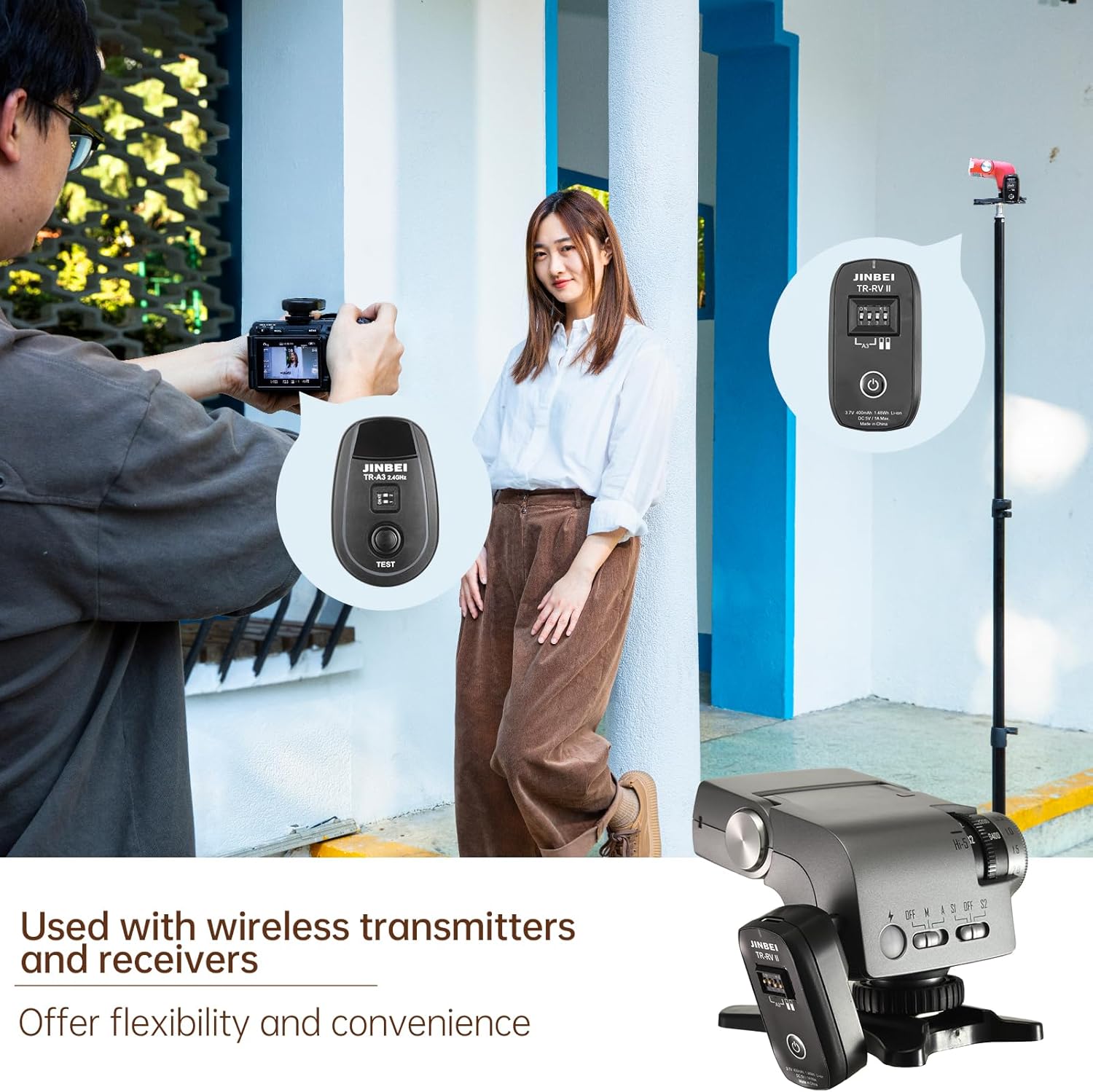
Figure 5.1: The USB-C charging port on the TR-RVII receiver, supporting fast charging.
6 അനുയോജ്യത
The JINBEI TR-RVII receiver is compatible with most hot shoe flashes and all ISO hot shoe flashes that feature a 3.5mm trigger jack. This includes specific JINBEI models such as the JINBEI Hi-5 and can be adapted to various JINBEI induced flashes like the TR-V6II.
7 സ്പെസിഫിക്കേഷനുകൾ
Technical specifications for the JINBEI TR-RVII Flash Receiver:
| ഫീച്ചർ | വിശദാംശങ്ങൾ |
|---|---|
| മോഡൽ നമ്പർ | TR-RVII |
| വയർലെസ് ഫ്രീക്വൻസി | 2.4GHz |
| പരമാവധി സമന്വയ വേഗത | 1/250സെ |
| പരിധി | Up to 100m (39 inches) |
| ബാറ്ററി | Built-in 3.7V 400mAh 1.48Wh Li-ion |
| ഇൻപുട്ട് ചാർജ് ചെയ്യുന്നു | DC 5V / 1A Max (USB-C) |
| ഇനത്തിൻ്റെ ഭാരം | 3.52 ഔൺസ് |
| പാക്കേജ് അളവുകൾ | 4.53 x 3.35 x 2.17 ഇഞ്ച് |
8. ബോക്സിൽ എന്താണുള്ളത്?
Upon opening your JINBEI TR-RVII package, you should find the following items:
- TR-RVII Trigger *1
9. പ്രശ്നപരിഹാരം
If you encounter issues with your TR-RVII receiver, consider the following common solutions:
- Receiver not powering on: Ensure the battery is charged. Connect the receiver to a USB-C power source.
- Flash not triggering:
- Verify that the receiver is powered on.
- Check that the 3.5mm sync plug is securely connected to the flash unit.
- Confirm that the channel settings on both the TR-RVII receiver and your JINBEI transmitter are identical.
- Ensure the flash unit itself is powered on and functioning correctly.
- പരിമിതമായ ശ്രേണി: Ensure there are no significant obstructions between the transmitter and receiver. Avoid operating in environments with strong 2.4GHz interference.
10. പരിപാലനം
To ensure the longevity and optimal performance of your JINBEI TR-RVII receiver, follow these maintenance guidelines:
- വൃത്തിയാക്കൽ: Use a soft, dry cloth to clean the exterior of the receiver. Avoid using harsh chemicals or abrasive materials.
- സംഭരണം: നേരിട്ടുള്ള സൂര്യപ്രകാശത്തിൽ നിന്നും കടുത്ത താപനിലയിൽ നിന്നും മാറി തണുത്തതും വരണ്ടതുമായ സ്ഥലത്ത് റിസീവർ സൂക്ഷിക്കുക.
- ബാറ്ററി കെയർ: If storing for an extended period, ensure the battery is partially charged (around 50%) to prolong its lifespan. Avoid fully discharging the battery for long periods.
- സംരക്ഷണം: Protect the 3.5mm sync plug and USB-C port from dust and moisture when not in use.
11. വാറൻ്റിയും പിന്തുണയും
For warranty information or technical support regarding your JINBEI TR-RVII Flash Receiver, please refer to the warranty card included with your product or contact JINBEI customer service directly. Contact details can typically be found on the official JINBEI webസൈറ്റ് അല്ലെങ്കിൽ നിങ്ങളുടെ വാങ്ങൽ പോയിന്റ് വഴി.