1. ആമുഖം
Thank you for choosing the GJV Fingerprint Smart Lock. This manual provides detailed instructions for the installation, operation, and maintenance of your new keyless entry door lock. Designed for enhanced security and convenience, this smart lock offers multiple access methods including fingerprint, PIN code, and mechanical key. Please read this manual thoroughly before installation and use to ensure proper function and longevity of your device.
2. ഉൽപ്പന്നം കഴിഞ്ഞുview ഫീച്ചറുകളും
The GJV Fingerprint Smart Lock is a state-of-the-art deadbolt designed to provide secure and convenient access control for various environments, including homes, offices, hotels, and Airbnb properties.

ചിത്രം 2.1: മുൻഭാഗം view of the GJV Fingerprint Smart Lock, showing the keypad and fingerprint sensor.
പ്രധാന സവിശേഷതകൾ:
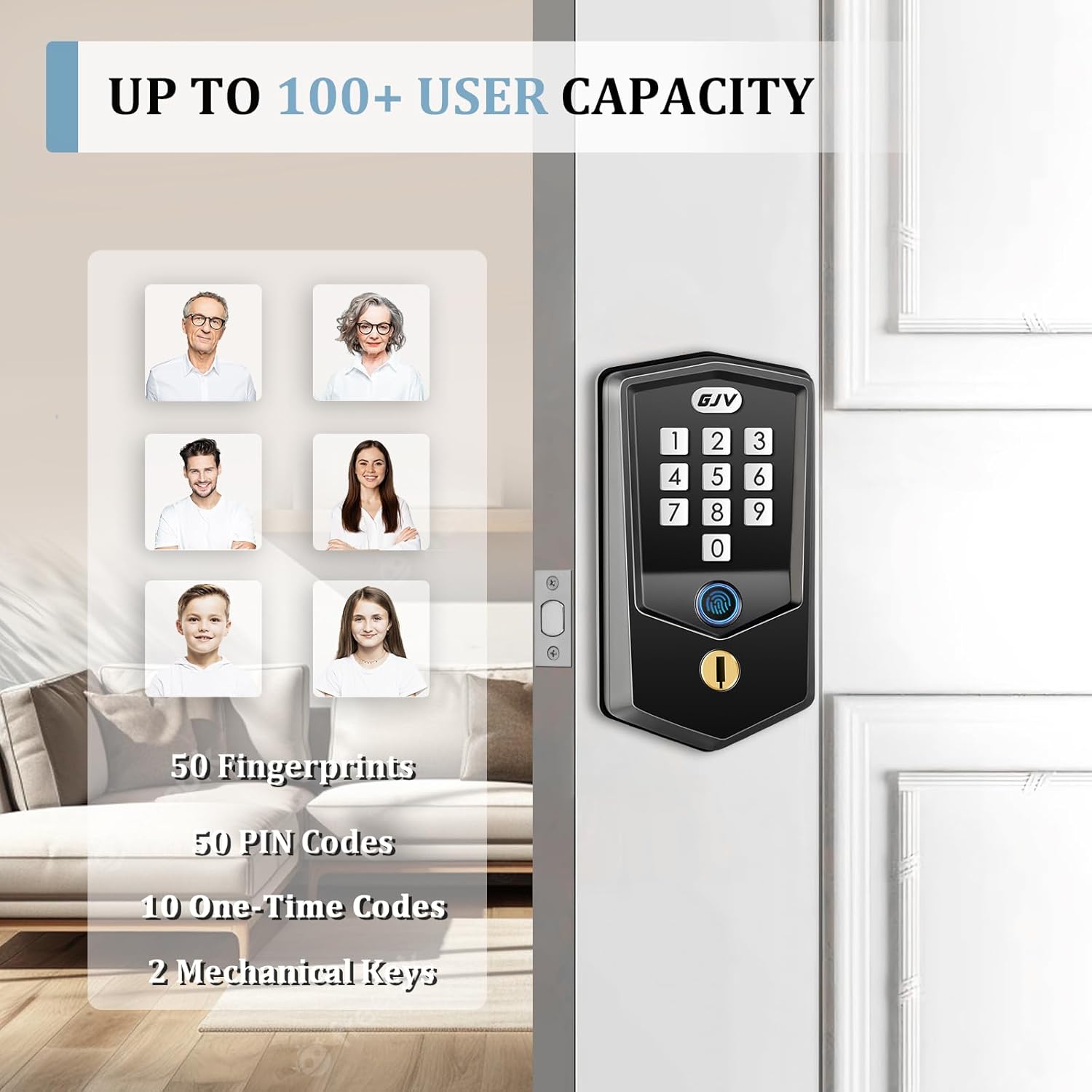
- സൗകര്യപ്രദമായ കീലെസ് എൻട്രി: Supports up to 50 unique fingerprints and 50 PIN codes. Easily generate one-time codes for temporary access.
- Rapid Fingerprint Recognition: Unlocks in under 0.5 seconds using advanced biometric technology.
- Multiple Security Functions: Features include instant one-touch locking, adjustable auto-lock (10-99 seconds), and a vacation mode for enhanced security during extended absences.
- Emergency Access Options: Equipped with a low-battery indicator. In case of complete power loss, access can be gained via mechanical key or emergency power supply through the hidden Type-C port.
- Durable Construction & Compatibility: Crafted from durable zinc alloy with a brass core. Compatible with standard US doors ranging from 1.37 inches to 2.17 inches thick. The lock automatically identifies left/right door orientation.
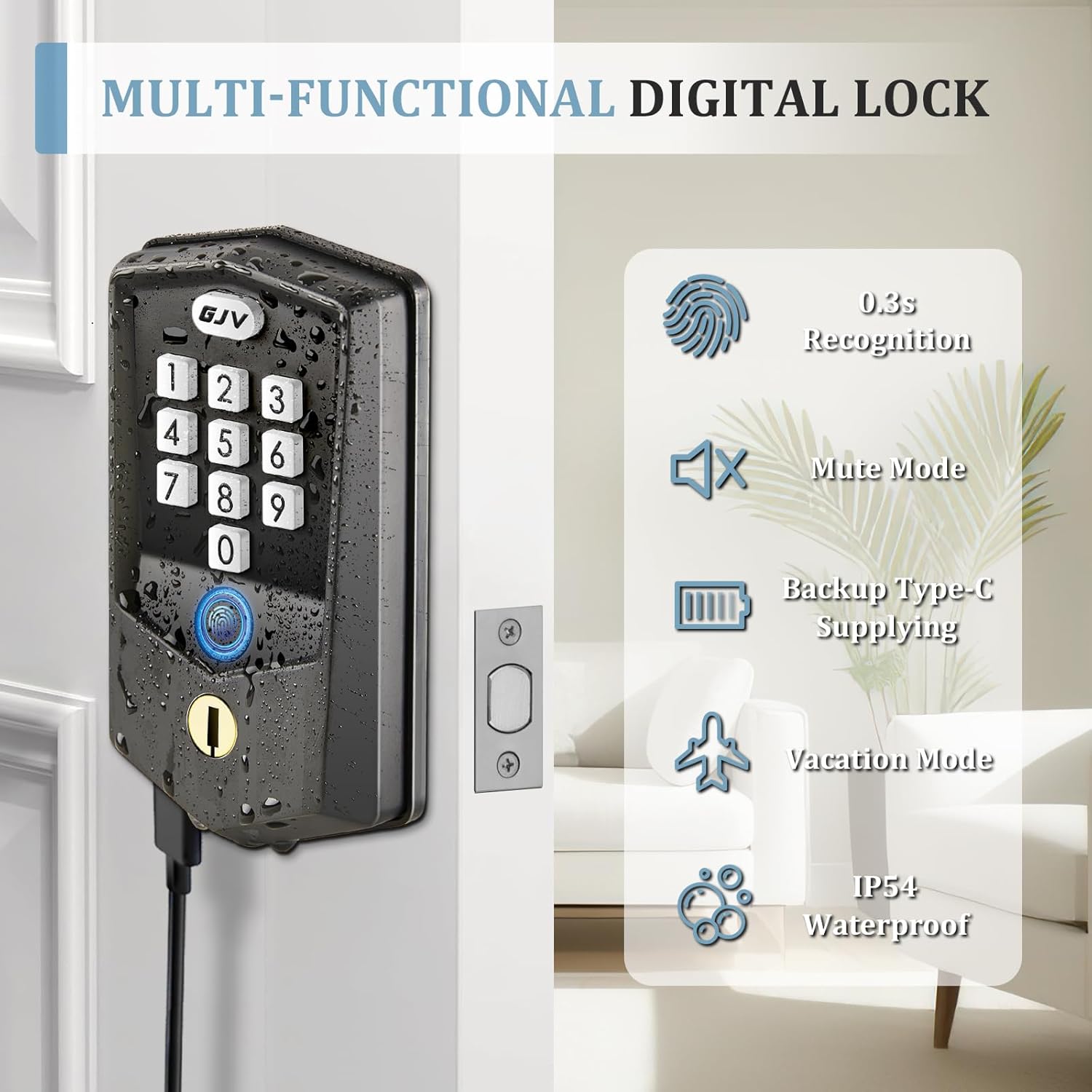
Figure 2.2: Illustration of multi-functional features including fingerprint recognition, mute mode, backup Type-C power, vacation mode, and IP54 waterproof rating.

Figure 2.3: Depiction of the lock's capacity for up to 100+ users, including 50 fingerprints, 50 PIN codes, 10 one-time codes, and 2 mechanical keys.
3. പാക്കേജ് ഉള്ളടക്കം
Please verify that all components are present and in good condition before beginning installation.
- 1 x GJV Fingerprint Smart Lock Assembly (Exterior and Interior Units)
- 1 x ലാച്ച് മെക്കാനിസം
- 2 x മെക്കാനിക്കൽ കീകൾ
- Mounting Accessories (Screws, Spindle, etc.)
- ഇൻസ്റ്റാളേഷൻ ടെംപ്ലേറ്റ്
- ഉപയോക്തൃ മാനുവൽ (ഈ പ്രമാണം)
4. ഇൻസ്റ്റലേഷൻ ഗൈഡ് (സെറ്റപ്പ്)
The GJV Smart Lock is designed for easy installation, typically requiring only a screwdriver. No additional drilling is needed for standard door preparations.
4.1 തയ്യാറാക്കൽ:
- Ensure your door thickness is between 1.37 inches (35mm) and 2.17 inches (55mm).
- ബാക്ക്സെറ്റ് (വാതിലിന്റെ അരികിൽ നിന്ന് ബോർ ഹോളിന്റെ മധ്യത്തിലേക്കുള്ള ദൂരം) 2-3/8 ഇഞ്ച് (60mm) അല്ലെങ്കിൽ 2-3/4 ഇഞ്ച് (70mm) ആണോ എന്ന് പരിശോധിക്കുക.
- ആവശ്യമായ ഉപകരണങ്ങൾ ശേഖരിക്കുക: ഫിലിപ്സ് ഹെഡ് സ്ക്രൂഡ്രൈവർ.
- Install 4 AA batteries (not included) into the interior unit. Ensure correct polarity.
4.2 ഇൻസ്റ്റലേഷൻ ഘട്ടങ്ങൾ:
- ലാച്ച് ഇൻസ്റ്റാൾ ചെയ്യുക: Insert the latch into the door edge, ensuring the bolt faces the correct direction for your door swing. Secure with screws.
- എക്സ്റ്റീരിയർ അസംബ്ലി ഇൻസ്റ്റാൾ ചെയ്യുക: Feed the cable and spindle through the bore hole. Align the exterior unit with the latch.
- ഇന്റീരിയർ മൗണ്ടിംഗ് പ്ലേറ്റ് ഇൻസ്റ്റാൾ ചെയ്യുക: Secure the mounting plate to the exterior assembly using the provided screws, ensuring the cable passes through the plate.
- കേബിളുകൾ ബന്ധിപ്പിച്ച് ഇന്റീരിയർ അസംബ്ലി ഇൻസ്റ്റാൾ ചെയ്യുക: Connect the cable from the exterior unit to the interior unit. Align the interior unit with the spindle and mounting plate. Secure the interior unit with screws.
- ടെസ്റ്റ് ഓപ്പറേഷൻ: After installation, test the mechanical key and the default unlock method (if any) to ensure smooth operation.
ചിത്രം 4.1: വശം view of the GJV Smart Lock, illustrating its slim profile and how it fits into a door.

ചിത്രം 4.2: പിന്നിലേക്ക് view of the GJV Smart Lock interior unit, showing the battery compartment and internal components.
5. ഓപ്പറേഷൻ ഗൈഡ്
Your GJV Smart Lock offers multiple ways to unlock and secure your door.
5.1 Adding a Master PIN Code:
The first PIN code you set will be the Master PIN Code, used for programming and managing other users.
- Press the 'Program' button (usually located on the interior unit).
- Enter your desired 6-10 digit Master PIN Code.
- Press the 'Lock' button to confirm.
5.2 Adding User Fingerprints:
You can store up to 50 unique fingerprints.
- 'പ്രോഗ്രാം' ബട്ടൺ അമർത്തുക.
- Enter your Master PIN Code, then press 'Lock'.
- Follow the voice prompts to place your finger on the sensor multiple times until successfully registered.
5.3 Adding User PIN Codes:
You can store up to 50 unique user PIN codes.
- 'പ്രോഗ്രാം' ബട്ടൺ അമർത്തുക.
- Enter your Master PIN Code, then press 'Lock'.
- Enter the desired 6-10 digit User PIN Code.
- Press 'Lock' to confirm.
5.4 One-Time Codes:
Generate temporary codes for guests or service personnel. These codes expire after a single use.
Figure 5.1: Illustration of generating and using a temporary one-time password via the keypad.
5.5 Locking the Door:
- വൺ-ടച്ച് ലോക്ക്: Press and hold the 'GJV' button (or designated lock button) for 2 seconds.
- യാന്ത്രിക ലോക്ക്: The lock can be configured to automatically lock after a set period (10-99 seconds) once the door is closed. Refer to programming instructions for setting auto-lock duration.
Figure 5.2: Demonstration of the auto-lock feature and the one-touch locking mechanism via the keypad.
5.6 Vacation Mode:
Activate vacation mode to restrict all access except for the Master PIN Code and mechanical key, ideal for extended periods of absence. Refer to programming instructions for activation.
5.7 Emergency Power:
If batteries are completely drained, connect a Type-C cable to the hidden port on the exterior unit to provide temporary power for unlocking.
6. പരിപാലനം
Regular maintenance ensures optimal performance and longevity of your GJV Smart Lock.
- ബാറ്ററി മാറ്റിസ്ഥാപിക്കൽ: Replace all four AA batteries when the low-battery indicator activates. Do not mix old and new batteries.
- വൃത്തിയാക്കൽ: മൃദുവായതും ഉണങ്ങിയതുമായ തുണി ഉപയോഗിച്ച് ലോക്കിന്റെ പുറംഭാഗം തുടയ്ക്കുക. ഫിനിഷിനോ ഇലക്ട്രോണിക് ഘടകങ്ങൾക്കോ കേടുവരുത്തുന്ന അബ്രസിവ് ക്ലീനറുകളോ ലായകങ്ങളോ ഉപയോഗിക്കരുത്.
- ഫിംഗർപ്രിന്റ് സെൻസർ: Keep the fingerprint sensor clean and dry for accurate readings.
7. പ്രശ്നപരിഹാരം
If you encounter issues with your GJV Smart Lock, refer to the following common problems and solutions.
| പ്രശ്നം | സാധ്യമായ കാരണം | പരിഹാരം |
|---|---|---|
| ലോക്ക് പ്രതികരിക്കുന്നില്ല. | ഡെഡ് ബാറ്ററികൾ. | Replace all four AA batteries. Use the mechanical key or Type-C emergency power for immediate access. |
| വിരലടയാളം തിരിച്ചറിഞ്ഞില്ല. | Finger is wet, dirty, or improperly placed; fingerprint not registered. | Ensure finger is clean and dry. Place finger flat on the sensor. Re-register fingerprint if necessary. |
| പിൻ കോഡ് പ്രവർത്തിക്കുന്നില്ല. | Incorrect code entered; code not registered; anti-peeping password feature active. | Verify the PIN code. Ensure the code is registered. When entering a PIN, you can include random digits before or after your actual code to prevent peeping. |
| Lock beeps continuously after multiple attempts. | Too many incorrect entries. | The lock has entered a 3-minute alarm mode. Wait for the alarm to clear before attempting entry again. |
| Difficulty with programming. | Instructions unclear or steps missed. | Carefully re-read the programming section (Section 5). Ensure each step is followed precisely, including pressing and holding buttons as indicated. If issues persist, contact customer support. |
8 സ്പെസിഫിക്കേഷനുകൾ
| ഫീച്ചർ | വിശദാംശങ്ങൾ |
|---|---|
| ബ്രാൻഡ് | ജി.ജെ.വി |
| മോഡലിൻ്റെ പേര് | G-S2 |
| നിറം | Matte Black-S2 |
| മെറ്റീരിയൽ | Metal (Zinc Alloy, Brass Core) |
| ഇനത്തിന്റെ അളവുകൾ (L x W x H) | 2 x 3 x 5 ഇഞ്ച് |
| ഇനത്തിൻ്റെ ഭാരം | 1.74 പൗണ്ട് |
| പ്രത്യേക സവിശേഷതകൾ | Fingerprint, Anti-Peeping Password, Auto-Lock, One-Touch Lock, Battery Indicator |
| ശുപാർശ ചെയ്യുന്ന ഉപയോഗങ്ങൾ | Home security, office security, hotel security, Airbnb rental security, maintenance worker access |
| വാതിലിന്റെ കനം അനുയോജ്യത | 1.37 ഇഞ്ച് (35 മിമി) - 2.17 ഇഞ്ച് (55 മിമി) |
| പവർ ഉറവിടം | 4 x AA ബാറ്ററികൾ (ഉൾപ്പെടുത്തിയിട്ടില്ല) |
| എമർജൻസി പവർ | ടൈപ്പ്-സി യുഎസ്ബി പോർട്ട് |
| മാതൃരാജ്യം | ചൈന |
9. വാറൻ്റിയും പിന്തുണയും
GJV is committed to providing high-quality products and customer satisfaction.
- റിട്ടേൺ ആൻഡ് എക്സ്ചേഞ്ച് പോളിസി: Enjoy a 90-day free return and exchange policy for upgrades or if you are not completely satisfied.
- ഉപഭോക്തൃ പിന്തുണ: For any inquiries, technical assistance, or warranty claims, please contact GJV customer support. Our team is available to assist you.
For the most up-to-date contact information, please refer to the product packaging or the official GJV webസൈറ്റ്.


