1. ആമുഖം
Thank you for choosing the Dzees 360° PTZ Security Camera. This 2K battery-powered wireless outdoor camera is designed to provide comprehensive home security with advanced features such as 360° pan-tilt-zoom, color night vision, two-way audio, and AI motion detection. This manual will guide you through the setup, operation, and maintenance of your new security camera system.

Image: Dzees 360° PTZ Security Cameras (2-Pack)
2. സജ്ജീകരണവും ഇൻസ്റ്റാളേഷനും
2.1 പാക്കേജ് ഉള്ളടക്കം
- Dzees 360° PTZ Security Camera(s)
- മൌണ്ടിംഗ് ബ്രാക്കറ്റ്
- ടൈപ്പ്-സി ചാർജിംഗ് കേബിൾ
- സ്ക്രൂകൾ സെറ്റ്
- പിൻ അൺലോക്ക് ചെയ്യുക
- ഉപയോക്തൃ മാനുവൽ
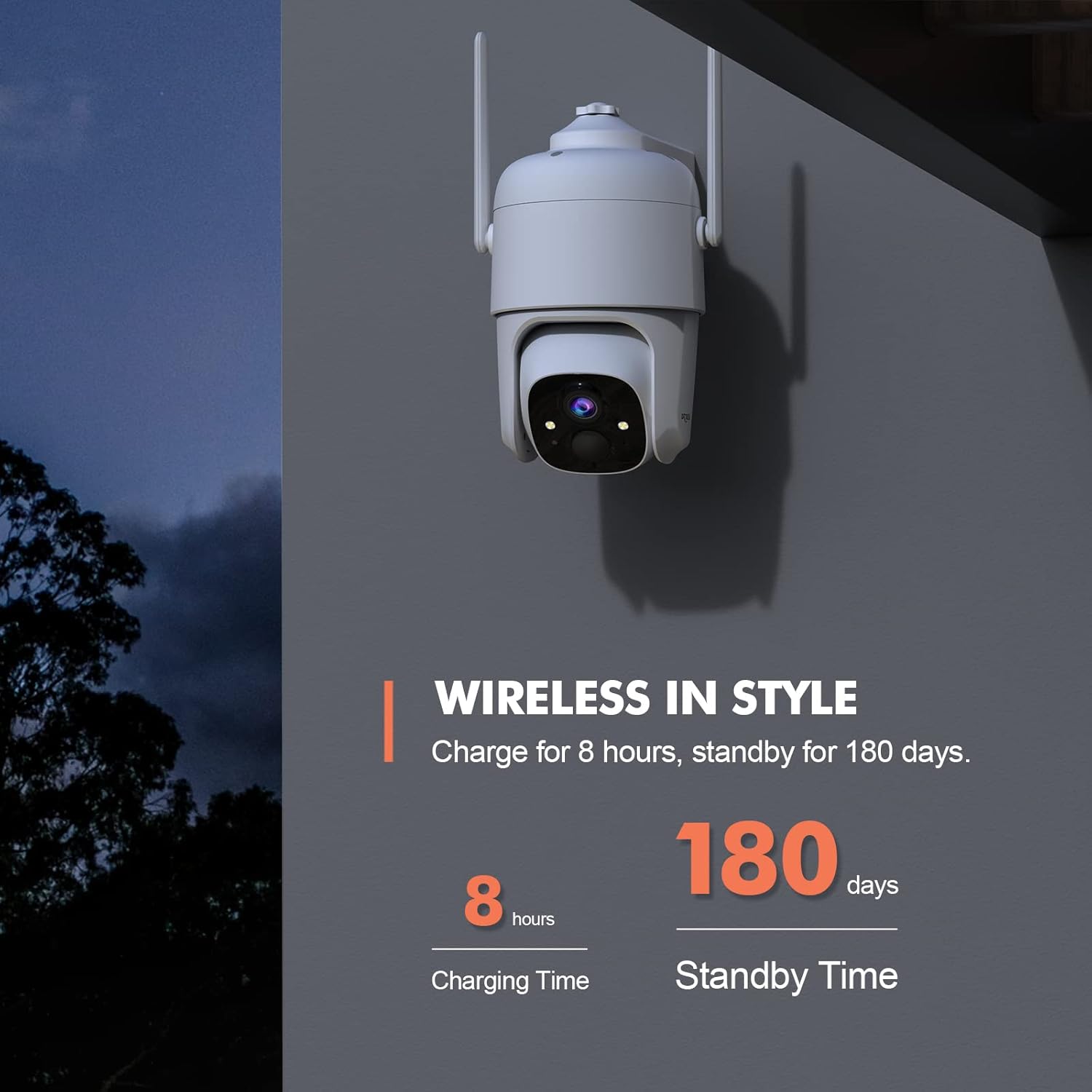
Image: Wireless in Style - Camera and accessories.
2.2 ക്യാമറ ചാർജ് ചെയ്യുന്നു
The camera is powered by a 9000mAh rechargeable battery, offering 3-8 months of use depending on activity. Before initial use, fully charge the camera using the provided Type-C charging cable. A full charge typically takes 8 hours. The camera also supports solar panel charging for continuous power (solar panel sold separately, search B0CT2LHQRD).
2.3 ആപ്പ് ഡൗൺലോഡും സജ്ജീകരണവും
Download the "Dzees" or "Vicohome" app from your device's app store (iOS/Android). Follow the in-app instructions to create an account and add your camera. Ensure your Wi-Fi network is 2.4GHz, as the camera does not support 5GHz Wi-Fi.
2.4 ക്യാമറ മൗണ്ടിംഗ്
The camera is designed for easy installation and can be wall-mounted. Choose a location that provides optimal viewing coverage and a strong 2.4GHz Wi-Fi signal. Use the included mounting bracket and screws to securely attach the camera. The camera is IP66 weatherproof, suitable for both indoor and outdoor use.
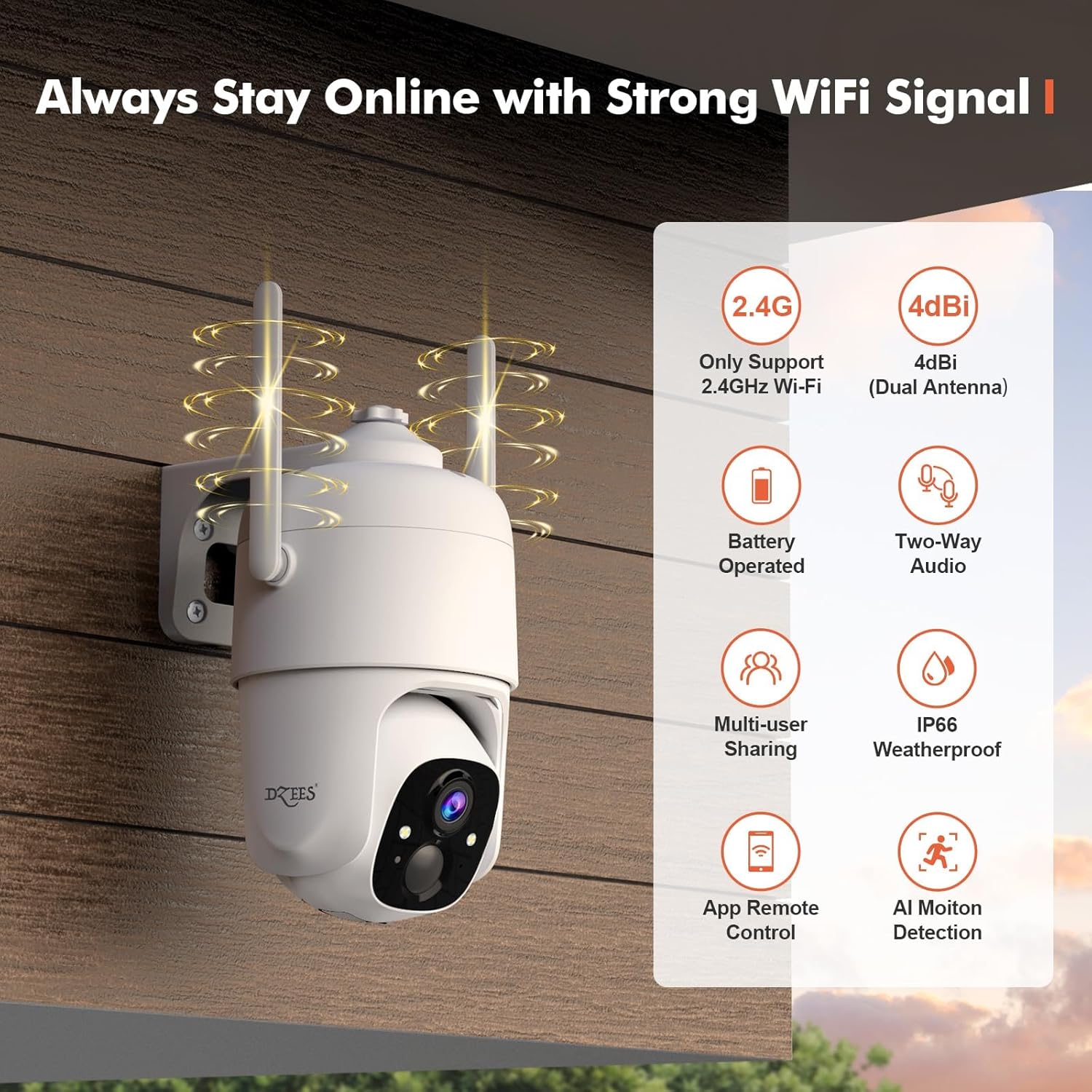
Image: Always Stay Online with Strong WiFi Signal.
3. Operating Your Dzees Camera
3.1 Pan, Tilt, and Digital Zoom Control
The Dzees camera features 355° panning and 95° tilting capabilities, providing 360° coverage with no blind spots. You can remotely control the camera's movement via the "Dzees" or "Vicohome" app. Additionally, the camera supports 4x digital zoom to view details more closely. You can also set up to 5 preset points for quick access to specific areas.

Image: 360° of Coverage with Pan-Tilt-Zoom.
3.2 2K HD Video and Color Night Vision
The camera captures clear 2K (2048 x 1536) resolution video. With advanced color night vision, it can capture sharp, full-color images up to 100ft even in low-light conditions.
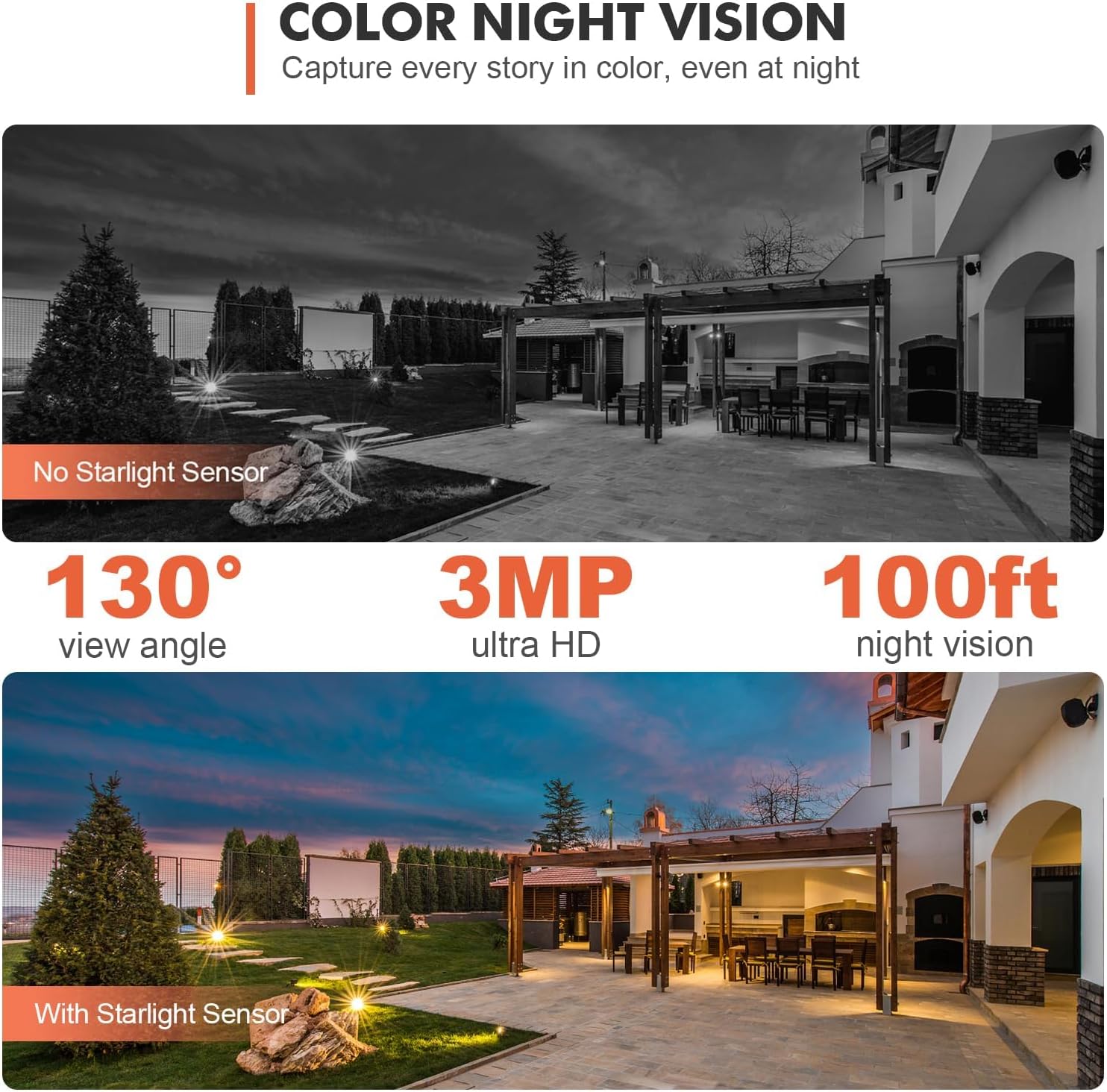
Image: Color Night Vision - Capture every story in color, even at night.
3.3 ടു-വേ ഓഡിയോ
Equipped with an advanced noise reduction microphone and speaker, the camera enables crystal-clear two-way communication. You can speak to visitors or deter intruders directly through the app from anywhere.
3.4 AI മോഷൻ ഡിറ്റക്ഷനും അലേർട്ടുകളും
The camera features AI recognition (paid feature) to reduce false alerts by up to 95% by distinguishing between people, pets, and vehicles. You can customize motion detection areas (paid feature) and adjust sensitivity. When motion is detected, the camera can trigger 3 alarm modes: voice warning, flashlight warning, and real-time app push notifications. Recordings can be stored on a MicroSD card (up to 128GB, not included) or in cloud storage.

Image: Property Protection with Multi-Alarms.

Image: Instant Security Alerts - Customize activity area in the Dzees App.

Image: AI Motion Recording - Automatically detect, analyze and distinguish people, pets, vehicle in real time.
3.5 കുടുംബ പങ്കിടൽ
The Family Sharing feature allows up to 5 accounts to live view, control, or receive alerts from the outdoor camera. You can add limitless cameras and manage them all effortlessly within the Dzees app.
Video: Dzees D3 Local Storage Wireless Camera. This video demonstrates the camera's two-way audio feature and live monitoring capabilities, showing interaction with animals in a barn.
4. പരിപാലനം
4.1 ബാറ്ററി മാനേജ്മെൻ്റ്
To maximize battery life, ensure the camera is fully charged before deployment. Consider using a compatible USB-C solar panel (sold separately) for continuous charging, especially for outdoor installations. Monitor battery levels via the Dzees app and recharge when necessary.
4.2 വൃത്തിയാക്കൽ
ക്യാമറ ലെൻസും ഹൗസിംഗും ഇടയ്ക്കിടെ സോഫ്റ്റ്, ഡി-ക്യാമറ ഉപയോഗിച്ച് വൃത്തിയാക്കുക.amp വ്യക്തമായ ഇമേജ് ഗുണനിലവാരവും ശരിയായ പ്രവർത്തനവും ഉറപ്പാക്കാൻ തുണി ഉപയോഗിക്കുക. കഠിനമായ രാസവസ്തുക്കളോ ഉരച്ചിലുകളോ ഉള്ള വസ്തുക്കൾ ഉപയോഗിക്കുന്നത് ഒഴിവാക്കുക.
5. പ്രശ്നപരിഹാരം
5.1 പൊതുവായ പ്രശ്നങ്ങളും പരിഹാരങ്ങളും
- ക്യാമറ ഓഫ്ലൈൻ: Ensure the camera is within range of your 2.4GHz Wi-Fi network. Check your router and internet connection. Restart the camera and router if necessary.
- മോശം ചിത്രത്തിന്റെ ഗുണനിലവാരം: ക്യാമറ ലെൻസ് വൃത്തിയാക്കുക. ക്യാമറയുടെ ലെൻസ് ഫീൽഡിൽ തടസ്സങ്ങളൊന്നുമില്ലെന്ന് ഉറപ്പാക്കുക. view. Check network stability.
- Frequent False Alerts: Adjust motion detection sensitivity in the app. Consider utilizing the customizable motion area and AI recognition features (paid features) to filter unwanted alerts.
- ബാറ്ററി വേഗത്തിൽ തീർന്നു: മോഷൻ ഡിറ്റക്ഷൻ ഇവന്റുകളുടെയോ തത്സമയ പ്രക്ഷേപണത്തിന്റെയോ ആവൃത്തി കുറയ്ക്കുക view sessions. Ensure the camera is receiving adequate sunlight if using a solar panel.
- ടു-വേ ഓഡിയോ പ്രശ്നങ്ങൾ: Check the volume settings in the app. Ensure there is no interference near the camera's microphone or speaker.
For more detailed troubleshooting or persistent issues, please refer to the in-app help section or contact Dzees customer support.
6 സ്പെസിഫിക്കേഷനുകൾ
| ഫീച്ചർ | വിശദാംശങ്ങൾ |
|---|---|
| മോഡലിൻ്റെ പേര് | D3 |
| ഇൻഡോർ/ഔട്ട്ഡോർ ഉപയോഗം | ഇൻഡോർ, ഔട്ട്ഡോർ |
| പവർ ഉറവിടം | Solar Powered/Wireless Battery Powered |
| കണക്റ്റിവിറ്റി പ്രോട്ടോക്കോൾ | വൈഫൈ (2.4GHz മാത്രം) |
| കൺട്രോളർ തരം | iOS/Android/iPadOS App |
| മൗണ്ടിംഗ് തരം | മതിൽ മൗണ്ട് |
| വീഡിയോ ക്യാപ്ചർ റെസല്യൂഷൻ | 2K (2048 x 1536) |
| Viewing ആംഗിൾ | 360 ഡിഗ്രി (355° പാൻ, 95° ചരിവ്) |
| നൈറ്റ് വിഷൻ റേഞ്ച് | 100 അടി (കളർ നൈറ്റ് വിഷൻ) |
| ബാറ്ററി ശേഷി | 9000mAh (19.24 Watt-hours) |
| ബാറ്ററി ലൈഫ് | 3-8 months (typical use) |
| സംഭരണം | മൈക്രോഎസ്ഡി കാർഡ് (128GB വരെ, ഉൾപ്പെടുത്തിയിട്ടില്ല), ക്ലൗഡ് സ്റ്റോറേജ് |
| അന്താരാഷ്ട്ര സംരക്ഷണ റേറ്റിംഗ് | IP66 |
| ഇനത്തിന്റെ അളവുകൾ (L x W x H) | 9.5 x 8 x 6.25 ഇഞ്ച് |
| ഇനത്തിൻ്റെ ഭാരം | 1.76 ഔൺസ് (50 ഗ്രാം) |
7. വാറൻ്റിയും പിന്തുണയും
7.1 ഉൽപ്പന്ന വാറന്റി
Dzees products are designed for reliability and performance. For specific warranty details regarding your Dzees 360° PTZ Security Camera, please refer to the warranty information provided with your purchase or visit the official Dzees webസൈറ്റ്. വാറന്റി ക്ലെയിമുകൾക്കായി നിങ്ങളുടെ വാങ്ങലിന്റെ തെളിവ് സൂക്ഷിക്കുക.
7.2 ഉപഭോക്തൃ പിന്തുണ
If you have any questions, require technical assistance, or need to report an issue, please contact Dzees customer support. You can typically find contact information (online email, phone support) on the Dzees official website or within the Dzees/Vicohome app.
Visit the Dzees Store for more information: Dzees Official Store


