1. ഉൽപ്പന്നം കഴിഞ്ഞുview
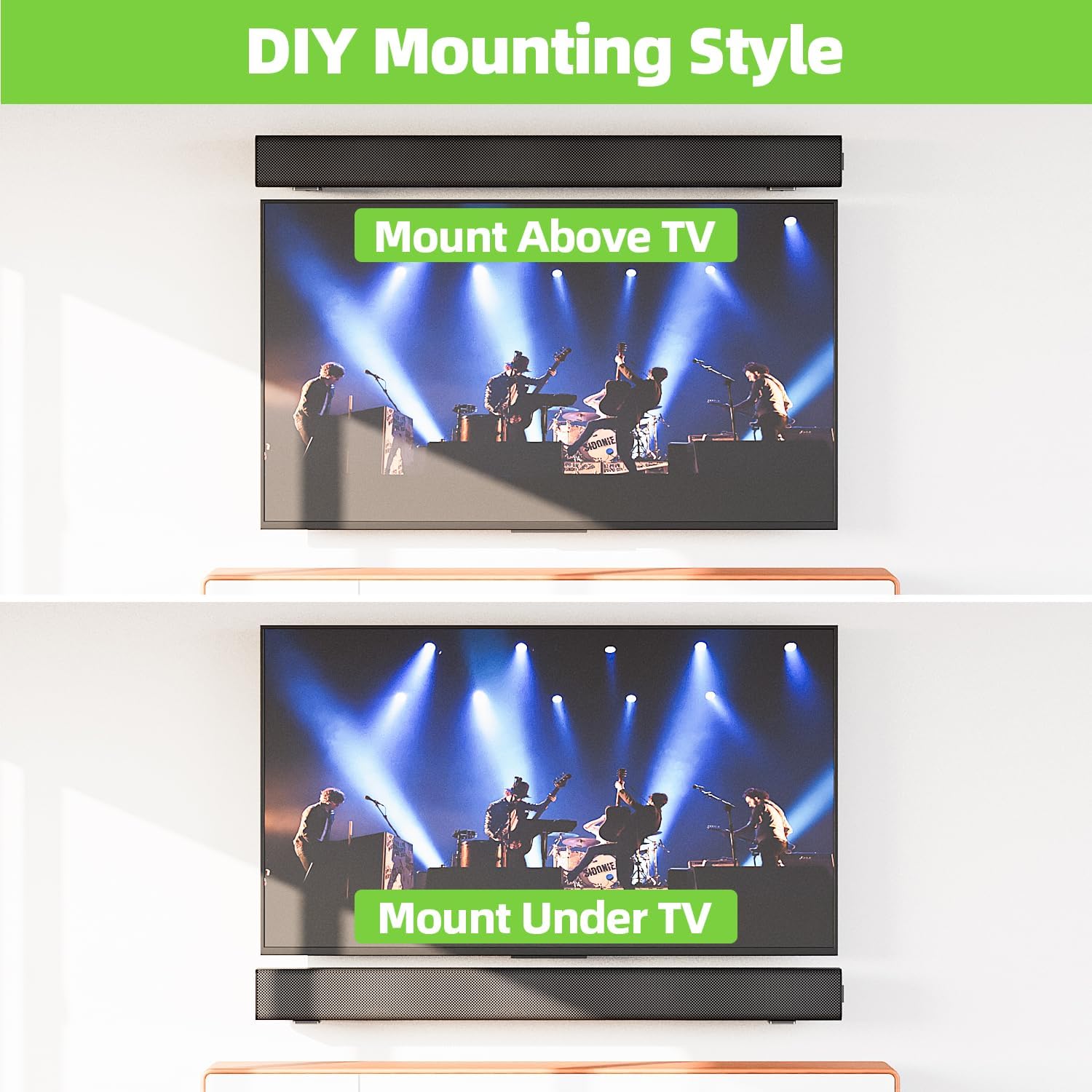
The USX MOUNT XAS010 is a universal soundbar mounting bracket designed to securely attach your soundbar to a wall, either above or below your television. This mount is constructed from high-quality metal, ensuring durability and stability for soundbars weighing up to 30 lbs. Its design aims to optimize sound projection and save space in your entertainment area.
പ്രധാന സവിശേഷതകൾ:
- സാർവത്രിക അനുയോജ്യത: Designed to fit most soundbars within 3.5 inches wide, compatible with major brands such as Samsung, Sony, LG, Vizio, Bose, Onn, TCL, JBL, Polk Audio, Roku, Harman Kardon, Denon, RCA, Nakamichi, Klipsch, Insignia, Panasonic, and Hisense.
- ദൃഢമായ നിർമ്മാണം: Made from high-quality metal, capable of safely supporting soundbars up to 30 lbs.
- സ്പേസ് സേവിംഗ് ഡിസൈൻ: Allows for mounting above or below the TV, freeing up desk or cabinet space.
- മെച്ചപ്പെടുത്തിയ ശബ്ദ നിലവാരം: Wall mounting can improve audio clarity and provide a more immersive listening experience.
- എളുപ്പമുള്ള ഇൻസ്റ്റാളേഷൻ: Includes all necessary hardware for quick setup on various wall types.
- Non-Slip Protection: Features EVA material to protect the soundbar and prevent movement.
2. പാക്കേജ് ഉള്ളടക്കം
ഇൻസ്റ്റാളേഷൻ ആരംഭിക്കുന്നതിന് മുമ്പ് എല്ലാ ഘടകങ്ങളും നിലവിലുണ്ടെന്ന് ദയവായി പരിശോധിക്കുക.

- 2 x L-shaped Soundbar Mounting Brackets
- മൗണ്ടിംഗ് ഹാർഡ്വെയർ (സ്ക്രൂകൾ, വാൾ ആങ്കറുകൾ)
- EVA Non-Slip Pads
- ഇൻസ്ട്രക്ഷൻ മാനുവൽ
3 സ്പെസിഫിക്കേഷനുകൾ
| മോഡൽ നമ്പർ | XAS010 |
| ഉൽപ്പന്ന അളവുകൾ | 3.66 x 2 x 2.99 ഇഞ്ച് |
| ഇനത്തിൻ്റെ ഭാരം | 10.8 ഔൺസ് |
| ഭാരം ശേഷി | 30 പൗണ്ട് വരെ (13.6 കി.ഗ്രാം) |
| മെറ്റീരിയൽ | ഉയർന്ന നിലവാരമുള്ള മെറ്റൽ |
| നിറം | കറുപ്പ് |
| മൗണ്ടിംഗ് തരം | മതിൽ മൗണ്ട് |
4. സജ്ജീകരണവും ഇൻസ്റ്റാളേഷനും
നിങ്ങൾ ആരംഭിക്കുന്നതിന് മുമ്പ്:
- ഇൻസ്റ്റാളേഷന് മുമ്പ് എല്ലാ നിർദ്ദേശങ്ങളും ശ്രദ്ധാപൂർവ്വം വായിക്കുക.
- Ensure your soundbar's weight does not exceed 30 lbs.
- Identify your wall type (wood stud, concrete, or brick) to use the correct mounting hardware. ഡ്രൈവ്വാളിൽ മാത്രം ഇൻസ്റ്റാൾ ചെയ്യരുത്.
- Gather necessary tools: pencil, drill, level, screwdriver, tape measure.

ഇൻസ്റ്റലേഷൻ ഘട്ടങ്ങൾ:
- Measure Soundbar Length: Measure the length of your soundbar to determine the appropriate spacing for the mounting brackets. The installation distance between the two wall plates should be less than the soundbar's total length.
- ഡ്രില്ലിംഗ് സ്ഥാനങ്ങൾ അടയാളപ്പെടുത്തുക: Hold the brackets against the wall at your desired height and position (above or below the TV). Use a level to ensure they are straight and mark the drilling points with a pencil.
- തുളകൾ: For wood studs, drill pilot holes. For concrete or brick walls, drill holes with a 1/4 inch (6mm) diameter and 1.38 inch (35mm) depth, then insert the wall anchors.
- ബ്രാക്കറ്റുകൾ അറ്റാച്ചുചെയ്യുക: Securely fasten the L-shaped brackets to the wall using the provided screws. Ensure they are firmly attached.
- Apply EVA Pads: Place the non-slip EVA pads onto the top surface of the brackets where the soundbar will rest. This protects your soundbar and prevents it from sliding.
- Place Soundbar: Carefully place your soundbar onto the mounted brackets, ensuring it is centered and stable.
ഇൻസ്റ്റലേഷൻ വീഡിയോ ഗൈഡ്:
This official video provides a step-by-step guide on how to properly install the USX MOUNT XAS010 Soundbar Mount, covering measurement, drilling, and securing the brackets.
5. പ്രവർത്തന നിർദ്ദേശങ്ങൾ
Once installed, the USX MOUNT XAS010 requires minimal operation. The primary adjustment feature is the soundbar leveling. The brackets allow for minor adjustments to ensure your soundbar is perfectly level.
Soundbar Leveling Adjustment:
- The brackets feature adjustable slots. If your soundbar appears unlevel after initial placement, you can slightly loosen the screws holding the soundbar to the bracket (if applicable) or the bracket to the wall.
- Gently adjust the soundbar's position until it is level.
- Retighten all screws to secure the soundbar and brackets in the desired position.
6. പരിപാലനം
To ensure the longevity and continued performance of your USX MOUNT XAS010 Soundbar Mount, follow these simple maintenance guidelines:
- പതിവ് വൃത്തിയാക്കൽ: Wipe the mount with a soft, dry cloth to remove dust. Avoid abrasive cleaners or solvents that could damage the finish.
- ഫാസ്റ്റനറുകൾ പരിശോധിക്കുക: Periodically inspect all screws and fasteners to ensure they remain tight. Over time, vibrations or minor shifts can cause them to loosen. Retighten as necessary.
- കേടുപാടുകൾക്കായി പരിശോധിക്കുക: Check the brackets for any signs of wear, corrosion, or damage. If any damage is observed, contact customer support for assistance.
- EVA Pad Condition: Ensure the EVA non-slip pads are intact and providing adequate cushioning and grip for your soundbar. Replace if they show signs of significant wear.
7. പ്രശ്നപരിഹാരം
If you encounter any issues with your USX MOUNT XAS010 Soundbar Mount, refer to the following common troubleshooting tips:
- Soundbar is not level: Loosen the screws slightly, adjust the soundbar until level using a spirit level, and then retighten the screws firmly.
- മൗണ്ട് അസ്ഥിരമായി തോന്നുന്നു: Ensure all wall screws are fully tightened. Verify that the correct wall anchors were used for your specific wall type. If mounted on wood studs, confirm screws are properly engaged in the stud. If the issue persists, consult a professional installer.
- Soundbar slides on the mount: Check if the EVA non-slip pads are correctly placed and in good condition. If they are worn, consider replacing them. Ensure the soundbar is not excessively heavy for the mount's capacity.
- ഇൻസ്റ്റാളേഷൻ ബുദ്ധിമുട്ട്: Review the installation video and steps carefully. Ensure you are using the correct tools and hardware for your wall type. If you are unsure, seek professional assistance.
8. വാറൻ്റിയും പിന്തുണയും
USX MOUNT products are manufactured with quality and customer satisfaction in mind. For specific warranty information, please refer to the product packaging or the official USX MOUNT website. If you require technical support, have questions about installation, or need assistance with any product-related issues, please contact USX MOUNT customer service.
നിർമ്മാതാവ്: USX MOUNT
കൂടുതൽ സഹായത്തിന്, ദയവായി സന്ദർശിക്കുക USX MOUNT Store.


