1. ആമുഖം
Thank you for choosing the LAMA 4K UHD 75MP Digital Camera, Model LM249A. This camera is designed to capture high-quality photos and videos with ease, featuring a 75-megapixel sensor, 4K Ultra HD video recording, 18X digital zoom, autofocus, anti-shake technology, and a convenient 180° flip screen. This manual provides detailed instructions to help you get started and make the most of your new camera.
2. ഉൽപ്പന്നം കഴിഞ്ഞുview
Familiarize yourself with the main components and controls of your LAMA digital camera.

ചിത്രം 2.1: മുൻഭാഗം view of the LAMA 4K UHD 75MP Digital Camera, showing the lens and flash.

ചിത്രം 2.2: ഓവർview of the camera's key features including 64MP resolution, 4K video, 18X zoom, autofocus, and fill light.
2.1 ക്യാമറ ഘടകങ്ങൾ
- ലെൻസ്: Captures images and videos. Features 18X digital zoom.
- LCD സ്ക്രീൻ: 3.0-inch display for viewing, menu navigation, and playback. It can flip 180 degrees for selfies.
- ഷട്ടർ ബട്ടൺ: ഫോക്കസ് ചെയ്യാൻ പകുതി അമർത്തുക, ഫോട്ടോ എടുക്കാൻ പൂർണ്ണമായും അമർത്തുക അല്ലെങ്കിൽ വീഡിയോ റെക്കോർഡിംഗ് ആരംഭിക്കുക/നിർത്തുക.
- പവർ ബട്ടൺ: ക്യാമറ ഓൺ അല്ലെങ്കിൽ ഓഫ് ചെയ്യുന്നു.
- മോഡ് ഡയൽ: Selects different shooting modes (e.g., Photo, Video, Timed).
- Zoom Lever (T/W): Adjusts the digital zoom (Telephoto/Wide).
- Navigation Buttons (OK, Up, Down, Left, Right): മെനു നാവിഗേഷനും ക്രമീകരണ ക്രമീകരണങ്ങൾക്കും ഉപയോഗിക്കുന്നു.
- മെനു ബട്ടൺ: ക്യാമറ ക്രമീകരണങ്ങൾ ആക്സസ് ചെയ്യുന്നു.
- DISP ബട്ടൺ: Changes display information on the LCD screen.
- ബിൽറ്റ്-ഇൻ ഫിൽ ലൈറ്റ്: കുറഞ്ഞ വെളിച്ചത്തിൽ അധിക പ്രകാശം നൽകുന്നു.
- ബാറ്ററി കമ്പാർട്ട്മെൻ്റ്: റീചാർജ് ചെയ്യാവുന്ന ബാറ്ററിയാണ് ഇവിടെ സ്ഥാപിച്ചിരിക്കുന്നത്.
- മെമ്മറി കാർഡ് സ്ലോട്ട്: For inserting a Micro SD (TF) card.
- യുഎസ്ബി-സി പോർട്ട്: For charging and data transfer to a computer.
3. സജ്ജീകരണം
3.1 ബാറ്ററിയും മെമ്മറി കാർഡും ചേർക്കൽ
Before using the camera, ensure the battery is charged and a memory card is inserted.
- കവർ തുറക്കുക: Slide to open the battery/memory card compartment cover located on the side or bottom of the camera.
- ബാറ്ററി ചേർക്കുക: Insert the provided battery into the battery compartment, ensuring the correct orientation.
- മെമ്മറി കാർഡ് ചേർക്കുക: Gently pull out the "USB/TF" silicone cover. Insert a Micro SD (TF) card (up to 64GB supported) into the memory card slot until it clicks into place. Ensure the card is facing the correct direction.
- കവർ അടയ്ക്കുക: കമ്പാർട്ട്മെൻ്റ് കവർ സുരക്ഷിതമായി അടയ്ക്കുക.

Figure 3.1: Visual guide for installing the battery and Micro SD card into the camera.
3.2 ബാറ്ററി ചാർജ് ചെയ്യുന്നു
Connect the camera to a power source using the provided Type-C USB cable. The charging indicator will illuminate. Once fully charged, the indicator will change or turn off.
4. അടിസ്ഥാന പ്രവർത്തനം
4.1 പവർ ഓൺ/ഓഫ്
ക്യാമറ ഓൺ അല്ലെങ്കിൽ ഓഫ് ചെയ്യാൻ പവർ ബട്ടൺ അമർത്തിപ്പിടിക്കുക.
4.2 ഫോട്ടോ എടുക്കൽ
- ഫോട്ടോ മോഡ് തിരഞ്ഞെടുക്കുക: Turn the mode dial to the photo icon.
- നിങ്ങളുടെ ഷോട്ട് ഫ്രെയിം ചെയ്യുക: നിങ്ങളുടെ ചിത്രം രചിക്കാൻ LCD സ്ക്രീൻ ഉപയോഗിക്കുക.
- ഓട്ടോഫോക്കസ്: Press the shutter button halfway down. The camera will automatically focus. A green frame indicates successful focus.
- ഫോട്ടോ എടുക്കുക: ചിത്രം എടുക്കാൻ ഷട്ടർ ബട്ടൺ പൂർണ്ണമായും താഴേക്ക് അമർത്തുക.
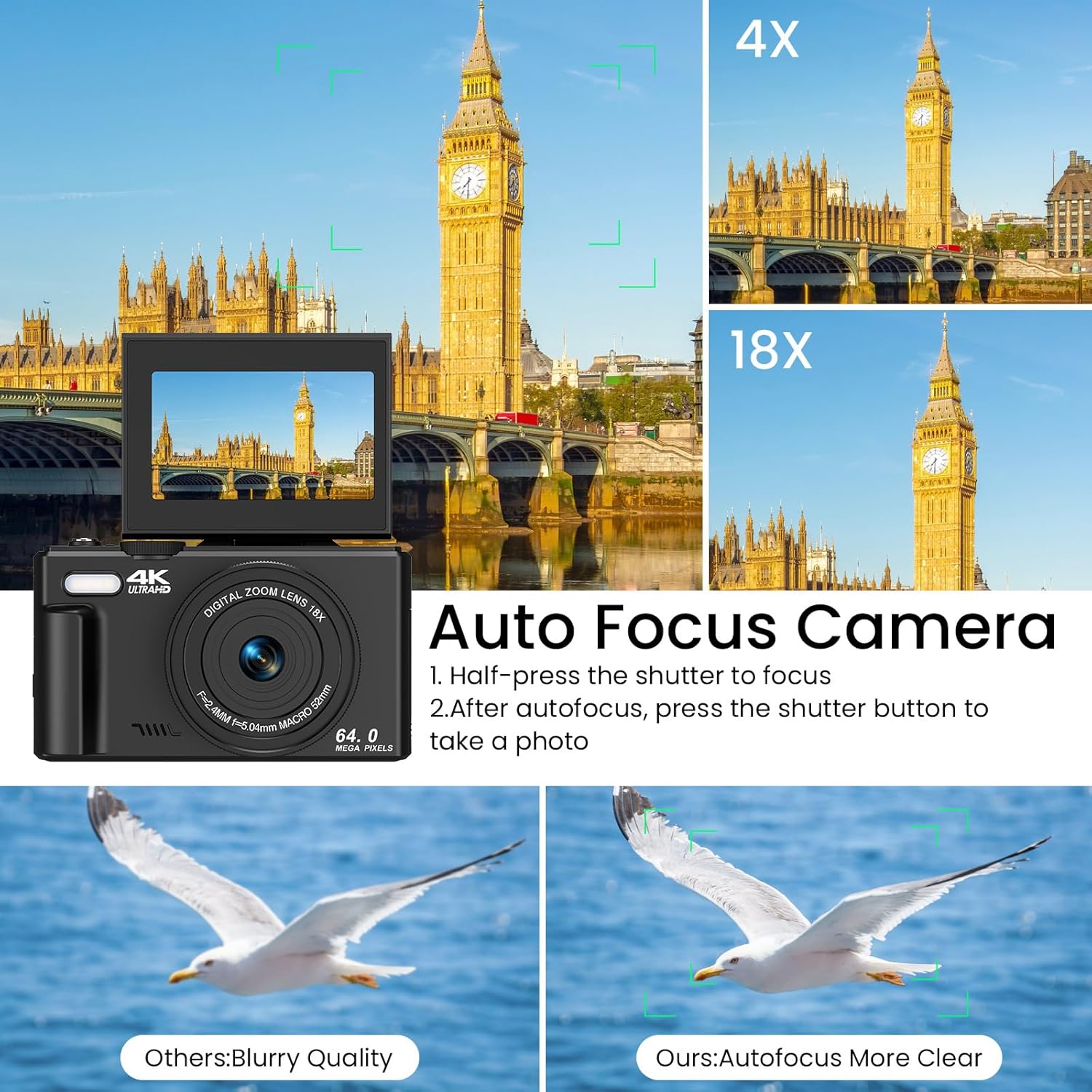
Figure 4.1: Illustration of the autofocus function, showing how to achieve clear images.
4.3 വീഡിയോ റെക്കോർഡിംഗ്
- വീഡിയോ മോഡ് തിരഞ്ഞെടുക്കുക: Turn the mode dial to the video icon.
- റെക്കോർഡിംഗ് ആരംഭിക്കുക: Press the shutter button to begin recording. A red indicator on the screen will show recording is active.
- റെക്കോർഡിംഗ് നിർത്തുക: റെക്കോർഡിംഗ് നിർത്താൻ ഷട്ടർ ബട്ടൺ വീണ്ടും അമർത്തുക.
4.4 സൂം ഉപയോഗം
Use the T (Telephoto) and W (Wide) buttons on the zoom lever to adjust the 18X digital zoom. Press T to zoom in and W to zoom out.

Figure 4.2: Demonstration of the 18X digital zoom capability, showing different levels of magnification.
4.5 ആന്റി-ഷെയ്ക്ക് പ്രവർത്തനം
The camera features an anti-shake function to help reduce blur in photos and videos, especially when shooting handheld or in motion. This feature is automatically enabled.

Figure 4.3: Comparison showing the effectiveness of the anti-shake feature in capturing clear action shots.
5. വിപുലമായ സവിശേഷതകൾ
5.1 180° Flip Screen
The LCD screen can be flipped 180 degrees, allowing you to easily frame yourself for selfies and vlogging. Simply pull the screen up and rotate it forward.
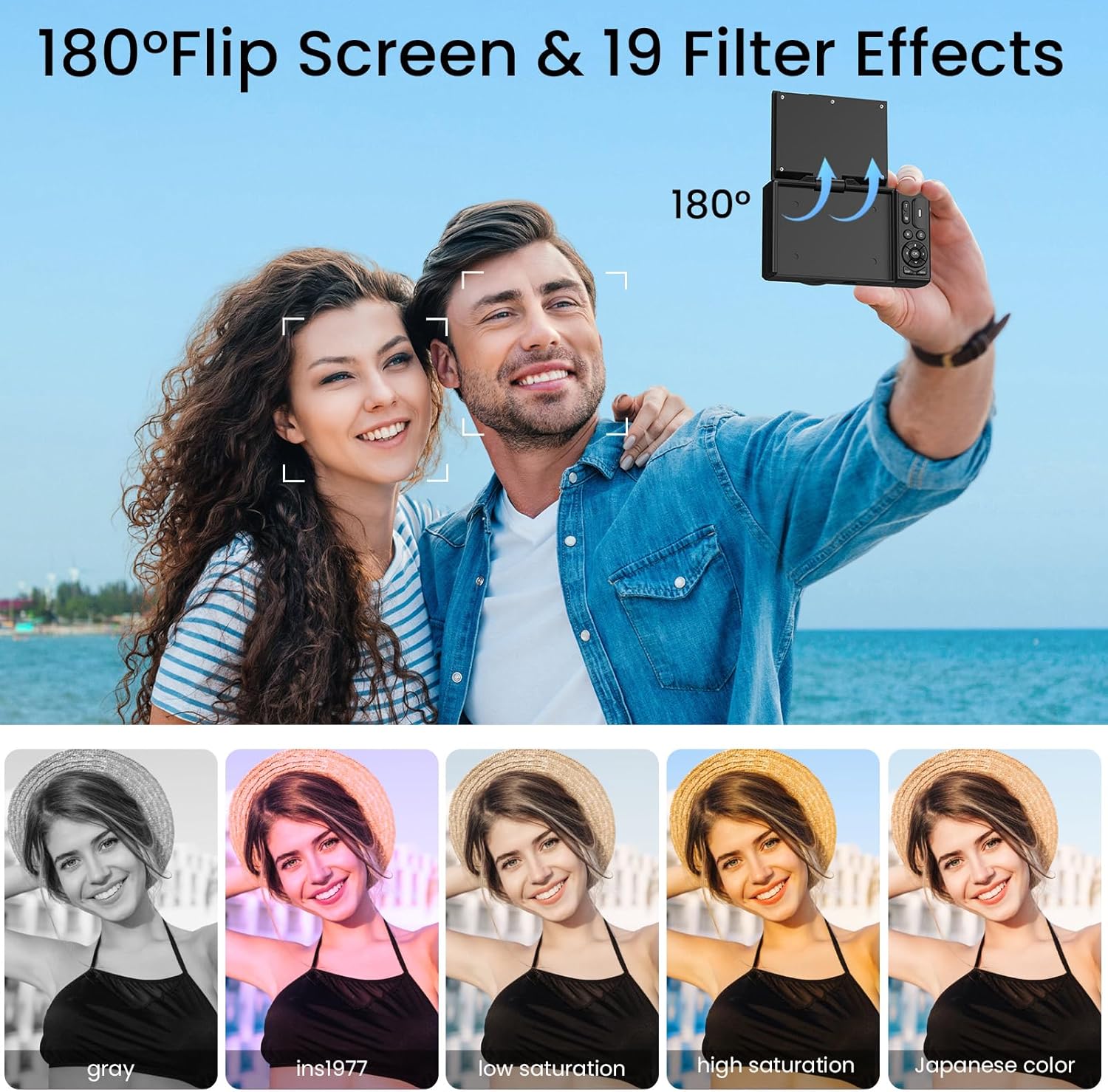
Figure 5.1: The camera's 180° flip screen, ideal for self-portraits and vlogging.

Figure 5.2: The flip screen in action, making it convenient for selfies and group shots.
5.2 Built-in Fill Light
Activate the built-in fill light to brighten your subjects in dimly lit environments, ensuring clearer photos and videos.
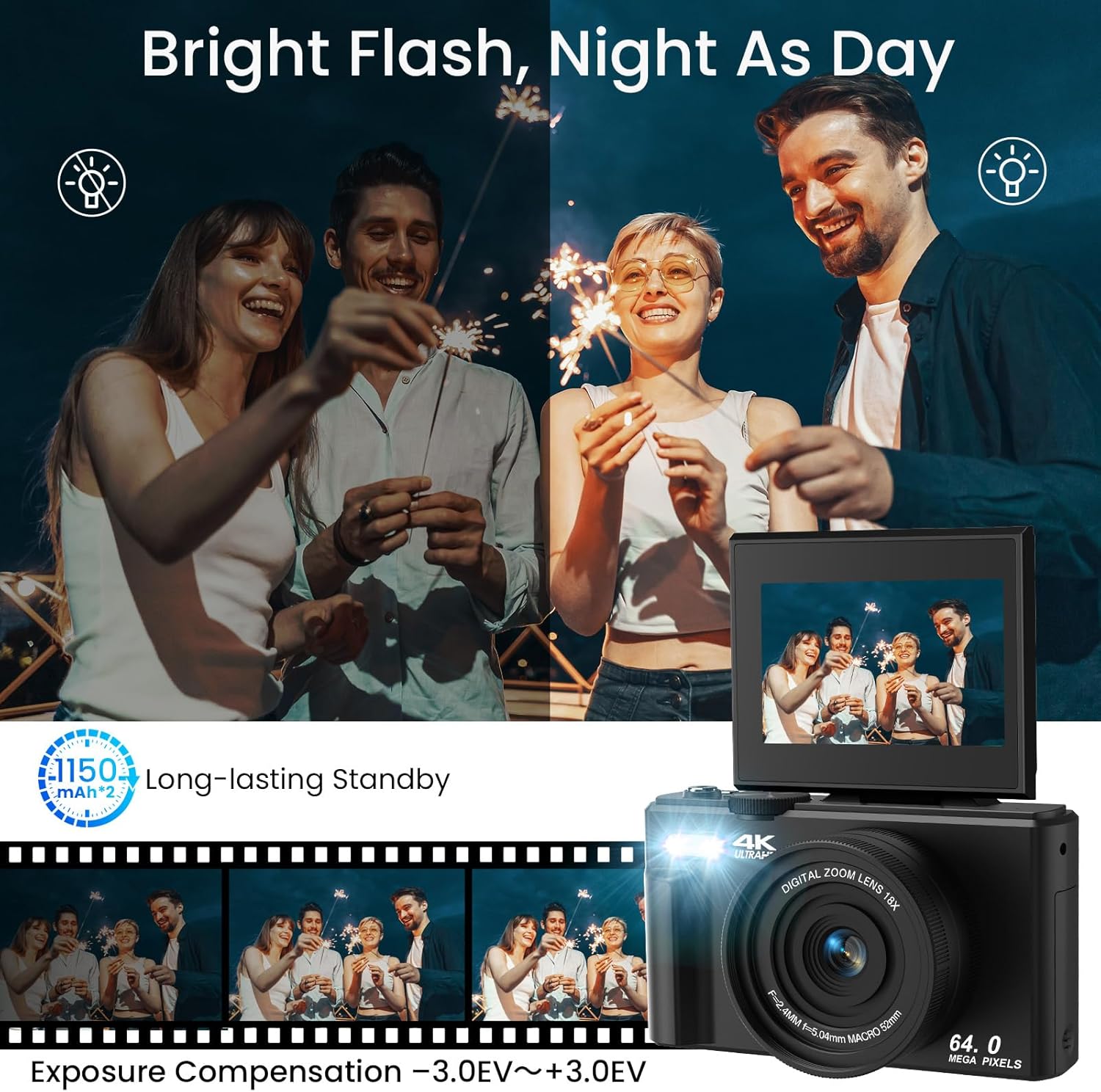
Figure 5.3: The camera's built-in fill light, enhancing visibility in low-light conditions.

Figure 5.4: Before and after comparison demonstrating the effectiveness of the fill light.
5.3 Special Shooting Modes and Effects
Your camera offers various modes and effects to enhance your creativity:
- സമയബന്ധിതമായ ഷൂട്ടിംഗ്: Set a timer (2s, 5s, 10s, 15s, 30s) for self-portraits or group photos.
- ബർസ്റ്റ് മോഡ്: Capture a rapid sequence of photos for action shots.
- Slowly Shooting: സ്ലോ മോഷനിൽ വീഡിയോകൾ റെക്കോർഡ് ചെയ്യുക.
- Lapse Effects: Create time-lapse videos by compressing time.
- Face Detection & Smile Capture: Automatically detects faces and captures smiles.
- Beauty Function: Enhances facial features for more flattering portraits.
- 19 Filter Effects: Apply various artistic filters (e.g., Gray, Ins1977, Low Saturation, High Saturation, Japanese Color) to your photos.

ചിത്രം 5.5: ഓവർview of creative shooting modes available on the camera.

ചിത്രം 5.6: ഉദാamples of the 19 built-in filter effects that can be applied to photos.

Figure 5.7: The Beauty Effect and Smile Face Detection features for enhanced portraits.
5.4 WiFi Transfer
Transfer photos and videos wirelessly to your smartphone or computer using the camera's built-in Wi-Fi function. Refer to the camera's on-screen menu for specific instructions on connecting to a Wi-Fi network and transferring files.
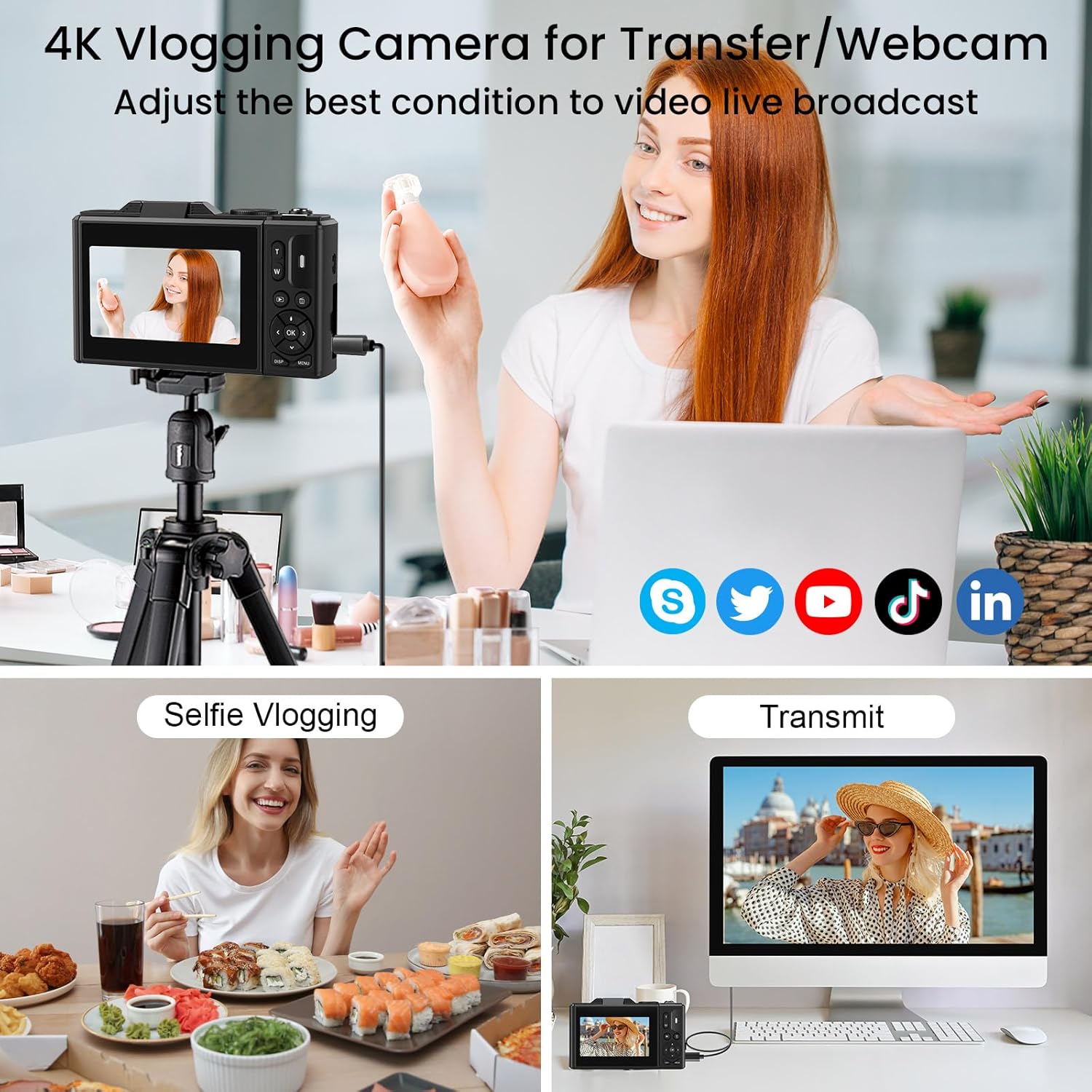
Figure 5.8: The camera supports WiFi transfer for easy sharing of content.

Figure 5.9: Visual representation of wireless file transfer from camera to smartphone.
5.5 Webക്യാം പ്രവർത്തനം
Connect your LAMA camera to a computer via the USB-C cable to use it as a webcam for video calls or live streaming. Select the "Webcam" option on the camera's screen when prompted after connecting.

Figure 5.10: The camera can be used as a webcam for video conferencing or streaming.
5.6 ഔദ്യോഗിക ഉൽപ്പന്ന വീഡിയോകൾ
Watch these official videos for a visual guide on using your LAMA 4K UHD Digital Camera.
വീഡിയോ 5.1: ഒരു ഓവർview of the LAMA 4K UHD 64MP Digital Camera's features and functions.
Video 5.2: A demonstration of the LAMA 4K Digital Camera's capabilities in various scenarios.
6. പരിപാലനം
- വൃത്തിയാക്കൽ: ക്യാമറ ബോഡി വൃത്തിയാക്കാൻ മൃദുവായതും ഉണങ്ങിയതുമായ തുണി ഉപയോഗിക്കുക. ലെൻസിന്, പ്രത്യേക ലെൻസ് ക്ലീനിംഗ് തുണിയും ലായനിയും ഉപയോഗിക്കുക. കഠിനമായ രാസവസ്തുക്കൾ ഒഴിവാക്കുക.
- സംഭരണം: നേരിട്ടുള്ള സൂര്യപ്രകാശത്തിൽ നിന്നും കടുത്ത താപനിലയിൽ നിന്നും അകന്ന് തണുത്തതും വരണ്ടതുമായ സ്ഥലത്ത് ക്യാമറ സൂക്ഷിക്കുക. കൂടുതൽ നേരം സൂക്ഷിച്ചാൽ ബാറ്ററി നീക്കം ചെയ്യുക.
- ബാറ്ററി കെയർ: Fully charge the battery before first use. Avoid overcharging or completely draining the battery.
- മെമ്മറി കാർഡ്: Regularly back up your photos and videos to a computer or external storage device. Format the memory card periodically within the camera to maintain optimal performance.
7. പ്രശ്നപരിഹാരം
| പ്രശ്നം | സാധ്യമായ പരിഹാരം |
|---|---|
| ക്യാമറ പവർ ഓൺ ചെയ്യുന്നില്ല. | Ensure the battery is fully charged and correctly inserted. Try charging the camera for at least 30 minutes. |
| ഫോട്ടോകൾ എടുക്കാനോ വീഡിയോകൾ റെക്കോർഡ് ചെയ്യാനോ കഴിയില്ല. | Check if a memory card is inserted and has sufficient free space. Ensure the mode dial is set to the correct mode (Photo/Video). |
| ചിത്രങ്ങൾ അവ്യക്തമാണ്. | Ensure the autofocus has locked onto the subject (green frame). Check for smudges on the lens and clean if necessary. Ensure sufficient lighting. |
| Wi-Fi transfer not working. | Ensure Wi-Fi is enabled on both the camera and your smart device. Follow the specific connection instructions in the camera's menu. |
| ക്യാമറ മരവിക്കുന്നു അല്ലെങ്കിൽ പ്രതികരിക്കുന്നില്ല. | Remove the battery, wait a few seconds, and reinsert it to perform a soft reset. |
8 സ്പെസിഫിക്കേഷനുകൾ
| ഫീച്ചർ | വിശദാംശങ്ങൾ |
|---|---|
| മോഡലിൻ്റെ പേര് | LM249A |
| ഫോട്ടോ സെൻസർ റെസല്യൂഷൻ | 75 MP (ഫലപ്രദമായ സ്റ്റിൽ റെസല്യൂഷൻ) |
| വീഡിയോ റെസല്യൂഷൻ | 4K UHD |
| ഡിജിറ്റൽ സൂം | 18X |
| സ്ക്രീൻ വലിപ്പം | 3.0 inches (Tilting LCD) |
| ഇമേജ് സ്റ്റെബിലൈസേഷൻ | Digital (Anti-Shake) |
| കണക്റ്റിവിറ്റി | Wi-Fi, USB-C |
| സ്റ്റോറേജ് മീഡിയ | Micro SD (TF) Card, up to 64GB |
| ബാറ്ററി തരം | ലിഥിയം പോളിമർ |
| പ്രത്യേക സവിശേഷതകൾ | 180° Flip Screen, Built-in Fill Light, Autofocus, Face Detection, Smile Capture, Timed Shooting, Burst Mode, Slow Motion, Time-Lapse, 19 Filter Effects, Webക്യാം ഫംഗ്ഷൻ |
| ഇനത്തിൻ്റെ ഭാരം | 8.8 ഔൺസ് |
9. വാറൻ്റിയും പിന്തുണയും
The LAMA 4K UHD 75MP Digital Camera comes with a 1-year warranty from the date of purchase. For technical support, warranty claims, or any questions regarding your product, please contact LAMA customer service through the retailer's platform or visit the official LAMA brand store online. Please retain your proof of purchase for warranty validation.
10. ഉൾപ്പെടുത്തിയ ആക്സസറികൾ
The following items are included with your LAMA 4K UHD 75MP Digital Camera:
- LAMA 4K UHD 75MP Digital Camera Body
- 64GB Micro SD (TF) Card
- 2 x റീചാർജ് ചെയ്യാവുന്ന ബാറ്ററികൾ
- ലെൻസ് ക്യാപ്
- ടൈപ്പ്-സി യുഎസ്ബി കേബിൾ
- ലാനിയാർഡ്
- സ്റ്റോറേജ് ബാഗ്
- ഉപയോക്തൃ മാനുവൽ (ഈ പ്രമാണം)

Figure 10.1: All accessories included with the camera package.


