1. ആമുഖം
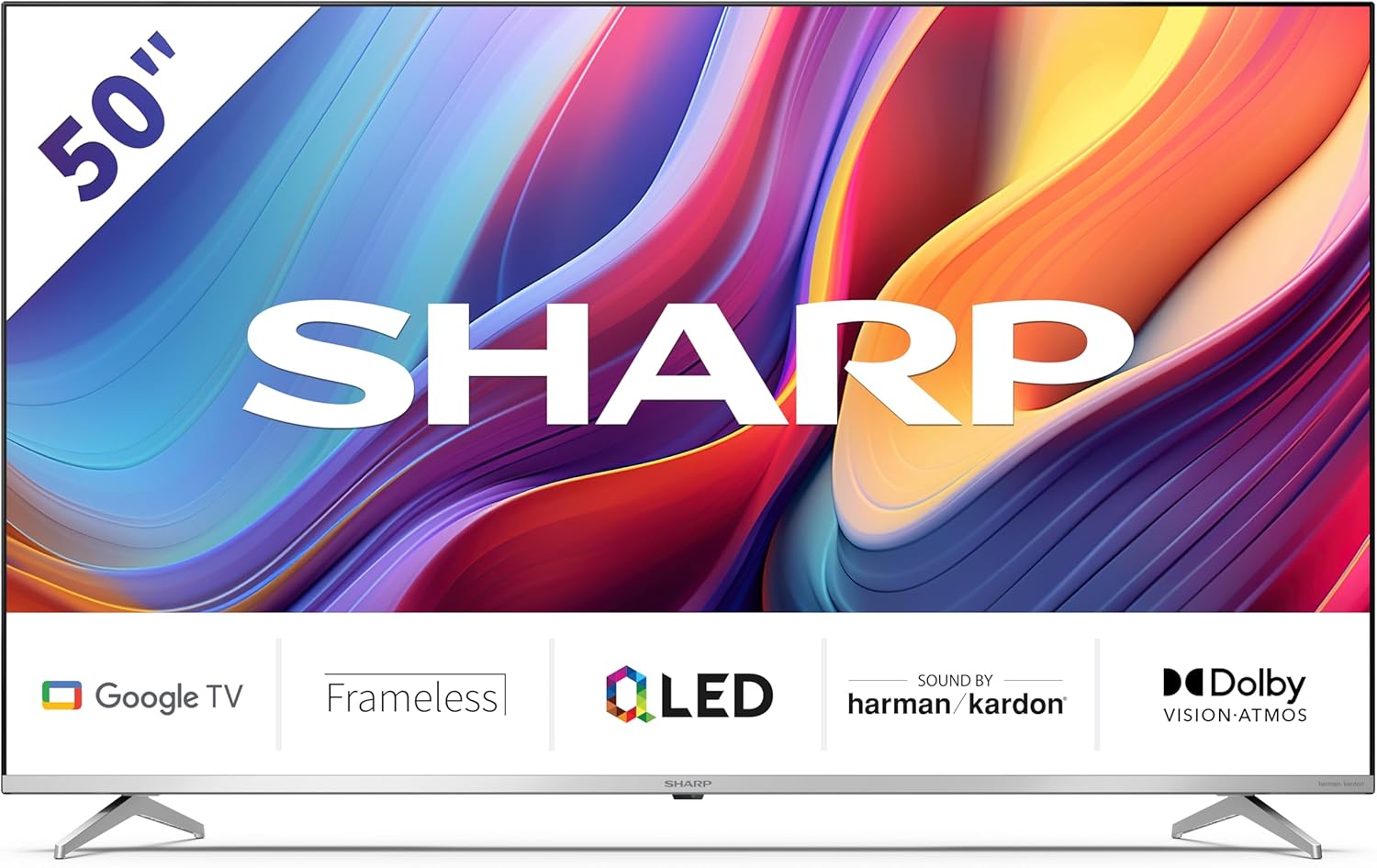
Welcome to the user manual for your new Sharp 50GP6265E 50-inch QLED 4K Ultra HD Google TV. This manual provides essential information for the safe and efficient use of your television. Please read it thoroughly before operating the device and retain it for future reference.
പ്രധാനപ്പെട്ട സുരക്ഷാ വിവരങ്ങൾ
- ടെലിവിഷൻ വീഴാതിരിക്കാൻ സ്ഥിരതയുള്ള ഒരു പ്രതലത്തിൽ സ്ഥാപിച്ചിട്ടുണ്ടെന്ന് ഉറപ്പാക്കുക.
- Do not block ventilation openings. Proper airflow is crucial to prevent overheating.
- പവർ കോർഡ് നടക്കുകയോ നുള്ളുകയോ ചെയ്യുന്നതിൽ നിന്ന് സംരക്ഷിക്കുക.
- Do not expose the TV to rain or moisture to reduce the risk of fire or electric shock.
- എല്ലാ സേവനങ്ങളും യോഗ്യതയുള്ള സേവന ഉദ്യോഗസ്ഥർക്ക് റഫർ ചെയ്യുക.
2. ബോക്സിൽ എന്താണുള്ളത്?
അൺപാക്ക് ചെയ്യുമ്പോൾ, ഇനിപ്പറയുന്ന എല്ലാ ഘടകങ്ങളും ഉൾപ്പെടുത്തിയിട്ടുണ്ടെന്ന് ദയവായി പരിശോധിക്കുക:
- Sharp 50GP6265E 50-inch QLED 4K Ultra HD Google TV
- വിദൂര നിയന്ത്രണം
- 2 x AAA batteries (for remote control)
- ദ്രുത ആരംഭ ഗൈഡ്
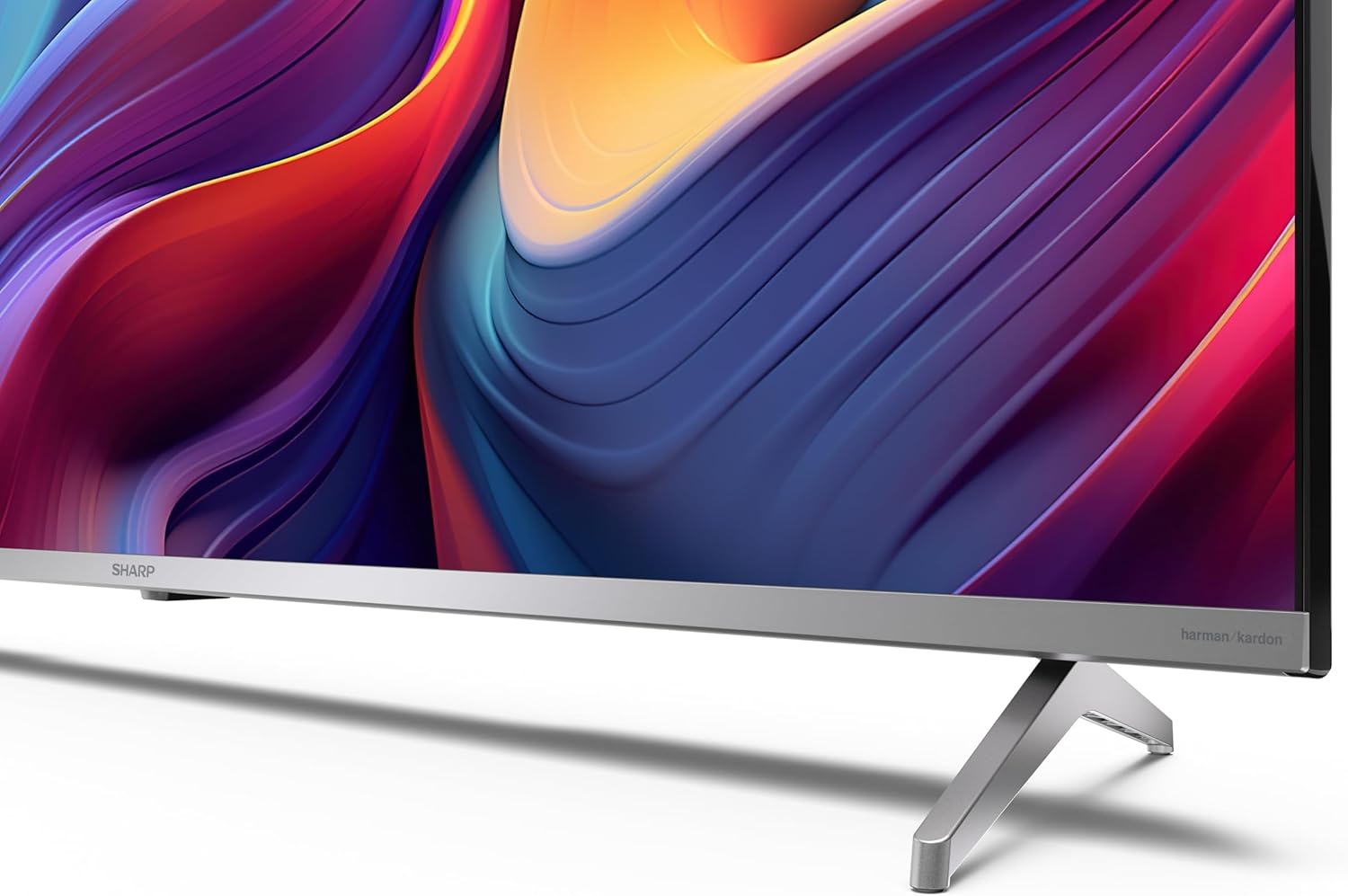
- TV stands (if not wall-mounted)
- പവർ കേബിൾ
3. സജ്ജീകരണം
3.1 അൺപാക്കിംഗ്
Carefully remove the television from its packaging. It is recommended to keep the original packaging for potential future transport or servicing.
3.2 സ്റ്റാൻഡ് ഇൻസ്റ്റലേഷൻ
If you are not wall-mounting the television, attach the included stands to the bottom of the TV. Ensure the screws are securely fastened. Refer to the quick start guide for detailed diagrams.
3.3 വാൾ മൗണ്ടിംഗ്
For wall mounting, the VESA dimensions required are 400 x 300 mm. Use a compatible wall mount bracket (sold separately) and follow the instructions provided with the bracket. Ensure the wall can support the weight of the television (9.7 kg net weight).

3.4 പെരിഫറലുകൾ ബന്ധിപ്പിക്കുന്നു
Your Sharp TV offers various connectivity options:
- എച്ച്ഡിഎംഐ: Connect external devices such as Blu-ray players, gaming consoles, or set-top boxes using the 4 HDMI 2.1 ports. One port supports eARC for enhanced audio return channel functionality.
- USB: Use the 2 USB ports for connecting external storage devices to play media or for service updates.
- ഇഥർനെറ്റ്: സ്ഥിരമായ ഒരു വയർഡ് ഇന്റർനെറ്റ് കണക്ഷന് വേണ്ടി.
- വൈഫൈ: വയർലെസ് ഇന്റർനെറ്റ് കണക്റ്റിവിറ്റിക്കായി.
- ബ്ലൂടൂത്ത്: Connect wireless headphones, soundbars, or other Bluetooth-enabled accessories.

3.5 ആദ്യ തവണ സജ്ജീകരണം
After connecting the power cable and turning on the TV, follow the on-screen instructions to complete the initial setup. This typically includes language selection, network connection, and Google account sign-in for Google TV features.
4. നിങ്ങളുടെ ടിവി പ്രവർത്തിപ്പിക്കുന്നു
4.1 വിദൂര നിയന്ത്രണം
The included remote control allows you to navigate the TV's interface, adjust volume, change channels, and access smart features. Insert the 2 AAA batteries into the remote control, ensuring correct polarity.
4.2 ഗൂഗിൾ ടിവി ഇന്റർഫേസ്
Your Sharp TV runs on Google TV, which organizes movies, shows, and live TV from all your apps and subscriptions. The home screen provides personalized recommendations and quick access to your favorite content.

Supported internet services include Netflix, Amazon Prime Video, HBO, Disney+, Movistar+, DAZN, Atresmedia, KODI, IPTV, Steamlink, Twitch, VLC, YouTube, Puffin TV Browser, Spotify, Deezer, TuneIn Radio, and many more available on Google Play for Google TV.
4.3 ചിത്ര ക്രമീകരണങ്ങൾ
Experience stunning visuals with 4K Ultra HD resolution and Quantum Dot technology for vibrant colors. The TV supports Dolby Vision and HDR10 for enhanced contrast and brightness. Access picture settings through the TV menu to customize brightness, contrast, color, and sharpness to your preference. AQUOS Smooth Motion technology provides image interpolation for smoother motion.
4.4 ശബ്ദ ക്രമീകരണങ്ങൾ
The integrated Harman/Kardon speaker system (2 x 12 W) delivers immersive audio. With Dolby Atmos support, you can enjoy a rich, multi-dimensional sound experience. Adjust sound modes and equalizer settings in the audio menu.
4.5 സ്മാർട്ട് സവിശേഷതകൾ
- Google അസിസ്റ്റൻ്റ്: ഉള്ളടക്കം തിരയാനും സ്മാർട്ട് ഹോം ഉപകരണങ്ങൾ നിയന്ത്രിക്കാനും വിവരങ്ങൾ നേടാനും വോയ്സ് കമാൻഡുകൾ ഉപയോഗിക്കുക.
- Chromecast ബിൽറ്റ്-ഇൻ: നിങ്ങളുടെ സ്മാർട്ട്ഫോണിൽ നിന്നോ ടാബ്ലെറ്റിൽ നിന്നോ കമ്പ്യൂട്ടറിൽ നിന്നോ ഉള്ളടക്കം നേരിട്ട് നിങ്ങളുടെ ടിവി സ്ക്രീനിലേക്ക് കാസ്റ്റുചെയ്യുക.
5. പരിപാലനം
5.1 ടിവി വൃത്തിയാക്കൽ
- വൃത്തിയാക്കുന്നതിന് മുമ്പ് എപ്പോഴും ടിവി അൺപ്ലഗ് ചെയ്യുക.
- സ്ക്രീനും കാബിനറ്റും തുടയ്ക്കാൻ മൃദുവായതും ഉണങ്ങിയതുമായ തുണി ഉപയോഗിക്കുക. കഠിനമായ പാടുകൾക്ക്, നേരിയ തോതിൽ dampen വെള്ളമുള്ള തുണി അല്ലെങ്കിൽ ഒരു പ്രത്യേക സ്ക്രീൻ ക്ലീനർ.
- അബ്രാസീവ് ക്ലീനറുകൾ, മെഴുക് അല്ലെങ്കിൽ ലായകങ്ങൾ ഉപയോഗിക്കുന്നത് ഒഴിവാക്കുക.
5.2 സോഫ്റ്റ്വെയർ അപ്ഡേറ്റുകൾ
പ്രകടനം മെച്ചപ്പെടുത്തുന്നതിനും പുതിയ സവിശേഷതകൾ ചേർക്കുന്നതിനുമായി നിങ്ങളുടെ ടിവിയിൽ സോഫ്റ്റ്വെയർ അപ്ഡേറ്റുകൾ ലഭിച്ചേക്കാം. ഈ അപ്ഡേറ്റുകൾ സ്വയമേവ ലഭിക്കുന്നതിന് നിങ്ങളുടെ ടിവി ഇന്റർനെറ്റുമായി കണക്റ്റുചെയ്തിട്ടുണ്ടെന്ന് ഉറപ്പാക്കുക അല്ലെങ്കിൽ ക്രമീകരണ മെനുവിൽ അവ നേരിട്ട് പരിശോധിക്കുക.
6. പ്രശ്നപരിഹാരം
നിങ്ങളുടെ ടിവിയിൽ പ്രശ്നങ്ങൾ നേരിടുകയാണെങ്കിൽ, ഇനിപ്പറയുന്ന പൊതുവായ പ്രശ്നങ്ങളും പരിഹാരങ്ങളും പരിശോധിക്കുക:
| പ്രശ്നം | സാധ്യമായ പരിഹാരം |
|---|---|
| ശക്തിയില്ല | പവർ കേബിൾ ടിവിയിലേക്കും പവർ ഔട്ട്ലെറ്റിലേക്കും സുരക്ഷിതമായി ബന്ധിപ്പിച്ചിട്ടുണ്ടോയെന്ന് പരിശോധിക്കുക. ഔട്ട്ലെറ്റ് പ്രവർത്തനക്ഷമമാണെന്ന് ഉറപ്പാക്കുക. |
| ചിത്രമില്ല, പക്ഷേ ശബ്ദം ഉണ്ട് | ശരിയായ ഇൻപുട്ട് ഉറവിടം തിരഞ്ഞെടുത്തിട്ടുണ്ടെന്ന് ഉറപ്പാക്കുക. ബാഹ്യ ഉപകരണ കണക്ഷനുകൾ പരിശോധിക്കുക. |
| ശബ്ദമില്ല, പക്ഷേ ചിത്രം ഉണ്ട് | Check the volume level and mute status. Ensure audio cables are correctly connected for external devices. |
| റിമോട്ട് കൺട്രോൾ പ്രവർത്തിക്കുന്നില്ല | AAA ബാറ്ററികൾ മാറ്റിസ്ഥാപിക്കുക. റിമോട്ടിനും ടിവിയുടെ IR സെൻസറിനും ഇടയിൽ തടസ്സങ്ങളൊന്നുമില്ലെന്ന് ഉറപ്പാക്കുക. |
| Wi-Fi കണക്ഷൻ പ്രശ്നങ്ങൾ | Restart your router and the TV. Re-enter the Wi-Fi password. Ensure the TV is within range of your Wi-Fi network. |
7 സ്പെസിഫിക്കേഷനുകൾ
| ഫീച്ചർ | വിശദാംശങ്ങൾ |
|---|---|
| ബ്രാൻഡ് | മൂർച്ചയുള്ള |
| മോഡൽ നമ്പർ | 50GP6265E |
| സ്ക്രീൻ വലിപ്പം | 50 ഇഞ്ച് |
| ഡിസ്പ്ലേ ടെക്നോളജി | QLED, ക്വാണ്ടം ഡോട്ട് |
| റെസലൂഷൻ | 4K അൾട്രാ HD (3840 x 2160 പിക്സലുകൾ) |
| പുതുക്കിയ നിരക്ക് | 60 Hz |
| ഓപ്പറേറ്റിംഗ് സിസ്റ്റം | Google TV |
| HDR പിന്തുണ | ഡോൾബി വിഷൻ, HDR10 |
| ഓഡിയോ സിസ്റ്റം | Harman/Kardon (2 x 12 W), Dolby Atmos |
| കണക്റ്റിവിറ്റി | 4x HDMI 2.1 (with eARC), 2x USB, Wi-Fi, Bluetooth, Ethernet |
| പ്രത്യേക സവിശേഷതകൾ | Google Assistant, Chromecast built-in, AQUOS Smooth Motion |
| VESA വാൾ മൗണ്ട് | 400 x 300 മി.മീ |
| അളവുകൾ (സ്റ്റാൻഡിനൊപ്പം) | 111.6P x 26.5l x 69.3H cm (1116.4 x 692.9 x 264.7 mm) |
| അളവുകൾ (സ്റ്റാൻഡ് ഇല്ലാതെ) | 111.6P x 9.2l x 65.1H cm (1116.4 x 651.3 x 91.5 mm) |
| മൊത്തം ഭാരം | 9.7 കി.ഗ്രാം |
| എനർജി എഫിഷ്യൻസി ക്ലാസ് (SDR) | ജി (69 കിലോവാട്ട്/1000 മണിക്കൂർ) |
| എനർജി എഫിഷ്യൻസി ക്ലാസ് (HDR) | ജി (98 കിലോവാട്ട്/1000 മണിക്കൂർ) |

വിശദമായ ഉൽപ്പന്ന വിവരങ്ങൾക്കും ഊർജ്ജ കാര്യക്ഷമത ഡാറ്റയ്ക്കും, ദയവായി EPREL ഡാറ്റാബേസ് പരിശോധിക്കുക: https://eprel.ec.europa.eu/qr/1942440
8. വാറൻ്റിയും പിന്തുണയും
Information regarding spare parts availability and software updates is not explicitly provided for a guaranteed period. Please refer to the manufacturer's official website for the most up-to-date warranty terms and support information.
നിർമ്മാതാവ്: SHARP
ഉദ്യോഗസ്ഥൻ Webസൈറ്റ്: www.sharpconsumer.com
For customer service inquiries, please visit the Sharp consumer website or contact their support channels as listed on their official site.


