ആമുഖം
This manual provides instructions for the Romansei Pet Tracker, a smart location tracking device designed for cats. This device integrates with the Apple 'Find My' app on iOS systems, offering real-time location updates without requiring additional subscriptions. It is designed to be attached to a cat collar, providing a method for monitoring your pet's location.
സജ്ജമാക്കുക
പാക്കേജ് ഉള്ളടക്കം
- 1 x Romansei Pet Tracker (HB15)
- 1 x Silicone Protector Case
- 1 x CR2032 ബാറ്ററി (മുൻകൂട്ടി ഇൻസ്റ്റാൾ ചെയ്തത്)
ട്രാക്കർ ഇൻസ്റ്റാൾ ചെയ്യുന്നു
- Open the silicone protector case.
- Insert the Romansei Pet Tracker into the silicone case, ensuring the button and speaker are correctly aligned with the case openings.
- Securely close the silicone case around the tracker.
- Thread your pet's collar through the loops on the silicone protector case. Ensure the tracker is positioned comfortably and securely on the collar. The case is designed to be compatible with most collar widths.

Image: Installation diagram for the Romansei Pet Tracker, showing the tracker, silicone protector, and how to attach it to a collar. Various pets are shown wearing the tracker.
Pairing with Apple Find My
- Ensure your iOS device (iPhone, iPad, or iPod touch) is running the latest version of iOS.
- നിങ്ങളുടെ iOS ഉപകരണത്തിൽ 'Find My' ആപ്പ് തുറക്കുക.
- Navigate to the 'Items' tab.
- Tap the '+' icon and select 'Add Other Item'.
- Follow the on-screen instructions to connect your Romansei Pet Tracker. You may need to press the button on the tracker to initiate pairing.
- Once connected, you can name your tracker and assign an emoji.
പ്രവർത്തന നിർദ്ദേശങ്ങൾ
Locating Your Pet
- നിങ്ങളുടെ iOS ഉപകരണത്തിൽ 'Find My' ആപ്പ് തുറക്കുക.
- Select the 'Items' tab and choose your Romansei Pet Tracker from the list.
- The app will display the tracker's current or last known location on a map.
- Use the 'Directions' feature to navigate to your pet's location.
- If your pet is nearby, you can tap 'Play Sound' to make the tracker emit an audible alert, assisting in pinpointing its exact location.
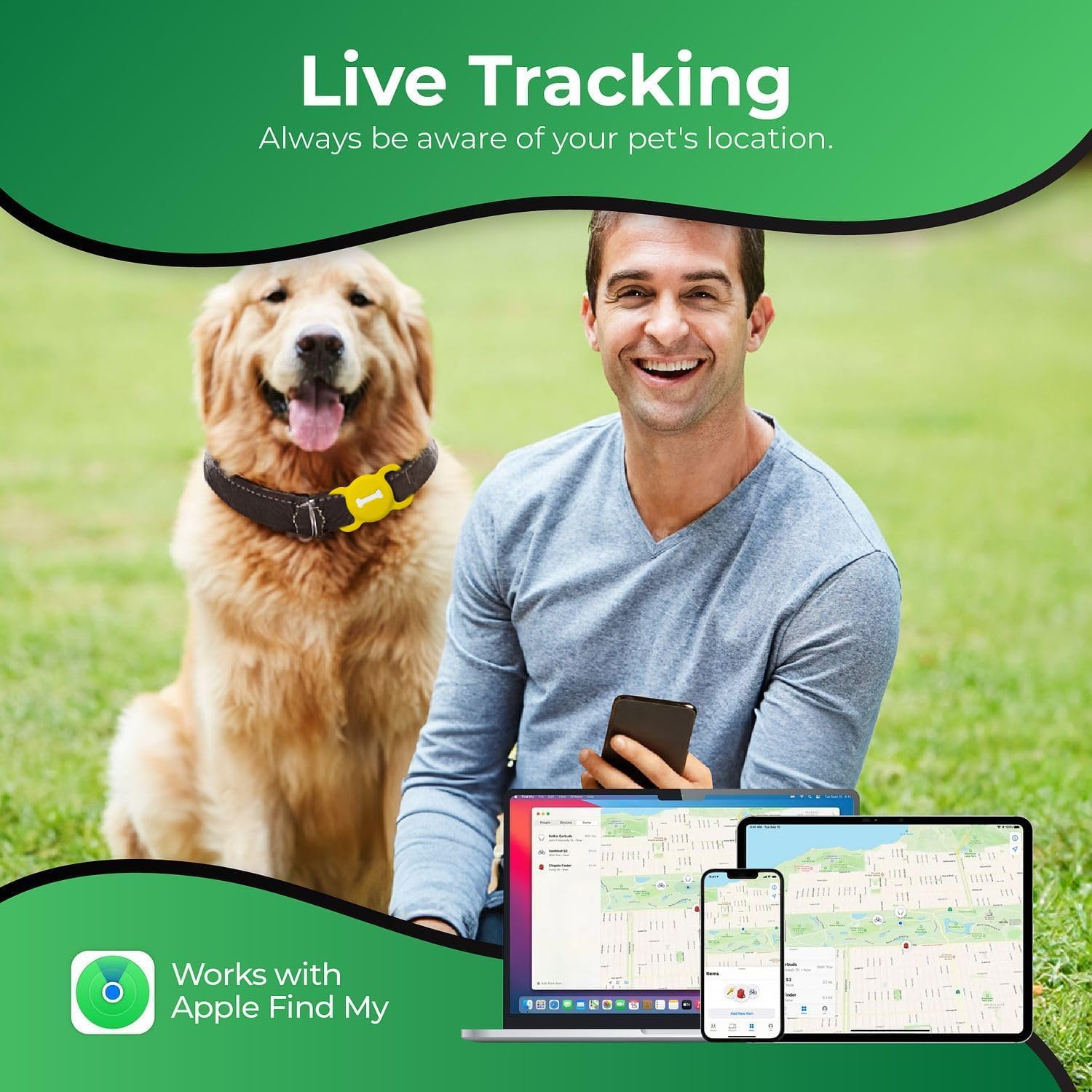
Image: The 'Find My' app interface shown on various Apple devices, demonstrating the live tracking feature of the pet tracker.
Real-Time Tracking and Global Positioning
The Romansei Pet Tracker utilizes Apple's Find My network for global positioning, providing accurate location search capabilities. This allows for real-time tracking of your pet's whereabouts through compatible Apple devices. Please note that this device is designed exclusively for use with Apple devices and is not compatible with Android systems.

Image: Visual representation of the tracker's real-time global positioning capabilities within a city environment, highlighting its compatibility with Apple devices.
മെയിൻ്റനൻസ്
ബാറ്ററി മാറ്റിസ്ഥാപിക്കൽ
- The Romansei Pet Tracker uses a standard CR2032 coin cell battery.
- The battery is designed to last approximately 365 days under normal usage conditions.
- To replace the battery, carefully open the tracker unit (usually by twisting or prying gently, refer to the tracker's specific design for exact method).
- പഴയ CR2032 ബാറ്ററി നീക്കം ചെയ്ത് പുതിയൊരെണ്ണം ഇടുക, ശരിയായ പോളാരിറ്റി (+ സൈഡ് അപ്പ്) ഉറപ്പാക്കുക.
- Close the tracker unit securely.
ശുചീകരണവും പരിചരണവും
- The tracker and its silicone case are durable and waterproof.
- വൃത്തിയാക്കാൻ, പരസ്യം ഉപയോഗിച്ച് തുടയ്ക്കുകamp തുണി. കഠിനമായ അഴുക്കിന്, നേരിയ സോപ്പ് ലായനി ഉപയോഗിക്കാം.
- Avoid using harsh chemicals or abrasive materials, as these may damage the device or its case.
- Ensure the tracker is completely dry before reassembling or reattaching to the collar.
ട്രബിൾഷൂട്ടിംഗ്
- Tracker Not Found in Find My App:
Check if the tracker's battery is depleted. Replace the CR2032 battery if necessary. Ensure Bluetooth is enabled on your iOS device and the tracker is within range. Try resetting the tracker by removing and reinserting the battery. - കൃത്യമല്ലാത്ത സ്ഥാനം:
Location accuracy can be affected by environmental factors such as dense buildings, underground areas, or strong signal interference. Ensure your iOS device has a stable internet connection. - പ്രതീക്ഷിച്ചതിലും കുറഞ്ഞ ബാറ്ററി ലൈഫ്:
Frequent use of the 'Play Sound' feature or constant tracking in areas with weak signal may reduce battery life. Ensure the battery is a fresh CR2032 from a reputable brand. - Tracker Not Responding:
If the tracker becomes unresponsive, try removing the battery, waiting for 30 seconds, and then reinserting it. If the issue persists, contact customer support.
സ്പെസിഫിക്കേഷനുകൾ
| ഫീച്ചർ | വിശദാംശങ്ങൾ |
|---|---|
| മോഡലിൻ്റെ പേര് | HB15 |
| ഇനത്തിൻ്റെ ഭാരം | 1.06 ഔൺസ് |
| ഇനം പാക്കേജ് അളവുകൾ L x W x H | 3.35 x 2.56 x 0.59 ഇഞ്ച് |
| ബാറ്ററികൾ | 1 CR2032 ബാറ്ററി ആവശ്യമാണ് (ഉൾപ്പെടുന്നു) |
| ബാറ്ററി ലൈഫ് | ഏകദേശം 365 ദിവസം |
| അനുയോജ്യത | iOS devices only (Works with Apple Find My) |
| ഉൾപ്പെടുത്തിയ ഘടകങ്ങൾ | 1 വയർലെസ് Tag, 1 Case |
| ഉൽപ്പന്നത്തിൻ്റെ പ്രത്യേക ഉപയോഗങ്ങൾ | Indoor, Outdoor Pet Tracking |
| നിറം | മഞ്ഞ |
| വലിപ്പം | M |
| നിർമ്മാതാവ് | റൊമാൻസെയ് |
വാറൻ്റി വിവരങ്ങൾ
The Romansei Pet Tracker (Model HB15) comes with a 1 വർഷത്തെ പരിമിത വാറൻ്റി വാങ്ങിയ തീയതി മുതൽ. സാധാരണ ഉപയോഗത്തിലുള്ള നിർമ്മാണ വൈകല്യങ്ങൾ ഈ വാറന്റി ഉൾക്കൊള്ളുന്നു. ദുരുപയോഗം, അപകടങ്ങൾ, അനധികൃത പരിഷ്കാരങ്ങൾ, അല്ലെങ്കിൽ സാധാരണ തേയ്മാനം എന്നിവ മൂലമുണ്ടാകുന്ന നാശനഷ്ടങ്ങൾക്ക് ഇത് പരിരക്ഷ നൽകുന്നില്ല. വാറന്റി ക്ലെയിമുകൾക്കായി നിങ്ങളുടെ വാങ്ങലിന്റെ തെളിവ് സൂക്ഷിക്കുക.
ഉപഭോക്തൃ പിന്തുണ
For further assistance, technical support, or warranty inquiries, please contact Romansei customer service. Refer to the product packaging or the official Romansei webഏറ്റവും പുതിയ ബന്ധപ്പെടാനുള്ള വിവരങ്ങൾക്കായി സൈറ്റ്.


