1. ആമുഖം
Thank you for choosing the FLEXISPOT Electric Height-Adjustable Standing Desk, Model EP1E Set. This desk is designed to enhance your workspace with its versatile height adjustment, robust construction, and intelligent features. It allows you to effortlessly switch between sitting and standing positions, promoting a healthier and more productive work environment.
Key features include a wide height adjustment range (73-122 cm), a strong load capacity of 70 kg, a smart control panel with memory presets, and a child lock function for safety. The desk operates quietly, ensuring minimal disturbance in your home or office.

This image displays the FLEXISPOT Electric Height-Adjustable Standing Desk in a typical office setup, highlighting its spacious desktop and clean design.
2 പ്രധാനപ്പെട്ട സുരക്ഷാ വിവരങ്ങൾ
Please read all safety instructions carefully before assembly and operation to ensure safe and proper use of your FLEXISPOT standing desk. Keep this manual for future reference.
- ഉപയോഗിക്കുന്നതിന് മുമ്പ് എല്ലാ ഘടകങ്ങളും സുരക്ഷിതമായി ഉറപ്പിച്ചിട്ടുണ്ടെന്ന് ഉറപ്പാക്കുക.
- Keep children and pets away from the desk during operation to prevent injury from moving parts.
- Do not overload the desk. The maximum weight capacity is 70 kg.
- Ensure there are no obstacles in the desk's path during height adjustment.
- Use the desk only indoors and in a dry environment.
- വൃത്തിയാക്കുന്നതിനോ അറ്റകുറ്റപ്പണികൾ നടത്തുന്നതിനോ മുമ്പ് പവർ കോർഡ് അൺപ്ലഗ് ചെയ്യുക.
- The desk is equipped with an anti-collision rebound function. Do not attempt to bypass or disable this safety feature.
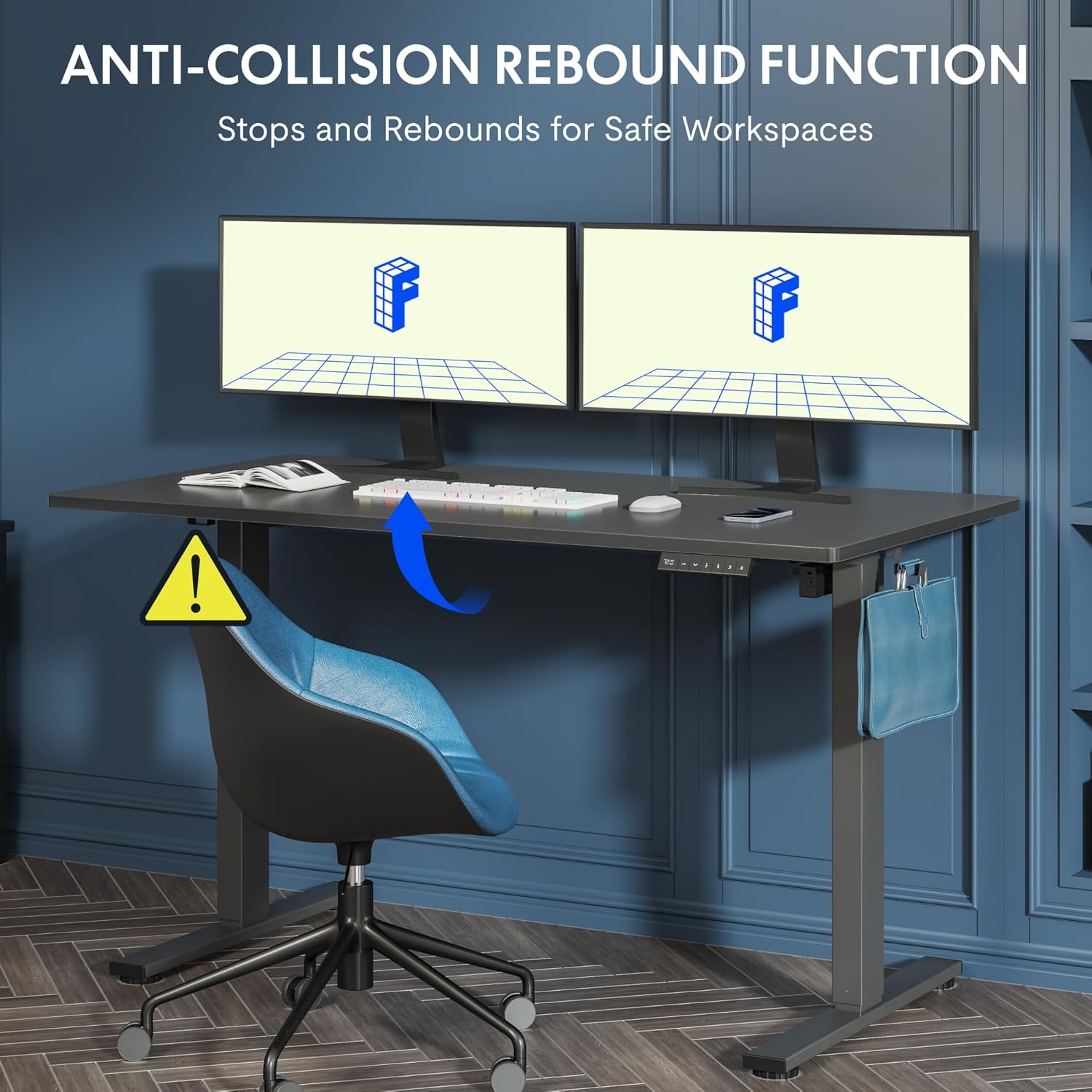
This image illustrates the anti-collision rebound function of the desk, which automatically stops and reverses if it encounters an obstacle during height adjustment, ensuring user safety.
3. സജ്ജീകരണവും അസംബ്ലിയും
Your FLEXISPOT standing desk requires assembly. Please follow the detailed instructions provided in the separate assembly guide included with your product packaging. The following are general guidelines:
- എല്ലാ ഘടകങ്ങളും അൺപാക്ക് ചെയ്യുക: പാക്കേജിംഗിൽ നിന്ന് എല്ലാ ഭാഗങ്ങളും ശ്രദ്ധാപൂർവ്വം നീക്കം ചെയ്ത് പോറലുകൾ ഉണ്ടാകാതിരിക്കാൻ വൃത്തിയുള്ളതും മൃദുവായതുമായ ഒരു പ്രതലത്തിൽ വയ്ക്കുക.
- ഭാഗങ്ങൾ പരിശോധിക്കുക: Check the contents against the packing list in your assembly guide to ensure all parts are present.
- ഘട്ടം ഘട്ടമായുള്ള നിർദ്ദേശങ്ങൾ പാലിക്കുക: Adhere strictly to the assembly steps outlined in your dedicated assembly manual.
- രണ്ട് പേരുടെ സമ്മേളനം ശുപാർശ ചെയ്യുന്നത്: For easier and safer assembly, especially when handling the desktop and frame, it is highly recommended to have two people.
- എല്ലാ കണക്ഷനുകളും സുരക്ഷിതമാക്കുക: Ensure all screws, bolts, and electrical connections are tightened and secured before plugging in the desk.

This image provides key dimensions and performance specifications of the desk, including its adjustable height range, load capacity of 70kg, quiet operation under 50dB, and adjustment speed of 20mm/s.
4. പ്രവർത്തന നിർദ്ദേശങ്ങൾ
Your FLEXISPOT standing desk features an intuitive smart control panel for easy height adjustment and memory functions.
നിയന്ത്രണ പാനൽ ഓവർview

This image details the smart control panel of the desk, showing the LED height display, up/down adjustment buttons, a sit/stand toggle, and four programmable memory preset buttons for customized height settings.
- LED ഡിസ്പ്ലേ: Shows the current height of the desk in centimeters.
- മുകളിലേക്കും താഴേക്കുമുള്ള അമ്പടയാളങ്ങൾ (▲ / ▼): Press and hold to move the desk up or down to your desired height.
- Sit/Stand Button (↷): This button may function as a quick toggle between pre-set sitting and standing heights, or as a general height adjustment button depending on the specific model configuration.
- Preset Buttons (1, 2, 3, 4): These buttons allow you to save and recall your preferred sitting and standing heights.
Memory Function Setup
- മുകളിലേക്കും താഴേക്കുമുള്ള അമ്പടയാളങ്ങൾ ഉപയോഗിച്ച് നിങ്ങൾക്ക് ആവശ്യമുള്ള ഉയരത്തിലേക്ക് ഡെസ്ക് ക്രമീകരിക്കുക.
- 'M' അല്ലെങ്കിൽ 'Set' ബട്ടൺ അമർത്തുക (ലഭ്യമെങ്കിൽ, അല്ലെങ്കിൽ അടുത്ത ഘട്ടത്തിലേക്ക് പോകുക).
- Press one of the preset buttons (1, 2, 3, or 4) within a few seconds. The LED display will show 'S-' followed by the number, indicating the height has been saved.
- To recall a saved height, simply press the corresponding preset button (1, 2, 3, or 4). The desk will automatically move to that saved position.
ചൈൽഡ് ലോക്ക് പ്രവർത്തനം
The child lock function prevents accidental adjustments. Refer to your specific control panel's instructions for activation and deactivation. Typically, it involves pressing and holding a combination of buttons (e.g., 'M' and '3' simultaneously) until a lock symbol appears or the display indicates 'LOC'. Repeat the action to unlock.

This image demonstrates the wide height adjustment range of the desk, from 73.5cm to 118cm, illustrating its versatility for various tasks and user preferences.
5. പരിപാലനവും പരിചരണവും
Proper maintenance will ensure the longevity and optimal performance of your FLEXISPOT standing desk.
- വൃത്തിയാക്കൽ: മേശയുടെ പ്രതലവും ഫ്രെയിമും മൃദുവായ, ഡി-ടച്ച് ഉപയോഗിച്ച് തുടയ്ക്കുക.amp തുണി. അബ്രാസീവ് ക്ലീനറുകൾ, കഠിനമായ രാസവസ്തുക്കൾ അല്ലെങ്കിൽ ലായകങ്ങൾ എന്നിവ ഉപയോഗിക്കുന്നത് ഒഴിവാക്കുക, കാരണം ഇവ ഫിനിഷിന് കേടുവരുത്തും.
- പതിവ് പരിശോധനകൾ: എല്ലാ സ്ക്രൂകളും ബോൾട്ടുകളും ഇറുകിയതാണെന്ന് ഉറപ്പാക്കാൻ ഇടയ്ക്കിടെ പരിശോധിക്കുക. ആവശ്യമെങ്കിൽ വീണ്ടും മുറുക്കുക.
- കേബിൾ മാനേജുമെന്റ്: Utilize cable management solutions (e.g., cable ties, trays) to keep cords tidy and prevent them from interfering with the desk's movement.
- പവർ കോർഡ്: പവർ കോർഡ് കുരുങ്ങുകയോ കുരുങ്ങുകയോ ചെയ്തിട്ടില്ലെന്ന് ഉറപ്പാക്കുക.

This image highlights the included accessories: two convenient hooks for hanging items like headphones or bags, and a cup holder to keep beverages secure and prevent spills.
6. പ്രശ്നപരിഹാരം
If you encounter issues with your FLEXISPOT standing desk, please refer to the following common troubleshooting steps:
| പ്രശ്നം | സാധ്യമായ കാരണം | പരിഹാരം |
|---|---|---|
| ഡെസ്ക് ചലിക്കുന്നില്ല അല്ലെങ്കിൽ നിയന്ത്രണങ്ങളോട് പ്രതികരിക്കുന്നില്ല. | Power cord disconnected, circuit breaker tripped, motor overload. | Check power connection. Ensure the power cord is securely plugged into the wall outlet and the control box. Unplug for 10 minutes, then plug back in to reset. Reduce load if overloaded. |
| മേശ അസമമായി നീങ്ങുന്നു അല്ലെങ്കിൽ അസാധാരണമായ ശബ്ദങ്ങൾ ഉണ്ടാക്കുന്നു. | Loose connections, uneven weight distribution, foreign object. | Check all assembly connections and tighten if loose. Redistribute weight evenly on the desktop. Inspect for any obstructions under or around the desk. |
| നിയന്ത്രണ പാനലിൽ പിശക് കോഡ് പ്രദർശിപ്പിച്ചിരിക്കുന്നു. | നിർദ്ദിഷ്ട സിസ്റ്റം തകരാറ്. | Refer to your specific assembly guide or the FLEXISPOT website for a list of error codes and their corresponding solutions. Often, a power cycle (unplug and replug) can resolve temporary errors. |
ഈ പരിഹാരങ്ങൾ പരീക്ഷിച്ചതിനുശേഷവും പ്രശ്നം നിലനിൽക്കുകയാണെങ്കിൽ, കൂടുതൽ സഹായത്തിനായി ദയവായി FLEXISPOT ഉപഭോക്തൃ പിന്തുണയുമായി ബന്ധപ്പെടുക.
7 സ്പെസിഫിക്കേഷനുകൾ
Below are the technical specifications for the FLEXISPOT Electric Height-Adjustable Standing Desk, Model EP1E Set:
| ഫീച്ചർ | സ്പെസിഫിക്കേഷൻ |
|---|---|
| ബ്രാൻഡ് | ഫ്ലെക്സിസ്പോട്ട് |
| മോഡലിൻ്റെ പേര് | EP1E Set |
| ഉൽപ്പന്ന അളവുകൾ (D x W x H) | 60D x 140W x 122H centimetres (Max Height) |
| ക്രമീകരിക്കാവുന്ന ഉയരം പരിധി | 73 cm - 122 cm (or 73.5 cm - 118 cm as per image) |
| മെറ്റീരിയൽ | Metal Frame, Maple Tray (Desktop) |
| നിറം | White Frame + Maple Tray |
| പ്രത്യേക സവിശേഷതകൾ | Adjustable, Electric, Ergonomic, Stable, Memory Function, Child Lock, Anti-Collision |
| പരമാവധി ഭാരം ശുപാർശ | 70 കിലോഗ്രാം |
| ശബ്ദ നില | 50 dB-യിൽ താഴെ |
| അസംബ്ലി ആവശ്യമാണ് | അതെ |

This image emphasizes the robust construction of the desk, highlighting its 70kg load capacity and durability, having undergone over 50,000 lifting and lowering tests.
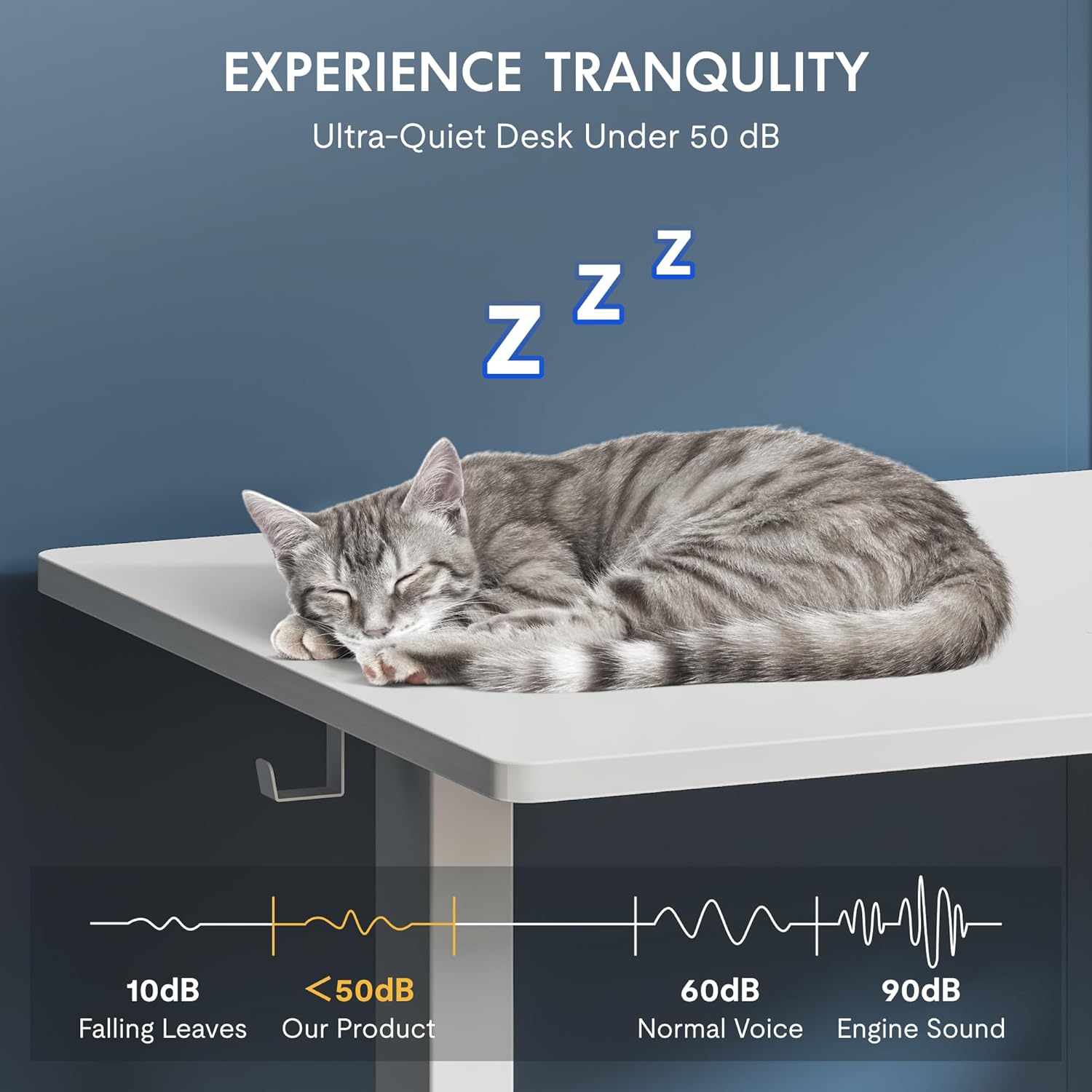
This image demonstrates the desk's ultra-quiet operation, with a noise level below 50dB, ensuring a peaceful working environment.
8. വാറന്റി വിവരങ്ങളും ഉപഭോക്തൃ പിന്തുണയും
For detailed warranty information, please refer to the warranty card included with your product or the purchase documentation from your retailer. FLEXISPOT provides support for its products to ensure customer satisfaction.
If you require assistance with assembly, operation, or troubleshooting that is not covered in this manual, please contact FLEXISPOT customer support through their official webനിങ്ങൾ ഉൽപ്പന്നം വാങ്ങിയ സൈറ്റ് അല്ലെങ്കിൽ റീട്ടെയിലർ.
You can also visit the official FLEXISPOT store for more information and resources: FLEXISPOT Official Store


