1. ആമുഖം
This manual provides detailed instructions for the Maxcom MM39D 4G VoLTE Big Button Wireless Phone. The MM39D is a modern 4G LTE phone designed for both home and office environments, serving as an ideal replacement for traditional analog landline phones. It features a large, clear display and user-friendly island-style keys.
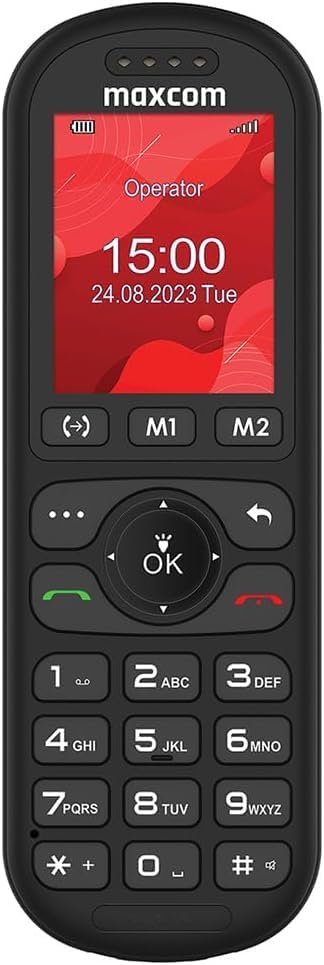
ചിത്രം 1: മുൻഭാഗം view of the Maxcom MM39D phone, showcasing its large buttons and clear display.
പ്രധാന സവിശേഷതകളിൽ ഇവ ഉൾപ്പെടുന്നു:
- 4G VoLTE Connectivity: Ensures clear call quality and reliable network connection.
- Large 2-inch Display: A 176 x 220 px screen for excellent readability of text and images.
- Island-Style Keys: Designed for easy and accurate dialing and function selection.
- 1000 mAh Efficient Battery: Provides extended standby time, ensuring the phone is ready when needed.
- USB-C Desktop Charger: For convenient and universal charging.
- സംയോജിത സവിശേഷതകൾ: Includes calendar, alarm clock, speed dial, FM radio, SMS/MMS, audio/video player, hands-free mode, and call transfer function.
2. സജ്ജീകരണം
2.1 പാക്കേജ് ഉള്ളടക്കം
ആരംഭിക്കുന്നതിന് മുമ്പ്, പാക്കേജിൽ എല്ലാ ഇനങ്ങളും ഉണ്ടെന്ന് ഉറപ്പാക്കുക:
- Maxcom MM39D Wireless Phone
- USB-C Desktop Charger
- യുഎസ്ബി-സി കേബിൾ
- Power Adapter (UK Plug)
- ഉപയോക്തൃ മാനുവൽ
2.2 സിം കാർഡും ബാറ്ററിയും ഇൻസ്റ്റാൾ ചെയ്യുന്നു
- പിൻ കവർ നീക്കം ചെയ്യുക: Gently pry open the back cover of the phone using the notch provided, usually located at the bottom edge.
- സിം കാർഡ് ചേർക്കുക: Locate the SIM card slot. Insert your 4G compatible SIM card into the slot with the gold contacts facing down and the cut corner aligned as indicated. Ensure it clicks into place.
- ബാറ്ററി ചേർക്കുക: Place the 1000 mAh battery into the battery compartment, aligning the gold contacts on the battery with the contacts in the phone.
- പിൻ കവർ മാറ്റിസ്ഥാപിക്കുക: പിൻ കവർ ശ്രദ്ധാപൂർവ്വം വിന്യസിച്ച് എല്ലാ അരികുകളിലും അത് ഉറപ്പിക്കുന്നത് വരെ ദൃഢമായി അമർത്തുക.

ചിത്രം 2: പിൻഭാഗം view of the Maxcom MM39D, indicating the area for battery and SIM card installation.
2.3 ഫോൺ ചാർജ് ചെയ്യുന്നു
For first-time use, fully charge the phone.
- Connect the USB-C cable to the desktop charger and the power adapter.
- ഒരു മതിൽ ഔട്ട്ലെറ്റിലേക്ക് പവർ അഡാപ്റ്റർ പ്ലഗ് ചെയ്യുക.
- Place the Maxcom MM39D phone into the desktop charger, ensuring it sits securely and the charging indicator appears on the screen.
- ബാറ്ററി ഐക്കൺ ഫുൾ ചാർജ്ജ് സൂചിപ്പിക്കുന്നത് വരെ ഫോൺ ചാർജ് ചെയ്യാൻ അനുവദിക്കുക.
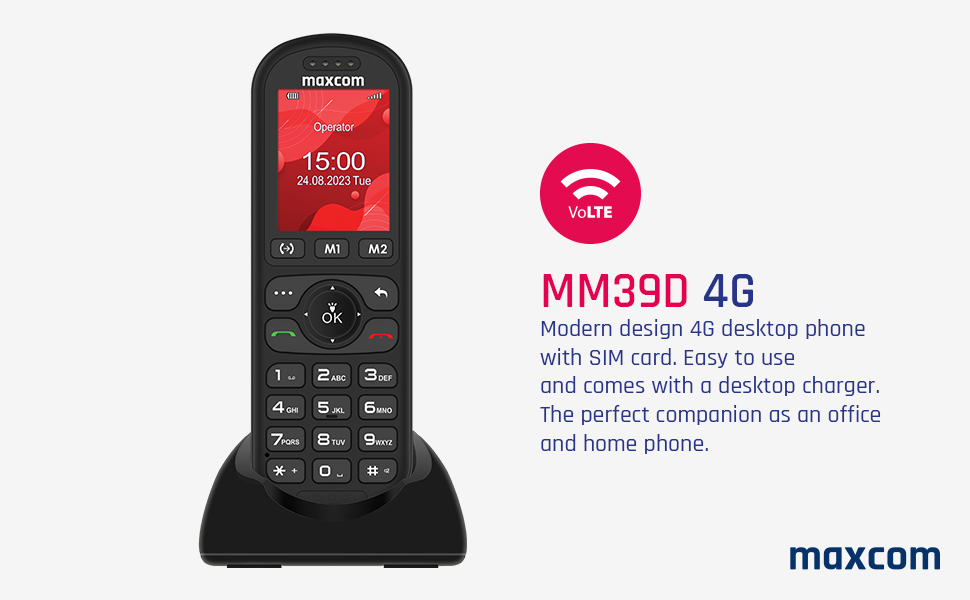
Figure 3: The Maxcom MM39D phone placed in its USB-C desktop charging dock.
3. പ്രവർത്തന നിർദ്ദേശങ്ങൾ
3.1 പവർ ഓൺ/ഓഫ്
- പവർ ഓണാക്കാൻ: ചുവപ്പ് അമർത്തി പിടിക്കുക കോൾ/പവർ അവസാനിപ്പിക്കുക സ്ക്രീൻ പ്രകാശിക്കുന്നത് വരെ ബട്ടൺ.
- പവർ ഓഫ് ചെയ്യാൻ: ചുവപ്പ് അമർത്തി പിടിക്കുക കോൾ/പവർ അവസാനിപ്പിക്കുക button until the power-off options appear, then select "Power Off".
3.2 കോളുകൾ ചെയ്യലും സ്വീകരിക്കലും
- ഒരു കോൾ ചെയ്യാൻ:
- കീപാഡ് ഉപയോഗിച്ച് ഫോൺ നമ്പർ നൽകുക.
- പച്ച അമർത്തുക വിളിക്കൂ കോൾ ആരംഭിക്കുന്നതിനുള്ള ബട്ടൺ.
- ഒരു കോളിന് ഉത്തരം നൽകാൻ: When the phone rings, press the green വിളിക്കൂ ബട്ടൺ.
- ഒരു കോൾ അവസാനിപ്പിക്കാൻ: ചുവപ്പ് അമർത്തുക കോൾ അവസാനിപ്പിക്കുക ബട്ടൺ.
- സ്പീഡ് ഡയൽ: Assign frequently called numbers to specific keys (M1, M2, or numeric keys). Refer to the phone's menu for speed dial setup.
3.3 Using Basic Functions
- നാവിഗേഷൻ: Use the directional keys (up, down, left, right) and the central OK button to navigate through menus and confirm selections.
- കലണ്ടർ: Access the calendar from the main menu to view dates and add events.
- അലാറം ക്ലോക്ക്: Set multiple alarms with customizable tones and repeat options.
- SMS/MMS: Compose and send text messages. The phone supports multimedia messages (MMS) for sending images.
- എഫ്എം റേഡിയോ: എഫ്എം റേഡിയോ സ്റ്റേഷനുകളിലേക്ക് ട്യൂൺ ചെയ്യുക. ആന്റിനയായി ഹെഡ്ഫോണുകൾ ആവശ്യമായി വന്നേക്കാം.
- Audio and Video Player: മീഡിയ പ്ലേ ചെയ്യുക files stored on the phone or an inserted memory card (if supported).
- ഹാൻഡ്സ് ഫ്രീ മോഡ്: Activate speakerphone during a call for hands-free communication.
- Call Transfer Function (CTF): Consult your network provider for details on activating and using call transfer services.
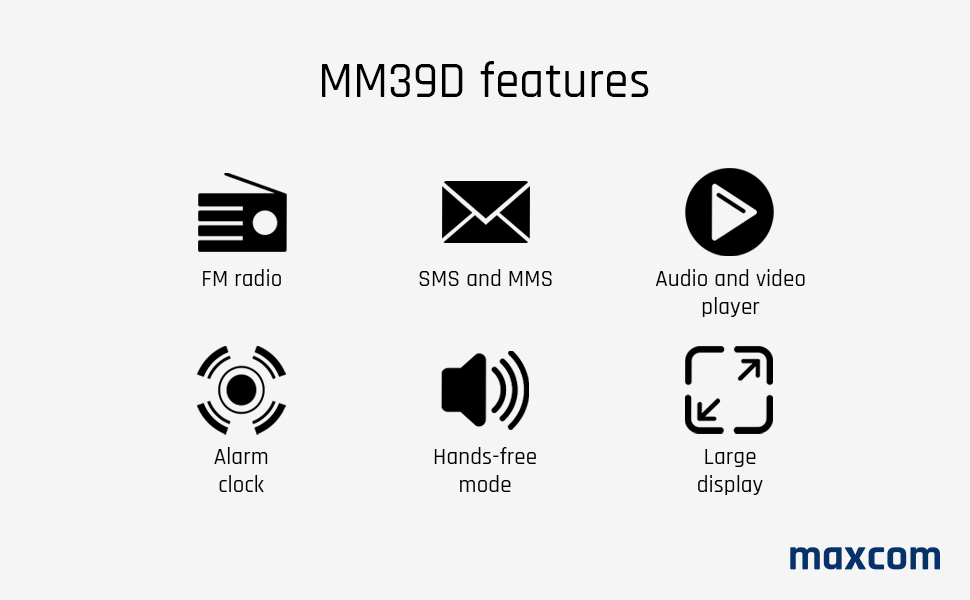
Figure 4: Visual representation of key features available on the Maxcom MM39D.
4. പരിപാലനം
4.1 ഫോൺ വൃത്തിയാക്കൽ
- Use a soft, dry cloth to wipe the phone's surface.
- Avoid using liquid cleaners, aerosols, or harsh chemicals, as these can damage the phone.
- ചാർജിംഗ് പോർട്ട് പൊടിയിൽ നിന്നും അവശിഷ്ടങ്ങളിൽ നിന്നും മുക്തമായി സൂക്ഷിക്കുക.
4.2 ബാറ്ററി കെയർ
- അങ്ങേയറ്റത്തെ താപനിലയിലേക്ക് ബാറ്ററി തുറന്നുകാട്ടരുത്.
- ബാറ്ററിയുടെ ആയുസ്സ് വർദ്ധിപ്പിക്കുന്നതിന് ഇടയ്ക്കിടെ പൂർണ്ണമായും ഡിസ്ചാർജ് ചെയ്യുന്നത് ഒഴിവാക്കുക.
- ഫോൺ കൂടുതൽ നേരം ഉപയോഗിക്കാൻ കഴിയുന്നില്ലെങ്കിൽ, സൂക്ഷിക്കുന്നതിന് മുമ്പ് ഏകദേശം 50% വരെ ചാർജ് ചെയ്യുക.
- Use only the original or approved replacement battery and charger.
5. പ്രശ്നപരിഹാരം
If you encounter issues with your Maxcom MM39D, refer to the following common problems and solutions:
| പ്രശ്നം | സാധ്യമായ കാരണം | പരിഹാരം |
|---|---|---|
| ഫോൺ ഓൺ ആകുന്നില്ല. | Low battery; Battery not inserted correctly; Phone malfunction. | Charge the phone for at least 30 minutes. Reinsert the battery. If the problem persists, contact support. |
| കോളുകൾ വിളിക്കാനോ സ്വീകരിക്കാനോ കഴിയില്ല | No SIM card; SIM card not inserted correctly; No network signal; SIM card not activated. | Ensure SIM card is correctly inserted and activated. Check network signal strength. Restart the phone. |
| Low ringtone volume | Volume settings are too low. | Adjust the ringtone volume in the phone's settings menu. Ensure the phone is not in silent or vibrate-only mode. |
| ഫോൺ ചാർജ് ചെയ്യുന്നില്ല | Charger or cable faulty; Charging port blocked; Phone not properly seated in dock. | Check connections. Clean the USB-C port. Try a different USB-C cable or power adapter. Ensure the phone is correctly placed in the desktop charger. |
If these solutions do not resolve the issue, please refer to the Warranty and Support section.
6 സ്പെസിഫിക്കേഷനുകൾ
| ബ്രാൻഡ് | മാക്സ്കോം |
| മോഡൽ നമ്പർ | MM39D |
| നിറം | കറുപ്പ് |
| ഉൽപ്പന്ന തരം | ബാർ ഫോൺ |
| നെറ്റ്വർക്ക് | 4G VoLTE |
| ഓപ്പറേറ്റിംഗ് സിസ്റ്റം | Symbian 9.3 (Note: This OS is typically for smartphones, may be a generic entry or simplified OS.) |
| സ്ക്രീൻ വലിപ്പം | 2 ഇഞ്ച് |
| ഡിസ്പ്ലേ റെസല്യൂഷൻ | 176 x 220 പിക്സൽ |
| കണക്ഷനുകൾ | ബ്ലൂടൂത്ത്, സെല്ലുലാർ |
| ചാർജിംഗ് പോർട്ട് | യുഎസ്ബി ടൈപ്പ്-സി |
| ബാറ്ററി ശേഷി | 1000 mAh |
| പവർ ഉറവിടം | ബാറ്ററി പവർ |
| ഡയലർ തരം | കീപാഡ് |
7. വാറൻ്റിയും പിന്തുണയും
For warranty information, please refer to the documentation provided with your purchase or contact your retailer. Maxcom strives to provide reliable products, and any specific warranty terms will be outlined by the point of sale.
Information regarding spare parts availability and guaranteed software updates is not readily available. For technical support or service inquiries, please contact the Maxcom customer service department or your local distributor.
You can often find contact details on the official Maxcom webസൈറ്റ് അല്ലെങ്കിൽ നിങ്ങളുടെ ഉൽപ്പന്നത്തിന്റെ പാക്കേജിംഗ് വഴി.


