1. ആമുഖം
This manual provides essential instructions for using your OPPO A3X 5G smartphone. It covers device setup, basic operations, maintenance, and troubleshooting to ensure optimal performance and user experience. The OPPO A3X 5G features a 6.67-inch HD+ 120Hz display, an 8MP dual rear camera, a 5100mAh battery with 45W SUPERVOOC flash charging, and runs on Android 14 with ColorOS 14.0.
2. ആരംഭിക്കുന്നു
2.1 പാക്കേജ് ഉള്ളടക്കം
നിങ്ങളുടെ പാക്കേജിൽ ഇനിപ്പറയുന്ന ഇനങ്ങൾ അടങ്ങിയിട്ടുണ്ടെന്ന് പരിശോധിക്കുക:
- OPPO A3X 5G സ്മാർട്ട്ഫോൺ
- ഫോൺ കേസ്
- പവർ അഡാപ്റ്റർ
- USB കേബിൾ
- സിം ട്രേ എജക്ടർ
2.2 ഉപകരണ ലേayട്ട്
Familiarize yourself with the physical components of your OPPO A3X 5G.

ചിത്രം: മുന്നിലും പിന്നിലും view of the OPPO A3X 5G smartphone in Sparkle Black. The front shows the display with a punch-hole camera, and the back features a dual-camera module and the OPPO logo.

ചിത്രം: ക്ലോസ്-അപ്പ് ഫ്രണ്ട് view of the OPPO A3X 5G display, showcasing the screen and front camera.

ചിത്രം: സൈഡ് പ്രോfile of the OPPO A3X 5G, illustrating the placement of the power button, volume buttons, and SIM tray slot.
- മുൻ ക്യാമറ: ഡിസ്പ്ലേയുടെ മുകൾ ഭാഗത്ത് മധ്യഭാഗത്തായി സ്ഥിതിചെയ്യുന്നു.
- വോളിയം ബട്ടണുകൾ: Typically on the left side for adjusting audio levels.
- പവർ ബട്ടൺ: Usually on the right side, used for turning the device on/off and screen lock.
- യുഎസ്ബി-സി പോർട്ട്: ചാർജിംഗിനും ഡാറ്റ കൈമാറ്റത്തിനുമായി താഴെ.
- സ്പീക്കർ: അടിയിൽ സ്ഥിതിചെയ്യുന്നു.
- 3.5mm ഓഡിയോ ജാക്ക്: ഹെഡ്ഫോണുകൾ ബന്ധിപ്പിക്കുന്നതിന്.
- സിം കാർഡ് ട്രേ: On the side, requires the ejector tool to open.
- പിൻ ക്യാമറകൾ: Dual camera setup on the back.
3. സജ്ജീകരണം
3.1 സിമ്മും SD കാർഡും ചേർക്കൽ
- ഉപകരണത്തിന്റെ വശത്ത് സിം കാർഡ് ട്രേ കണ്ടെത്തുക.
- ട്രേയുടെ അടുത്തുള്ള ചെറിയ ദ്വാരത്തിലേക്ക് സിം ട്രേ എജക്റ്റർ ഉപകരണം തിരുകുക, ട്രേ പുറത്തേക്ക് വരുന്നത് വരെ സൌമ്യമായി അമർത്തുക.
- നിങ്ങളുടെ നാനോ-സിം കാർഡ്(കൾ) അല്ലെങ്കിൽ മൈക്രോ എസ്ഡി കാർഡ് ട്രേയിലെ നിയുക്ത സ്ലോട്ടുകളിൽ വയ്ക്കുക. സ്വർണ്ണ കോൺടാക്റ്റുകൾ താഴേക്ക് അഭിമുഖീകരിക്കുന്നുണ്ടെന്ന് ഉറപ്പാക്കുക.
- ട്രേ അതിന്റെ സ്ഥാനത്ത് ക്ലിക്കായി വരുന്നത് വരെ ശ്രദ്ധാപൂർവ്വം ഫോണിലേക്ക് വീണ്ടും തിരുകുക.
3.2 പ്രാരംഭ ഉപകരണ സജ്ജീകരണം
- OPPO ലോഗോ ദൃശ്യമാകുന്നതുവരെ പവർ ബട്ടൺ അമർത്തിപ്പിടിക്കുക.
- നിങ്ങളുടെ ഭാഷ, പ്രദേശം എന്നിവ തിരഞ്ഞെടുത്ത് ഒരു വൈഫൈ നെറ്റ്വർക്കിലേക്ക് കണക്റ്റുചെയ്യുന്നതിന് ഓൺ-സ്ക്രീൻ നിർദ്ദേശങ്ങൾ പാലിക്കുക.
- നിങ്ങളുടെ Google അക്കൗണ്ട് ഉപയോഗിച്ച് സൈൻ ഇൻ ചെയ്യുക അല്ലെങ്കിൽ പുതിയൊരെണ്ണം സൃഷ്ടിക്കുക.
- Set up screen lock methods (PIN, pattern, fingerprint, face unlock).
- Review സജ്ജീകരണം പൂർത്തിയാക്കുന്നതിനുള്ള നിബന്ധനകളും വ്യവസ്ഥകളും അംഗീകരിക്കുക.
4. നിങ്ങളുടെ ഉപകരണം പ്രവർത്തിപ്പിക്കുന്നു
4.1 അടിസ്ഥാന പ്രവർത്തനങ്ങൾ
- പവർ ഓൺ/ഓഫ്: പവർ ബട്ടൺ അമർത്തിപ്പിടിക്കുക. മെനുവിൽ നിന്ന് "പവർ ഓഫ് ചെയ്യുക" അല്ലെങ്കിൽ "പുനരാരംഭിക്കുക" തിരഞ്ഞെടുക്കുക.
- സ്ക്രീൻ ലോക്ക്/അൺലോക്ക്: Press the Power button briefly to lock or wake the screen. Use your chosen security method to unlock.
- വോളിയം ക്രമീകരണം: Use the Volume Up/Down buttons on the side.
- നാവിഗേഷൻ: Utilize gestures or the navigation bar (Back, Home, Recent Apps) as configured in settings.
4.2 ഡിസ്പ്ലേ സവിശേഷതകൾ
The OPPO A3X 5G features a 6.67-inch HD+ LCD display with a 120Hz refresh rate for smooth visuals and improved responsiveness. It offers an ultra-bright viewഅനുഭവം.
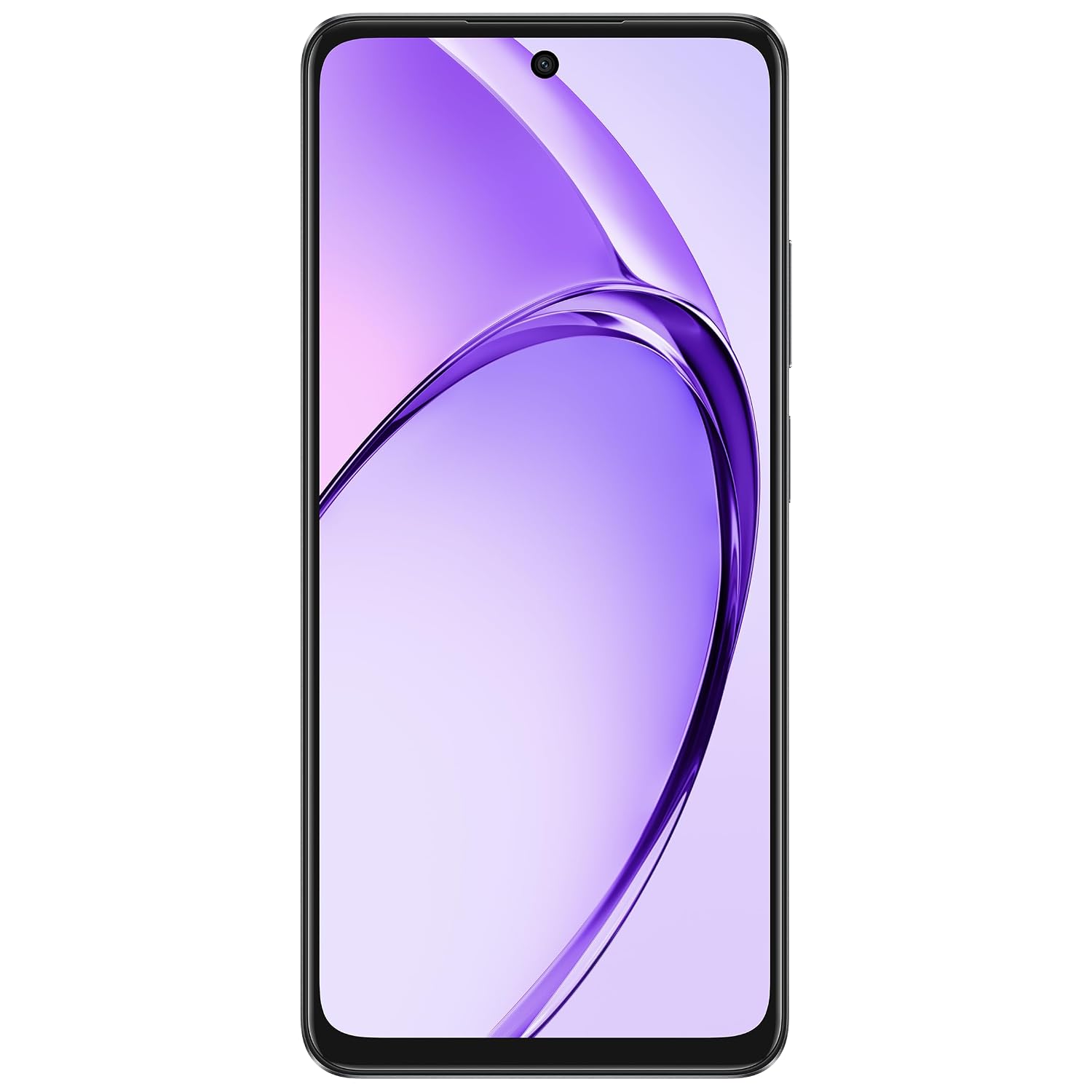
Image: A composite image showing key features of the OPPO A3X 5G, including its robust design, water resistance, vibrant 120Hz display, and fast charging capability.
4.3 ക്യാമറ ഉപയോഗം
Your device is equipped with an 8MP dual ultra-clear rear camera and a 5MP front selfie camera. Key features include:
- AI പോർട്രെയ്റ്റ് റീടൂച്ചിംഗ്: Enhances portrait photos.
- ഇരട്ട-View വീഡിയോ: Allows simultaneous recording from both front and rear cameras.
- Access the Camera app from the home screen or lock screen.
- Tap to focus, pinch to zoom, and swipe to switch between modes (Photo, Video, Portrait, etc.).
4.4 ബാറ്ററിയും ചാർജിംഗും
The OPPO A3X 5G is powered by a 5100mAh hyper-energy battery. It supports 45W SUPERVOOC flash charging for rapid power replenishment. Use the provided power adapter and USB cable for optimal charging performance.
- പവർ അഡാപ്റ്ററിലേക്ക് USB കേബിൾ ബന്ധിപ്പിക്കുക.
- ഒരു മതിൽ ഔട്ട്ലെറ്റിലേക്ക് പവർ അഡാപ്റ്റർ പ്ലഗ് ചെയ്യുക.
- Connect the USB-C end of the cable to your phone's charging port.
- ചാർജിംഗ് ഇൻഡിക്കേറ്റർ സ്ക്രീനിൽ ദൃശ്യമാകും.
4.5 കണക്റ്റിവിറ്റി
- വൈഫൈ: Connect to wireless networks for internet access. Go to Settings > Wi-Fi.
- ബ്ലൂടൂത്ത്: Pair with other Bluetooth devices like headphones or speakers. Go to Settings > Bluetooth.
- 5G നെറ്റ്വർക്ക്: Enjoy high-speed mobile data connectivity where available.
- NFC: കോൺടാക്റ്റ്ലെസ് പേയ്മെന്റുകൾക്കും അനുയോജ്യമായ ഉപകരണങ്ങളുമായി വേഗത്തിൽ ജോടിയാക്കുന്നതിനും.
- ജിപിഎസ്: ലൊക്കേഷൻ സേവനങ്ങൾക്കും നാവിഗേഷനും.
5. പരിപാലനം
5.1 പരിചരണവും ശുചീകരണവും
- Keep your device dry. Liquids can cause damage.
- മൃദുവായ, ലിന്റ് രഹിത തുണി ഉപയോഗിച്ച് സ്ക്രീനും ബോഡിയും വൃത്തിയാക്കുക. കഠിനമായ രാസവസ്തുക്കൾ ഒഴിവാക്കുക.
- Protect the screen with a screen protector and use the provided phone case.
- ഉയർന്ന താപനിലയും നേരിട്ടുള്ള സൂര്യപ്രകാശവും ഒഴിവാക്കുക.
5.2 സോഫ്റ്റ്വെയർ അപ്ഡേറ്റുകൾ
Regularly check for and install software updates to ensure your device has the latest features, security patches, and performance improvements. Go to Settings > About device > Up to date or Software update.
6. പ്രശ്നപരിഹാരം
നിങ്ങളുടെ ഉപകരണത്തിൽ പ്രശ്നങ്ങൾ നേരിടുകയാണെങ്കിൽ, ഇനിപ്പറയുന്ന പൊതുവായ പരിഹാരങ്ങൾ പരീക്ഷിക്കുക:
- ഉപകരണം ഓണാക്കുന്നില്ല: ബാറ്ററി ചാർജ്ജ് ചെയ്തിട്ടുണ്ടെന്ന് ഉറപ്പാക്കുക. പവർ ഓൺ ചെയ്യാൻ ശ്രമിക്കുന്നതിന് മുമ്പ് കുറഞ്ഞത് 10 മിനിറ്റെങ്കിലും ചാർജറുമായി കണക്റ്റ് ചെയ്യുക.
- ആപ്പുകൾ ക്രാഷാകുകയോ മരവിക്കുകയോ ചെയ്യുന്നു: Close the app and reopen it. If the issue persists, restart your phone.
- മോശം നെറ്റ്വർക്ക് സിഗ്നൽ: Check your SIM card insertion. Move to an area with better network coverage.
- ബാറ്ററി വേഗത്തിൽ തീർന്നു: Reduce screen brightness, close background apps, or enable power-saving mode.
- ടച്ച്സ്ക്രീൻ പ്രതികരിക്കുന്നില്ല: Restart the device. If it remains unresponsive, contact customer support.
7 സ്പെസിഫിക്കേഷനുകൾ
| ഫീച്ചർ | വിശദാംശങ്ങൾ |
|---|---|
| മോഡൽ നമ്പർ | CPH2681 |
| ഓപ്പറേറ്റിംഗ് സിസ്റ്റം | ആൻഡ്രോയിഡ് 14 (കളർഒഎസ് 14.0) |
| റാം | 4 ജിബി |
| സംഭരണം | 64 ജിബി (ഇന്റേണൽ) |
| പ്രദർശിപ്പിക്കുക | 6.67-inch HD+ LCD, 120Hz Refresh Rate, 1604 x 720 Resolution |
| പിൻ ക്യാമറ | 8MP ഡ്യുവൽ അൾട്രാ-ക്ലിയർ ക്യാമറ |
| മുൻ ക്യാമറ | 5എംപി |
| ബാറ്ററി ശേഷി | 5100 mAh |
| ചാർജിംഗ് | 45W സൂപ്പർവൂക്ക് ഫ്ലാഷ് ചാർജ് |
| പ്രോസസ്സർ | മീഡിയടെക് ഡൈമെൻസിറ്റി 6300 |
| കണക്റ്റിവിറ്റി | 5ജി, വൈ-ഫൈ, ബ്ലൂടൂത്ത്, എൻഎഫ്സി, ജിപിഎസ് |
| ഓഡിയോ ജാക്ക് | 3.5 മി.മീ |
| അളവുകൾ (LxWxH) | 16.6 x 7.6 x 0.8 സെ.മീ |
| ഇനത്തിൻ്റെ ഭാരം | 187 ഗ്രാം |
| നിറം | Sparkle Black |
8 സുരക്ഷാ വിവരങ്ങൾ
- Do not use the device in prohibited areas (e.g., aircraft, hospitals).
- കഠിനമായ ചൂടിലേക്കോ തണുപ്പിലേക്കോ ഉപകരണം തുറന്നുകാട്ടുന്നത് ഒഴിവാക്കുക.
- അംഗീകൃത ചാർജറുകളും അനുബന്ധ ഉപകരണങ്ങളും മാത്രം ഉപയോഗിക്കുക.
- ഉപകരണം സ്വയം ഡിസ്അസംബ്ലിംഗ് ചെയ്യാനോ നന്നാക്കാനോ ശ്രമിക്കരുത്.
- പ്രാദേശിക നിയന്ത്രണങ്ങൾ അനുസരിച്ച് ഉപകരണവും അതിന്റെ ബാറ്ററിയും ഉത്തരവാദിത്തത്തോടെ നിർമാർജനം ചെയ്യുക.
- ഉപകരണം ഉപയോഗിക്കുമ്പോൾ മെഡിക്കൽ ഇംപ്ലാന്റുകളിൽ നിന്ന് സുരക്ഷിതമായ അകലം പാലിക്കുക.
9. വാറൻ്റിയും പിന്തുണയും
Specific warranty details for your OPPO A3X 5G smartphone are not included in this manual. For comprehensive warranty information, technical support, or service inquiries, please refer to the official OPPO website or contact OPPO customer service directly. Keep your proof of purchase for warranty claims.
You can visit the official OPPO store for more information: OPPO Store on Amazon.in


