1. ആമുഖം
This manual provides instructions for the SMATAR RC813 Replacement Remote Control, designed for use with various TCL Google Smart TV models. This remote offers a direct replacement solution without the need for complex programming or pairing.
Compatible TCL Google Smart TV Models include:
- QM8, QM7, S5, S4, S3, Q7, Q6, Q5 Series
- Specific models: 55Q550G, 50Q550G, 65Q550G, 50S45G, 98S550G, 55S470G, 55Q670G, 65Q670G, 75Q670G, 85Q670G, 65QM850G, 75QM850G, 85QM850G, 98QM850G, 85Q650G, 75Q650G, 65Q650G, 55Q650G, 55Q750G, 65Q750G, 75Q750G, 85Q750G, 32S370G, 40S370G, 43S370G, 43S470G, 50S470G, 58S470G, 65S470G, 70S470G, 75S470G, 85S470G, 43S450G, 50S450G, 55S450G, 58S450G, 65S450G, 75S450G, 85S450G.
2. സജ്ജീകരണം
The SMATAR RC813 remote control requires no programming or pairing. Simply insert batteries, and it will be ready for immediate use with your compatible TCL Google Smart TV.
2.1 ബാറ്ററി ഇൻസ്റ്റാളേഷൻ
- റിമോട്ട് കൺട്രോളിന്റെ പിൻഭാഗത്ത് ബാറ്ററി കമ്പാർട്ട്മെന്റ് കണ്ടെത്തുക.
- ബാറ്ററി കമ്പാർട്ട്മെന്റ് കവർ തുറക്കാൻ താഴേക്ക് സ്ലൈഡ് ചെയ്യുക.
- രണ്ട് (2) AAA ബാറ്ററികൾ ഇടുക, പോസിറ്റീവ് (+) ഉം നെഗറ്റീവ് (-) ടെർമിനലുകളും കമ്പാർട്ടുമെന്റിനുള്ളിലെ അടയാളപ്പെടുത്തലുകളുമായി ശരിയായി വിന്യസിക്കുന്നുണ്ടെന്ന് ഉറപ്പാക്കുക.
- സുരക്ഷിതമായി ക്ലിക്ക് ചെയ്യുന്നതുവരെ ബാറ്ററി കമ്പാർട്ട്മെന്റ് കവർ തിരികെ സ്ഥലത്തേക്ക് സ്ലൈഡ് ചെയ്യുക.
കുറിപ്പ്: റിമോട്ട് കൺട്രോളിനൊപ്പം ബാറ്ററികൾ ഉൾപ്പെടുത്തിയിട്ടില്ല.

Figure 1: Battery installation in the SMATAR RC813 remote control.
3. പ്രവർത്തന നിർദ്ദേശങ്ങൾ
Once batteries are installed, the remote is ready to control your TCL Google Smart TV. Point the remote directly at your television for optimal performance.
3.1 പൊതു പ്രവർത്തനം
- The remote operates effectively within a range of up to 50 feet (approximately 15 meters).
- It features 360-degree multi-angle signal transmission for reliable control.
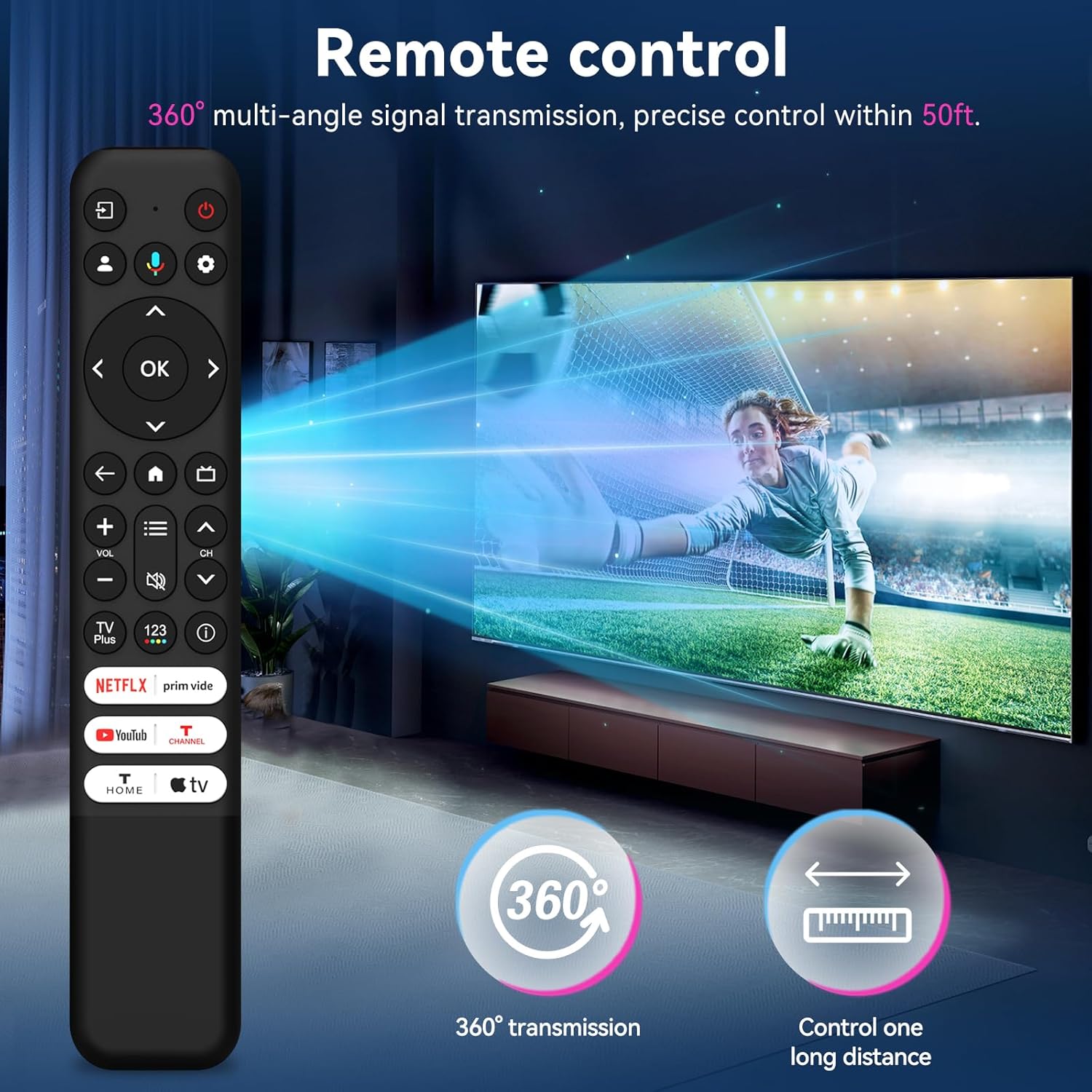
Figure 2: The remote control offers 360-degree signal transmission and a control range of up to 50 feet.
3.2 Quick Access Buttons
The remote includes dedicated shortcut keys for popular streaming channels, allowing quick access to your favorite content.
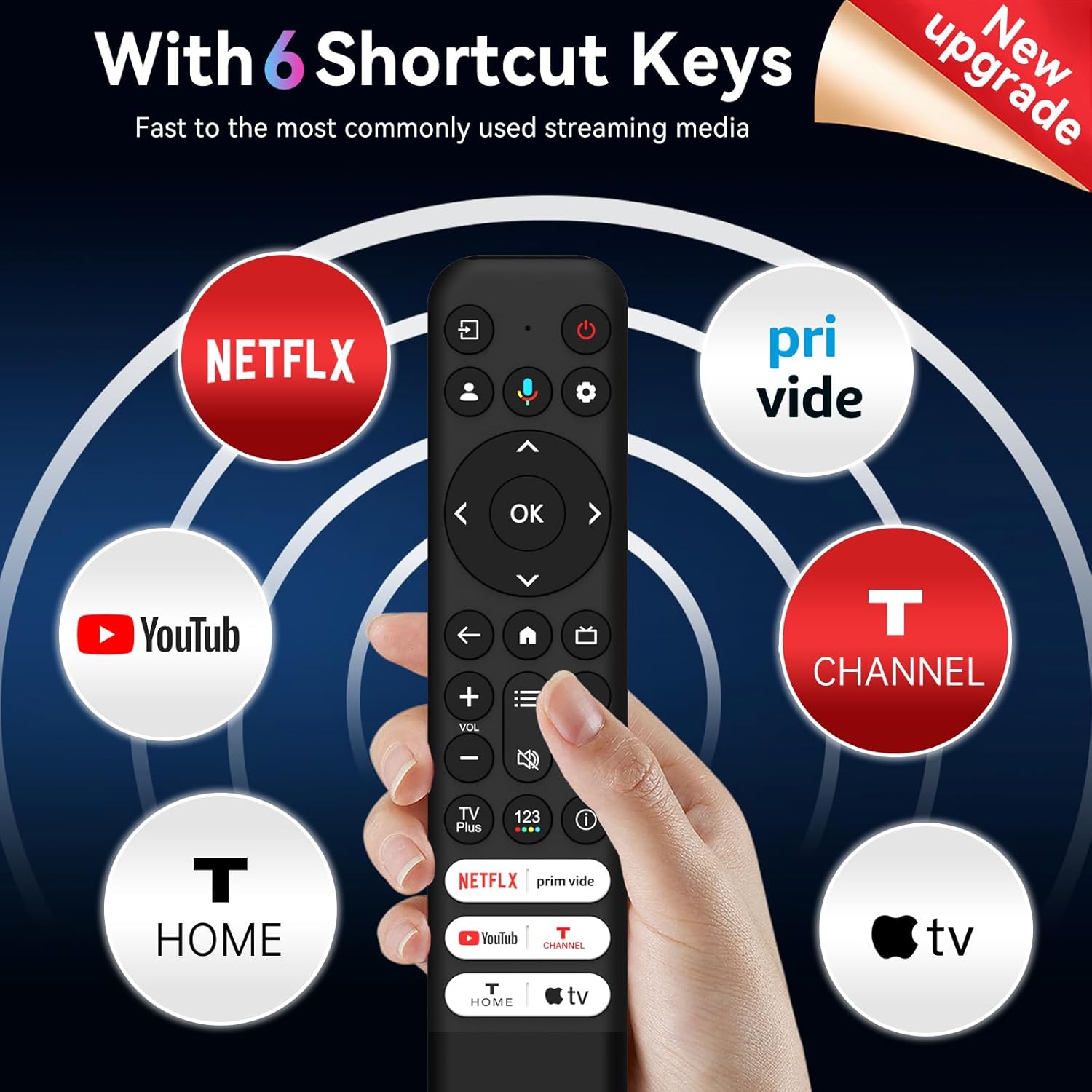
Figure 3: Six dedicated shortcut keys for popular streaming services.
4. ബട്ടൺ പ്രവർത്തനങ്ങൾ
Familiarize yourself with the functions of each button on your SMATAR RC813 remote control:

Figure 4: Detailed button layout and functions.
- ഇൻപുട്ട്: Select input source and display the quick panel.
- പവർ: ടിവി ഓണും ഓഫും ആക്കുക.
- പി.ആർ.ഒFILE സെലക്ടർ: Switch user profiles.
- ക്രമീകരണങ്ങൾ: Display the dashboard menu.
- CIRCULAR D-PAD: Navigation direction buttons (Up / Down / Left / Right).
- ശരി ബട്ടൺ: ഒരു എൻട്രി അല്ലെങ്കിൽ തിരഞ്ഞെടുക്കൽ സ്ഥിരീകരിക്കുക.
- മടങ്ങുക: മുമ്പത്തെ സ്ക്രീനിലേക്ക് മടങ്ങുക.
- വീട്: Access the TV homepage.
- ലൈവ് ഗൈഡ്: Open the TV EPG (Electronic Program Guide).
- +/- വോളിയം: Raise and lower volume.
- ^/v CHANNEL: ചാനലുകൾ മാറ്റുക.
- QUICK SETTINGS: Open the quick menu.
- മ്യൂട്ട്: ശബ്ദം നിശബ്ദമാക്കാൻ ബട്ടൺ അമർത്തുക.
- TV Plus: Access to network Live Channel.
- 123 VIRTUAL KEYBOARD: Open virtual keyboard on screen.
- വിവരങ്ങൾ: ടിവി ഉറവിടത്തിൽ, ഇതിലേക്ക് അമർത്തുക view പ്രോഗ്രാം വിവരങ്ങൾ.
- NETFLIX, Prime Video, YouTube, T-CHANNEL, T-HOME, Apple TV: ഈ സ്ട്രീമിംഗ് സേവനങ്ങളിലേക്ക് നേരിട്ടുള്ള ആക്സസ്.
5. പരിപാലനം
നിങ്ങളുടെ റിമോട്ട് കൺട്രോളിന്റെ ദീർഘായുസ്സും ഒപ്റ്റിമൽ പ്രകടനവും ഉറപ്പാക്കാൻ, ഈ അറ്റകുറ്റപ്പണി മാർഗ്ഗനിർദ്ദേശങ്ങൾ പാലിക്കുക:
- വൃത്തിയാക്കൽ: മൃദുവായതും ഉണങ്ങിയതുമായ തുണി ഉപയോഗിച്ച് റിമോട്ട് തുടയ്ക്കുക. ലിക്വിഡ് ക്ലീനറുകളോ ഉരച്ചിലുകളുള്ള വസ്തുക്കളോ ഉപയോഗിക്കരുത്.
- ബാറ്ററി മാറ്റിസ്ഥാപിക്കൽ: റിമോട്ടിന്റെ പ്രതികരണം മന്ദഗതിയിലാകുകയോ പ്രവർത്തിക്കുന്നത് നിർത്തുകയോ ചെയ്യുമ്പോൾ ബാറ്ററികൾ മാറ്റിസ്ഥാപിക്കുക. എല്ലായ്പ്പോഴും ഒരേ സമയം രണ്ട് ബാറ്ററികളും ഒരേ തരത്തിലുള്ള (AAA) പുതിയവ ഉപയോഗിച്ച് മാറ്റിസ്ഥാപിക്കുക.
- സംഭരണം: Store the remote in a cool, dry place away from direct sunlight and extreme temperatures. If not used for extended periods, remove the batteries to prevent leakage.
- തുള്ളികൾ ഒഴിവാക്കുക: തുള്ളികൾ ആന്തരിക ഘടകങ്ങളെ നശിപ്പിക്കുമെന്നതിനാൽ, ശാരീരിക ആഘാതത്തിൽ നിന്ന് റിമോട്ടിനെ സംരക്ഷിക്കുക.
6. പ്രശ്നപരിഹാരം
If you encounter issues with your SMATAR RC813 remote control, refer to the following common solutions:
- റിമോട്ട് പ്രതികരിക്കുന്നില്ല:
- ശരിയായ പോളാരിറ്റിയോടെ ബാറ്ററികൾ ശരിയായി ചേർത്തിട്ടുണ്ടോയെന്ന് പരിശോധിക്കുക.
- പഴയ ബാറ്ററികൾ പുതിയ AAA ബാറ്ററികൾ ഉപയോഗിച്ച് മാറ്റിസ്ഥാപിക്കുക.
- Ensure there are no obstructions between the remote control and the TV's infrared receiver.
- റിമോട്ട് ടിവിയിലേക്ക് നേരിട്ട് ചൂണ്ടുക.
- Buttons are stiff or unresponsive:
- Ensure the remote is clean and free of debris around the buttons.
- ബട്ടണുകൾ ദൃഢമായി അമർത്തുക.
- വോയ്സ് ഫംഗ്ഷൻ ഇല്ല:
- പ്രധാന കുറിപ്പ്: This SMATAR RC813 remote control does അല്ല include a voice control function. This is a standard feature of this replacement model.
- പരിമിതമായ ശ്രേണി:
- പുതിയ ബാറ്ററികൾ ഇൻസ്റ്റാൾ ചെയ്തിട്ടുണ്ടെന്ന് ഉറപ്പാക്കുക.
- Remove any potential interference sources (e.g., bright lights, other electronic devices).
ഈ ട്രബിൾഷൂട്ടിംഗ് ഘട്ടങ്ങൾ പരീക്ഷിച്ചതിനു ശേഷവും പ്രശ്നങ്ങൾ നിലനിൽക്കുകയാണെങ്കിൽ, കൂടുതൽ സഹായത്തിനായി ഉപഭോക്തൃ പിന്തുണയുമായി ബന്ധപ്പെടുക.
7 സ്പെസിഫിക്കേഷനുകൾ
| ബ്രാൻഡ് | സ്മാർട്ട് |
| മോഡൽ നമ്പർ | RC813 |
| അനുയോജ്യമായ ഉപകരണങ്ങൾ | ടിസിഎൽ ഗൂഗിൾ സ്മാർട്ട് ടെലിവിഷനുകൾ |
| പിന്തുണയ്ക്കുന്ന ഉപകരണങ്ങളുടെ പരമാവധി എണ്ണം | 1 |
| പ്രത്യേക ഫീച്ചർ | സാർവത്രിക മാറ്റിസ്ഥാപിക്കൽ |
| നിറം | കറുപ്പ് |
| ഇനത്തിൻ്റെ ഭാരം | 2.08 ഔൺസ് (ഏകദേശം 59 ഗ്രാം) |
| പാക്കേജ് അളവുകൾ | 8.23 x 1.65 x 0.67 ഇഞ്ച് (ഏകദേശം 20.9 x 4.2 x 1.7 സെ.മീ) |
8. പിന്തുണ
For any questions, concerns, or issues not covered in this manual, please contact SMATAR customer support. Refer to your product packaging or retailer's webനിർദ്ദിഷ്ട ബന്ധപ്പെടാനുള്ള വിവരങ്ങൾക്കായി സൈറ്റ്.


