ആമുഖം
Thank you for choosing the BTQILEYOO Y20-2X Motorcycle Helmet Bluetooth Headset. This manual provides detailed instructions for the setup, operation, and maintenance of your new device. Please read it thoroughly before use to ensure optimal performance and safety.
ഉൽപ്പന്ന സവിശേഷതകൾ
- Multifunctional Connectivity: Connects to two mobile phones simultaneously, allowing seamless switching between music, navigation, and calls.
- മികച്ച ഓഡിയോ നിലവാരം: Features a 40mm graphene diaphragm for Hi-Fi stereo sound and dual noise cancellation with a windproof sponge for clearer calls.
- വിപുലീകരിച്ച ബാറ്ററി ലൈഫ്: Built-in 1000mAh battery provides up to 25 hours of music playback, approximately 10 hours with lights on, and up to 18 months of standby time. Supports TYPE-C fast charging and displays battery level on your phone.
- മോടിയുള്ളതും വാട്ടർപ്രൂഫും: IPX6 waterproof rating ensures reliable performance in various weather conditions, including dust, rain, storm, snow, and temperatures down to -20°F.
- സ്മാർട്ട് നിയന്ത്രണം: Automatic call answering within 10 seconds for enhanced safety. Voice control button activates Siri or Google Assistant for hands-free operation.
- Two-Person Intercom: Supports communication between two riders within a 1000-meter range, compatible with various intercom Bluetooth headsets.
- Flash Color RGB Lighting Effect: Integrated RGB lighting for enhanced visibility and style.
- ബ്ലൂടൂത്ത് 5.3 സാങ്കേതികവിദ്യ: സ്ഥിരതയുള്ള കണക്ഷനും കുറഞ്ഞ വൈദ്യുതി ഉപഭോഗവും ഉറപ്പാക്കുന്നു.
ബോക്സിൽ എന്താണുള്ളത്
The BTQILEYOO Y20-2X package includes the following components:
- Y20-2X Bluetooth Headset Unit
- Headset Speakers with Microphone (two options: small mic and adjustable boom mic)
- Helmet Mounting Clip
- യുഎസ്ബി ടൈപ്പ്-സി ചാർജിംഗ് കേബിൾ
- Adhesive Pads for Speaker Installation
- ഉപയോക്തൃ മാനുവൽ (ഈ പ്രമാണം)

Image: The main Y20-2X Bluetooth headset unit.

Image: Diagram showing the function keys and ports on the Y20-2X headset.
സജ്ജീകരണവും ഇൻസ്റ്റാളേഷനും
Follow these steps to properly install your BTQILEYOO Y20-2X headset on your motorcycle helmet.
1. Attaching the Headset Unit
- Identify a suitable location on the left side of your helmet, near the bottom edge, where the headset unit can be securely mounted without obstructing your vision or helmet functionality.
- Slide the metal clip of the mounting bracket between the helmet shell and the inner padding. Ensure it is firmly in place.
- Align the headset unit with the mounting bracket and slide it down until it clicks securely into place.

Image: Demonstrates the split installation method for the headset unit on a helmet.
Video: A detailed guide on unboxing and installing the BTQILEYOO Y20-2X headset, including attaching the unit to the helmet and connecting the internal components.
2. സ്പീക്കറുകളും മൈക്രോഫോണും ഇൻസ്റ്റാൾ ചെയ്യുന്നു
- Carefully remove the helmet's inner padding to expose the ear recesses.
- Attach the adhesive pads to the back of the speakers. Place one speaker into each ear recess inside the helmet, ensuring they are positioned comfortably over your ears when wearing the helmet.
- Choose your preferred microphone:
- For full-face helmets, the smaller, wired microphone can be discreetly placed inside the chin bar.
- For open-face or modular helmets, the adjustable boom microphone is recommended for better voice pickup. Position it close to your mouth.
- Route the speaker and microphone cables neatly under the helmet padding to the headset unit's connection port. Ensure cables are not tangled or exposed.
- Plug the speaker and microphone cable into the designated port on the headset unit.
- Reinstall the helmet's inner padding, ensuring all wires are tucked away and do not interfere with comfort or safety.
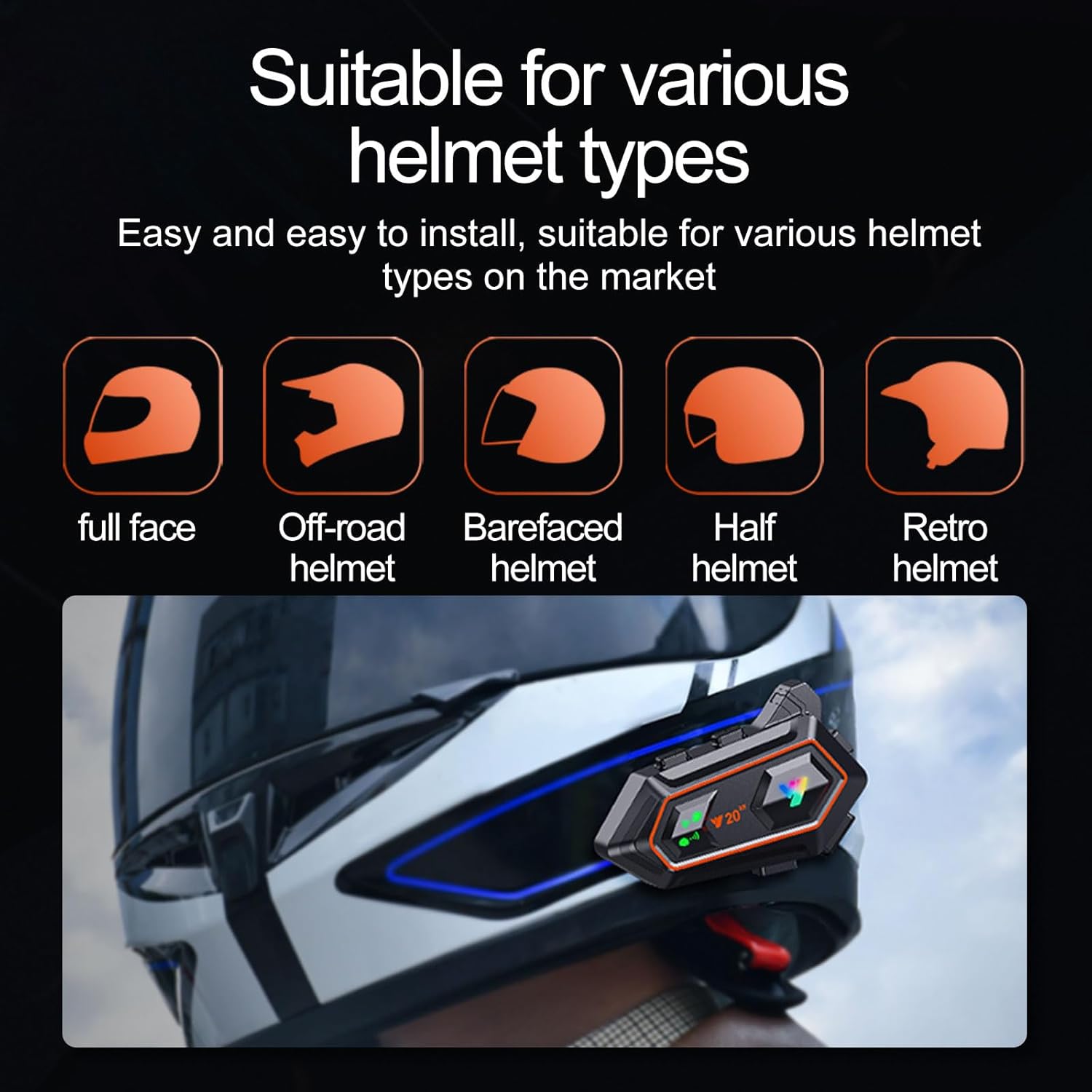
Image: The Y20-2X headset is suitable for various helmet types including full-face, off-road, barefaced, half, and retro helmets.
പ്രവർത്തന നിർദ്ദേശങ്ങൾ
പവർ ഓൺ/ഓഫ്, ജോടിയാക്കൽ
- പവർ ഓൺ: Press and hold the Power/Play/Pause/Answer/End button (main button) for 3 seconds until the indicator light flashes.
- പവർ ഓഫ്: Press and hold the Power/Play/Pause/Answer/End button for 5 seconds until the indicator light turns off.
- ബ്ലൂടൂത്ത് ജോടിയാക്കൽ:
- With the headset off, press and hold the Power/Play/Pause/Answer/End button for approximately 7 seconds until the indicator light flashes red and blue alternately, indicating pairing mode.
- On your mobile phone or Bluetooth device, search for "Y20-2X" in the Bluetooth settings and select it to connect.
- Once successfully paired, the indicator light will flash blue slowly.
- രണ്ട് മൊബൈൽ ഫോണുകൾ ബന്ധിപ്പിക്കുക: The Y20-2X can connect to two mobile phones simultaneously. Pair the first phone, then disable its Bluetooth. Pair the second phone. Re-enable Bluetooth on the first phone, and both should connect.

Image: The Intelligent One Drag Two feature allows connecting two mobile phones simultaneously for flexible use.
സംഗീത പ്ലേബാക്ക്
- പ്ലേ/താൽക്കാലികമായി നിർത്തുക: Short press the Power/Play/Pause/Answer/End button.
- അടുത്ത ഗാനം: Short press the "Next Song" button (usually the '+' button).
- മുൻ ഗാനം: Short press the "Previous Song" button (usually the '-' button).
- വോളിയം കൂട്ടുക: Long press the "Next Song" button.
- വോളിയം താഴേക്ക്: Long press the "Previous Song" button.
ഫോൺ കോളുകൾ
- മറുപടി കോൾ: Short press the Power/Play/Pause/Answer/End button when a call comes in. The headset supports automatic answering after 10 seconds.
- കോൾ അവസാനിപ്പിക്കുക: Short press the Power/Play/Pause/Answer/End button during a call.
- കോൾ നിരസിക്കുക: Long press the Power/Play/Pause/Answer/End button when a call comes in.
- അവസാന നമ്പർ വീണ്ടും ഡയൽ ചെയ്യുക: Double-press the Power/Play/Pause/Answer/End button.

Image: The automatic answering feature allows for safer and more convenient call management while riding.
വോയ്സ് അസിസ്റ്റൻ്റ്
- വോയ്സ് അസിസ്റ്റന്റിനെ സജീവമാക്കുക: Short press the AI button (usually located on the side of the unit) to activate Siri or Google Assistant.
Intercom Function (Two-Person Talking)
- The Y20-2X supports two-person intercom communication up to 1000 meters.
- To initiate intercom, ensure both headsets are powered on and paired with each other (refer to specific pairing instructions for intercom mode in the quick start guide, if provided, or general Bluetooth intercom pairing procedures).
- Press the Intercom button (if available, otherwise consult the quick start guide for exact button functions).

Image: The headset supports dual 1000-meter intercom, suitable for communication between two riders.
RGB ലൈറ്റിംഗ് ഇഫക്റ്റുകൾ
- The Y20-2X features flash color RGB lighting. Specific controls for changing light modes or turning them on/off are typically integrated with other buttons or a dedicated light button. Refer to the quick start guide for exact button functions.
ചാർജിംഗും ബാറ്ററിയും
- ചാർജിംഗ്: Connect the provided USB Type-C cable to the charging port on the headset unit and to a USB power source (e.g., computer, wall adapter). The charging indicator light will illuminate during charging.
- ബാറ്ററി നില: The battery level can be displayed on your connected mobile phone.
- ബാറ്ററി ലൈഫ്: A full charge provides approximately 25 hours of music playback or 10 hours with RGB lights active. Standby time is up to 18 months.
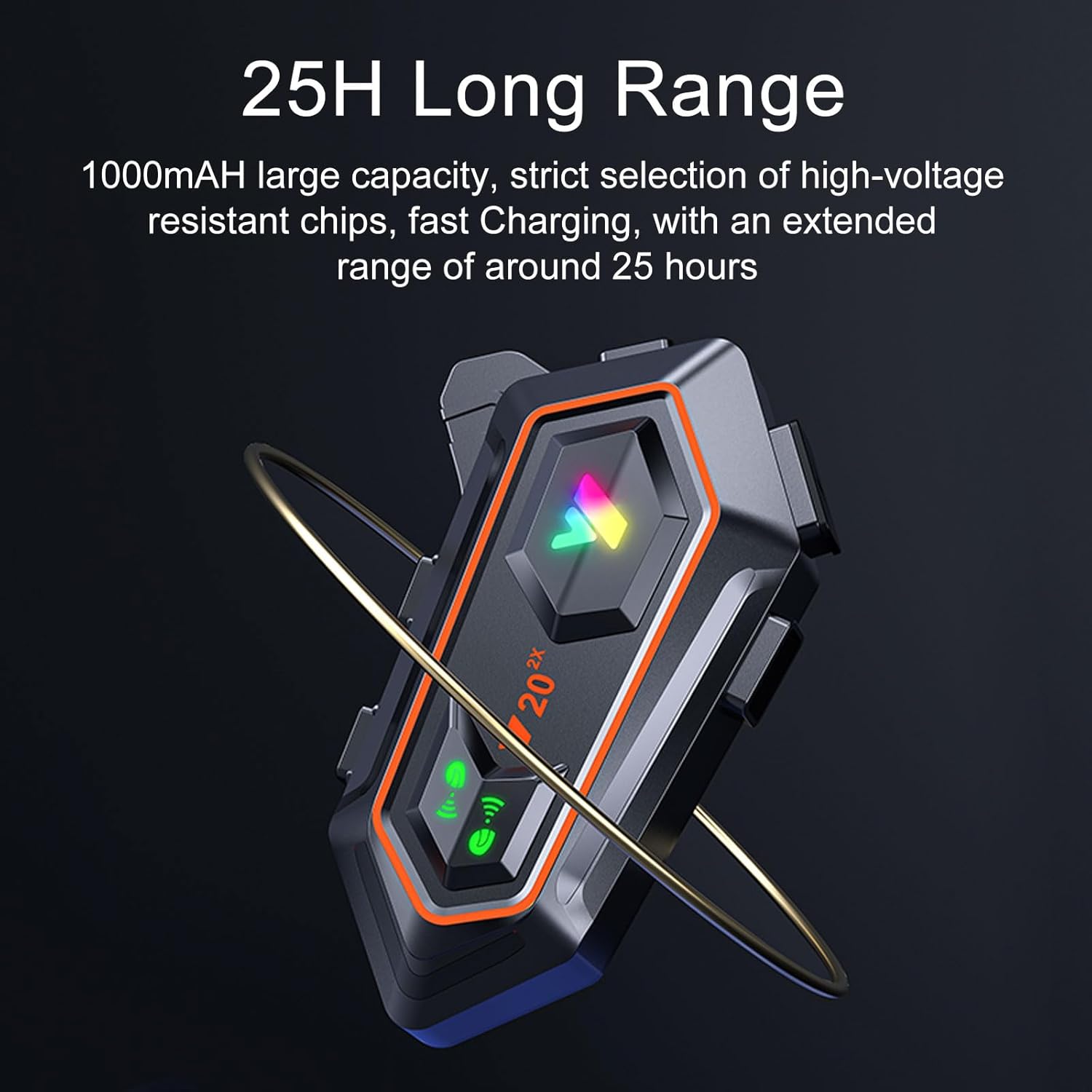
Image: The headset features a 1000mAh large capacity battery for extended use.
വാട്ടർപ്രൂഫിംഗ് (IPX6)
The BTQILEYOO Y20-2X headset is rated IPX6 waterproof, meaning it is protected against high-pressure water jets from any direction. This makes it suitable for use in various weather conditions, including rain and snow.
- Ensure the charging port cover is securely closed when not charging to maintain waterproofing.
- ഉപകരണം വെള്ളത്തിൽ മുങ്ങുന്നത് ഒഴിവാക്കുക.

Image: The IPX6 waterproof design protects the headset from dust and rain.
Video: Demonstrates the IPX6 waterproof capability of the Y20-2X headset by showing it submerged in water and installed on a helmet in wet conditions.
മെയിൻ്റനൻസ്
- വൃത്തിയാക്കൽ: ഹെഡ്സെറ്റ് യൂണിറ്റ് ഒരു സോഫ്റ്റ്, ഡി ക്ലീനർ ഉപയോഗിച്ച് തുടയ്ക്കുക.amp തുണി. കഠിനമായ രാസവസ്തുക്കളോ ഉരച്ചിലുകളുള്ള ക്ലീനറുകളോ ഉപയോഗിക്കരുത്.
- സംഭരണം: ഉപയോഗിക്കാത്തപ്പോൾ തണുത്തതും വരണ്ടതുമായ സ്ഥലത്ത് ഹെഡ്സെറ്റ് സൂക്ഷിക്കുക. ഉയർന്ന താപനില ഒഴിവാക്കുക.
- ബാറ്ററി കെയർ: For optimal battery longevity, charge the device regularly, even if not used frequently. Avoid fully discharging the battery for extended periods.
ട്രബിൾഷൂട്ടിംഗ്
| പ്രശ്നം | സാധ്യമായ കാരണം | പരിഹാരം |
|---|---|---|
| ഉപകരണം പവർ ഓണാക്കുന്നില്ല. | ബാറ്ററി കുറവാണ്; പവർ ബട്ടൺ തെറ്റായി അമർത്തി. | Charge the device fully. Press and hold the Power button for 3 seconds. |
| ഫോണുമായി ജോടിയാക്കാൻ കഴിയില്ല. | Headset not in pairing mode; phone's Bluetooth off; too many paired devices. | Ensure headset is in pairing mode (flashing red/blue). Turn phone's Bluetooth off and on. Forget previous pairings on phone. |
| സ്പീക്കറുകളിൽ നിന്ന് ശബ്ദമില്ല. | Volume too low; speakers not connected properly; faulty speakers. | Increase volume. Check speaker connections. Test with another audio source. |
| മൈക്രോഫോൺ പ്രവർത്തിക്കുന്നില്ല. | Microphone not connected properly; faulty microphone. | Check microphone connection. Ensure microphone is positioned correctly. |
| ഇന്റർകോം കണക്റ്റ് ചെയ്യുന്നില്ല. | Out of range; incorrect pairing procedure for intercom. | Ensure devices are within 1000m. Refer to intercom pairing instructions. |
സ്പെസിഫിക്കേഷനുകൾ
| ഫീച്ചർ | വിശദാംശങ്ങൾ |
|---|---|
| മോഡലിൻ്റെ പേര് | വൈ20-2എക്സ് |
| ബ്രാൻഡ് | ബിടിക്വിലേയൂ |
| കണക്റ്റിവിറ്റി ടെക്നോളജി | വയർലെസ്സ് (ബ്ലൂടൂത്ത് 5.3) |
| ബാറ്ററി ശേഷി | 1000mAh |
| സംഗീത പ്ലേബാക്ക് സമയം | 25 മണിക്കൂർ വരെ |
| Light Endurance | ഏകദേശം 10 മണിക്കൂർ |
| സ്റ്റാൻഡ്ബൈ സമയം | 18 മാസം വരെ |
| ചാർജിംഗ് പോർട്ട് | യുഎസ്ബി ടൈപ്പ്-സി |
| ജല പ്രതിരോധ നില | IPX6 |
| ഇന്റർകോം റേഞ്ച് | Up to 1000 meters (two-person) |
| നിയന്ത്രണ രീതി | സ്പർശിക്കുക, ശബ്ദം |
| മെറ്റീരിയൽ | പ്ലാസ്റ്റിക് |
| ഇനത്തിൻ്റെ ഭാരം | 7 ഔൺസ് |
| പാക്കേജ് അളവുകൾ | 5.28 x 4.13 x 2.4 ഇഞ്ച് |
വാറൻ്റിയും പിന്തുണയും
For warranty information and customer support, please refer to the contact details provided on the product packaging or the official BTQILEYOO webവാറന്റി ക്ലെയിമുകൾക്കുള്ള വാങ്ങലിന്റെ തെളിവായി നിങ്ങളുടെ വാങ്ങൽ രസീത് സൂക്ഷിക്കുക.


