1. ആമുഖം
The ULANZI AX01 Gaming Audio Mixer Sound Board is a versatile 5-channel audio mixer designed for content creators, podcasters, live streamers, and gamers. It features XLR inputs, 48V phantom power, customizable RGB lighting, individual channel controls, volume faders, and mute functions to enhance your audio experience. This manual provides detailed instructions for setting up, operating, and maintaining your AX01 mixer.

Image 1.1: The ULANZI AX01 Gaming Audio Mixer in use, showing hands adjusting the controls and faders. The mixer features customizable RGB lighting on its buttons.
2. പാക്കേജ് ഉള്ളടക്കം
ആരംഭിക്കുന്നതിന് മുമ്പ്, നിങ്ങളുടെ പാക്കേജിൽ എല്ലാ ഇനങ്ങളും ഉണ്ടെന്ന് ഉറപ്പാക്കുക:
- Ucaster Live (ULANZI AX01) Audio Mixer
- Label Card (x3)
- Mini XLR Cable (x1)
- USB-C to A Charging Cable (x1)
- USB-C to C OTG Cable (x1)
- 3.5mm Audio Cables (x2)
- ഉപയോക്തൃ മാനുവൽ (x1)

Image 2.1: Visual representation of the ULANZI AX01 mixer and its included accessories, including cables and documentation.
3. സജ്ജീകരണ ഗൈഡ്
3.1 Device Layout and Connectors
Familiarize yourself with the ports and controls on your ULANZI AX01 mixer.

Image 3.1: Diagram illustrating the rear and side connectors of the ULANZI AX01 mixer, with numbered labels for each port.
- ചാർജിംഗ് പോർട്ട്: USB-C port for power input.
- Live 1 Output: Connect to your primary streaming device (e.g., phone, computer).
- Live 2/3 Output: Additional outputs for secondary streaming devices or recording.
- മോണിറ്ററിംഗ് ഔട്ട്പുട്ട്: തത്സമയ ഓഡിയോ നിരീക്ഷണത്തിനായി ഹെഡ്ഫോണുകൾ ബന്ധിപ്പിക്കുക.
- സ്പീക്കർ ഔട്ട്പുട്ട്: ബാഹ്യ സ്പീക്കറുകൾ ബന്ധിപ്പിക്കുക.
- Accompaniment Input: Connect a device for background music or audio.
- ടിഎഫ് കാർഡ് സ്ലോട്ട്: For recording or playback from a TF card.
- മൈക്രോഫോൺ ഇൻപുട്ട്: Standard microphone input.
- USB Microphone Input: For USB microphones.
- മിനി XLR: For connecting microphones with Mini XLR connectors.
- 48V ഫാന്റം പവർ സ്വിച്ച്: കണ്ടൻസർ മൈക്രോഫോണുകൾക്കായി 48V ഫാന്റം പവർ സജീവമാക്കുന്നു.
- ഹെഡ്സെറ്റ് പോർട്ട്: For connecting a headset with a combined microphone and headphone jack.
- പവർ ഓൺ/ഓഫ് ബട്ടൺ: ഉപകരണം ഓണാക്കാനോ ഓഫാക്കാനോ.
3.2 പ്രാരംഭ കണക്ഷൻ
- പവർ കണക്ഷൻ: Connect the USB-C to A charging cable to the Charging Port (1) and a power source (e.g., USB wall adapter, computer USB port).
- മൈക്രോഫോൺ കണക്ഷൻ: Connect your microphone(s) to the appropriate input ports (Microphone Input (8), USB Microphone Input (9), or Mini XLR (10)). If using a condenser microphone requiring phantom power, ensure the 48V Phantom Power Switch (11) is turned ON.
- ഔട്ട്പുട്ട് കണക്ഷൻ: Use the USB-C to C OTG cable or 3.5mm audio cables to connect the Live Output(s) (2, 3) to your computer, smartphone, or other recording/streaming device.
- നിരീക്ഷണം: Connect your headphones to the Monitoring Output (4) or a headset to the Headset Port (12) to hear your audio mix.
- ഓൺ ചെയ്യുക: Press the Power ON/OFF Button (13) to power on the mixer.
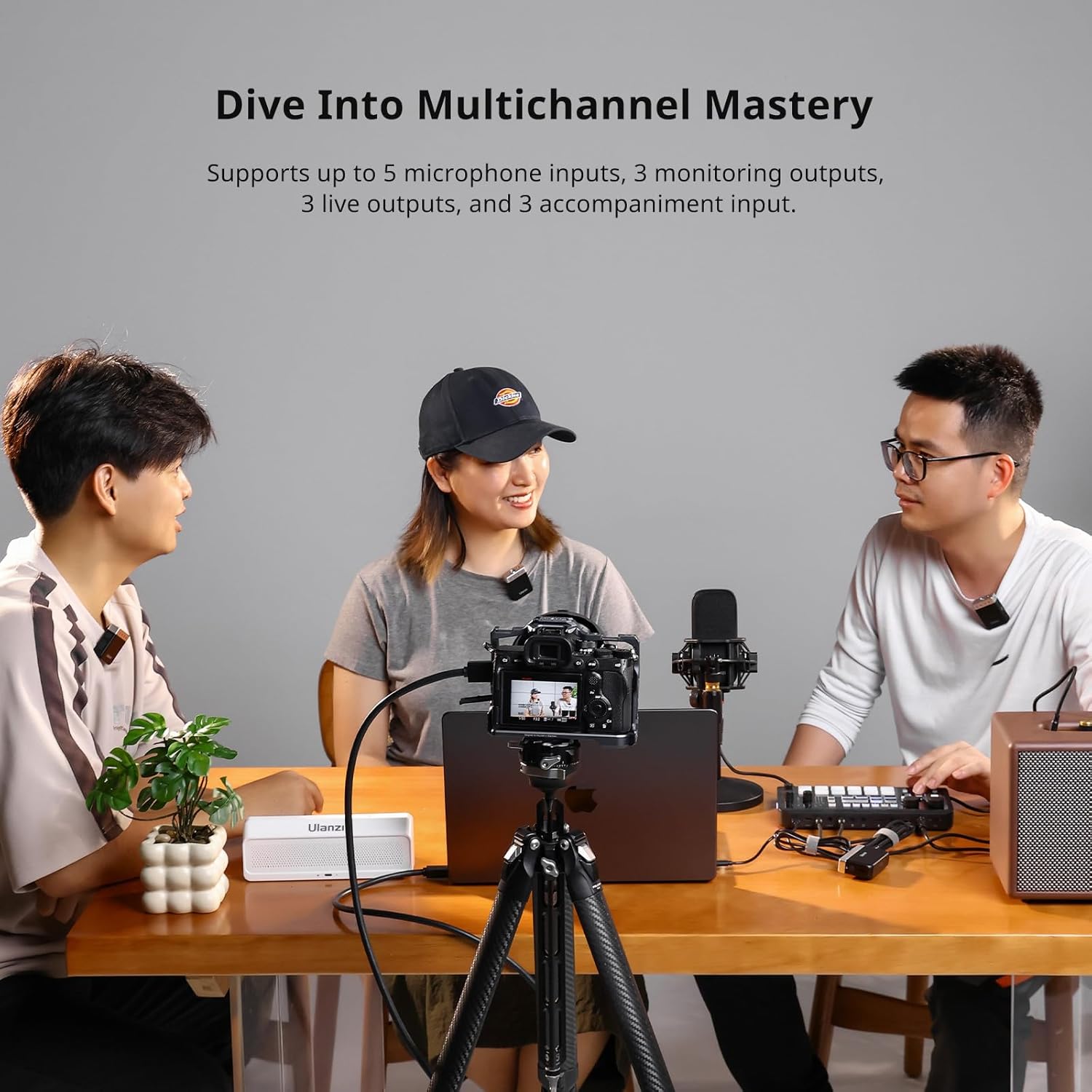
Image 3.2: A setup demonstrating the multi-channel capabilities of the ULANZI AX01, showing multiple microphones connected and individuals engaged in a recording session.
3.3 സിസ്റ്റം അനുയോജ്യത
The ULANZI AX01 is compatible with Windows, Linux, Mac OS, iOS, and Android operating systems, allowing for broad integration with various devices and streaming platforms.
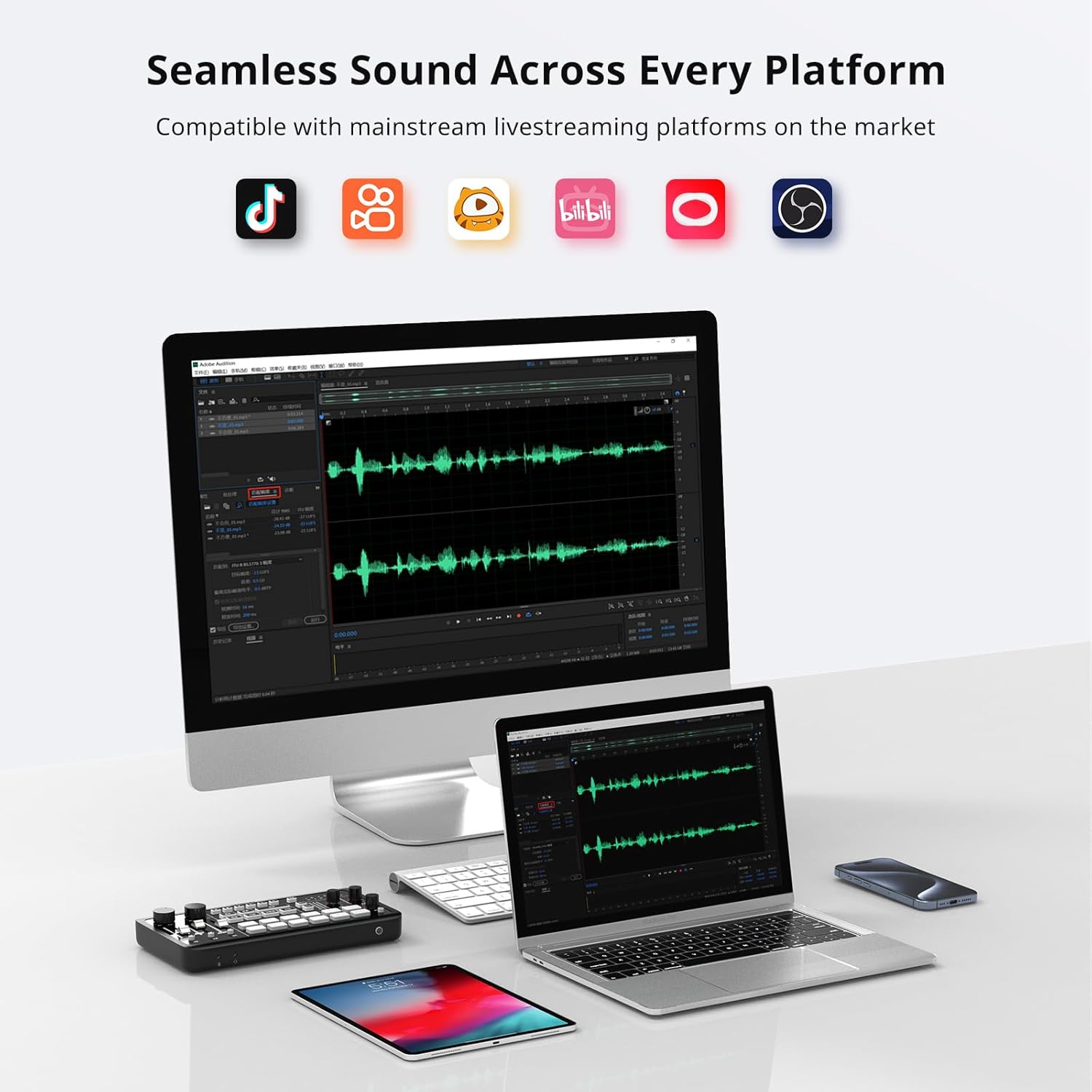
Image 3.3: The ULANZI AX01 connected to various devices including a desktop computer, laptop, and tablet, illustrating its broad compatibility with different operating systems and streaming platforms.
4. പ്രവർത്തന നിർദ്ദേശങ്ങൾ
The AX01 features an intuitive interface with dedicated controls for various audio functions.

ചിത്രം 4.1: വിശദമായത് view of the ULANZI AX01 control panel, highlighting volume adjustments, audio effects, special audio effects, and customizable audio effects sections.
4.1 ഓഡിയോ നിയന്ത്രണങ്ങൾ
- വോളിയം ഫേഡറുകൾ: Adjust the input levels for microphones and other audio sources.
- വ്യക്തിഗത നിയന്ത്രണം: Each channel has independent volume control for precise mixing.
- One-Click Mute: Quickly mute your microphone, accompaniment, or live broadcast with a dedicated button.
- EQ (സമനില): Adjust high, mid, and low frequencies to shape your sound.
- പിച്ച് നിയന്ത്രണം: Modify the pitch of your voice for creative effects.
4.2 സൗണ്ട് ഇഫക്റ്റുകൾ
The AX01 includes 12 preset sound effects and personalized voice changing modes.
- Preset Sound Effects: Utilize the 12 built-in sound effects (e.g., Cheer, Applause, Laughter, Hehe, Face slap, Kiss, Catcall, Awkward, Beep) to enhance your live broadcasts. These can be customized or adjusted.
- Personalized Voice Changing: Adjust high, mid, low, and pitch settings to create unique vocal effects, allowing you to play multiple roles or optimize your sound.
- Adjustable Special Effects Volume: A dedicated volume knob allows fine-tuning of sound effect levels during your broadcast, preventing sudden loud effects.

Image 4.2: The ULANZI AX01 mixer displaying its customizable audio effects buttons, with icons representing various sound effects like cheer, applause, and laughter.
4.3 ഇഷ്ടാനുസൃതമാക്കാവുന്ന ലൈറ്റിംഗ്
Tailor the RGB lighting of the special effect keys and the entire device to match your style and create the desired ambiance.
- Light Effect Buttons: Use the dedicated buttons to switch light colors and adjust brightness (3 levels).

Image 4.3: The ULANZI AX01 mixer showcasing its customizable RGB lighting, with examples of different color settings and brightness levels.
4.4 ശബ്ദ നിലവാരം
The AX01 is equipped with advanced technology for superior audio performance.
- Dual DSP Chips: High-performance digital signal processing ensures noise-free sound.
- OTG Digital Audio Interface: Provides lossless sound quality transfer, delivering high-fidelity audio without loss or format conversion.

Image 4.4: A visual representation of the ULANZI AX01's internal dual-core DSP chips and the OTG connection for lossless digital audio transfer.
4.5 ഉപയോഗ സാഹചര്യങ്ങൾ
The ULANZI AX01 is suitable for various live-streaming and recording scenarios:
- Online Chatting: Use voice changer and sound effects.
- Live Karaoke: Apply multiple vocal effects and audio removal for karaoke tracks.
- Game Live Streaming: Utilize light effects and noise reduction for an immersive experience.
- Live Commerce: Employ special audio effects and playback for engaging presentations.
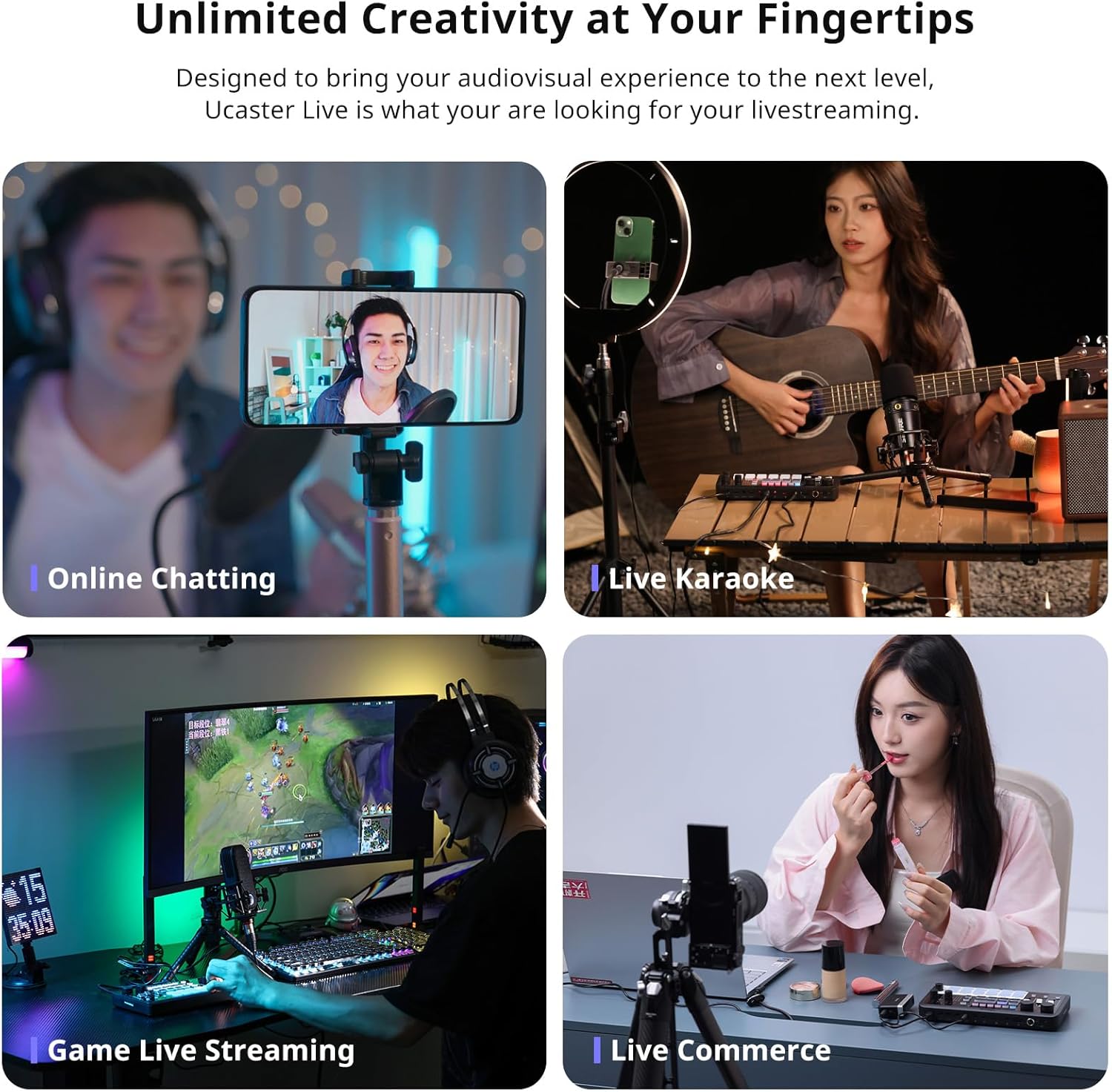
Image 4.5: A collage of four images depicting different applications of the ULANZI AX01 mixer: online chatting, live karaoke, game live streaming, and live commerce.
5. പരിപാലനം
To ensure the longevity and optimal performance of your ULANZI AX01 mixer, follow these maintenance guidelines:
- വൃത്തിയാക്കൽ: Use a soft, dry cloth to clean the surface of the mixer. Avoid using liquid cleaners or abrasive materials, which can damage the device.
- സംഭരണം: Store the mixer in a cool, dry place away from direct sunlight, high temperatures, and humidity.
- കൈകാര്യം ചെയ്യൽ: ഉപകരണം ശ്രദ്ധയോടെ കൈകാര്യം ചെയ്യുക. അത് താഴെയിടുകയോ ശക്തമായ ആഘാതങ്ങൾക്ക് വിധേയമാക്കുകയോ ചെയ്യരുത്.
- കേബിൾ മാനേജുമെന്റ്: Ensure cables are not bent sharply or tangled, which can lead to damage over time.
6. പ്രശ്നപരിഹാരം
If you encounter issues with your ULANZI AX01 mixer, refer to the following common troubleshooting steps:
- ശക്തിയില്ല: Ensure the USB-C charging cable is securely connected to both the mixer and a working power source. Check if the power button is pressed.
- ഓഡിയോ ഇൻപുട്ട് ഇല്ല: Verify that microphones are correctly connected to the appropriate input ports. If using a condenser microphone, ensure 48V phantom power is enabled. Check microphone volume levels on the mixer.
- ഓഡിയോ ഔട്ട്പുട്ട് ഇല്ല: Confirm that output cables are securely connected to your streaming/recording device and the mixer's Live Output ports. Check volume levels on both the mixer and your connected device. Ensure monitoring headphones are plugged in correctly and their volume is up.
- വികലമായ ഓഡിയോ: Reduce input gain or volume levels if the audio sounds distorted. Check for loose cable connections.
- Sound Effects Not Working: Ensure the sound effect buttons are pressed firmly. Check the special effects volume knob.
- Connectivity Issues (Bluetooth/USB): For Bluetooth, ensure the mixer is in pairing mode and your device's Bluetooth is on. For USB, try a different USB port or cable. Ensure your computer's sound settings recognize the AX01 as an audio input/output device.
7 സ്പെസിഫിക്കേഷനുകൾ
Detailed technical specifications for the ULANZI AX01 Gaming Audio Mixer.

Image 7.1: A diagram showing the dimensions of the ULANZI AX01 mixer along with a table of its key specifications.
| ഫീച്ചർ | സ്പെസിഫിക്കേഷൻ |
|---|---|
| മോഡൽ | AX01 |
| ഇനത്തിൻ്റെ ഭാരം | 0.94 പൗണ്ട് (15 ഔൺസ്) |
| ഉൽപ്പന്ന അളവുകൾ | 8.58"D x 1.02"W x 4.72"H (218mm x 26mm x 120mm) |
| ചാനലുകളുടെ എണ്ണം | 5 |
| പവർ ഉറവിടം | Battery Powered/Corded Powered |
| വാല്യംtage | 48 വോൾട്ട് (ഫാന്റം പവറിന്) |
| കണക്റ്റിവിറ്റി ടെക്നോളജി | ബ്ലൂടൂത്ത്, യുഎസ്ബി |
| ബാറ്ററി പാരാമീറ്ററുകൾ | 3.7V 2000mAh 7.4Wh |
| ഇൻപുട്ട് | 5V/1A |
| ചാർജിംഗ് സമയം | ഏകദേശം 4 മണിക്കൂർ |
| ഓഡിയോ ഡിഎസ്പി | ഡ്യുവൽ ഡിഎസ്പി ചിപ്പുകൾ |
| പ്രവർത്തന താപനില | 5°C - 45°C |
| അനുയോജ്യത | Windows, Linux, Mac OS, iOS, Android |
| ബാറ്ററി ലൈഫ് | 6 hours under minimum light brightness / 2 hours under maximum light brightness |
| Microphone Input Sampലിംഗ് നിരക്ക് | 16-ബിറ്റ് 44.1KHz |
| Microphone Input Frequency Response | 20Hz-20KHz |
| Microphone Input Dynamic Range | 94dB |
| Microphone Input THD+N | <0.03% |
| മൈക്രോഫോൺ ഇൻപുട്ട് നേട്ടം | 39dB |
| Microphone Input Signal-to-Noise Ratio | >=70dB |
| USB Microphone Output | 5V/500mA |
| USB Microphone Protocol | 16-ബിറ്റ് യുഎസ്ബി ഓഡിയോ യൂണിവേഴ്സൽ പ്രോട്ടോക്കോൾ |
| ഹെഡ്ഫോൺ ഔട്ട്പുട്ട് പവർ | 80mW |
| ഹെഡ്ഫോൺ ഔട്ട്പുട്ട് ലോഡ് ഇംപെഡൻസ് | 32Ω |
8. വാറൻ്റിയും പിന്തുണയും
ULANZI products are designed for reliability and performance. For warranty information, technical support, or service inquiries, please refer to the official ULANZI webസൈറ്റിൽ ബന്ധപ്പെടുകയോ അവരുടെ ഉപഭോക്തൃ സേവനവുമായി നേരിട്ട് ബന്ധപ്പെടുകയോ ചെയ്യുക. വാറന്റി ക്ലെയിമുകൾക്കുള്ള വാങ്ങലിന്റെ തെളിവായി നിങ്ങളുടെ വാങ്ങൽ രസീത് സൂക്ഷിക്കുക.
9. ഉൽപ്പന്ന പ്രദർശന വീഡിയോ
Video 9.1: An official product video demonstrating the ULANZI AX01 Gaming Audio Mixer Sound Board in various usage scenarios, highlighting its features and ease of use for content creation and live streaming.


