Xiaomi Redmi Pad SE 8.7-inch WiFi Tablet User Manual
Model: VHUU5100EU
ബ്രാൻഡ്: XIAOMI
ആമുഖം
This comprehensive user manual provides detailed instructions for setting up, operating, maintaining, and troubleshooting your Xiaomi Redmi Pad SE 8.7-inch WiFi tablet (Model: VHUU5100EU). Please read this manual thoroughly to ensure proper usage and to maximize your device's performance and longevity.
ബോക്സിൽ എന്താണുള്ളത്
Your Xiaomi Redmi Pad SE package includes the following items:
- Xiaomi Redmi Pad SE 8.7-inch WiFi Tablet
- Fast Car Dual USB 16W
- വാൾ അഡാപ്റ്റർ
- USB കേബിൾ
ഉൽപ്പന്നം കഴിഞ്ഞുview
Familiarize yourself with the key components and design of your Xiaomi Redmi Pad SE.

മുന്നിലും പിന്നിലും View: The Xiaomi Redmi Pad SE in Auora Green, showcasing its 8.7-inch display and the rear camera module.
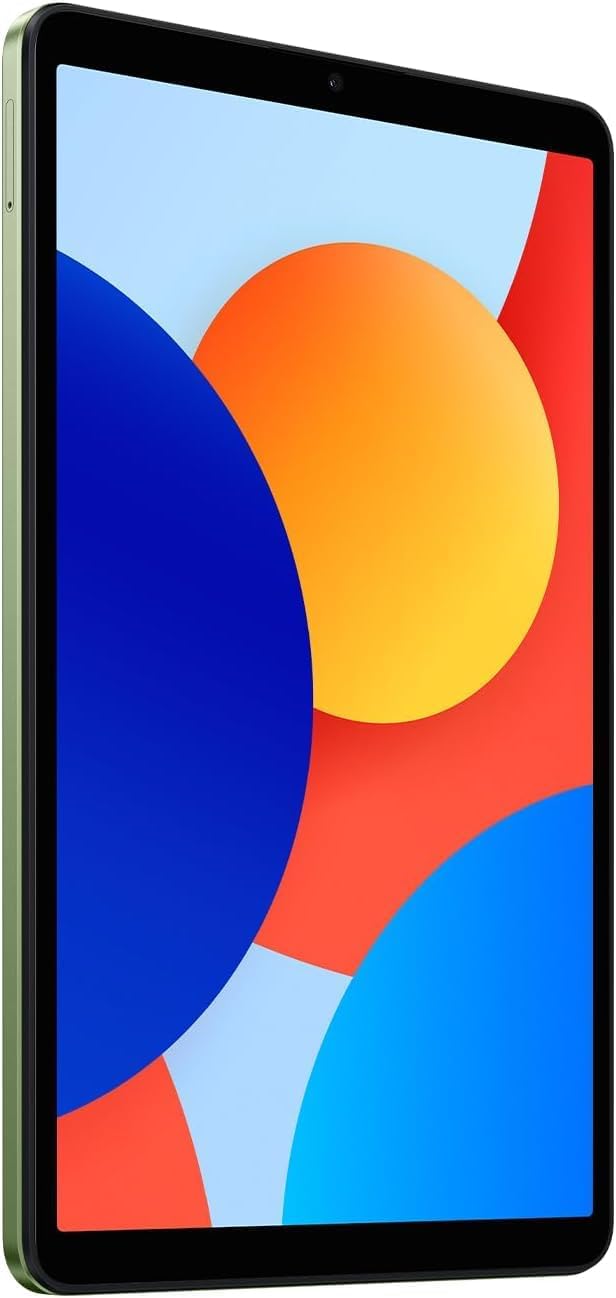
ഫ്രണ്ട് View: ഒരു വ്യക്തമായ view of the 8.7-inch LCD display, ideal for media consumption and browsing.
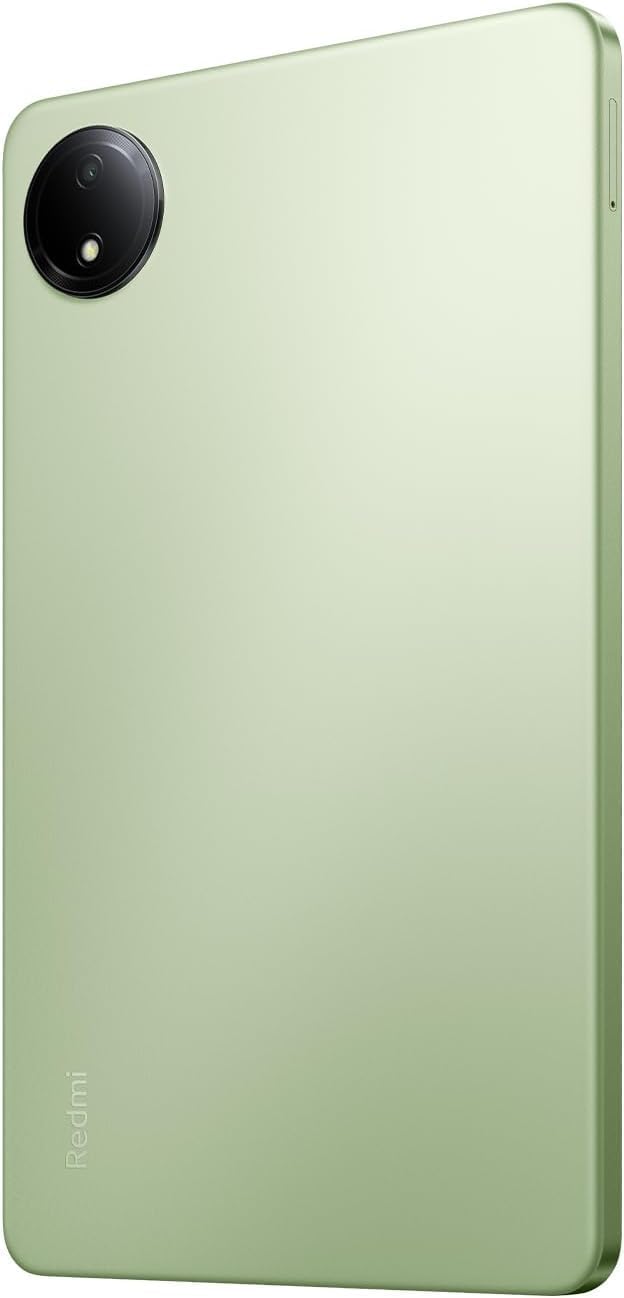
തിരികെ View: The sleek rear panel of the tablet, highlighting the 8MP main camera.

വശം View: ഒരു മെലിഞ്ഞ പ്രോfile of the tablet, showing the power and volume buttons on the side.
സജ്ജമാക്കുക
- പവർ ഓൺ: Press and hold the Power button on the side of the tablet until the Xiaomi logo appears.
- പ്രാരംഭ കോൺഫിഗറേഷൻ: നിങ്ങളുടെ ഭാഷ, പ്രദേശം എന്നിവ തിരഞ്ഞെടുത്ത് ഒരു വൈഫൈ നെറ്റ്വർക്കിലേക്ക് കണക്റ്റുചെയ്യുന്നതിന് ഓൺ-സ്ക്രീൻ നിർദ്ദേശങ്ങൾ പാലിക്കുക.
- Google അക്കൗണ്ട്: നിങ്ങളുടെ ഗൂഗിൾ അക്കൗണ്ട് ഉപയോഗിച്ച് സൈൻ ഇൻ ചെയ്യുകയോ പുതിയൊരെണ്ണം സൃഷ്ടിക്കുകയോ ചെയ്യുക. ഗൂഗിൾ പ്ലേ സ്റ്റോറും മറ്റ് ഗൂഗിൾ സേവനങ്ങളും ആക്സസ് ചെയ്യുന്നതിന് ഇത് അത്യാവശ്യമാണ്.
- സുരക്ഷാ സജ്ജീകരണം: Set up your preferred screen lock method (PIN, pattern, password, or face unlock).
- ഡാറ്റ കൈമാറ്റം (ഓപ്ഷണൽ): If you are upgrading from another device, you may choose to transfer your data during this step.
- സജ്ജീകരണം പൂർത്തിയാക്കുക: Finish the remaining setup steps to start using your tablet.
പ്രവർത്തന നിർദ്ദേശങ്ങൾ
അടിസ്ഥാന നാവിഗേഷൻ
- ഹോം സ്ക്രീൻ: ഹോം സ്ക്രീനുകൾക്കിടയിൽ നാവിഗേറ്റ് ചെയ്യാൻ ഇടത്തോട്ടോ വലത്തോട്ടോ സ്വൈപ്പ് ചെയ്യുക.
- ആപ്പ് ഡ്രോയർ: ഇൻസ്റ്റാൾ ചെയ്ത എല്ലാ ആപ്ലിക്കേഷനുകളും ആക്സസ് ചെയ്യാൻ സ്ക്രീനിന്റെ താഴെ നിന്ന് മുകളിലേക്ക് സ്വൈപ്പ് ചെയ്യുക.
- അറിയിപ്പുകളും ദ്രുത ക്രമീകരണങ്ങളും: സ്ക്രീനിന്റെ മുകളിൽ നിന്ന് താഴേക്ക് സ്വൈപ്പ് ചെയ്യുക view notifications and access quick settings toggles (Wi-Fi, Bluetooth, etc.).
- സമീപകാല ആപ്പുകൾ: Tap the square icon (or swipe up and hold if using gestures) to view കൂടാതെ അടുത്തിടെ ഉപയോഗിച്ച ആപ്ലിക്കേഷനുകൾക്കിടയിൽ മാറുക.
മൾട്ടിടാസ്കിംഗ്
- സ്പ്ലിറ്റ് സ്ക്രീൻ: From the recent apps screen, long-press an app icon and select the split-screen option to use two apps simultaneously.
- Floating Windows: Some apps support floating windows for quick access while using other applications.
കണക്റ്റിവിറ്റി
- വൈഫൈ: പോകുക ക്രമീകരണങ്ങൾ > Wi-Fi ലഭ്യമായ നെറ്റ്വർക്കുകളിലേക്ക് കണക്റ്റുചെയ്യാൻ.
- ബ്ലൂടൂത്ത്: പോകുക ക്രമീകരണങ്ങൾ > ബ്ലൂടൂത്ത് ഹെഡ്ഫോണുകൾ അല്ലെങ്കിൽ സ്പീക്കറുകൾ പോലുള്ള ബ്ലൂടൂത്ത് ഉപകരണങ്ങളുമായി ജോടിയാക്കാൻ.
മെയിൻ്റനൻസ്
ബാറ്ററി കെയർ
- തീവ്രമായ താപനില ഒഴിവാക്കുക.
- ഒപ്റ്റിമൽ ചാർജിംഗിനായി ഒറിജിനൽ ചാർജറും കേബിളും ഉപയോഗിക്കുക.
- ബാറ്ററി ഇടയ്ക്കിടെ പൂർണ്ണമായും തീർന്നുപോകാൻ അനുവദിക്കരുത്.
സോഫ്റ്റ്വെയർ അപ്ഡേറ്റുകൾ
നിങ്ങളുടെ ഉപകരണത്തിന് ഏറ്റവും പുതിയ ഫീച്ചറുകൾ, സുരക്ഷാ പാച്ചുകൾ, പ്രകടന മെച്ചപ്പെടുത്തലുകൾ എന്നിവ ഉണ്ടെന്ന് ഉറപ്പാക്കാൻ സിസ്റ്റം അപ്ഡേറ്റുകൾ പതിവായി പരിശോധിച്ച് ഇൻസ്റ്റാൾ ചെയ്യുക. പോകുക ക്രമീകരണങ്ങൾ > ടാബ്ലെറ്റിനെക്കുറിച്ച് > സിസ്റ്റം അപ്ഡേറ്റ്.
വൃത്തിയാക്കൽ
ടാബ്ലെറ്റിന്റെ സ്ക്രീനും ബോഡിയും വൃത്തിയാക്കാൻ മൃദുവായ, ലിന്റ് രഹിത തുണി ഉപയോഗിക്കുക. കഠിനമായ രാസവസ്തുക്കളോ ഉരച്ചിലുകളോ ഉള്ള വസ്തുക്കൾ ഒഴിവാക്കുക.
സ്റ്റോറേജ് മാനേജ്മെൻ്റ്
To optimize performance, regularly manage your storage by deleting unnecessary files and apps. You can expand storage using a microSD card.
ട്രബിൾഷൂട്ടിംഗ്
- ഉപകരണം പവർ ചെയ്യുന്നില്ല: Ensure the tablet is charged. Connect it to the charger and wait a few minutes before attempting to power it on again.
- വൈഫൈ കണക്റ്റിവിറ്റി പ്രശ്നങ്ങൾ: Restart your tablet and your Wi-Fi router. Forget the network in settings and reconnect.
- മന്ദഗതിയിലുള്ള പ്രകടനം: Close unnecessary background apps, clear cache, and ensure sufficient storage space. Consider a factory reset as a last resort (back up your data first).
- ആപ്പുകൾ ക്രാഷാകുന്നു/ഫ്രീസാകുന്നു: ആപ്പിന്റെ കാഷെയും ഡാറ്റയും മായ്ക്കുക ക്രമീകരണങ്ങൾ > ആപ്പുകൾ. പ്രശ്നം നിലനിൽക്കുകയാണെങ്കിൽ, ആപ്പ് അൺഇൻസ്റ്റാൾ ചെയ്ത് വീണ്ടും ഇൻസ്റ്റാൾ ചെയ്യുക.
സ്പെസിഫിക്കേഷനുകൾ
| ഫീച്ചർ | വിശദാംശങ്ങൾ |
|---|---|
| സ്ക്രീൻ ഡിസ്പ്ലേ വലുപ്പം | 8.7 ഇഞ്ച് |
| സ്ക്രീൻ റെസല്യൂഷൻ | 1340x800 |
| പരമാവധി സ്ക്രീൻ റെസല്യൂഷൻ | 1340 x 800 പിക്സലുകൾ |
| പ്രോസസ്സർ | 2 GHz Octa Core |
| ചിപ്സെറ്റ് ബ്രാൻഡ് | ARM |
| ഓപ്പറേറ്റിംഗ് സിസ്റ്റം | ആൻഡ്രോയിഡ് 14, ഹൈപ്പർഒഎസ് |
| ഇനത്തിൻ്റെ ഭാരം | 13.2 ഔൺസ് |
| ഉൽപ്പന്ന അളവുകൾ | 8.32 x 0.34 x 4.94 ഇഞ്ച് |
| നിറം | Auora Green (ONLY WIFI) |
| പിൻഭാഗം Webക്യാം റെസല്യൂഷൻ | 8 എം.പി |
| പ്രോസസ്സർ ബ്രാൻഡ് | മീഡിയടെക് |
| കമ്പ്യൂട്ടർ മെമ്മറി തരം | DDR3 SDRAM |
| ഫ്ലാഷ് മെമ്മറി വലുപ്പം | 6 ജിബി |
| ബാറ്ററികൾ | 1 ലിഥിയം പോളിമർ ബാറ്ററികൾ ആവശ്യമാണ്. (ഉൾപ്പെടുന്നു) |
വാറൻ്റിയും പിന്തുണയും
Your Xiaomi Redmi Pad SE is covered by a manufacturer's warranty. Please refer to the warranty card included in your product packaging for specific terms and conditions. For technical support or service inquiries, please visit the official XIAOMI support webസൈറ്റ് അല്ലെങ്കിൽ അവരുടെ ഉപഭോക്തൃ സേവനവുമായി ബന്ധപ്പെടുക.


