1. ആമുഖം
This manual provides detailed instructions for the proper use, maintenance, and troubleshooting of your BOBLOV B4K5 4K Body Camera. Please read this manual thoroughly before operating the device to ensure optimal performance and longevity.
2. Package Contents and Physical Overview
2.1 ബോക്സിൽ എന്താണുള്ളത്
Upon opening your BOBLOV B4K5 package, please verify that all the following items are included:
- B4K5 body camera
- Long clip
- ഹ്രസ്വ ക്ലിപ്പ്
- USB കേബിൾ
- ചാർജിംഗ് ഡോക്ക്

Figure 2.1: Included accessories with the BOBLOV B4K5 Body Camera.
2.2 ഫിസിക്കൽ ഓവർview
Familiarize yourself with the various components and controls of your B4K5 body camera:

ചിത്രം 2.2: മുൻവശവും വശവും view of the BOBLOV B4K5 Body Camera, showing the lens, buttons, and charging dock connection.
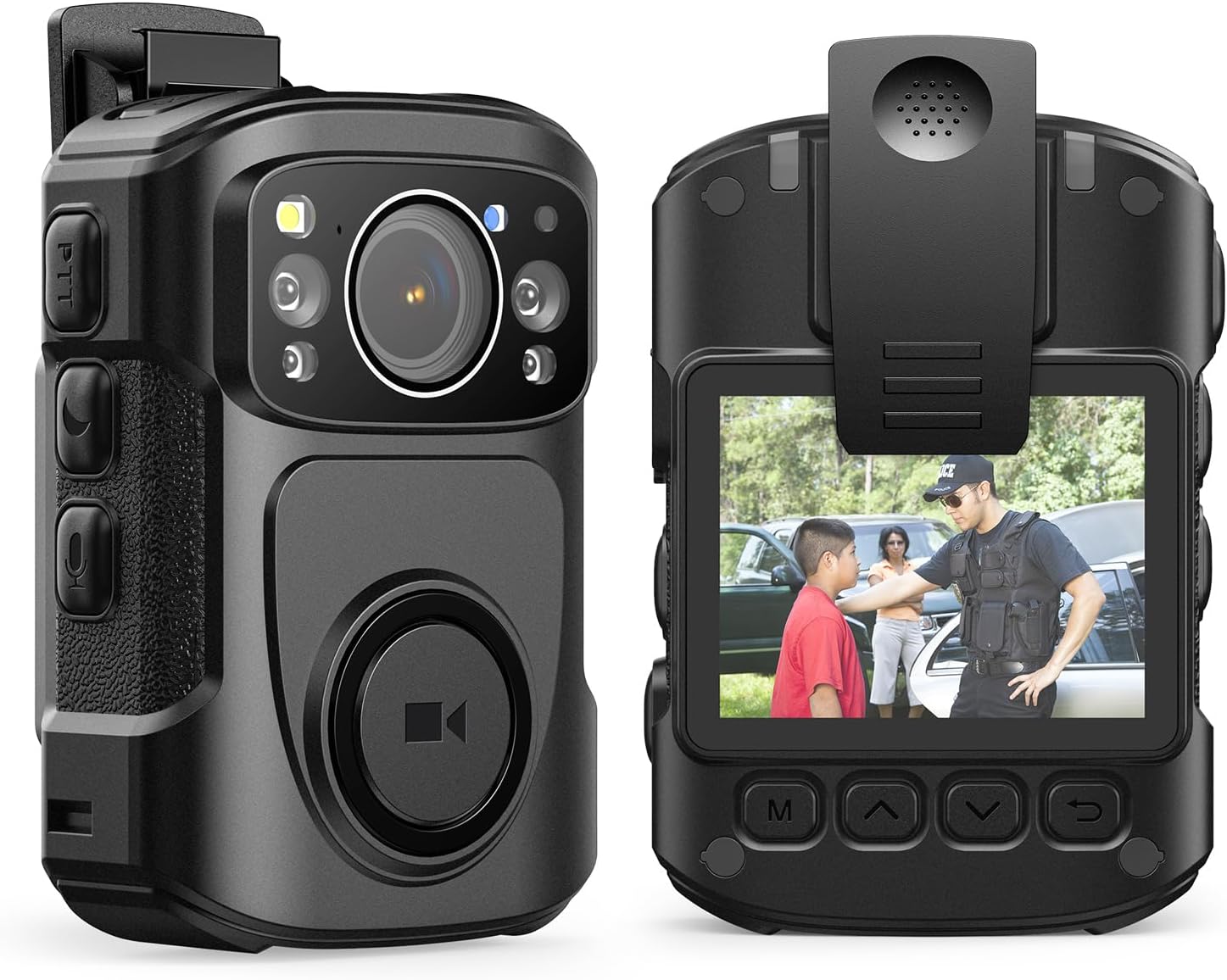
ചിത്രം 2.3: മുന്നിലും പിന്നിലും view of the BOBLOV B4K5 Body Camera, highlighting the display and navigation buttons.
- ഫ്രണ്ട് ലെൻസ്: Main camera lens for video and photo capture.
- ഐആർ ലൈറ്റുകൾ: Four built-in infrared lights for night vision.
- White Filling Lights: For enhanced visibility in dark environments.
- Large Recording Button: Prominently located on the front for quick start/stop of recording.
- സൈഡ് ബട്ടണുകൾ: Control power, mode, and other functions.
- ഡിസ്പ്ലേ സ്ക്രീൻ: Located on the back for viewഇൻ ഫൂtage, നാവിഗേഷൻ മെനുകൾ.
- യുഎസ്ബി-സി പോർട്ട്: For direct charging and data transfer.
- സ്പീക്കർ/മൈക്രോഫോൺ: ഓഡിയോ റെക്കോർഡിംഗിനും പ്ലേബാക്കിനും.
3. സജ്ജീകരണവും പ്രാരംഭ ഉപയോഗവും
3.1 പ്രാരംഭ ചാർജിംഗ്
Before first use, fully charge the BOBLOV B4K5 camera. The device features a 3400mAh battery. Charging can be done via the included USB-C cable directly or by placing the camera in the dedicated charging dock.
- Connect the USB cable to the charging dock and a power source, then place the camera in the dock.
- Alternatively, plug the USB-C cable directly into the camera's USB-C port.
- A full charge typically takes 4-5 hours. The charging indicator light will change to indicate a full charge.

Figure 3.1: Charging the B4K5 camera using the charging dock. A full charge provides up to 11 hours of 1080P recording.
3.2 Attaching the Clip
Select either the long or short clip based on your preference and attachment point (e.g., shirt pocket, belt, shoulder strap). Securely attach the chosen clip to the camera's rear slot.

ചിത്രം 3.2: ഉദാample of the B4K5 camera worn on clothing.
4. പ്രവർത്തന നിർദ്ദേശങ്ങൾ
4.1 പവർ ഓൺ/ഓഫ്
- To power on, press and hold the Power button (usually on the side) until the screen illuminates.
- To power off, press and hold the Power button again until the device shuts down.
4.2 വീഡിയോയും ഫോട്ടോകളും റെക്കോർഡുചെയ്യൽ
The B4K5 supports 4K/2160P video recording and 48MP photo capture.
- വീഡിയോ റെക്കോർഡിംഗ്: Press the large recording button on the front of the camera once to start video recording. Press it again to stop. The camera will vibrate to confirm recording status changes.
- ഫോട്ടോ ക്യാപ്ചർ: While in standby or recording mode, press the dedicated Photo button (if available, or refer to specific button mapping in the camera's on-screen menu) to take a still photo.
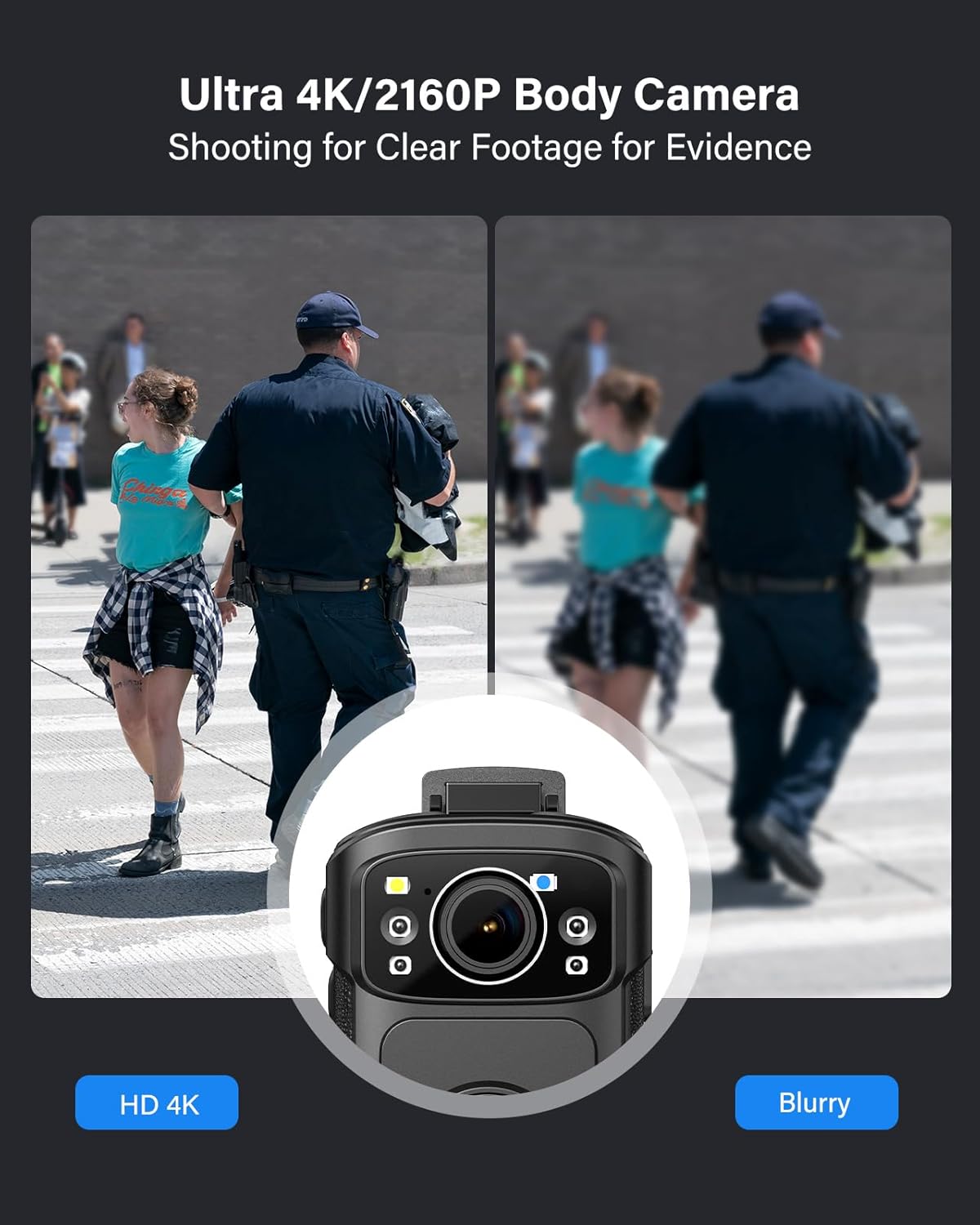
Figure 4.1: The B4K5 captures clear 4K footage for evidence and daily use.
4.3 നൈറ്റ് വിഷൻ
The B4K5 is equipped with four IR lights for enhanced visibility in low-light conditions. Night vision can be set to automatic or manual mode via the camera's settings menu.
- In automatic mode, the camera will switch to night vision when ambient light is insufficient.
- In manual mode, you can activate or deactivate night vision as needed.
4.4 ജിപിഎസ് പ്രവർത്തനം
The built-in GPS module tracks your movements during recording. To review your routes and locations, you must use the dedicated player software provided by BOBLOV. This software is compatible with Windows operating systems only.
- Ensure GPS is enabled in the camera settings for location data to be recorded with your video files.
- Connect the camera to a Windows computer to access and use the GPS player software.
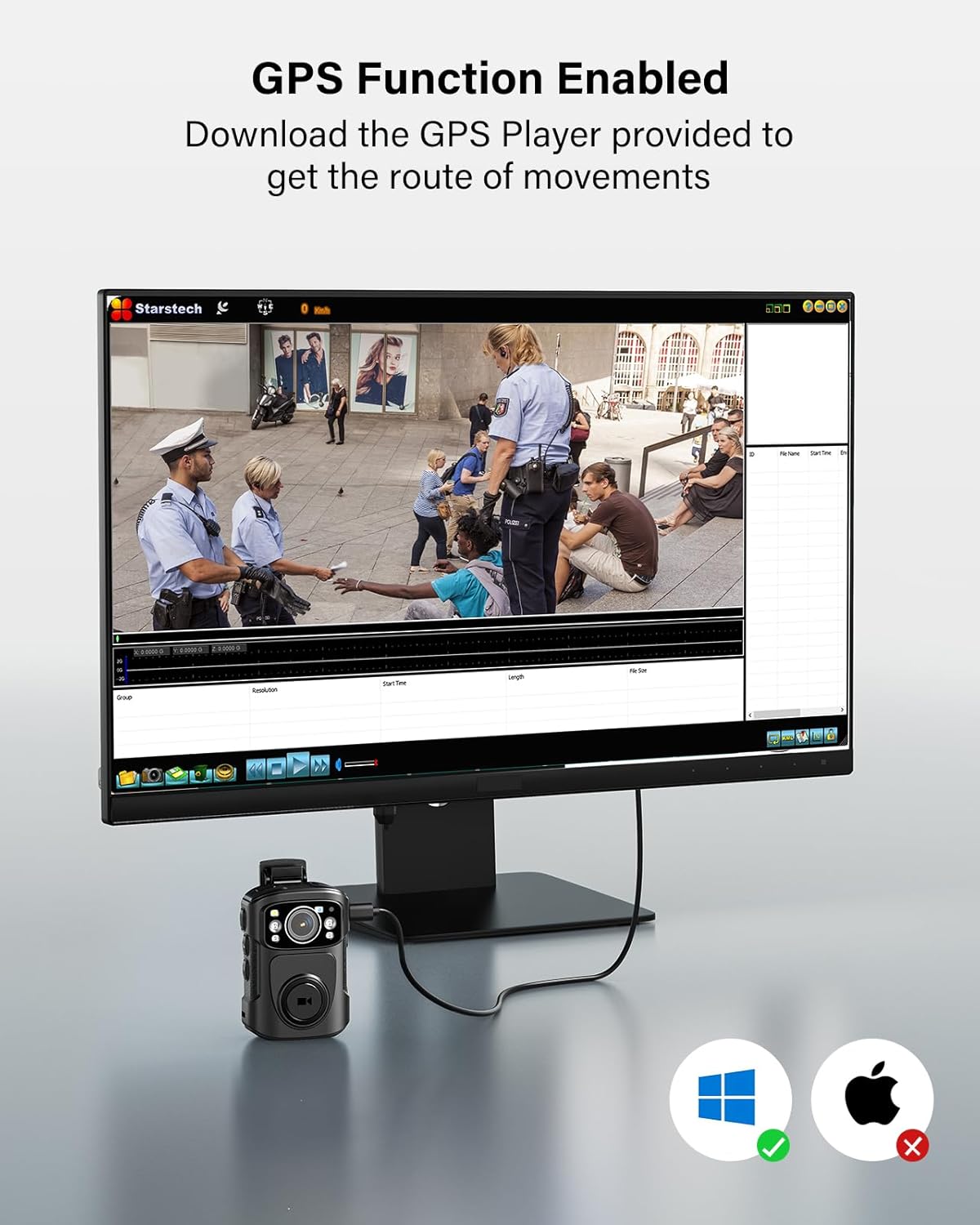
Figure 4.2: GPS function enabled, requiring a Windows-compatible player for route review.
4.5 ലൂപ്പ് റെക്കോർഡിംഗ്
The B4K5 supports loop recording, which means when the memory is full, the camera will automatically overwrite the oldest files. You can set the duration of each video clip (e.g., 5, 10, 20, 25, or 30 minutes) in the camera's settings. The default clip duration is 20 minutes.
4.6 ഡാറ്റ കൈമാറ്റം
രേഖപ്പെടുത്തിയത് കൈമാറാൻ fileനിങ്ങളുടെ കമ്പ്യൂട്ടറിലേക്കുള്ള എസ്:
- Connect the camera to your computer using the provided USB-C cable.
- നീക്കം ചെയ്യാവുന്ന ഒരു സംഭരണ ഉപകരണമായി ക്യാമറ ദൃശ്യമാകും.
- Navigate to the camera's storage to copy video and photo fileനിങ്ങളുടെ കമ്പ്യൂട്ടറിലേക്ക് എസ്.
5. പരിപാലനം
5.1 ചാർജിംഗ്
Regularly charge your B4K5 to ensure it is ready for use. While the camera offers up to 11 hours of 1080P recording (with IR and GPS off), actual battery life may vary based on usage (e.g., 4-6 hours at 4K/30fps recording). Always use the provided charging dock or USB-C cable for optimal charging.
5.2 വൃത്തിയാക്കൽ
- ക്യാമറ ബോഡി വൃത്തിയാക്കാൻ മൃദുവായതും ഉണങ്ങിയതുമായ തുണി ഉപയോഗിക്കുക.
- ലെൻസിന്, പോറലുകൾ ഒഴിവാക്കാൻ ഒരു പ്രത്യേക ലെൻസ് ക്ലീനിംഗ് തുണിയും ലായനിയും ഉപയോഗിക്കുക.
- കഠിനമായ രാസവസ്തുക്കളോ ഉരച്ചിലുകളോ ഉപയോഗിക്കരുത്.
5.3 സംഭരണം
When not in use for extended periods, store the camera in a cool, dry place away from direct sunlight and extreme temperatures. Ensure the battery is partially charged (around 50%) before long-term storage to preserve battery health.
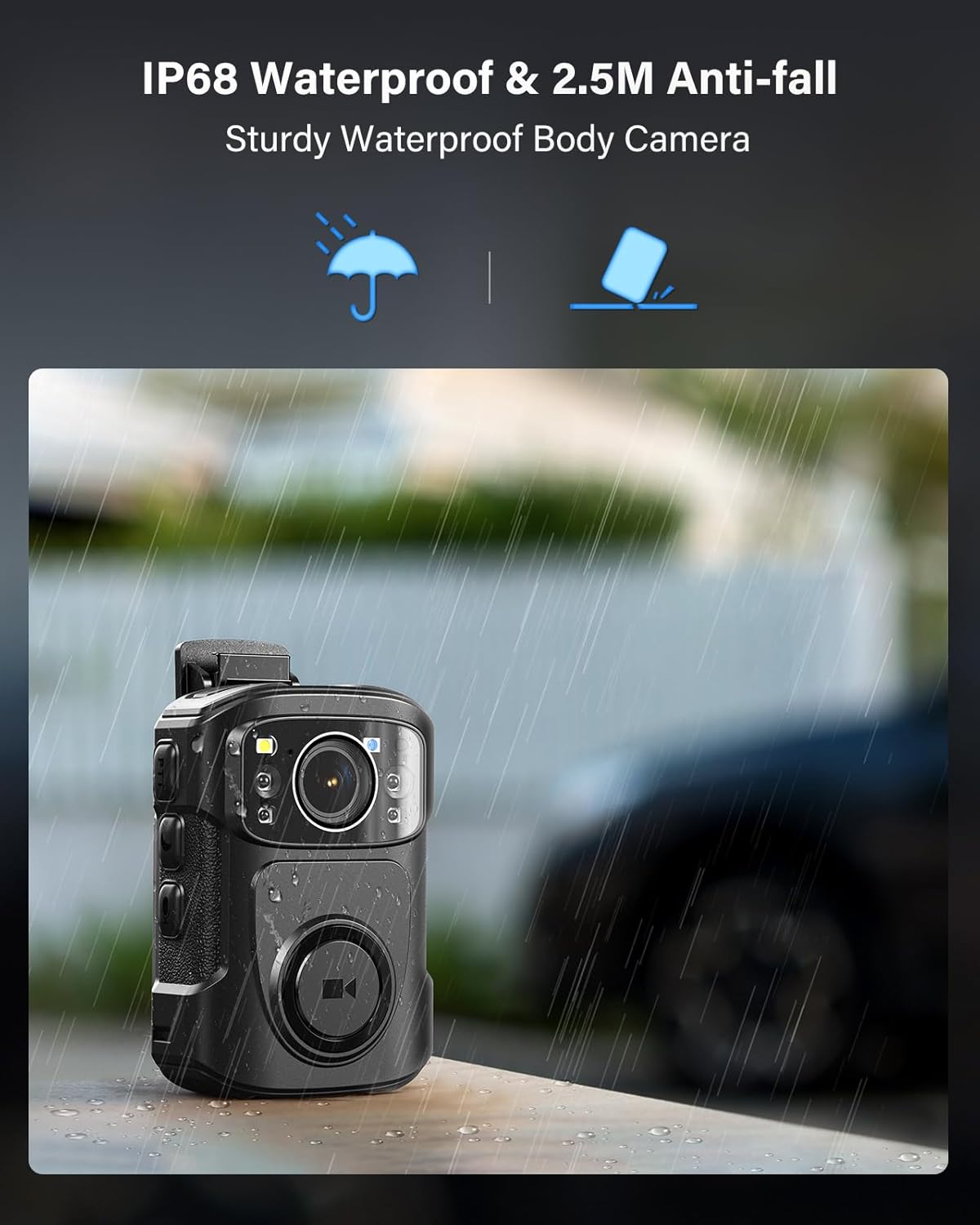
Figure 5.1: The B4K5 camera is IP68 waterproof and designed to withstand challenging environments.
6. പ്രശ്നപരിഹാരം
If you encounter issues with your BOBLOV B4K5, please refer to the following common problems and solutions:
| പ്രശ്നം | സാധ്യമായ കാരണം / പരിഹാരം |
|---|---|
| ക്യാമറ പവർ ഓൺ ചെയ്യുന്നില്ല. | Battery may be depleted. Charge the camera fully. Ensure the power button is pressed and held sufficiently. |
| ചെറിയ ബാറ്ററി ലൈഫ്. | Recording at 4K resolution or with IR/GPS enabled consumes more power. Ensure the camera is fully charged before use. Battery performance can degrade over time. |
| റെക്കോർഡിംഗ് അപ്രതീക്ഷിതമായി നിലയ്ക്കുന്നു. | Memory may be full (loop recording should overwrite oldest files, but check settings). Low battery can also cause this. Ensure sufficient charge. |
| GPS data not showing. | Ensure GPS is enabled in camera settings. The GPS player software is only compatible with Windows computers. Make sure you are using the correct software. |
| കൈമാറാൻ കഴിയില്ല fileകമ്പ്യൂട്ടറിലേക്ക്. | Ensure the USB-C cable is securely connected. Try a different USB port or cable. The camera should appear as a removable drive; if not, check computer's device manager. |
| Video quality is blurry. | Ensure the lens is clean. Check recording resolution settings; higher resolution provides clearer video. |
7 സ്പെസിഫിക്കേഷനുകൾ
| ഫീച്ചർ | വിശദാംശങ്ങൾ |
|---|---|
| ബ്രാൻഡ് | ബോബ്ലോവ് |
| മോഡൽ നമ്പർ | 128gB4K5 |
| വീഡിയോ ക്യാപ്ചർ റെസല്യൂഷൻ | 4K (2160P) |
| ഫോട്ടോ റെസല്യൂഷൻ | 48എംപി |
| ബാറ്ററി ശേഷി | 3400mAh |
| Recording Time (1080P) | Up to 11 hours (IR/GPS off) |
| Recording Time (4K/30fps) | 4-6 മണിക്കൂർ |
| വാട്ടർപ്രൂഫ് റേറ്റിംഗ് | IP68 |
| ആന്തരിക മെമ്മറി | 128GB (also available in 256GB) |
| സ്ക്രീൻ വലിപ്പം | 2 ഇഞ്ച് |
| പ്രത്യേക സവിശേഷതകൾ | Built-In Light, Night Vision, GPS |
| കണക്റ്റിവിറ്റി ടെക്നോളജി | വയേർഡ് (USB-C) |
| ഇനത്തിൻ്റെ ഭാരം | 1.19 പൗണ്ട് |
| പാക്കേജ് അളവുകൾ | 9.57 x 7.44 x 2.56 ഇഞ്ച് |
8. വാറൻ്റിയും പിന്തുണയും
BOBLOV provides product coverage for its supporters. The B4K5 body camera comes with 24 months of product coverage. For technical assistance or inquiries, BOBLOV aims to provide quick responses within 24 hours and offers lifetime technical support.
For further support, please visit the official BOBLOV store or contact their customer service directly. Refer to your purchase documentation for specific contact details.
Note: The provided JSON data did not include specific video URLs with "creator_type":"Seller" for embedding. Therefore, no videos are included in this manual.


