ആമുഖം
വാങ്ങിയതിന് നന്ദി.asing the Wanbo Mozart 1 Pro Projector. This manual provides essential information for setting up, operating, and maintaining your projector to ensure optimal performance and longevity. Please read this manual thoroughly before using the product and keep it for future reference.
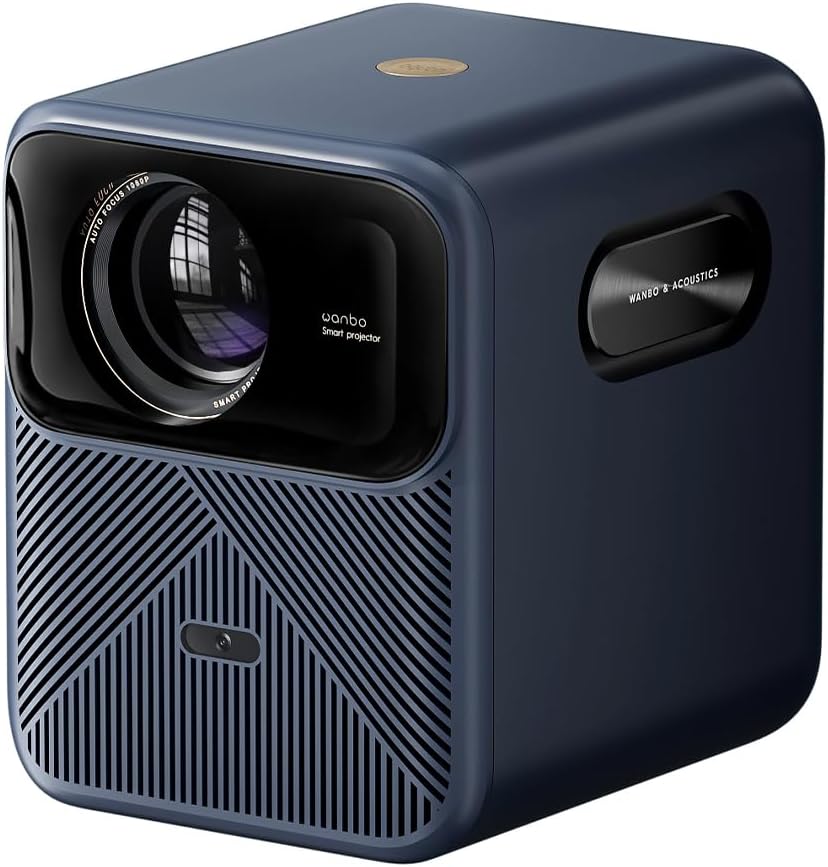
ചിത്രം: മുൻവശം view of the Wanbo Mozart 1 Pro Projector, showcasing അതിന്റെ ഒതുക്കമുള്ള രൂപകൽപ്പനയും ലെൻസും.
പാക്കേജ് ഉള്ളടക്കം
പാക്കേജിൽ എല്ലാ ഇനങ്ങളും ഉണ്ടെന്ന് ഉറപ്പാക്കുക:
- വാൻബോ മൊസാർട്ട് 1 പ്രോ പ്രൊജക്ടർ
- പവർ അഡാപ്റ്റർ
- റിമോട്ട് കൺട്രോൾ
- ഉപയോക്തൃ മാനുവൽ
സജ്ജമാക്കുക
1. പ്ലേസ്മെന്റ്
പ്രൊജക്ടർ ഒരു സ്ഥിരതയുള്ളതും പരന്നതുമായ പ്രതലത്തിൽ സ്ഥാപിക്കുക. ഒപ്റ്റിമൽ ആയി viewing, ensure the projection surface (wall or screen) is smooth and light-colored. The ideal projection distance varies based on desired screen size. Refer to the specifications for recommended distances.
2. പവർ കണക്ഷൻ
Connect the power adapter to the DC input port on the projector and then plug the adapter into a power outlet.

ചിത്രം: പിൻഭാഗം view of the projector, highlighting the DC power input, USB port, and HD (HDMI) port.
3. Initial Power On & Setup
Press the power button on the projector or remote control to turn it on. Follow the on-screen prompts to select your language, connect to a Wi-Fi network, and complete the initial setup for Google TV.
4. ഫോക്കസും കീസ്റ്റോൺ തിരുത്തലും
The Wanbo Mozart 1 Pro features automatic focus and automatic keystone correction for quick and clear image setup. If manual adjustment is needed, navigate to the display settings in the menu.

Image: Visual representation of the projector's automatic focus and keystone correction capabilities.
പ്രവർത്തിക്കുന്നു
1. റിമോട്ട് കൺട്രോൾ
Use the provided remote control to navigate the projector's interface, select input sources, adjust volume, and access settings.
2. ഇൻപുട്ട് ഉറവിടങ്ങൾ
പ്രൊജക്ടർ ഒന്നിലധികം ഇൻപുട്ട് ഉറവിടങ്ങളെ പിന്തുണയ്ക്കുന്നു:
- എച്ച്ഡിഎംഐ: Connect external devices such as laptops, gaming consoles, or Blu-ray players.
- USB: മീഡിയ പ്ലേ ചെയ്യുക fileഒരു USB ഡ്രൈവിൽ നിന്ന് നേരിട്ട്.
3. കണക്റ്റിവിറ്റി
- വൈഫൈ: Connect to your home network (2.4GHz and 5GHz dual-band support) for online streaming and updates.
- ബ്ലൂടൂത്ത് 5.0: മെച്ചപ്പെടുത്തിയ ഓഡിയോയ്ക്കായി ബാഹ്യ ബ്ലൂടൂത്ത് സ്പീക്കറുകളോ ഹെഡ്ഫോണുകളോ ബന്ധിപ്പിക്കുക.
4. Smart Features (Google TV)
The projector comes with integrated Google TV, providing access to a vast library of apps and content. Key features include:
- മുൻകൂട്ടി ഇൻസ്റ്റാൾ ചെയ്ത ആപ്പുകൾ: Enjoy popular streaming services like Netflix, YouTube, Prime Video, and Disney+.
- Google അസിസ്റ്റൻ്റ്: തിരയൽ, നിയന്ത്രണം, വിവരങ്ങൾ എന്നിവയ്ക്കായി വോയ്സ് കമാൻഡുകൾ ഉപയോഗിക്കുക.
- സ്ക്രീൻ മിററിംഗ്: Cast content from your smartphone or tablet directly to the projector.
5. ഡിസ്പ്ലേ ക്രമീകരണങ്ങൾ
- തെളിച്ചം: The projector delivers 1200 ANSI Lumens for clear images in various lighting conditions.
- റെസലൂഷൻ: Native Full HD (1920 x 1080 px) with support for 4K decoding.
- HDR10: Experience enhanced contrast and vibrant colors with HDR10 support.
- MEMC: Motion Estimation Motion Compensation technology ensures smooth motion in fast-paced scenes, ideal for sports and action movies.

Image: Visual demonstration of the projector's 1200 ANSI Lumens brightness, showing clarity in different ambient light conditions.
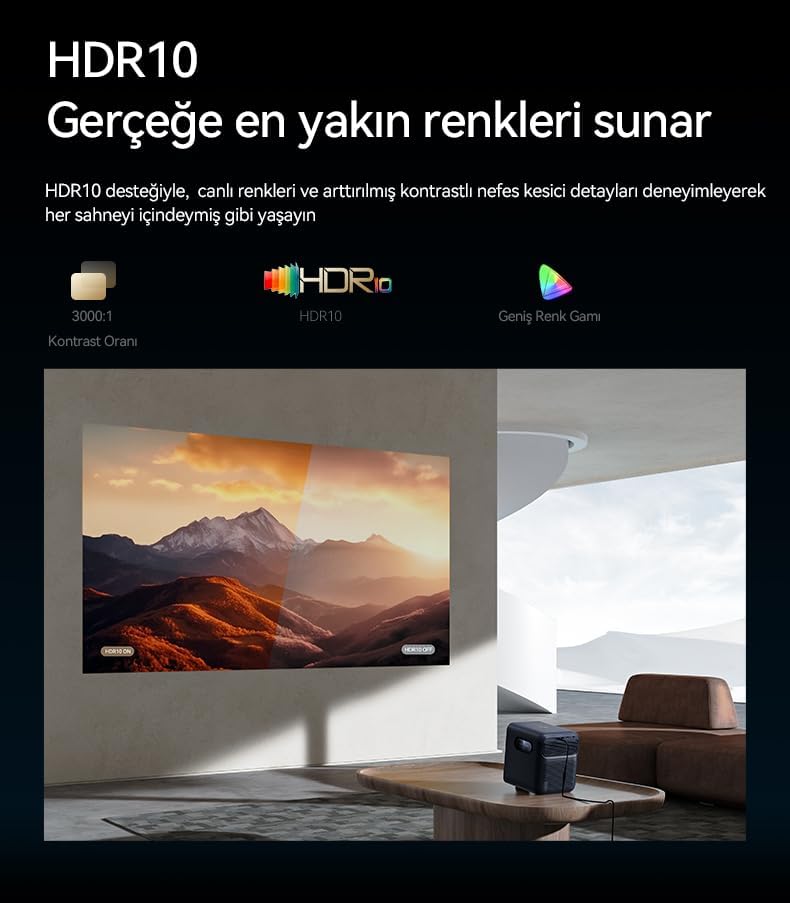
Image: Explanation of HDR10 technology, illustrating its impact on color accuracy and contrast.

Image: Illustration of MEMC (Motion Estimation Motion Compensation) technology, showing its effect on motion clarity.
6. ഓഡിയോ
The projector is equipped with a powerful 20W speaker system (10W x 2) for immersive audio experience.
മെയിൻ്റനൻസ്
1. വൃത്തിയാക്കൽ
- ലെൻസ്: Gently wipe the lens with a soft, lint-free cloth specifically designed for optical surfaces. Do not use abrasive cleaners.
- വെന്റുകൾ: Regularly clean the air vents to prevent dust buildup, which can affect cooling and performance. Use a soft brush or compressed air.
- പുറം: പ്രൊജക്ടറിന്റെ പുറംഭാഗം മൃദുവായതും ഉണങ്ങിയതുമായ തുണി ഉപയോഗിച്ച് തുടയ്ക്കുക.
2. സംഭരണം
ദീർഘനേരം ഉപയോഗിക്കാത്തപ്പോൾ, പ്രൊജക്ടർ തണുത്തതും വരണ്ടതുമായ സ്ഥലത്ത് സൂക്ഷിക്കുക, നേരിട്ടുള്ള സൂര്യപ്രകാശത്തിൽ നിന്നും കടുത്ത താപനിലയിൽ നിന്നും അകറ്റി നിർത്തുക. പൊടിയും കേടുപാടുകളും തടയാൻ യഥാർത്ഥ പാക്കേജിംഗ് അല്ലെങ്കിൽ ഒരു സംരക്ഷണ കേസ് ഉപയോഗിക്കുക.
3. എൽamp ജീവിതം
The projector's light source has an estimated lifespan of up to 20,000 hours, ensuring long-term use without frequent lamp മാറ്റിസ്ഥാപിക്കൽ.
ട്രബിൾഷൂട്ടിംഗ്
| പ്രശ്നം | സാധ്യമായ കാരണം | പരിഹാരം |
|---|---|---|
| പവർ ഇല്ല | പവർ കേബിൾ ബന്ധിപ്പിച്ചിട്ടില്ല; പവർ ഔട്ട്ലെറ്റ് തകരാറിലാണ് | പവർ കേബിൾ സുരക്ഷിതമായി ബന്ധിപ്പിച്ചിട്ടുണ്ടെന്ന് ഉറപ്പാക്കുക; മറ്റൊരു പവർ ഔട്ട്ലെറ്റ് പരീക്ഷിക്കുക. |
| ചിത്രമില്ല | Incorrect input source; Device not connected properly | Select the correct input source (HDMI/USB); Check cable connections. |
| മങ്ങിയ ചിത്രം | Out of focus; Incorrect keystone correction | Allow auto-focus to adjust or manually adjust focus; Check keystone settings. |
| ശബ്ദമില്ല | Volume too low; Muted; External audio device not connected | Increase volume; Unmute the projector; Check Bluetooth connection if using external speakers. |
| റിമോട്ട് പ്രവർത്തിക്കുന്നില്ല | Low batteries; Obstruction | Replace batteries; Remove any obstructions between remote and projector. |
സ്പെസിഫിക്കേഷനുകൾ
| ഫീച്ചർ | വിശദാംശങ്ങൾ |
|---|---|
| ബ്രാൻഡ് | വാൻബോ |
| മോഡൽ നമ്പർ | WPB84 |
| ഡിസ്പ്ലേ റെസല്യൂഷൻ | 1920 x 1080 px (Full HD) |
| തെളിച്ചം | 1200 ആൻസി ലുമെൻസ് |
| കോൺട്രാസ്റ്റ് റേഷ്യോ | 3000:1 |
| കണക്റ്റിവിറ്റി | HDMI, USB, Wi-Fi (2.4+5G Dual Band), Bluetooth 5.0 |
| ഓഡിയോ ഔട്ട്പുട്ട് | 20W (10W x 2) |
| Lamp ജീവിതം | 20,000 മണിക്കൂർ വരെ |
| ഓപ്പറേറ്റിംഗ് സിസ്റ്റം | Google TV |
| പ്രത്യേക സവിശേഷതകൾ | Auto Focus, Auto Keystone, HDR10, MEMC, Screen Mirroring, Obstacle Avoidance, Screen Fit |
| അളവുകൾ (L x W x H) | 28.7 x 30.5 x 26 സെ.മീ |
വാറൻ്റിയും പിന്തുണയും
വാറൻ്റി വിവരങ്ങൾ
Warranty terms and conditions are typically provided with your purchase documentation or on the product packaging. Please refer to these materials for details regarding your product's warranty coverage.
ഉപഭോക്തൃ പിന്തുണ
For technical assistance, troubleshooting beyond this manual, or service inquiries, please visit the official Wanbo website or contact their customer support directly. Contact information can usually be found on the manufacturer's webസൈറ്റ് അല്ലെങ്കിൽ നിങ്ങളുടെ വാങ്ങൽ രസീത്.


