1. ആമുഖം
Thank you for choosing the Apera MT53 Type-C USB Adapter Hub. This 12-in-1 multi-functional hub is designed to expand the connectivity of your USB-C enabled devices, providing a wide range of ports for various peripherals, displays, and network connections. This manual provides detailed instructions for setup, operation, and troubleshooting to ensure optimal performance and user experience.
2. ഉൽപ്പന്നം കഴിഞ്ഞുview
The Apera MT53 Hub integrates multiple essential ports into a single, compact device, enhancing your productivity and connectivity. It features a durable aluminum alloy casing for efficient heat dissipation and a plug-and-play design requiring no additional drivers.
പ്രധാന സവിശേഷതകൾ:
- വീഡിയോ ഔട്ട്പുട്ട്: HDMI (up to 4K@30Hz, 1080p@60Hz) and VGA (up to 1080p@60Hz).
- USB ഡാറ്റ കൈമാറ്റം: Four USB 3.0 ports (up to 5 Gbit/s) and one Type-C data transfer port (3.1 speed).
- നെറ്റ്വർക്ക് കണക്റ്റിവിറ്റി: RJ45 Ethernet port (up to 100Mbps).
- കാർഡ് റീഡർ: SD and Micro SD card slots (2.0 speed).
- ഓഡിയോ: 3.5mm AUX port for headphones.
- പവർ ഡെലിവറി: 100W Type-C Power Delivery (PD) for fast charging.
- നിർമ്മാണം: Full aluminum alloy casing for durability and heat management.
പോർട്ട് ഐഡന്റിഫിക്കേഷൻ:
Refer to the image below for a visual guide to the Apera MT53 Hub's ports.

This image displays the Apera MT53 USB-C Hub, highlighting each of its 12 ports with their respective functions, including PD 100W, USB 3.0, VGA 1080P, 4K/30Hz HDMI, RJ45, 3.5mm audio, USB-C, and TF/SD card slots.
3. പാക്കേജ് ഉള്ളടക്കം
The Apera MT53 Type-C USB Adapter Hub package includes:
- 1 x Apera MT53 12-in-1 Type-C USB Adapter Hub
- 1 x Type-C to Type-C Power Delivery Cable
4. സജ്ജീകരണ നിർദ്ദേശങ്ങൾ
The Apera MT53 Hub is designed for plug-and-play functionality, requiring no driver installation on compatible operating systems.
അനുയോജ്യത:
വിൻഡോസ്, മാകോസ്, ലിനക്സ് ഓപ്പറേറ്റിംഗ് സിസ്റ്റങ്ങളെ പിന്തുണയ്ക്കുന്നു.
ഹബ് ബന്ധിപ്പിക്കുന്നു:
- Connect the integrated USB-C cable from the Apera MT53 Hub to a free USB-C port on your laptop or compatible device.
- The hub will be automatically recognized by your operating system.
ബന്ധിപ്പിക്കുന്ന പെരിഫറലുകൾ:
Once the hub is connected, you can attach your devices to the corresponding ports:
- ബാഹ്യ ഡിസ്പ്ലേകൾ: Connect HDMI or VGA cables from your monitors to the hub's HDMI or VGA ports.
- USB ഉപകരണങ്ങൾ: Plug USB flash drives, keyboards, mice, or other USB peripherals into the USB 3.0 ports.
- നെറ്റ്വർക്ക് കേബിൾ: Connect an Ethernet cable to the RJ45 port for a wired internet connection.
- മെമ്മറി കാർഡുകൾ: Insert SD or Micro SD cards into the designated slots.
- ഓഡിയോ ഉപകരണങ്ങൾ: Plug headphones or speakers into the 3.5mm AUX port.
- പവർ അഡാപ്റ്റർ: For charging your laptop or device, connect a USB-C power adapter to the hub's 100W PD Type-C port using the provided Type-C to Type-C cable.
Example setup with multiple monitors:

A laptop is shown connected to two external monitors through the Apera MT53 USB-C Hub, demonstrating its multi-display capability for an extended desktop setup.
Example setup with card reader in use:

The Apera MT53 USB-C Hub is positioned next to a laptop on a wooden desk, with an SD card and a MicroSD card placed in front of it, illustrating its card reader functionality.
5. പ്രവർത്തന നിർദ്ദേശങ്ങൾ
Display Output (HDMI & VGA):
Connect your external monitors or projectors to the HDMI or VGA ports. Your operating system should automatically detect the displays. You can configure display settings (mirror, extend) through your device's display settings.
Using the hub for presentations:

A laptop is connected to a projector via the Apera MT53 USB-C Hub, displaying a 'BUSINESS PLAN' presentation on a large screen, showcasing its utility for meetings and presentations.
USB 3.0 ഡാറ്റ ട്രാൻസ്ഫർ:
The four USB 3.0 ports support data transfer speeds up to 5 Gbit/s, ideal for connecting external hard drives, USB flash drives, and other high-speed peripherals.
RJ45 ഇഥർനെറ്റ്:
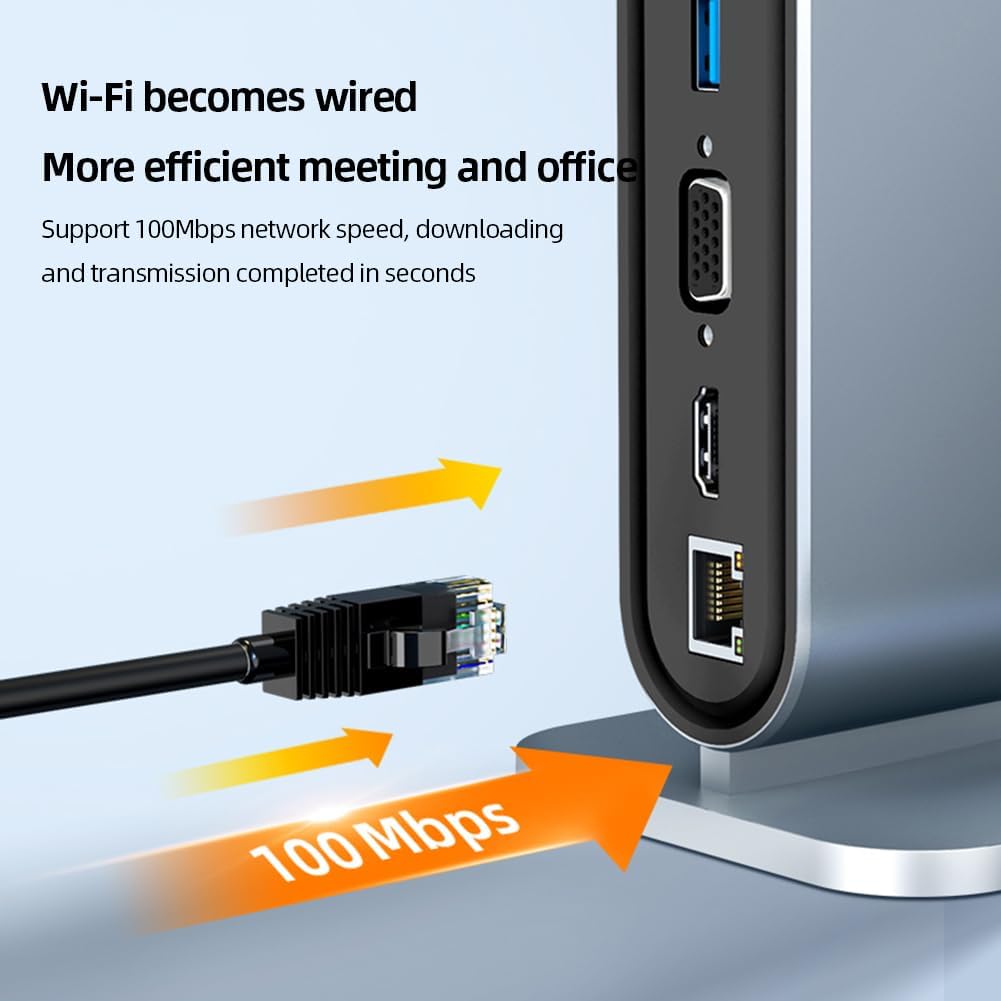
For a stable and faster internet connection, plug an Ethernet cable into the RJ45 port. The hub supports speeds up to 100Mbps.
Wired Ethernet connection:

A close-up of the Apera MT53 USB-C Hub's RJ45 Ethernet port, emphasizing its 100Mbps network speed capability for stable wired internet connection.
SD & മൈക്രോ SD കാർഡ് റീഡർ:
Insert your SD or Micro SD cards into the respective slots to access data. The card reader operates at 2.0 speed.
കാർഡ് റീഡർ ഉപയോഗിക്കുന്നത്:
This image shows the Apera MT53 USB-C Hub with both an SD card and a MicroSD card inserted, demonstrating the use of its integrated card reader.
3.5mm AUX Audio:
Connect your headphones or speakers to the 3.5mm audio jack for sound output.
100W Type-C Power Delivery (PD):
Use this port to charge your laptop or other USB-C devices at up to 100W, ensuring your device stays powered while using the hub's other functions.
Type-C Data Transfer:
This dedicated Type-C port allows for additional data transfer at 3.1 speeds, useful for connecting modern USB-C peripherals.
6. പരിപാലനം
To ensure the longevity and optimal performance of your Apera MT53 Hub, follow these maintenance guidelines:
- വൃത്തിയാക്കൽ: ഹബ് വൃത്തിയാക്കാൻ മൃദുവായതും ഉണങ്ങിയതുമായ തുണി ഉപയോഗിക്കുക. ദ്രാവക ക്ലീനറുകളോ ഉരച്ചിലുകളുള്ള വസ്തുക്കളോ ഒഴിവാക്കുക.
- സംഭരണം: നേരിട്ടുള്ള സൂര്യപ്രകാശവും കടുത്ത താപനിലയും ഏൽക്കാത്ത തണുത്തതും വരണ്ടതുമായ സ്ഥലത്ത് ഹബ് സൂക്ഷിക്കുക.
- കൈകാര്യം ചെയ്യൽ: ഹബ് ശ്രദ്ധയോടെ കൈകാര്യം ചെയ്യുക. അത് താഴെയിടുകയോ ശക്തമായ ആഘാതങ്ങൾക്ക് വിധേയമാക്കുകയോ ചെയ്യരുത്.
- താപ വിസർജ്ജനം: അലുമിനിയം അലോയ് സിasing is designed for efficient heat dissipation. Ensure the hub is placed in a well-ventilated area to prevent overheating during extended use.
താപ വിസർജ്ജന രൂപകൽപ്പന:

The Apera MT53 USB-C Hub is depicted with arrows indicating heat dissipation from its aluminum alloy casing, highlighting its design for efficient thermal management.
7. പ്രശ്നപരിഹാരം
If you encounter issues with your Apera MT53 Hub, please refer to the following common solutions:
- ഡിസ്പ്ലേ ഔട്ട്പുട്ട് ഇല്ല (HDMI/VGA):
- Ensure your USB-C port on the host device supports video output (DisplayPort Alternate Mode).
- Check all cable connections. Disconnect and reconnect the HDMI/VGA cable and the hub's USB-C cable.
- Verify your monitor input source is correctly selected.
- Try connecting to a different display or using a different cable to rule out external issues.
- തിരിച്ചറിയാത്ത USB ഉപകരണങ്ങൾ:
- യുഎസ്ബി ഉപകരണം ഹബ്ബിലേക്ക് വിച്ഛേദിച്ച് വീണ്ടും ബന്ധിപ്പിക്കുക.
- Try connecting the USB device to a different USB port on the hub.
- നിങ്ങളുടെ ഹോസ്റ്റ് ഉപകരണവുമായി ഹബ് സുരക്ഷിതമായി ബന്ധിപ്പിച്ചിട്ടുണ്ടെന്ന് ഉറപ്പാക്കുക.
- If switching between different operating systems (e.g., macOS to Windows) or after a system restart, it may be necessary to re-plug connected USB devices or the HDMI input for them to function correctly.
- No Internet Connection (RJ45):
- ഹബ്ബിലേക്കും നിങ്ങളുടെ റൂട്ടറിലേക്കും/മോഡത്തിലേക്കും ഇതർനെറ്റ് കേബിൾ സുരക്ഷിതമായി ബന്ധിപ്പിച്ചിട്ടുണ്ടോയെന്ന് പരിശോധിക്കുക.
- നിങ്ങളുടെ കമ്പ്യൂട്ടറിലെ നെറ്റ്വർക്ക് ക്രമീകരണങ്ങൾ പരിശോധിക്കുക.
- നിങ്ങളുടെ റൂട്ടർ/മോഡം, കമ്പ്യൂട്ടർ എന്നിവ പുനരാരംഭിക്കുക.
- മന്ദഗതിയിലുള്ള ഡാറ്റ കൈമാറ്റം:
- Ensure you are using USB 3.0 compatible devices and cables for optimal speeds.
- Avoid connecting too many power-hungry devices simultaneously, which might affect performance.
- ചാർജിംഗ് പ്രശ്നങ്ങൾ (PD പോർട്ട്):
- Ensure your USB-C power adapter is capable of delivering sufficient wattage (e.g., 100W) for your device.
- Verify the Type-C to Type-C cable is functioning correctly and is rated for power delivery.
If the problem persists, please contact Apera customer support for further assistance.
8 സ്പെസിഫിക്കേഷനുകൾ
| ഫീച്ചർ | സ്പെസിഫിക്കേഷൻ |
|---|---|
| ബ്രാൻഡ് | Apera |
| മോഡൽ | MT53 |
| ഓപ്പറേറ്റിംഗ് സിസ്റ്റം അനുയോജ്യത | വിൻഡോസ്, മാകോസ്, ലിനക്സ് |
| ഹാർഡ്വെയർ ഇന്റർഫേസ് | Ethernet, HDMI, MicroSD, Thunderbolt (compatible), USB 3.0, USB-C, VGA |
| അനുയോജ്യമായ ഉപകരണങ്ങൾ | ലാപ്ടോപ്പുകൾ |
| പ്രത്യേക സവിശേഷതകൾ | Indicator Light, Fast Data Transfer, Fast Charging, Heat Resistant, Plug and Play |
| വാട്ട്tage | 100 watts (PD) |
| ഡാറ്റ കൈമാറ്റ നിരക്ക് | 5 Gbit/s (USB 3.0) |
| Total Port Count | 12 |
| USB Port Count | 6 (4x USB 3.0, 1x USB-C Data, 1x USB-C PD) |
| മെറ്റീരിയൽ തരം | അലുമിനിയം, ലോഹം |
| ഉൽപ്പന്ന അളവുകൾ | 9.2 x 7.5 x 15 സെ.മീ |
| ഉൽപ്പന്ന ഭാരം | 290 ഗ്രാം |
| HDMI ഔട്ട്പുട്ട് | Up to 4K (3840x2160) @ 30Hz, 1080p @ 60Hz |
| വിജിഎ put ട്ട്പുട്ട് | 1080p @ 60Hz വരെ |
| RJ45 ഇഥർനെറ്റ് | 100Mbps |
| കാർഡ് റീഡർ | SD & Micro SD (2.0 speed) |
9. വാറൻ്റിയും പിന്തുണയും
For warranty information and customer support, please refer to the documentation provided with your purchase or visit the official Apera website. If you experience any issues not covered in this manual, please contact Apera customer service for assistance.


