1. ആമുഖം
This manual provides detailed instructions for the E-YOOSO X-45 Ergonomic Vertical Mouse. Designed for comfort and versatility, this mouse offers multiple connectivity options and adjustable sensitivity to enhance your computing experience. Please read this manual thoroughly before using the product to ensure proper operation and longevity.
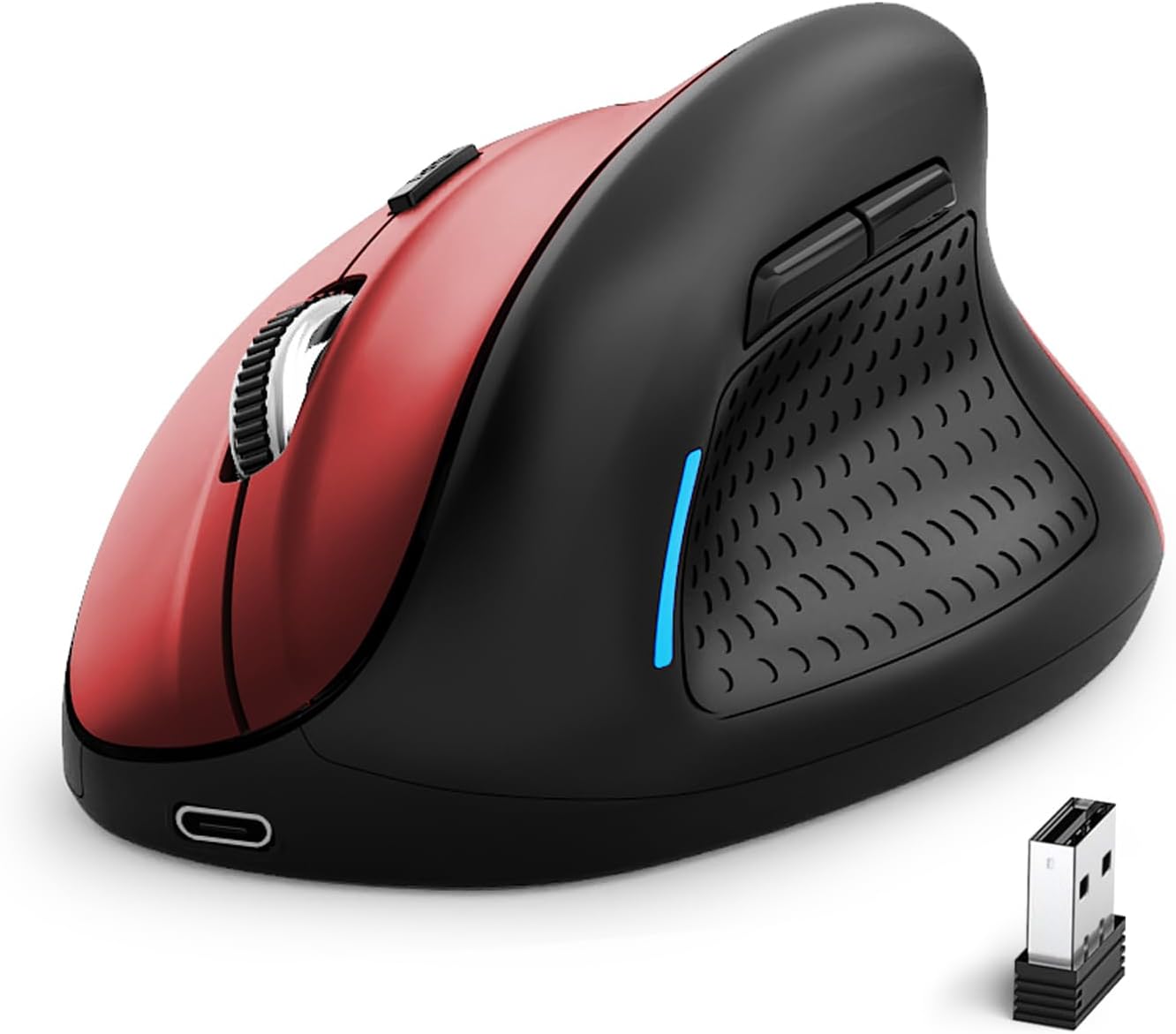
Image 1: E-YOOSO X-45 Ergonomic Vertical Mouse (Red Black)
2. പാക്കേജ് ഉള്ളടക്കം
നിങ്ങളുടെ പാക്കേജിൽ എല്ലാ ഇനങ്ങളും ഉണ്ടെന്ന് ഉറപ്പാക്കുക:
- 1 x E-YOOSO X-45 Ergonomic Vertical Mouse
- 1 x യുഎസ്ബി റിസീവർ (2.4G)
- 1 x യുഎസ്ബി-സി ചാർജിംഗ് കേബിൾ
- 1 x ഉപയോക്തൃ മാനുവൽ (ഈ പ്രമാണം)
3. ഉൽപ്പന്നം കഴിഞ്ഞുview
Familiarize yourself with the various components of your E-YOOSO X-45 mouse:

Image 2: Labeled components of the E-YOOSO X-45 Vertical Mouse
- ഇടത് ബട്ടൺ: സ്റ്റാൻഡേർഡ് ഇടത്-ക്ലിക്ക് പ്രവർത്തനം.
- ഡിപിഐ സ്വിച്ച് ബട്ടൺ: Adjusts cursor sensitivity (DPI levels).
- സ്ക്രോൾ വീൽ: For vertical scrolling and middle-click.
- വലത് ബട്ടൺ: സ്റ്റാൻഡേർഡ് റൈറ്റ്-ക്ലിക്ക് ഫംഗ്ഷൻ.
- USB റിസീവർ: Stores the 2.4G wireless dongle (located on the bottom of the mouse).
- ഫോർവേഡ് ബട്ടൺ: മുന്നോട്ട് നാവിഗേറ്റ് ചെയ്യുന്നു web ബ്രൗസറുകൾ അല്ലെങ്കിൽ file പര്യവേക്ഷകർ.
- ബാക്ക്വേർഡ് ബട്ടൺ: പിന്നിലേക്ക് നാവിഗേറ്റ് ചെയ്യുന്നു web ബ്രൗസറുകൾ അല്ലെങ്കിൽ file പര്യവേക്ഷകർ.
- Power/Mode Switch Button: Turns the mouse on/off and switches between connection modes.
- ജോടിയാക്കൽ ബട്ടൺ: ബ്ലൂടൂത്ത് ജോടിയാക്കൽ മോഡ് ആരംഭിക്കുന്നു.
4. സജ്ജീകരണം
4.1 മൗസ് ചാർജ് ചെയ്യുന്നു
The E-YOOSO X-45 mouse features a rechargeable battery. Use the provided USB-C cable to charge the mouse. A full charge typically takes 2-3 hours and can provide power for 2-3 months of usage, depending on usage patterns.
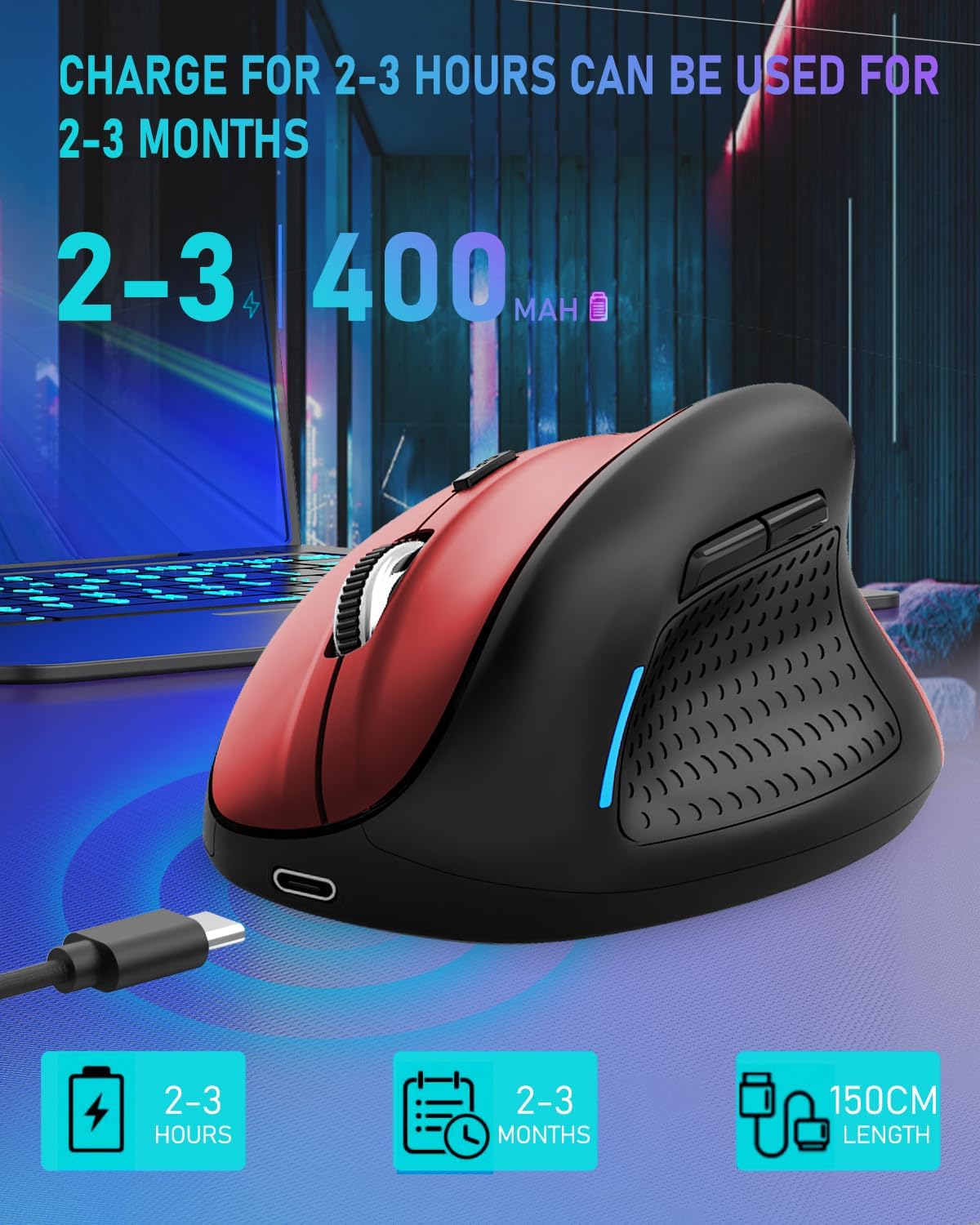
Image 3: Charging the E-YOOSO X-45 mouse
4.2 കണക്റ്റിവിറ്റി മോഡുകൾ
The mouse supports three connection modes: 2.4G Wireless, Bluetooth, and Wired.

Image 4: Tri-Mode Connection Options
4.2.1 2.4G വയർലെസ് കണക്ഷൻ
- മൗസിന്റെ അടിയിലുള്ള കമ്പാർട്ടുമെന്റിൽ സൂക്ഷിച്ചിരിക്കുന്ന യുഎസ്ബി റിസീവർ കണ്ടെത്തുക.
- നിങ്ങളുടെ കമ്പ്യൂട്ടറിൽ ലഭ്യമായ USB പോർട്ടിലേക്ക് USB റിസീവർ പ്ലഗ് ചെയ്യുക.
- Turn on the mouse using the Power/Mode Switch button on the bottom. Select the 2.4G mode.
- മൗസ് യാന്ത്രികമായി കണക്ട് ചെയ്യണം.
4.2.2 ബ്ലൂടൂത്ത് കണക്ഷൻ
- Turn on the mouse using the Power/Mode Switch button on the bottom. Select one of the Bluetooth modes (BT1 or BT2).
- Press and hold the Pairing Button (9) on the bottom of the mouse until the indicator light flashes, indicating it is in pairing mode.
- നിങ്ങളുടെ ഉപകരണത്തിൽ (കമ്പ്യൂട്ടർ, ടാബ്ലെറ്റ്, സ്മാർട്ട്ഫോൺ), ബ്ലൂടൂത്ത് ക്രമീകരണങ്ങളിലേക്ക് പോയി പുതിയ ഉപകരണങ്ങൾക്കായി തിരയുക.
- Select "E-YOOSO X-45" (or similar name) from the list of available devices to pair.
- ജോടിയാക്കിക്കഴിഞ്ഞാൽ, ഇൻഡിക്കേറ്റർ ലൈറ്റ് മിന്നുന്നത് നിർത്തും.
4.2.3 വയർഡ് കണക്ഷൻ
- ചാർജിംഗ് കേബിളിന്റെ USB-C അറ്റം മൗസുമായും USB-A അറ്റം നിങ്ങളുടെ കമ്പ്യൂട്ടറുമായും ബന്ധിപ്പിക്കുക.
- The mouse will automatically switch to wired mode and function without needing a battery or wireless connection.
5. പ്രവർത്തന നിർദ്ദേശങ്ങൾ
5.1 ഡിപിഐ അഡ്ജസ്റ്റ്മെന്റ്
The mouse features 5 adjustable DPI (Dots Per Inch) levels, allowing you to customize cursor sensitivity. Press the DPI Switch Button (2) to cycle through the following settings:
- 800 ഡിപിഐ
- 1200 ഡിപിഐ
- 1600 ഡിപിഐ
- 2000 ഡിപിഐ
- 4800 ഡിപിഐ
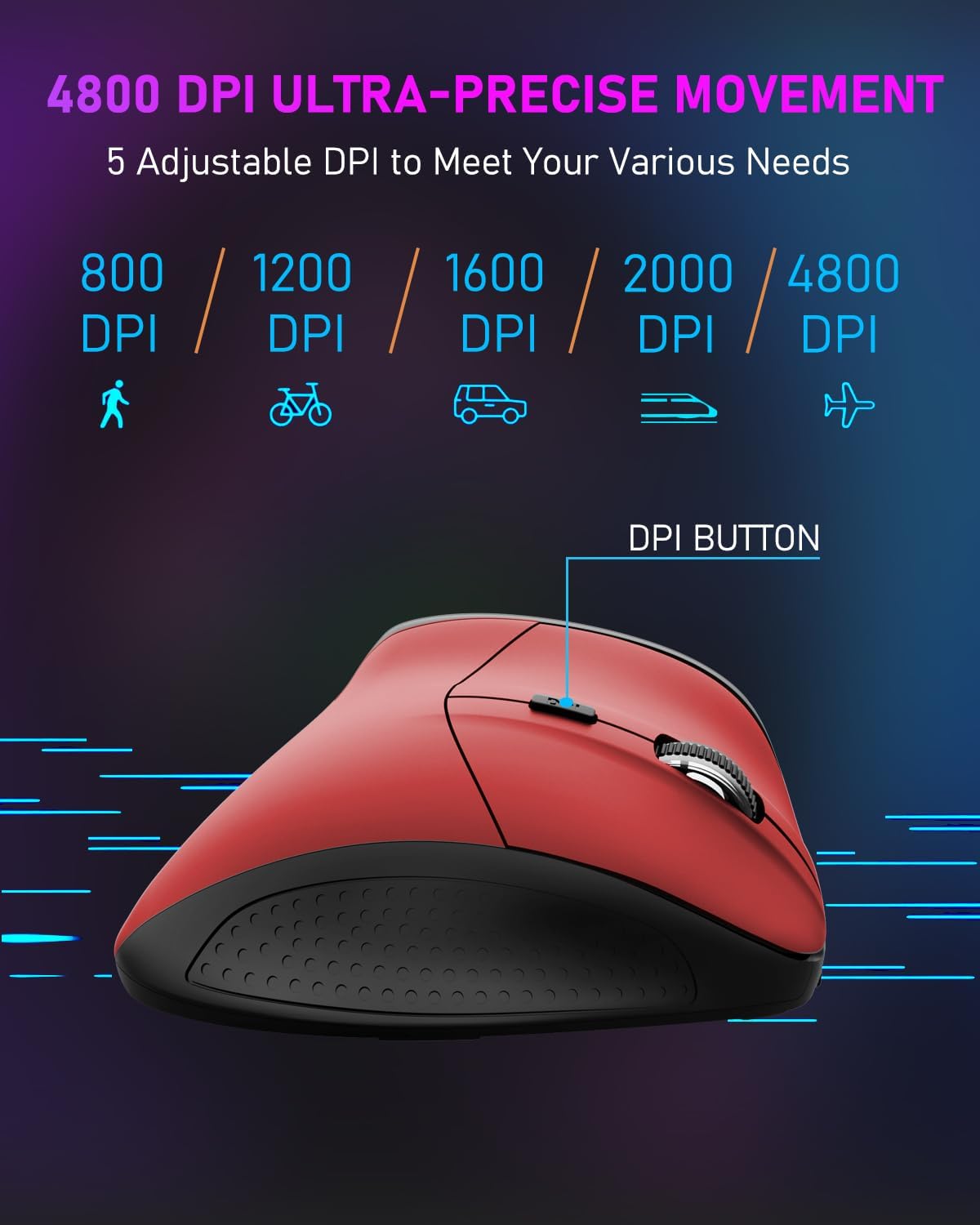
Image 5: DPI Adjustment Levels
5.2 ബട്ടൺ പ്രവർത്തനങ്ങൾ
In addition to standard left and right clicks, the mouse includes:
- സ്ക്രോൾ വീൽ (3): For smooth vertical scrolling. Pressing it acts as a middle-click button.
- ഫോർവേഡ് ബട്ടൺ (6): മുന്നോട്ട് നാവിഗേറ്റ് ചെയ്യാൻ ഉപയോഗിക്കുന്നു web ബ്രൗസറുകൾ അല്ലെങ്കിൽ file പര്യവേക്ഷകർ.
- പിന്നിലേക്കുള്ള ബട്ടൺ (7): Used for navigating backward in web ബ്രൗസറുകൾ അല്ലെങ്കിൽ file പര്യവേക്ഷകർ.
5.3 Ergonomic Design Benefits
The vertical design of the E-YOOSO X-45 mouse promotes a natural 'handshake' wrist and arm posture, which can help reduce wrist strain and discomfort during prolonged use compared to traditional horizontal mice.
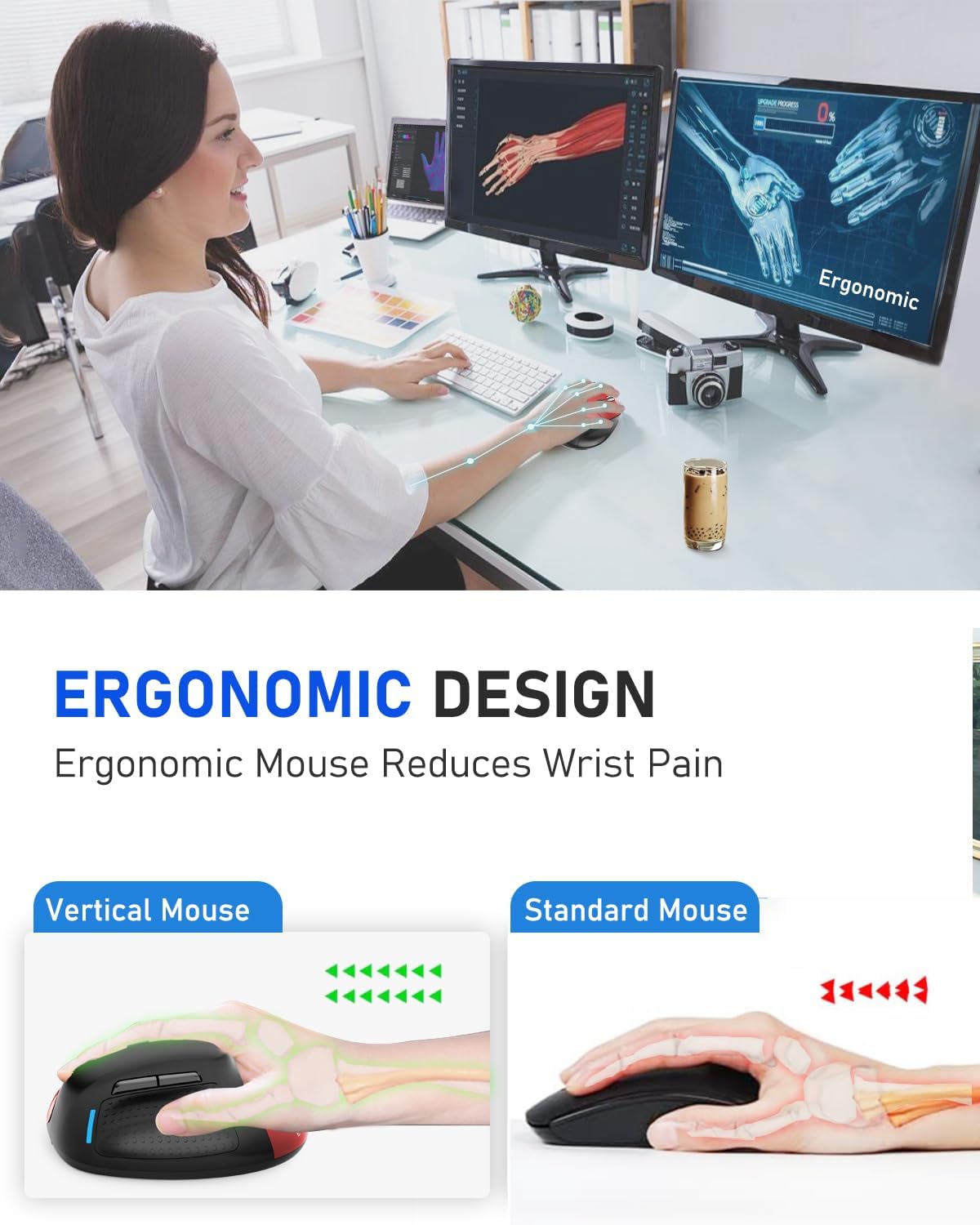
Image 6: Ergonomic Design Reduces Wrist Pain
6. പരിപാലനം
To ensure optimal performance and longevity of your E-YOOSO X-45 mouse:
- വൃത്തിയാക്കൽ: മൗസ് വൃത്തിയാക്കാൻ മൃദുവായതും ഉണങ്ങിയതുമായ തുണി ഉപയോഗിക്കുക. കഠിനമായ രാസവസ്തുക്കളോ ഉരച്ചിലുകളോ ഉള്ള വസ്തുക്കൾ ഉപയോഗിക്കുന്നത് ഒഴിവാക്കുക.
- സംഭരണം: When not in use for extended periods, turn off the mouse to conserve battery life. Store in a cool, dry place.
- ബാറ്ററി കെയർ: Avoid fully discharging the battery frequently. Charge the mouse when the battery indicator is low.
7. പ്രശ്നപരിഹാരം
If you encounter issues with your E-YOOSO X-45 mouse, refer to the following common solutions:
| പ്രശ്നം | സാധ്യമായ കാരണം | പരിഹാരം |
|---|---|---|
| മൗസ് പ്രതികരിക്കുന്നില്ല (2.4G) | Low battery; USB receiver not properly connected; Incorrect mode selected. | Charge the mouse; Re-insert the USB receiver; Ensure the mouse is in 2.4G mode. |
| മൗസ് പ്രതികരിക്കുന്നില്ല (ബ്ലൂടൂത്ത്) | Low battery; Not paired; Incorrect mode selected; Device Bluetooth off. | Charge the mouse; Re-pair the mouse; Ensure the mouse is in BT mode; Enable Bluetooth on your device. |
| കഴ്സർ ക്രമരഹിതം അല്ലെങ്കിൽ പ്രതികരിക്കുന്നില്ല | വൃത്തികെട്ട ഒപ്റ്റിക്കൽ സെൻസർ; അനുയോജ്യമല്ലാത്ത പ്രതലം; ബാറ്ററി കുറവാണ്. | Clean the optical sensor; Use on a mouse pad or smooth, opaque surface; Charge the mouse. |
| ബട്ടണുകൾ പ്രവർത്തിക്കുന്നില്ല | Software conflict; Low battery. | Restart your computer; Charge the mouse. |
8 സ്പെസിഫിക്കേഷനുകൾ
Key technical specifications for the E-YOOSO X-45 Ergonomic Vertical Mouse:
- മോഡൽ: എക്സ്-45
- കണക്റ്റിവിറ്റി: 2.4G Wireless, Bluetooth (BT 5.1), Wired (USB)
- DPI ലെവലുകൾ: 800 / 1200 / 1600 / 2000 / 4800 (ക്രമീകരിക്കാവുന്നത്)
- ബട്ടണുകൾ: 6 (Left, Right, Scroll Wheel, DPI Switch, Forward, Backward)
- ചലനം കണ്ടെത്തൽ: ഒപ്റ്റിക്കൽ
- പ്രത്യേക സവിശേഷത: Soundless clicks
- ഉൽപ്പന്ന അളവുകൾ: 4.63 x 3.22 x 0.1 inches (Note: The provided dimension 0.1 inches for height seems incorrect for a vertical mouse, typically it would be larger. Please refer to actual product for accurate height.)
- ഇനത്തിൻ്റെ ഭാരം: 6.4 ഔൺസ്
- നിർമ്മാതാവ്: ഇ-യൂസോ
- അനുയോജ്യത: Windows, Mac OS, Linux, Android, Chromebook, Laptops, Desktops
9. വാറൻ്റിയും പിന്തുണയും
E-YOOSO products are designed for reliability and performance. For warranty information, technical support, or customer service inquiries, please refer to the contact details provided on the product packaging or the official E-YOOSO webവാറന്റി ക്ലെയിമുകൾക്കുള്ള വാങ്ങലിന്റെ തെളിവായി നിങ്ങളുടെ വാങ്ങൽ രസീത് സൂക്ഷിക്കുക.


