ഉപയോക്തൃ മാനുവൽ
LAMA Fitness Tracker Smart Watch (Model: V22)
Your guide to a healthier, smarter lifestyle.
1. ആമുഖം
This user manual provides comprehensive instructions for the LAMA Fitness Tracker Smart Watch, Model V22. It covers setup, operation, maintenance, and troubleshooting to help you maximize your device's potential. This smart watch is designed to assist you in monitoring your health, tracking your fitness activities, and staying connected.
2. ബോക്സിൽ എന്താണുള്ളത്?
- 1x സ്മാർട്ട് വാച്ച്
- 1x ചാർജിംഗ് കേബിൾ
- 1x ഉപയോക്തൃ മാനുവൽ
3. സജ്ജീകരണ ഗൈഡ്
3.1 പ്രാരംഭ ചാർജിംഗ്
Before first use, fully charge your LAMA Smart Watch. Connect the provided charging cable to the charging contacts on the back of the watch and to a USB power source. A full charge typically takes approximately 2 hours and provides 5-7 days of normal usage or up to 20 days of standby time.

Image: The LAMA Smart Watch connected to its charging cable, illustrating the charging process.
3.2 ആപ്പ് ഡൗൺലോഡും ജോടിയാക്കലും
To unlock all features, download the "GloryFit" app on your smartphone. The app is compatible with iOS 9.0 or higher and Android 4.4 or higher, requiring Bluetooth 5.0. The watch is not compatible with PC, iPad, or Tablet devices.
- Scan the QR code in the manual or search for "GloryFit" in your smartphone's app store.
- "ഗ്ലോറിഫിറ്റ്" ആപ്പ് ഇൻസ്റ്റാൾ ചെയ്ത് തുറക്കുക.
- Follow the in-app instructions to create an account and set up your personal profile.
- നിങ്ങളുടെ സ്മാർട്ട്ഫോണിൽ ബ്ലൂടൂത്ത് പ്രവർത്തനക്ഷമമാക്കുക.
- In the "GloryFit" app, navigate to the device section and search for your LAMA Smart Watch.
- Select your watch from the list to pair. Confirm the pairing request on both your phone and the watch if prompted.
4. പ്രവർത്തന നിർദ്ദേശങ്ങൾ
4.1 ബ്ലൂടൂത്ത് കോളും സ്മാർട്ട് അറിയിപ്പുകളും
Once paired with the "GloryFit" app via Bluetooth, your smart watch can answer and make calls directly. It features a built-in microphone and speaker. You can also store contacts and view call records. Additionally, the watch displays message notifications from various apps like Text, Messenger, Gmail, Facebook, Whatsapp, Snapchat, Skype, and Twitter.

Image: The smartwatch screen showing an incoming call and icons for various social media and messaging applications, indicating smart notification capabilities.
4.2 Multifunctional Features
The LAMA Smart Watch serves as a comprehensive life assistant with numerous useful functions:
- അലാറം ക്ലോക്ക്: Set multiple alarms for daily reminders.
- കാലാവസ്ഥാ പ്രവചനങ്ങൾ: തത്സമയ കാലാവസ്ഥാ അപ്ഡേറ്റുകൾ നിങ്ങളുടെ കൈത്തണ്ടയിൽ നേരിട്ട് നേടുക.
- മ്യൂസിക് പ്ലെയർ നിയന്ത്രണം: നിങ്ങളുടെ കണക്റ്റുചെയ്ത സ്മാർട്ട്ഫോണിൽ സംഗീത പ്ലേബാക്ക് നിയന്ത്രിക്കുക.
- Female Cycle Reminders: Track and predict menstrual cycles.
- ക്യാമറ നിയന്ത്രണം: നിങ്ങളുടെ സ്മാർട്ട്ഫോണിന്റെ ക്യാമറ വിദൂരമായി പ്രവർത്തനക്ഷമമാക്കുക.
- ഫോൺ കണ്ടെത്തുക: Locate your misplaced smartphone by making it ring.
- ടൈമറും സ്റ്റോപ്പ് വാച്ചും: Useful for various activities and time management.
- Calculator & Calendar: Basic utility tools for convenience.
- ഇഷ്ടാനുസൃതമാക്കാവുന്ന വാച്ച് ഫെയ്സുകൾ: Choose from over 300 watch faces in the GloryFit app or use your own photos.

Image: A collage of smartwatch screens showing different functions like music control, calculator, weather, timer, and more, highlighting its versatility.
4.3 ആരോഗ്യ നിരീക്ഷണം
The LAMA Smart Watch provides 24/7 health monitoring capabilities:
- ഹൃദയമിടിപ്പ് നിരീക്ഷണം: Continuously tracks your heart rate. You can view real-time data on your wrist and all-day records in the app.
- രക്ത ഓക്സിജൻ മോണിറ്റർ: Measures your blood oxygen levels. Check real-time data on the watch and historical data in the app.
- സ്ലീപ്പ് ട്രാക്കർ: Monitors your sleep patterns, including REM, light sleep, deep sleep, and wake-up times, to help you understand and improve your sleep quality.

Image: Visual representations of heart rate, blood oxygen saturation, and sleep duration as displayed on the smartwatch and accompanying app, with a person meditating and another sleeping.
4.4 Activity Tracking and Sport Modes
The watch tracks your daily activity, including steps, distance, and calories burned, to help you achieve your fitness goals. It supports over 100 sport modes, providing real-time data for heart rate, steps, distance, and calories during your workouts.

Image: A collage of smartwatch screens showing different functions like music control, calculator, weather, timer, and more, highlighting its versatility.
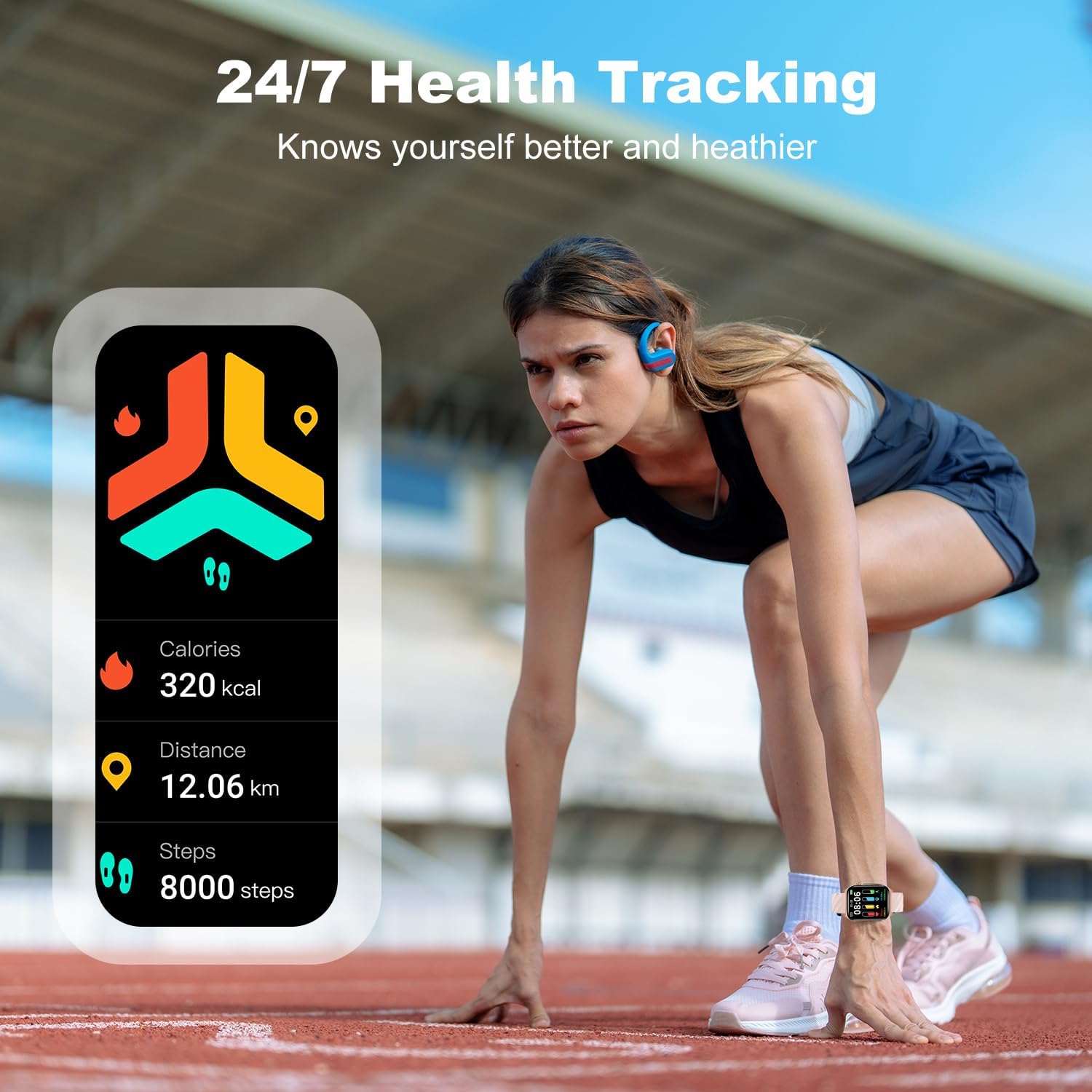
Image: A smartwatch screen displaying daily activity metrics such as calories burned, distance covered, and steps taken, with a person preparing to run on a track.
4.5 ഡിസ്പ്ലേയും ഇഷ്ടാനുസൃതമാക്കലും
The 1.85" HD touch screen offers clear visuals. You can personalize your watch with over 300 watch faces available in the GloryFit app, or even upload your own photos to create custom dials.

Image: A smartwatch screen displaying various watch face designs, illustrating the variety of customization options available through the app.
5. പരിപാലനം
5.1 വാട്ടർപ്രൂഫ് റേറ്റിംഗ്
The LAMA Smart Watch has an IP68 waterproof rating, meaning it is resistant to dust and can withstand immersion in water up to 1.5 meters for up to 30 minutes. It is suitable for daily use, hand washing, and light rain. However, it is not recommended for hot showers, saunas, or diving, as steam and hot water can damage the seals.

Image: The smartwatch partially submerged in water, visually confirming its IP68 waterproof capability.
5.2 ശുചീകരണവും പരിചരണവും
To maintain your watch's condition and ensure accurate sensor readings:
- പതിവായി വാച്ചും സ്ട്രാപ്പും മൃദുവായ, ഡി-ക്ലാസ് ഉപയോഗിച്ച് വൃത്തിയാക്കുക.amp തുണി.
- ചാർജ് ചെയ്യുന്നതിനുമുമ്പ് ചാർജിംഗ് കോൺടാക്റ്റുകൾ വൃത്തിയുള്ളതും വരണ്ടതുമാണെന്ന് ഉറപ്പാക്കുക.
- ഉയർന്ന താപനിലയിലോ കഠിനമായ രാസവസ്തുക്കളിലോ വാച്ച് തുറന്നുകാട്ടുന്നത് ഒഴിവാക്കുക.
5.3 ബാറ്ററി കെയർ
ബാറ്ററി ആയുസ്സ് വർദ്ധിപ്പിക്കാൻ:
- ബാറ്ററി ഇടയ്ക്കിടെ പൂർണ്ണമായും ഡിസ്ചാർജ് ചെയ്യുന്നത് ഒഴിവാക്കുക.
- Charge the watch when the battery level is low, rather than waiting for it to completely die.
- Store the watch in a cool, dry place if not used for an extended period.

Image: The smartwatch displaying its battery level and charging status, alongside a view of the watch's rear with charging contacts, emphasizing battery life and charging features.
6. പ്രശ്നപരിഹാരം
- വാച്ച് ഓണാകുന്നില്ല: Ensure the watch is fully charged. Connect it to the charger and wait a few minutes before attempting to turn it on.
- സ്മാർട്ട്ഫോണുമായി ജോടിയാക്കാൻ കഴിയില്ല:
- നിങ്ങളുടെ സ്മാർട്ട്ഫോണിൽ ബ്ലൂടൂത്ത് പ്രവർത്തനക്ഷമമാക്കിയിട്ടുണ്ടെന്ന് ഉറപ്പാക്കുക.
- വാച്ച് നിങ്ങളുടെ ഫോണിന്റെ ബ്ലൂടൂത്ത് പരിധിക്കുള്ളിലാണെന്ന് ഉറപ്പാക്കുക.
- വാച്ചും സ്മാർട്ട്ഫോണും പുനരാരംഭിക്കുക.
- "GloryFit" ആപ്പ് ഏറ്റവും പുതിയ പതിപ്പിലേക്ക് അപ്ഡേറ്റ് ചെയ്തിട്ടുണ്ടോ എന്ന് പരിശോധിക്കുക.
- If previously paired, try unpairing and re-pairing the device from your phone's Bluetooth settings.
- കൃത്യമല്ലാത്ത ആരോഗ്യ ഡാറ്റ:
- വാച്ച് നിങ്ങളുടെ കൈത്തണ്ടയിൽ നന്നായി ധരിച്ചിട്ടുണ്ടെന്ന് ഉറപ്പാക്കുക, പക്ഷേ വളരെ ഇറുകിയതല്ല.
- Keep the back of the watch clean and free from debris.
- For heart rate and blood oxygen measurements, remain still during the measurement.
- അറിയിപ്പുകൾ ലഭിച്ചിട്ടില്ല:
- Verify that notifications are enabled in the "GloryFit" app for the desired applications.
- Check your smartphone's notification settings to ensure the "GloryFit" app has permission to send notifications.
- വാച്ച് ബ്ലൂടൂത്ത് വഴി ബന്ധിപ്പിച്ചിട്ടുണ്ടെന്ന് ഉറപ്പാക്കുക.
7 സ്പെസിഫിക്കേഷനുകൾ
| ഫീച്ചർ | വിശദാംശങ്ങൾ |
|---|---|
| മോഡൽ നമ്പർ | V22 |
| സ്ക്രീൻ വലിപ്പം | 1.85 ഇഞ്ച് |
| ഡിസ്പ്ലേ തരം | HD ടച്ച് സ്ക്രീൻ |
| കണക്റ്റിവിറ്റി | ബ്ലൂടൂത്ത് 5.0 |
| ബാറ്ററി ലൈഫ് (സാധാരണ ഉപയോഗം) | 5-7 ദിവസം |
| ബാറ്ററി ലൈഫ് (സ്റ്റാൻഡ്ബൈ) | 20 ദിവസം വരെ |
| ചാർജിംഗ് സമയം | ഏകദേശം 2 മണിക്കൂർ |
| വാട്ടർപ്രൂഫ് റേറ്റിംഗ് | IP68 |
| അനുയോജ്യത | iOS 9.0+ & ആൻഡ്രോയിഡ് 4.4+ |
| ഇനത്തിൻ്റെ ഭാരം | 3.17 ഔൺസ് (90 ഗ്രാം) |
| മെമ്മറി സ്റ്റോറേജ് കപ്പാസിറ്റി | 100 MB |
8. വാറൻ്റിയും പിന്തുണയും
LAMA products are designed with quality and reliability in mind. For warranty information, technical support, or customer service inquiries, please refer to the contact details provided on the product packaging or visit the official LAMA webസൈറ്റ്. വാറൻ്റി ക്ലെയിമുകൾക്കായി നിങ്ങളുടെ വാങ്ങൽ രസീത് സൂക്ഷിക്കുക.


