1. ആമുഖം
Thank you for choosing the FLEXISPOT Mobile Standing Desk. This versatile and ergonomic desk is designed to provide a comfortable and adaptable workspace for various environments, including home offices, bedrooms, and living areas. Its pneumatic lift system allows for smooth height adjustments, and integrated casters ensure easy mobility. Please read this manual thoroughly before assembly and use to ensure proper operation and longevity of your desk.
2 പ്രധാനപ്പെട്ട സുരക്ഷാ വിവരങ്ങൾ
- Always keep the desk on a stable, level surface. Avoid placing it near the edge of stairs or other drop-offs to prevent accidents.
- Do not leave the desk unattended while in use, especially when adjusting height or if children or pets are nearby.
- Ensure all components are securely fastened before use. Regularly check for loose screws or parts.
- Do not overload the desk. Refer to the specifications section for maximum weight capacity.
- Keep hands and fingers clear of moving parts during height adjustment to prevent pinching.
- Avoid placing hot items directly on the desktop surface without protection.
- If you encounter any issues or have questions, contact customer service immediately.
3. പാക്കേജ് ഉള്ളടക്കം
Before beginning assembly, please verify that all parts are present and undamaged. If any parts are missing or damaged, please contact FLEXISPOT customer service.
- ഡെസ്ക്ടോപ്പ് ഉപരിതലം
- Main Support Column with Pneumatic Lift
- Base Legs (2 pieces)
- Hidden Casters (pre-installed or to be installed)
- അസംബ്ലി ഹാർഡ്വെയർ (സ്ക്രൂകൾ, വാഷറുകൾ മുതലായവ)
- അസംബ്ലി ഉപകരണങ്ങൾ (അലൻ റെഞ്ച്, മുതലായവ)
- ഇൻസ്ട്രക്ഷൻ മാനുവൽ
4. സജ്ജീകരണവും അസംബ്ലിയും
Assembly of the FLEXISPOT Mobile Standing Desk is designed to be quick and straightforward, typically taking less than 10 minutes. All necessary tools are included.
- ഘടകങ്ങൾ അൺപാക്ക് ചെയ്യുക: പാക്കേജിംഗിൽ നിന്ന് എല്ലാ ഭാഗങ്ങളും ശ്രദ്ധാപൂർവ്വം നീക്കം ചെയ്ത് പോറലുകൾ ഉണ്ടാകാതിരിക്കാൻ വൃത്തിയുള്ളതും മൃദുവായതുമായ ഒരു പ്രതലത്തിൽ വയ്ക്കുക.
- അടിസ്ഥാന കാലുകൾ ഘടിപ്പിക്കുക: Securely attach the two base legs to the bottom of the main support column using the provided screws and Allen wrench. Ensure they are firmly tightened.
- ഡെസ്ക്ടോപ്പ് അറ്റാച്ചുചെയ്യുക: Align the desktop surface with the top of the main support column. Fasten the desktop to the column using the remaining screws. Make sure the desktop is centered and stable.
- സ്ഥിരത പരിശോധിക്കുക: Once assembled, gently shake the desk to ensure all connections are secure and the desk is stable.

Figure 4.1: Fully assembled FLEXISPOT Mobile Standing Desk.

Figure 4.2: The C-shape base and hidden casters allow the desk to easily slide under beds or sofas.
5. പ്രവർത്തന നിർദ്ദേശങ്ങൾ
5.1 ഉയരം ക്രമീകരിക്കൽ
The FLEXISPOT Mobile Standing Desk features a gas spring pneumatic lift system for smooth and effortless height adjustment. The height can be adjusted from 26 inches to 41.7 inches.
- To Raise the Desk: Locate the height adjustment lever, typically on the side of the main support column. While holding the desktop, gently lift the lever and guide the desktop upwards. The pneumatic spring will assist in the lift. Release the lever at the desired height.
- To Lower the Desk: While holding the desktop, gently lift the lever and apply downward pressure on the desktop. Guide the desktop downwards to the desired height. Release the lever to lock it in place.

Figure 5.1: Illustration of the pneumatic lift system for easy height adjustment.
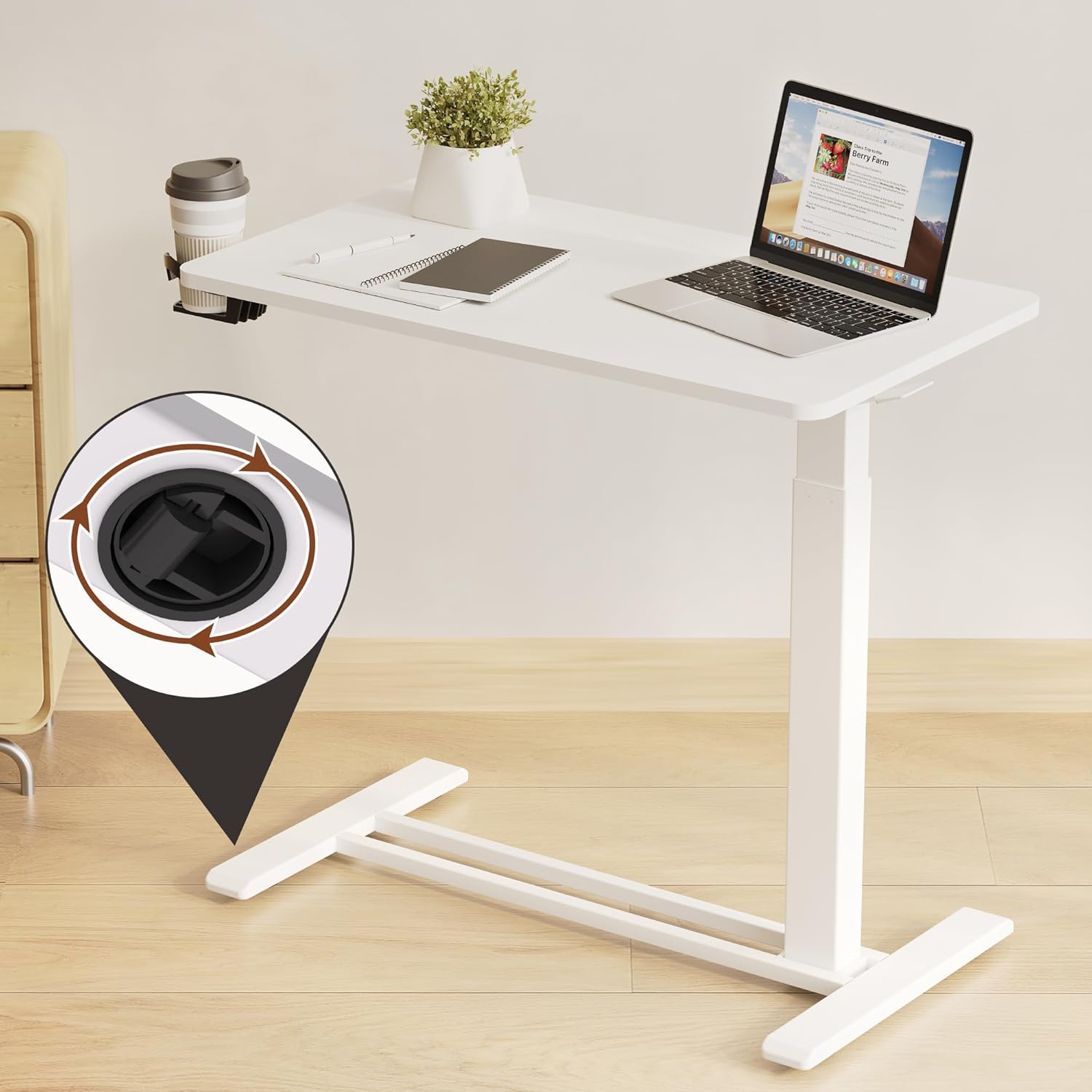
Figure 5.2: The desk offers a wide height adjustment range from 25.98 inches to 41.73 inches.
5.2 മൊബിലിറ്റി
The desk is equipped with hidden casters for easy movement. The low-profile base (1.2 inches high) allows it to slide under most furniture.
- To move the desk, simply push or pull it to the desired location. The hidden casters allow for smooth 360-degree rotation.
- Ensure the path is clear of obstacles before moving the desk.
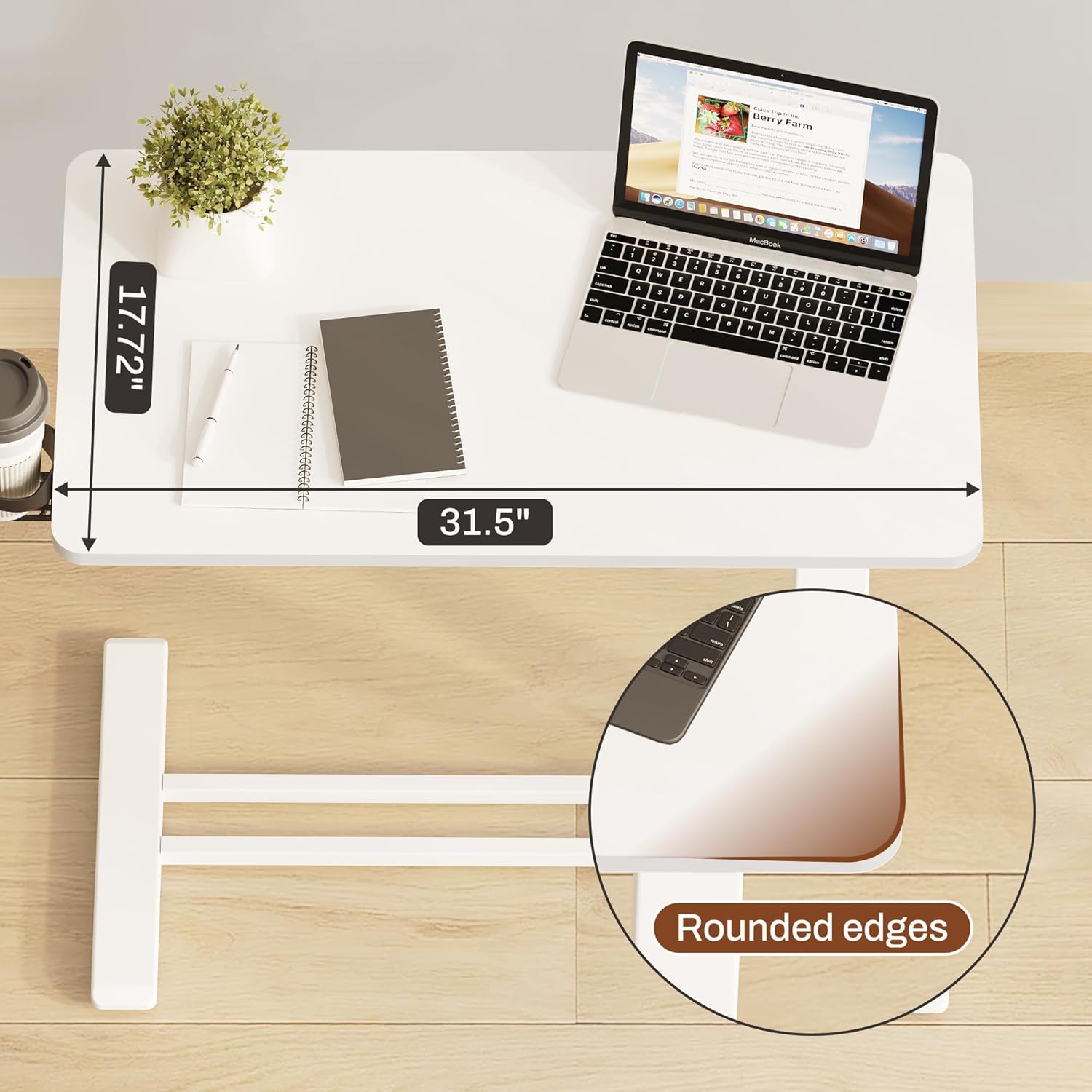
Figure 5.3: Detail of the hidden casters for smooth mobility.

ചിത്രം 5.4: ലോ-പ്രോfile base allows the desk to slide under furniture like beds and sofas.
5.3 Integrated Cup Holder
The desk includes an integrated cup holder for convenience. Simply place your beverage in the holder to keep it secure and prevent spills on the desktop.

Figure 5.5: The integrated cup holder provides a convenient and secure spot for beverages.
6. പരിപാലനം
- വൃത്തിയാക്കൽ: Wipe the desktop surface with a soft, damp cloth. For stubborn marks, a mild soap solution can be used, followed by drying with a clean cloth. Avoid abrasive cleaners or harsh chemicals.
- ഹാർഡ്വെയർ പരിശോധന: എല്ലാ സ്ക്രൂകളും ഫാസ്റ്റനറുകളും ഇറുകിയതാണെന്ന് ഉറപ്പാക്കാൻ ഇടയ്ക്കിടെ പരിശോധിക്കുക. സ്ഥിരത നിലനിർത്താൻ ആവശ്യമെങ്കിൽ വീണ്ടും മുറുക്കുക.
- കാസ്റ്റർ കെയർ: സുഗമമായ റോളിംഗ് ഉറപ്പാക്കാൻ കാസ്റ്ററുകൾ പൊടി, മുടി, അവശിഷ്ടങ്ങൾ എന്നിവയില്ലാതെ സൂക്ഷിക്കുക.
- Pneumatic System: The gas spring system is maintenance-free. Do not attempt to lubricate or disassemble it.

Figure 6.1: The durable tabletop is easy to clean.
7. പ്രശ്നപരിഹാരം
| പ്രശ്നം | സാധ്യമായ കാരണം | പരിഹാരം |
|---|---|---|
| മേശ ഇളകുകയോ അസ്ഥിരമാവുകയോ ചെയ്യുന്നു. | Loose assembly screws; uneven floor surface. | Ensure all assembly screws are tightened. Move the desk to a level surface. |
| ഉയരം ക്രമീകരിക്കുന്നതിൽ ബുദ്ധിമുട്ട്. | Lever not fully engaged; excessive weight on desk. | Ensure the lever is fully lifted. Reduce weight on the desktop. If issues persist, contact customer service. |
| Desk does not roll smoothly. | Casters obstructed by debris (hair, carpet fibers); unsuitable floor surface (thick carpet). | Clean casters of any obstructions. The casters are designed for smooth surfaces or low-pile carpets. |
| Desktop surface appears uneven. | Manufacturing variation; desk not on a level surface. | Ensure the desk is on a completely flat and level surface. If the issue persists and affects usability, contact customer service. |
8 സ്പെസിഫിക്കേഷനുകൾ
| ഫീച്ചർ | വിശദാംശങ്ങൾ |
|---|---|
| ബ്രാൻഡ് | ഫ്ലെക്സിസ്പോട്ട് |
| മോഡൽ നമ്പർ | MAH0002595 |
| ഉൽപ്പന്ന അളവുകൾ | 16"D x 28"W x 37"H (Adjustable Height) |
| ഉയരം ക്രമീകരിക്കൽ ശ്രേണി | 26" മുതൽ 41.7" വരെ |
| ഡെസ്ക്ടോപ്പ് വലുപ്പം | 27.6" വീതി x 15.7" വീതി |
| നിറം | വെള്ള |
| അടിസ്ഥാന മെറ്റീരിയൽ | ലോഹവും മരവും |
| മികച്ച മെറ്റീരിയൽ തരം | മരം |
| പ്രത്യേക ഫീച്ചർ | Portable, Wheel, Pneumatic Lift |
| ഇനത്തിൻ്റെ ഭാരം | 11.59 കിലോഗ്രാം |
| അസംബ്ലി ആവശ്യമാണ് | അതെ (ഉപകരണങ്ങൾ ഉൾപ്പെടുത്തിയിരിക്കുന്നു) |
9. ഉൽപ്പന്ന വീഡിയോകൾ
Currently, there are no official seller-provided instructional videos available for this product that meet the embedding criteria. Please refer to the written instructions and diagrams for guidance.
10. വാറണ്ടിയും ഉപഭോക്തൃ പിന്തുണയും
FLEXISPOT is committed to providing high-quality products and excellent customer service. For any questions, concerns, or assistance with your Mobile Standing Desk, please do not hesitate to contact our support team.
We aim to respond to all inquiries within 24 hours. Please refer to your purchase documentation for specific warranty details. Keep your proof of purchase for any warranty claims.
For support, please visit the official FLEXISPOT website or contact us through the platform where you purchased the product.


