1. ആമുഖം
This manual provides essential instructions for the safe operation and maintenance of your BAOFENG BF-888S Walkie Talkie. Please read this manual thoroughly before using the radio to ensure proper function and to prevent damage.
2. പാക്കേജ് ഉള്ളടക്കം
താഴെ ലിസ്റ്റ് ചെയ്തിരിക്കുന്ന എല്ലാ ഇനങ്ങളും നിങ്ങളുടെ പാക്കേജിൽ ഉൾപ്പെടുത്തിയിട്ടുണ്ടെന്ന് ഉറപ്പാക്കുക:
- 4 x BF-888S Radio Units
- 4 x ആന്റിന
- 4 x USB Charger Docks
- 4 x USB-C Charger Cords
- 4 x 1500mAh USB-C Port Batteries
- 4 x ബെൽറ്റ് ക്ലിപ്പുകൾ
- 4 x Slings (Hand Straps)
- 4 x User's Manuals (this document)
- 4 x ഹെഡ്സെറ്റുകൾ
- 1 x പ്രോഗ്രാമിംഗ് കേബിൾ
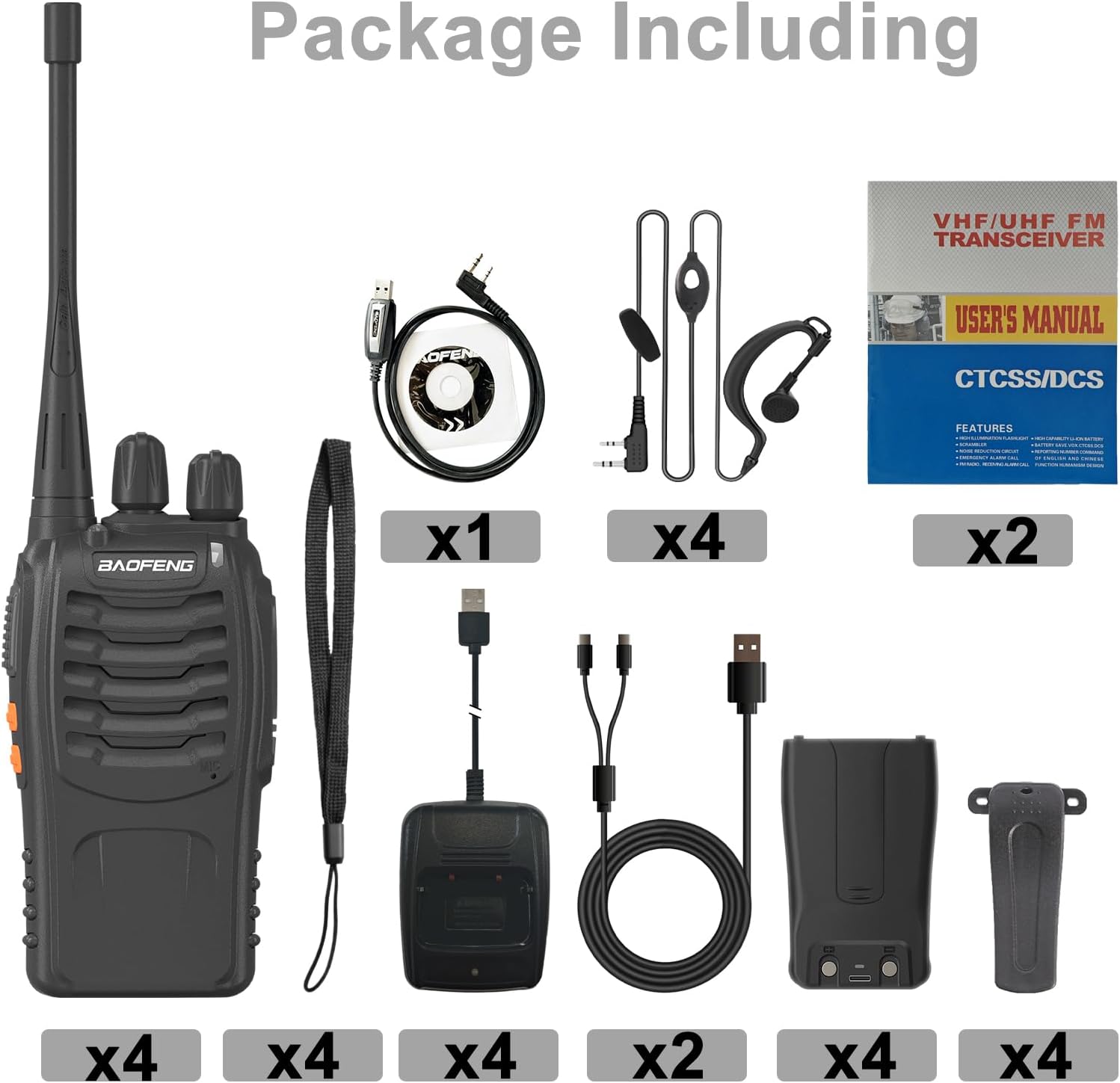
Image: All components included in the BAOFENG BF-888S package.
3. ഉൽപ്പന്ന സവിശേഷതകൾ
- USB-C ചാർജിംഗ്: Equipped with a 1500mAh rechargeable lithium-ion battery, the BF-888S charges quickly via a USB-C charging stand. A full charge takes approximately 4-5 hours and provides 8-12 hours of sustainable use, depending on usage.
- മോടിയുള്ള ഡിസൈൻ: Constructed with strong ABS material, the BF-888S is designed to withstand harsh environments. It features an anti-bending antenna, durable switches, and comfortable buttons.
- LED ഫ്ലാഷ്ലൈറ്റ്: An integrated LED flashlight illuminates your path in dark conditions.
- കുറഞ്ഞ ബാറ്ററി അലേർട്ട്: The walkie-talkie automatically broadcasts an alert when the battery is running low, preventing unexpected power loss.
- ഓഡിയോ മായ്ക്കുക: High-quality built-in speakers and microphones deliver clear and loud sound. A unique noise reduction function maintains voice clarity, suitable for noisy environments.
- ചാനലുകൾ: 16 channels for communication.
- സി.ടി.സി.എസ്.എസ്/സി.ഡി.സി.എസ്.എസ്: Supports 50 CTCSS and 105 CDCSS codes for enhanced privacy.
- വൈദ്യുതി ലാഭിക്കൽ: Automatic power-saving features extend battery life.
- ടൈം-ഔട്ട് ടൈമർ (TOT): ആകസ്മികമായ ദീർഘമായ പ്രക്ഷേപണങ്ങൾ തടയുന്നു.
4. സജ്ജീകരണം
4.1 ബാറ്ററി ഇൻസ്റ്റാളേഷൻ
- റേഡിയോയുടെ പിൻഭാഗത്തുള്ള ഗ്രൂവുകളുമായി ബാറ്ററി പായ്ക്ക് വിന്യസിക്കുക.
- ബാറ്ററി പായ്ക്ക് അതിന്റെ സ്ഥാനത്ത് ക്ലിക്ക് ആകുന്നതുവരെ മുകളിലേക്ക് സ്ലൈഡ് ചെയ്യുക.
4.2 ആന്റിന അറ്റാച്ച്മെന്റ്
- Screw the antenna into the connector on the top of the radio clockwise until it is secure. Do not overtighten.
4.3 ബാറ്ററി ചാർജ് ചെയ്യുന്നു
The BF-888S features convenient USB-C charging.
- Connect the USB-C charger cord to the USB charger dock.
- Place the radio (with battery installed) into the charging dock.
- The LED indicator on the radio will show ചുവപ്പ് ചാർജ് ചെയ്യുമ്പോൾ.
- Once fully charged (approximately 4-5 hours), the LED indicator will turn പച്ച.

Image: USB-C charging process and LED indicators.
4.4 Attaching Belt Clip and Sling
- ബെൽറ്റ് ക്ലിപ്പ്: Secure the belt clip to the designated slot on the back of the radio using the provided screws.
- സ്ലിംഗ്: Attach the sling (hand strap) to the loop on the top or side of the radio for secure carrying.
4.5 ഹെഡ്സെറ്റ് കണക്ഷൻ
Plug the headset connector into the audio jack on the side of the radio. Ensure it is fully inserted for proper audio transmission and reception.
4.6 Programming Cable
The included programming cable allows for advanced customization of radio settings, such as channel frequencies, CTCSS/CDCSS codes, and other features, using compatible software (not included). Refer to the software's instructions for detailed programming procedures.
5. പ്രവർത്തന നിർദ്ദേശങ്ങൾ
5.1 പവർ ഓൺ/ഓഫ്, വോളിയം നിയന്ത്രണം
- To power on the radio, rotate the Power/Volume knob clockwise. You will hear a click and a voice prompt.
- ശബ്ദം കൂട്ടാൻ നോബ് ഘടികാരദിശയിലും, കുറയ്ക്കാൻ എതിർ ഘടികാരദിശയിലും തിരിക്കുന്നത് തുടരുക.
- പവർ ഓഫ് ചെയ്യാൻ, ഒരു ക്ലിക്ക് കേൾക്കുന്നത് വരെ നോബ് എതിർ ഘടികാരദിശയിൽ തിരിക്കുക.
5.2 ചാനൽ തിരഞ്ഞെടുക്കൽ
Rotate the Channel Selector knob on the top of the radio to choose one of the 16 available channels. A voice prompt will announce the selected channel number.
5.3 കൈമാറ്റം ചെയ്യലും സ്വീകരിക്കലും
- പ്രക്ഷേപണം ചെയ്യാൻ, റേഡിയോയുടെ വശത്തുള്ള പുഷ്-ടു-ടോക്ക് (PTT) ബട്ടൺ അമർത്തിപ്പിടിക്കുക. മൈക്രോഫോണിൽ വ്യക്തമായി സംസാരിക്കുക.
- ട്രാൻസ്മിറ്റ് നിർത്തി റിസീവ് മോഡിലേക്ക് മടങ്ങാൻ PTT ബട്ടൺ വിടുക.
- When receiving a signal, the LED indicator will illuminate green.
5.4 LED ഫ്ലാഷ്ലൈറ്റ് പ്രവർത്തനം
Press the dedicated flashlight button (usually located on the side or front) to turn the integrated LED flashlight on or off. This feature is useful for illuminating your path in low-light conditions.

Image: The integrated LED flashlight in operation.
5.5 ബാറ്ററി കുറവാണെന്ന മുന്നറിയിപ്പ്
When the battery level is low, the radio will automatically broadcast an audible alert. Recharge the battery promptly to ensure uninterrupted communication.
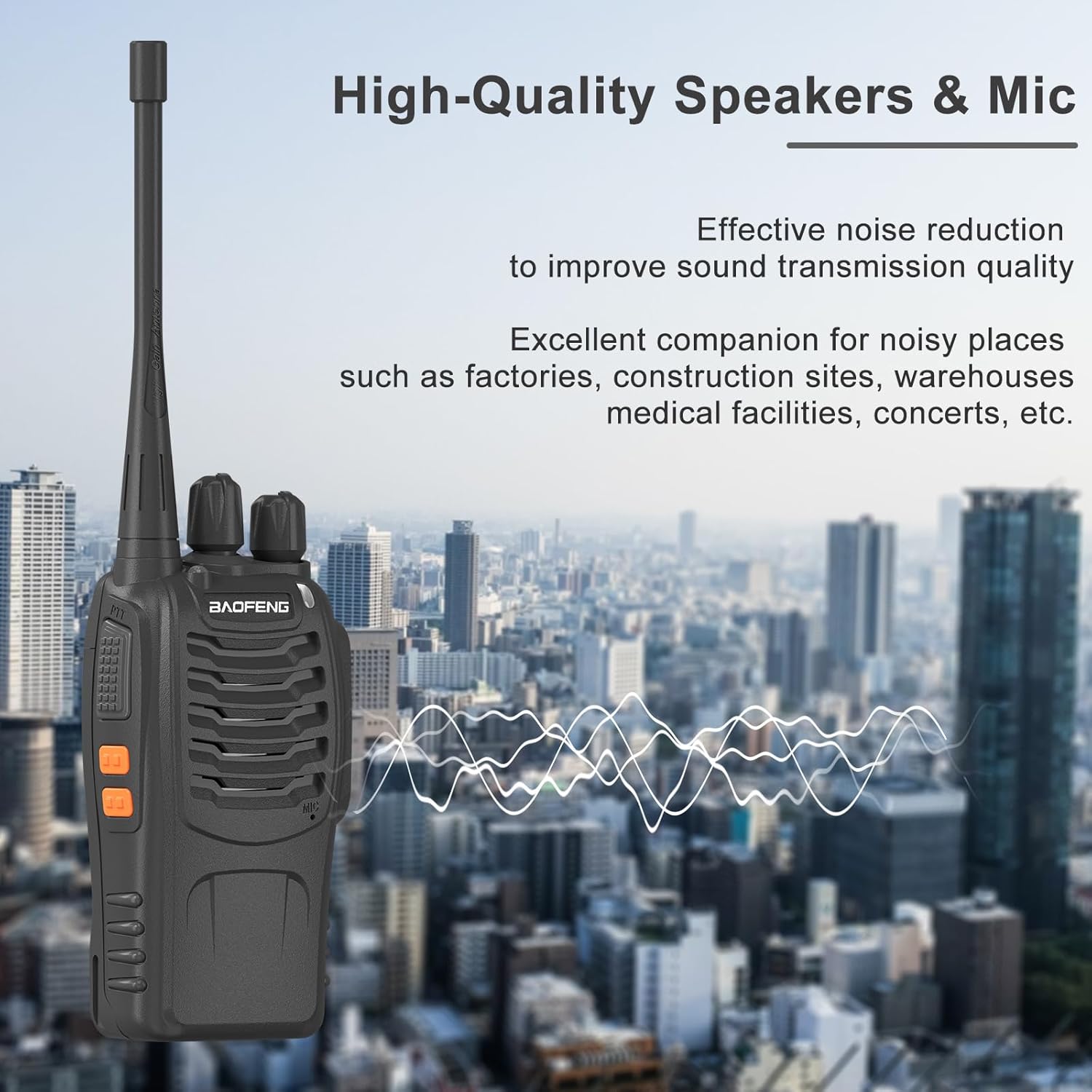
Image: Visual representation of the low battery alert.
5.6 എമർജൻസി അലാറം
If your radio is programmed with an emergency alarm function, pressing the designated button will activate an audible alarm to signal for assistance. Consult your programming software settings for details on this feature.
6. പരിപാലനം
6.1 പൊതു പരിചരണം
- റേഡിയോ വരണ്ടതായി സൂക്ഷിക്കുക. നനഞ്ഞാൽ ഉടൻ തുടയ്ക്കുക.
- Avoid exposing the radio to extreme temperatures or direct sunlight for extended periods.
- റേഡിയോയുടെ പ്രതലം മൃദുവായ, ഡി-ക്ലിപ്പ് ഉപയോഗിച്ച് വൃത്തിയാക്കുക.amp തുണി. കഠിനമായ രാസവസ്തുക്കളോ ഉരച്ചിലുകളുള്ള ക്ലീനറുകളോ ഉപയോഗിക്കരുത്.
- Ensure the antenna is securely attached but do not overtighten. The radio's durable ABS material and anti-bending antenna are designed for resilience.

Image: The durable ABS material construction of the BF-888S.
6.2 ബാറ്ററി കെയർ
- പ്രാരംഭ ഉപയോഗത്തിന് മുമ്പ് ബാറ്ററി പൂർണ്ണമായും ചാർജ് ചെയ്യുക.
- ബാറ്ററി അമിതമായി ചാർജ് ചെയ്യുകയോ ആഴത്തിൽ ഡിസ്ചാർജ് ചെയ്യുകയോ ചെയ്യരുത്.
- റേഡിയോ കൂടുതൽ നേരം ഉപയോഗിക്കില്ലെങ്കിൽ, ബാറ്ററി നീക്കം ചെയ്ത് തണുത്തതും വരണ്ടതുമായ സ്ഥലത്ത് സൂക്ഷിക്കുക.
- പ്രാദേശിക നിയന്ത്രണങ്ങൾ അനുസരിച്ച് ബാറ്ററികൾ നീക്കം ചെയ്യുക.
7. പ്രശ്നപരിഹാരം
| പ്രശ്നം | സാധ്യമായ കാരണം | പരിഹാരം |
|---|---|---|
| ശക്തിയില്ല | ബാറ്ററി ശരിയായി ഇൻസ്റ്റാൾ ചെയ്തിട്ടില്ല അല്ലെങ്കിൽ ഡിസ്ചാർജ് ചെയ്തിട്ടില്ല. | ബാറ്ററി ശരിയായി ഇൻസ്റ്റാൾ ചെയ്തിട്ടുണ്ടെന്ന് ഉറപ്പാക്കുക. ബാറ്ററി ചാർജ് ചെയ്യുക. |
| കൈമാറാനോ സ്വീകരിക്കാനോ കഴിയില്ല | Incorrect channel, low battery, or out of range. | Verify channel selection. Recharge battery. Move closer to other radios. |
| മോശം ഓഡിയോ നിലവാരം | Volume too low, antenna loose, or interference. | Adjust volume. Check antenna connection. Move away from sources of interference. |
| Radio continuously transmits (stuck PTT) | PTT button stuck or Time-out Timer (TOT) not configured. | Check PTT button for physical obstruction. If issue persists, consult programming software for TOT settings. |
8 സ്പെസിഫിക്കേഷനുകൾ
- മോഡൽ നമ്പർ: BF-888S
- ബ്രാൻഡ്: BAOFENG
- ചാനലുകളുടെ എണ്ണം: 16
- ബാറ്ററി ശേഷി: 1500mAh (Lithium-Ion)
- ചാർജിംഗ് തരം: USB-C ചാർജിംഗ് ഡോക്ക്
- പവർ ഔട്ട്പുട്ട്: 2W
- സി.ടി.സി.എസ്.എസ്/സി.ഡി.സി.എസ്.എസ്: 50 സി.ടി.സി.എസ്.എസ് / 105 സി.ഡി.സി.എസ്.എസ്
- മെറ്റീരിയൽ: ഡ്യൂറബിൾ എബിഎസ്
- പ്രത്യേക സവിശേഷതകൾ: Low Battery Alert, LED Flashlight, Noise Reduction, Time-out Timer, Power Saving
- ജല പ്രതിരോധ നില: വെള്ളത്തെ പ്രതിരോധിക്കുന്ന
- നിർമ്മാതാവ്: BAOFENG ഇലക്ട്രോണിക്സ് കമ്പനി, ലിമിറ്റഡ്
9. വാറൻ്റിയും പിന്തുണയും
9.1 വാറൻ്റി വിവരങ്ങൾ
A 1-year warranty is provided exclusively through "Shiqun Electronics Co., Ltd". Please retain your proof of purchase for warranty claims.
9.2 ഉപഭോക്തൃ പിന്തുണ
For technical assistance, troubleshooting beyond this manual, or warranty inquiries, please contact the vendor or manufacturer directly. Refer to your purchase documentation for specific contact details.


