1. ആമുഖം
The SSK SD320 is a high-performance 1TB external Solid State Drive (SSD) designed for fast and reliable data storage and transfer. Featuring a USB 3.2 Gen 2x2 interface, it offers read speeds up to 2033MB/s and write speeds up to 1843MB/s (CDM-tested), making it suitable for demanding tasks such as 4K ProRes video recording directly from compatible devices like the iPhone 15/16 Pro.
Its compact, zinc alloy design ensures durability and efficient heat dissipation, while supporting various operating systems including Windows, macOS, Linux, iOS, and Android. The drive is also equipped with advanced data security features like S.M.A.R.T. monitoring and TRIM support for optimal performance and longevity.

Figure 1: The SSK SD320 1TB External USB-C SSD Drive, showcasing അതിന്റെ ഒതുക്കമുള്ള ഡിസൈൻ.
2. പാക്കേജ് ഉള്ളടക്കം
- 1TB USB SSD (SSK SD320)
- SSK Leather Case
3. സജ്ജീകരണവും കണക്ഷനും
The SSK SD320 is designed for plug-and-play functionality with most USB-C compatible devices. Follow these steps to connect and begin using your SSD:
- ഉപകരണം അൺപാക്ക് ചെയ്യുക: Carefully remove the SSK SD320 SSD and its leather case from the packaging.
- ഉപകരണത്തിലേക്ക് കണക്റ്റുചെയ്യുക: Insert the USB-C connector of the SSD directly into a compatible USB-C port on your computer, smartphone, or tablet. For optimal performance, use a USB 3.2 Gen 2x2 port to achieve speeds up to 20Gbps. Connections to other USB 3.2 Gen 2 ports will be limited to 10Gbps.
- പ്രാരംഭ അംഗീകാരം: Your device should automatically detect the SSD. On Windows, it may appear as a new drive letter. On macOS, it will appear on your desktop or in Finder.
- ഫോർമാറ്റിംഗ് (ആവശ്യമെങ്കിൽ): The drive comes pre-formatted for general use. If you need to reformat the drive for a specific operating system or file system (e.g., APFS for macOS, NTFS for Windows, exFAT for cross-platform compatibility), please refer to your operating system's disk utility instructions. കുറിപ്പ്: ഫോർമാറ്റിംഗ് ഡ്രൈവിലെ എല്ലാ ഡാറ്റയും മായ്ക്കും.
- കപ്പാസിറ്റി ഡിസ്പ്ലേ: Be aware that the displayed capacity may vary slightly depending on your operating system. Windows typically calculates 1GB as 1024MB, while SSD manufacturers use 1GB as 1000MB. This means a 1TB drive might show approximately 953GB on Windows, while macOS can display the full 1TB.
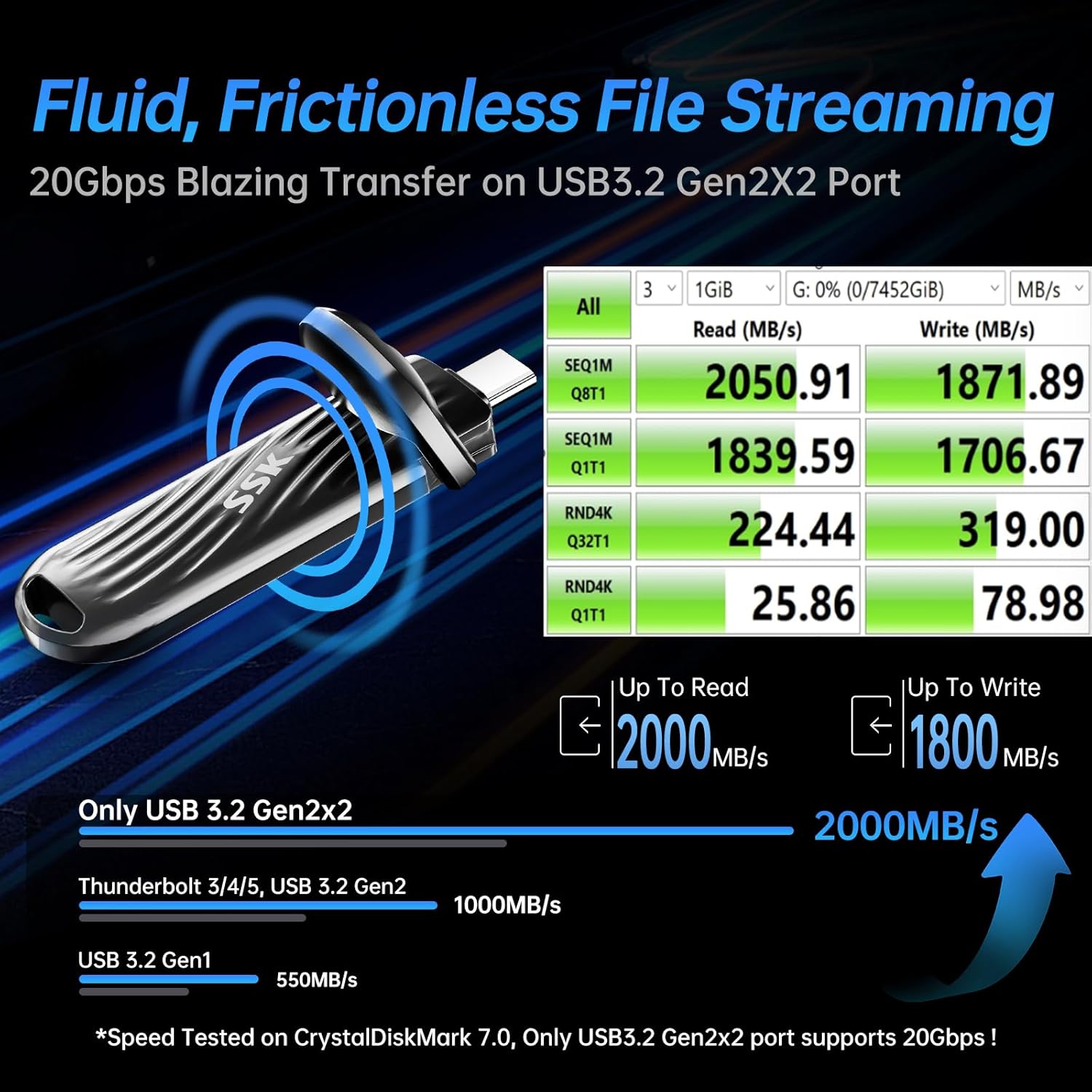
Figure 2: Universal compatibility with USB-C devices.
4. പ്രവർത്തന നിർദ്ദേശങ്ങൾ
Using your SSK SD320 for data transfer and storage is straightforward:
- File കൈമാറ്റം: വലിച്ചിടുക files or folders to and from the SSD as you would with any other external drive. The high-speed USB 3.2 Gen 2x2 interface ensures rapid transfers for large fileകളും ബാക്കപ്പുകളും.
- Mobile Storage: Connect the SSD to compatible smartphones and tablets (e.g., iPhone 15/16 Pro, Android devices) for direct storage and access to files. This is ideal for expanding mobile device storage or recording high-resolution media.
- 4K ProRes Video Recording: The SSK SD320 supports direct recording of 4K 60Hz ProRes videos from compatible devices like the iPhone 15/16 Pro, leveraging its ultra-low power consumption and high write speeds.
- Windows To Go: The drive is capable of running Windows To Go smoothly, providing a portable Windows environment.
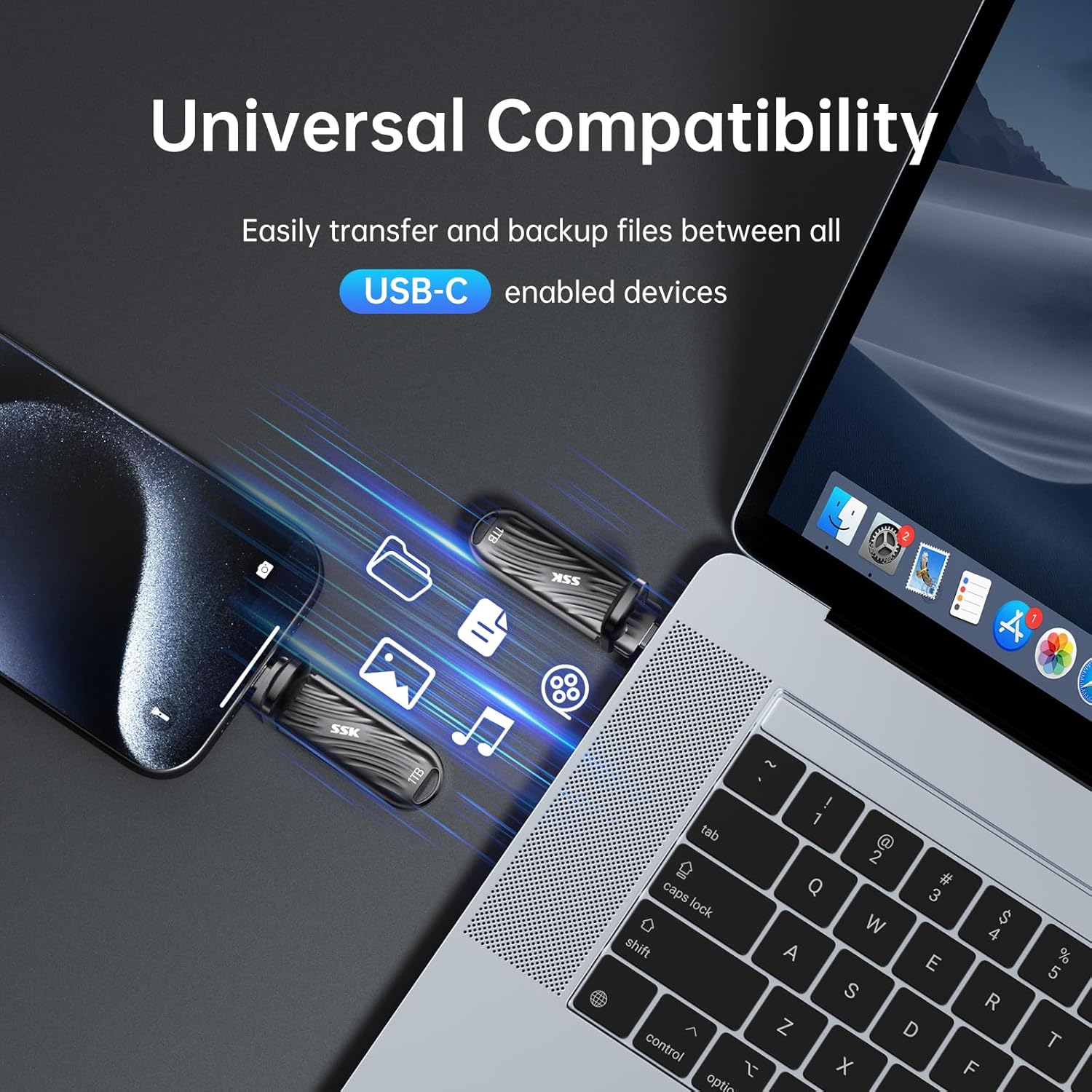
Figure 3: Recording 4K ProRes video directly to the SSD.
Video 1: Official SSK video demonstrating the 2000 MB/s USB-C SSD Drive features and usage.
5. Maintenance and Data Security
To ensure the longevity and optimal performance of your SSK SD320, consider the following:
- താപ വിസർജ്ജനം: The robust zinc alloy casing is designed for excellent heat dissipation, ensuring the drive remains cool during intensive operations. Avoid covering the drive during use to maintain airflow.
- സ്മാർട്ട് മോണിറ്ററിംഗ്: The drive supports Self-Monitoring, Analysis, and Reporting Technology (S.M.A.R.T.), which allows you to monitor the drive's health and predict potential failures. Utilize compatible software on your operating system to access S.M.A.R.T. data.
- TRIM പിന്തുണ: TRIM command support helps maintain the performance of the SSD over time by allowing the operating system to inform the SSD which data blocks are no longer in use and can be wiped internally. Ensure TRIM is enabled on your operating system for optimal performance.
- സഹിഷ്ണുത: The drive is built with 600TBW (Terabytes Written) endurance, indicating its robust lifespan under typical usage conditions.
- ശാരീരിക സംരക്ഷണം: Use the provided leather case to protect the drive from scratches and minor impacts during transport.

Figure 4: Elite data security features of the SSK SD320.
6. പ്രശ്നപരിഹാരം
If you encounter issues with your SSK SD320, consider the following common solutions:
- ഡ്രൈവ് തിരിച്ചറിയാൻ കഴിഞ്ഞിട്ടില്ല:
- യുഎസ്ബി-സി കേബിൾ എസ്എസ്ഡിയിലേക്കും നിങ്ങളുടെ ഉപകരണത്തിലേക്കും സുരക്ഷിതമായി ബന്ധിപ്പിച്ചിട്ടുണ്ടെന്ന് ഉറപ്പാക്കുക.
- നിങ്ങളുടെ ഉപകരണത്തിലെ മറ്റൊരു USB-C പോർട്ടിലേക്ക് കണക്റ്റ് ചെയ്യാൻ ശ്രമിക്കുക.
- Test the SSD with a different USB-C cable if available.
- നിങ്ങളുടെ കമ്പ്യൂട്ടറോ ഉപകരണമോ പുനരാരംഭിക്കുക.
- Check your operating system's Disk Management (Windows) or Disk Utility (macOS) to see if the drive is detected but uninitialized or unformatted.
- മന്ദഗതിയിലുള്ള ട്രാൻസ്ഫർ വേഗത:
- Verify that your device's USB-C port supports USB 3.2 Gen 2x2 (20Gbps) for maximum speed. Older USB standards (e.g., USB 3.2 Gen 2 at 10Gbps, USB 3.2 Gen 1 at 5Gbps) will result in lower speeds.
- നിങ്ങളുടെ ഓപ്പറേറ്റിംഗ് സിസ്റ്റവും ഡ്രൈവറുകളും കാലികമാണെന്ന് ഉറപ്പാക്കുക.
- നിരവധി ചെറിയവ കൈമാറ്റം ചെയ്യുന്നത് ഒഴിവാക്കുക. files simultaneously, as this can reduce overall transfer rates compared to large single files.
- Close other applications that might be using significant system resources during transfers.
- അമിത ചൂടാക്കൽ:
- While the zinc alloy casing aids in heat dissipation, prolonged heavy use can still generate warmth. Ensure the drive is in an open area with good airflow.
- Avoid placing the drive on soft surfaces that can block heat dissipation.
- ഡാറ്റാ അഴിമതി/നഷ്ടം:
- Always safely eject the drive before disconnecting it from your device to prevent data corruption.
- Regularly back up important data to multiple locations.
7 സ്പെസിഫിക്കേഷനുകൾ
| ഫീച്ചർ | വിശദാംശങ്ങൾ |
|---|---|
| ബ്രാൻഡ് | എസ്.എസ്.കെ |
| മോഡൽ നമ്പർ | SD320 |
| ഡിജിറ്റൽ സ്റ്റോറേജ് കപ്പാസിറ്റി | 1 ടി.ബി |
| ഹാർഡ് ഡ്രൈവ് ഇൻ്റർഫേസ് | സോളിഡ് സ്റ്റേറ്റ് |
| കണക്റ്റിവിറ്റി ടെക്നോളജി | USB 3.2 Gen 2x2 (20Gbps) |
| പരമാവധി വായന വേഗത | 2033 MB/s വരെ |
| പരമാവധി എഴുത്ത് വേഗത | 1843 MB/s വരെ |
| പ്രത്യേക സവിശേഷതകൾ | Backward Compatible, External SSD in USB Drive, Portable, TRIM Support |
| അനുയോജ്യമായ ഉപകരണങ്ങൾ | Laptop, Smartphone, Tablet, iPhone 15/16 Pro |
| ഇൻസ്റ്റലേഷൻ തരം | ബാഹ്യ ഹാർഡ് ഡ്രൈവ് |
| നിറം | കറുപ്പ് |
| ഇനത്തിൻ്റെ ഭാരം | 6.4 ഔൺസ് |
| ഉൽപ്പന്ന അളവുകൾ (LxWxH) | 2.6 x 0.8 x 0.3 ഇഞ്ച് |
| നിർമ്മാതാവ് | SSK Corporation |

Figure 5: Physical dimensions of the SSK SD320 SSD.
8. വാറൻ്റിയും പിന്തുണയും
SSK Corporation stands behind the quality of its products. For support and warranty information, please refer to the details below:
- തിരികെ നൽകൽ നയം: ഈ ഉൽപ്പന്നം വാങ്ങിയ തീയതി മുതൽ 30 ദിവസത്തെ റീഫണ്ട്/മാറ്റിസ്ഥാപിക്കൽ പോളിസിക്ക് യോഗ്യമാണ്.
- ഡാറ്റ വീണ്ടെടുക്കൽ പ്ലാനുകൾ: Optional data recovery plans are available for purchase to protect your valuable data:
- 2 വർഷത്തെ ഡാറ്റ റിക്കവറി പ്ലാൻ
- 3 വർഷത്തെ ഡാറ്റ റിക്കവറി പ്ലാൻ
- നിർമ്മാതാവിൻ്റെ പിന്തുണ: For technical assistance, product inquiries, or warranty claims, please contact SSK Direct, the manufacturer.


