1. ആമുഖം
Thank you for choosing the Sheawasy Digital Camera SHXJ-02. This compact and user-friendly camera is designed for beginners, offering 1080P Full HD photo and video capabilities. It features dual screens, a 16X digital zoom, and an LED fill light, making it suitable for capturing everyday moments, selfies, and vlogs. This manual provides essential information for setting up, operating, and maintaining your camera.
2. ഉൽപ്പന്നം കഴിഞ്ഞുview
ക്യാമറയുടെ ഘടകങ്ങളും നിയന്ത്രണങ്ങളും പരിചയപ്പെടുക.

Figure 2.1: Camera Components and Controls Diagram
This diagram illustrates the various components and controls of the Sheawasy SHXJ-02 Digital Camera, highlighting the main screen, front screen, lens, LED fill light, and all operational buttons.

ചിത്രം 2.2: മുന്നിലും പിന്നിലും View ക്യാമറയുടെ
ഒരു സമഗ്രമായ view of the Sheawasy SHXJ-02 Digital Camera, displaying its front with the lens and front screen, and its back with the main display and navigation controls.
ക്യാമറ സവിശേഷതകൾ:
- ഇരട്ട സ്ക്രീനുകൾ: 2.4-inch main screen and 1.5-inch front screen for versatile shooting.
- 1080P FHD: High-definition photo and video capture.
- 16X ഡിജിറ്റൽ സൂം: Magnify subjects for detailed shots.
- ഓട്ടോഫോക്കസ്: വ്യക്തമായ ചിത്രങ്ങൾക്കായി ഫോക്കസ് യാന്ത്രികമായി ക്രമീകരിക്കുന്നു.
- LED ഫിൽ ലൈറ്റ്: കുറഞ്ഞ വെളിച്ചത്തിൽ ദൃശ്യപരത വർദ്ധിപ്പിക്കുന്നു.
- സംഗീത പ്രവർത്തനം: MP3 ഓഡിയോ പ്ലേ ചെയ്യുക files directly from the camera.
- കോംപാക്റ്റ് ഡിസൈൻ: യാത്രയ്ക്കിടയിലുള്ള ഉപയോഗത്തിന് ഭാരം കുറഞ്ഞതും പോർട്ടബിൾ.
- Built-in 32GB Storage: Ampഫോട്ടോകൾക്കും വീഡിയോകൾക്കുമുള്ള ഇടം.
3. സജ്ജീകരണം
3.1 ബാറ്ററി ഇൻസ്റ്റാളേഷനും ചാർജിംഗും
The camera is powered by an included Lithium Polymer battery. Ensure the battery is fully charged before initial use. Connect the camera to a power source using the provided USB cable. The charging indicator will show the charging status.
3.2 മെമ്മറി കാർഡ് ചേർക്കൽ
A 32GB memory card is included with your camera. Locate the memory card slot, typically on the side or bottom of the camera. Insert the memory card gently until it clicks into place. Ensure it is inserted in the correct orientation to avoid damage.
4. പ്രവർത്തന നിർദ്ദേശങ്ങൾ
4.1 പവർ ഓൺ/ഓഫ്
To power on the camera, press and hold the Power button located on the top of the device. To power off, press and hold the Power button again until the screen turns off.
4.2 ഫോട്ടോ എടുക്കൽ
- ക്യാമറ ഓണാക്കുക.
- Frame your shot using either the main rear screen or the front screen for selfies.
- The camera features autofocus. Allow it a moment to adjust for clarity.
- Press the Shutter button firmly to capture the photo.
4.3 വീഡിയോ റെക്കോർഡിംഗ്
- ക്യാമറ ഓണാക്കുക.
- Switch to video recording mode using the Mode button.
- Press the Shutter button once to start recording.
- റെക്കോർഡിംഗ് നിർത്താൻ ഷട്ടർ ബട്ടൺ വീണ്ടും അമർത്തുക.
4.4 ഇരട്ട സ്ക്രീനുകൾ ഉപയോഗിക്കൽ
The camera is equipped with a 2.4-inch main screen on the back and a 1.5-inch front screen. The front screen is particularly useful for:
- സെൽഫികൾ: Easily compose self-portraits.
- വ്ലോഗിംഗ്: Monitor your framing while recording videos of yourself.
- Composition Adjustment: Ensure everyone is in the frame for group shots.
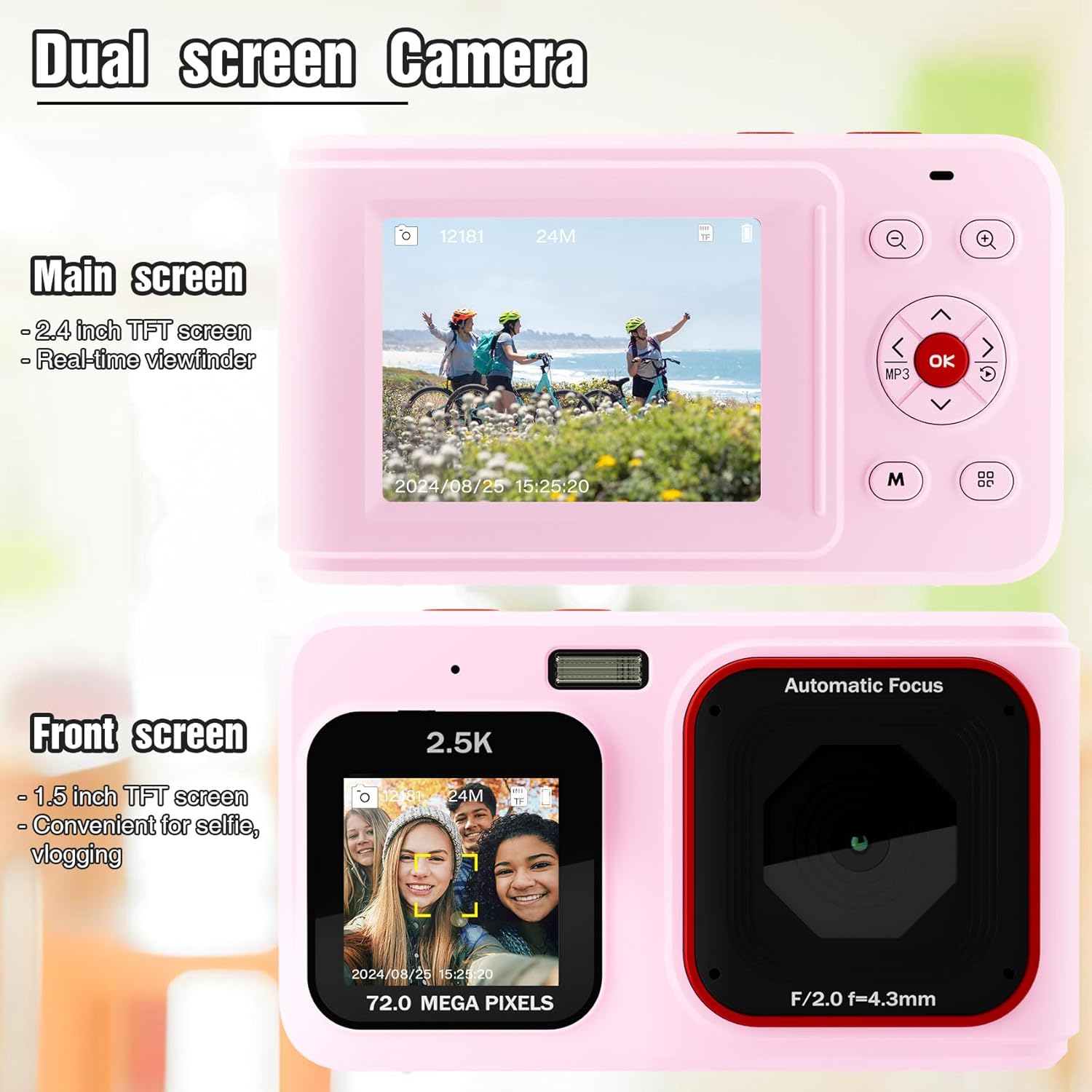
Figure 4.1: Dual Screen Functionality
This image highlights the camera's dual screen feature, with the larger rear screen for general viewing and a smaller front screen ideal for selfies and vlogging.
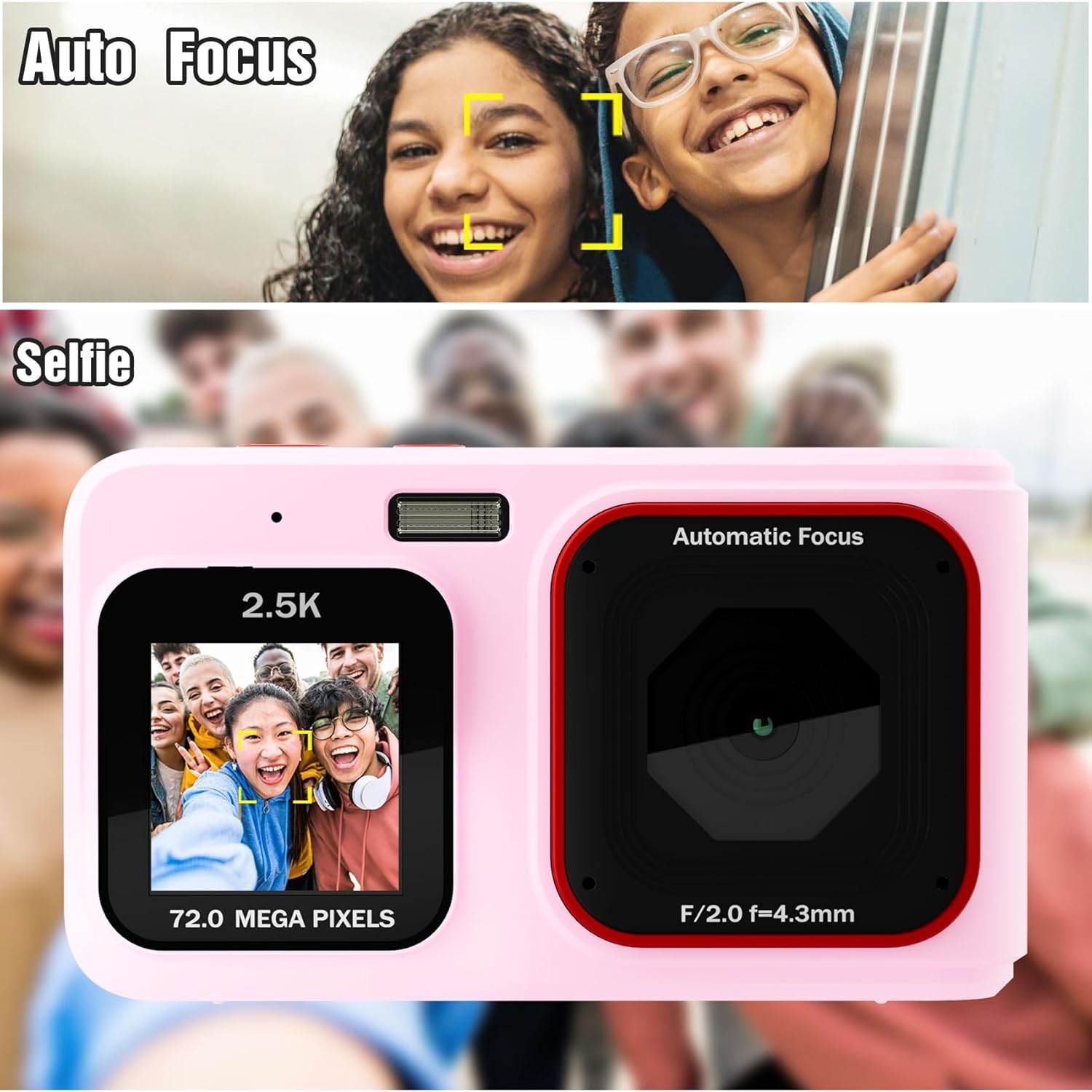
Figure 4.2: Autofocus and Selfie Mode
This visual explains the camera's autofocus capability, which helps in capturing clear subjects, and illustrates its use in selfie mode with the front screen.
4.5 ഡിജിറ്റൽ സൂം
Use the Zoom In (+) and Zoom Out (-) buttons to digitally magnify or reduce your subject. The camera features 16X digital zoom. Note that digital zoom may reduce image quality compared to optical zoom.
4.6 LED Fill Light
For shooting in low-light environments, activate the built-in LED fill light. Refer to the camera's menu or a dedicated button (if available) to toggle this feature on or off.

Figure 4.3: LED Fill Light in Action
This image illustrates the effectiveness of the built-in LED fill light, showing how it improves visibility and detail in low-light photography compared to not using it.
4.7 Music Playback Function
The camera includes a music playback feature. Press the dedicated MP3 button to access music files stored on the memory card. You can connect headphones via the 3.5mm audio jack for private listening.

Figure 4.4: Music Functionality
This image demonstrates the camera's integrated music playback feature, including the 3.5mm audio jack for headphones.
4.8 പ്ലേബാക്ക് മോഡ്
വീണ്ടുംview your captured photos and videos, switch to Playback mode using the Mode button. Use the navigation buttons to browse through your media. Press the OK button to view തിരഞ്ഞെടുത്ത ഒരു ഇനം.
5. പരിപാലനം
5.1 ക്യാമറ വൃത്തിയാക്കൽ
- ക്യാമറ ബോഡി വൃത്തിയാക്കാൻ മൃദുവായതും ഉണങ്ങിയതുമായ തുണി ഉപയോഗിക്കുക.
- For the lens and screens, use a specialized lens cleaning cloth and solution to avoid scratches.
- കഠിനമായ രാസവസ്തുക്കളോ ഉരച്ചിലുകളോ ഉപയോഗിക്കരുത്.
5.2 സംഭരണം
നേരിട്ടുള്ള സൂര്യപ്രകാശത്തിൽ നിന്നും കടുത്ത താപനിലയിൽ നിന്നും അകന്ന് തണുത്തതും വരണ്ടതുമായ സ്ഥലത്ത് ക്യാമറ സൂക്ഷിക്കുക. കൂടുതൽ നേരം സൂക്ഷിക്കുകയാണെങ്കിൽ, ബാറ്ററി നീക്കം ചെയ്യുക.
6. പ്രശ്നപരിഹാരം
- ക്യാമറ ഓണാക്കുന്നില്ല: ബാറ്ററി പൂർണ്ണമായും ചാർജ്ജ് ചെയ്തിട്ടുണ്ടെന്നും ശരിയായി ചേർത്തിട്ടുണ്ടെന്നും ഉറപ്പാക്കുക.
- Images are blurry or dark: Check lighting conditions. Use the LED fill light in low light. Hold the camera steady during capture. Note that this is an entry-level camera, and image quality expectations should be set accordingly.
- കഴിയില്ല view images on camera: Ensure you are in Playback mode. Navigate through files using the directional buttons.
- മെമ്മറി കാർഡ് പിശക്: Reinsert the memory card. If the issue persists, try formatting the card (this will erase all data) or use a different compatible memory card.
- ക്യാമറ മരവിക്കുന്നു: Remove and reinsert the battery to reset the camera.
7 സ്പെസിഫിക്കേഷനുകൾ
| ഫീച്ചർ | സ്പെസിഫിക്കേഷൻ |
|---|---|
| മോഡലിൻ്റെ പേര് | SHXJ-02 |
| ബ്രാൻഡ് | ഷീവാസി |
| വീഡിയോ റെസല്യൂഷൻ | 1080P FHD |
| ഫലപ്രദമായ സ്റ്റിൽ റെസല്യൂഷൻ | 1 എം.പി |
| ഡിജിറ്റൽ സൂം | 16X |
| ഫോട്ടോ സെൻസർ ടെക്നോളജി | CMOS |
| സ്ക്രീൻ വലിപ്പം | 2.4 Inches (Main), 1.5 Inches (Front) |
| മെമ്മറി സ്റ്റോറേജ് കപ്പാസിറ്റി | 32 GB (Built-in) |
| ബാറ്ററി തരം | ലിഥിയം പോളിമർ |
| കണക്റ്റിവിറ്റി ടെക്നോളജി | USB |
| പിന്തുണച്ചു File ഫോർമാറ്റ് | AVI (Video) |
| ഓട്ടോഫോക്കസ് | Yes (Contrast Detection) |
| LED ഫിൽ ലൈറ്റ് | അതെ |
| ജല പ്രതിരോധ നില | വാട്ടർ റെസിസ്റ്റൻ്റ് അല്ല |
8. വാറൻ്റിയും പിന്തുണയും
For warranty information and technical support, please refer to the documentation included with your purchase or contact Sheawasy customer service. Keep your purchase receipt as proof of purchase for any warranty claims.
For further assistance, please visit the official Sheawasy webസൈറ്റ് അല്ലെങ്കിൽ അവരുടെ പിന്തുണാ ചാനലുകളുമായി ബന്ധപ്പെടുക.


