1. ഉൽപ്പന്നം കഴിഞ്ഞുview
The KAWA Dash Cam D5 is a compact 2K 1296P QHD front dash camera designed to record your driving journey. It features hands-free voice control, built-in Wi-Fi for app connectivity, continuous loop recording, G-Sensor for emergency event detection, and enhanced night vision for clear footage in low-light conditions. The discreet design ensures it does not obstruct your view ഡ്രൈവിംഗ് സമയത്ത്.
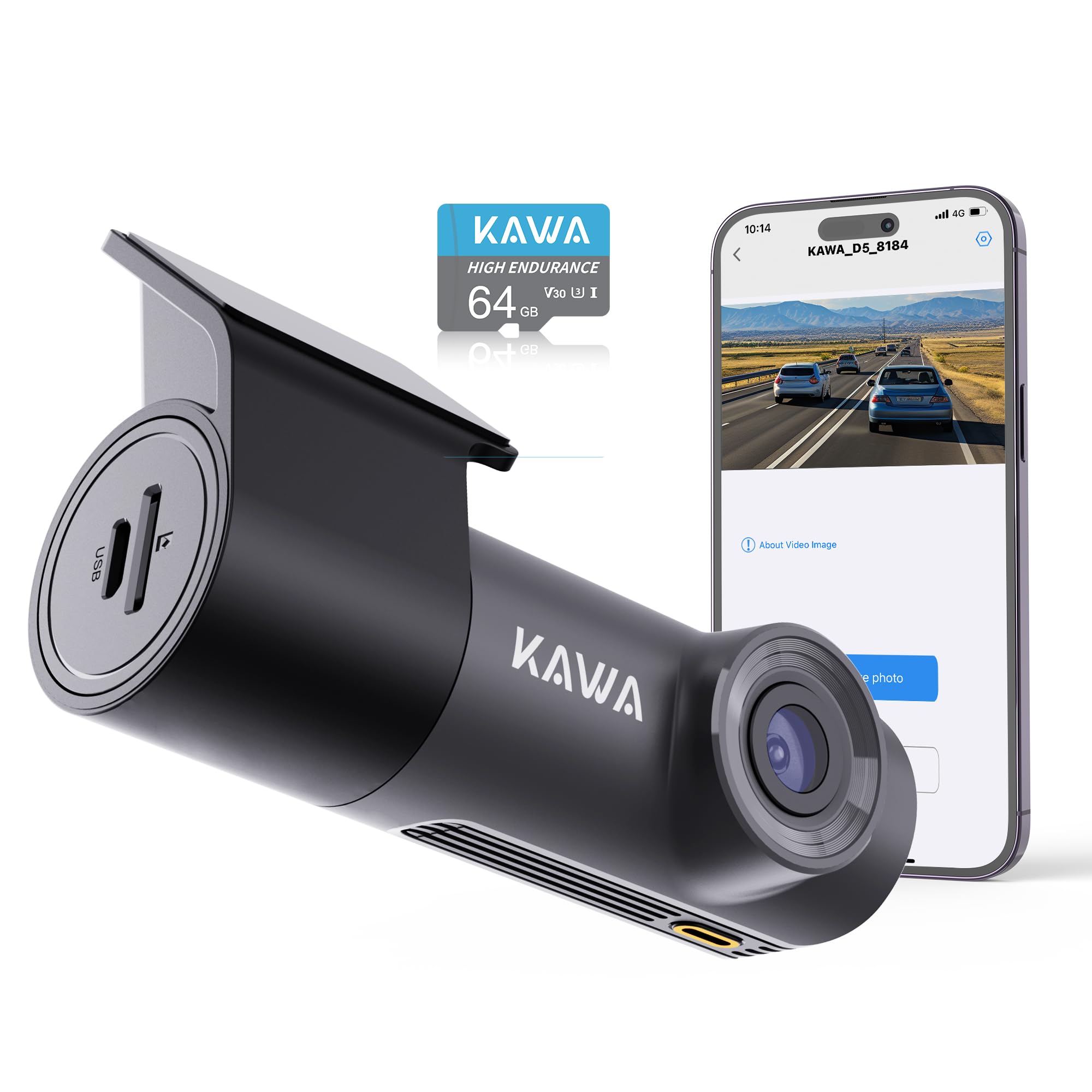
Image: The KAWA Dash Cam D5, showcasing its compact and hidden design when installed in a vehicle, with a visual guide for cable management.

ചിത്രം: കഴിഞ്ഞുview of key features including 2K QHD resolution, voice control, Wi-Fi, 360-degree rotation, 24-hour parking monitor, night vision, emergency recording, and loop recording.
2 സുരക്ഷാ വിവരങ്ങൾ
- വാഹനമോടിക്കുമ്പോൾ ഡാഷ്കാം പ്രവർത്തിപ്പിക്കരുത്. വാഹനം സുരക്ഷിതമായി പാർക്ക് ചെയ്തിരിക്കുമ്പോൾ മാത്രം ക്രമീകരണങ്ങൾ ക്രമീകരിക്കുക.
- ഡ്രൈവറുടെ വാഹനത്തിന് തടസ്സമാകാത്ത ഒരു സ്ഥലത്താണ് ഡാഷ്കാം സ്ഥാപിച്ചിരിക്കുന്നതെന്ന് ഉറപ്പാക്കുക. view അല്ലെങ്കിൽ വാഹന സുരക്ഷാ സവിശേഷതകളിൽ ഇടപെടുക.
- Use only the provided power adapter and cables to prevent damage or fire hazards.
- ഉപകരണത്തെ തീവ്രമായ താപനിലയിലോ, ദീർഘനേരം നേരിട്ടുള്ള സൂര്യപ്രകാശത്തിലോ, ഈർപ്പത്തിലോ തുറന്നുകാട്ടുന്നത് ഒഴിവാക്കുക.
- ഉപകരണം കുട്ടികളിൽ നിന്ന് അകറ്റി നിർത്തുക.
3. പാക്കേജ് ഉള്ളടക്കം
പാക്കേജിൽ എല്ലാ ഇനങ്ങളും ഉണ്ടെന്ന് ഉറപ്പാക്കുക:
- KAWA Dash Cam D5
- കാർ ചാർജർ
- ഉപയോക്തൃ മാനുവൽ
- ചൂട് പ്രതിരോധമുള്ള പശ പേപ്പർ
- ആൻ്റി സ്റ്റാറ്റിക് ഫിലിം

Image: Visual representation of the items included in the KAWA Dash Cam D5 package.
4. ഉൽപ്പന്ന ഡയഗ്രം
The KAWA Dash Cam D5 features a compact design. Refer to the image below for approximate dimensions.

Image: Physical dimensions of the KAWA Dash Cam D5, indicating its compact size for discreet installation.
5. സജ്ജീകരണവും ഇൻസ്റ്റാളേഷനും
5.1 മൈക്രോ എസ്ഡി കാർഡ് ഇൻസ്റ്റാളേഷൻ
- ഡാഷ് കാം ഓഫ് ചെയ്തിട്ടുണ്ടെന്ന് ഉറപ്പാക്കുക.
- Locate the Micro SD card slot on the side of the dash cam.
- Insert a Class 10 or higher Micro SD card (32GB or above recommended) into the slot until it clicks into place.
- നീക്കം ചെയ്യാൻ, കാർഡ് പുറത്തേക്ക് വരുന്നത് വരെ സൌമ്യമായി അകത്തേക്ക് തള്ളുക.
കുറിപ്പ്: A Micro SD card is not included and must be purchased separately. Using a reputable brand's high-speed Class 10 card is essential to avoid system crashes or video frame drops. For optimal compatibility, consider the official KAWA Micro SD card (ASIN: B0BNPKSJMX).

Image: Guidance on selecting and installing a Micro SD card for the dash cam.
5.2 ഡാഷ് കാം മൌണ്ട് ചെയ്യുന്നു
- Clean the windshield surface where the dash cam will be mounted.
- Apply the anti-static film to the desired location on the windshield. Ensure it is smooth and free of air bubbles.
- Press the 3M adhesive of the dash cam mount firmly onto the dotted line in the center of the electrostatic sticker. This ensures a stable and secure attachment.
- Adjust the dash cam's angle for optimal view. The mount allows for multi-angle 360° rotation adjustment.

Image: The dash cam's mini hidden design and suggested cable routing for a clean installation.

Image: Instructions for securing the dash cam mount and its 360-degree rotation capability.
5.3 പവർ കണക്ഷൻ
- ഡാഷ് കാമിന്റെ പവർ ഇൻപുട്ട് പോർട്ടിലേക്ക് കാർ ചാർജർ ബന്ധിപ്പിക്കുക.
- നിങ്ങളുടെ വാഹനത്തിന്റെ സിഗരറ്റ് ലൈറ്റർ സോക്കറ്റിൽ കാർ ചാർജർ പ്ലഗ് ചെയ്യുക.
- Route the power cable neatly along the windshield and dashboard to avoid obstructing your view അല്ലെങ്കിൽ ഡ്രൈവിംഗിൽ ഇടപെടൽ.
6. പ്രവർത്തന നിർദ്ദേശങ്ങൾ
6.1 പവർ ഓൺ/ഓഫ്
- The dash cam will automatically power on and begin recording when your vehicle's ignition is turned on (and power is supplied to the cigarette lighter socket).
- ഇഗ്നിഷൻ ഓഫാക്കുമ്പോൾ അത് യാന്ത്രികമായി ഓഫാകും.
6.2 ലൂപ്പ് റെക്കോർഡിംഗ്
The dash cam records video in continuous loops (1, 2, or 3-minute segments). When the Micro SD card is full, the oldest video files will be overwritten by new recordings, ensuring continuous operation.

Image: Explanation of the loop recording feature, which ensures continuous recording by overwriting the oldest files.

Image: Details on endless loop recording and how storage capacity affects recording duration.
6.3 എമർജൻസി റെക്കോർഡിംഗ് (ജി-സെൻസർ)
The built-in G-Sensor detects sudden impacts or collisions. When triggered, it automatically initiates emergency recording and locks the video file, ലൂപ്പ് റെക്കോർഡിംഗ് വഴി ഇത് തിരുത്തിയെഴുതുന്നത് തടയുന്നു. ഇവ files are stored in a separate folder.

Image: Visual explanation of how emergency recording functions during impacts or collisions.
6.4 ഹാൻഡ്സ്-ഫ്രീ വോയ്സ് കൺട്രോൾ
Control your dash cam using simple voice commands for safer operation while driving. Available commands include:
- "വീഡിയോ ലോക്ക് ചെയ്യുക"
- "ഫോട്ടോ എടുക്കൂ"
- "Turn on audio" / "Turn off audio"
- "Turn on WiFi" / "Turn off WiFi"
- "Turn on hotspot" / "Turn off hotspot"

Image: Demonstrates the various voice commands available for hands-free operation of the dash cam.

Image: Further illustration of the voice control feature, emphasizing its convenience and safety benefits.
6.5 വൈ-ഫൈയും ആപ്പ് നിയന്ത്രണവും
The KAWA Dash Cam D5 features built-in Wi-Fi, allowing you to connect to the KAWA AUTO app on your iOS or Android mobile device. Through the app, you can:
- View തത്സമയ വീഡിയോ ഫീഡ്.
- റെക്കോർഡ് ചെയ്ത വീഡിയോകൾ നിങ്ങളുടെ ഫോണിലേക്ക് ഡൗൺലോഡ് ചെയ്യുക.
- ഡാഷ് ക്യാം ക്രമീകരണങ്ങൾ ക്രമീകരിക്കുക.
- OTA (ഓവർ-ദി-എയർ) ഫേംവെയർ അപ്ഗ്രേഡുകൾ നടത്തുക.
Download the "KAWA AUTO" app from the App Store (iOS) or Google Play Store (Android).

Image: Demonstrates Wi-Fi connectivity and app control for viewവീഡിയോകൾ ഡൗൺലോഡ് ചെയ്യുക, ഡൗൺലോഡ് ചെയ്യുക, പങ്കിടുക.

Image: Details on the built-in Wi-Fi functionality and the KAWA AUTO app for managing the dash cam.
6.6 24/7 Parking Monitor
With the optional parking monitoring cable (not included, ASIN: B0BKPKV72H), the dash cam can provide 24-hour surveillance for your parked vehicle. It supports G-Sensor emergency recording and time-lapse mode to capture incidents or save storage space.
- ജി-സെൻസർ എമർജൻസി റെക്കോർഡിംഗ്: Automatically records and locks video upon detecting impacts while parked.
- ടൈം-ലാപ്സ് മോഡ്: Shrinks real-time footage (e.g., 30 minutes to 1 minute) to save storage space while maintaining continuous surveillance.

Image: Illustrates the 24/7 parking monitor feature, including G-Sensor and time-lapse capabilities.

Image: Further explanation of 24/7 parking surveillance and its features.
6.7 Night Vision and Wide Dynamic Range (WDR)
The dash cam is equipped with advanced features for clear nighttime footage and balanced exposure:
- Crystal-Clear Nighttime Footage: Captures license plates, road signs, and critical details with high clarity in low-light conditions.
- വൈഡ് ഡൈനാമിക് റേഞ്ച് (WDR): Automatically adjusts exposure to balance bright and dark areas, preventing overexposure in strong light and underexposure in shadows, ensuring clear images in various lighting conditions.

Image: Demonstrates the dash cam's capability to record clear footagരാത്രിയിൽ ഇ.

Image: Further illustration of the dash cam's night vision performance.

Image: Visual comparison demonstrating the effectiveness of Wide Dynamic Range (WDR) in balancing exposure.
6.8 വീഡിയോ പ്ലേബാക്ക്
Videos are recorded in MP4 format. For playback on your computer, we recommend using Potplayer or VLC Media Player for optimal experience.

Image: Recommended software for playing back dash cam video fileഒരു കമ്പ്യൂട്ടറിൽ എസ്.
7. പരിപാലനം
7.1 ലെൻസ് വൃത്തിയാക്കൽ
Regularly clean the dash cam lens with a soft, lint-free cloth to ensure clear video quality. Avoid using abrasive cleaners or solvents.
7.2 മൈക്രോ എസ്ഡി കാർഡ് മാനേജ്മെന്റ്
- ഫോർമാറ്റിംഗ്: It is recommended to format the Micro SD card periodically (e.g., once a month) through the dash cam's app settings to maintain optimal performance and prevent data corruption. Formatting will erase all data on the card, so back up important fileകൾ ആദ്യം.
- മാറ്റിസ്ഥാപിക്കൽ: Micro SD cards have a limited lifespan. If you experience frequent recording errors or data corruption, consider replacing the card.
7.3 ഫേംവെയർ അപ്ഡേറ്റുകൾ
Firmware updates may be released to improve performance, add features, or fix bugs. Check for and install updates via the KAWA AUTO mobile app to ensure your dash cam has the latest software.
8. പ്രശ്നപരിഹാരം
| പ്രശ്നം | സാധ്യമായ കാരണം | പരിഹാരം |
|---|---|---|
| ഡാഷ് ക്യാം പവർ ഓൺ ചെയ്യുന്നില്ല. | വൈദ്യുതി ഇല്ല; കാർ ചാർജർ തകരാറിലായി; കണക്ഷൻ നഷ്ടപ്പെട്ടു. | Check car charger connection; ensure vehicle's cigarette lighter socket is functional; try a different power source if available. |
| റെക്കോർഡിംഗ് നിർത്തുകയോ മരവിപ്പിക്കുകയോ ചെയ്യുന്നു. | Micro SD card issue (full, corrupted, slow speed); firmware issue. | Format the Micro SD card; replace with a high-speed Class 10 card; check for firmware updates. |
| Wi-Fi connection unstable or fails. | Interference; distance from phone; app issue. | Ensure phone is close to the dash cam (within 1.5 meters); restart dash cam and phone; reinstall the KAWA AUTO app. |
| ശബ്ദ നിയന്ത്രണം പ്രതികരിക്കുന്നില്ല. | Loud environment; incorrect commands; microphone obstruction. | Speak clearly and directly towards the dash cam; reduce background noise; ensure microphone is not blocked. |
| രാത്രിയിൽ വീഡിയോ നിലവാരം മോശമാണ്. | Dirty lens; extreme low light conditions. | Clean the lens; ensure no obstructions on the windshield. |
9 സ്പെസിഫിക്കേഷനുകൾ
| ഫീച്ചർ | സ്പെസിഫിക്കേഷൻ |
|---|---|
| മോഡലിൻ്റെ പേര് | D5 |
| വീഡിയോ ക്യാപ്ചർ റെസല്യൂഷൻ | 1296p (2K QHD) |
| കണക്റ്റിവിറ്റി ടെക്നോളജി | വൈഫൈ |
| പ്രത്യേക സവിശേഷതകൾ | App Control, Voice Control, Loop Recording, G-Sensor, Night Vision, 24/7 Parking Monitor (requires separate cable) |
| മൗണ്ടിംഗ് തരം | വിൻഡ്ഷീൽഡ് മ .ണ്ട് |
| ഉൽപ്പന്ന അളവുകൾ | 7 x 14 x 11 inches (approx. 3.7"L x 2.36"H x 1.18"D for camera unit) |
| ഇനത്തിൻ്റെ ഭാരം | 8.8 ഔൺസ് |
| പവർ ഉറവിടം | Super Capacitor (no lithium-ion battery) |
| പ്രവർത്തന താപനില | -4°F (-20°C) ~ 149°F (65°C) |
| സംഭരണ താപനില | -22°F (-30°C) ~ 176°F (80°C) |

Image: Information about the dash cam's Super Capacitor, which provides enhanced durability and temperature resistance compared to traditional batteries.
10. വാറൻ്റിയും പിന്തുണയും
For warranty information, technical support, or service inquiries, please refer to the official KAWA website or contact KAWA customer support directly. Keep your purchase receipt as proof of purchase for warranty claims.
ഏറ്റവും പുതിയ വിവരങ്ങൾക്കും പിന്തുണാ ഉറവിടങ്ങൾക്കും, സന്ദർശിക്കുക: KAWA Store on Amazon


