1. ഉൽപ്പന്നം കഴിഞ്ഞുview
The SOULION C30 2.0 Computer Speakers are designed to provide enhanced audio for various devices, including PCs, laptops, tablets, and smartphones. These speakers feature USB power, 3.5mm AUX and Bluetooth connectivity, and dynamic LED flame lights, all controlled via an easy-to-use pod.

Image 1: SOULION C30 2.0 Computer Speakers, showing the two speaker units, the control pod, and connection cables.
2. സജ്ജീകരണ നിർദ്ദേശങ്ങൾ
2.1 Power and Audio Connection
- വൈദ്യുതി വിതരണം: Plug the USB connector into a USB port on your computer or a 5V/1A-2A USB power adapter (not included).
- 3.5mm AUX മോഡ്:
- Plug the 3.5mm audio jack into the headphone jack of your device (PC, laptop, tablet, smartphone).
- Short press the 'M' button on the control pod to select "Aux Mode".
- ബ്ലൂടൂത്ത് മോഡ്:
- Ensure the speakers are powered via USB.
- Short press the 'M' button on the control pod to select "Bluetooth Mode". You will hear a "beep" sound.
- On your smartphone or tablet, search for "C30" in the Bluetooth settings and connect.
- To reset the Bluetooth connection, press and hold the light button on the control pod for three seconds.
2.2 Computer Audio Settings
- വിൻഡോസിനായി:
- Click the Speaker icon in the taskbar.
- Choose "Realtek High Definition Audio" as the audio output device.
- Alternatively, go to Control Panel/System Preferences > Sound Settings and select "Realtek High Definition Audio" as the audio output, then save changes.

Image 2: Windows audio settings for selecting the speaker output.
- മാക്കിനായി:
- Go to System Preferences > Sound Settings.
- Select "External Headphones" as the audio output device, then save changes.

Image 3: Mac audio settings for selecting the speaker output.
വീഡിയോ 1: ഒരു ഓവർview of the SOULION C30 2.0 Channel Computer Speakers, demonstrating their features and connectivity options.
3. പ്രവർത്തന നിർദ്ദേശങ്ങൾ
3.1 Control Pod Functions
The multi-function control pod allows for easy operation of the speakers:
- പവർ ഓൺ/ഓഫ്: Long press the 'M' button for 3 seconds.
- മോഡ് സ്വിച്ചിംഗ്: Short press the 'M' button to switch between 3.5mm AUX and Bluetooth modes.
- വോളിയം ക്രമീകരണം: Rotate the black knob clockwise to increase volume (+) and counter-clockwise to decrease volume (-).
- LED ലൈറ്റ് അഡ്ജസ്റ്റ്മെൻ്റ്: Short press the light button to cycle through LED light modes (Pulsing, Flame Effect, Light Off).
- ബ്ലൂടൂത്ത് റീസെറ്റ്: Press and hold the light button for three seconds to clear and reset the Bluetooth connection.

ചിത്രം 4: വിശദമായത് view of the control pod with labeled functions for volume, mode selection, and LED light control.
3.2 LED ലൈറ്റ് മോഡുകൾ
The speakers feature dynamic LED lighting with several modes:
- Pulsing Mode: Lights dynamically pulse and change color in sync with the audio rhythm.
- Flame Effect Mode: Lights mimic the authentic flicker of a dancing flame.
- ലൈറ്റ് ഓഫ്: Turns off the LED lights.

Image 5: Pressing the light button to change LED modes.

Image 6: Pressing the 'M' button to switch between AUX and Bluetooth modes.
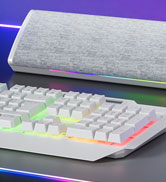
Image 7: Adjusting the volume using the control knob.
4. പരിപാലനം
To ensure the longevity and optimal performance of your SOULION C30 speakers, follow these maintenance guidelines:
- വൃത്തിയാക്കൽ: Use a soft, dry cloth to clean the speaker surfaces. Avoid using abrasive cleaners or solvents.
- ദ്രാവക എക്സ്പോഷർ: Do not expose the speakers to water or other liquids. If liquid spills occur, immediately disconnect power and allow to dry completely before reuse.
- സംഭരണം: നേരിട്ടുള്ള സൂര്യപ്രകാശത്തിൽ നിന്നും കടുത്ത താപനിലയിൽ നിന്നും മാറി തണുത്തതും വരണ്ടതുമായ സ്ഥലത്ത് സ്പീക്കറുകൾ സൂക്ഷിക്കുക.
- കേബിൾ കെയർ: Avoid bending or twisting the cables excessively to prevent damage.
5. പ്രശ്നപരിഹാരം
If you encounter issues with your SOULION C30 speakers, refer to the following troubleshooting steps:
- No Sound / Speakers Not Working:
- Ensure the speakers are not simultaneously connected to two devices as the audio output.
- Verify that "C30" is selected as the audio output device on your computer or smartphone/tablet.
- Confirm that both the computer's volume and the C30 speaker's volume (via the control knob) are turned up, preferably to maximum for testing.
- If using 3.5mm AUX, try plugging both the 3.5mm and USB jacks into different ports, ideally at the back of your computer's host port.
- Test the speakers with another device to determine if the issue is with the speakers or the original device.
- If using Bluetooth, try switching to AUX mode, or vice-versa, to see if the issue persists.
- ബ്ലൂടൂത്ത് കണക്ഷൻ പ്രശ്നങ്ങൾ:
- Ensure the speakers are within the Bluetooth range (10 meters / 33 feet) of your device.
- Long press the light button on the control pod for three seconds to reset the Bluetooth connection, then attempt to pair again.
- Remove "C30" from your device's paired Bluetooth devices list and try pairing again.

Image 8: SOULION C30 speakers integrated into a desktop gaming setup.
6 സ്പെസിഫിക്കേഷനുകൾ
| ഫീച്ചർ | സ്പെസിഫിക്കേഷൻ |
|---|---|
| മോഡലിൻ്റെ പേര് | C30 |
| സ്പീക്കർ തരം | 2.0 Channel Computer Speakers |
| കണക്റ്റിവിറ്റി ടെക്നോളജി | ഓക്സിലറി, ബ്ലൂടൂത്ത്, യുഎസ്ബി |
| പവർ ഉറവിടം | ഡിസി (യുഎസ്ബി പവർഡ്) |
| ഇൻപുട്ട് വോളിയംtage | 5 വോൾട്ട് |
| സ്പീക്കർ പരമാവധി ഔട്ട്പുട്ട് പവർ | 6 വാട്ട്സ് |
| ഫ്രീക്വൻസി പ്രതികരണം | 18 KHz |
| സിഗ്നൽ-ടു-നോയിസ് അനുപാതം | 65 ഡി.ബി |
| പ്രതിരോധം | 4 ഓം |
| ബ്ലൂടൂത്ത് ശ്രേണി | 10 മീറ്റർ |
| ഉൽപ്പന്ന അളവുകൾ | 6"D x 3"W x 3"H |
| ഇനത്തിൻ്റെ ഭാരം | 1.88 പൗണ്ട് |
| മെറ്റീരിയൽ | സംയുക്തം |
| പ്രത്യേക ഫീച്ചർ | LED Light, Lightweight, USB Port |
| ഉൾപ്പെടുത്തിയ ഘടകങ്ങൾ | Cable (3.5mm + USB), Control Knob |
| ജല പ്രതിരോധ നില | വാട്ടർ റെസിസ്റ്റൻ്റ് അല്ല |
7. വാറൻ്റിയും പിന്തുണയും
The SOULION C30 Computer Speakers come with a പരിമിത വാറൻ്റി. For specific warranty details, terms, and conditions, please refer to the product packaging or contact SOULION customer support directly.
If you require further assistance or have questions not covered in this manual, please contact the seller or manufacturer through the platform where the product was purchased.


