ആമുഖം
This manual provides detailed instructions for the installation, operation, and maintenance of your Chieftec AZ-01B-OP Mini Tower Computer Case. Please read this manual thoroughly before beginning any installation or operation to ensure proper use and to prevent damage to the product or other components.
The Chieftec AZ-01B-OP is an m-ATX Mini-Tower PC case designed for optimal hardware and cooling compatibility, featuring a brushed front panel and soundproofing material for reduced noise levels.
സുരക്ഷാ വിവരങ്ങൾ
ഇൻസ്റ്റാളേഷനും പ്രവർത്തനവും നടത്തുമ്പോൾ ഇനിപ്പറയുന്ന സുരക്ഷാ മുൻകരുതലുകൾ പാലിക്കുക:
- ഏതെങ്കിലും ഘടകങ്ങൾ ഇൻസ്റ്റാൾ ചെയ്യുന്നതിനോ നീക്കം ചെയ്യുന്നതിനോ മുമ്പ് എല്ലായ്പ്പോഴും വാൾ ഔട്ട്ലെറ്റിൽ നിന്ന് വൈദ്യുതി വിതരണം വിച്ഛേദിക്കുക.
- സെൻസിറ്റീവ് ഘടകങ്ങൾക്ക് ഇലക്ട്രോസ്റ്റാറ്റിക് ഡിസ്ചാർജ് (ഇഎസ്ഡി) കേടുപാടുകൾ സംഭവിക്കുന്നത് തടയാൻ ആന്റി-സ്റ്റാറ്റിക് റിസ്റ്റ് സ്ട്രാപ്പ് ധരിക്കുക.
- Handle components carefully, avoiding contact with pins or circuit boards.
- Ensure all cables are properly routed and secured to prevent interference with cooling fans or moving parts.
- Do not operate the computer case in environments with excessive dust, humidity, or extreme temperatures.
പാക്കേജ് ഉള്ളടക്കം
പാക്കേജിൽ എല്ലാ ഇനങ്ങളും ഉണ്ടെന്ന് ഉറപ്പാക്കുക:
- Chieftec AZ-01B-OP Mini Tower Computer Case
- ആക്സസറി കിറ്റ് (സ്ക്രൂകൾ, സ്റ്റാൻഡ്ഓഫുകൾ, കേബിൾ ടൈകൾ)
- ഉപയോക്തൃ മാനുവൽ (ഈ പ്രമാണം)
- 1 x 120 mm PWM fan (pre-installed)
സജ്ജീകരണവും ഇൻസ്റ്റാളേഷനും
1. കേസ് തുറക്കൽ
Remove the side panels to access the interior of the case. Typically, this involves unscrewing thumbscrews at the rear of the case and sliding the panels backward.

ചിത്രം 1: ഇൻ്റീരിയർ view of the Chieftec AZ-01B-OP, showing the main compartment for motherboard and components.
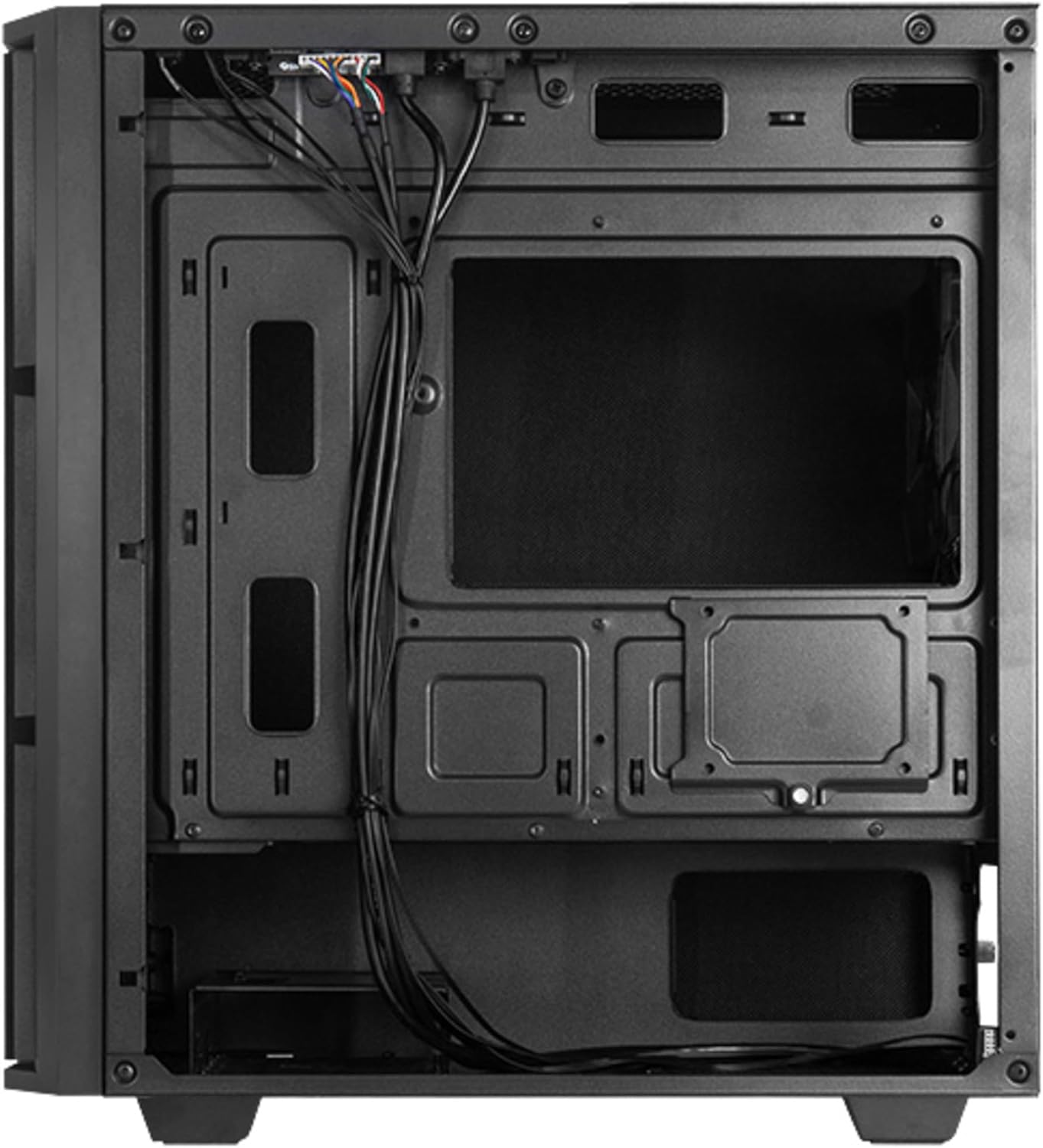
ചിത്രം 2: പിൻഭാഗം view, illustrating cable management space and additional drive mounts.
2. മദർബോർഡ് ഇൻസ്റ്റാളേഷൻ
- കേസിന്റെ പിൻഭാഗത്ത് I/O ഷീൽഡ് സ്ഥാപിക്കുക.
- Align the motherboard with the standoffs inside the case. Ensure the standoffs match the motherboard's form factor (Micro ATX).
- നൽകിയിരിക്കുന്ന സ്ക്രൂകൾ ഉപയോഗിച്ച് മദർബോർഡ് സുരക്ഷിതമാക്കുക.
3. പവർ സപ്ലൈ ഇൻസ്റ്റലേഷൻ
- Position the power supply unit (PSU) in the designated bottom-mount area.
- Secure the PSU to the rear of the case with screws.
- കേബിൾ മാനേജ്മെന്റ് കട്ടൗട്ടുകളിലൂടെ ആവശ്യമായ പവർ കേബിളുകൾ റൂട്ട് ചെയ്യുക.

ചിത്രം 3: പിൻഭാഗം view of the case, indicating the PSU mounting location.
4. സ്റ്റോറേജ് ഡ്രൈവ് ഇൻസ്റ്റലേഷൻ (HDD/SSD)
The case supports multiple drive configurations. Refer to the internal layout for specific mounting points.
- For 3.5" HDDs: Mount drives in the drive cage, typically located at the bottom front or behind the motherboard tray.
- For 2.5" SSDs: Mount drives on dedicated SSD trays or directly onto the motherboard tray using screws.

ചിത്രം 4: താഴെ view, showing potential HDD/SSD mounting areas and the PSU dust filter.
5. എക്സ്പാൻഷൻ കാർഡ് ഇൻസ്റ്റാളേഷൻ
- കേസിന്റെ പിൻഭാഗത്ത് നിന്ന് ആവശ്യമായ എക്സ്പാൻഷൻ സ്ലോട്ട് കവറുകൾ നീക്കം ചെയ്യുക.
- Insert the expansion card (e.g., graphics card) into the appropriate PCIe slot on the motherboard.
- Secure the card with a screw or the case's retention mechanism.
6. കേബിൾ മാനേജ്മെന്റ്
കേബിളുകൾ ക്രമീകരിക്കുന്നതിന് മദർബോർഡ് ട്രേയ്ക്ക് പിന്നിലുള്ള കേബിൾ റൂട്ടിംഗ് കട്ടൗട്ടുകളും ടൈ-ഡൗൺ പോയിന്റുകളും ഉപയോഗിക്കുക. ഇത് വായുസഞ്ചാരവും സൗന്ദര്യശാസ്ത്രവും മെച്ചപ്പെടുത്തുന്നു.
7. കേസ് അവസാനിപ്പിക്കൽ
Once all components are installed and cables are managed, reattach the side panels. Ensure they are properly aligned and secured with the thumbscrews.

ചിത്രം 5: മുൻഭാഗം view of the assembled case.
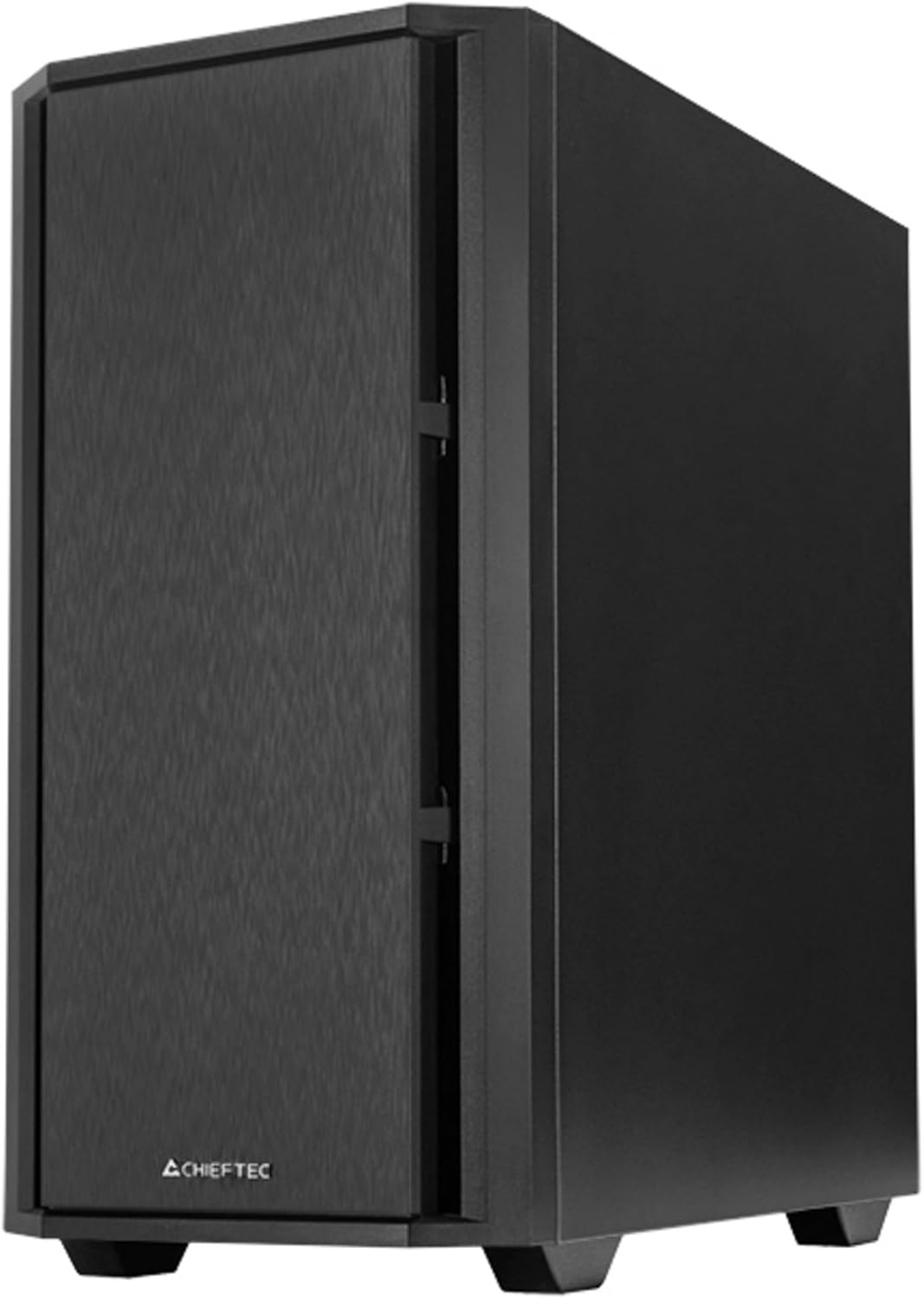
ചിത്രം 6: കോണാകൃതിയിലുള്ള മുൻഭാഗം view of the assembled case.
പ്രവർത്തിക്കുന്നു
1. പെരിഫറലുകൾ ബന്ധിപ്പിക്കുന്നു
Connect your monitor, keyboard, mouse, and other peripherals to the appropriate ports on your motherboard's I/O panel and any installed expansion cards.

Figure 7: Top I/O panel for easy access to USB and audio ports.
2. First Power-On
- പവർ കേബിൾ പൊതുമേഖലാ സപ്ലൈയിലേക്കും ഒരു വാൾ ഔട്ട്ലെറ്റിലേക്കും ബന്ധിപ്പിക്കുക.
- പൊതുമേഖലാ സ്ഥാപനത്തിലെ പവർ സ്വിച്ച് 'ഓൺ' സ്ഥാനത്തേക്ക് തിരിക്കുക.
- Press the power button on the front of the case to start your computer.
മെയിൻ്റനൻസ്
1. കേസ് വൃത്തിയാക്കൽ
കേസിന്റെ പുറംഭാഗം പതിവായി മൃദുവായ, ഡി-ക്ലാസ്സർ ഉപയോഗിച്ച് വൃത്തിയാക്കുക.amp തുണി. ഉരച്ചിലുകൾ ഉണ്ടാക്കുന്ന ക്ലീനറുകളോ ലായകങ്ങളോ ഒഴിവാക്കുക.
2. പൊടി ഫിൽറ്റർ പരിപാലനം
The Chieftec AZ-01B-OP includes dust filters to prevent dust buildup inside the system. Periodically remove and clean these filters (e.g., with compressed air or by washing with water and allowing to dry completely) to maintain optimal airflow and cooling performance.
ട്രബിൾഷൂട്ടിംഗ്
നിങ്ങൾക്ക് പ്രശ്നങ്ങൾ നേരിടുകയാണെങ്കിൽ, ഇനിപ്പറയുന്ന പൊതുവായ പരിഹാരങ്ങൾ പരിഗണിക്കുക:
- ശക്തിയില്ല: Ensure the power cable is securely connected to both the PSU and the wall outlet. Check that the PSU switch is in the 'ON' position. Verify all internal power cables (24-pin ATX, 8-pin CPU, GPU power) are correctly seated.
- ഡിസ്പ്ലേ ഇല്ല: Confirm the monitor is connected to the graphics card (not the motherboard's integrated graphics ports, unless you are using integrated graphics). Reseat the graphics card and RAM modules.
- അമിത ചൂടാക്കൽ: Check that all case fans and CPU cooler fans are spinning. Ensure dust filters are clean and not obstructing airflow. Verify proper thermal paste application on the CPU.
- അസാധാരണമായ ശബ്ദം: Identify the source of the noise. It could be a loose cable hitting a fan, a faulty fan, or a hard drive. Secure loose components or replace faulty fans.
സ്പെസിഫിക്കേഷനുകൾ
| ഫീച്ചർ | സ്പെസിഫിക്കേഷൻ |
|---|---|
| ബ്രാൻഡ് | ചീഫ് ടെക് |
| മോഡലിൻ്റെ പേര് | AZ-01B-OP |
| കേസ് തരം | മിനി-ടവർ |
| മദർബോർഡ് അനുയോജ്യത | മൈക്രോ എടിഎക്സ് |
| മെറ്റീരിയൽ | അലോയ് സ്റ്റീൽ |
| നിറം | കറുപ്പ് |
| ഇനത്തിൻ്റെ ഭാരം | 5.15 കിലോഗ്രാം (11.33 പൗണ്ട്) |
| ഉൽപ്പന്ന അളവുകൾ (LxWxH) | 18.9 x 18.9 x 10.63 ഇഞ്ച് |
| പവർ സപ്ലൈ മൗണ്ടിംഗ് തരം | താഴെയുള്ള മൗണ്ട് |
| തണുപ്പിക്കൽ രീതി | വായു |
| മുൻകൂട്ടി ഇൻസ്റ്റാൾ ചെയ്ത ഫാനുകൾ | 1 x 120 mm PWM fan |
| പ്രത്യേക സവിശേഷതകൾ | Sound-absorbing material, Elegant and modern design |
വാറൻ്റി വിവരങ്ങൾ
Chieftec products are manufactured to high-quality standards. This product is covered by a limited warranty against defects in materials and workmanship. The specific warranty period and terms may vary by region and retailer. Please retain your proof of purchase for warranty claims.
For detailed warranty information, please refer to the official Chieftec webസൈറ്റ് ചെയ്യുക അല്ലെങ്കിൽ നിങ്ങളുടെ പ്രാദേശിക റീട്ടെയിലറെ ബന്ധപ്പെടുക.
പിന്തുണ
For technical assistance, troubleshooting, or further inquiries, please visit the official Chieftec support webസൈറ്റ് അല്ലെങ്കിൽ അവരുടെ ഉപഭോക്തൃ സേവന വിഭാഗവുമായി ബന്ധപ്പെടുക.
- ഉദ്യോഗസ്ഥൻ Webസൈറ്റ്: www.chieftec.eu
- പിന്തുണ കോൺടാക്റ്റ്: റഫർ ചെയ്യുക webപ്രാദേശിക ബന്ധപ്പെടാനുള്ള വിവരങ്ങൾക്കായുള്ള സൈറ്റ്.