1. ആമുഖം
നിങ്ങളുടെ പുതിയ ആമസോൺ ഫയർ ടിവി 55 ഇഞ്ച് 4-സീരീസ് 4K UHD സ്മാർട്ട് ടിവിയിലേക്ക് സ്വാഗതം. നിങ്ങളുടെ ടെലിവിഷൻ സജ്ജീകരിക്കുന്നതിനും പ്രവർത്തിപ്പിക്കുന്നതിനും പരിപാലിക്കുന്നതിനും ട്രബിൾഷൂട്ട് ചെയ്യുന്നതിനുമുള്ള അവശ്യ വിവരങ്ങൾ ഈ മാനുവലിൽ അടങ്ങിയിരിക്കുന്നു. നിങ്ങളുടെ ഫയർ ടിവി അതിശയിപ്പിക്കുന്ന 4K അൾട്രാ HD ദൃശ്യങ്ങളെ അലക്സയുടെ ബുദ്ധിശക്തിയുമായി സംയോജിപ്പിച്ച് തടസ്സമില്ലാത്ത വിനോദ അനുഭവം നൽകുന്നു.

ചിത്രം: മുൻഭാഗം view ആമസോൺ ഫയർ ടിവി 4-സീരീസ് 55 ഇഞ്ച് ടിവിയുടെ, ഷോasing അതിന്റെ നേർത്ത ബെസലുകളും സ്റ്റാൻഡും.

ചിത്രം: ഫയർ ടിവി 4-സീരീസിന്റെ പ്രധാന സവിശേഷതകൾ എടുത്തുകാണിക്കുന്ന ഒരു ഗ്രാഫിക്: 4K റെസല്യൂഷൻ, HDR10+ ഡിസ്പ്ലേ, ആംബിയന്റ് എക്സ്പീരിയൻസ്, അലക്സാ ഇന്റഗ്രേഷൻ.
2. സജ്ജീകരണം
2.1 അൺപാക്കിംഗും പരിശോധനയും
പാക്കേജിംഗിൽ നിന്ന് എല്ലാ ഘടകങ്ങളും ശ്രദ്ധാപൂർവ്വം നീക്കം ചെയ്യുക. ടിവിയിലും അനുബന്ധ ഉപകരണങ്ങളിലും എന്തെങ്കിലും കേടുപാടുകൾ സംഭവിച്ചിട്ടുണ്ടോ എന്ന് പരിശോധിക്കുക. ഭാവിയിലെ ഗതാഗത അല്ലെങ്കിൽ സേവന ആവശ്യങ്ങൾക്കായി പാക്കേജിംഗ് സൂക്ഷിക്കുക.
2.2 സ്റ്റാൻഡ് അസംബ്ലി (ഓപ്ഷണൽ)
നിങ്ങളുടെ ടിവി ചുമരിൽ ഘടിപ്പിക്കുന്നില്ലെങ്കിൽ, ഉൾപ്പെടുത്തിയിരിക്കുന്ന ടിവി സ്റ്റാൻഡ് കാലുകൾ ഘടിപ്പിക്കുക:
- പോറലുകൾ ഉണ്ടാകാതിരിക്കാൻ ടിവി സ്ക്രീൻ-ഡൗൺ മൃദുവായതും വൃത്തിയുള്ളതുമായ ഒരു പ്രതലത്തിൽ വയ്ക്കുക.
- ഓരോ സ്റ്റാൻഡ് കാലും ടിവിയുടെ അടിയിലുള്ള അനുബന്ധ സ്ലോട്ടുകളുമായി വിന്യസിക്കുക.
- നൽകിയിരിക്കുന്ന സ്ക്രൂകൾ ഉപയോഗിച്ച് ഓരോ കാലും ഉറപ്പിക്കുക (ആകെ 4 സ്ക്രൂകൾ).
ടിവി കാലുകൾ തമ്മിലുള്ള ദൂരം ഏകദേശം 43.3 ഇഞ്ച് ആണ്.
2.3 വാൾ മൗണ്ടിംഗ് (ഓപ്ഷണൽ)
ചുമരിൽ ഘടിപ്പിക്കുന്നതിന്, 300 mm x 300 mm നിലവാരം പിന്തുണയ്ക്കുന്ന ഒരു VESA-അനുയോജ്യമായ മൗണ്ട് ഉപയോഗിക്കുക. നിങ്ങൾക്ക് ഉറപ്പില്ലെങ്കിൽ ഇൻസ്റ്റാളേഷനായി ഒരു പ്രൊഫഷണലിനെ സമീപിക്കുക.
2.4 പെരിഫറലുകൾ ബന്ധിപ്പിക്കുന്നു
ലഭ്യമായ പോർട്ടുകൾ ഉപയോഗിച്ച് നിങ്ങളുടെ ഉപകരണങ്ങൾ ടിവിയിലേക്ക് ബന്ധിപ്പിക്കുക:
- HDMI പോർട്ടുകൾ: ഹൈ-ഡെഫനിഷൻ ഓഡിയോ, വീഡിയോ ഉപകരണങ്ങൾക്കായി (ഉദാ: ഗെയിമിംഗ് കൺസോളുകൾ, ബ്ലൂ-റേ പ്ലെയറുകൾ, സൗണ്ട്ബാറുകൾ) eARC ഉള്ള 3 HDMI 2.0 പോർട്ടുകളും 1 HDMI 2.1 പോർട്ടും.
- USB പോർട്ട്: ബാഹ്യ സംഭരണ ഉപകരണങ്ങൾ ബന്ധിപ്പിക്കുന്നതിനുള്ള 1 USB 3.0 പോർട്ട്.
- ഡിജിറ്റൽ ഒപ്റ്റിക്കൽ ഓഡിയോ പോർട്ട്: ബാഹ്യ ഓഡിയോ സിസ്റ്റങ്ങളുമായി ബന്ധിപ്പിക്കുന്നതിന് 1 പോർട്ട്.
- ഇഥർനെറ്റ് പോർട്ട്: വയർഡ് ഇന്റർനെറ്റ് കണക്ഷനായി 1 പോർട്ട്.
എല്ലാ കേബിളുകളും സുരക്ഷിതമായി ബന്ധിപ്പിച്ചിട്ടുണ്ടെന്ന് ഉറപ്പാക്കുക.
2.5 പവർ കണക്ഷൻ
പവർ കോർഡ് ടിവിയുടെ പവർ ഇൻപുട്ടിലേക്കും പിന്നീട് ഒരു വാൾ ഔട്ട്ലെറ്റിലേക്കും പ്ലഗ് ചെയ്യുക.
2.6 വിദൂര നിയന്ത്രണ സജ്ജീകരണം
അലക്സ വോയ്സ് റിമോട്ട് എൻഹാൻസ്ഡിലേക്ക് ഉൾപ്പെടുത്തിയിരിക്കുന്ന രണ്ട് AAA ബാറ്ററികൾ ഇടുക. പ്രാരംഭ സജ്ജീകരണത്തിൽ തന്നെ റിമോട്ട് നിങ്ങളുടെ ടിവിയുമായി യാന്ത്രികമായി ജോടിയാക്കും.
2.7 പ്രാരംഭ പവർ ഓണും നെറ്റ്വർക്ക് സജ്ജീകരണവും
റിമോട്ടിലെ പവർ ബട്ടൺ അമർത്തുക. ഇനിപ്പറയുന്നവ ചെയ്യാൻ സ്ക്രീനിലെ നിർദ്ദേശങ്ങൾ പാലിക്കുക:
- നിങ്ങളുടെ ഭാഷ തിരഞ്ഞെടുക്കുക.
- നിങ്ങളുടെ Wi-Fi നെറ്റ്വർക്കിലേക്ക് കണക്റ്റുചെയ്യുക (Wi-Fi 6 പിന്തുണയ്ക്കുന്നു) അല്ലെങ്കിൽ ഇതർനെറ്റ് കണക്ഷൻ ഉപയോഗിക്കുക.
- നിങ്ങളുടെ Amazon അക്കൗണ്ട് ഉപയോഗിച്ച് സൈൻ ഇൻ ചെയ്യുക.
- നിങ്ങളുടെ ഫയർ ടിവി അനുഭവത്തിനായി ഗൈഡഡ് സജ്ജീകരണം പൂർത്തിയാക്കുക.
3. പ്രവർത്തിക്കുന്നു
3.1 പവർ ഓൺ/ഓഫ്
ടിവി ഓണാക്കാനോ ഓഫാക്കാനോ Alexa Voice Remote Enhanced-ലെ പവർ ബട്ടൺ അമർത്തുക. ടിവി പൂർണ്ണമായും പവർ ഓഫ് ചെയ്യുന്നതിനു പകരം സ്ലീപ്പ് മോഡിലേക്ക് മാറിയേക്കാം, ഇത് വേഗത്തിലുള്ള സ്റ്റാർട്ടപ്പിനും ആംബിയന്റ് എക്സ്പീരിയൻസ് സവിശേഷതകൾക്കും അനുവദിക്കുന്നു.
3.2 അലക്സ വോയ്സ് റിമോട്ട് മെച്ചപ്പെടുത്തി
നിങ്ങളുടെ ടിവിയിൽ അവബോധജന്യമായ നിയന്ത്രണത്തിനായി രൂപകൽപ്പന ചെയ്തിരിക്കുന്ന ഒരു അലക്സ വോയ്സ് റിമോട്ട് എൻഹാൻസ്ഡ് ഉണ്ട്:
- ശബ്ദ നിയന്ത്രണം: ഉള്ളടക്കം കണ്ടെത്താനും സ്മാർട്ട് ഹോം ഉപകരണങ്ങൾ കൈകാര്യം ചെയ്യാനും ചോദ്യങ്ങൾ ചോദിക്കാനും അലക്സാ ബട്ടൺ അമർത്തിപ്പിടിച്ച് സ്വാഭാവികമായി സംസാരിക്കുക.
- പ്രീസെറ്റ് ബട്ടണുകൾ: നിങ്ങളുടെ പ്രിയപ്പെട്ട സ്ട്രീമിംഗ് സേവനങ്ങളിലേക്ക് പെട്ടെന്ന് ആക്സസ് ലഭിക്കുന്നതിന് സമർപ്പിത ആപ്പ് ബട്ടണുകൾ ഉപയോഗിക്കുക.
- നാവിഗേഷൻ: ഫയർ ഒഎസ് ഇന്റർഫേസ് നാവിഗേറ്റ് ചെയ്യാൻ ഡയറക്ഷണൽ പാഡും സെലക്ട് ബട്ടണും ഉപയോഗിക്കുക.
പകരമായി, വോയ്സ് നിയന്ത്രണത്തിനും നാവിഗേഷനുമായി നിങ്ങളുടെ സ്മാർട്ട്ഫോണിൽ സൗജന്യ ഫയർ ടിവി ആപ്പ് (ഫയർ ഒഎസ്, ആൻഡ്രോയിഡ്, ഐഒഎസ് എന്നിവയിൽ ലഭ്യമാണ്) ഉപയോഗിക്കാം.

ചിത്രം: ഫയർ ടിവി ഇന്റർഫേസ്, വോയ്സ് കൺട്രോൾ ശേഷികൾ പ്രദർശിപ്പിക്കുന്ന, ജനപ്രിയ സ്ട്രീമിംഗ് ആപ്ലിക്കേഷനുകൾക്കായുള്ള അലക്സാ സെർച്ച് ബാറും ഐക്കണുകളും കാണിക്കുന്നു.
3.3 ഫയർ ഒഎസ് ഇന്റർഫേസും ഉള്ളടക്ക ആക്സസും
ഫയർ ഒഎസ് വ്യക്തിഗതമാക്കിയ ഒരു ഹോം സ്ക്രീൻ നൽകുന്നു, അവിടെ നിങ്ങൾക്ക് ആപ്പുകൾ, സിനിമകൾ, ടിവി ഷോകൾ, ലൈവ് ടിവി എന്നിവ എളുപ്പത്തിൽ കണ്ടെത്താനും സമാരംഭിക്കാനും കഴിയും. പുതിയ ഉള്ളടക്കം കണ്ടെത്താൻ വിഭാഗങ്ങളിലൂടെയും ശുപാർശകളിലൂടെയും നാവിഗേറ്റ് ചെയ്യുക. 400,000-ത്തിലധികം എപ്പിസോഡുകൾ സൗജന്യ ഉള്ളടക്കം ഉൾപ്പെടെ 1.8 ദശലക്ഷത്തിലധികം സിനിമകളും ടിവി എപ്പിസോഡുകളും നിങ്ങൾക്ക് ആക്സസ് ചെയ്യാൻ കഴിയും. ചില സേവനങ്ങൾക്ക് സബ്സ്ക്രിപ്ഷൻ ഫീസ് ബാധകമായേക്കാം.
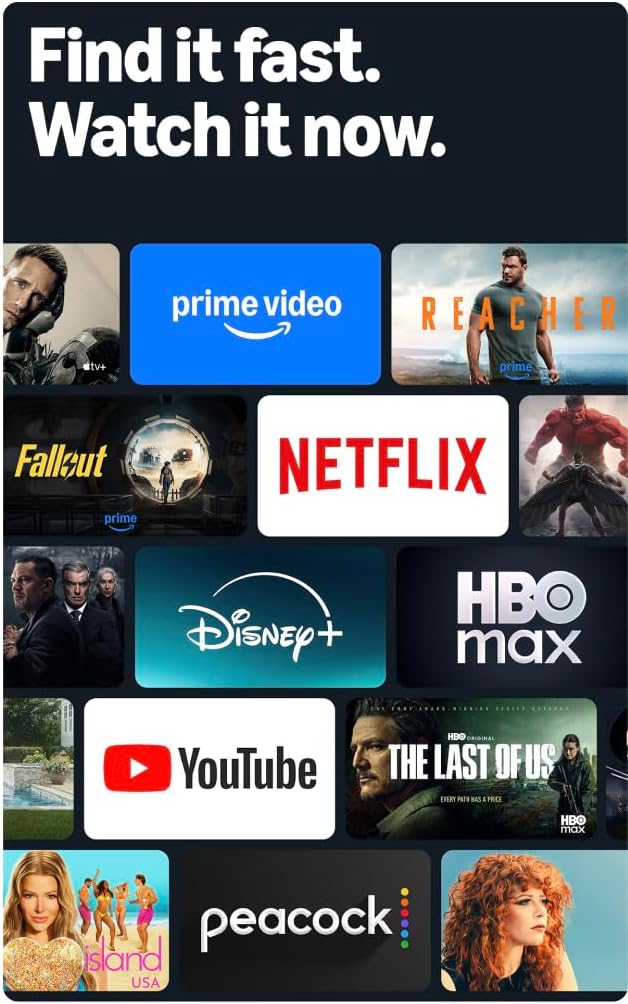
ചിത്രം: ലഭ്യമായ വിനോദത്തിന്റെ വിശാലമായ ശ്രേണി ചിത്രീകരിക്കുന്ന, ഫയർ ടിവി സ്ക്രീനിൽ സ്ട്രീമിംഗ് സേവന ലോഗോകളുടെയും ഉള്ളടക്ക തംബ്നെയിലുകളുടെയും ഒരു കൊളാഷ്.
3.4 ചിത്ര നിലവാരം
4K അൾട്രാ HD റെസല്യൂഷനും HDR10+ പിന്തുണയും ഉപയോഗിച്ച് ഉജ്ജ്വലമായ ദൃശ്യങ്ങൾ അനുഭവിക്കൂ. ഈ സാങ്കേതികവിദ്യ മെച്ചപ്പെട്ട കോൺട്രാസ്റ്റോടുകൂടിയ തിളക്കമുള്ളതും വ്യക്തവുമായ ചിത്രങ്ങൾ നൽകുന്നു, ഇരുണ്ട രംഗങ്ങളിൽ പോലും വിശദാംശങ്ങൾ ദൃശ്യമാണെന്ന് ഉറപ്പാക്കുന്നു.

ചിത്രം: ഒരു गिरगिटത്തിന്റെ ക്ലോസ്-അപ്പ് ഉപയോഗിച്ച്, HD യുമായി താരതമ്യപ്പെടുത്തുമ്പോൾ 4K റെസല്യൂഷന്റെ മികച്ച വിശദാംശങ്ങളും വ്യക്തതയും തെളിയിക്കുന്ന ഒരു ദൃശ്യ താരതമ്യം.
3.5 ഓഡിയോ
വ്യക്തവും ആഴത്തിലുള്ളതുമായ ശബ്ദം നൽകിക്കൊണ്ട് ഡോൾബി-എൻകോഡഡ് ഓഡിയോയുടെ പാസ്ത്രൂവോടുകൂടിയ ഡോൾബി ഡിജിറ്റൽ പ്ലസ് ഓഡിയോ പിന്തുണ ഈ ടിവിയിലുണ്ട്. ഇന്റഗ്രേറ്റഡ് സ്പീക്കറുകൾ 10W + 10W ഓഡിയോ പവർ വാഗ്ദാനം ചെയ്യുന്നു.
3.6 ആംബിയന്റ് അനുഭവം
ഇഷ്ടാനുസൃത ഓമ്നിസെൻസ് സാങ്കേതികവിദ്യ പ്രയോജനപ്പെടുത്തുക. നിങ്ങൾ മുറിയിൽ പ്രവേശിക്കുമ്പോൾ ബിൽറ്റ്-ഇൻ സെൻസറുകൾ ഡിസ്പ്ലേയെ ഉണർത്തുന്നു, ഇത് നിങ്ങളുടെ പ്രിയപ്പെട്ട കലാസൃഷ്ടികൾ കാണിക്കാനോ ഉള്ളടക്കം വേഗത്തിൽ കാണുന്നത് പുനരാരംഭിക്കാനോ അനുവദിക്കുന്നു.

ചിത്രം: ചലനം കണ്ടെത്തുമ്പോൾ സജീവമാകുന്ന ആംബിയന്റ് എക്സ്പീരിയൻസ് സവിശേഷത ചിത്രീകരിക്കുന്ന, ഊർജ്ജസ്വലമായ അമൂർത്ത കല പ്രദർശിപ്പിക്കുന്ന ഫയർ ടിവി സ്ക്രീൻ.
3.7 ഗെയിമിംഗ്
ആപ്പ്സ്റ്റോറിൽ നിന്ന് സൗജന്യ ഗെയിമുകൾ ഡൗൺലോഡ് ചെയ്യുക അല്ലെങ്കിൽ ആമസോൺ ലൂണ ഉപയോഗിച്ച് ക്ലൗഡിൽ നിന്ന് ഗെയിമുകൾ സ്ട്രീം ചെയ്യുക, നിങ്ങളുടെ ടിവിയിൽ നേരിട്ട് വൈവിധ്യമാർന്ന ഗെയിമിംഗ് അനുഭവം വാഗ്ദാനം ചെയ്യുന്നു.
4. പരിപാലനം
4.1 നിങ്ങളുടെ ടിവി വൃത്തിയാക്കൽ
- സ്ക്രീൻ: മൃദുവായതും ഉണങ്ങിയതും ലിന്റ് രഹിതവുമായ ഒരു തുണി ഉപയോഗിച്ച് സ്ക്രീൻ സൌമ്യമായി തുടയ്ക്കുക. കഠിനമായ പാടുകൾക്ക്, നേരിയ തോതിൽ dampതുണിയിൽ വെള്ളം അല്ലെങ്കിൽ ഇലക്ട്രോണിക് ഉപകരണങ്ങൾക്കായി പ്രത്യേകം രൂപകൽപ്പന ചെയ്ത സ്ക്രീൻ-ക്ലീനിംഗ് ലായനി ഉപയോഗിക്കുക. സ്ക്രീനിലേക്ക് നേരിട്ട് ദ്രാവകം തളിക്കരുത്.
- Casing: ടിവി തുടയ്ക്കാൻ മൃദുവായതും ഉണങ്ങിയതുമായ തുണി ഉപയോഗിക്കുക casing. അബ്രാസീവ് ക്ലീനറുകളോ ലായകങ്ങളോ ഒഴിവാക്കുക.
വൃത്തിയാക്കുന്നതിന് മുമ്പ് എല്ലായ്പ്പോഴും പവർ ഔട്ട്ലെറ്റിൽ നിന്ന് ടിവി അഴിക്കുക.
4.2 സോഫ്റ്റ്വെയർ അപ്ഡേറ്റുകൾ
നിങ്ങളുടെ ഫയർ ടിവിക്ക് ഓട്ടോമാറ്റിക് സോഫ്റ്റ്വെയർ സുരക്ഷാ അപ്ഡേറ്റുകൾ ലഭിക്കുന്നു. പ്രകടനവും സുരക്ഷയും മെച്ചപ്പെടുത്തുന്ന ഈ അപ്ഡേറ്റുകൾ സ്വീകരിക്കുന്നതിന് നിങ്ങളുടെ ടിവി ഇന്റർനെറ്റുമായി ബന്ധിപ്പിച്ചിട്ടുണ്ടെന്ന് ഉറപ്പാക്കുക. ഞങ്ങളുടെ പുതിയ യൂണിറ്റായി വാങ്ങാൻ ഉപകരണം അവസാനമായി ലഭ്യമായതിന് ശേഷം കുറഞ്ഞത് നാല് വർഷമെങ്കിലും വരെ ഈ ഉപകരണത്തിന് ഉറപ്പായ സോഫ്റ്റ്വെയർ സുരക്ഷാ അപ്ഡേറ്റുകൾ ലഭിക്കും. webസൈറ്റുകൾ.
5. പ്രശ്നപരിഹാരം
നിങ്ങളുടെ ആമസോൺ ഫയർ ടിവിയിൽ പ്രശ്നങ്ങൾ നേരിടുകയാണെങ്കിൽ, ഇനിപ്പറയുന്ന പൊതുവായ ട്രബിൾഷൂട്ടിംഗ് ഘട്ടങ്ങൾ പരിശോധിക്കുക:
- ശക്തിയില്ല: പവർ കോർഡ് ടിവിയിലും വർക്കിംഗ് വാൾ ഔട്ട്ലെറ്റിലും സുരക്ഷിതമായി പ്ലഗ് ചെയ്തിട്ടുണ്ടെന്ന് ഉറപ്പാക്കുക. മറ്റൊരു ഔട്ട്ലെറ്റ് പരീക്ഷിക്കുക.
- ചിത്രം/ശബ്ദം ഇല്ല: എല്ലാ HDMI കേബിളുകളും ടിവിയിലേക്കും നിങ്ങളുടെ ബാഹ്യ ഉപകരണങ്ങളിലേക്കും ശരിയായി ബന്ധിപ്പിച്ചിട്ടുണ്ടെന്ന് ഉറപ്പാക്കുക. നിങ്ങളുടെ ടിവിയിലെ ഇൻപുട്ട് ഉറവിടം പരിശോധിക്കുക.
- റിമോട്ട് പ്രതികരിക്കുന്നില്ല: അലക്സ വോയ്സ് റിമോട്ട് എൻഹാൻസ്ഡിലെ AAA ബാറ്ററികൾ മാറ്റിസ്ഥാപിക്കുക. റിമോട്ടിനും ടിവിക്കും ഇടയിൽ തടസ്സങ്ങളൊന്നുമില്ലെന്ന് ഉറപ്പാക്കുക.
- നെറ്റ്വർക്ക് കണക്ഷൻ പ്രശ്നങ്ങൾ: നിങ്ങളുടെ വൈഫൈ റൂട്ടർ പരിശോധിച്ച് അത് ശരിയായി പ്രവർത്തിക്കുന്നുണ്ടെന്ന് ഉറപ്പാക്കുക. നിങ്ങളുടെ റൂട്ടറും ടിവിയും പുനരാരംഭിക്കുക. വയർഡ് കണക്ഷൻ ഉപയോഗിക്കുകയാണെങ്കിൽ, ഇതർനെറ്റ് കേബിൾ സുരക്ഷിതമായി ബന്ധിപ്പിച്ചിട്ടുണ്ടെന്ന് ഉറപ്പാക്കുക.
- മന്ദഗതിയിലുള്ള പ്രകടനം: പവർ ഔട്ട്ലെറ്റിൽ നിന്ന് 30 സെക്കൻഡ് നേരത്തേക്ക് അൺപ്ലഗ് ചെയ്ത് വീണ്ടും പ്ലഗ് ഇൻ ചെയ്ത് നിങ്ങളുടെ ടിവി പുനരാരംഭിക്കുക. ആവശ്യമെങ്കിൽ ആപ്പുകൾക്കായി കാഷെ മായ്ക്കുക.
കൂടുതൽ വിശദമായ ട്രബിൾഷൂട്ടിംഗിനോ നിലനിൽക്കുന്ന പ്രശ്നങ്ങൾക്കോ, ആമസോൺ ഫയർ ടിവി പിന്തുണ സന്ദർശിക്കുക. webസൈറ്റ് അല്ലെങ്കിൽ ഉപഭോക്തൃ സേവനവുമായി ബന്ധപ്പെടുക.
6 സ്പെസിഫിക്കേഷനുകൾ
| ഫീച്ചർ | വിശദാംശങ്ങൾ |
|---|---|
| സ്ക്രീൻ വലിപ്പം | 55 ഇഞ്ച് (54.6 ഇഞ്ച് viewകഴിയും) |
| റെസലൂഷൻ | 4 കെ യുഎച്ച്ഡി (3840 x 2160) |
| ഹൈ ഡൈനാമിക് റേഞ്ച് (എച്ച്ഡിആർ) | HDR10+, HDR10, HLG |
| ബാക്ക്ലൈറ്റ് തരം | നേരിട്ടുള്ള എൽ.ഇ.ഡി |
| പുതുക്കിയ നിരക്ക് | 60Hz |
| HDMI പോർട്ടുകൾ | 3 HDMI 2.0 + 1 HDMI 2.1 eARC ഉള്ളവ |
| USB പോർട്ട് | 1 യുഎസ്ബി 3.0 |
| ഡിജിറ്റൽ ഒപ്റ്റിക്കൽ ഓഡിയോ ഔട്ട്പുട്ട് | 1 തുറമുഖം |
| കണക്റ്റിവിറ്റി | വൈഫൈ 6 + 1 ഇതർനെറ്റ് പോർട്ട് |
| ശബ്ദ പിന്തുണ | അലക്സ വോയ്സ് റിമോട്ട് എൻഹാൻസ്ഡ് (ഉൾപ്പെടുത്തിയിരിക്കുന്നു) അല്ലെങ്കിൽ ഫയർ ടിവി ആപ്പ് |
| ഓഡിയോ പിന്തുണ | ഡോൾബി ഡിജിറ്റൽ പ്ലസ് |
| ഓഡിയോ പവർ | 10W + 10W |
| ഓപ്പറേറ്റിംഗ് സിസ്റ്റം | ഫയർ ഒ.എസ്. |
| സ്റ്റാൻഡോടുകൂടിയ ഉൽപ്പന്ന വലുപ്പം | 48.3” x 31.3” x 11.3” |
| സ്റ്റാൻഡിനൊപ്പം ഭാരം | 22.0 പൗണ്ട് |
| സ്റ്റാൻഡ് ഇല്ലാത്ത ഉൽപ്പന്ന വലുപ്പം | 48.3” x 28.2” x 3.2” |
| സ്റ്റാൻഡ് ഇല്ലാതെ ഭാരം | 21.5 പൗണ്ട് |
| ടിവി കാലുകൾ തമ്മിലുള്ള ദൂരം | 43.3" |
| SKU നമ്പർ | 4കെ43എൻ402 |
| VESA വാൾ മൗണ്ട് സ്റ്റാൻഡേർഡ് | 300 mm x 300 mm |
| റിമോട്ട് കൺട്രോൾ ബാറ്ററികൾ | 2 AAA (ഉൾപ്പെടുത്തിയിരിക്കുന്നു) |
| റിമോട്ട് കൺട്രോൾ ടെക്നോളജി | ബ്ലൂടൂത്ത് 5.0 |
7. വാറൻ്റിയും പിന്തുണയും
7.1 ഉൽപ്പന്ന വാറന്റി
നിങ്ങളുടെ ആമസോൺ ഫയർ ടിവി 4-സീരീസിൽ 1 വർഷത്തെ പരിമിത വാറണ്ടിയും സേവനവും ഉൾപ്പെടുന്നു. യുഎസ് ഉപഭോക്താക്കൾക്ക് ഓപ്ഷണൽ 3 വർഷത്തെയും 4 വർഷത്തെയും എക്സ്റ്റൻഡഡ് വാറണ്ടികൾ ലഭ്യമാണ്, അവ പ്രത്യേകം വിൽക്കുന്നു.
നിങ്ങളുടെ ടിവിയിൽ ഉൾപ്പെടുത്തിയിരിക്കുന്ന Alexa Voice Remote Enhanced-ന് 90 ദിവസത്തെ പരിമിത വാറണ്ടിയും സേവനവും ഉണ്ട്.
ഫയർ ടിവിയുടെ ഉപയോഗം ആമസോണിൽ കാണുന്ന നിബന്ധനകൾക്ക് വിധേയമാണ് webസൈറ്റ്.
7.2 ഉപഭോക്തൃ പിന്തുണ
സാങ്കേതിക സഹായം, വാറന്റി ക്ലെയിമുകൾ, അല്ലെങ്കിൽ അധിക പിന്തുണ എന്നിവയ്ക്കായി, ദയവായി ഔദ്യോഗിക ആമസോൺ പിന്തുണ സന്ദർശിക്കുക. webസൈറ്റ് അല്ലെങ്കിൽ ആമസോൺ ഉപഭോക്തൃ സേവനവുമായി ബന്ധപ്പെടുക.
8. പ്രവേശനക്ഷമത സവിശേഷതകൾ
ഉപയോക്തൃ അനുഭവം മെച്ചപ്പെടുത്തുന്നതിനായി ആമസോൺ ഫയർ ടിവി 4-സീരീസിൽ നിരവധി ആക്സസബിലിറ്റി സവിശേഷതകൾ ഉൾപ്പെടുന്നു:
- ശബ്ദംView സ്ക്രീൻ റീഡർ: നാവിഗേഷനും സ്ക്രീനിലെ വാചകത്തിനും സംഭാഷണ ഫീഡ്ബാക്ക് നൽകുന്നു, അന്ധരോ കാഴ്ച വൈകല്യമുള്ളവരോ ആയ ഉപയോക്താക്കളെ സഹായിക്കുന്നു.
- സ്ക്രീൻ മാഗ്നിഫയർ: ഉള്ളടക്കത്തിന്റെ മികച്ച ദൃശ്യപരതയ്ക്കായി ഉപയോക്താക്കളെ സൂം ഇൻ ചെയ്യാനും ഔട്ട് ചെയ്യാനും സ്ക്രീനിന് ചുറ്റും പാൻ ചെയ്യാനും അനുവദിക്കുന്നു.
- ടെക്സ്റ്റ് ബാനർ: ഓൺ-സ്ക്രീൻ ടെക്സ്റ്റ് ഇഷ്ടാനുസൃതമാക്കാവുന്ന ബാനറായി ഏകീകരിക്കുന്നു.
- അടഞ്ഞ അടിക്കുറിപ്പ്: പിന്തുണയ്ക്കുന്ന വീഡിയോകളിലും ടിവി ഷോകളിലും സംഭാഷണങ്ങൾക്കും ശബ്ദങ്ങൾക്കുമുള്ള വാചക അടിക്കുറിപ്പുകൾ പ്രദർശിപ്പിക്കുന്നു.
- ഓഡിയോ വിവരണം: പിന്തുണയ്ക്കുന്ന ഉള്ളടക്കത്തിനായി, പ്രവൃത്തികൾ, മുഖഭാവങ്ങൾ, രംഗ മാറ്റങ്ങൾ എന്നിവ പോലുള്ള സ്ക്രീനിലെ ദൃശ്യ ഘടകങ്ങളുടെ വാക്കാലുള്ള വിവരണങ്ങൾ നൽകുന്നു.
- ബ്ലൂടൂത്ത് ശ്രവണസഹായികൾ: തിരഞ്ഞെടുത്ത അനുയോജ്യമായ ബ്ലൂടൂത്ത് ഹിയറിംഗ് എയ്ഡുകൾക്കും സ്വകാര്യ ശ്രവണ അനുഭവത്തിനായി ഉപകരണങ്ങൾക്കും ഓഡിയോ സ്ട്രീമിംഗ് പിന്തുണയ്ക്കുന്നു. അനുയോജ്യമായ ബ്ലൂടൂത്ത് ഹെഡ്ഫോണുകളും ഉപയോഗിക്കാം.
കുറിപ്പ്: എല്ലാ ഉള്ളടക്കത്തിനും അടിക്കുറിപ്പുകളും ഓഡിയോ വിവരണങ്ങളും ലഭ്യമല്ല. പരമ്പരാഗത ശ്രവണസഹായികൾ, കോക്ലിയർ ഇംപ്ലാന്റുകൾ, അസ്ഥി ചാലക ശ്രവണ ഉപകരണങ്ങൾ എന്നിവ പോലുള്ള അനുയോജ്യമായ ബ്ലൂടൂത്ത് ശ്രവണ ഉപകരണങ്ങളെയാണ് "ശ്രവണസഹായികൾ" എന്ന് വിളിക്കുന്നത്.


