1. ആമുഖം
Thank you for choosing the Redragon H878 3-Mode Wireless Gaming Headset. This headset is designed to provide a versatile and immersive audio experience across multiple platforms. Featuring 3-mode connectivity (2.4GHz wireless, Bluetooth, and wired USB-C), 7.1 virtual surround sound, 40mm audio drivers, and a detachable noise-canceling microphone, it offers flexibility and high-quality audio for gaming, communication, and media consumption. Its lightweight design ensures comfort during extended use.

Image: The Redragon H878 headset in black and gray, displayed on a stand, highlighting its sleek design.

Image: An infographic summarizing key features including 3-mode connection, 7.1 virtual surround, 200g lightweight design, 40mm sound units, upgraded battery life, detachable mic, tough form factor, and blue vibe lighting.
2. പാക്കേജ് ഉള്ളടക്കം
അൺബോക്സിംഗ് ചെയ്യുമ്പോൾ എല്ലാ ഇനങ്ങളും ഉണ്ടെന്ന് ഉറപ്പാക്കാൻ പാക്കേജ് ഉള്ളടക്കങ്ങൾ പരിശോധിക്കുക:
- Redragon H878 3-Mode Wireless Gaming Headset
- വേർപെടുത്താവുന്ന മൈക്രോഫോൺ
- USB-C ചാർജിംഗ് കേബിൾ
- 2.4GHz വയർലെസ് യുഎസ്ബി ഡോംഗിൾ
- ഉപയോക്തൃ മാനുവൽ (ഈ പ്രമാണം)
3. ഉൽപ്പന്നം കഴിഞ്ഞുview (Controls and Components)
Familiarize yourself with the various parts and controls of your Redragon H878 headset:

ചിത്രം: വിശദമായ ഒരു ചിത്രം view of the left earcup, indicating the location of the washable fabric cover, power ON/OFF button, volume controls, mute microphone button, and the detachable microphone port.
- പവർ ഓൺ/ഓഫ് ബട്ടൺ: Located on the earcup, used to turn the headset on or off.
- വോളിയം നിയന്ത്രണങ്ങൾ (+/-): ഓഡിയോ ഔട്ട്പുട്ട് ലെവൽ ക്രമീകരിക്കുന്നു.
- മൈക്രോഫോൺ മ്യൂട്ട് ബട്ടൺ: മൈക്രോഫോൺ ഓൺ അല്ലെങ്കിൽ ഓഫ് ടോഗിൾ ചെയ്യുന്നു.
- വേർപെടുത്താവുന്ന മൈക്രോഫോൺ പോർട്ട്: Connects the flexible boom microphone.
- യുഎസ്ബി-സി പോർട്ട്: Used for charging and wired connection.
- Washable Fabric Cover: Removable covers for hygiene and comfort.
- 2.4GHz Wireless USB Dongle: Provides low-latency wireless connection.
4. സജ്ജീകരണം
4.1 ഹെഡ്സെറ്റ് ചാർജ് ചെയ്യുന്നു
Before first use, fully charge the headset. Connect the supplied USB-C charging cable to the headset's USB-C port and the other end to a USB power source (e.g., computer USB port, USB wall adapter). The LED indicator will show charging status and turn off or change color when fully charged.

Image: The H878 headset highlighting its 600mAh battery for extended playtime.
4.2 മൈക്രോഫോൺ ഘടിപ്പിക്കൽ
Insert the detachable boom microphone into the microphone port located on the left earcup. Ensure it is securely connected. Adjust the microphone's position for optimal voice pickup.
4.3 ഉപകരണങ്ങളിലേക്ക് ബന്ധിപ്പിക്കുന്നു
Redragon H878 മൂന്ന് കണക്ഷൻ മോഡുകൾ വാഗ്ദാനം ചെയ്യുന്നു:
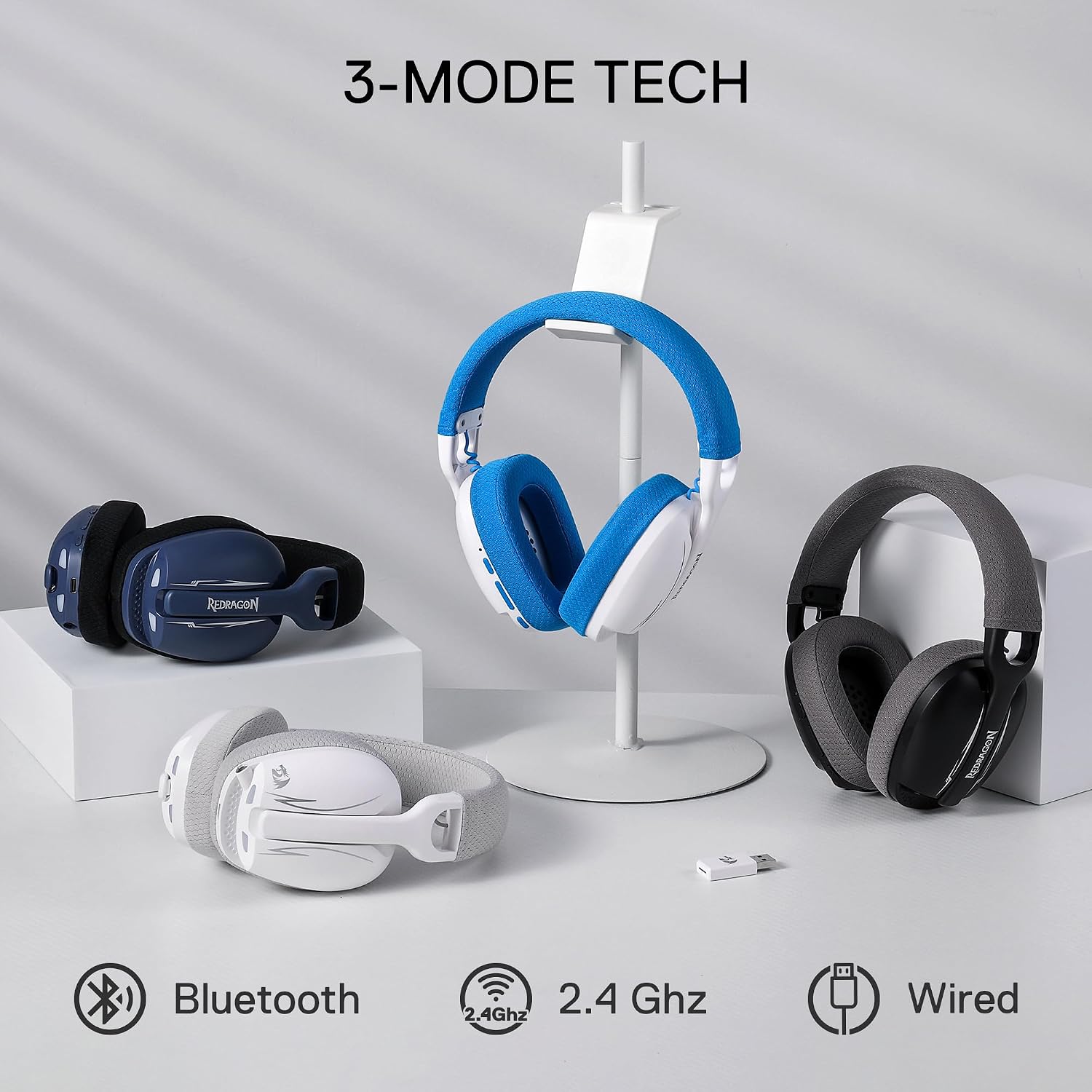
Image: Three Redragon H878 headsets demonstrating the Bluetooth, 2.4GHz, and Wired connection options.

Image: Diagram illustrating the wide platform compatibility of the headset, including Windows PCs, PlayStation consoles, Nintendo Switch, and mobile devices.
4.3.1 2.4GHz Wireless Mode (for PC, PS5/4/3, Switch Docked)
- Plug the 2.4GHz USB dongle into an available USB port on your device (PC, PlayStation console, or Nintendo Switch dock).
- Turn on the headset. The headset should automatically connect to the dongle. The LED indicator will confirm a successful connection.
- On your device, ensure the Redragon H878 is selected as the audio input and output device in your sound settings.
4.3.2 Bluetooth Mode (for Mobile, Switch Handheld, PC)
- Turn on the headset and switch to Bluetooth mode (refer to Section 5.2 for mode switching). The LED indicator will flash, indicating pairing mode.
- On your device (smartphone, tablet, PC, Nintendo Switch), enable Bluetooth and search for available devices.
- Select "Redragon H878" from the list of found devices to pair. The LED indicator will become solid when connected.
4.3.3 Wired Mode (for PC, Consoles, Mobile)
- Connect the USB-C cable directly from the headset to your device's USB-C port.
- The headset will function as a wired audio device. Ensure it is selected as the default audio device in your system settings.
5. പ്രവർത്തന നിർദ്ദേശങ്ങൾ
5.1 പവർ ഓൺ/ഓഫ്
- പവർ ഓണാക്കാൻ: Press and hold the Power ON/OFF button for approximately 3 seconds until the LED indicator lights up.
- പവർ ഓഫ് ചെയ്യാൻ: Press and hold the Power ON/OFF button for approximately 3 seconds until the LED indicator turns off.
5.2 കണക്ഷൻ മോഡുകൾ മാറൽ
The headset supports three modes: 2.4GHz Wireless, Bluetooth, and Wired. Use the mode switch button (refer to Product Overview) to cycle between these modes. The LED indicator will change to reflect the active mode.
5.3 വോളിയം ക്രമീകരണം
Use the Volume + and Volume - buttons on the earcup to increase or decrease the audio volume.
5.4 മൈക്രോഫോൺ മ്യൂട്ട്
Press the Microphone Mute button on the earcup to quickly mute or unmute your microphone. The LED indicator on the microphone or headset may change to show mute status.
5.5 7.1 Virtual Surround Sound
The Redragon H878 features 7.1 virtual surround sound for an immersive audio experience. This feature is typically enabled automatically when connected via 2.4GHz wireless or USB-C wired mode on compatible systems (e.g., PC with Redragon software, if available). For optimal experience, ensure your device's audio settings are configured correctly.
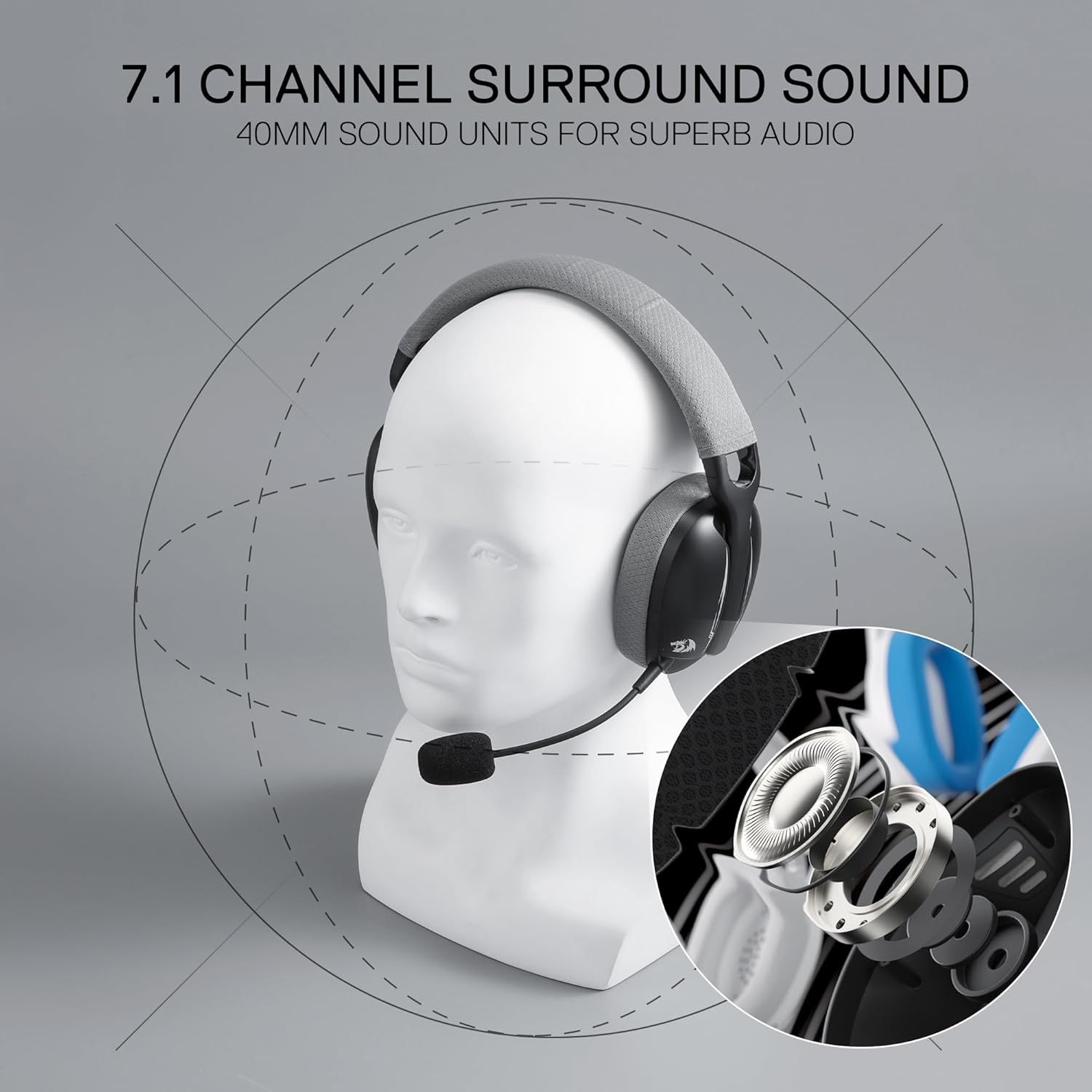
Image: A visual representation of 7.1 channel surround sound technology and the 40mm audio drivers within the headset.
5.6 Blue Lighting
The headset features blue lighting. This lighting typically activates when the headset is powered on. Specific controls for lighting modes or toggling may be available through dedicated software on PC, if provided by Redragon.
6. പരിപാലനം
- വൃത്തിയാക്കൽ: Use a soft, dry cloth to clean the headset. For the washable fabric covers, remove them carefully and follow washing instructions (if provided by manufacturer). Do not use harsh chemicals or abrasive materials.
- സംഭരണം: ഹെഡ്സെറ്റ് നേരിട്ട് സൂര്യപ്രകാശം ഏൽക്കാത്തതും ഉയർന്ന താപനില ഏൽക്കാത്തതുമായ ഒരു തണുത്ത വരണ്ട സ്ഥലത്ത് സൂക്ഷിക്കുക.
- ബാറ്ററി കെയർ: ബാറ്ററി ലൈഫ് വർദ്ധിപ്പിക്കാൻ, ഹെഡ്സെറ്റ് ഇടയ്ക്കിടെ പൂർണ്ണമായും ഡിസ്ചാർജ് ചെയ്യുന്നത് ഒഴിവാക്കുക. ദീർഘനേരം ഉപയോഗിച്ചിട്ടില്ലെങ്കിൽ പോലും പതിവായി ചാർജ് ചെയ്യുക.
7. പ്രശ്നപരിഹാരം
| പ്രശ്നം | സാധ്യമായ പരിഹാരം |
|---|---|
| ഹെഡ്സെറ്റിൽ നിന്ന് ശബ്ദമില്ല |
|
| മൈക്രോഫോൺ പ്രവർത്തിക്കുന്നില്ല |
|
| Wireless connection unstable or disconnecting |
|
| Headset not turning on |
|
8 സ്പെസിഫിക്കേഷനുകൾ
| ഫീച്ചർ | വിശദാംശങ്ങൾ |
|---|---|
| മോഡലിൻ്റെ പേര് | SKULD PRO (H878) |
| കണക്റ്റിവിറ്റി ടെക്നോളജി | BT & 2.4Ghz & Wired (USB-C) |
| ഓഡിയോ ഡ്രൈവർ തരം | ഡൈനാമിക് ഡ്രൈവർ (40mm) |
| ശബ്ദ നിയന്ത്രണം | സൗണ്ട് ഐസൊലേഷൻ |
| മൈക്രോഫോൺ | Detachable, Noise-Cancellation |
| ബാറ്ററി ശേഷി | 600mAh (1 A ബാറ്ററി ഉൾപ്പെടുത്തിയിരിക്കുന്നു) |
| ഭാരം | Approximately 200g (0.51 Kilograms / 1.12 pounds) |
| മെറ്റീരിയൽ | Fabric/Synthetic Leather |
| അനുയോജ്യമായ ഉപകരണങ്ങൾ | Gaming Consoles (PS5/4/3, Switch), Computers (PC, Apple Notebook), Mobile Devices (Android Phone) |
| പ്രത്യേക സവിശേഷതകൾ | Adjustable Headband, Lightweight, Blue Lighting |
| പ്രതിരോധം | 16 ഓം |
9. വാറണ്ടിയും പിന്തുണയും
Redragon products are designed and manufactured to the highest quality standards. For information regarding warranty coverage, please refer to the warranty card included with your product or visit the official Redragon webസൈറ്റ്.
സാങ്കേതിക പിന്തുണയ്ക്കോ, ട്രബിൾഷൂട്ടിംഗ് സഹായത്തിനോ, മാറ്റിസ്ഥാപിക്കാനുള്ള ഭാഗങ്ങളെ കുറിച്ച് അന്വേഷിക്കാനോ, ദയവായി അവരുടെ ഔദ്യോഗിക വിലാസത്തിൽ Redragon ഉപഭോക്തൃ സേവനവുമായി ബന്ധപ്പെടുക. webസൈറ്റ് അല്ലെങ്കിൽ നിങ്ങളുടെ ഉൽപ്പന്ന പാക്കേജിംഗിൽ നൽകിയിരിക്കുന്ന ബന്ധപ്പെടാനുള്ള വിവരങ്ങൾ.
ഔദ്യോഗിക റെഡ്രാഗൺ Webസൈറ്റ്: www.redragonusa.com (www.redragonusa.com) എന്ന വെബ്സൈറ്റ് സന്ദർശിക്കുക.


