1. ആമുഖം
Thank you for choosing the GGSTOPWATER JM13 Open Ear Headphones. These innovative earbuds are designed for comfort and safety, allowing you to enjoy high-quality audio while remaining aware of your surroundings. Their non-intrusive design reduces ear fatigue, making them ideal for extended wear during various activities.

Figure 1: Open-ear design for comfort and awareness.
2. ബോക്സിൽ എന്താണുള്ളത്?
Your GGSTOPWATER JM13 package includes the following items:
- True Wireless Bluetooth Headphones (2 units)
- Headset Charging Compartment (1 unit)
- ടൈപ്പ്-സി ചാർജിംഗ് കേബിൾ (1 യൂണിറ്റ്)
- ഉപയോക്തൃ മാനുവൽ (1 യൂണിറ്റ്)
- Silicone Lanyard (1 unit)

ചിത്രം 2: പാക്കേജിൽ ഉൾപ്പെടുത്തിയിരിക്കുന്ന എല്ലാ ഘടകങ്ങളും.
3. സജ്ജീകരണ ഗൈഡ്
3.1 ഇയർബഡുകളും കേസും ചാർജ് ചെയ്യുന്നു
Before first use, fully charge the earbuds and the charging case. The case features a Type-C charging port for convenient power input.
- Place the earbuds into their respective slots in the charging case. They are magnetized to ensure proper placement.
- Connect the provided Type-C charging cable to the charging case and a power source.
- കേസിലെ ഇൻഡിക്കേറ്റർ ലൈറ്റുകൾ ചാർജിംഗ് നില കാണിക്കും. പൂർണ്ണമായി ചാർജ് ചെയ്തുകഴിഞ്ഞാൽ, ലൈറ്റുകൾ പൂർത്തിയായി എന്ന് സൂചിപ്പിക്കും.

Figure 3: Charging the earbuds and case.
3.2 ബ്ലൂടൂത്ത് ജോടിയാക്കൽ
The JM13 headphones utilize advanced Bluetooth 5.4 technology for a fast and stable connection.
- ഇയർബഡുകൾ ചാർജ് ചെയ്തിട്ടുണ്ടെന്നും ചാർജിംഗ് കെയ്സിൽ നിന്ന് നീക്കം ചെയ്തിട്ടുണ്ടെന്നും ഉറപ്പാക്കുക. അവ സ്വയമേവ ജോടിയാക്കൽ മോഡിലേക്ക് പ്രവേശിക്കും.
- നിങ്ങളുടെ ഉപകരണത്തിൽ (സ്മാർട്ട്ഫോൺ, ടാബ്ലെറ്റ്, ലാപ്ടോപ്പ്), ബ്ലൂടൂത്ത് ക്രമീകരണങ്ങളിലേക്ക് പോയി ബ്ലൂടൂത്ത് ഓണാക്കുക.
- ഇതിനായി തിരയുക available devices and select "JM13" from the list.
- കണക്റ്റുചെയ്തുകഴിഞ്ഞാൽ, ഒരു വോയ്സ് പ്രോംപ്റ്റ് വിജയകരമായ ജോടിയാക്കൽ സ്ഥിരീകരിക്കും.

Figure 4: Bluetooth connection process.
The headphones support multi-device linking, compatible with iOS, Android, and Windows systems, allowing seamless switching between devices.
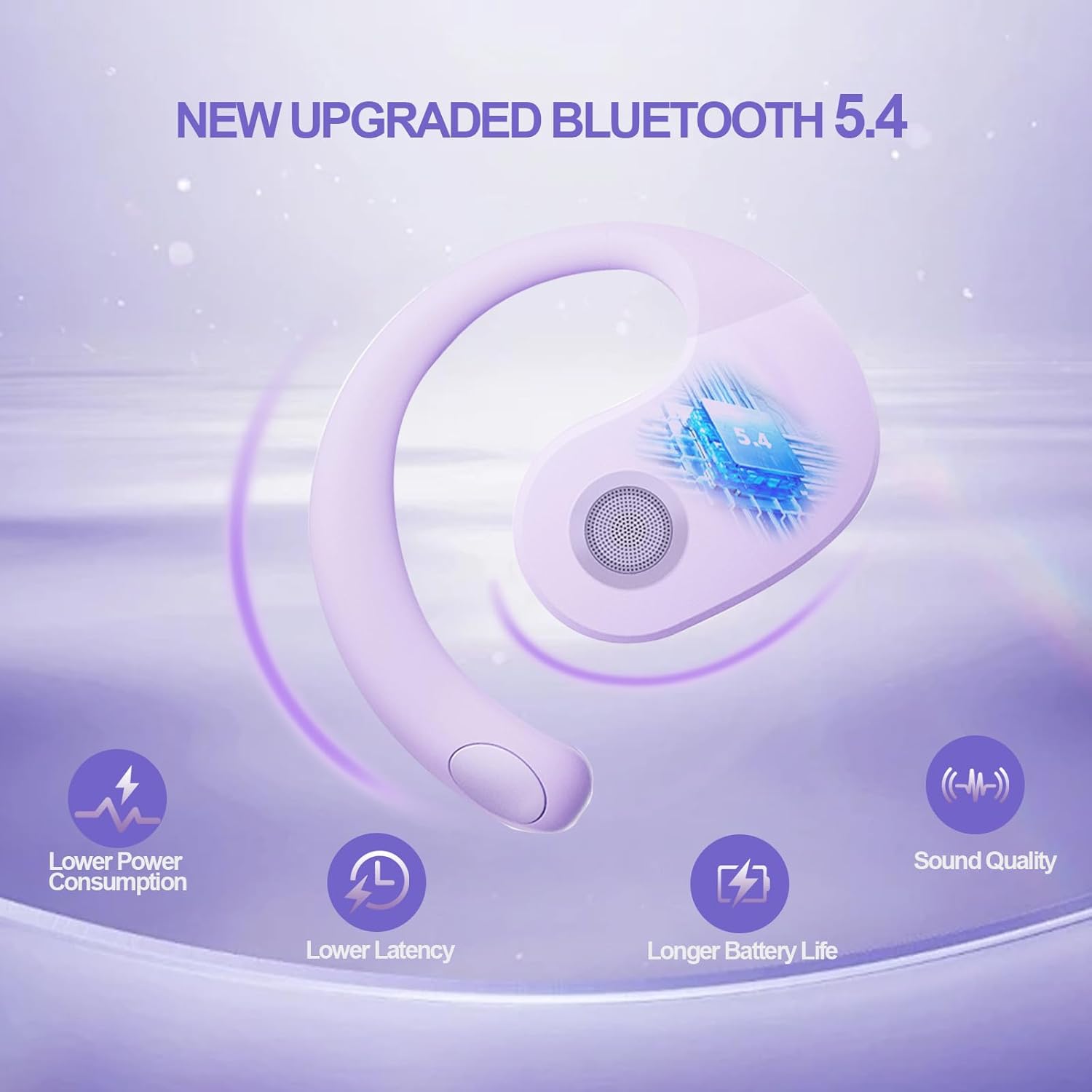
Figure 5: Benefits of Bluetooth 5.4 connectivity.
4. പ്രവർത്തന നിർദ്ദേശങ്ങൾ
4.1 ടച്ച് നിയന്ത്രണങ്ങൾ
The JM13 earbuds feature intuitive touch controls for managing calls and music:
| ആക്ഷൻ | കമാൻഡ് |
|---|---|
| സംഗീതം പ്ലേ ചെയ്യുക/താൽക്കാലികമായി നിർത്തുക | Single touch (either earbud) |
| മുൻ ഗാനം | Double touch (Left earbud) |
| അടുത്ത ഗാനം | Double touch (Right earbud) |
| വോളിയം ഡൗൺ | Triple touch (Left earbud) |
| വോളിയം കൂട്ടുക | Triple touch (Right earbud) |
| ഉത്തരം / കോൾ അവസാനിപ്പിക്കുക | Click to answer, then click to hang up |
| കോൾ നിരസിക്കുക | 2 സെക്കൻഡ് ദീർഘനേരം അമർത്തുക |
| പവർ ഓൺ | 3 സെക്കൻഡ് ദീർഘനേരം അമർത്തുക |
| പവർ ഓഫ് | 5 സെക്കൻഡ് ദീർഘനേരം അമർത്തുക |
4.2 ഉപയോഗ സാഹചര്യങ്ങൾ
The open-ear design and secure fit make these earbuds suitable for a variety of activities:
- Sports & Fitness: The flexible ear hooks and IPX5 waterproof rating ensure they stay secure and protected during workouts, running, and other physical activities.
- ഔട്ട്ഡോർ പ്രവർത്തനങ്ങൾ: Maintain spatial awareness to hear approaching vehicles or people, enhancing safety during outdoor sports or walks.
- Office & Daily Use: Enjoy audio content or take calls comfortably without blocking out important ambient sounds.

Figure 6: Versatile use for various scenarios.
4.3 Official Product Video: Touch Controls & Features
Video Description: This video demonstrates the physical product, its open-ear design, and how to use the touch controls for music playback and call management. It also highlights the secure fit and portability of the earbuds.
5. പരിപാലനവും പരിചരണവും
5.1 വാട്ടർപ്രൂഫ്, പൊടി പ്രതിരോധം
The JM13 earbuds are rated IPX5 waterproof, meaning they are protected against low-pressure water jets from any direction. They are also dustproof.
- Wipe the earbuds clean with a soft, dry cloth after each use, especially after workouts or exposure to moisture.
- Do not submerge the earbuds in water or expose them to high-pressure water jets.
- Avoid exposing the charging case to water or excessive dust, as it is not waterproof.

Figure 7: IPX5 waterproof and dustproof protection.
5.2 സംഭരണം
Store the earbuds in their charging case when not in use to protect them from dust, damage, and to keep them charged.
6. പ്രശ്നപരിഹാരം
If you encounter issues with your GGSTOPWATER JM13 headphones, please refer to the following common solutions:
- ശബ്ദമില്ല/കുറഞ്ഞ ശബ്ദം: Ensure the earbuds are properly connected to your device. Check the volume levels on both the earbuds (via touch controls) and your connected device.
- ജോടിയാക്കാൻ കഴിയില്ല: Make sure the earbuds are in pairing mode (alternating flashing white and green lights). Turn off and on your device's Bluetooth, then try searching again. Ensure no other devices are currently connected to the earbuds.
- ചാർജിംഗ് പ്രശ്നങ്ങൾ: Verify that the Type-C cable and power source are working correctly. Ensure the earbuds are correctly seated in the charging case and that the case itself has power. Clean the charging contacts on both the earbuds and the case if necessary.
- Voice Prompts Not in English: If voice prompts are in an unexpected language, refer to the full instruction manual (included in the box) for language setting adjustments, or perform a factory reset if available.
- ഇടവിട്ടുള്ള കണക്ഷൻ: Move closer to your connected device to reduce signal interference. Ensure there are no major obstructions between the earbuds and your device.
പ്രശ്നം നിലനിൽക്കുകയാണെങ്കിൽ, ദയവായി ഉപഭോക്തൃ പിന്തുണയുമായി ബന്ധപ്പെടുക.
7 സ്പെസിഫിക്കേഷനുകൾ
| ഫീച്ചർ | വിശദാംശങ്ങൾ |
|---|---|
| മോഡലിൻ്റെ പേര് | JM13 |
| ബ്രാൻഡ് | ജിജിഎസ്ടോപ് വാട്ടർ |
| കണക്റ്റിവിറ്റി ടെക്നോളജി | വയർലെസ്സ് (ബ്ലൂടൂത്ത് 5.4) |
| ചെവി പ്ലേസ്മെൻ്റ് | തുറന്ന ചെവി |
| ഫോം ഫാക്ടർ | On Ear (with ear hooks) |
| ശബ്ദ നിയന്ത്രണം | സജീവ നോയ്സ് റദ്ദാക്കൽ |
| ഓഡിയോ ഡ്രൈവർ തരം | ഡൈനാമിക് ഡ്രൈവർ (16mm) |
| ഫ്രീക്വൻസി റേഞ്ച് | 20 ഹെർട്സ് - 20,000 ഹെർട്സ് |
| പ്രതിരോധം | 32 ഓം |
| ബാറ്ററി ലൈഫ് (കേസിനൊപ്പം ആകെ) | 48 മണിക്കൂർ വരെ |
| വാട്ടർപ്രൂഫ് റേറ്റിംഗ് | IPX5 |
| മെറ്റീരിയൽ | സിലിക്കൺ, പ്ലാസ്റ്റിക് |
| ഇനത്തിൻ്റെ ഭാരം | 3.52 ഔൺസ് |
| നിറം | പർപ്പിൾ |
8. വാറൻ്റിയും പിന്തുണയും
GGSTOPWATER products come with a standard manufacturer's warranty. For detailed warranty information, product support, or service inquiries, please refer to the warranty card included in your package or visit the official GGSTOPWATER webസൈറ്റ്.
For direct assistance, you may contact our customer support team via the contact information provided in your product documentation.


