1. ആമുഖം
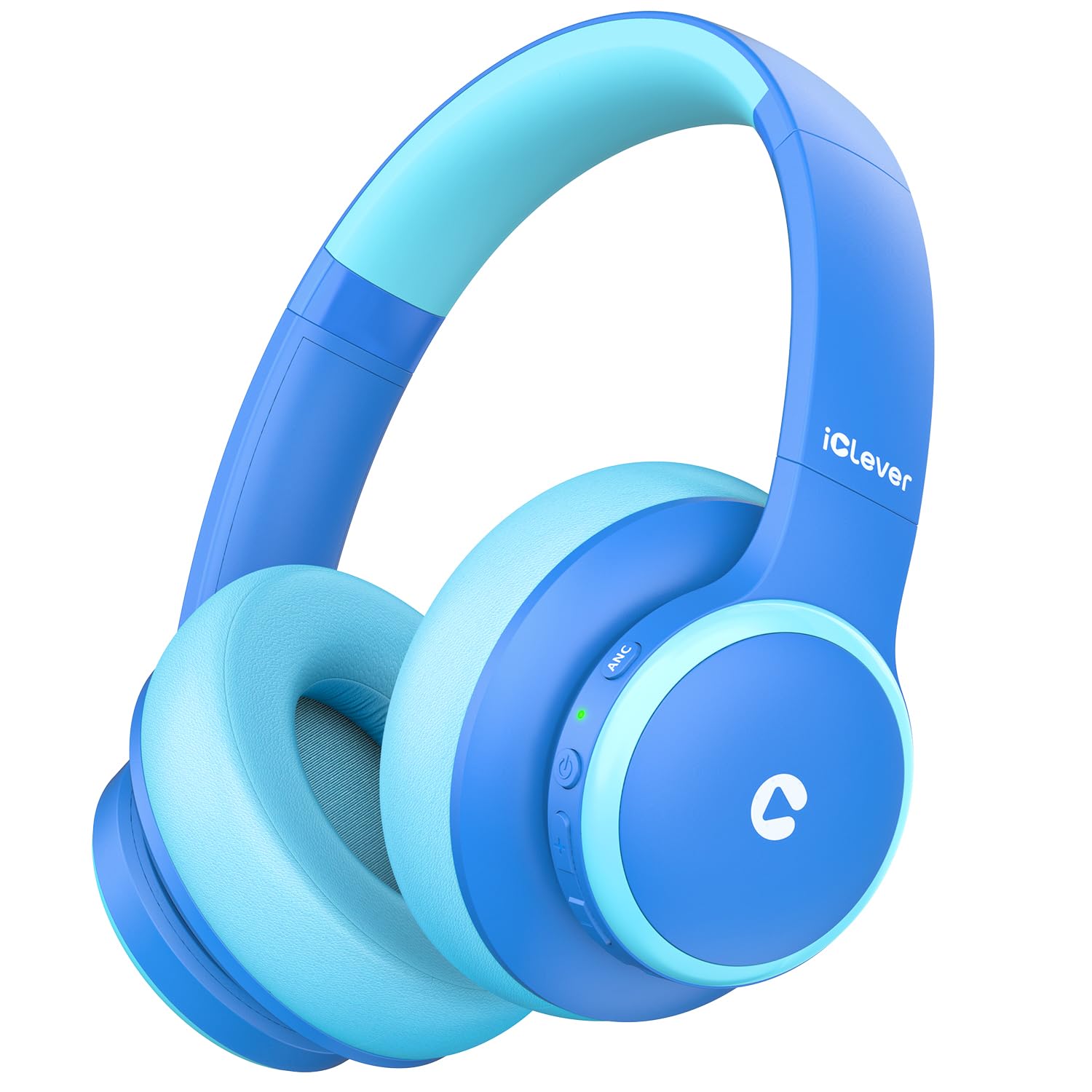
Thank you for choosing the iClever BTH26 Active Noise Cancelling Headphones for Kids. These headphones are designed to provide a safe, comfortable, and immersive audio experience for children, featuring advanced noise reduction, volume limiting technology, and versatile connectivity options. This manual provides essential information for setup, operation, maintenance, and troubleshooting to ensure optimal use of your headphones.
2. ബോക്സിൽ എന്താണുള്ളത്?
- iClever BTH26 Active Kids Noise Cancelling Headphones (Blue)
- USB-C ചാർജിംഗ് കേബിൾ
- വേർപെടുത്താവുന്ന 3.5mm ഓഡിയോ കേബിൾ
- Spunlace Non-woven Storage Bag
- ഉപയോക്തൃ മാനുവൽ

3. ഉൽപ്പന്നം കഴിഞ്ഞുview
3.1 Advanced Noise Reduction Technology
The BTH26 headphones feature Active Noise Cancellation (ANC) combined with Passive Noise Cancellation (PNC) to reduce up to 36dB of ambient background noise. This creates a quieter environment, ideal for focused activities like studying or for use in noisy settings such as airplanes. Voice prompts guide users when switching between noise-cancelling and standard modes via the dedicated ANC button. Note: ANC functionality is not available when using a wired connection.
3.2 Safe & Durable Design
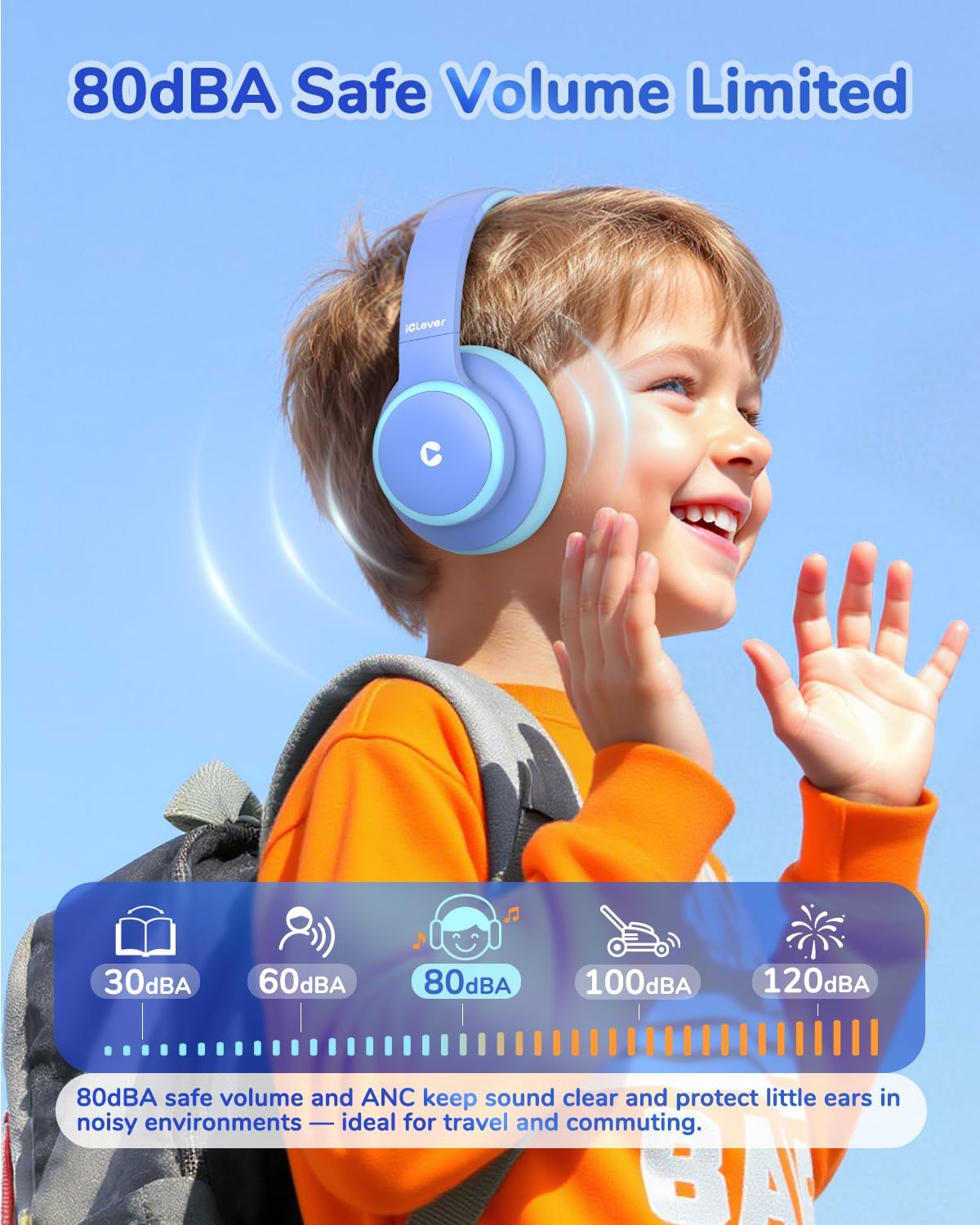
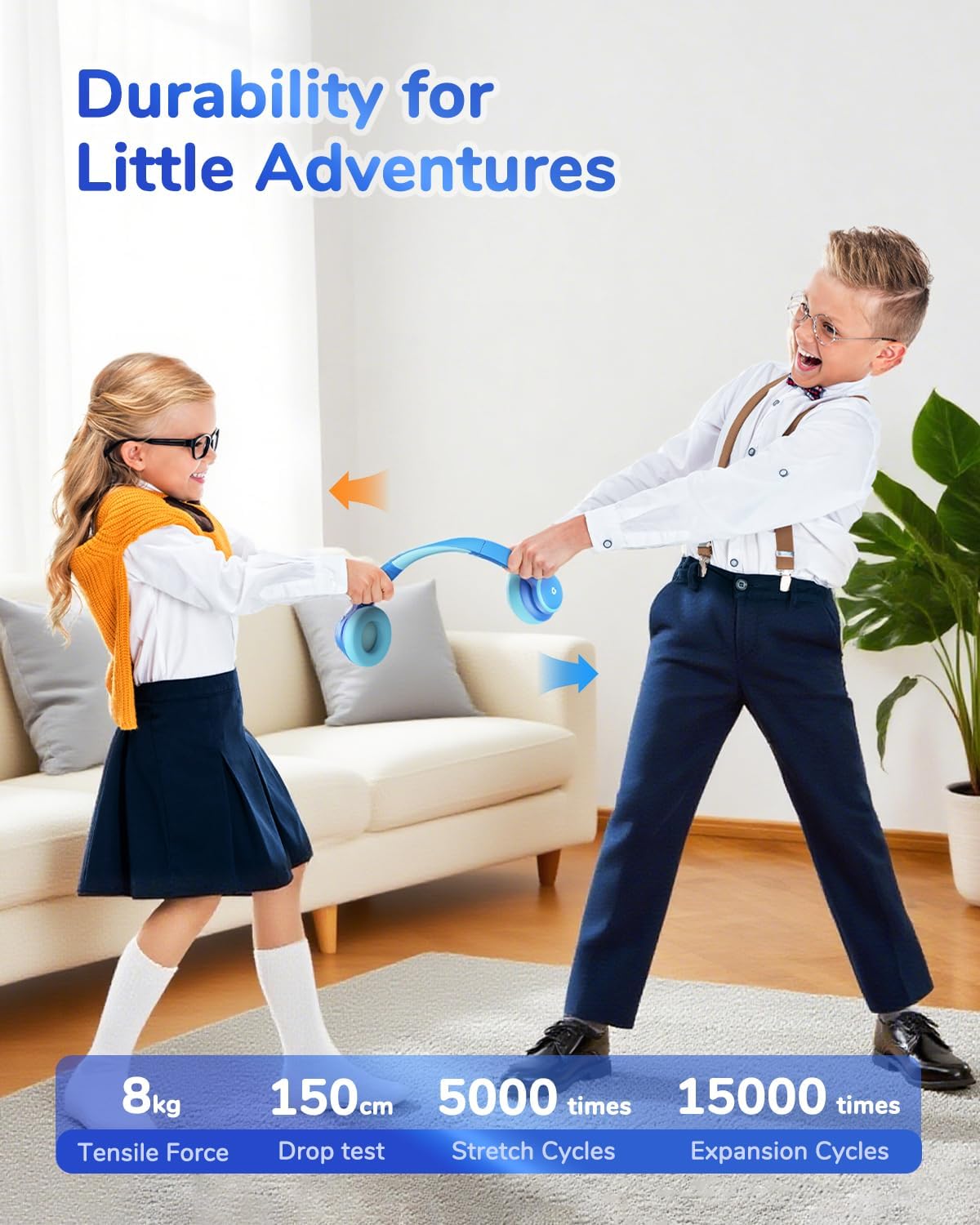
These headphones incorporate an 80dBA volume limit and iClever Sound Refiner technology to safeguard children's hearing. Constructed from safe, BPA-free materials, the headphones are built to endure daily use and impacts, ensuring long-lasting durability.

3.3 Long Battery Life & Connectivity
Enjoy up to 60 hours of playtime with ANC off, or 40 hours with ANC on. A quick 10-minute Type-C charge provides over 4 hours of listening. For extended use or when battery is low, the included 3.5mm audio cable allows for a wired connection. Bluetooth 5.4 ensures stable connections to multiple devices.
3.4 Clear Sound & Built-in Microphone
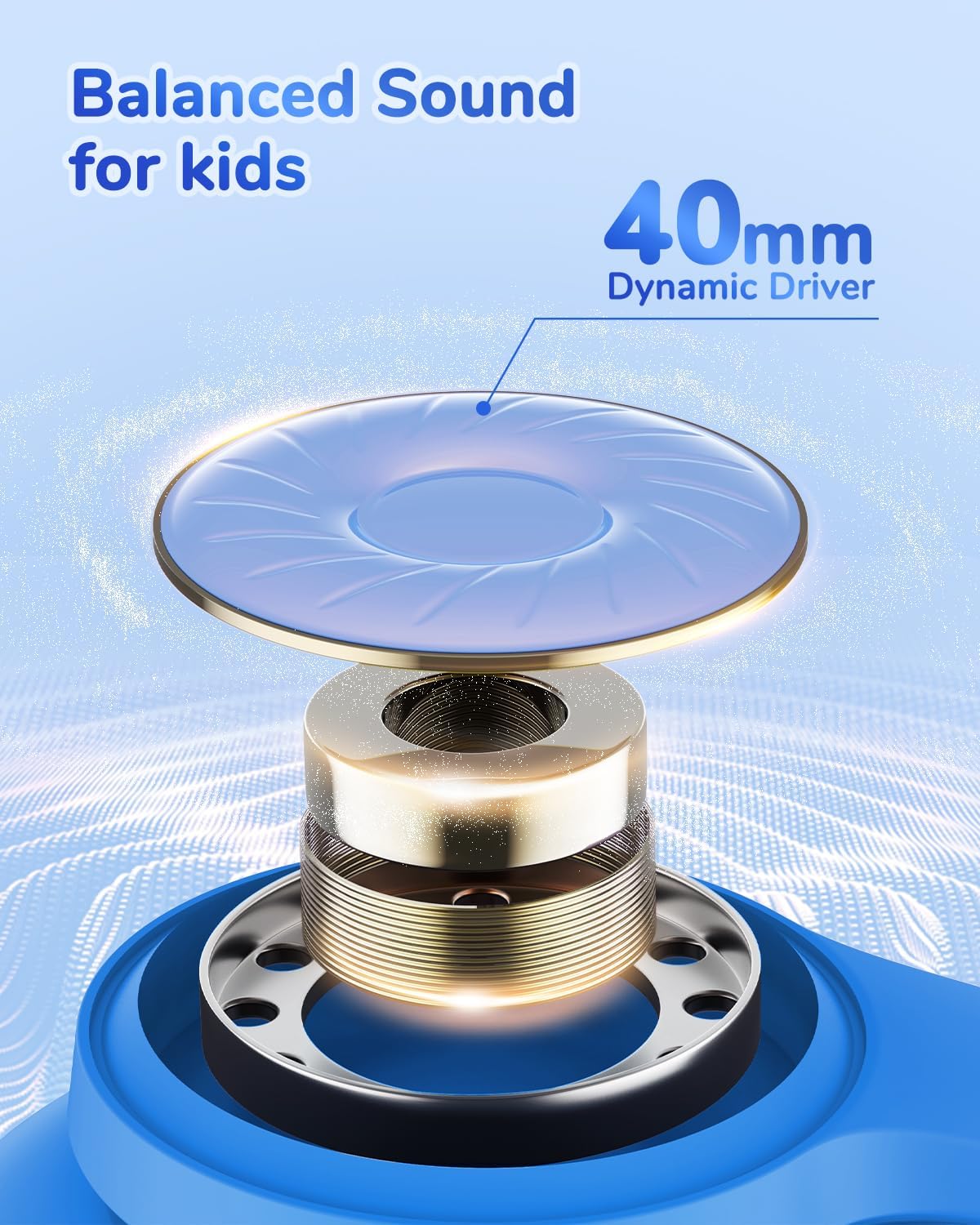
Equipped with 40mm dynamic driver units, these headphones deliver clear and balanced audio. The integrated microphone ensures crisp sound quality for online learning, calls, and communication.
3.5 Comfortable & Portable Design
The ergonomic design includes an adjustable headband and soft, rotatable ear cups for a comfortable and secure fit on various head shapes. The headphones are foldable for compact storage and come with a spunlace non-woven storage bag, making them easy to carry for travel.

4. സജ്ജീകരണം
4.1 ഹെഡ്ഫോണുകൾ ചാർജ് ചെയ്യുന്നു
Before first use, fully charge the headphones. Connect the provided USB-C charging cable to the charging port on the headphone and the other end to a USB power source (e.g., computer, wall adapter). The LED indicator will show charging status and turn off when fully charged.
4.2 ബ്ലൂടൂത്ത് ജോടിയാക്കൽ
- ഹെഡ്ഫോണുകൾ ഓഫാണെന്ന് ഉറപ്പാക്കുക.
- ജോടിയാക്കൽ മോഡ് സൂചിപ്പിക്കുന്ന LED ഇൻഡിക്കേറ്റർ നീലയും ചുവപ്പും നിറങ്ങളിൽ മിന്നുന്നത് വരെ പവർ ബട്ടൺ അമർത്തിപ്പിടിക്കുക.
- നിങ്ങളുടെ ഉപകരണത്തിൽ (സ്മാർട്ട്ഫോൺ, ടാബ്ലെറ്റ്, ലാപ്ടോപ്പ്), ബ്ലൂടൂത്ത് പ്രവർത്തനക്ഷമമാക്കി ലഭ്യമായ ഉപകരണങ്ങൾക്കായി തിരയുക.
- Select 'iClever BTH26' from the list.
- കണക്റ്റുചെയ്തുകഴിഞ്ഞാൽ, LED സൂചകം പതുക്കെ നീലയായി മിന്നുന്നു.
4.3 വയർഡ് കണക്ഷൻ
For devices without Bluetooth or when the battery is depleted, use the included 3.5mm audio cable. Plug one end into the headphone's AUX port and the other end into your device's audio jack.
5. പ്രവർത്തന നിർദ്ദേശങ്ങൾ
5.1 പവർ ഓൺ/ഓഫ്
- പവർ ഓൺ: പവർ ബട്ടൺ 2-3 സെക്കൻഡ് അമർത്തിപ്പിടിക്കുക.
- പവർ ഓഫ്: പവർ ബട്ടൺ 3-4 സെക്കൻഡ് അമർത്തിപ്പിടിക്കുക.
5.2 വോളിയം നിയന്ത്രണം
- വോളിയം കൂട്ടുക: '+' ബട്ടൺ അമർത്തുക.
- വോളിയം താഴേക്ക്: '-' ബട്ടൺ അമർത്തുക.
5.3 സജീവ ശബ്ദം റദ്ദാക്കൽ (ANC)
Press the 'ANC' button on the headphone to toggle the Active Noise Cancellation feature on or off. A voice prompt will confirm the mode change.
5.4 Call/Playback Control
- പ്ലേ/താൽക്കാലികമായി നിർത്തുക: Short press the Multi-function button (usually the Power button).
- ഉത്തരം/അവസാന കോൾ: Short press the Multi-function button during an incoming call.
- കോൾ നിരസിക്കുക: ഇൻകമിംഗ് കോൾ സമയത്ത് മൾട്ടി-ഫംഗ്ഷൻ ബട്ടൺ ദീർഘനേരം അമർത്തുക.
- അടുത്ത ട്രാക്ക്: '+' ബട്ടൺ ദീർഘനേരം അമർത്തുക.
- മുമ്പത്തെ ട്രാക്ക്: '-' ബട്ടൺ ദീർഘനേരം അമർത്തുക.
5.5 ഫിറ്റ് ക്രമീകരിക്കൽ
Adjust the headband by sliding the earcups up or down to achieve a comfortable and secure fit. The earcups can also rotate for better positioning.
6. പരിപാലനം
- വൃത്തിയാക്കൽ: ഹെഡ്ഫോണുകൾ വൃത്തിയാക്കാൻ മൃദുവായതും ഉണങ്ങിയതുമായ തുണി ഉപയോഗിക്കുക. ലിക്വിഡ് ക്ലീനറുകളോ സ്പ്രേകളോ ഉപയോഗിക്കരുത്.
- സംഭരണം: When not in use, fold the headphones and store them in the provided spunlace non-woven storage bag to protect them from dust and damage.
- തീവ്രമായ അവസ്ഥകൾ ഒഴിവാക്കുക: തീവ്രമായ താപനില, ഈർപ്പം, നേരിട്ടുള്ള സൂര്യപ്രകാശം എന്നിവയ്ക്ക് ഹെഡ്ഫോണുകൾ വിധേയമാക്കരുത്.
7. പ്രശ്നപരിഹാരം
| പ്രശ്നം | പരിഹാരം |
|---|---|
| ഹെഡ്ഫോണുകൾ ഓണാകുന്നില്ല | ഹെഡ്ഫോണുകൾ ചാർജ് ചെയ്തിട്ടുണ്ടെന്ന് ഉറപ്പാക്കുക. USB-C കേബിൾ ഉപയോഗിച്ച് ഒരു പവർ സ്രോതസ്സിലേക്ക് കണക്റ്റ് ചെയ്യുക. |
| ബ്ലൂടൂത്ത് വഴി ജോടിയാക്കാൻ കഴിയില്ല | Make sure headphones are in pairing mode (flashing blue/red). Ensure Bluetooth is enabled on your device and it's within range. Try restarting both devices. |
| ശബ്ദമില്ല | Check volume levels on both headphones and the connected device. Ensure the headphones are properly paired or the AUX cable is securely connected. |
| ANC not working in wired mode | Active Noise Cancellation is not supported when using a wired connection. |
8 സ്പെസിഫിക്കേഷനുകൾ
| ഫീച്ചർ | വിശദാംശങ്ങൾ |
|---|---|
| മോഡലിൻ്റെ പേര് | BTH26 |
| ശബ്ദ നിയന്ത്രണം | Active Noise Cancellation (up to 36dB reduction) |
| കണക്റ്റിവിറ്റി ടെക്നോളജി | വയേർഡ്, വയർലെസ്സ് (ബ്ലൂടൂത്ത് 5.4) |
| ബ്ലൂടൂത്ത് ശ്രേണി | 10 മീറ്റർ |
| ഹെഡ്ഫോണുകൾ ജാക്ക് | 3.5 mm ജാക്ക് |
| ഓഡിയോ ഡ്രൈവർ വലിപ്പം | 40 മില്ലിമീറ്റർ |
| ബാറ്ററി ലൈഫ് | Up to 60 Hours (ANC off), 40 Hours (ANC on) |
| ചാർജിംഗ് സമയം | 2.5 Hours (10 min charge for 4+ hours playtime) |
| വോളിയം പരിധി | 80dBA |
| മെറ്റീരിയൽ | Acrylonitrile Butadiene Styrene (ABS), Leather (earcups) |
| ഇനത്തിൻ്റെ ഭാരം | 230 ഗ്രാം (8.1 ഔൺസ്) |
| പ്രത്യേക സവിശേഷതകൾ | Adjustable Headband, Fast Charging, Noise Cancellation, Built-in Mic |
9 സുരക്ഷാ വിവരങ്ങൾ
- Always adhere to the 80dBA volume limit to protect children's hearing.
- Ensure the headphones are made from BPA-free materials for child safety.
- Supervise young children during use to prevent misuse or entanglement with cables.
- Do not use headphones in situations where hearing ambient sounds is crucial for safety (e.g., near traffic).
10. വാറൻ്റിയും പിന്തുണയും
iClever products come with a standard warranty. For detailed warranty information, technical support, or customer service inquiries, please refer to the contact information provided in the product packaging or visit the official iClever webസൈറ്റ്. വാറന്റി ക്ലെയിമുകൾക്കായി നിങ്ങളുടെ വാങ്ങലിന്റെ തെളിവ് സൂക്ഷിക്കുക.


