1. ഉൽപ്പന്നം കഴിഞ്ഞുview
The AUSDOM Full Size Multi-Device Wireless Keyboard offers versatile connectivity and a comfortable typing experience. It supports connection to up to three devices simultaneously via Bluetooth 5.0 or a 2.4Ghz USB receiver. Its low-profile keys feature a scissor-switch mechanism for quiet and precise input. The keyboard includes a full numeric keypad and dedicated shortcut keys, powered by a built-in rechargeable battery.

ചിത്രം 1.1: പൂർണ്ണം view of the AUSDOM Full Size Multi-Device Wireless Keyboard.
പാക്കേജ് ഉള്ളടക്കം:
- AUSDOM Full Size Wireless Keyboard
- 2.4GHz USB Receiver (stored in the keyboard's battery compartment)
- USB-C ചാർജിംഗ് കേബിൾ
- ഉപയോക്തൃ മാനുവൽ
2. സജ്ജീകരണവും കണക്ഷനും
2.1 കീബോർഡ് ചാർജ് ചെയ്യുന്നു
Before first use, fully charge the keyboard. Connect the provided USB-C charging cable to the keyboard's charging port and the other end to a USB power source (e.g., computer USB port, USB wall adapter). The charging indicator light will illuminate during charging and turn off when fully charged. A full charge typically takes approximately 1.5 hours and provides up to 200 hours of working time.
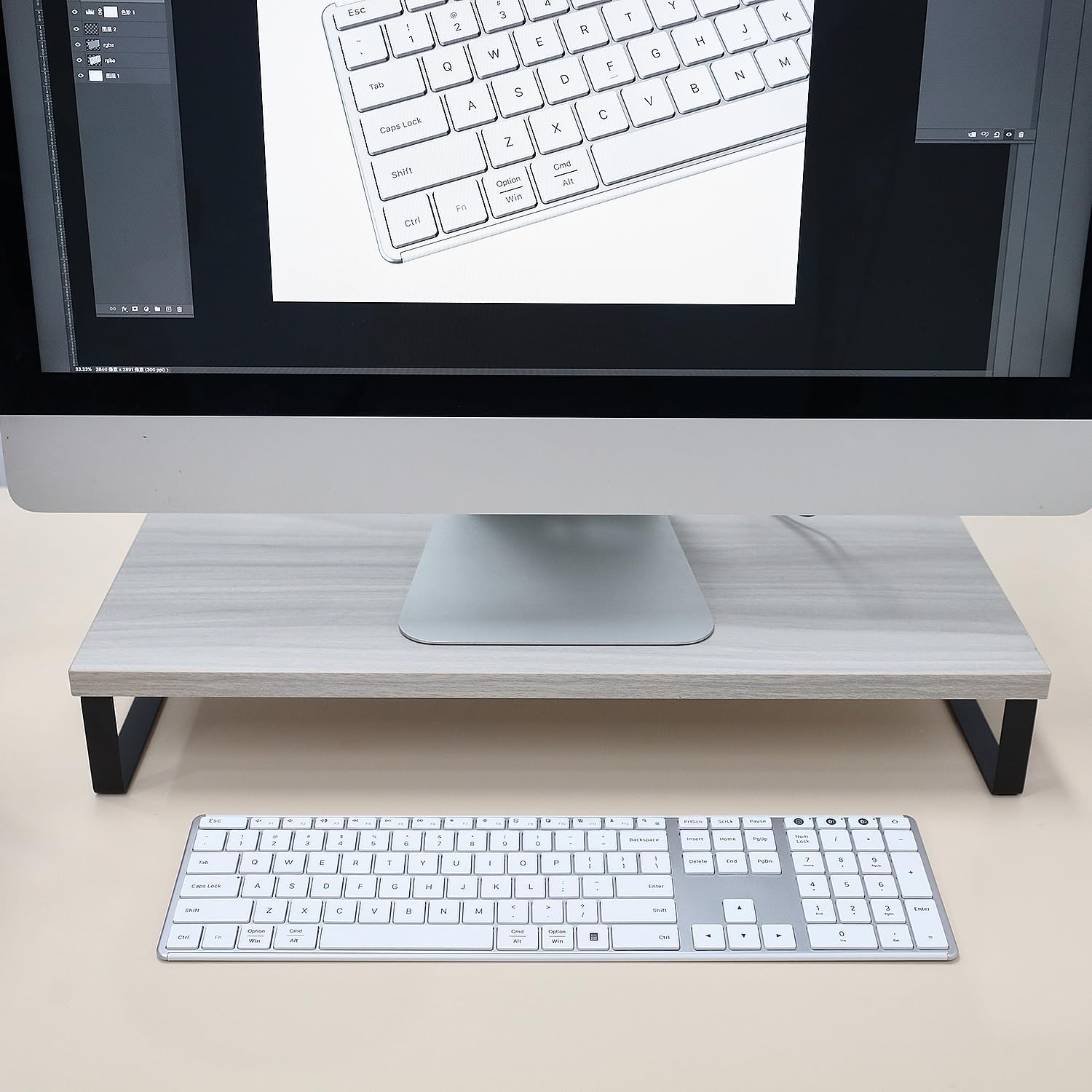
Image 2.1: The keyboard connected via USB-C cable, illustrating the charging process and battery features.
2.2 Connecting via 2.4G Wireless (Device 0)
- Locate the 2.4GHz USB receiver, typically stored in the battery compartment on the underside of the keyboard.
- നിങ്ങളുടെ കമ്പ്യൂട്ടറിൽ ലഭ്യമായ USB പോർട്ടിലേക്ക് USB റിസീവർ ചേർക്കുക.
- Turn on the keyboard using the power switch located on the top edge.
- അമർത്തുക 2.4G button (often labeled with a USB icon or '0') on the keyboard. The indicator light for the 2.4G connection will blink, then become solid when connected.
- Your keyboard is now ready for use with the 2.4G wireless connection.
2.3 Connecting via Bluetooth (Device 1 & 2)
The keyboard supports two separate Bluetooth connections (BT1 and BT2).
- പവർ സ്വിച്ച് ഉപയോഗിച്ച് കീബോർഡ് ഓണാക്കുക.
- ഒന്നുകിൽ അമർത്തിപ്പിടിക്കുക BT1 or BT2 button for 3-5 seconds until its indicator light starts blinking rapidly. This indicates the keyboard is in pairing mode.
- On your device (computer, tablet, smartphone), go to Bluetooth settings and enable Bluetooth.
- ഇതിനായി തിരയുക new devices. The keyboard should appear as "AUSDOM Keyboard" or similar.
- Select the keyboard from the list to pair. The indicator light on the keyboard will become solid when successfully paired.
- Repeat these steps for the second Bluetooth connection (BT2) with another device, if desired.

Image 2.2: The keyboard demonstrating its ability to connect to a laptop, monitor, and tablet simultaneously.
2.4 ബന്ധിപ്പിച്ച ഉപകരണങ്ങൾക്കിടയിൽ മാറൽ
To switch between your connected devices, simply press the corresponding connection button:
- അമർത്തുക 2.4G (or '0') for the 2.4GHz wireless connection.
- അമർത്തുക BT1 for the first Bluetooth connection.
- അമർത്തുക BT2 for the second Bluetooth connection.
തിരഞ്ഞെടുത്ത ഉപകരണത്തിലേക്ക് കീബോർഡ് യാന്ത്രികമായി ബന്ധിപ്പിക്കും.
3. പ്രവർത്തന നിർദ്ദേശങ്ങൾ
3.1 അടിസ്ഥാന ടൈപ്പിംഗ്
കീബോർഡിൽ കുറഞ്ഞ പ്രോ ഉള്ള ഒരു സ്റ്റാൻഡേർഡ് QWERTY ലേഔട്ട് ഉണ്ട്file keys designed for a quiet and comfortable typing experience. The scissor-switch mechanism ensures consistent key travel and responsiveness.

Image 3.1: Close-up of keyboard keys with an illustration of the scissor switch mechanism, highlighting low-profile ഡിസൈൻ.
3.2 Function Keys and Shortcut Keys
The top row of keys (F1-F12) serves dual functions. By default, they may perform multimedia or system control actions. To access the standard F1-F12 functions, press the Fn ആവശ്യമുള്ള എഫ്-കീയ്ക്കൊപ്പം ഒരേസമയം കീ അമർത്തുക.
Common shortcut functions include:
- എഫ്എൻ + എഫ്1-എഫ്3: ശബ്ദ നിയന്ത്രണം (മ്യൂട്ട് ചെയ്യുക, ശബ്ദം കുറയ്ക്കുക, ശബ്ദം കൂട്ടുക)
- എഫ്എൻ + എഫ്4-എഫ്6: Media playback control (Previous Track, Play/Pause, Next Track)
- എഫ്എൻ + എഫ്7-എഫ്8: Brightness adjustment (if supported by your device)
- എഫ്എൻ + എഫ്9-എഫ്12: Other system functions (e.g., Search, Share, Settings)

Image 3.2: The full keyboard layout, including the numeric keypad and dedicated shortcut keys.
3.3 സംഖ്യാ കീപാഡ്
The dedicated numeric keypad on the right side of the keyboard allows for efficient data entry. Ensure the നമ്പർ ലോക്ക് key is activated for the numeric keys to function as numbers. When Num Lock is off, these keys may function as navigation keys (Home, End, PgUp, PgDn).
3.4 പവർ സേവിംഗ് മോഡ്
To conserve battery life, the keyboard will automatically enter sleep mode after 30 minutes of inactivity. To wake the keyboard, press any key. There may be a slight delay (approximately 1-2 seconds) for the connection to re-establish.
4. പരിപാലനം
4.1 വൃത്തിയാക്കൽ
To clean your keyboard, first turn it off. Use a soft, lint-free cloth slightly dampened with water or a mild cleaning solution. Avoid using harsh chemicals, abrasive cleaners, or excessive moisture, as these can damage the keyboard. For cleaning between keys, a can of compressed air can be used to remove dust and debris.
4.2 ബാറ്ററി കെയർ
The keyboard contains a built-in rechargeable lithium battery. To prolong battery life:
- ബാറ്ററി ഇടയ്ക്കിടെ പൂർണ്ണമായും ഡിസ്ചാർജ് ചെയ്യുന്നത് ഒഴിവാക്കുക.
- Charge the keyboard when the low battery indicator appears.
- If storing the keyboard for an extended period, charge it to approximately 50% and store it in a cool, dry place.
4.3 സംഭരണം
When not in use for a long period, turn off the keyboard to prevent battery drain. Store it in a clean, dry environment away from extreme temperatures and direct sunlight.
5. പ്രശ്നപരിഹാരം
If you encounter issues with your AUSDOM keyboard, please refer to the following common solutions:
5.1 Keyboard Not Responding / Connection Issues
- പവർ പരിശോധിക്കുക: Ensure the keyboard is turned on and has sufficient battery charge. Recharge if necessary.
- കണക്ഷൻ പുനഃസ്ഥാപിക്കുക: For 2.4G, unplug and re-insert the USB receiver. For Bluetooth, go to your device's Bluetooth settings, "forget" or "remove" the keyboard, and then re-pair it following the instructions in Section 2.3.
- ചാനലുകൾ മാറുക: Ensure you have selected the correct channel (2.4G, BT1, or BT2) for your active device.
- ഇടപെടൽ: കീബോർഡ് നിങ്ങളുടെ ഉപകരണത്തിന് അടുത്തേക്ക് നീക്കി, തടസ്സമുണ്ടാക്കാൻ സാധ്യതയുള്ള മറ്റ് വയർലെസ് ഉപകരണങ്ങളിൽ നിന്ന് അകറ്റി നിർത്തുക.
- ഉപകരണ അനുയോജ്യത: Verify that your device's operating system and Bluetooth version are compatible with the keyboard.
5.2 Keys Not Registering or Delayed Input
- ബാറ്ററി നില: Low battery can cause intermittent key presses. Charge the keyboard fully.
- ഉറക്കത്തിൽ നിന്ന് ഉണരുക: If the keyboard was in sleep mode, press any key and wait a moment for it to reconnect.
- ക്ലീൻ കീകൾ: Ensure no debris is lodged under the keys. Refer to Section 4.1 for cleaning instructions.
5.3 സംഖ്യാ കീപാഡ് പ്രവർത്തിക്കുന്നില്ല
- നമ്പർ ലോക്ക്: അമർത്തുക നമ്പർ ലോക്ക് key to activate the numeric keypad. The Num Lock indicator light should be on.
If these steps do not resolve your issue, please contact AUSDOM customer support for further assistance.
6 സ്പെസിഫിക്കേഷനുകൾ
| മോഡൽ | AUSDOM Full Size Multi-Device Wireless Keyboard (B0DGL7ZJS8) |
| കണക്റ്റിവിറ്റി ടെക്നോളജി | 2.4GHz വയർലെസ്, ബ്ലൂടൂത്ത് 5.0 |
| അനുയോജ്യമായ ഉപകരണങ്ങൾ | Laptop, PC, Smart TV, Smartphone, Tablet (Windows, Mac, iOS, Android) |
| കീബോർഡ് വിവരണം | Full Size, Low-Profile Keys, Numeric Keypad, Shortcut Keys |
| പ്രത്യേക സവിശേഷതകൾ | ഭാരം കുറഞ്ഞ, ലോ-പ്രോfile Key, Rechargeable, Silent, Quiet |
| ബാറ്ററി | 1 ലിഥിയം അയൺ ബാറ്ററി (ഉൾപ്പെടുത്തിയത്), 280 mAh |
| ചാർജിംഗ് സമയം | ഏകദേശം 1.5 മണിക്കൂർ |
| ജോലി സമയം | 200 മണിക്കൂർ വരെ (ഒറ്റ ചാർജിൽ) |
| ഓട്ടോമാറ്റിക് സ്ലീപ്പ് മോഡ് | 30 മിനിറ്റ് നിഷ്ക്രിയത്വത്തിന് ശേഷം |
| ഉൽപ്പന്ന അളവുകൾ | 16.73 x 4.49 x 0.5 ഇഞ്ച് (42.42 x 11.43 x 1.27 സെ.മീ) |
| ഇനത്തിൻ്റെ ഭാരം | 1.72 പൗണ്ട് (0.78 കി.ഗ്രാം) |
| മെറ്റീരിയൽ | അലുമിനിയം, പ്ലാസ്റ്റിക് |
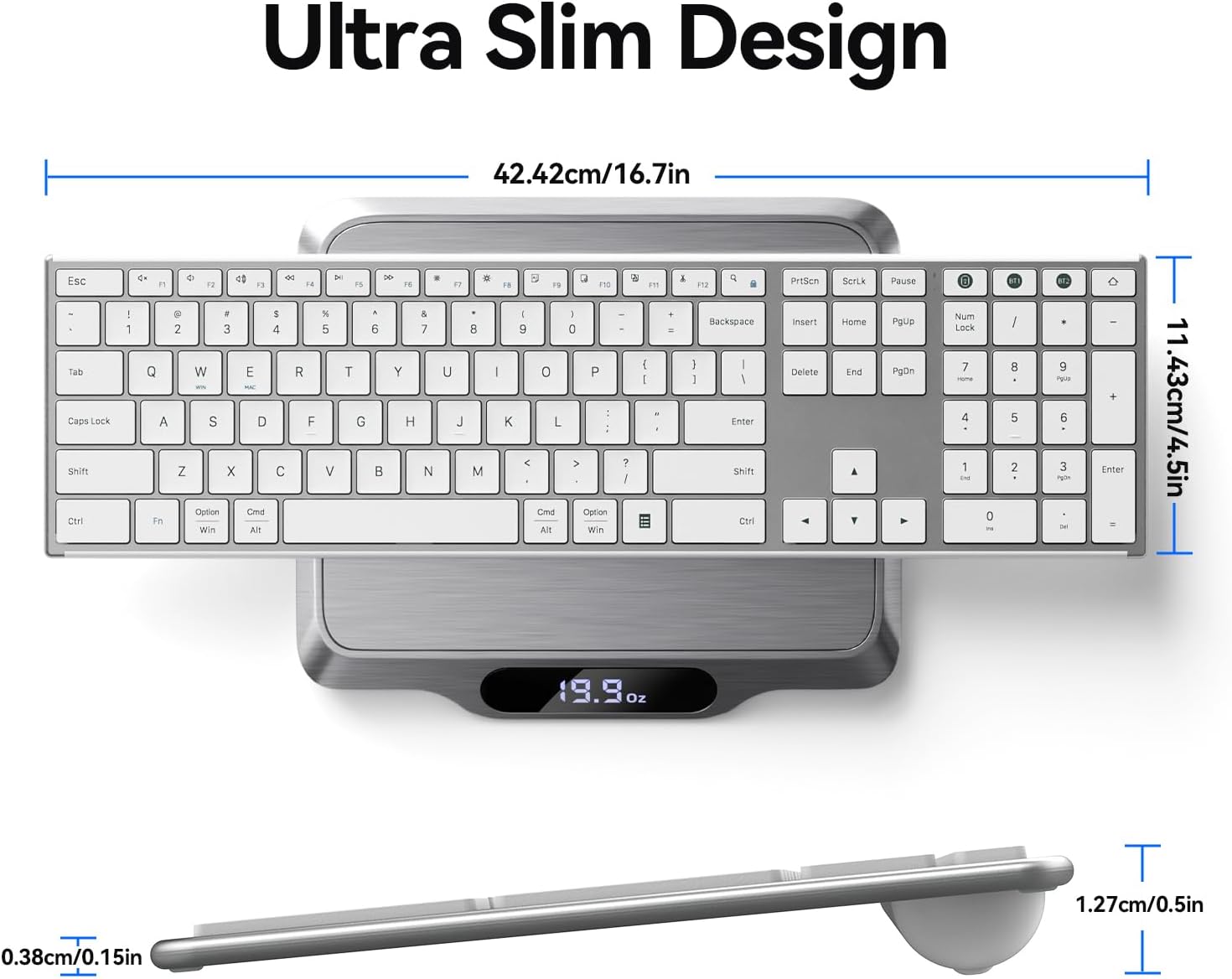
ചിത്രം 6.1: മുകളിൽ നിന്ന് താഴേക്ക് view of the keyboard on a scale, showing its dimensions and weight.
7. വാറൻ്റിയും പിന്തുണയും
This AUSDOM keyboard comes with a one-year warranty from the date of purchase. This warranty covers manufacturing defects and issues arising from normal use.
For warranty claims, technical support, or any questions regarding your product, please contact AUSDOM customer service. Contact information can typically be found on the AUSDOM official webസൈറ്റ് അല്ലെങ്കിൽ നിങ്ങളുടെ വാങ്ങൽ പ്ലാറ്റ്ഫോം വഴി.
വാറന്റി സാധൂകരണത്തിനായി നിങ്ങളുടെ വാങ്ങിയതിന്റെ തെളിവ് സൂക്ഷിക്കുക.


