1. ആമുഖം
This manual provides detailed instructions for the installation, operation, and maintenance of your VIKVIZ 4MP Dual Lens Security Camera. Please read this manual thoroughly before using the product to ensure correct setup and optimal performance. Keep this manual for future reference.
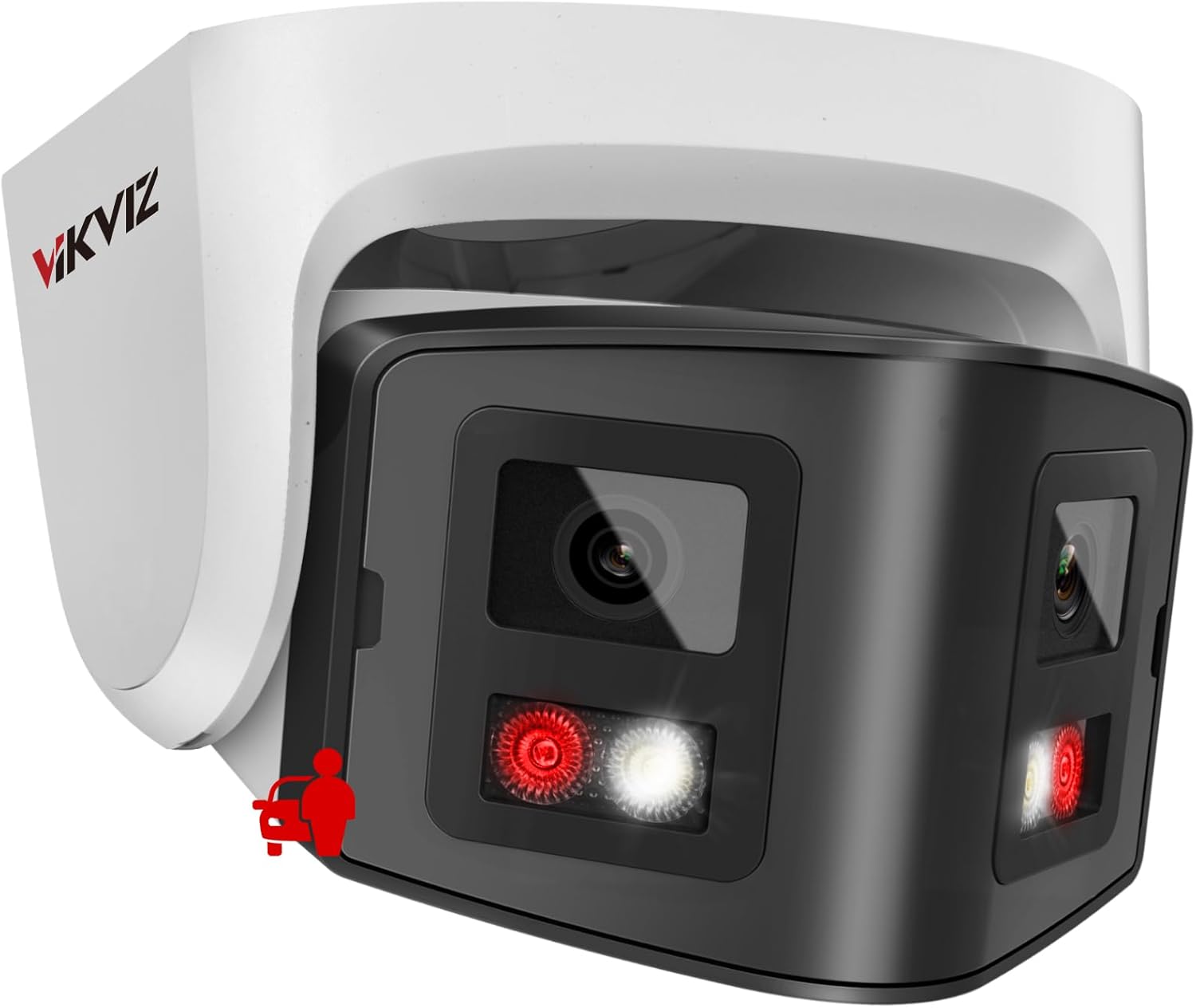
Image 1.1: VIKVIZ 4MP Dual Lens Security Camera overview.
2. ബോക്സിൽ എന്താണുള്ളത്?
പാക്കേജിൽ എല്ലാ ഘടകങ്ങളും ഉണ്ടെന്ന് ഉറപ്പാക്കുക:
- VIKVIZ 4MP Dual Lens Security Camera
- ഇൻസ്ട്രക്ഷൻ മാനുവൽ
- മൗണ്ടിംഗ് സ്ക്രൂകൾ
- വാട്ടർപ്രൂഫ് തൊപ്പി

Image 2.1: Package contents including the camera, quick start guide, waterproof cap, and mounting screws.
3. സജ്ജീകരണവും ഇൻസ്റ്റാളേഷനും
3.1 ഫിസിക്കൽ ഇൻസ്റ്റലേഷൻ
The camera is designed for both indoor and outdoor use and features an IP67 waterproof rating. It supports wall mounting.
- മൗണ്ടിംഗ് സ്ഥലം തിരഞ്ഞെടുക്കുക: ആവശ്യമുള്ളത് നൽകുന്ന ഒരു സ്ഥലം തിരഞ്ഞെടുക്കുക viewing angle and is within reach of a Power over Ethernet (PoE) connection or a DC12V power source and Ethernet cable.
- ക്യാമറ ഘടിപ്പിക്കുക: Use the provided mounting screws to securely attach the camera to the chosen surface.
- Connect Power and Network: Connect an Ethernet cable to the camera. If using PoE, this single cable provides both power and data. If not using PoE, connect a DC12V power adapter (not included) and a separate Ethernet cable. Ensure the waterproof cap is properly installed over the Ethernet connection for outdoor use.

Image 3.1: Illustrates the Power over Ethernet (PoE) connection, simplifying installation with a single cable for power and data.
3.2 പ്രാരംഭ നെറ്റ്വർക്ക് കോൺഫിഗറേഷൻ
The camera is configured for DHCP by default. You may need to use a configuration tool to find its IP address and set a static IP if your network requires it.
- Discover Camera IP: Use a network scanning tool (e.g., SADP Tool, AJDevTools) on your PC to discover the camera's IP address on your local network.
- പ്രവേശനം Web ഇൻ്റർഫേസ്: എ തുറക്കുക web browser (Chrome, Edge, Firefox recommended) and enter the camera's IP address.
- പാസ്വേഡ് സജ്ജമാക്കുക: Upon first access, you will be prompted to set a strong password. Remember this password as it is crucial for security and access.
- Configure Network Settings (Optional): If needed, change the network settings from DHCP to a static IP address within the camera's web ഇൻ്റർഫേസ്.
3.3 സോഫ്റ്റ്വെയറും ആപ്പ് ഇൻസ്റ്റാളേഷനും
For remote access and advanced features, install the recommended software:
- മൊബൈൽ ആപ്പ്: Download the VideoLink APP or Hik-connect from your smartphone's app store (Android/iOS).
- പിസി ക്ലയന്റ്: Download the LMS Client or IVMS-4200 for Windows or Mac from the official VIKVIZ support webസൈറ്റ്.
- Search Tools: SADP Tool and AJDevTools are available for PC to assist with device discovery and initial configuration.

ചിത്രം 3.2: കഴിഞ്ഞുview of compatible applications and web browsers for remote access.
4. ഓപ്പറേഷൻ
4.1 180° പനോരമിക് View
The camera features a dual-lens design providing a 180° panoramic view at 3840 × 1080 resolution at 20 fps. This wide-angle coverage is suitable for open areas such as squares, large warehouses, and construction sites. For optimal stitching, ensure a distance of at least 3 meters from the camera to the scene.

Image 4.1: Comparison of 180° panoramic view from the dual-lens camera versus other cameras.

ചിത്രം 4.2: ഉദാamples of large areas suitable for the 180° panoramic view, such as squares and warehouses.
4.2 Dual Light Source Night Vision
The camera offers both infrared (IR) and color night vision modes. By default, it automatically switches between these modes at night:
- ഐആർ നൈറ്റ് വിഷൻ: When no human objects are detected, the camera maintains infrared black and white night vision, with a range of up to 100ft.
- കളർ നൈറ്റ് വിഷൻ: Upon human movement detection, warm LEDs activate, and the display converts to full-color night vision.
You can adjust the light mode settings via the camera's web ഇൻ്റർഫേസ്.

Image 4.3: Demonstrates the camera's dual night vision capabilities, showing both full-color and infrared (IR) modes.

Image 4.4: Visual comparison of night vision with white light activated versus infrared (IR) light activated.
4.3 Smart Detection (Human/Vehicle)
The camera is equipped with advanced human and vehicle motion detection, reducing false alarms by distinguishing between different object types. When motion is detected, the camera sends push notifications to your phone.

Image 4.5: Illustration of human and vehicle detection, filtering out irrelevant movements like birds or leaves.

Image 4.6: Smart AI motion detection accurately identifying people and vehicles while ignoring environmental factors.
4.4 ടു-വേ ടോക്ക്
A built-in microphone and speaker enable real-time two-way audio communication. This allows you to speak to individuals near the camera or deter unwanted visitors.

Image 4.7: Depiction of the two-way audio feature, showing microphone and speaker icons for communication.
4.5 റിമോട്ട് ആക്സസും നിരീക്ഷണവും
തത്സമയം ആക്സസ് ചെയ്യുക view and playback recordings anytime, anywhere using the VideoLink APP, IVMS-4200, LMS Client, or a web browser on your smartphone, tablet, or laptop. Receive instant app alarm push notifications and email alerts upon detection.

Image 4.8: Mobile access to camera feeds and management via the VideoLink app.
4.6 വീഡിയോ പ്രദർശനം
Video 4.1: A demonstration of the 180-degree panoramic PoE camera's functions, including wide-angle view, intelligent dual light, and smart human/vehicle detection.
5. റെക്കോർഡിംഗും സംഭരണവും
The camera supports 24/7 continuous recording and offers multiple storage methods:
- SD കാർഡ്: Supports up to 512GB Micro SD card (not included). The SD card slot is accessible for installation.
- എൻവിആർ: Compatible with most third-party Network Video Recorders (NVRs) that support ONVIF protocol.
- FTP/NAS: Can work with FTP/NAS for network storage.
The camera utilizes Smart H.265+ video encoding, which saves bandwidth and storage space by up to 60% compared to H.264, extending usage time.
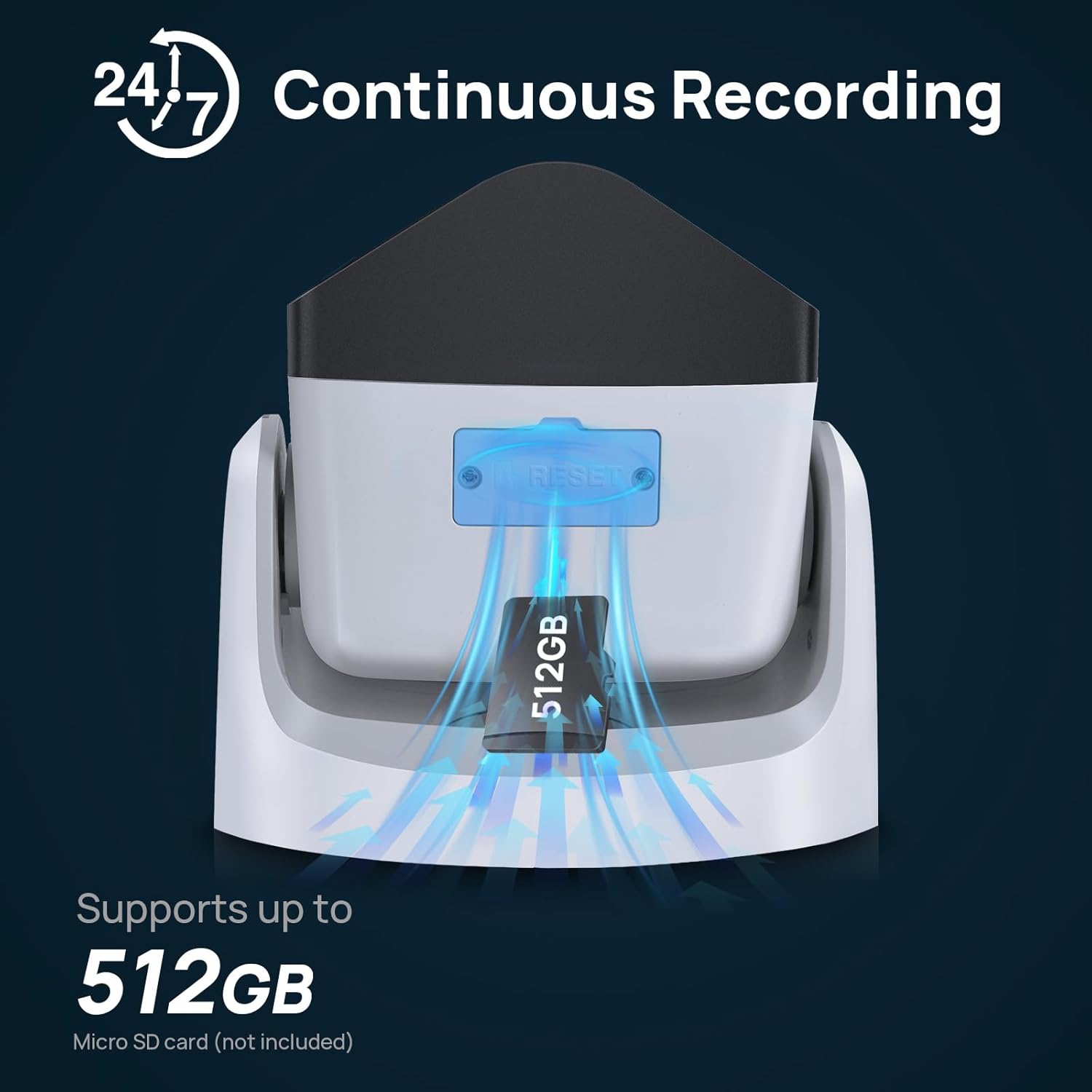
Image 5.1: Location of the SD card slot, supporting up to 512GB for local storage.

ചിത്രം 5.2: കഴിഞ്ഞുview of storage options: MicroSD card, third-party NVR compatibility, and FTP/NAS support.

Image 5.3: Comparison of H.265+ and H.264 video encoding, highlighting the storage efficiency of H.265+.
6 സ്പെസിഫിക്കേഷനുകൾ
| ഫീച്ചർ | വിശദാംശങ്ങൾ |
|---|---|
| മോഡലിൻ്റെ പേര് | PG2346IRCS-P |
| വീഡിയോ ക്യാപ്ചർ റെസല്യൂഷൻ | 4 എംപി (3840 × 1080) |
| ഫ്രെയിം റേറ്റ് | 20 fps |
| Viewing ആംഗിൾ | 180 ഡിഗ്രി |
| നൈറ്റ് വിഷൻ റേഞ്ച് | 100 അടി |
| പ്രകാശ സ്രോതസ്സ് തരം | Infrared/LED (Dual Light Source) |
| കണക്റ്റിവിറ്റി ടെക്നോളജി | Wired / PoE |
| കണക്റ്റിവിറ്റി പ്രോട്ടോക്കോൾ | ഒഎൻവിഎഫ് |
| പവർ ഉറവിടം | DC12V OR POE |
| ഇൻഡോർ/ഔട്ട്ഡോർ ഉപയോഗം | ഇൻഡോർ, ഔട്ട്ഡോർ |
| അന്താരാഷ്ട്ര സംരക്ഷണ റേറ്റിംഗ് | IP67 (ജലപ്രൂഫ്) |
| വീഡിയോ എൻകോഡിംഗ് | എച്ച്.265+, എച്ച്.265, എച്ച്.264 |
| ഫ്ലാഷ് മെമ്മറി പിന്തുണയ്ക്കുന്ന പരമാവധി വലുപ്പം | 512 GB (Micro SD card) |
| ഓഡിയോ വിഷ്വൽ റെക്കോർഡിംഗ് ശേഷികൾ | Audio, Video (Two-Way Talk) |
| മെറ്റീരിയൽ | ലോഹം |
| ഇനത്തിൻ്റെ ഭാരം | 1.5 പൗണ്ട് |
| പാക്കേജ് അളവുകൾ | 7 x 6.8 x 4.9 ഇഞ്ച് |

Image 6.1: The camera's IP67 rating ensures protection against harsh weather conditions.
7. പ്രശ്നപരിഹാരം
- ക്യാമറ ആപ്പിലേക്ക് കണക്റ്റ് ചെയ്യുന്നില്ല:
Ensure the camera is properly powered and connected to the network. Verify that your smartphone is connected to the internet. Double-check the camera's IP address and network settings. Restart the camera and your router. - Web Interface Not Working in Chrome:
അതേസമയം web interface is generally compatible with modern browsers, some older firmware versions or specific browser settings might cause issues. Try using a different browser like Edge or Firefox, or ensure your Chrome browser is updated. - ചിത്രം ഇല്ല/മോശം ചിത്രം നിലവാരം:
Check all cable connections. Ensure the lens is clean and free from obstructions. Verify power supply. For night vision issues, check the light mode settings. - തെറ്റായ മോഷൻ അലാറങ്ങൾ:
Adjust the sensitivity settings for motion detection in the camera's configuration. Define specific motion detection zones to exclude areas with frequent irrelevant movement (e.g., trees swaying). - പാസ്വേഡ് മറന്നോ:
Refer to the camera's reset procedure (often involving a physical reset button) or contact technical support for assistance. Note that a factory reset will erase all custom settings.
8. വാറൻ്റിയും പിന്തുണയും
VIKVIZ provides a 2-year manufacturer maintenance കാലഘട്ടവും ആജീവനാന്ത സാങ്കേതിക പിന്തുണ for each customer. For any technical assistance, warranty claims, or further inquiries, please contact VIKVIZ customer support through their official channels.


