ആമുഖം
This manual provides detailed instructions for the installation, operation, and maintenance of your EDYELL C9 Motorcycle Bluetooth Headset. Please read this manual thoroughly before using the product to ensure proper function and safety.
പാക്കേജ് ഉള്ളടക്കം
താഴെ ലിസ്റ്റ് ചെയ്തിരിക്കുന്ന എല്ലാ ഇനങ്ങളും നിങ്ങളുടെ പാക്കേജിൽ ഉൾപ്പെടുത്തിയിട്ടുണ്ടെന്ന് ഉറപ്പാക്കുക:
- EDYELL C9 Motorcycle Bluetooth Headset (1 unit)
- Replaceable Hard Mic and Soft Mic Speakers (1 set)
- Clamping Base (1 unit)
- Microphone Velcro Tape (2 pieces)
- Speaker Velcro (2 pieces)
- Booster Sticker (2 pieces)
- Stand Velcro Tape (1 piece)
- Thick Double Sided Tape (1 piece)
- ഉപയോക്തൃ മാനുവൽ (1 യൂണിറ്റ്)
- ചാർജിംഗ് കേബിൾ (1 യൂണിറ്റ്)

Figure 1: Package Contents. This image displays the EDYELL C9 Bluetooth headset, speakers with microphone, clamping base, various adhesive tapes, charging cable, and user manual.
ഉൽപ്പന്ന സവിശേഷതകൾ
- ഉയർന്ന നിലവാരമുള്ള ഓഡിയോ: Equipped with 50MM speakers for enhanced volume and bass.
- Long-Range Intercom: Connects two riders up to 600 meters apart.
- വിപുലീകരിച്ച ബാറ്ററി ലൈഫ്: 1000mAh battery provides up to 65 hours of music, 50 hours of calls, and over 60 days of standby time. Fully charges in approximately 1.5 hours.
- സംഗീതം പങ്കിടൽ: Share audio with another EDYELL C9 user.
- ശബ്ദ നിയന്ത്രണം: Access voice assistants like Siri for hands-free operation.
- മോടിയുള്ള ഡിസൈൻ: IPX6 waterproof rating for use in various weather conditions.
- ഉപയോക്തൃ സൗഹൃദമായ: Large buttons for easy operation, even with gloves.
- ഇഷ്ടാനുസൃതമാക്കാവുന്ന രൂപഭാവം: Includes 3 colors of optional decorative accessories.

Figure 2: EDYELL C9 Headset. The main unit of the EDYELL C9 Bluetooth headset, showcasing its design and interchangeable decorative shells.
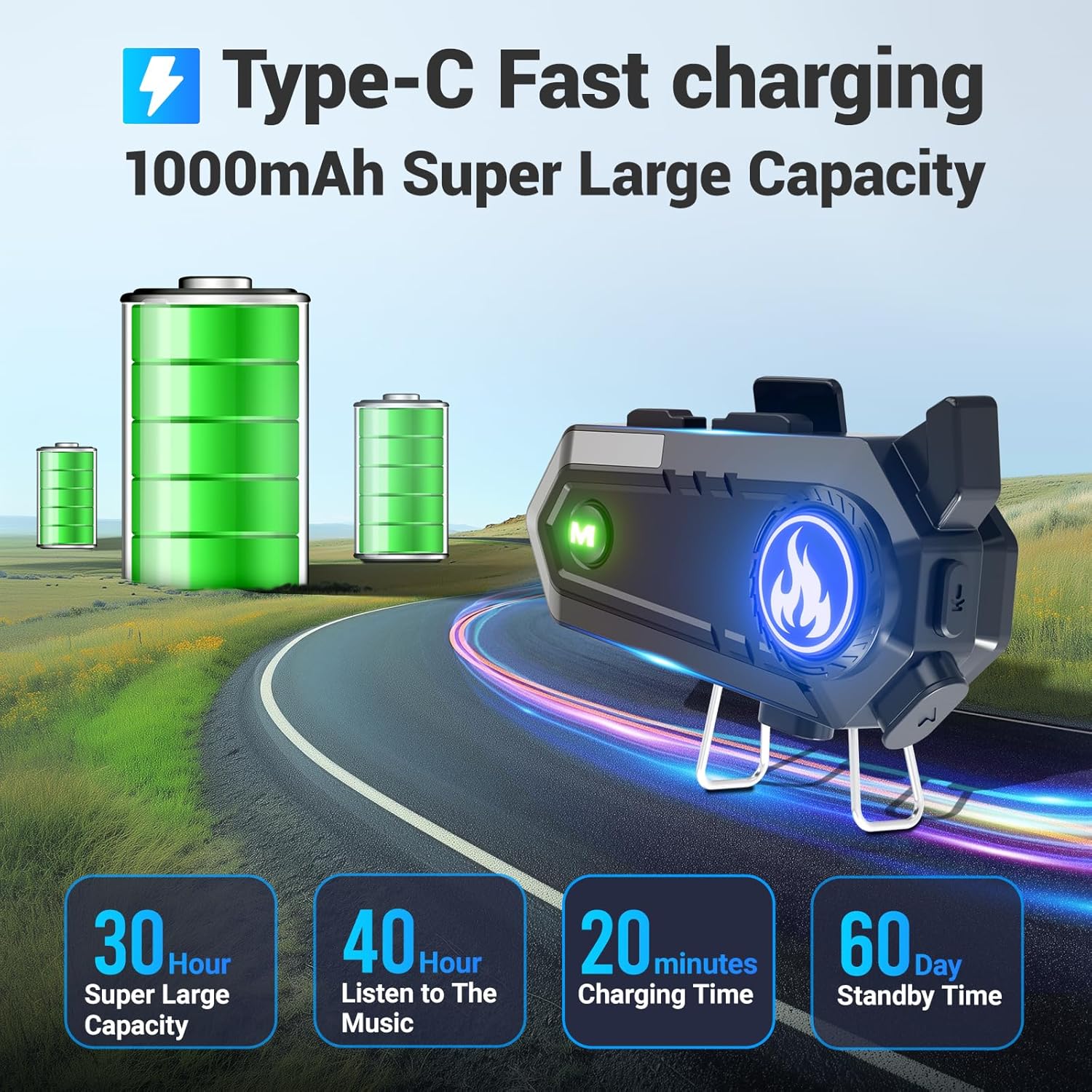
Figure 3: Battery Life and Charging. This image highlights the 1000mAh battery, 30 hours of super large capacity, 40 hours of music listening, 20 minutes charging time (likely for quick charge, full charge is 1.5 hours), and 60 days standby time.
ഇൻസ്റ്റലേഷൻ ഗൈഡ്
Follow these steps to properly install the EDYELL C9 headset on your helmet.
1. Cl അറ്റാച്ചുചെയ്യുന്നുampഅടിസ്ഥാനം
- Choose a suitable location on the left side of your helmet, ensuring it does not obstruct your vision or helmet functionality.
- cl സുരക്ഷിതമാക്കുകamping base to the helmet edge. Ensure it is firmly attached. Alternatively, use the provided thick double-sided tape for helmets without suitable edges for clamping.
2. സ്പീക്കറുകളും മൈക്രോഫോണും ഇൻസ്റ്റാൾ ചെയ്യുന്നു
- Attach the speaker Velcro pads inside the helmet, aligning them with your ears.
- Place the speakers onto the Velcro pads. Ensure the speakers are positioned directly over your ears for optimal audio quality.
- Attach the microphone Velcro tape inside the helmet, near your mouth.
- Connect the microphone to the headset unit and position it so it is close to your mouth, minimizing wind noise. Use either the hard mic (for open-face helmets) or soft mic (for full-face helmets) as appropriate.
- തടസ്സങ്ങൾ ഒഴിവാക്കുന്നതിനും സുഖസൗകര്യങ്ങൾ ഉറപ്പാക്കുന്നതിനും ഹെൽമെറ്റ് പാഡിംഗിനടിയിൽ എല്ലാ കേബിളുകളും വൃത്തിയായി വയ്ക്കുക.
3. Mounting the Headset Unit
- Slide the EDYELL C9 main unit onto the installed clamping base until it clicks securely into place.
- Connect the speaker/microphone cable to the designated port on the headset unit.

Figure 4: Headset Installation and Controls. This image illustrates the EDYELL C9 headset's compatibility with different helmet types and labels its control buttons.
പ്രവർത്തന നിർദ്ദേശങ്ങൾ
1. പവർ ഓൺ/ഓഫ്
- പവർ ഓൺ: Press and hold the Power On/Off button (labeled 3 in Figure 4) for approximately 3 seconds until the indicator light illuminates.
- പവർ ഓഫ്: Press and hold the Power On/Off button for approximately 3 seconds until the indicator light turns off.
2. ബ്ലൂടൂത്ത് ജോടിയാക്കൽ
- ഹെഡ്സെറ്റ് പവർ ഓഫ് ആണെന്ന് ഉറപ്പാക്കുക.
- Press and hold the Power On/Off button for approximately 5-7 seconds until the indicator light flashes red and blue alternately, indicating pairing mode.
- On your mobile device, enable Bluetooth and search for "EDYELL C9".
- Select "EDYELL C9" from the list of available devices to connect. Once paired, the indicator light will flash blue slowly.
3. Intercom Function (Connecting 2 Riders)
The EDYELL C9 supports intercom communication between two units up to 600 meters.
- Ensure both EDYELL C9 units are powered on and not connected to any other Bluetooth devices.
- On one unit, press and hold the Intercom Switch Keypad (labeled 7 in Figure 4) for approximately 5 seconds until the indicator light flashes rapidly.
- Repeat the same step on the second unit.
- The units will automatically search and pair with each other. Once connected, the indicator lights will flash blue slowly, and you will hear a confirmation tone.
- To end intercom, briefly press the Intercom Switch Keypad on either unit.

Figure 5: 600m Communication Range. This image visually represents the 600-meter Bluetooth communication distance between two EDYELL C9 headsets.
4. സംഗീത പ്ലേബാക്കും പങ്കിടലും
- പ്ലേ/താൽക്കാലികമായി നിർത്തുക: Briefly press the Power On/Off button (labeled 3 in Figure 4).
- അടുത്ത ട്രാക്ക്: Briefly press the Volume Up / Next Track button (labeled 2 in Figure 4).
- മുമ്പത്തെ ട്രാക്ക്: Briefly press the Volume Down / Previous Track button (labeled 1 in Figure 4).
- വോളിയം ക്രമീകരണം: Long press the Volume Up / Next Track button to increase volume, and long press the Volume Down / Previous Track button to decrease volume.
- സംഗീതം പങ്കിടൽ: While music is playing, long-press the Music Sharing/AI Assistant button (labeled 4 in Figure 4) to enter music sharing mode. The other paired EDYELL C9 unit will then receive the shared audio.

Figure 6: Music Sharing Feature. This image depicts two motorcyclists sharing music wirelessly between their EDYELL C9 headsets.
5. ഫോൺ കോളുകൾ
- മറുപടി കോൾ: Briefly press the Power On/Off button when an incoming call is received.
- കോൾ അവസാനിപ്പിക്കുക: Briefly press the Power On/Off button during a call.
- കോൾ നിരസിക്കുക: Press and hold the Power On/Off button for 2 seconds when an incoming call is received.
- അവസാന നമ്പർ വീണ്ടും ഡയൽ ചെയ്യുക: Double-press the Power On/Off button.
6. വോയ്സ് അസിസ്റ്റൻ്റ്
- വോയ്സ് അസിസ്റ്റന്റിനെ സജീവമാക്കുക: Briefly press the Music Sharing/AI Assistant button (labeled 4 in Figure 4) to activate your smartphone's voice assistant (e.g., Siri, Google Assistant).

Figure 7: Voice Assistant Control. This image illustrates how to use the voice assistant feature for hands-free commands.
ഉപകരണം ചാർജ് ചെയ്യുന്നു
To charge your EDYELL C9 headset:
- Connect the provided USB charging cable to the Charging Port (labeled 5 in Figure 4) on the headset.
- USB കേബിളിന്റെ മറ്റേ അറ്റം ഒരു സ്റ്റാൻഡേർഡ് USB പവർ അഡാപ്റ്ററുമായി (ഉൾപ്പെടുത്തിയിട്ടില്ല) അല്ലെങ്കിൽ ഒരു കമ്പ്യൂട്ടറിന്റെ USB പോർട്ടുമായി ബന്ധിപ്പിക്കുക.
- The indicator light will show red during charging and turn blue when fully charged.
- ഒരു ഫുൾ ചാർജിന് ഏകദേശം 1.5 മണിക്കൂർ എടുക്കും.

Figure 8: Charging the Headset. This image illustrates the charging process and reiterates the battery capacity and usage times.
മെയിൻ്റനൻസ്
- Keep the device dry. Do not expose it to extreme temperatures.
- Clean the headset with a soft, damp തുണി. കഠിനമായ രാസവസ്തുക്കളോ ഉരച്ചിലുകളുള്ള ക്ലീനറുകളോ ഉപയോഗിക്കുന്നത് ഒഴിവാക്കുക.
- Ensure the charging port cover is securely closed when not charging to maintain IPX6 waterproof integrity.
- ഹെഡ്സെറ്റ് ദീർഘനേരം ഉപയോഗിക്കാത്തപ്പോൾ തണുത്തതും വരണ്ടതുമായ സ്ഥലത്ത് സൂക്ഷിക്കുക.

Figure 9: IPX6 Waterproof Design. This image demonstrates the headset's ability to withstand rain, emphasizing its waterproof feature.
ട്രബിൾഷൂട്ടിംഗ്
| പ്രശ്നം | സാധ്യമായ കാരണം | പരിഹാരം |
|---|---|---|
| ഉപകരണം പവർ ഓണാക്കുന്നില്ല. | കുറഞ്ഞ ബാറ്ററി. | കുറഞ്ഞത് 1.5 മണിക്കൂറെങ്കിലും ഉപകരണം ചാർജ് ചെയ്യുക. |
| ഫോണുമായി ജോടിയാക്കാൻ കഴിയില്ല. | Device not in pairing mode; Bluetooth off on phone; too many paired devices. | Ensure headset is in pairing mode (flashing red/blue). Turn on phone's Bluetooth. Clear old Bluetooth connections on phone. |
| ഇന്റർകോം കണക്റ്റ് ചെയ്യുന്നില്ല. | Units too far apart; one unit already connected to phone; not in intercom pairing mode. | Ensure units are within 600m. Disconnect from phone before intercom pairing. Ensure both units are in intercom pairing mode. |
| Low audio volume or poor sound quality. | Speakers not positioned correctly; volume too low; external noise. | Adjust speaker position to align with ears. Increase volume on headset and phone. Ensure microphone is correctly positioned. |
| കോളുകൾക്കിടയിൽ മൈക്രോഫോൺ പ്രവർത്തിക്കുന്നില്ല. | Microphone not connected properly; mic port obstructed. | Check microphone connection to the headset unit. Ensure mic is positioned correctly near mouth. |
സ്പെസിഫിക്കേഷനുകൾ
| ഫീച്ചർ | വിശദാംശങ്ങൾ |
|---|---|
| മോഡലിൻ്റെ പേര് | EDYELL-C9 |
| ബ്ലൂടൂത്ത് പതിപ്പ് | 5.3 |
| ഇന്റർകോം റേഞ്ച് | Up to 600 meters (between 2 riders) |
| സ്പീക്കർ വലിപ്പം | 50 എംഎം |
| ബാറ്ററി ശേഷി | 1000mAh ലിഥിയം അയോൺ |
| ചാർജിംഗ് സമയം | ഏകദേശം 1.5 മണിക്കൂർ |
| സംഗീത പ്ലേബാക്ക് സമയം | 65 മണിക്കൂർ വരെ |
| കോൾ സമയം | 50 മണിക്കൂർ വരെ |
| സ്റ്റാൻഡ്ബൈ സമയം | 60 ദിവസത്തിൽ കൂടുതൽ |
| ജല പ്രതിരോധം | IPX6 വാട്ടർപ്രൂഫ് |
| ഇനത്തിൻ്റെ ഭാരം | 150 ഗ്രാം |
| ഉൽപ്പന്ന അളവുകൾ | 12 x 5 x 2 സെ.മീ |
| നിയന്ത്രണ രീതി | Buttons, Voice |
| അനുയോജ്യമായ ഹെൽമെറ്റുകൾ | All helmet types |
വാറൻ്റിയും പിന്തുണയും
The EDYELL C9 Motorcycle Bluetooth Headset comes with a 12 Months EDYELL India Warranty.
For any quality problems or support inquiries, please contact EDYELL India Customer Care:
- ഇമെയിൽ: support@fenman.in
- ഫോൺ: +91 8882786235
വാറന്റി ക്ലെയിമുകൾക്കായി നിങ്ങളുടെ വാങ്ങൽ രസീത് സൂക്ഷിക്കുക.


