ആമുഖം
The Phomemo A30 Label Maker is a compact and portable thermal transfer printer designed for creating various labels and ribbons. It utilizes inkless thermal technology and connects wirelessly via Bluetooth to your smartphone, tablet, or PC. This manual provides comprehensive instructions to help you set up, operate, and maintain your A30 label maker, ensuring optimal performance and longevity.
ബോക്സിൽ എന്താണുള്ളത്
- One Phomemo A30 Label Maker
- ഒരു ചാർജിംഗ് കേബിൾ
- A user manual (this document)
- One roll of white label tape

Image: The Phomemo A30 Label Maker in green, accompanied by a roll of label tape and a charging cable, illustrating the contents of the product package.
സ്പെസിഫിക്കേഷനുകൾ
| ഫീച്ചർ | വിശദാംശങ്ങൾ |
|---|---|
| ഉൽപ്പന്ന അളവുകൾ | 4.07"D x 1.83"W x 6.45"H |
| ഇനത്തിൻ്റെ ഭാരം | 5.6 ഔൺസ് (160 ഗ്രാം) |
| കണക്റ്റിവിറ്റി ടെക്നോളജി | ബ്ലൂടൂത്ത് |
| പ്രിൻ്റിംഗ് ടെക്നോളജി | താപ കൈമാറ്റം |
| പരമാവധി മീഡിയ വലുപ്പം | 0.59 ഇഞ്ച് (15 മിമി) |
| പരമാവധി കറുപ്പും വെളുപ്പും പ്രിന്റ് റെസല്യൂഷൻ | ഇഞ്ചിൽ 203 ഡോട്ടുകൾ (DPI) |
| അനുയോജ്യമായ ഉപകരണങ്ങൾ | Smartphones, Tablet (Android, iOS), PC (Windows & Mac) |
| നിയന്ത്രണ രീതി | ആപ്പ് |
| ബാറ്ററി | 1 ലിഥിയം പോളിമർ ബാറ്ററി (ഉൾപ്പെടുത്തിയിരിക്കുന്നു), 1200mAh |
| പ്രത്യേക സവിശേഷതകൾ | Portable, Inkless, Wireless, Rechargeable, Creative Print Functions (Barcode, Text, Picture, QR 2D Code, Table, Date, Border, Icon, Shape, Pattern, Template, Image Recognition, Voice Recognition, Automated Text Extraction, Automated Image Resizing, Cropping, Rotation, Filtering, Compression) |
സജ്ജീകരണ ഗൈഡ്
1 ഉപകരണം ചാർജ് ചെയ്യുന്നു
Before first use, fully charge your Phomemo A30 Label Maker. Connect the provided charging cable to the device's USB port and plug the other end into a standard USB power adapter (not included) or a computer's USB port. The indicator light will show charging status and turn off when fully charged.
2. Installing the Phomemo App
The Phomemo A30 operates via the dedicated Phomemo app. Download the app from your device's app store:
- For iOS devices: Search "Phomemo" in the Apple App Store.
- For Android devices: Search "Phomemo" in the Google Play Store.
- Alternatively, scan the QR code provided in the quick start guide included with your device.
3. ലേബൽ ടേപ്പ് ലോഡുചെയ്യുന്നു
- Open the label compartment cover on the side of the A30 label maker.
- Insert the label tape cassette into the compartment, ensuring the tape feeds out correctly through the slot. The A30 features automatic paper size and type recognition.
- കമ്പാർട്ട്മെൻ്റ് കവർ സുരക്ഷിതമായി അടയ്ക്കുക.

ചിത്രം: വിശദമായ ഒരു ചിത്രം view of the Phomemo A30 Label Maker, highlighting its compact dimensions and key features such as colored ribbon printing, auto paper detection, 1200mAh battery, and wireless connectivity.
പ്രവർത്തന നിർദ്ദേശങ്ങൾ
1. ബ്ലൂടൂത്ത് വഴി ബന്ധിപ്പിക്കുന്നു
- നിങ്ങളുടെ സ്മാർട്ട്ഫോണിലോ ടാബ്ലെറ്റിലോ ബ്ലൂടൂത്ത് പ്രവർത്തനക്ഷമമാക്കിയിട്ടുണ്ടെന്ന് ഉറപ്പാക്കുക.
- Turn on the Phomemo A30 Label Maker by pressing and holding the power button. The indicator light will illuminate.
- Open the Phomemo app. The app will automatically search for nearby devices.
- Select "A30" from the list of available devices to establish a connection. The indicator light on the printer may change to confirm connection.
2. ലേബലുകൾ സൃഷ്ടിക്കലും അച്ചടിക്കലും
The Phomemo app offers a wide range of customization options for your labels.
- Select Template or Create New: Choose from over 1000 pre-designed templates for various uses (e.g., home organization, gift tags, school supplies) or start a new blank label.
- ഉള്ളടക്കം ഇഷ്ടാനുസൃതമാക്കുക:
- വാചകം: Add text, adjust font (200+ options), size, style (bold, italic), and alignment.
- ഐക്കണുകളും ചിഹ്നങ്ങളും: Choose from over 600 symbols and icons.
- അതിർത്തികൾ: Apply from over 200 border templates.
- ചിത്രങ്ങൾ: Insert images from your device or use the image recognition feature.
- ബാർകോഡുകൾ/ക്യുആർ കോഡുകൾ: വിവിധ തരം ബാർകോഡുകളും ക്യുആർ കോഡുകളും സൃഷ്ടിച്ച് പ്രിന്റ് ചെയ്യുക.
- മറ്റ് പ്രവർത്തനങ്ങൾ: Utilize features like date, table, line, voice recognition, and automated text extraction.
- പ്രീview: Review your label design on the app screen to ensure it meets your requirements.
- പ്രിൻ്റ്: Tap the print button in the app. The A30 will print the label. The built-in hidden cutter allows for easy and clean cutting of the label after printing.
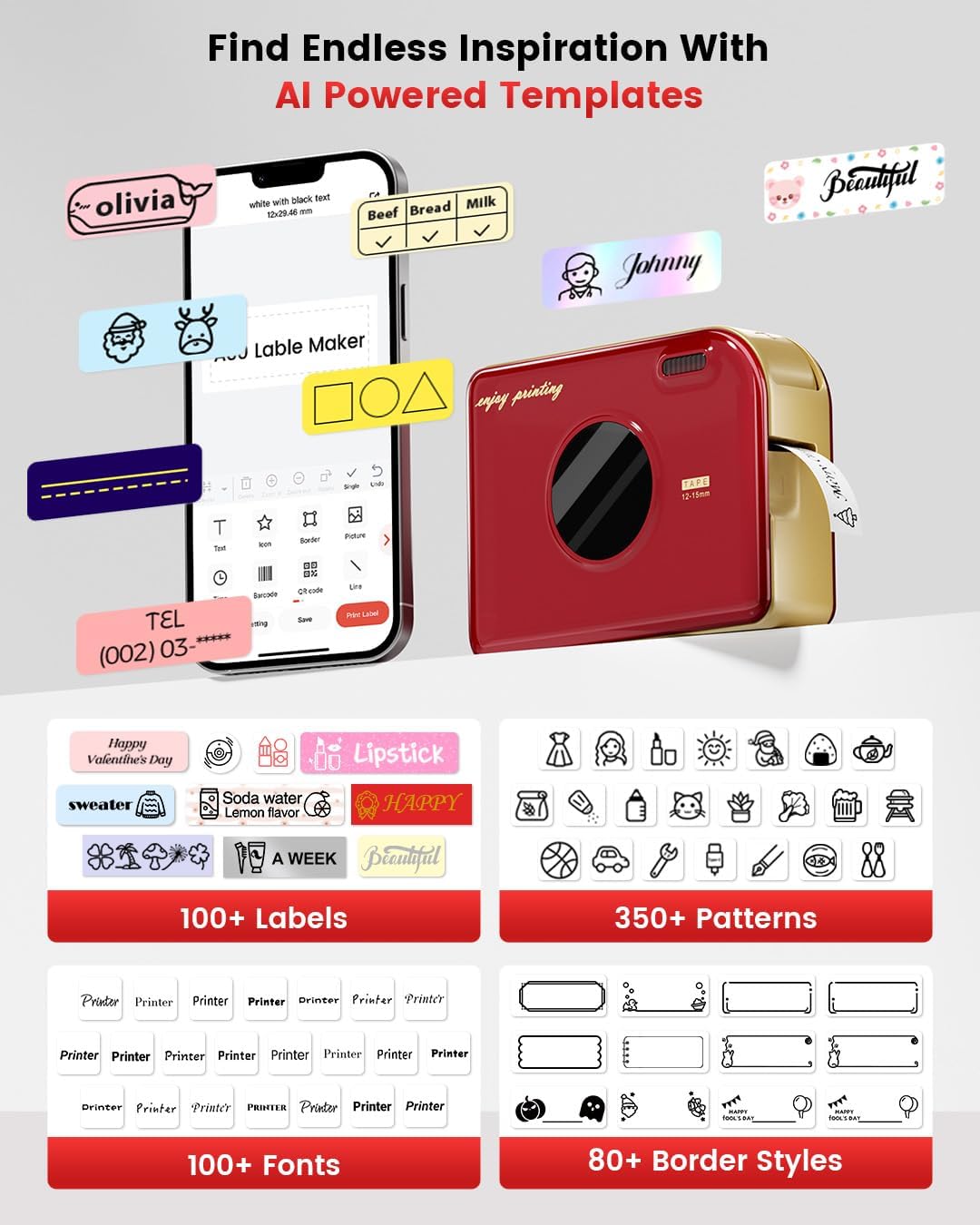
Image: A visual representation of the Phomemo app interface on a smartphone, displaying a wide array of AI-powered templates, fonts, patterns, and border styles available for label customization.
3. Types of Labels and Applications
The A30 supports various label types for diverse applications:
- Pre-cut or Continuous Labels: For standard labeling needs.
- Patterned Labels: For decorative purposes.
- Refrigerator Magnetic Labels: For organizing items on magnetic surfaces.
- Colored Font Labels: For enhanced visual appeal.
- റിബൺസ്: For gift decoration and personalized messages.
- Fabric Iron-on Labels: For clothing and textile identification.
- Premium Glitter Labels: For special occasions.
- ഹോട്ട് സെന്റ്amping Labels: For a premium, embossed look.
- Luminous Labels: For visibility in low light conditions.

ചിത്രം: ഉദാamples of custom ribbon printing for gifts, iron-on labels for fabric, and personalized labels for various items.
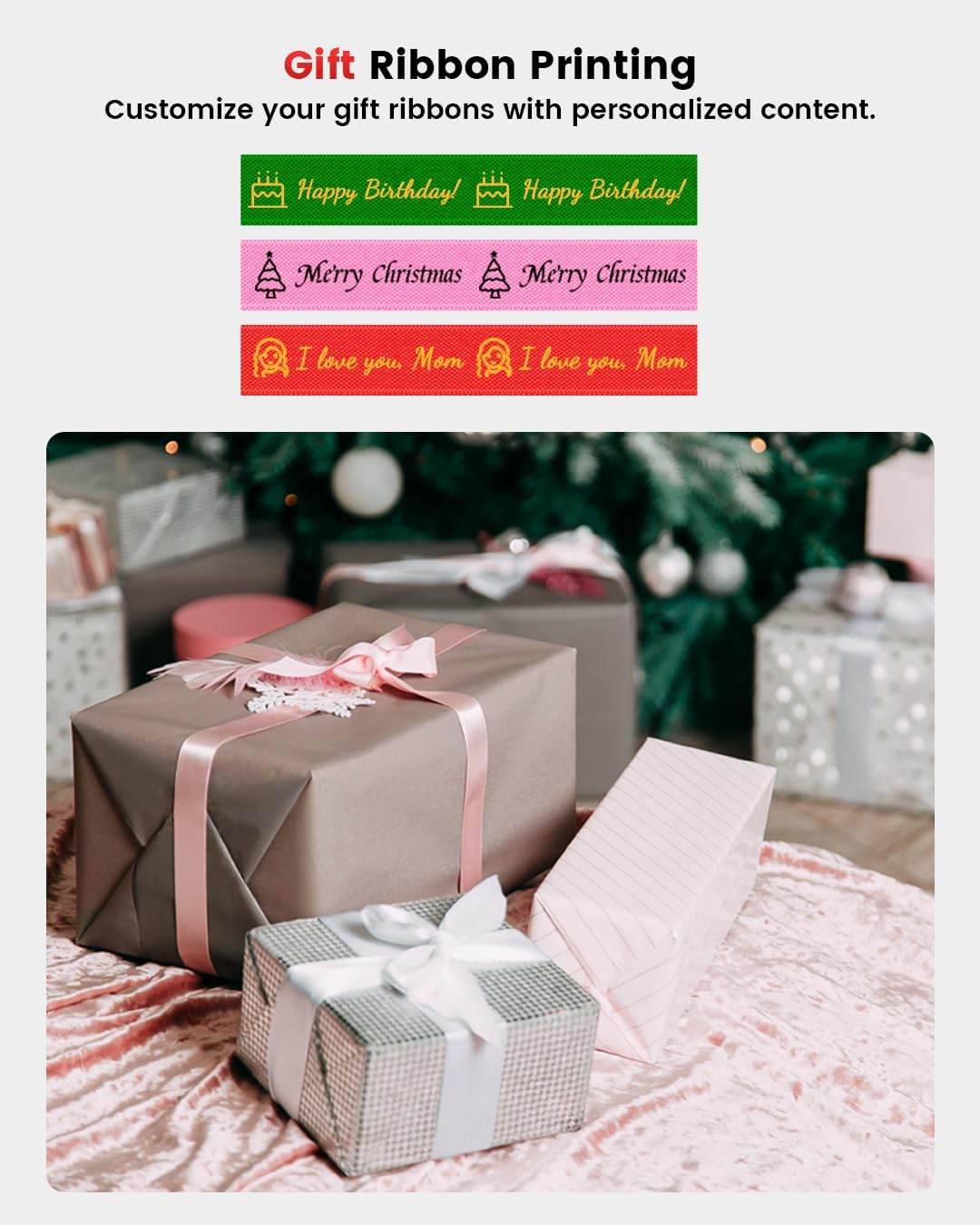
Image: Customized gift ribbons with messages like "Happy Birthday!" and "Merry Christmas" shown alongside wrapped presents.

Image: Magnetic labels with various food names and icons applied to a refrigerator door.
മെയിൻ്റനൻസ്
1. പ്രിന്റ് ഹെഡ് വൃത്തിയാക്കൽ
To ensure clear and consistent print quality, regularly clean the print head. Use a soft, lint-free cloth lightly dampened with isopropyl alcohol. Gently wipe the print head surface. Do not use abrasive materials or harsh chemicals.
2. ബാറ്ററി പരിചരണം
To prolong battery life, avoid fully discharging the device frequently. Charge the device regularly, even if not in constant use. Store the device in a cool, dry place when not in use for extended periods.
3. ലേബൽ സംഭരണം
Store label tapes in a cool, dry place away from direct sunlight and extreme temperatures to prevent degradation of the thermal material.

Image: Labels applied to dishes in a dishwasher and plant pots, illustrating the durability and weather resistance of the labels in various environments (40°F-90°F).
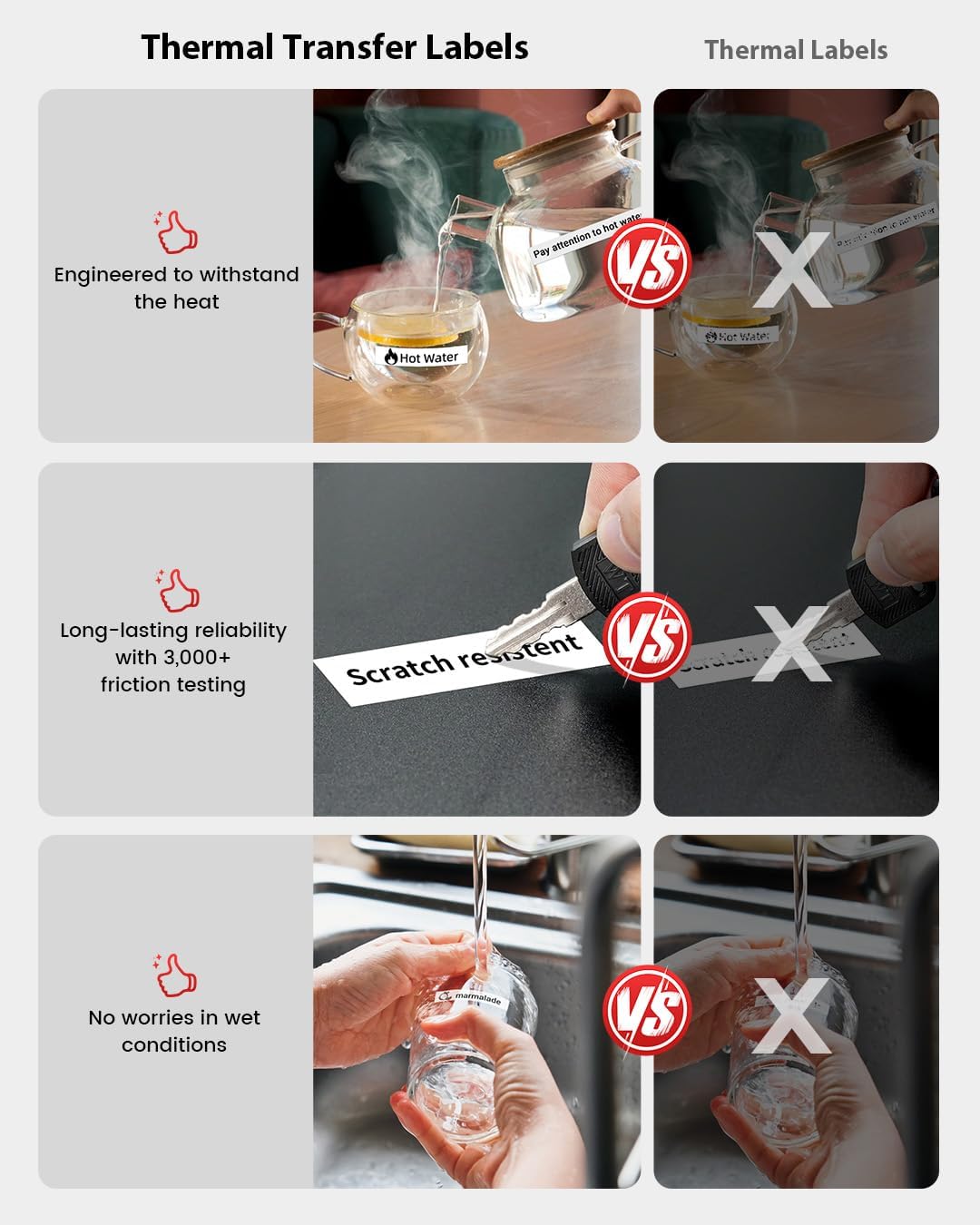
Image: Visual demonstrations of the labels' resistance to water, oil, tearing, and scratching, highlighting their robust and long-lasting properties.

Image: A comparison showing the superior durability of thermal transfer labels over standard thermal labels, demonstrating resistance to heat, scratches, and wet conditions.
ട്രബിൾഷൂട്ടിംഗ്
| പ്രശ്നം | സാധ്യമായ കാരണം | പരിഹാരം |
|---|---|---|
| ഉപകരണം ഓണാക്കുന്നില്ല | ബാറ്ററി ചാർജ് കുറവാണ്; പവർ ബട്ടൺ അധികം നേരം അമർത്തിയിട്ടില്ല. | ഉപകരണം പൂർണ്ണമായും ചാർജ് ചെയ്യുക; പവർ ബട്ടൺ 3-5 സെക്കൻഡ് അമർത്തിപ്പിടിക്കുക. |
| ബ്ലൂടൂത്ത് വഴി ബന്ധിപ്പിക്കാൻ കഴിയില്ല | Bluetooth off on phone/tablet; Device too far; App not open; Printer not discoverable | Ensure Bluetooth is on; Move device closer; Open Phomemo app; Restart printer and app. |
| മോശം പ്രിന്റ് നിലവാരം / മങ്ങിയ പ്രിന്റുകൾ | Print head dirty; Incorrect label type; Low battery; Old/damaged label tape | Clean the print head; Ensure you are using genuine Phomemo thermal transfer labels; Charge the device; Replace label tape. |
| Label jam | Improperly loaded tape; Foreign object in paper path | Open compartment, remove tape, clear any obstructions, re-load tape correctly. |
| ആപ്പ് ക്രാഷാകുകയോ മരവിക്കുകയോ ചെയ്യുന്നു | Outdated app version; Software conflict | Update the Phomemo app to the latest version; Restart your phone/tablet. |
വാറൻ്റിയും പിന്തുണയും
The Phomemo A30 Label Maker comes with a limited warranty. Please refer to the warranty card included in your package for specific terms and conditions. For technical support, troubleshooting assistance, or warranty claims, please contact Phomemo customer service through their official website or the contact information provided in the warranty documentation.
Phomemo Official Webസൈറ്റ്: www.phomemo.com
For additional resources and FAQs, visit the Phomemo support page.


