1. ആമുഖം
വാങ്ങിയതിന് നന്ദി.asing the SHIDU F8 Portable FM Radio with Bluetooth Speaker. This device offers versatile audio playback options including FM radio, Bluetooth connectivity, and support for TF cards, USB flash drives, and AUX input. Designed for ease of use, this manual provides detailed instructions to help you get the most out of your new device.
2 സുരക്ഷാ വിവരങ്ങൾ
- ഉപയോഗിക്കുന്നതിന് മുമ്പ് എല്ലാ നിർദ്ദേശങ്ങളും ശ്രദ്ധാപൂർവ്വം വായിക്കുക.
- വെള്ളം, ഈർപ്പം, തീവ്രമായ താപനില എന്നിവയിൽ നിന്ന് ഉപകരണം അകറ്റി നിർത്തുക.
- ഉപകരണം സ്വയം വേർപെടുത്താനോ നന്നാക്കാനോ ശ്രമിക്കരുത്. യോഗ്യതയുള്ള സേവന ഉദ്യോഗസ്ഥരെ ബന്ധപ്പെടുക.
- Use only the specified charging cable and power adapter to avoid damage.
- കേൾവിക്ക് കേടുപാടുകൾ സംഭവിക്കാതിരിക്കാൻ, ഉച്ചത്തിലുള്ള ശബ്ദങ്ങളിൽ ദീർഘനേരം എക്സ്പോഷർ ചെയ്യുന്നത് ഒഴിവാക്കുക.
3. പാക്കേജ് ഉള്ളടക്കം
പാക്കേജിൽ ഇനിപ്പറയുന്ന ഇനങ്ങൾ ഉണ്ടോ എന്ന് പരിശോധിക്കുക:
- SHIDU F8 Portable FM Radio with Bluetooth Speaker
- ഉടമയുടെ മാനുവൽ
4. ഉൽപ്പന്നം കഴിഞ്ഞുview
The SHIDU F8 is a compact and portable device featuring an intuitive control layout. It includes a retractable antenna for enhanced FM reception, a clear display, and various input ports for media playback.
4.1. Device Diagram and Controls
Below is a visual representation of the SHIDU F8, highlighting its key components and controls. Please refer to this diagram for button and port identification.

The device features a speaker on the front, a digital display, control buttons for playback and mode selection, and a rotary knob for power and volume. On the side, you will find ports for USB, TF card, and AUX input, along with the USB-C charging port.
5. സജ്ജീകരണം
5.1. പ്രാരംഭ ചാർജിംഗ്
Before first use, fully charge your SHIDU F8 radio. The device is equipped with a 1000mAh battery that provides 4-5 hours of continuous playtime and charges fully in approximately 2 hours via USB-C.
- Connect the provided USB-C cable to the charging port on the side of the radio.
- USB-C കേബിളിന്റെ മറ്റേ അറ്റം അനുയോജ്യമായ ഒരു USB പവർ അഡാപ്റ്ററിലേക്ക് (ഉൾപ്പെടുത്തിയിട്ടില്ല) അല്ലെങ്കിൽ കമ്പ്യൂട്ടറിന്റെ USB പോർട്ടിലേക്ക് പ്ലഗ് ചെയ്യുക.
- The charging indicator on the display will show the charging status. Once fully charged, the indicator will change or turn off.
5.2. പവർ ഓൺ/ഓഫ്
To power on the device, rotate the volume knob clockwise. To power off, rotate the volume knob counter-clockwise until it clicks.
6. പ്രവർത്തന നിർദ്ദേശങ്ങൾ
6.1. എഫ്എം റേഡിയോ പ്രവർത്തനം
The SHIDU F8 features strong FM reception. Extend the telescopic antenna for optimal signal quality.

6.1.1. Auto Scan and Save Stations
The auto-scan function automatically finds and saves available FM stations.
Video 1: Demonstrates auto station search and saving presets on a similar portable radio. Long press the scan button to initiate auto-scan, which automatically finds and stores available FM stations. Short press M- or M+ to recall previous or next stored stations.
6.1.2. Manual Station Search and Presets
You can manually tune to specific stations or save them as presets.
Video 2: Illustrates manual station search and manual station preset. Long press the tuning buttons to skip to previous or next available stations. To manually preset a station, tune to the desired frequency, then short press 'MEM/SCAN' to start the preset process. Use M- or M+ to select a preset number, then press 'MEM/SCAN' again to store.
6.2. ബ്ലൂടൂത്ത് മോഡ്
Connect your smartphone or tablet wirelessly via Bluetooth to play music through the SHIDU F8 speaker.
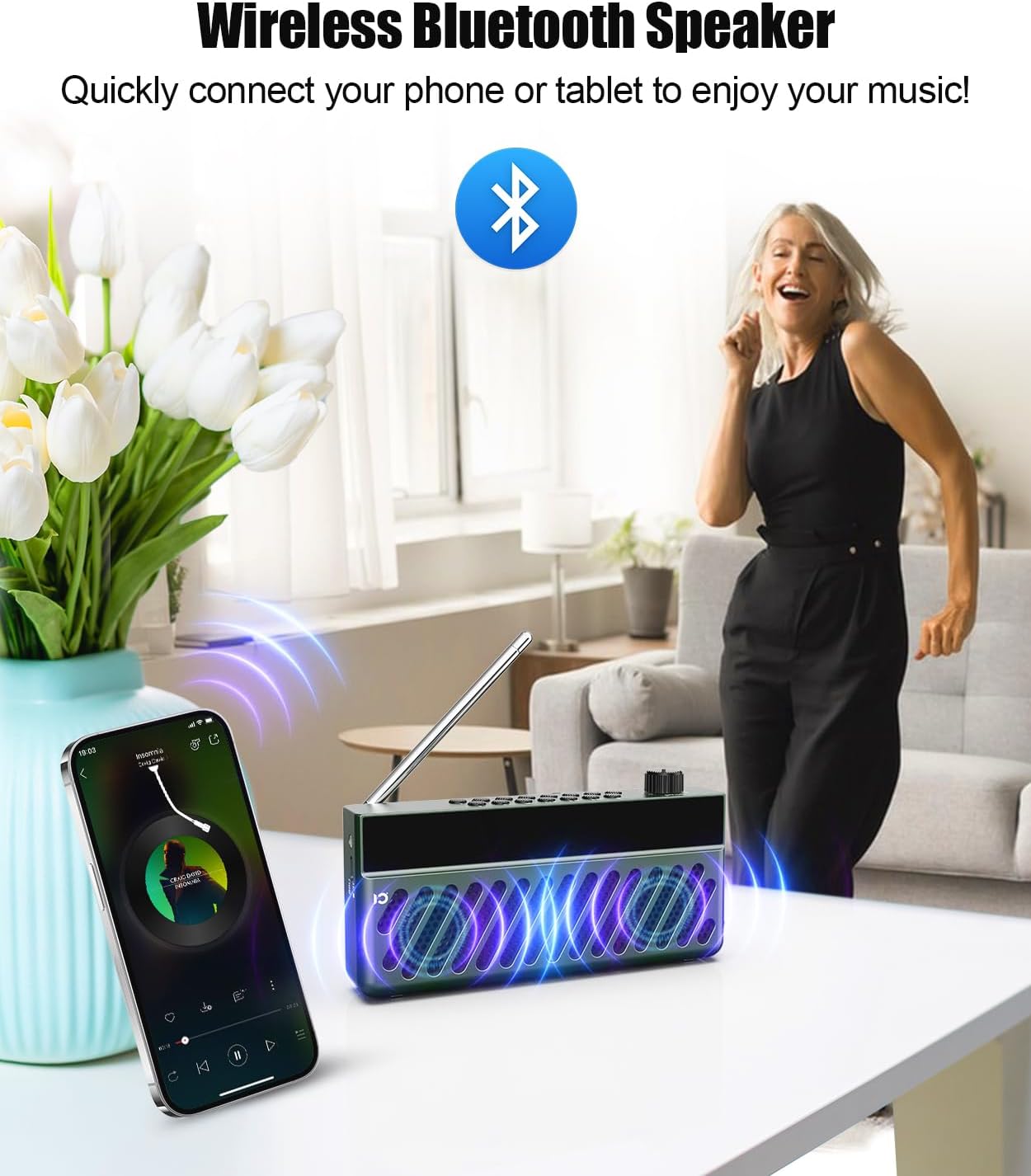
- Power on the radio. It will automatically enter Bluetooth pairing mode.
- നിങ്ങളുടെ മൊബൈൽ ഉപകരണത്തിൽ, ബ്ലൂടൂത്ത് പ്രവർത്തനക്ഷമമാക്കി ലഭ്യമായ ഉപകരണങ്ങൾക്കായി തിരയുക.
- Select "SHIDU F8" (or similar name) from the list to pair. A voice prompt will confirm successful connection.
- Play audio from your device, and it will stream through the SHIDU F8.
Video 3: Demonstrates switching to Bluetooth mode and connecting a smartphone. The radio displays 'bt' and a voice prompt confirms 'Bluetooth connected'. Music playback from the phone is then shown, with options to skip tracks using the radio's buttons.
6.3. TF Card / USB Playback
The radio supports playing MP3 files from a TF (Micro SD) card or USB flash drive.
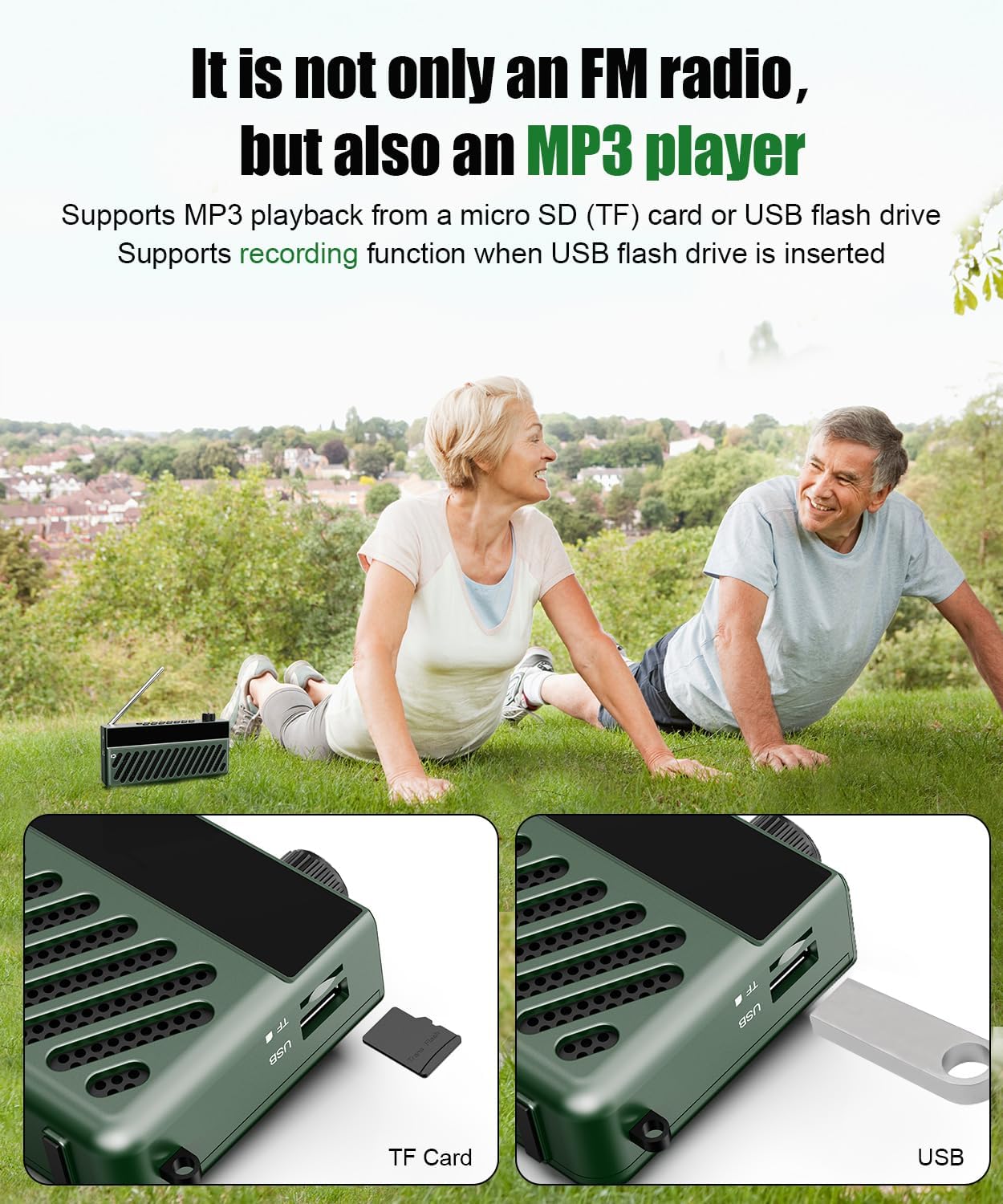
- Insert a TF card or USB flash drive containing MP3 audio files into the corresponding slot on the side of the radio.
- The radio will automatically switch to TF Card or USB mode and begin playing the audio files.
- Use the playback control buttons (Play/Pause, Next/Previous Track) on the radio to manage your music.
Video 4: Demonstrates inserting a TF card into a portable radio. The radio automatically switches to 'TF Card Mode' and a voice prompt confirms the mode change.
6.4. AUX ഇൻപുട്ട്
Connect external audio devices using the AUX input port.
- Connect a 3.5mm audio cable (not included) from your external device's audio output to the AUX input port on the radio.
- The radio will automatically switch to AUX mode.
- നിങ്ങളുടെ ബാഹ്യ ഓഡിയോ ഉപകരണത്തിൽ നിന്ന് പ്ലേബാക്ക് നിയന്ത്രിക്കുക.
6.5. വോളിയം നിയന്ത്രണം
Adjust the volume by rotating the power/volume knob. Rotate clockwise to increase volume and counter-clockwise to decrease.
6.6. സമയ ക്രമീകരണം
Set the current time on your radio's display.
Video 5: Demonstrates how to set the time on a portable radio. Short press the power button to switch to Clock Mode. Long press 'TIME/AL' to enter time settings. Use the '<<' and '>>' buttons to adjust hours and minutes, then press 'TIME/AL' to confirm. You can also switch between 12/24-hour format.
6.7. Alarm Clock Setting
Configure the alarm function to wake up to your favorite station or a buzzer.
Video 6: Shows how to set the alarm clock. Short press 'TIME/AL' to toggle the alarm on/off. Long press 'MODE' to enter alarm settings. Use '<<' and '>>' to set the alarm hour and minute, then press 'MODE' to confirm. You can choose between a buzzer (bUZ Mode) or scheduled power-on (PON Mode) with adjustable duration.
7. പരിപാലനം
- മൃദുവായതും ഉണങ്ങിയതുമായ തുണി ഉപയോഗിച്ച് ഉപകരണം വൃത്തിയാക്കുക. അബ്രസീവ് ക്ലീനറുകളോ ലായകങ്ങളോ ഉപയോഗിക്കരുത്.
- ഉപയോഗത്തിലില്ലാത്തപ്പോൾ ഉപകരണം തണുത്തതും വരണ്ടതുമായ സ്ഥലത്ത് സൂക്ഷിക്കുക.
- ഉപകരണം താഴെയിടുകയോ ശക്തമായ ആഘാതങ്ങൾക്ക് വിധേയമാക്കുകയോ ചെയ്യുന്നത് ഒഴിവാക്കുക.
8. പ്രശ്നപരിഹാരം
| പ്രശ്നം | സാധ്യമായ കാരണം | പരിഹാരം |
|---|---|---|
| ശക്തിയില്ല | ബാറ്ററി തീർന്നു. | USB-C കേബിൾ ഉപയോഗിച്ച് ഉപകരണം ചാർജ് ചെയ്യുക. |
| മോശം എഫ്എം സ്വീകരണം | ആന്റിന വികസിതമല്ല അല്ലെങ്കിൽ ദുർബലമായ സിഗ്നൽ ഏരിയ. | Fully extend the telescopic antenna and try repositioning the radio. |
| ബ്ലൂടൂത്ത് കണക്റ്റ് ചെയ്യുന്നില്ല | ഉപകരണം ജോടിയാക്കൽ മോഡിലല്ല അല്ലെങ്കിൽ ഉറവിടത്തിൽ നിന്ന് വളരെ അകലെയാണ്. | Ensure radio is in Bluetooth mode and within 10 meters of your device. Re-enable Bluetooth on your mobile device. |
| No sound from FM mode after switching | Volume set to zero or temporary software glitch. | Increase volume. If issue persists, power off and on the radio, then switch to FM mode and ensure volume is above zero. |
9 സ്പെസിഫിക്കേഷനുകൾ
- മോഡൽ: F8
- ഉൽപ്പന്ന അളവുകൾ: 6.61 x 1.54 x 3.31 ഇഞ്ച്
- ഇനത്തിൻ്റെ ഭാരം: 13.1 ഔൺസ് (0.37 കിലോഗ്രാം)
- കണക്റ്റിവിറ്റി ടെക്നോളജി: ബ്ലൂടൂത്ത്
- ട്യൂണർ സാങ്കേതികവിദ്യ: FM (AM not supported)
- ഊർജ്ജ സ്രോതസ്സ്: Battery Powered (1000mAh rechargeable battery)
- ചാർജിംഗ്: USB-C (approx. 2 hours for full charge)
- കളിസമയം: 4-5 hours (continuous)
- ഇൻപുട്ട് ഓപ്ഷനുകൾ: TF Card, USB Flash Drive, AUX Input
10. വാറണ്ടിയും പിന്തുണയും
SHIDU is committed to delivering high-quality products. If you encounter any issues or have questions regarding your SHIDU F8 Portable FM Radio with Bluetooth Speaker, please contact our customer support team for assistance.
For warranty information and support, please refer to the contact details provided on the product packaging or visit the official SHIDU webസൈറ്റ്.


