ഉൽപ്പന്നം കഴിഞ്ഞുview
The MSXTTLY U2A-L9 and U2C-AIR Pro are advanced wireless adapters designed to seamlessly integrate your smartphone with your car's infotainment system, enabling wireless Android Auto and Apple CarPlay functionality. These compact devices eliminate the need for tangled cables, providing a convenient and stable connection for navigation, music, and communication.

Image: The MSXTTLY U2A-L9 (left) and U2C-AIR Pro (right) wireless adapters, shown with various USB cable types and smartphone interfaces for Android Auto and CarPlay.
പ്രധാന സവിശേഷതകൾ
- Wireless Android Auto & CarPlay: Transform your wired car system into a wireless experience.
- വേഗതയേറിയതും സ്ഥിരതയുള്ളതുമായ കണക്ഷൻ: Equipped with a 5G chip, supporting 5.8 GHz WiFi and Bluetooth 5.3 for low latency.
- യാന്ത്രിക കണക്ഷൻ: After initial setup, the adapter automatically connects to your phone upon car startup.
- കോംപാക്റ്റ് ഡിസൈൻ: Smaller form factor for discreet integration into your car's interior.
- Gold-Plated USB: Enhances conductivity and durability for reliable performance.

ചിത്രം: ഒരു ക്ലോസ്-അപ്പ് view of the adapter's gold-plated USB connector, highlighting the internal components and the gold plating technique designed for quick auto-connection and enhanced service life.

Image: A visual breakdown of the adapter's design, showing features like heat dissipation for optimal performance, gold-plated design for improved transmission stability, and an LED light for visual feedback. The image also shows the adapter discreetly plugged into a car's console.
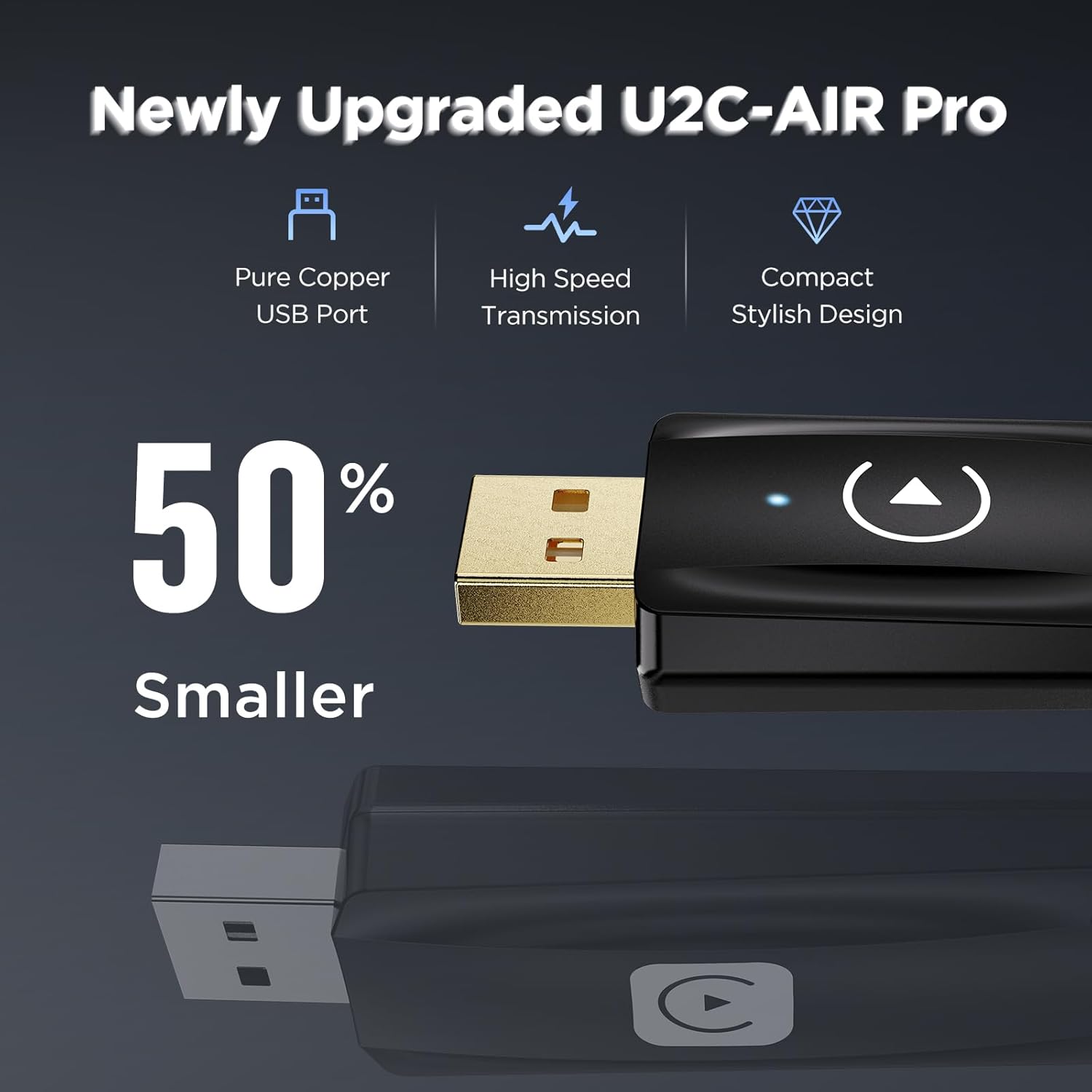
Image: A comparison highlighting the newly upgraded U2C-AIR Pro, emphasizing its 50% smaller size, pure copper USB port, high-speed transmission capabilities, and compact stylish design.

Image: A visual representation demonstrating how much smaller the adapter is compared to previous versions or expectations, illustrating its space-saving design.

Image: A side-by-side comparison showing a car's console "Before" the adapter, with a wired phone connection and visible cables, and "After" the adapter, with a clean, wireless setup and the compact adapter plugged in.
സജ്ജീകരണ ഗൈഡ്
ബോക്സിൽ എന്താണുള്ളത്
എല്ലാ ഘടകങ്ങളും ലഭ്യമാണെന്ന് ദയവായി പരിശോധിക്കുക:
- 1 x MSXTTLY U2A-L9 Wireless Android Auto Adapter
- 1 x MSXTTLY U2C-AIR Pro Wireless CarPlay Adapter
- 2 x USB Cables (USB-A to USB-C)
- 1 x യുഎസ്ബി ടൈപ്പ്-സി അഡാപ്റ്റർ
ഇൻസ്റ്റലേഷൻ ഘട്ടങ്ങൾ
Follow these steps to set up your wireless adapter:
- നിങ്ങളുടെ വാഹനം തയ്യാറാക്കുക: Ensure your car's infotainment system supports wired Android Auto or Apple CarPlay.
- അഡാപ്റ്റർ ബന്ധിപ്പിക്കുക: Plug the appropriate wireless adapter (U2A-L9 for Android Auto or U2C-AIR Pro for CarPlay) into your car's USB port that supports wired Android Auto/CarPlay. Use the provided USB cable or Type-C adapter if necessary.
- പവർ ഓൺ: Start your car's engine. The adapter's LED indicator should light up, indicating it is powered on.
- ബ്ലൂടൂത്തും വൈഫൈയും പ്രവർത്തനക്ഷമമാക്കുക: നിങ്ങളുടെ സ്മാർട്ട്ഫോണിൽ, ബ്ലൂടൂത്തും വൈ-ഫൈയും ഓണാക്കുക.
- അഡാപ്റ്ററുമായി ജോടിയാക്കുക: On your phone, search for Bluetooth devices and select the adapter's name (e.g., "MSXTTLY-AA" or "MSXTTLY-CP"). Follow any on-screen prompts to confirm pairing.
- യാന്ത്രിക കണക്ഷൻ: Once paired, your phone will automatically connect to the adapter via Wi-Fi, and Android Auto or CarPlay will launch on your car's display.
- Initial Setup Complete: The adapter will now automatically connect every time you start your car.

Image: This image illustrates two connection methods for the adapter: directly plugging into a built-in USB port in the car's console, and connecting via a USB-A to USB-C data cable for more flexible placement.
പ്രവർത്തന നിർദ്ദേശങ്ങൾ
നിങ്ങളുടെ ഉപകരണത്തിലേക്ക് കണക്റ്റുചെയ്യുന്നു
After the initial setup, the adapter is designed for seamless, automatic connection. When you enter your vehicle and start the engine, the adapter will automatically establish a wireless connection with your paired smartphone.

Image: A user is shown interacting with their smartphone and car, demonstrating the automatic CarPlay connection process. The car's infotainment screen displays the CarPlay interface, indicating a successful wireless link.
യാന്ത്രിക കണക്ഷൻ
The adapter prioritizes a fast and stable connection. Even if you are on a phone call when you get into the car, the system will connect without interrupting your call or requiring you to wait for the connection to establish.
പ്രധാനപ്പെട്ട കുറിപ്പുകൾ
- അനുയോജ്യത: The wireless Android Auto adapter is compatible only with cars or audio systems equipped with wired Android Auto. The CarPlay adapter requires a wired CarPlay-enabled system.
- Smartphone Requirements: For optimal performance, it is highly recommended that your smartphone runs Android 11 or higher for Android Auto, and iOS 12 or higher for Apple CarPlay.
- Video Apps: Please note that video streaming applications (e.g., YouTube, Netflix) are NOT supported through these adapters. They are designed for navigation, audio, and communication functions.
- പവർ സൈക്കിൾ: If you experience connection issues, try restarting your car's infotainment system or unplugging and re-plugging the adapter.
മെയിൻ്റനൻസ്
To ensure the longevity and optimal performance of your MSXTTLY wireless adapters, follow these simple maintenance guidelines:
- വൃത്തിയായി സൂക്ഷിക്കു: പൊടിയും അവശിഷ്ടങ്ങളും നീക്കം ചെയ്യുന്നതിനായി മൃദുവായതും ഉണങ്ങിയതുമായ തുണി ഉപയോഗിച്ച് അഡാപ്റ്റർ പതിവായി തുടയ്ക്കുക. ലിക്വിഡ് ക്ലീനറുകളോ ഉരച്ചിലുകളുള്ള വസ്തുക്കളോ ഉപയോഗിക്കുന്നത് ഒഴിവാക്കുക.
- തീവ്രമായ താപനില ഒഴിവാക്കുക: Do not expose the adapter to extreme heat or cold, as this can affect its internal components.
- ശ്രദ്ധയോടെ കൈകാര്യം ചെയ്യുക: അഡാപ്റ്റർ താഴെയിടുകയോ ശക്തമായ ആഘാതങ്ങൾക്ക് വിധേയമാക്കുകയോ ചെയ്യുന്നത് ഒഴിവാക്കുക.
- ശരിയായ സംഭരണം: If storing the adapter for an extended period, keep it in a cool, dry place away from direct sunlight.
ട്രബിൾഷൂട്ടിംഗ്
If you encounter issues with your MSXTTLY wireless adapter, refer to the table below for common problems and their solutions:
| പ്രശ്നം | സാധ്യമായ കാരണം | പരിഹാരം |
|---|---|---|
| അഡാപ്റ്റർ യാന്ത്രികമായി ബന്ധിപ്പിക്കുന്നില്ല. | Bluetooth or Wi-Fi is off on phone; adapter not properly plugged in; initial pairing lost. | Ensure Bluetooth and Wi-Fi are enabled on your phone. Unplug and re-plug the adapter. Re-pair the adapter via Bluetooth settings on your phone. |
| No Android Auto/CarPlay display on car screen. | Car system does not support wired Android Auto/CarPlay; incorrect USB port used; phone compatibility issue. | Verify your car supports wired Android Auto/CarPlay. Try a different USB port in your car. Ensure your phone meets the minimum OS requirements (Android 11+/iOS 12+). |
| ഇടയ്ക്കിടെയുള്ള കണക്ഷൻ അല്ലെങ്കിൽ കാലതാമസം. | Interference; outdated phone OS; adapter firmware needs update (if applicable). | Ensure no other strong Wi-Fi signals are interfering. Update your phone's operating system. Check the manufacturer's website for any firmware updates for the adapter. |
| Audio issues (no sound, distorted sound). | Volume settings; car's audio source not selected correctly. | Check volume levels on both your phone and car system. Ensure the car's audio source is set to Android Auto/CarPlay. |
സ്പെസിഫിക്കേഷനുകൾ
| മോഡലിൻ്റെ പേര് | U2A-L9 & U2C-AIR Pro |
| ബ്രാൻഡ് | MSXTTLY |
| ഉൽപ്പന്ന അളവുകൾ | 2.61 x 1.06 x 0.49 ഇഞ്ച് |
| കണക്റ്റിവിറ്റി ടെക്നോളജി | Bluetooth 5.3, Wi-Fi 5.8 GHz |
| അനുയോജ്യമായ ഉപകരണങ്ങൾ | Smartphones (Android Auto/CarPlay enabled), Vehicles with wired Android Auto/CarPlay |
| Recommended OS | Android 11 / iOS 12 അല്ലെങ്കിൽ ഉയർന്നത് |
| ഉൾപ്പെടുത്തിയ ഘടകങ്ങൾ | 2 x USB Cable, 1 x USB Type-C Adapter |
| ASIN | B0DJ975BTK |
വാറൻ്റിയും പിന്തുണയും
MSXTTLY products are designed for reliability and performance. For information regarding warranty coverage, technical support, or frequently asked questions, please refer to the official MSXTTLY webസൈറ്റ് അല്ലെങ്കിൽ അവരുടെ ഉപഭോക്തൃ സേവനവുമായി നേരിട്ട് ബന്ധപ്പെടുക.
When contacting support, please have your product model name (U2A-L9 & U2C-AIR Pro) and ASIN (B0DJ975BTK) ready for faster assistance.


