ആമുഖം
വാങ്ങിയതിന് നന്ദി.asing the LINQ 8in1 PRO USB-C Multiport Hub 140W. This manual provides detailed instructions for setting up, operating, and maintaining your device. Please read this manual thoroughly before use to ensure optimal performance and longevity of your product.
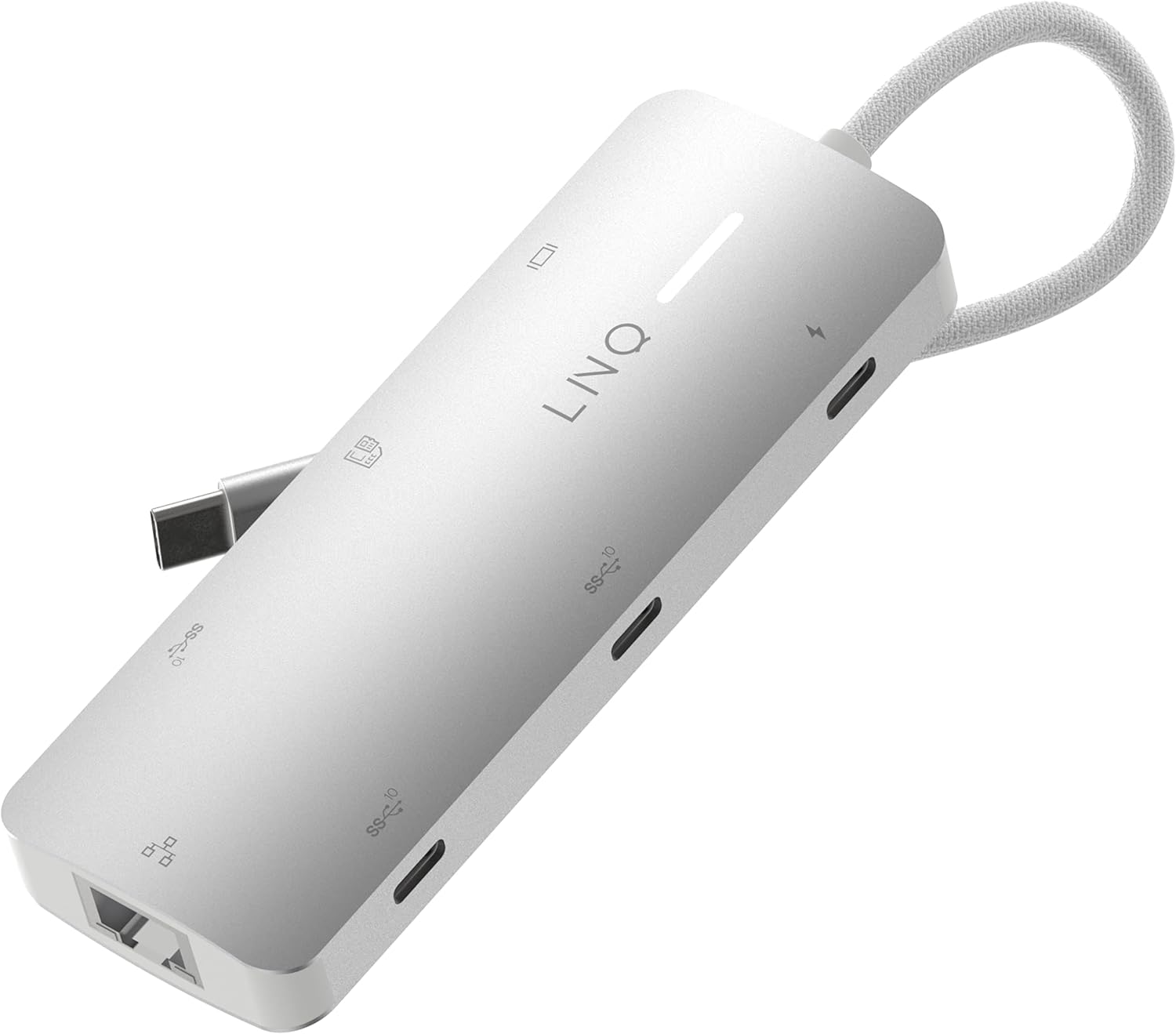
Image: The LINQ 8in1 PRO USB-C Multiport Hub 140W, a compact gray device with a braided USB-C cable, showcasing its sleek design and multiple ports.
പ്രധാന സവിശേഷതകൾ
- Expands one USB-C port into eight versatile connections.
- HDMI 2.0 Output: Supports up to 4K resolution at 60Hz with HDR for high-quality video output.
- USB-C PD3.1 Charging: Delivers up to 140W Power Delivery, ensuring fast charging for connected devices. (Note: The hub requires 15W for its own operation).
- USB-A Data Port: One USB-A port with 10Gbps data transfer speed (USB 3.2 Gen 2).
- USB-C Data Ports: Two USB-C ports, each offering 10Gbps data transfer speed (USB 3.2 Gen 2).
- Multi-Gigabit Ethernet: Provides a stable wired internet connection up to 2500Mbps (2.5Gbps).
- TF/Micro SD Card Reader: Integrated slot for reading TF/Micro SD memory cards.
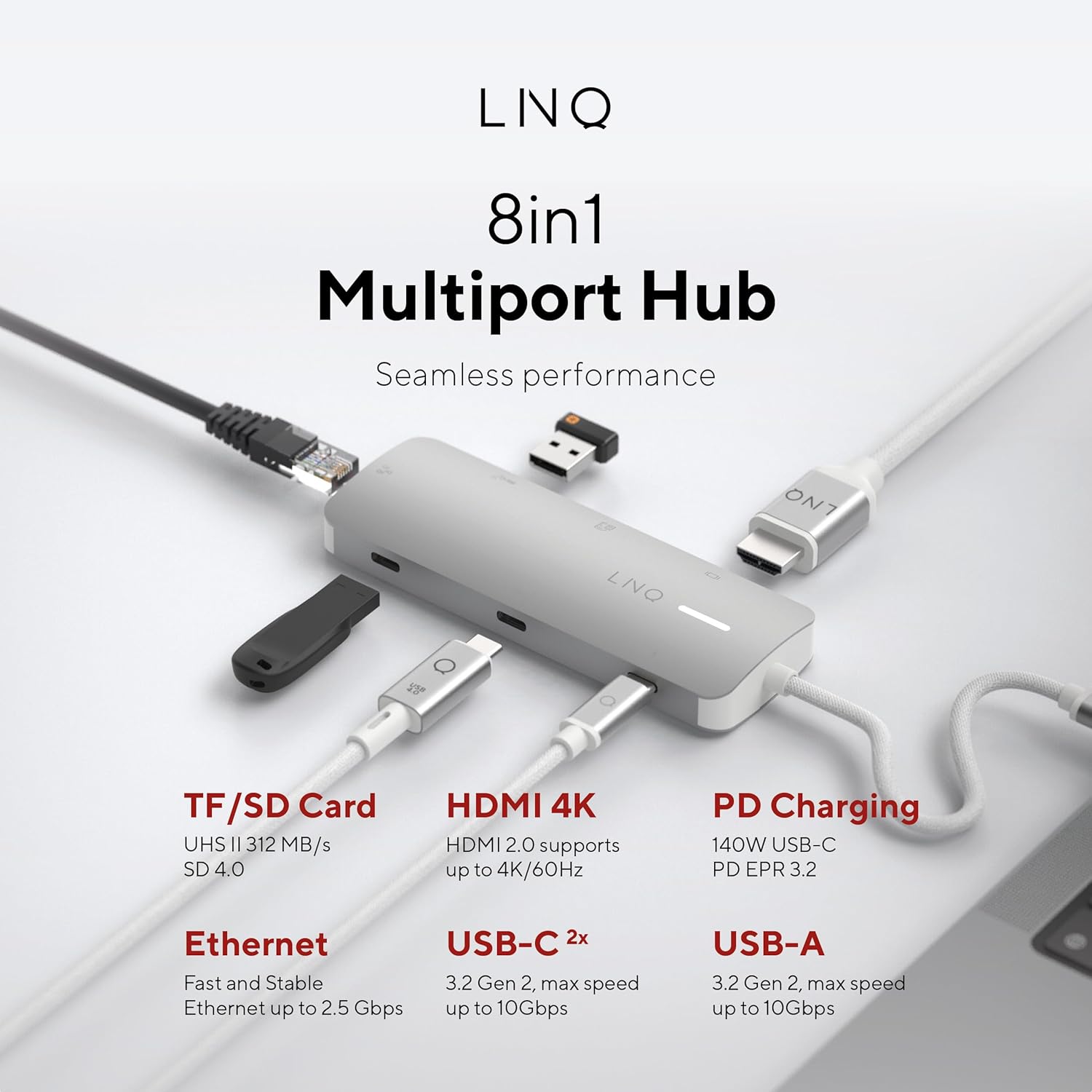
ചിത്രം: ഒരു ഓവർഹെഡ് view of the LINQ 8in1 PRO USB-C Multiport Hub, illustrating its various ports including TF/SD Card, HDMI 4K, PD Charging, Ethernet, USB-C (2x), and USB-A, with their respective functionalities.
സജ്ജീകരണ ഗൈഡ്
Follow these steps to set up your LINQ 8in1 PRO USB-C Multiport Hub:
- ഹോസ്റ്റ് ഉപകരണത്തിലേക്ക് കണക്റ്റുചെയ്യുക: Plug the integrated USB-C cable of the hub into an available USB-C port on your laptop, tablet, or smartphone. Ensure the USB-C port on your host device supports video output (DisplayPort Alternate Mode) and Power Delivery for full functionality.
- പവർ കണക്ഷൻ (ഓപ്ഷണൽ എന്നാൽ ശുപാർശ ചെയ്യുന്നത്): For optimal performance and to charge your host device, connect a USB-C Power Delivery charger (up to 140W) to the USB-C PD3.1 port on the hub.
- പെരിഫറലുകൾ ബന്ധിപ്പിക്കുക:
- HDMI ഡിസ്പ്ലേ: Connect an HDMI cable from the hub's HDMI 2.0 port to your monitor or TV.
- ഇഥർനെറ്റ്: Connect an Ethernet cable from your router or modem to the hub's Multi-Gigabit Ethernet port.
- USB ഉപകരണങ്ങൾ: Plug in your USB-A and USB-C peripherals (e.g., external hard drives, keyboards, mice, flash drives) into the corresponding data ports.
- മെമ്മറി കാർഡുകൾ: Insert your TF/Micro SD card into the card reader slot.
- ഡ്രൈവർ ഇൻസ്റ്റാളേഷൻ: The hub is typically plug-and-play and does not require specific drivers for most operating systems (Windows, macOS, Chrome OS, Linux). If you encounter issues, ensure your operating system is up to date.

Image: The LINQ 8in1 PRO USB-C Multiport Hub with various cables connected, demonstrating its ability to expand connectivity for a laptop, including an HDMI display, Ethernet, and USB devices.
പ്രവർത്തന നിർദ്ദേശങ്ങൾ
Once connected, the LINQ 8in1 PRO USB-C Multiport Hub operates automatically. Here are specific instructions for using its various functions:
Video Output (HDMI)
Connect an HDMI cable from the hub to your external display. Your operating system should automatically detect the new display. You can configure display settings (e.g., extend, duplicate, resolution) through your computer's display settings.

Image: A close-up of a computer monitor displaying a vibrant image, illustrating the high-quality video output achieved via the hub's HDMI connection.
Data Transfer (USB-A, USB-C, SD/TF Card)
Simply plug your USB devices or memory cards into the respective ports. They will appear as removable storage or connected peripherals on your host device. For optimal data transfer speeds, ensure your devices and cables support USB 3.2 Gen 2 (10Gbps) and SD 4.0 (UHS-II).
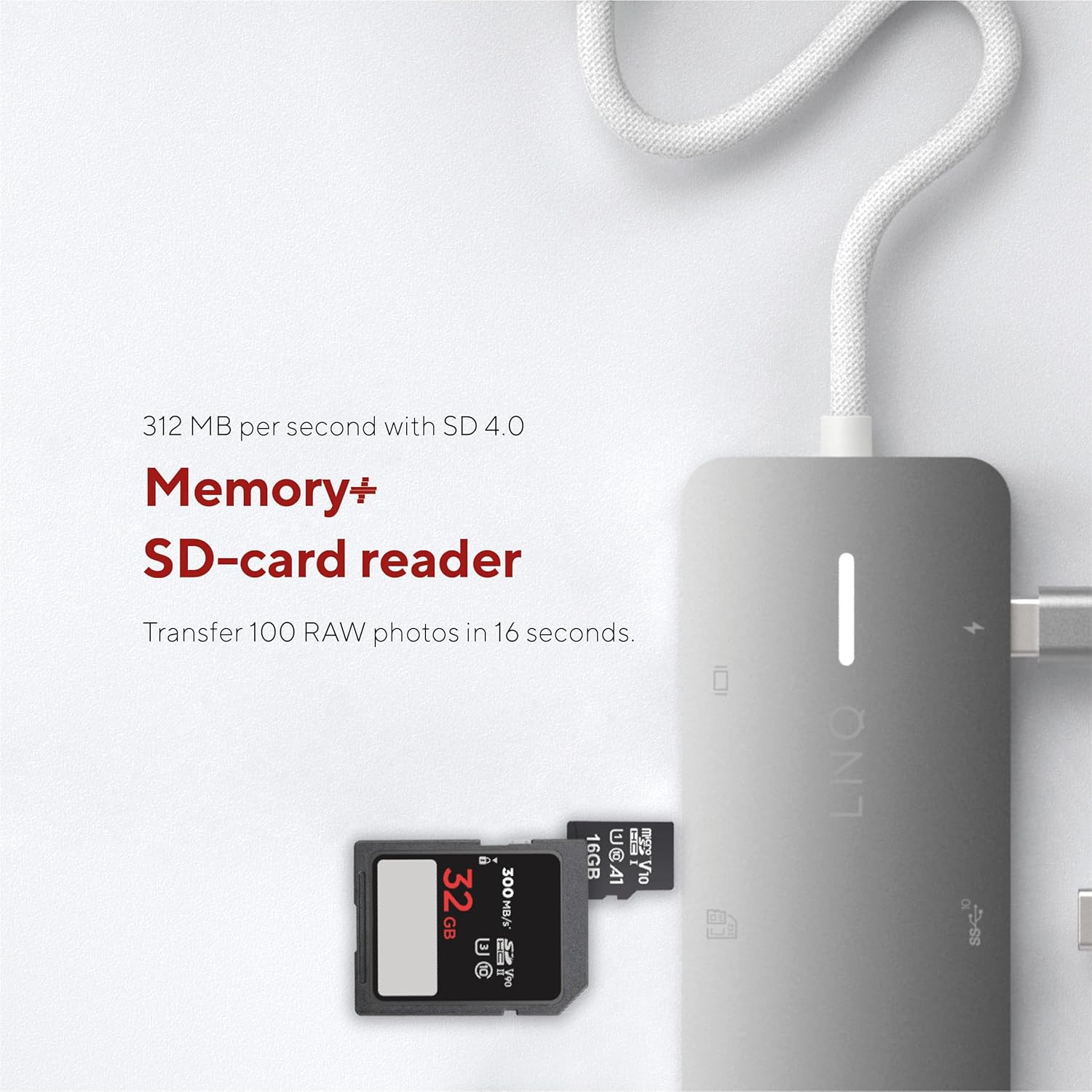
Image: A close-up of an SD card being inserted into the hub's card reader slot, highlighting its memory expansion capability.
Network Connection (Ethernet)
Connect an Ethernet cable to the hub's Ethernet port. Your host device will automatically detect the wired network connection. This provides a stable and fast internet connection, ideal for large file transfers or online gaming.

Image: An Ethernet cable plugged into the hub's Ethernet port, demonstrating its network connectivity feature.
Power Delivery (USB-C PD)
When a compatible USB-C PD charger is connected to the hub's PD port, it will pass power through to your host device and other connected peripherals. This allows you to charge your laptop while using the hub's other functions.
മെയിൻ്റനൻസ്
- വൃത്തിയാക്കൽ: Use a soft, dry cloth to clean the surface of the hub. Do not use liquid cleaners or aerosols.
- സംഭരണം: നേരിട്ടുള്ള സൂര്യപ്രകാശവും കടുത്ത താപനിലയും ഏൽക്കാത്ത തണുത്തതും വരണ്ടതുമായ സ്ഥലത്ത് ഹബ് സൂക്ഷിക്കുക.
- കൈകാര്യം ചെയ്യൽ: ഹബ് താഴെയിടുകയോ ശക്തമായ ആഘാതങ്ങൾക്ക് വിധേയമാക്കുകയോ ചെയ്യുന്നത് ഒഴിവാക്കുക. ഉപകരണം ഡിസ്അസംബ്ലിംഗ് ചെയ്യാൻ ശ്രമിക്കരുത്.
- കേബിൾ കെയർ: Do not bend or crimp the integrated USB-C cable excessively.
ട്രബിൾഷൂട്ടിംഗ്
| പ്രശ്നം | സാധ്യമായ കാരണം | പരിഹാരം |
|---|---|---|
| HDMI വഴി ഡിസ്പ്ലേ ഔട്ട്പുട്ട് ഇല്ല. |
|
|
| USB ഉപകരണങ്ങൾ തിരിച്ചറിഞ്ഞില്ല. |
|
|
| Slow Ethernet speed or no connection. |
|
|
| Host device not charging. |
|
|
സ്പെസിഫിക്കേഷനുകൾ
| ഫീച്ചർ | വിശദാംശങ്ങൾ |
|---|---|
| മോഡൽ നമ്പർ | LQ49081 |
| അളവുകൾ (LxWxH) | 4.41 x 1.69 x 0.63 ഇഞ്ച് |
| ഭാരം | 2.43 ഔൺസ് |
| നിറം | ചാരനിറം |
| HDMI ഔട്ട്പുട്ട് | 1x HDMI 2.0 (up to 4K@60Hz, HDR support) |
| USB-C PD പോർട്ട് | 1x USB-C PD3.1 (up to 140W charging input, 15W reserved for hub) |
| USB-A ഡാറ്റ പോർട്ട് | 1x USB-A (10Gbps, USB 3.2 Gen 2) |
| USB-C ഡാറ്റ പോർട്ടുകൾ | 2x USB-C (10Gbps, USB 3.2 Gen 2) |
| ഇഥർനെറ്റ് പോർട്ട് | 1x Multi-Gigabit Ethernet (up to 2.5Gbps) |
| കാർഡ് റീഡർ | 1x TF/Micro SD (UHS-II, SD 4.0 compatible) |
| അനുയോജ്യമായ ഉപകരണങ്ങൾ | Universal (USB-C enabled devices with DisplayPort Alt Mode and Power Delivery support) |
വാറൻ്റി വിവരങ്ങൾ
LINQ products typically come with a limited manufacturer's warranty. Please refer to the warranty card included with your product or visit the official LINQ webവിശദമായ വാറന്റി നിബന്ധനകൾക്കും വ്യവസ്ഥകൾക്കും സൈറ്റ് സന്ദർശിക്കുക. വാറന്റി ക്ലെയിമുകൾക്കുള്ള വാങ്ങലിന്റെ തെളിവായി നിങ്ങളുടെ വാങ്ങൽ രസീത് സൂക്ഷിക്കുക.
ഉപഭോക്തൃ പിന്തുണ
For technical assistance, troubleshooting, or general inquiries regarding your LINQ 8in1 PRO USB-C Multiport Hub 140W, please contact LINQ customer support through their official webസൈറ്റ് അല്ലെങ്കിൽ നിങ്ങളുടെ ഉൽപ്പന്ന പാക്കേജിംഗിൽ നൽകിയിരിക്കുന്ന ബന്ധപ്പെടാനുള്ള വിവരങ്ങൾ.
Webസൈറ്റ്: www.linqbyelements.dk (Please note: This is a placeholder URL, refer to actual product documentation for correct support contact.)


