ഡാർമോഷാർക്ക് എം3മൈക്രോപ്രോ മിനി വയർലെസ് ഗെയിമിംഗ് മൗസ് യൂസർ മാനുവൽ
മോഡൽ: M3microPRO

ചിത്രം: ഡാർമോഷാർക്ക് എം3മൈക്രോപ്രോ മിനി വയർലെസ് ഗെയിമിംഗ് മൗസ്, മുകളിൽ view.
1. ഉൽപ്പന്നം കഴിഞ്ഞുview
കൃത്യതയ്ക്കും വൈവിധ്യത്തിനും വേണ്ടി രൂപകൽപ്പന ചെയ്തിരിക്കുന്ന ഭാരം കുറഞ്ഞതും ട്രൈ-മോഡ് വയർലെസ് ഗെയിമിംഗ് മൗസാണ് ഡാർമോഷാർക്ക് എം3മൈക്രോപ്രോ. ഉയർന്ന പ്രകടനമുള്ള PAW3950 ഒപ്റ്റിക്കൽ സെൻസർ, ഒന്നിലധികം കണക്റ്റിവിറ്റി ഓപ്ഷനുകൾ, നിങ്ങളുടെ ഗെയിമിംഗും ഉൽപ്പാദനക്ഷമതയും മെച്ചപ്പെടുത്തുന്നതിനായി പ്രോഗ്രാമബിൾ ബട്ടണുകൾ എന്നിവ ഇതിൽ ഉൾപ്പെടുന്നു.
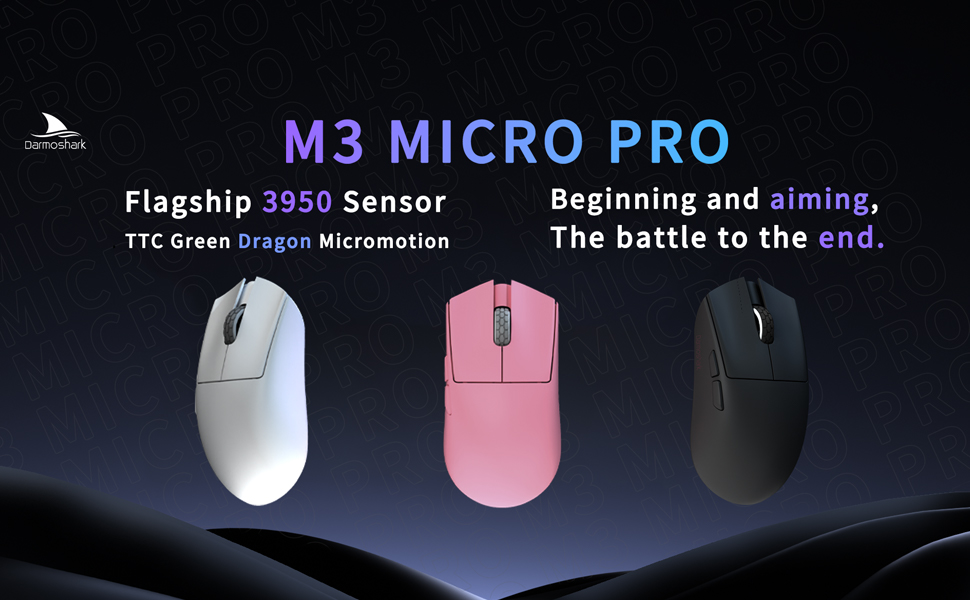
ചിത്രം: വെള്ള, പിങ്ക്, കറുപ്പ് നിറങ്ങളിൽ പ്രദർശിപ്പിച്ചിരിക്കുന്ന M3microPRO മൗസ്.
2. പാക്കേജ് ഉള്ളടക്കങ്ങളും സജ്ജീകരണവും
നിങ്ങളുടെ Darmoshark M3microPRO മൗസ് ഉപയോഗിക്കുന്നതിന് മുമ്പ്, എല്ലാ ഘടകങ്ങളും ഉണ്ടെന്ന് ഉറപ്പാക്കുകയും സജ്ജീകരണ നിർദ്ദേശങ്ങൾ പാലിക്കുകയും ചെയ്യുക.
2.1 അൺബോക്സിംഗ്
പാക്കേജിൽ സാധാരണയായി M3microPRO മൗസ്, ഒരു USB-C ചാർജിംഗ്/ഡാറ്റ കേബിൾ, ഒരു 2.4G വയർലെസ് റിസീവർ, ഡോക്യുമെന്റേഷൻ എന്നിവ ഉൾപ്പെടുന്നു.
വീഡിയോ: പാക്കേജിന്റെ ഉള്ളടക്കങ്ങൾ കാണിക്കുന്ന ഡാർമോഷാർക്ക് M3microPRO മിനി വയർലെസ് ഗെയിമിംഗ് മൗസിന്റെ അൺബോക്സിംഗ് പ്രദർശനം.
2.2 കണക്റ്റിവിറ്റി മോഡുകൾ
M3microPRO മൂന്ന് കണക്ഷൻ മോഡുകൾ പിന്തുണയ്ക്കുന്നു:
- 2.4G വയർലെസ് മോഡ്: കുറഞ്ഞ ലേറ്റൻസി ഗെയിമിംഗിനായി. നിങ്ങളുടെ കമ്പ്യൂട്ടറിന്റെ USB പോർട്ടിലേക്ക് 2.4G USB റിസീവർ ചേർക്കുക. മൗസ് യാന്ത്രികമായി കണക്റ്റ് ചെയ്യും.
- ബ്ലൂടൂത്ത് മോഡ്: പൊതുവായ ഉപയോഗത്തിനും ഒന്നിലധികം ഉപകരണ കണക്റ്റിവിറ്റിക്കും. നിങ്ങളുടെ ഉപകരണത്തിൽ ബ്ലൂടൂത്ത് സജീവമാക്കി മൗസുമായി ജോടിയാക്കുക. മൗസിന് ഒരേസമയം 3 ഉപകരണങ്ങളിലേക്ക് വരെ കണക്റ്റ് ചെയ്യാൻ കഴിയും.
- വയർഡ് മോഡ്: നൽകിയിരിക്കുന്ന USB-C കേബിൾ ഉപയോഗിച്ച് മൗസ് നേരിട്ട് നിങ്ങളുടെ കമ്പ്യൂട്ടറുമായി ബന്ധിപ്പിക്കുക. ഈ മോഡ് മൗസിനെ ചാർജ് ചെയ്യുകയും ചെയ്യുന്നു.
2.3 ഡ്രൈവർ ഇൻസ്റ്റലേഷൻ
DPI സെറ്റിംഗ്സ്, ബട്ടൺ ഫംഗ്ഷനുകൾ, മാക്രോ സെറ്റിംഗ്സ് എന്നിവയുൾപ്പെടെ പൂർണ്ണമായ കസ്റ്റമൈസേഷൻ ഓപ്ഷനുകൾ അൺലോക്ക് ചെയ്യുന്നതിന്, ഔദ്യോഗിക ഡാർമോഷാർക്കിൽ നിന്ന് സമർപ്പിത ഡ്രൈവർ സോഫ്റ്റ്വെയർ ഡൗൺലോഡ് ചെയ്ത് ഇൻസ്റ്റാൾ ചെയ്യുക. webസൈറ്റ്.

ചിത്രം: മൗസ് ക്രമീകരണങ്ങൾ ഇഷ്ടാനുസൃതമാക്കുന്നതിനുള്ള സമർപ്പിത ഡ്രൈവർ സോഫ്റ്റ്വെയർ ഇന്റർഫേസിന്റെ സ്ക്രീൻഷോട്ട്.
3. പ്രവർത്തന നിർദ്ദേശങ്ങൾ
3.1 ബട്ടൺ പ്രവർത്തനങ്ങൾ
M3microPRO-യിൽ 8 പ്രോഗ്രാമബിൾ ബട്ടണുകൾ ഉണ്ട്. ഡിഫോൾട്ട് ബട്ടൺ അസൈൻമെന്റുകൾക്കായി താഴെയുള്ള ഡയഗ്രം കാണുക. ഡ്രൈവർ സോഫ്റ്റ്വെയർ വഴി ഇവ ഇഷ്ടാനുസൃതമാക്കാവുന്നതാണ്.

ചിത്രം: ഇടത് ക്ലിക്ക്, വലത് ക്ലിക്ക്, ട്രാക്ക് റോളർ കീ, ട്രൈ-മോഡ് സ്വിച്ചിംഗ് കീ, DPI അഡ്ജസ്റ്റ്മെന്റ് കീ, ഫോർവേഡ് ബട്ടൺ, ബാക്ക്സ്പെയ്സ് ബട്ടൺ എന്നിവയുൾപ്പെടെ M3microPRO മൗസിന്റെ ബട്ടൺ ലേഔട്ടും അളവുകളും ചിത്രീകരിക്കുന്ന ഡയഗ്രം.
3.2 ഡിപിഐ അഡ്ജസ്റ്റ്മെന്റ്
30000 DPI വരെ റെസല്യൂഷനുള്ള PAW3950 ഒപ്റ്റിക്കൽ സെൻസറാണ് മൗസിന്റെ സവിശേഷത. പ്രീസെറ്റ് DPI ലെവലുകളിലൂടെ സഞ്ചരിക്കാൻ സമർപ്പിത DPI ക്രമീകരണ ബട്ടൺ (മുകളിലുള്ള ഡയഗ്രാമിൽ കാണിച്ചിരിക്കുന്നത് പോലെ) ഉപയോഗിക്കുക. ഡ്രൈവർ സോഫ്റ്റ്വെയർ ഉപയോഗിച്ച് DPI ക്രമീകരണങ്ങൾ ഫൈൻ-ട്യൂൺ ചെയ്യുക.

ചിത്രം: 30000 DPI സെൻസിറ്റിവിറ്റിയും 750 IPS ട്രാക്കിംഗ് വേഗതയും എടുത്തുകാണിക്കുന്ന PAW3950 സെൻസറിന്റെ ക്ലോസ്-അപ്പ്.
3.3 പോളിംഗ് നിരക്ക്
അൾട്രാ-റെസ്പോൺസീവ് ട്രാക്കിംഗിനായി M3microPRO 8000Hz വരെ പോളിംഗ് നിരക്ക് പിന്തുണയ്ക്കുന്നു. ഇത് 1K റിസീവറിനൊപ്പം സ്റ്റാൻഡേർഡായി വരുന്നു, കൂടാതെ NXP ഹൈ-സ്പീഡ് മാസ്റ്റർ 4K റിസീവർ ഉപയോഗിച്ച് 8KHz വരെ വികസിപ്പിക്കാനും കഴിയും (പ്രത്യേകം വിൽക്കുകയോ പ്രത്യേക ബണ്ടിലുകളിൽ ഉൾപ്പെടുത്തുകയോ ചെയ്യുന്നു). ഇത് 0.125ms പ്രതികരണ സമയം മാത്രമേ നൽകുന്നുള്ളൂ.

ചിത്രം: ഉയർന്ന റിട്ടേൺ റേറ്റ് ശേഷി വ്യക്തമാക്കുന്ന, 8KHz അനുയോജ്യമായ റിസീവറിനൊപ്പം കാണിച്ചിരിക്കുന്ന M3microPRO മൗസ്.
4. പരിപാലനം
നിങ്ങളുടെ Darmoshark M3microPRO മൗസിന്റെ ദീർഘായുസ്സും മികച്ച പ്രകടനവും ഉറപ്പാക്കാൻ, ഈ പരിപാലന മാർഗ്ഗനിർദ്ദേശങ്ങൾ പാലിക്കുക:
- വൃത്തിയാക്കൽ: മൗസിന്റെ പ്രതലം തുടയ്ക്കാൻ മൃദുവായതും ഉണങ്ങിയതുമായ തുണി ഉപയോഗിക്കുക. കഠിനമായ രാസവസ്തുക്കളോ ഉരച്ചിലുകളുള്ള വസ്തുക്കളോ ഒഴിവാക്കുക.
- സംഭരണം: നേരിട്ടുള്ള സൂര്യപ്രകാശത്തിൽ നിന്നും കടുത്ത താപനിലയിൽ നിന്നും മാറി തണുത്തതും വരണ്ടതുമായ സ്ഥലത്ത് മൗസ് സൂക്ഷിക്കുക.
- PTFE അടി: മൗസിൽ PTFE c ഉണ്ട്urlസുഗമമായ ഗ്ലൈഡിനായി ഫുട്ബെഡുകൾ ഘടിപ്പിക്കുക. തേയ്മാനം സംഭവിച്ചാൽ, പകരം പാദങ്ങൾ ലഭ്യമായേക്കാം.
- കേബിൾ കെയർ: മൃദുവായ കുട ചരട് ഈടുനിൽക്കുന്നതിനായി രൂപകൽപ്പന ചെയ്തിരിക്കുന്നു. മൂർച്ചയുള്ള വളവുകളോ അമിതമായി വലിക്കുന്നതോ ഒഴിവാക്കുക.

ചിത്രം: എലിയുടെ അതിലോലമായ ചർമ്മത്തിന് ആശ്വാസം നൽകുന്ന കോട്ടിംഗിന്റെയും PTFE സി യുടെയും ദൃശ്യ പ്രാതിനിധ്യം.urlകാൽപ്പാടുകൾ.
5. പ്രശ്നപരിഹാരം
നിങ്ങളുടെ M3microPRO മൗസിൽ പ്രശ്നങ്ങൾ നേരിടുകയാണെങ്കിൽ, ഇനിപ്പറയുന്ന പൊതുവായ പരിഹാരങ്ങൾ പരിശോധിക്കുക:
- മൗസ് പ്രതികരിക്കുന്നില്ല: മൗസ് ചാർജ് ചെയ്തിട്ടുണ്ടെന്ന് ഉറപ്പാക്കുക. കണക്ഷൻ മോഡ് (2.4G, ബ്ലൂടൂത്ത്, അല്ലെങ്കിൽ വയർഡ്) പരിശോധിക്കുകയും റിസീവർ ശരിയായി ചേർത്തിട്ടുണ്ടോ അല്ലെങ്കിൽ ബ്ലൂടൂത്ത് ജോടിയാക്കിയിട്ടുണ്ടോ എന്ന് ഉറപ്പാക്കുകയും ചെയ്യുക.
- വയർലെസ് മോഡിലെ കാലതാമസം അല്ലെങ്കിൽ വിച്ഛേദിക്കലുകൾ: റിസീവർ മൗസിന് സമീപമാണെന്നും കാര്യമായ തടസ്സങ്ങളൊന്നുമില്ലെന്നും ഉറപ്പാക്കുക. മറ്റൊരു USB പോർട്ടിലേക്ക് മാറാൻ ശ്രമിക്കുകയോ മറ്റ് വയർലെസ് ഉപകരണങ്ങളിൽ നിന്നുള്ള ഇടപെടൽ കുറയ്ക്കുകയോ ചെയ്യുക.
- DPI മാറുന്നില്ല: ഡിപിഐ ക്രമീകരണ ബട്ടൺ പ്രവർത്തിക്കുന്നുണ്ടെന്ന് ഉറപ്പാക്കുക. ഇഷ്ടാനുസൃത ക്രമീകരണങ്ങൾ ഉപയോഗിക്കുകയാണെങ്കിൽ, ഡ്രൈവർ സോഫ്റ്റ്വെയർ പരിശോധിക്കുക.
- ബട്ടണുകൾ പ്രവർത്തിക്കുന്നില്ല: ഡ്രൈവർ സോഫ്റ്റ്വെയറിൽ ബട്ടൺ അസൈൻമെന്റുകൾ പരിശോധിക്കുക. ചില ബട്ടണുകൾ പ്രവർത്തനരഹിതമാക്കുന്ന മോഡിൽ മൗസ് ഇല്ലെന്ന് ഉറപ്പാക്കുക.
- സോഫ്റ്റ്വെയർ പ്രശ്നങ്ങൾ: ഔദ്യോഗിക ഡാർമോഷാർക്കിൽ നിന്നുള്ള ഡ്രൈവർ സോഫ്റ്റ്വെയർ വീണ്ടും ഇൻസ്റ്റാൾ ചെയ്യുക. webസൈറ്റ്.
6 സ്പെസിഫിക്കേഷനുകൾ
ഡാർമോഷാർക്ക് എം3മൈക്രോപ്രോ മിനി വയർലെസ് ഗെയിമിംഗ് മൗസിനുള്ള പ്രധാന സാങ്കേതിക സവിശേഷതകൾ:
| ഫീച്ചർ | സ്പെസിഫിക്കേഷൻ |
|---|---|
| മോഡൽ | എം3മൈക്രോപ്രോ |
| കണക്റ്റിവിറ്റി | ട്രൈ-മോഡ് (2.4G വയർലെസ്, ബ്ലൂടൂത്ത്, USB-C വയേർഡ്) |
| സെൻസർ | PAW3950 ഒപ്റ്റിക്കൽ സെൻസർ |
| DPI പ്രമേയം | 30000 DPI വരെ |
| ട്രാക്കിംഗ് സ്പീഡ് | 650 IPS (ചിത്രത്തിൽ 750 IPS എന്ന് പറഞ്ഞിരിക്കുന്നു) |
| ത്വരണം | 50G |
| പോളിംഗ് നിരക്ക് | 8000Hz വരെ (ഓപ്ഷണൽ 4K റിസീവറിനൊപ്പം) |
| ഭാരം | 43 ഗ്രാം (ഏകദേശം 42+2 ഗ്രാം) |
| ബട്ടണുകൾ | 8 പ്രോഗ്രാം ചെയ്യാവുന്ന ബട്ടണുകൾ |
| ബാറ്ററി | 300 mAh ലിഥിയം പോളിമർ (ലൈറ്റ് ഓഫ് ചെയ്താൽ 84 മണിക്കൂർ വരെ, ലൈറ്റ് ഓണാണെങ്കിൽ 55 മണിക്കൂർ വരെ) |
| അളവുകൾ | നീളം: 105.5 മി.മീ, വീതി: 54.6 മി.മീ, ഉയരം: 33.5 മി.മീ (ഡയഗ്രാമിൽ നിന്ന്) |

ചിത്രം: പൊട്ടിത്തെറിച്ചു view റോളർ, പുറം ഷെൽ, സെൻസറുകൾ, എൻകോഡർ, നാനോ റിസീവർ, പോളിമർ ലിഥിയം ബാറ്ററി, PTFE അടി തുടങ്ങിയ ആന്തരിക ഘടകങ്ങളെ വിശദമാക്കുന്ന M3microPRO മൗസിന്റെ ഡയഗ്രം.

ചിത്രം: മൗസിന്റെ ബിൽറ്റ്-ഇൻ 300 mAh ലിഥിയം പോളിമർ ബാറ്ററിയുടെയും അതിന്റെ കണക്കാക്കിയ ബാറ്ററി ലൈഫിന്റെയും ചിത്രീകരണം.
7. വാറൻ്റിയും പിന്തുണയും
ഡാർമോഷാർക്ക് ഉൽപ്പന്നങ്ങൾ ഉയർന്ന നിലവാരമുള്ള മാനദണ്ഡങ്ങൾ പാലിച്ചാണ് നിർമ്മിക്കുന്നത്. വാറന്റി വിവരങ്ങൾക്ക്, നിങ്ങളുടെ വാങ്ങലിനൊപ്പം ഉൾപ്പെടുത്തിയിരിക്കുന്ന ഡോക്യുമെന്റേഷൻ പരിശോധിക്കുകയോ ഔദ്യോഗിക ഡാർമോഷാർക്ക് സന്ദർശിക്കുകയോ ചെയ്യുക. webസാങ്കേതിക പിന്തുണ, ഉൽപ്പന്ന അന്വേഷണങ്ങൾ അല്ലെങ്കിൽ വാറന്റി ക്ലെയിമുകൾ എന്നിവയ്ക്കായി, ദയവായി ഡാർമോഷാർക്കിന്റെ ഔദ്യോഗിക ചാനലുകൾ വഴി ഉപഭോക്തൃ സേവനവുമായി ബന്ധപ്പെടുക.


