ആമുഖം
Thank you for choosing FINGERTIME Retro Headphones. These on-ear headphones combine a classic aesthetic with modern technology, featuring Hybrid Active Noise Cancelling, Bluetooth V5.4 connectivity, and an impressive battery life of up to 60 hours. Designed for comfort and superior audio, they include a built-in microphone for seamless calls and support multi-device connection. This manual provides detailed instructions to help you get the most out of your new headphones.

Image: The FINGERTIME Retro Headphones, showcasing their on-ear design and blue color.
ബോക്സിൽ എന്താണുള്ളത്
Your FINGERTIME Retro Headphones package includes the following items:
- FINGERTIME Retro Headphones (Roam)
- ചാർജിംഗ് കേബിൾ
- ഉപയോക്തൃ മാനുവൽ
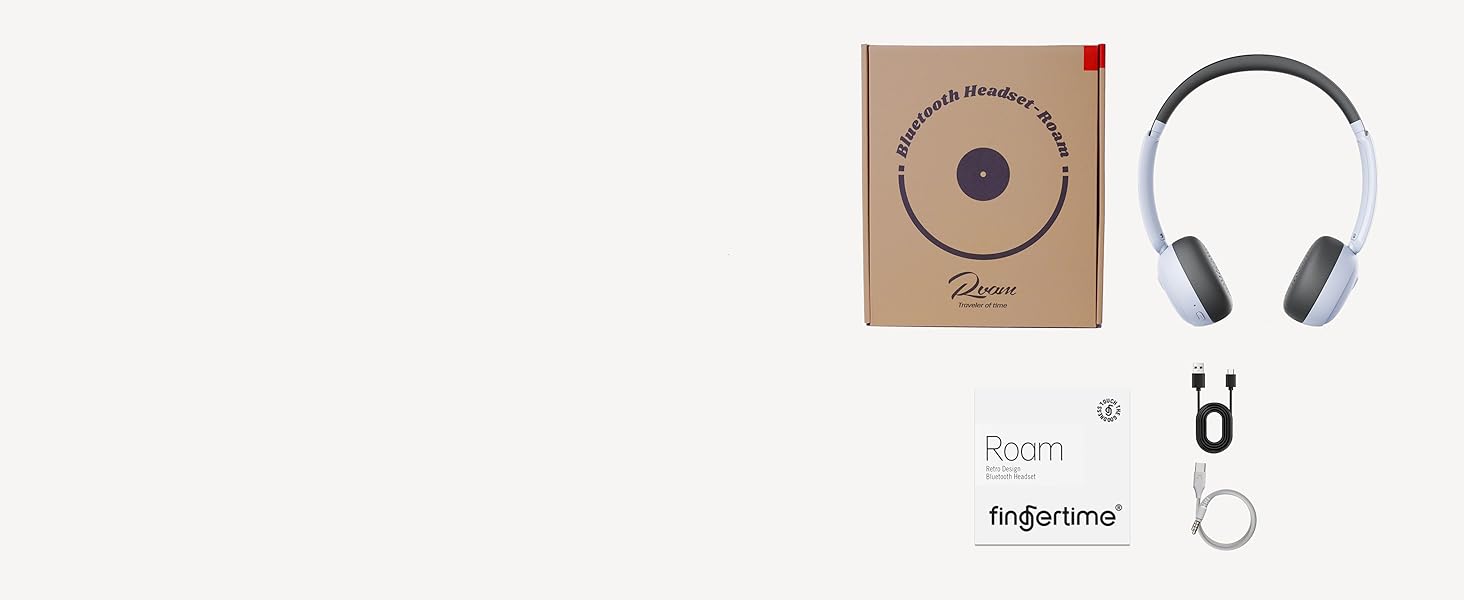
Image: A visual representation of the items included in the product packaging: the headphones, a charging cable, and the user manual.
ഉൽപ്പന്നം കഴിഞ്ഞുview
Familiarize yourself with the various components and controls of your headphones:
- ഇയർകപ്പുകൾ: Ultra-soft protein leather earcups for comfort.
- ഹെഡ്ബാൻഡ്: Adjustable for different head shapes.
- കറങ്ങുന്ന ഇയർകപ്പുകൾ: Multi-angle rotation for a customized fit.
- നിയന്ത്രണ ബട്ടണുകൾ: Located on the earcups for power, volume, and noise reduction.
- ചാർജിംഗ് പോർട്ട്: ആന്തരിക ബാറ്ററി റീചാർജ് ചെയ്യുന്നതിന്.
- മൈക്രോഫോൺ: കോളുകൾക്കായി ബിൽറ്റ്-ഇൻ.
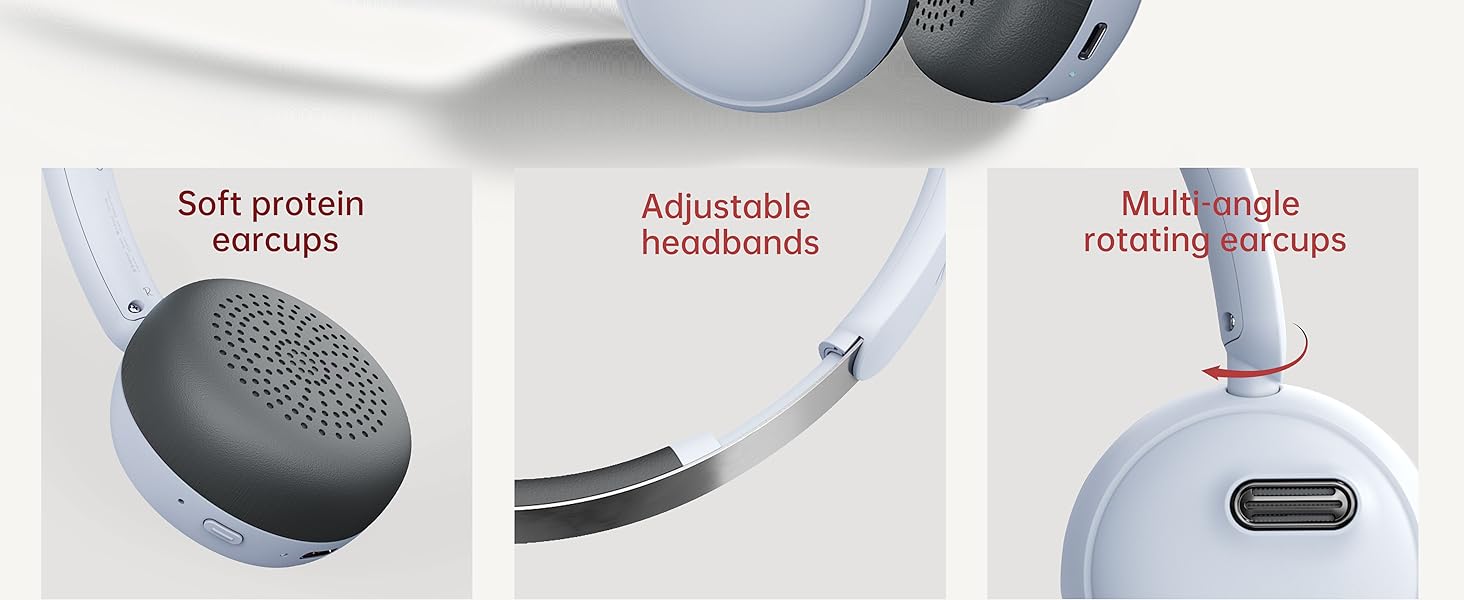
ചിത്രം: വിശദമായത് view of the headphone's comfort features, including soft earcups, adjustable headband, and rotating earcups.
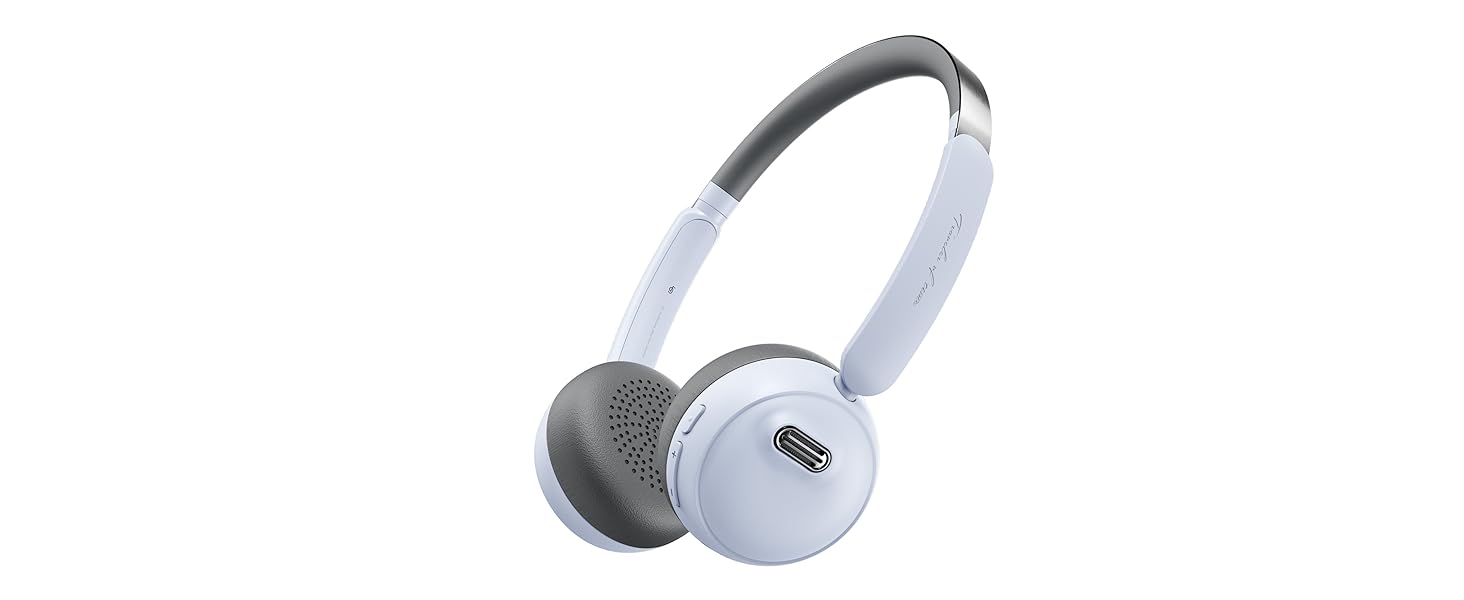
Image: An illustration detailing the functions of the power, volume, and noise reduction buttons on the headphones.
സജ്ജമാക്കുക
ഹെഡ്ഫോണുകൾ ചാർജ് ചെയ്യുന്നു
Before first use, fully charge your headphones. Connect the provided charging cable to the charging port on the headphones and the other end to a USB power source. The indicator light will show charging status and turn off when fully charged. A full charge provides up to 60 hours of playtime.
ബ്ലൂടൂത്ത് ജോടിയാക്കൽ
- ഹെഡ്ഫോണുകൾ ഓഫാണെന്ന് ഉറപ്പാക്കുക.
- ജോടിയാക്കൽ മോഡ് സൂചിപ്പിക്കുന്ന ഇൻഡിക്കേറ്റർ ലൈറ്റ് മിന്നുന്നതുവരെ പവർ ബട്ടൺ 3 സെക്കൻഡ് അമർത്തിപ്പിടിക്കുക.
- നിങ്ങളുടെ ഉപകരണത്തിൽ (സ്മാർട്ട്ഫോൺ, ടാബ്ലെറ്റ്, കമ്പ്യൂട്ടർ), ബ്ലൂടൂത്ത് പ്രവർത്തനക്ഷമമാക്കി ലഭ്യമായ ഉപകരണങ്ങൾക്കായി തിരയുക.
- Select "FINGERTIME Roam" from the list of devices.
- കണക്ട് ചെയ്തുകഴിഞ്ഞാൽ, ഇൻഡിക്കേറ്റർ ലൈറ്റ് മിന്നുന്നത് നിർത്തും.
The headphones utilize Bluetooth V5.4 technology for a stable and efficient connection.
മൾട്ടിപോയിന്റ് കണക്ഷൻ
Your FINGERTIME Retro Headphones can connect to two devices simultaneously. After pairing with the first device, disable Bluetooth on that device. Then, pair with the second device. Once the second device is paired, re-enable Bluetooth on the first device. The headphones will automatically connect to both, allowing seamless switching between audio sources.
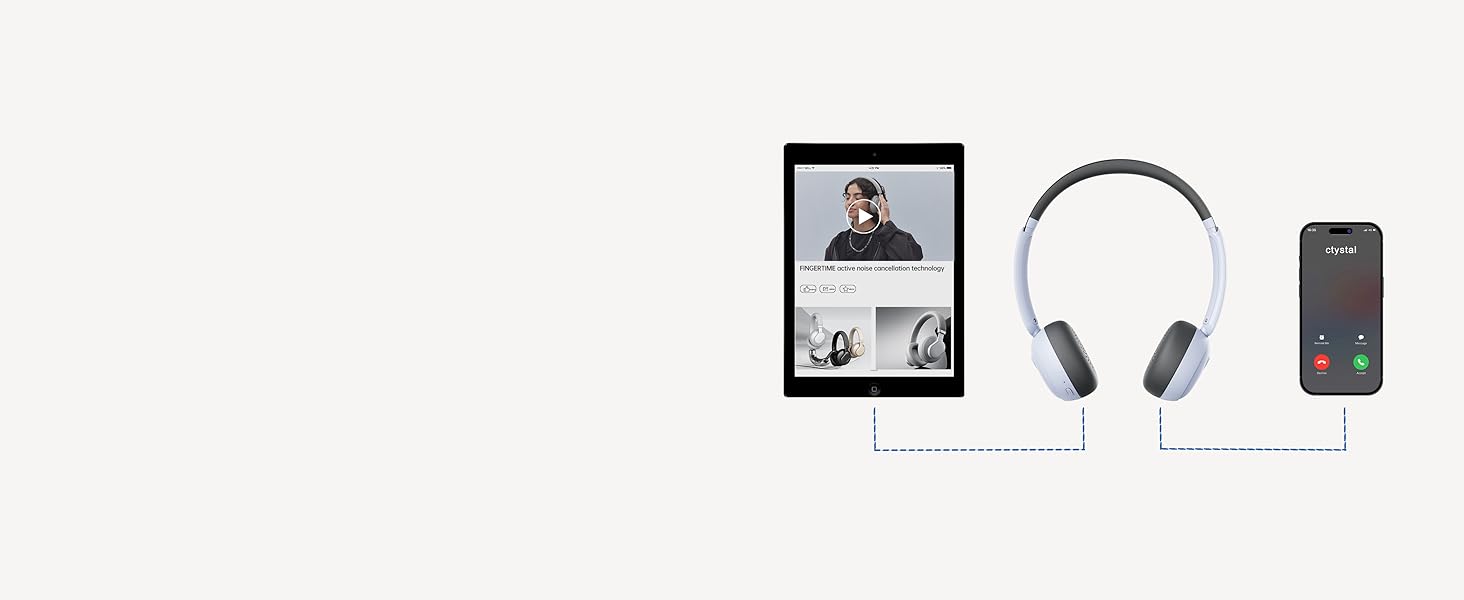
Image: A visual guide demonstrating how the headphones can maintain a connection with two devices, such as a tablet and a smartphone, simultaneously.
പ്രവർത്തിക്കുന്നു
അടിസ്ഥാന നിയന്ത്രണങ്ങൾ
- പവർ ബട്ടൺ:
- Click: Pause/Play audio
- Double click: Answer/Hang up calls
- Triple click: Wake up voice assistant
- Long press for 3s: Switch on and off
- വോളിയം ബട്ടണുകൾ (+/-):
- Click: Adjust volume up/down
- Long press "+": Next track
- Long press "-": Previous track
- ശബ്ദം കുറയ്ക്കൽ ബട്ടൺ:
- Click: Turn on/off ANC mode
സജീവ ശബ്ദ റദ്ദാക്കൽ (ANC)
The Hybrid Active Noise Cancelling feature reduces ambient noise, providing a purer listening experience. Press the Noise Reduction button to toggle ANC on or off. This allows you to immerse yourself in your music or calls without distractions.

Image: A user demonstrating the comfortable fit and noise-cancelling capability of the headphones.
Fingertime App Integration
Enhance your audio experience by connecting your headphones to the Fingertime App. The app allows you to:
- Select different noise cancellation modes.
- Choose from 7 EQ presets or customize your own sound profile.
- Relax with various white noise sounds.
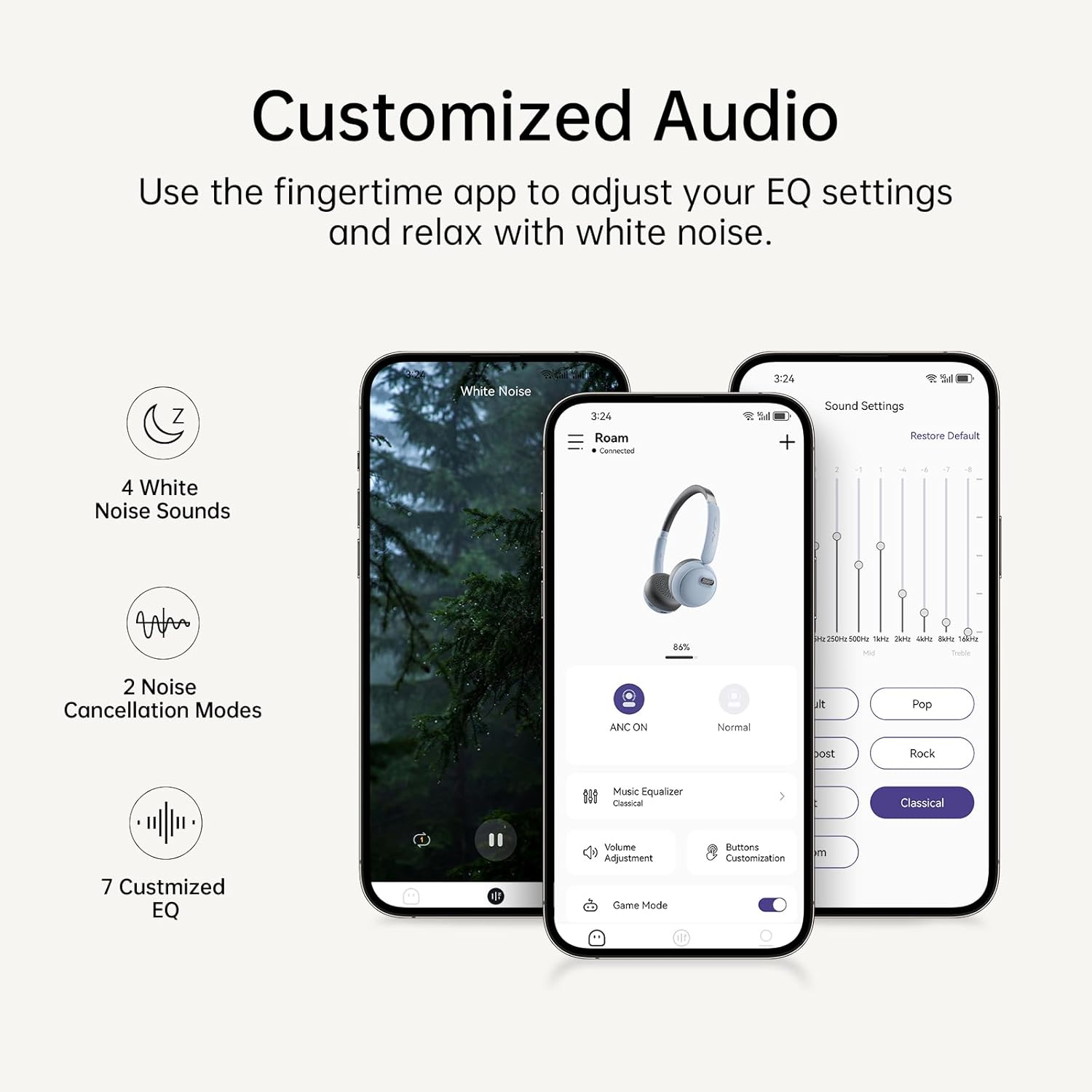
Image: The Fingertime app interface, displaying options for white noise, noise cancellation modes, and customizable EQ settings.
മെയിൻ്റനൻസ്
To ensure the longevity and optimal performance of your FINGERTIME Retro Headphones, follow these maintenance guidelines:
- വൃത്തിയാക്കൽ: Use a soft, dry cloth to wipe the headphones. For the earcups, a slightly damp cloth can be used, but ensure no moisture enters the speaker grilles or charging port. Avoid harsh chemicals or abrasive materials.
- സംഭരണം: Store the headphones in a cool, dry place away from direct sunlight and extreme temperatures. When not in use for extended periods, ensure they are fully charged to preserve battery health.
- കൈകാര്യം ചെയ്യൽ: Handle the headphones gently. Avoid dropping them or exposing them to excessive force, which can damage internal components or the retro design elements.
ട്രബിൾഷൂട്ടിംഗ്
നിങ്ങളുടെ ഹെഡ്ഫോണുകളിൽ എന്തെങ്കിലും പ്രശ്നങ്ങൾ നേരിടുകയാണെങ്കിൽ, ഇനിപ്പറയുന്ന പൊതുവായ പ്രശ്നങ്ങളും പരിഹാരങ്ങളും പരിശോധിക്കുക:
| പ്രശ്നം | സാധ്യമായ കാരണം | പരിഹാരം |
|---|---|---|
| ഹെഡ്ഫോണുകൾ ഓണാകില്ല | കുറഞ്ഞ ബാറ്ററി | ഹെഡ്ഫോണുകൾ പൂർണ്ണമായും ചാർജ് ചെയ്യുക. |
| ഉപകരണവുമായി ജോടിയാക്കാൻ കഴിയില്ല | ഹെഡ്ഫോണുകൾ ജോടിയാക്കൽ മോഡിൽ ഇല്ല; ഉപകരണ ബ്ലൂടൂത്ത് ഓഫാണ്; ഇടപെടൽ | Ensure headphones are in pairing mode (flashing light). Turn Bluetooth off/on on your device. Move closer to the device. Forget previous pairings on your device and try again. |
| ശബ്ദമോ കുറഞ്ഞ വോളിയമോ ഇല്ല | Volume too low; Not connected; Incorrect audio output | Increase volume on both headphones and device. Ensure headphones are properly connected. Check device's audio output settings. |
| ANC ഫലപ്രദമായി പ്രവർത്തിക്കുന്നില്ല. | ANC is off; Improper fit | Press the Noise Reduction button to activate ANC. Adjust headphones for a snug fit over your ears. |
| Headphones slide off head | അനുചിതമായ ക്രമീകരണം | Adjust the headband for a tighter fit. Ensure earcups are rotated correctly for your ear shape. |
സ്പെസിഫിക്കേഷനുകൾ
| ഫീച്ചർ | വിശദാംശങ്ങൾ |
|---|---|
| മോഡലിൻ്റെ പേര് | കറങ്ങുക |
| ബ്രാൻഡ് | FINGERTIME |
| നിറം | നീല |
| കണക്റ്റിവിറ്റി ടെക്നോളജി | വയർലെസ്സ് (ബ്ലൂടൂത്ത് V5.4) |
| ശബ്ദ നിയന്ത്രണം | സജീവ നോയ്സ് റദ്ദാക്കൽ |
| ചെവി പ്ലേസ്മെൻ്റ് | ചെവിയിൽ |
| ഫോം ഫാക്ടർ | ചെവിയിൽ |
| കളിസമയം | 60 മണിക്കൂർ വരെ |
| മൈക്രോഫോൺ | അന്തർനിർമ്മിത |
| നിയന്ത്രണ തരം | Volume Control, Play/Pause, Call Management, ANC Toggle |
| ഇനത്തിൻ്റെ ഭാരം | 0.27 കിലോഗ്രാം (9.6 ഔൺസ്) |
| ബാറ്ററികൾ | 1 ലിഥിയം അയോൺ ബാറ്ററി (ഉൾപ്പെടുത്തിയിരിക്കുന്നു) |
| മെറ്റീരിയൽ | Plastic (Carrying Case Material) |
| ജല പ്രതിരോധ നില | വാട്ടർ റെസിസ്റ്റൻ്റ് അല്ല |
വാറൻ്റിയും പിന്തുണയും
FINGERTIME products are designed for reliability and performance. For any warranty claims, technical support, or further assistance, please refer to the contact information provided with your purchase or visit the official FINGERTIME webസൈറ്റ്. വാറന്റി ആവശ്യങ്ങൾക്കായി നിങ്ങളുടെ വാങ്ങിയതിന്റെ തെളിവ് സൂക്ഷിക്കുക.


