1. ആമുഖം
This manual provides comprehensive instructions for the MeLE PCG02 Fanless Mini PC Stick, a compact and efficient micro computer designed for various applications including business, personal use, education, and IoT. This device features an Intel N100 Celeron processor, 8GB LPDDR4 RAM, and 128GB eMMC storage. It is delivered without a pre-installed operating system, offering flexibility for users to install their preferred OS such as Windows, Ubuntu, or Linux.
The PCG02 is engineered with a fanless cooling system for silent operation and dust resistance, supporting 24/7 functionality. It offers robust connectivity with dual-band Wi-Fi 5, Gigabit Ethernet, and multiple high-speed USB ports, including a full-functional USB-C port.
2. ബോക്സിൽ എന്താണുള്ളത്?
പാക്കേജ് തുറക്കുമ്പോൾ, ഇനിപ്പറയുന്ന എല്ലാ ഇനങ്ങളും ഉൾപ്പെടുത്തിയിട്ടുണ്ടെന്ന് ദയവായി ഉറപ്പാക്കുക:
- 1x MeLE PCG02 N100 Mini PC Stick
- 1x പവർ അഡാപ്റ്റർ (12V/2A)
- 1x HDMI Extender Cable (25cm)
- 1x VESA Mount Bracket
- 1x Set of Screws for VESA Mount
- 1x ഉപയോക്തൃ മാനുവൽ (ഈ പ്രമാണം)
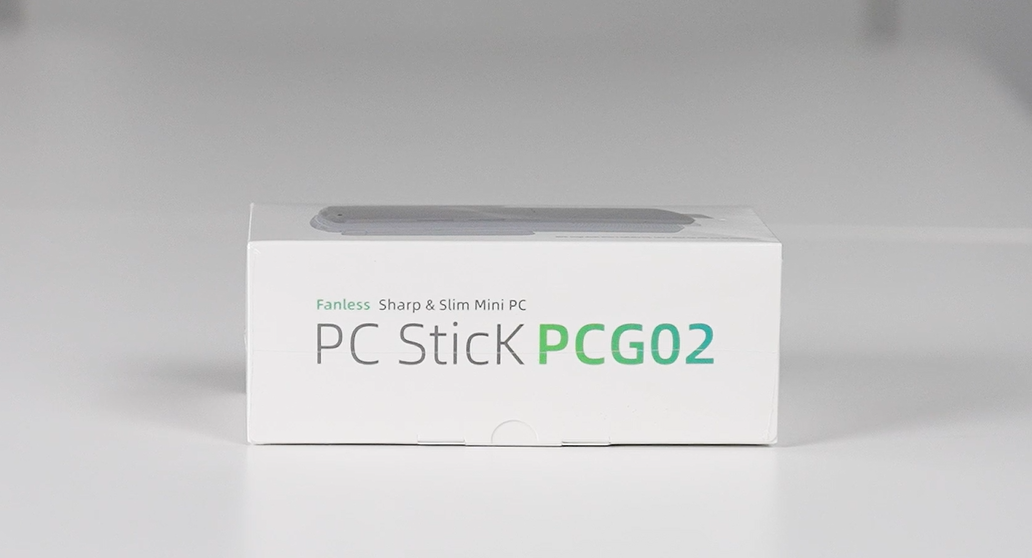
Image: Unboxing the MeLE PCG02 N100 Stick PC, showing all included accessories.
Video: An unboxing demonstration of the MeLE PCG02 N100 Stick PC, detailing each item included in the package.
3. ഉൽപ്പന്നം കഴിഞ്ഞുview
The MeLE PCG02 is a compact, fanless mini PC stick designed for quiet and efficient operation. Its small form factor allows for easy portability and discreet installation.
3.1. ഉപകരണ ലേഔട്ടും പോർട്ടുകളും

Image: Detailed diagram illustrating the various ports and buttons on the MeLE PCG02 N100 Mini PC Stick.
- പവർ ബട്ടൺ: Located on the side for easy power control.
- യുഎസ്ബി-സി പോർട്ട്: Full-functional, supporting power input (12V/2A), USB 10Gbps data transfer, and DisplayPort (DP1.4) video output.
- USB 10Gbps Ports (x2): അതിവേഗ യുഎസ്ബി ഉപകരണങ്ങൾ ബന്ധിപ്പിക്കുന്നതിന്.
- HDMI 2.0 പോർട്ട്: Supports 4K resolution at 60Hz for display output.
- ഗിഗാബിറ്റ് ഇഥർനെറ്റ് പോർട്ട്: Provides stable and fast wired network connectivity.
- 3.5mm ഓഡിയോ ജാക്ക്: ഹെഡ്ഫോണുകളോ ബാഹ്യ സ്പീക്കറുകളോ ബന്ധിപ്പിക്കുന്നതിന്.
- മൈക്രോ എസ്ഡി കാർഡ് സ്ലോട്ട്: Expandable storage up to 1TB.
- റീസെറ്റ് ബട്ടൺ: For BIOS reset or CMOS clear.
- വൈഫൈ ആന്റിന: External antenna for enhanced wireless connectivity (2.4G/5GHz AC Dual Band Wi-Fi).
3.2. ആന്തരിക ഘടകങ്ങൾ

Image: Internal components of the MeLE PCG02 N100, highlighting the Intel N100 processor, LPDDR4X RAM, and eMMC storage.
- പ്രോസസ്സർ: Intel N100 Celeron (0.8GHz to 3.4GHz) Quad-Core Processor.
- റാം: 8GB LPDDR4x 4266MHz.
- സംഭരണം: 128GB eMMC.
- ഗ്രാഫിക്സ്: Intel UHD Graphics.
- വയർലെസ്: 2.4G/5GHz AC Dual Band Wi-Fi (802.11ac) and Bluetooth 4.2.
4. സജ്ജീകരണം
4.1. ഒരു ഡിസ്പ്ലേയിലേക്ക് കണക്റ്റുചെയ്യുന്നു
- Connect the MeLE PCG02 directly to your monitor, TV, or projector's HDMI port. If space is limited, use the provided HDMI extender cable.
- Alternatively, use the full-functional USB-C port for video output to a compatible display.
4.2. പവർ കണക്ഷൻ
- Connect the power adapter to the USB-C power input port on the MeLE PCG02.
- ഒരു മതിൽ ഔട്ട്ലെറ്റിലേക്ക് പവർ അഡാപ്റ്റർ പ്ലഗ് ചെയ്യുക.
4.3. പെരിഫറൽ കണക്ഷനുകൾ
- Connect your keyboard and mouse to the USB 10Gbps ports.
- വയർഡ് ഇന്റർനെറ്റിന്, ഗിഗാബിറ്റ് ഇതർനെറ്റ് പോർട്ടിലേക്ക് ഒരു ഇതർനെറ്റ് കേബിൾ ബന്ധിപ്പിക്കുക.
- For wireless connectivity, ensure the Wi-Fi antenna is properly attached and extended.
- Connect any external audio devices to the 3.5mm audio jack if needed.
4.4. VESA മൗണ്ട് ഇൻസ്റ്റലേഷൻ
The MeLE PCG02 can be conveniently mounted to the back of a VESA-compatible monitor to save desk space.
- Locate the VESA mounting holes on the back of your monitor.
- Attach the VESA mount bracket to the monitor using the provided screws.
- Slide the MeLE PCG02 into the bracket until it clicks securely into place.
Video: Instructions on how to install the MeLE PCG02 using a VESA-mounted bracket for a tidy setup.
5. പ്രവർത്തന നിർദ്ദേശങ്ങൾ
5.1. പ്രാരംഭ പവർ ഓണും OS ഇൻസ്റ്റാളേഷനും
Since the MeLE PCG02 comes with NO OS installed, you will need to install an operating system (e.g., Windows, Ubuntu, Linux) upon first use.
- ഉപകരണം ഓണാക്കാൻ പവർ ബട്ടൺ അമർത്തുക.
- During startup, repeatedly press F7 to access the boot menu or ഇല്ലാതാക്കുക to enter the BIOS directly.
- Select your preferred boot device (e.g., USB drive with OS installer) and follow the on-screen instructions to install the operating system.
5.2. ബയോസ് ക്രമീകരണങ്ങൾ
The BIOS offers various advanced settings for customization, including:
- ഓട്ടോ പവർ ഓൺ: Enables the device to automatically power on when power is supplied.
- Wake on LAN (WoL): Allows the device to be woken up remotely via a network signal.
- PXE ബൂട്ട്: Enables booting from a network server.
- RTC Wake: Allows scheduling the device to power on at a specific time.
Video: Step-by-step guide on how to enable the Auto Power On feature in the BIOS settings.
5.3. പൊതുവായ ഉപയോഗം
Once an operating system is installed, the MeLE PCG02 is ready for various tasks:
- Web ബ്രൗസിംഗ്: Enjoy smooth internet navigation.
- ഡോക്യുമെന്റ് എഡിറ്റിംഗ്: Perform office tasks with ease.
- Online Video Streaming: Stream 4K content from platforms like YouTube.
- മൾട്ടിമീഡിയ പ്ലേബാക്ക്: Play local 4K video files.
Video: A brief demonstration of various applications and uses for the MeLE PC Stick N100, including web browsing and document editing.
6. പരിപാലനം
The MeLE PCG02 features a fanless design, which contributes to its silent operation and dust resistance. To ensure optimal performance and longevity:
- വൃത്തിയാക്കൽ: Regularly wipe the exterior with a soft, dry cloth to remove dust. Avoid using liquid cleaners directly on the device.
- താപനില: While fanless mini PCs can have a surface temperature between 55°C to 70°C during operation (meeting IEC62368-1:2018 safety standards), ensure adequate airflow around the device. Avoid placing it in enclosed spaces or near heat sources.
- സംഭരണം: ദീർഘനേരം ഉപയോഗത്തിലില്ലാത്തപ്പോൾ, ഉപകരണം തണുത്തതും വരണ്ടതുമായ സ്ഥലത്ത് സൂക്ഷിക്കുക.
7. പ്രശ്നപരിഹാരം
If you encounter issues with your MeLE PCG02, consider the following common solutions:
- ശക്തിയില്ല: Ensure the power adapter is securely connected to both the device and a working power outlet. Try a different outlet if necessary.
- ഡിസ്പ്ലേ ഇല്ല: Verify the HDMI or USB-C video cable is correctly connected to both the PC stick and the display. Ensure the display is set to the correct input source.
- പെരിഫറലുകൾ പ്രവർത്തിക്കുന്നില്ല: Check USB connections for keyboards, mice, or other devices. Try connecting them to different USB ports. For Bluetooth devices, ensure they are paired correctly.
- നെറ്റ്വർക്ക് കണക്റ്റിവിറ്റി പ്രശ്നങ്ങൾ: For wired connections, check the Ethernet cable and router status. For Wi-Fi, ensure the antenna is attached, the network is selected, and the password is correct.
- സിസ്റ്റം പ്രതികരിക്കുന്നില്ല: If the system becomes unresponsive, press and hold the Power Button for several seconds to force a shutdown, then restart the device.
- ബയോസ് റീസെറ്റ്: If you experience boot issues or incorrect settings, use the Reset Button (CMOS Clear/BIOS Reset) to restore default BIOS settings. Refer to the Product Overview section for its location.
8 സ്പെസിഫിക്കേഷനുകൾ
| ഫീച്ചർ | സ്പെസിഫിക്കേഷൻ |
|---|---|
| പ്രോസസ്സർ | Intel Celeron N100 (0.8GHz to 3.4GHz) Quad-Core |
| റാം | 8 GB LPDDR4x 4266 MHz |
| സംഭരണം | 128 ജിബി ഇഎംഎംസി |
| ഗ്രാഫിക്സ് കോപ്രൊസസർ | ഇൻ്റൽ UHD ഗ്രാഫിക്സ് |
| പരമാവധി സ്ക്രീൻ റെസല്യൂഷൻ | 1920x1080 (4K@60Hz via HDMI 2.0) |
| വയർലെസ് തരം | 802.11ac (Wi-Fi 5), Bluetooth 4.2 |
| ഇഥർനെറ്റ് | ഗിഗാബിറ്റ് ഇഥർനെറ്റ് |
| USB പോർട്ടുകൾ | 2x USB-A 10Gbps, 1x USB-C 10Gbps (Full-functional) |
| ഓപ്പറേറ്റിംഗ് സിസ്റ്റം | No OS (Supports Windows, Ubuntu, Linux) |
| ഇനത്തിൻ്റെ ഭാരം | 14.1 ഔൺസ് |
| പാക്കേജ് അളവുകൾ | 6.3 x 3.15 x 2.36 ഇഞ്ച് |
| നിറം | കറുപ്പ് |
9. വാറൻ്റിയും പിന്തുണയും
9.1. വാറൻ്റി വിവരങ്ങൾ
MeLE offers a ഒരു വർഷത്തെ വാറൻ്റി for the PCG02 Fanless Mini PC Stick from the date of purchase. This warranty covers manufacturing defects and ensures the product meets specified quality standards.
9.2. ഉപഭോക്തൃ പിന്തുണ
For any inquiries, technical assistance, or warranty claims, please contact MeLE customer service. MeLE is committed to providing prompt support with replies typically within 24 hours.
MeLE products are manufactured in accordance with FCC, CE, UKCA, IC, and TELEC standards, ensuring product safety and quality.


