ആമുഖം
Welcome to the user manual for your new MageGee Captain87 Rapid Trigger Magnetic Switch Keyboard. This high-performance 75% wired mechanical gaming keyboard is designed for precision and speed, featuring adjustable actuation, a durable CNC aluminum frame, gasket-mounted structure, and vibrant RGB backlighting. This manual provides essential information for setup, operation, maintenance, and troubleshooting to ensure you get the most out of your keyboard.
ബോക്സിൽ എന്താണുള്ളത്
Upon unboxing your MageGee Captain87 keyboard, please ensure all the following items are present:
- റാപ്പിഡ് ട്രിഗർ കീബോർഡ്
- കീക്യാപ് പുള്ളർ
- ടൈപ്പ്-സി യുഎസ്ബി കേബിൾ
- ഉപയോക്തൃ മാനുവൽ
- ഉപയോക്തൃ ഗൈഡ്

Image: All components included in the MageGee Captain87 keyboard package.
സജ്ജമാക്കുക
പ്രാരംഭ കണക്ഷൻ
To begin using your MageGee Captain87 keyboard, connect it to your computer using the provided USB-C cable. Plug the USB-C end into the keyboard's port and the USB-A end into an available USB port on your computer. The keyboard is plug-and-play for basic functionality.
ഡ്രൈവർ ഇൻസ്റ്റാളേഷൻ (വിൻഡോസ് മാത്രം)
For full customization and advanced features, including RGB settings, key remapping, macros, and precise trigger range adjustments, you will need to install the MageGee proprietary driver. This driver is compatible only with Windows operating systems.
- Visit the official MageGee website to download the latest driver for the Captain87 keyboard.
- ഇൻസ്റ്റാളേഷൻ പൂർത്തിയാക്കാൻ ഓൺ-സ്ക്രീൻ നിർദ്ദേശങ്ങൾ പാലിക്കുക.
- Once installed, launch the driver software to access customization options.
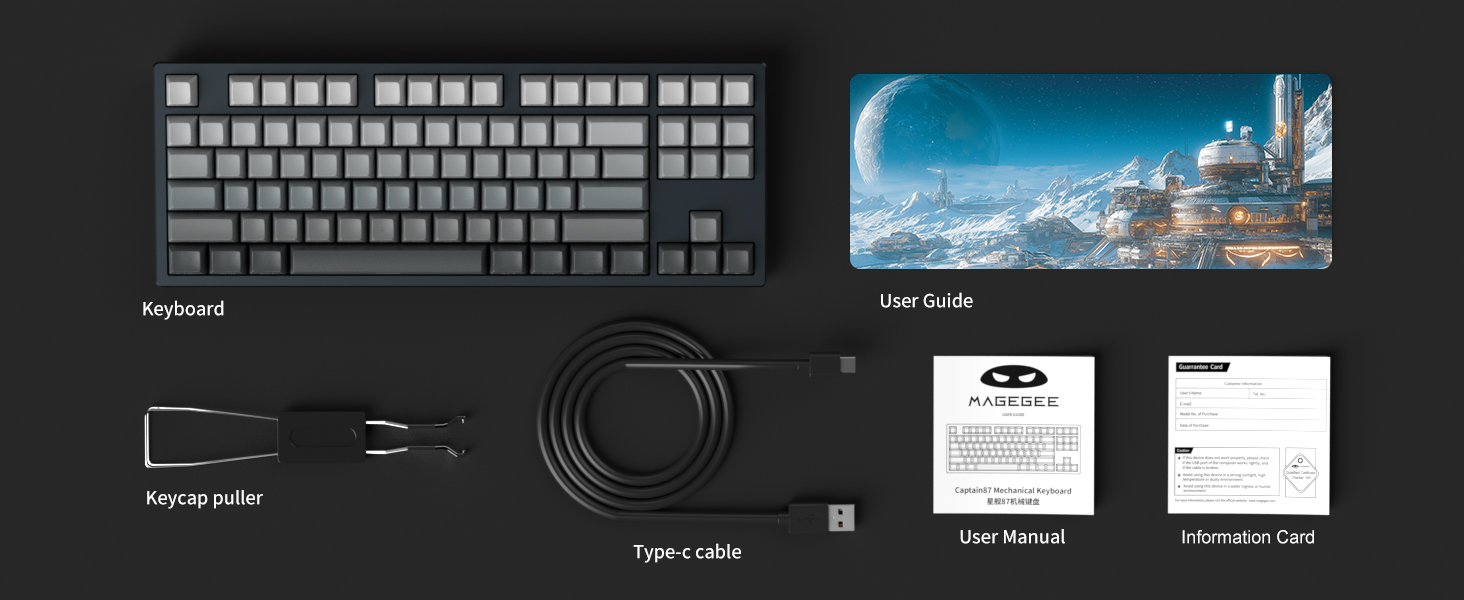
Image: The MageGee proprietary driver interface for customizing keyboard settings.
പ്രവർത്തന നിർദ്ദേശങ്ങൾ
Rapid Trigger and Adjustable Actuation
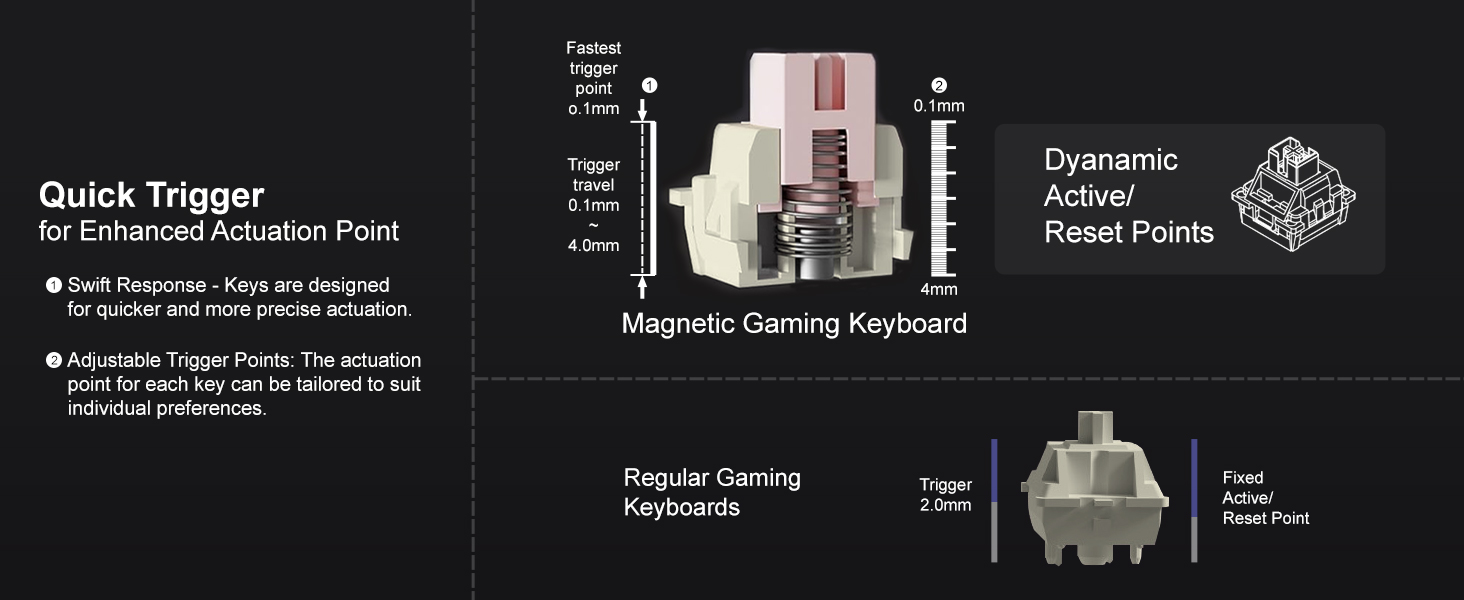
The Captain87 keyboard features ultra-low latency magnetic switches that utilize the Hall effect for triggering, providing fast and precise key commands. The rapid trigger function allows for quick key presses and lifts by adjusting the trigger point and travel, enabling repeated key presses without fully lifting the key. This is particularly beneficial for fast-paced games.
The trigger distance is adjustable from 0.1 mm to 4 mm, with an accuracy of up to 0.1 mm for individual keys. The keyboard also includes three preset key travel modes:
- കംഫർട്ട് മോഡ്: Suitable for general typing and relaxed use.
- സെൻസിറ്റീവ് മോഡ്: Offers a quicker response for balanced use.
- ഗെയിം മോഡ്: Provides the fastest response for competitive gaming.
These modes can be switched directly on the keyboard for different scenarios. Refer to the included User Guide for specific key combinations to switch modes.

Image: Detailed diagram explaining the rapid trigger and adjustable actuation points of the magnetic switches.
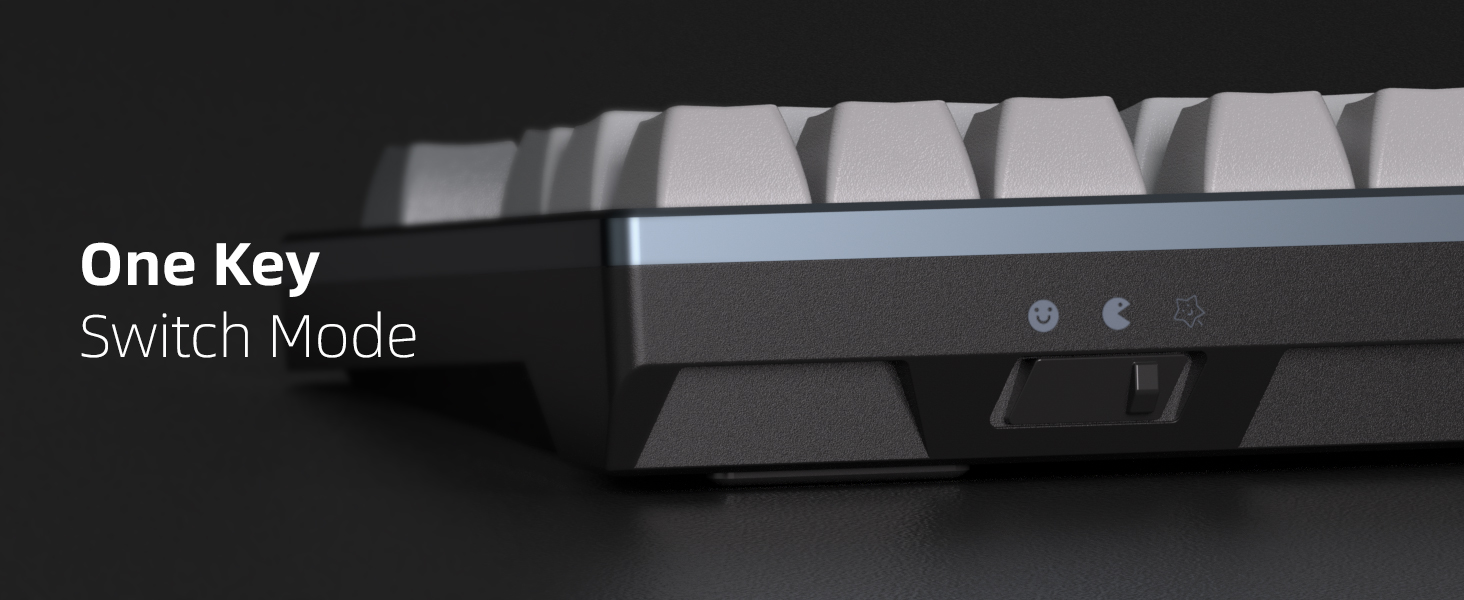
Image: Visual comparison of quick trigger technology versus standard mechanical switches.
Video: An official demonstration of the MageGee Captain87 Rapid Trigger Mechanical Keyboard, showcasing its features and responsiveness.
RGB ബാക്ക്ലൈറ്റിംഗ്
The Captain87 features south-facing RGB LEDs, providing bright and visible illumination. It offers a variety of pre-programmed backlight modes and color choices to personalize your setup. You can adjust the speed and brightness of the lights using specific function key combinations. Refer to the User Guide for a complete list of lighting controls.

Image: The MageGee Captain87 keyboard showcasing അതിന്റെ ഇഷ്ടാനുസൃതമാക്കാവുന്ന RGB ബാക്ക്ലൈറ്റിംഗ്.
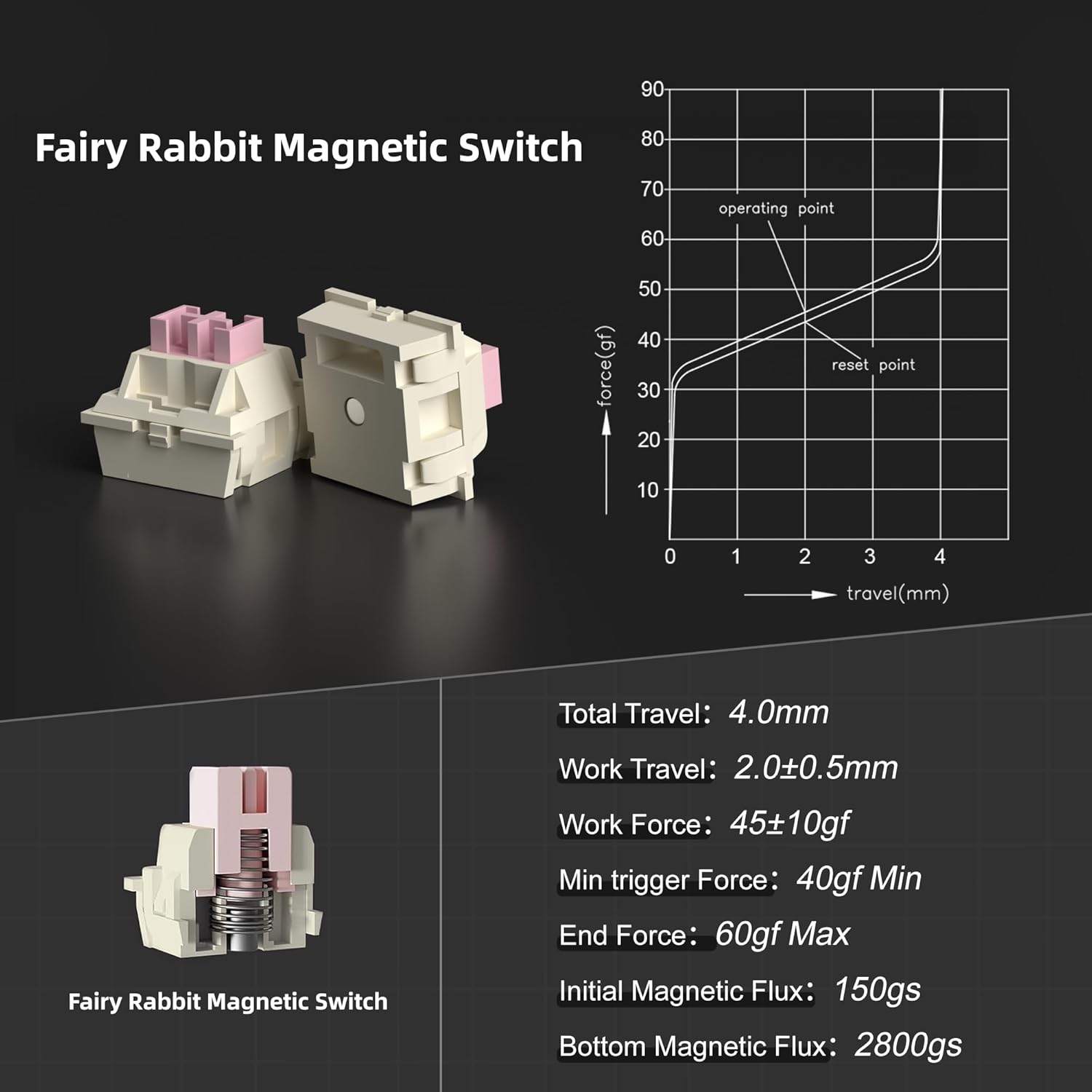
Image: A close-up of the side-printed PBT keycaps, demonstrating how the RGB light shines through the legends.
ഹോട്ട്-സ്വാപ്പ് ചെയ്യാവുന്ന സ്വിച്ചുകൾ
This keyboard is designed with hot-swappable magnetic switches, allowing you to easily remove and replace individual switches without soldering. This feature enables personalization and simplifies maintenance. Please note that the Captain87 keyboard is only compatible with OUTEMU magnetic switches.
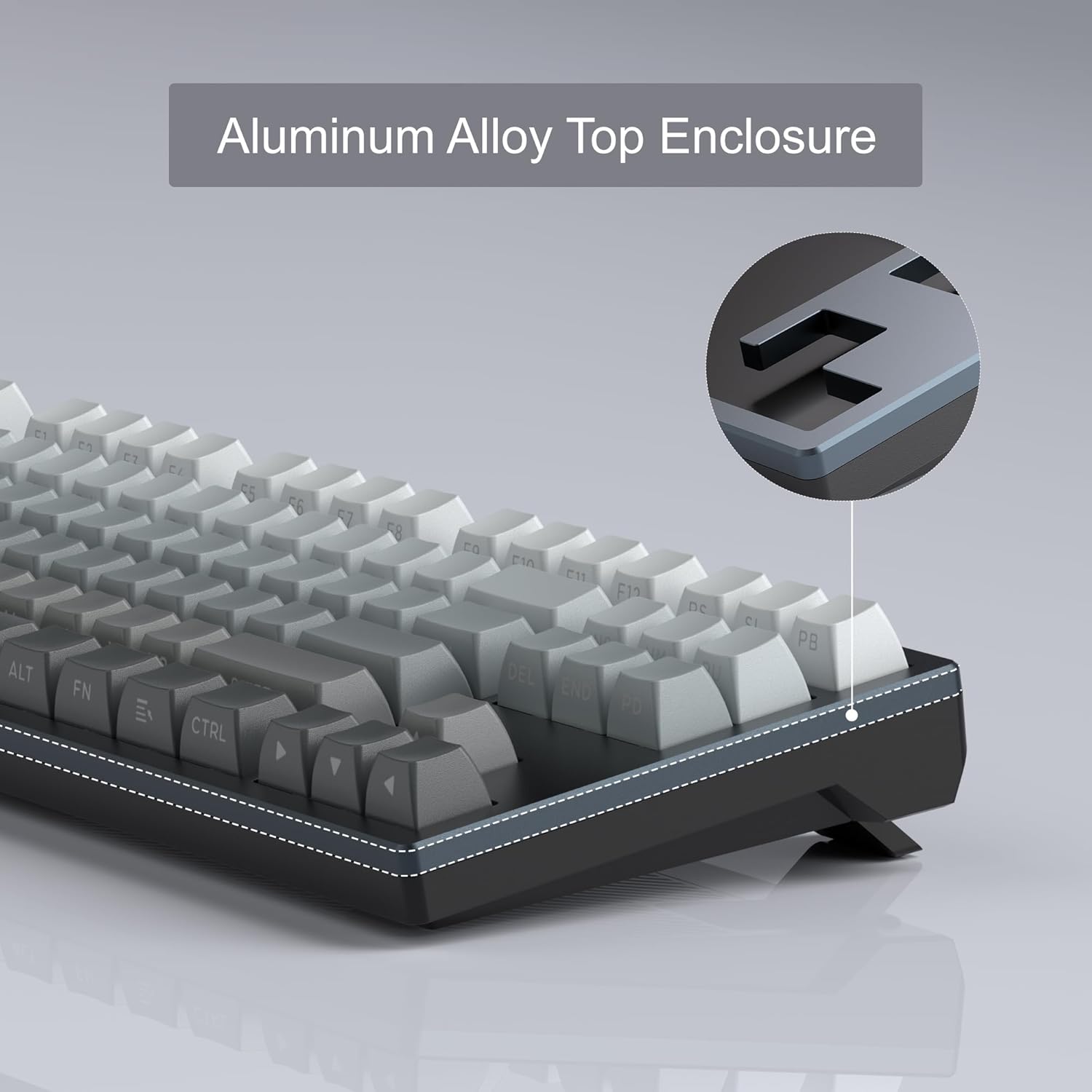
Image: The hot-swappable design of the MageGee Captain87, showing switches being removed.
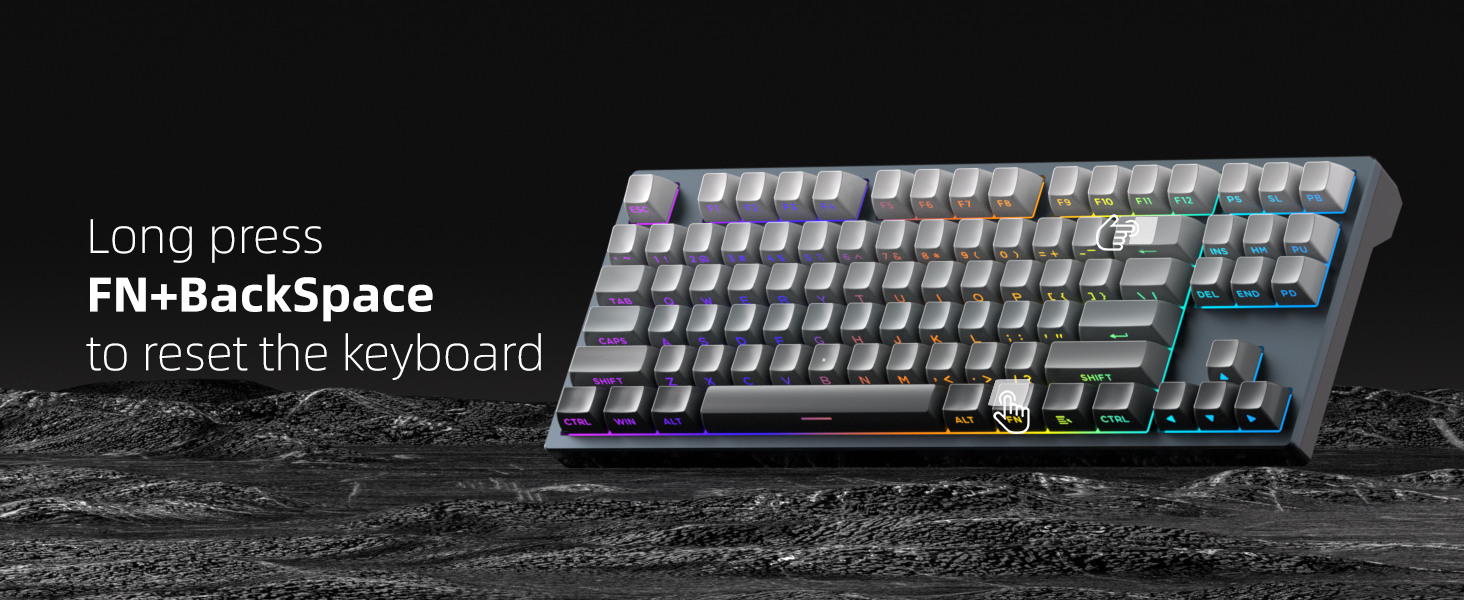
Image: Illustration of the hot-swappable capability, allowing for easy switch replacement.
പ്രോഗ്രാം ചെയ്യാവുന്ന സോഫ്റ്റ്വെയർ
The MageGee proprietary driver (Windows only) provides extensive customization options for your Captain87 keyboard. Through the software, you can:
- Change RGB lighting settings and effects.
- വ്യത്യസ്ത ഫംഗ്ഷനുകളിലേക്ക് വ്യക്തിഗത കീകൾ റീമാപ്പ് ചെയ്യുക.
- Record and edit complex macros for gaming or productivity.
- Set the precise key trigger range for each switch.
To restore the keyboard to its default settings, click the 'Reset' button located at the bottom right corner of the driver interface.
Image: The comprehensive customization options available within the MageGee driver software.
Gasket-Mounted Structure
The Captain87 features a gasket-mounted structure, which incorporates gaskets around the positioning plate. These gaskets act as a cushioning layer, significantly reducing vibrations during typing. Additionally, three layers of sound-absorbing pads are integrated between the positioning plate, PCB, and bottom case to suppress hollow sounds. This design results in a soft, even, and elastic typing feel with a pure sound profile.

ചിത്രം: പൊട്ടിത്തെറിച്ച ഒരു view demonstrating the internal components and gasket-mounted structure.
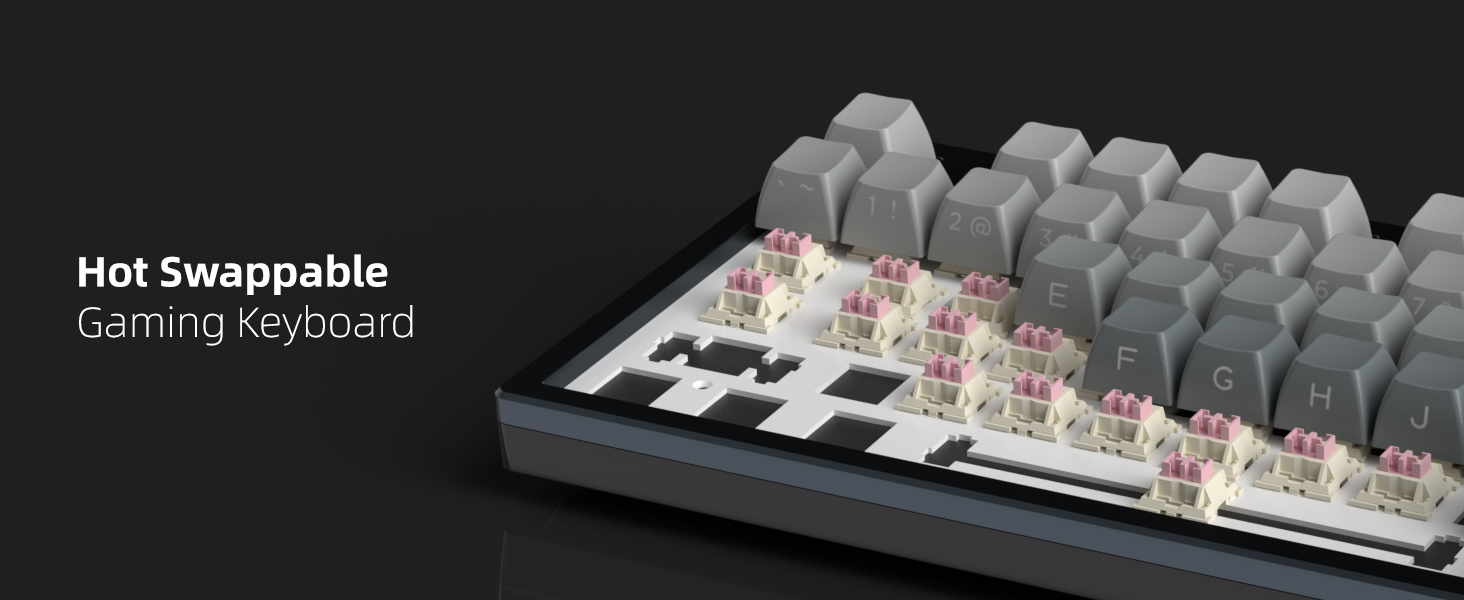
Image: A comprehensive diagram illustrating each layer of the gasket-mounted keyboard structure.
CNC Aluminum Case and PBT Keycaps
The Captain87 features a top cover crafted from CNC aluminum alloy, providing exceptional durability, corrosion resistance, and a premium metallic luster. This robust construction ensures a longer service life and stable performance. The keyboard is equipped with side-printed PBT keycaps, which are highly resistant to abrasion and oil, ensuring that the legends do not easily blur or fade even under high-frequency use. The side printing allows the RGB backlighting to shine through the letters effectively.
ചിത്രം: വിശദമായ ഒരു ചിത്രം view of the CNC aluminum alloy top enclosure, emphasizing its quality and finish.
മെയിൻ്റനൻസ്
വൃത്തിയാക്കൽ
നിങ്ങളുടെ കീബോർഡിന്റെ പ്രകടനവും രൂപഭംഗിയും നിലനിർത്താൻ, പതിവായി വൃത്തിയാക്കാൻ ശുപാർശ ചെയ്യുന്നു:
- പൊതുവായ ശുചീകരണം: മൃദുവായ, ലിൻ്റ് രഹിത തുണി ഉപയോഗിക്കുകampകീക്യാപ്പുകളും ഫ്രെയിമും തുടയ്ക്കാൻ വെള്ളമോ നേരിയ ക്ലീനിംഗ് ലായനിയോ ഉപയോഗിച്ച് തുടയ്ക്കുക. അമിതമായ ഈർപ്പം ഒഴിവാക്കുക.
- പൊടി നീക്കം: Use compressed air to blow away dust and debris from between the keycaps and switches.
- കീക്യാപ്പ് ക്ലീനിംഗ്: For deeper cleaning, you can remove the keycaps using the provided keycap puller and wash them with mild soap and water. Ensure they are completely dry before reattaching.
സ്വിച്ച് കെയർ
The magnetic switches are pre-lubricated at the factory for a smooth typing experience. Avoid applying additional lubricants unless you are experienced with switch modification, as improper lubrication can affect performance. If a switch feels inconsistent, it can be easily replaced due to the hot-swappable design.
ട്രബിൾഷൂട്ടിംഗ്
If you encounter any issues with your MageGee Captain87 keyboard, please refer to the following common problems and solutions:
| ഇഷ്യൂ | പരിഹാരം |
|---|---|
| കീബോർഡ് പ്രതികരിക്കുന്നില്ല | Ensure the USB-C cable is securely connected to both the keyboard and the computer. Try a different USB port or cable. Restart your computer. |
| RGB ലൈറ്റിംഗ് പ്രവർത്തിക്കുന്നില്ല അല്ലെങ്കിൽ തെറ്റാണ് | Check the lighting settings in the MageGee driver software. Use the function key combinations (refer to User Guide) to cycle through lighting modes and adjust brightness/speed. |
| Keys not registering correctly or double-typing | Adjust the actuation point for the affected keys using the driver software. Ensure the magnetic switches are properly seated. If a switch is faulty, replace it with a new OUTEMU magnetic switch. |
| Driver software not installing or recognizing keyboard | Ensure your operating system is Windows. Download the driver from the official MageGee website. Temporarily disable antivirus software during installation if necessary. |
കീബോർഡ് പുനഃസജ്ജമാക്കൽ: If you experience persistent issues, you can perform a hardware reset of the keyboard by long-pressing the FN + ബാക്ക്സ്പേസ് keys simultaneously. This will restore the keyboard to its factory default settings.
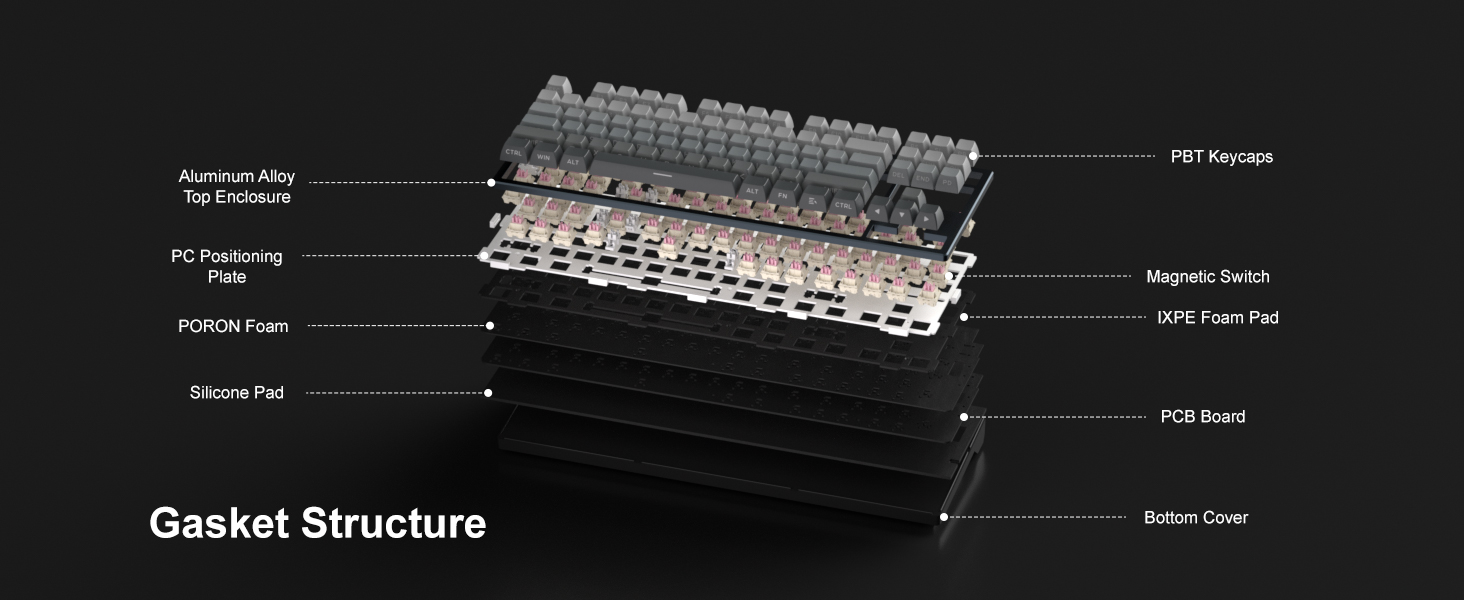
Image: Visual guide for performing a factory reset using the FN + BackSpace key combination.
സ്പെസിഫിക്കേഷനുകൾ
Key technical specifications for the MageGee Captain87 Rapid Trigger Magnetic Switch Keyboard:
| ഫീച്ചർ | വിശദാംശങ്ങൾ |
|---|---|
| മോഡൽ നമ്പർ | Cap87-EN-grey2 |
| നിർമ്മാതാവ് | മേജ്ഗീ |
| കണക്റ്റിവിറ്റി ടെക്നോളജി | യുഎസ്ബി-സി (വയേർഡ്) |
| കീബോർഡ് വിവരണം | Hall Effect Magnetic Switches, Rapid Trigger, Adjustable Actuation |
| കീകളുടെ എണ്ണം | 87 (75% ലേഔട്ട്) |
| കീബോർഡ് ബാക്ക്ലൈറ്റിംഗ് | RGB (തെക്ക് അഭിമുഖമായുള്ള LED-കൾ) |
| പ്രത്യേക സവിശേഷതകൾ | Gasket Mount, Backlit, Programmable Keys, Side Printed PBT Keycaps, Hot-Swappable |
| ശുപാർശ ചെയ്യുന്ന ഉപയോഗങ്ങൾ | Personal, Programming, Gaming |
| ഇനത്തിൻ്റെ ഭാരം | 2.86 പൗണ്ട് |
| പാക്കേജ് അളവുകൾ | 15.86 x 6.81 x 2.64 ഇഞ്ച് |
| ശൈലി | സമകാലികം |
വാറൻ്റിയും പിന്തുണയും
Your MageGee Captain87 keyboard comes with a standard manufacturer's warranty. For detailed information regarding warranty terms, conditions, and duration, please refer to the warranty card included in your product packaging or visit the official MageGee webസൈറ്റ്.
സാങ്കേതിക പിന്തുണയ്ക്കോ, ഈ മാനുവലിനപ്പുറമുള്ള പ്രശ്നപരിഹാര സഹായത്തിനോ, പൊതുവായ അന്വേഷണങ്ങൾക്കോ, ദയവായി സന്ദർശിക്കുക ആമസോണിലെ മേജ്ഗീ സ്റ്റോർ അല്ലെങ്കിൽ അവരുടെ ഔദ്യോഗിക പിന്തുണാ ചാനലുകൾ.


