ആമുഖം
This manual provides essential information for setting up, operating, and maintaining your NUU N30 smartphone. Please read it thoroughly to ensure optimal performance and longevity of your device.

Figure 1: NUU N30 Smartphone - Front and Rear View
സജ്ജമാക്കുക
1. അൺബോക്സിംഗും പ്രാരംഭ പരിശോധനയും
Upon opening the package, verify that all components are present and undamaged. The NUU N30 package includes the smartphone, a power adapter, a USB cable, and a clear TPU transparent phone case.
Video 1: NUU N30 Unboxing. This video demonstrates the contents of the NUU N30 retail package and the initial unboxing experience.
2. സിം കാർഡ് ഇൻസ്റ്റാളേഷൻ
The NUU N30 supports Dual SIM (Nano SIM Card) functionality. Locate the SIM tray on the side of the device. Use the provided SIM ejector tool to open the tray. Insert your Nano SIM card(s) into the designated slots. If expanding storage, insert a microSD card (not included) into its dedicated slot on the triple card tray.

Figure 2: Triple Card Slot and 3.5mm Audio Jack
3. പവർ ഓണും പ്രാരംഭ സജ്ജീകരണവും
Press and hold the power button until the NUU logo appears. Follow the on-screen prompts to complete the initial setup, including language selection, Wi-Fi connection, and Google account sign-in. The device runs on stock Android 14.
Video 2: NUU N30 Initial Boot-up and Setup. This video shows the phone powering on and the initial setup screens.
Operating Your NUU N30
ഡിസ്പ്ലേയും വിഷ്വലുകളും
The NUU N30 features a 6.7-inch HD+ display with a resolution of 720 x 1600 pixels and a 90Hz refresh rate, providing smooth and vibrant visuals for various activities including streaming, texting, and casual gaming.

Figure 3: NUU N30 90Hz HD+ Display
പ്രകടനവും സംഭരണവും
Powered by an octa-core MediaTek Helio G81 2.0GHz processor and 6GB of RAM (with an additional 6GB virtual RAM for a total of 12GB max), the NUU N30 offers balanced performance for daily tasks. It comes with 128GB of internal storage, expandable up to an additional 256GB via a microSD card (not included).
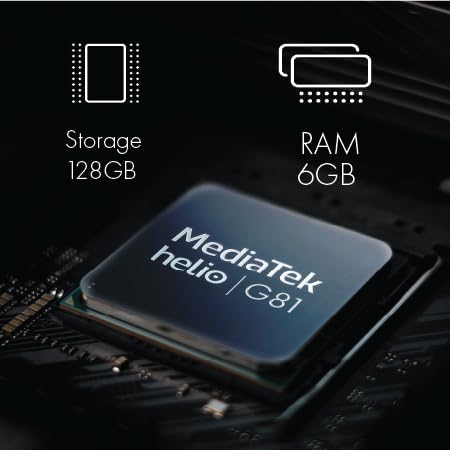
Figure 4: NUU N30 Processor, RAM, and Storage
ക്യാമറ സിസ്റ്റം
The NUU N30 is equipped with a versatile camera system, including a 50MP main camera, an 8MP selfie camera, and a 2MP macro camera. It also features AI scene recognition to optimize photo settings automatically.

Figure 5: NUU N30 Camera Specifications
Video 3: NUU N30 Camera Features. This video highlights the camera capabilities and AI scene recognition of the NUU N30.
ബാറ്ററിയും ചാർജിംഗും
The device is powered by a 5000mAh battery, offering extended usage throughout the day. It supports 18W fast charging, allowing the battery to charge from 30% to 79% in approximately 39 minutes.

Figure 6: NUU N30 Battery and Fast Charging
സുരക്ഷാ സവിശേഷതകൾ
The NUU N30 includes a fast fingerprint unlock feature for enhanced privacy and convenient access to your device.

Figure 7: NUU N30 Fingerprint ID
Parental Control Compatibility
The NUU N30 is designed to be compatible with any parental control application, including Google Family Link, Bark, Qustodio, and Norton Family. This allows users to monitor and manage device usage effectively.
Video 4: Parental Control Features on NUU N30. This video demonstrates the compatibility with various parental control apps like Google Family Link.
കാരിയർ അനുയോജ്യത
The NUU N30 is an unlocked Android phone compatible with major carriers such as T-Mobile, Mint Mobile, Metro, Q Link Wireless, Google Fi, Hello Mobile, Tello Mobile, Lycamobile, Patriot Mobile, Republic Wireless, Simple Mobile, StandUp Wireless, SpeedTalk, and Telcel America. It supports VoLTE/HD Voice. Please note that it is അനുയോജ്യമല്ല with Verizon, AT&T, Cricket, Boost Mobile, Tracfone, Pulse Cellular, Union Wireless, Spectrum, or any CDMA Carrier.

Figure 8: NUU N30 US Carrier Compatibility
മെയിൻ്റനൻസ്
To ensure the longevity and optimal performance of your NUU N30, follow these maintenance guidelines:
- മൃദുവായതും ഉണങ്ങിയതുമായ തുണി ഉപയോഗിച്ച് ഉപകരണം വൃത്തിയായി സൂക്ഷിക്കുക. ഉരച്ചിലുകൾ ഉള്ള വസ്തുക്കളോ കഠിനമായ രാസവസ്തുക്കളോ ഒഴിവാക്കുക.
- Protect the screen with the included TPU case and consider a screen protector to prevent scratches.
- Avoid exposing the phone to extreme temperatures, direct sunlight for prolonged periods, or excessive moisture.
- അനാവശ്യമായതും കാഷെ പതിവായി മായ്ക്കുക fileസിസ്റ്റം പ്രകടനം നിലനിർത്താൻ.
- Ensure software updates are installed to benefit from the latest security patches and features.
ട്രബിൾഷൂട്ടിംഗ്
If you encounter issues with your NUU N30, consider the following basic troubleshooting steps:
- ഉപകരണം പ്രതികരിക്കുന്നില്ല: റീസ്റ്റാർട്ട് ചെയ്യാൻ പവർ ബട്ടൺ ഏകദേശം 10-15 സെക്കൻഡ് അമർത്തിപ്പിടിക്കുക.
- നെറ്റ്വർക്ക് കണക്റ്റിവിറ്റി പ്രശ്നങ്ങൾ:
- നിങ്ങളുടെ സിം കാർഡ് ശരിയായി ചേർത്തിട്ടുണ്ടോ എന്ന് പരിശോധിക്കുക.
- വിമാന മോഡ് ഓണും ഓഫും ആക്കുക.
- Verify your carrier settings (APN settings) are correct.
- നിങ്ങളുടെ കാരിയറിന്റെ പിന്തുണയുള്ള നെറ്റ്വർക്ക് ഏരിയയിലാണെന്ന് ഉറപ്പാക്കുക.
- ബാറ്ററി വേഗത്തിൽ തീർന്നു:
- സ്ക്രീൻ തെളിച്ചം കുറയ്ക്കുക.
- പശ്ചാത്തലത്തിൽ പ്രവർത്തിക്കുന്ന ഉപയോഗിക്കാത്ത ആപ്ലിക്കേഷനുകൾ അടയ്ക്കുക.
- ഉപയോഗത്തിലില്ലാത്തപ്പോൾ വൈഫൈ, ബ്ലൂടൂത്ത് അല്ലെങ്കിൽ ജിപിഎസ് ഓഫാക്കുക.
- ആപ്പ് പ്രശ്നങ്ങൾ: If an app is crashing or not responding, try clearing its cache and data in the phone's settings, or uninstall and reinstall the app.
For more complex issues, refer to the official NUU Mobile support resources or contact customer service.
സ്പെസിഫിക്കേഷനുകൾ
| ഫീച്ചർ | വിശദാംശങ്ങൾ |
|---|---|
| മോഡലിൻ്റെ പേര് | N30 |
| ഓപ്പറേറ്റിംഗ് സിസ്റ്റം | ആൻഡ്രോയിഡ് 14 |
| ഡിസ്പ്ലേ വലിപ്പം | 6.7 ഇഞ്ച് |
| റെസലൂഷൻ | 720 x 1600 |
| പുതുക്കിയ നിരക്ക് | 90 Hz |
| സിപിയു മോഡൽ | മീഡിയടെക് ഹീലിയോ G81 |
| സിപിയു വേഗത | 2 GHz |
| ഇൻസ്റ്റാൾ ചെയ്ത RAM മെമ്മറി വലുപ്പം | 6 GB (up to 12GB virtual RAM) |
| മെമ്മറി സ്റ്റോറേജ് കപ്പാസിറ്റി | 128 ജിബി (മൈക്രോ എസ്ഡി ഉപയോഗിച്ച് 256 ജിബി വരെ വികസിപ്പിക്കാം) |
| ബാറ്ററി ശേഷി | 5000 മില്ലിamp മണിക്കൂറുകൾ |
| ഓഡിയോ ജാക്ക് | 3.5 മി.മീ |
| പ്രത്യേക സവിശേഷതകൾ | Fast Charging Support, Dual SIM, Expandable Memory, Built-In GPS, Mobile Hotspot Capability, Fingerprint Unlock |
| ബോക്സിൽ എന്താണുള്ളത് | Power Adapter, Phone Case, USB Cable |
Video 5: NUU N30 Specifications Overview. This video provides a visual summary of the NUU N30's key specifications.
വാറൻ്റിയും പിന്തുണയും
The NUU N30 comes with a 12 MONTHS manufacturer warranty. For any questions or support regarding your product, please contact NUU Mobile customer services with your order ID. They are available to assist you.
For additional information and resources, you may visit the official NUU Store on Amazon: NUU Mobile Store.


