ആമുഖം
നിങ്ങളുടെ യൂസോഗുഡ് TC30 4K 48MP ട്രെയിൽ ക്യാമറയുടെ സജ്ജീകരണം, പ്രവർത്തനം, പരിപാലനം എന്നിവയ്ക്കുള്ള വിശദമായ നിർദ്ദേശങ്ങൾ ഈ മാനുവൽ നൽകുന്നു. വന്യജീവി നിരീക്ഷണത്തിനും ഔട്ട്ഡോർ സുരക്ഷയ്ക്കുമായി രൂപകൽപ്പന ചെയ്തിരിക്കുന്ന ഈ ക്യാമറ, നൂതന രാത്രി കാഴ്ചയും ചലന കണ്ടെത്തൽ കഴിവുകളും ഉള്ള ഉയർന്ന റെസല്യൂഷൻ ഫോട്ടോകളും വീഡിയോകളും പകർത്തുന്നു. ഒപ്റ്റിമൽ പ്രകടനവും ദീർഘായുസ്സും ഉറപ്പാക്കാൻ ക്യാമറ ഉപയോഗിക്കുന്നതിന് മുമ്പ് ദയവായി ഈ മാനുവൽ നന്നായി വായിക്കുക.
സുരക്ഷാ വിവരങ്ങൾ
- IP66 റേറ്റിംഗ് ഉണ്ടായിരുന്നിട്ടും, കേടുപാടുകൾ ഒഴിവാക്കാൻ ക്യാമറ വെള്ളത്തിൽ മുക്കരുത്.
- നിർദ്ദിഷ്ട ബാറ്ററി തരങ്ങൾ (AA ബാറ്ററികൾ) മാത്രം ഉപയോഗിക്കുക. ഇൻസ്റ്റാളേഷൻ സമയത്ത് ശരിയായ പോളാരിറ്റി ഉറപ്പാക്കുക.
- ഉയർന്ന താപനിലയിൽ നിന്നും നേരിട്ടുള്ള സൂര്യപ്രകാശത്തിൽ നിന്നും ക്യാമറ ദീർഘനേരം അകറ്റി നിർത്തുക.
- പോറലുകൾ ഏൽക്കാതിരിക്കാൻ ലെൻസും സ്ക്രീനും ശ്രദ്ധയോടെ കൈകാര്യം ചെയ്യുക.
- കുട്ടികൾക്ക് ലഭ്യമാകാതെ സൂക്ഷിക്കുക.
പാക്കേജ് ഉള്ളടക്കം
നിങ്ങളുടെ പാക്കേജിൽ എല്ലാ ഇനങ്ങളും ഉണ്ടെന്ന് ഉറപ്പാക്കുക:
- usogood TC30 ട്രെയിൽ ക്യാമറ (1)
- 32GB മെമ്മറി കാർഡ് (1)
- AA ബാറ്ററികൾ (8)
- മൗണ്ടിംഗ് ബെൽറ്റ് (1)
- USB കേബിൾ (1)
- ഇൻസ്ട്രക്ഷൻ മാനുവൽ (1)

ചിത്രം 1: ഉൾപ്പെടുത്തിയ ആക്സസറികളുള്ള TC30 ട്രെയിൽ ക്യാമറ.
ഉൽപ്പന്നം കഴിഞ്ഞുview
നിങ്ങളുടെ യൂസോഗുഡ് TC30 ട്രെയിൽ ക്യാമറയുടെ പ്രധാന ഘടകങ്ങളുമായി പരിചയപ്പെടുക.

ചിത്രം 2: മുൻഭാഗം view TC30 ട്രെയിൽ ക്യാമറയുടെ.
പ്രധാന ഘടകങ്ങൾ:
- പ്രധാന ലെൻസ്: ഫോട്ടോകളും വീഡിയോകളും പകർത്തുന്നു.
- ഇൻഫ്രാറെഡ് LED-കൾ (36pcs 850nm): ദൃശ്യമായ ഫ്ലാഷ് ഇല്ലാതെ രാത്രി കാഴ്ചയ്ക്ക് പ്രകാശം നൽകുക.
- PIR മോഷൻ സെൻസറുകൾ (120° ഡിറ്റക്ഷൻ): റെക്കോർഡിംഗ് പ്രവർത്തനക്ഷമമാക്കുന്നതിനുള്ള ചലനം കണ്ടെത്തുന്നു.
- 2.0" എൽസിഡി സ്ക്രീൻ: മെനു നാവിഗേഷനും viewപിടിച്ചെടുത്ത മാധ്യമങ്ങൾ.
- നിയന്ത്രണ ബട്ടണുകൾ: ക്യാമറ ക്രമീകരണങ്ങൾക്കായി മെനു, മുകളിലേക്ക്, താഴേക്ക്, ശരി, മോഡ്.
- മോഡ് സ്വിച്ച്: ഓഫ്, ടെസ്റ്റ്, ഓൺ സ്ഥാനങ്ങൾ.
- ബാറ്ററി കമ്പാർട്ട്മെൻ്റ്: 8 AA ബാറ്ററികൾ ഉൾക്കൊള്ളുന്നു.
- SD കാർഡ് സ്ലോട്ട്: മെമ്മറി കാർഡ് ഇടുന്നതിന്.
- USB പോർട്ട്: ഒരു കമ്പ്യൂട്ടറിലേക്ക് കണക്റ്റുചെയ്യുന്നതിന്.
- ബാഹ്യ പവർ പോർട്ട് (DC 6V/2.0A): ഓപ്ഷണൽ ബാഹ്യ വൈദ്യുതി വിതരണത്തിനായി.
സജ്ജമാക്കുക
1. ബാറ്ററി ഇൻസ്റ്റാളേഷൻ
- ക്യാമറയുടെ വലതുവശത്തുള്ള ലാച്ച് തുറന്ന് മുൻ കവർ തുറക്കുക.
- ക്യാമറയുടെ അടിയിൽ ബാറ്ററി കമ്പാർട്ട്മെന്റ് കണ്ടെത്തുക.
- കമ്പാർട്ടുമെന്റിനുള്ളിലെ പോസിറ്റീവ് (+), നെഗറ്റീവ് (-) സൂചകങ്ങളിൽ ശ്രദ്ധ ചെലുത്തി, ശരിയായ പോളാരിറ്റി ഉറപ്പാക്കാൻ 8 പുതിയ AA ബാറ്ററികൾ ഇടുക. ഒരു വശത്ത് 4 ബാറ്ററികൾ സ്ഥാപിച്ചാലും ക്യാമറയ്ക്ക് പ്രവർത്തിക്കാനാകും.
- ബാറ്ററി കമ്പാർട്ട്മെൻ്റ് കവർ സുരക്ഷിതമായി അടയ്ക്കുക.

ചിത്രം 3: ബാറ്ററി ഇൻസ്റ്റാളേഷൻ ഡയഗ്രം.
2. എസ്ഡി കാർഡ് ഇൻസ്റ്റാളേഷൻ
- മുൻ കവർ തുറന്ന ശേഷം, ക്യാമറയുടെ വശത്തുള്ള SD കാർഡ് സ്ലോട്ട് കണ്ടെത്തുക.
- നൽകിയിരിക്കുന്ന 32GB SD കാർഡ്, ക്യാമറയുടെ പിൻഭാഗത്തേക്ക് അഭിമുഖമായി മെറ്റൽ കോൺടാക്റ്റുകൾ വരുന്ന തരത്തിൽ, അത് ക്ലിക്കായി ഉറപ്പിക്കുന്നത് വരെ സ്ലോട്ടിലേക്ക് തിരുകുക.
- നീക്കം ചെയ്യാൻ, കാർഡ് ക്ലിക്ക് ആകുന്നതുവരെ സൌമ്യമായി അകത്തേക്ക് തള്ളുക, തുടർന്ന് വിടുക, അപ്പോൾ അത് പുറത്തുവരും.

ചിത്രം 4: SD കാർഡ് ചേർക്കൽ.
3. ക്യാമറ ഘടിപ്പിക്കുന്നു
- ക്യാമറ ഒരു മരത്തിലോ തൂണിലോ ഉറപ്പിക്കാൻ നൽകിയിരിക്കുന്ന മൗണ്ടിംഗ് ബെൽറ്റ് ഉപയോഗിക്കുക. ക്യാമറയുടെ പിൻഭാഗത്തുള്ള സ്ലോട്ടുകളിലൂടെ ബെൽറ്റ് തിരുകുക.
- ക്യാമറ സ്ഥിരതയുള്ളതാണെന്നും അനങ്ങുന്നില്ലെന്നും ഉറപ്പാക്കാൻ ബെൽറ്റ് നന്നായി ക്രമീകരിക്കുക.
- ആവശ്യമുള്ള നിരീക്ഷണ മേഖല മറയ്ക്കുന്ന തരത്തിൽ ക്യാമറ സ്ഥാപിക്കുക, തടസ്സങ്ങളൊന്നും ക്യാമറയെ തടയുന്നില്ലെന്ന് ഉറപ്പാക്കുക. view അല്ലെങ്കിൽ ചലന സെൻസറുകൾ.

ചിത്രം 5: ഒരു മരത്തിൽ ഘടിപ്പിച്ചിരിക്കുന്ന ക്യാമറ.
4. പവർ ഓണും പ്രാരംഭ ക്രമീകരണങ്ങളും
- മോഡ് സ്വിച്ച് സ്ലൈഡുചെയ്യുക ഓഫ് വരെ ടെസ്റ്റ്. സ്ക്രീൻ ഓണാകും.
- ഉപയോഗിക്കുക മെനു ക്രമീകരണങ്ങൾ ആക്സസ് ചെയ്യാനുള്ള ബട്ടൺ. ഉപയോഗിച്ച് നാവിഗേറ്റ് ചെയ്യുക UP ഒപ്പം താഴേക്ക് അമ്പടയാളങ്ങൾ, ഉപയോഗിച്ച് സ്ഥിരീകരിക്കുക OK.
- ആദ്യം ശരിയായ തീയതിയും സമയവും സജ്ജമാക്കുക.
- ഫോട്ടോ റെസല്യൂഷൻ (48MP), വീഡിയോ റെസല്യൂഷൻ (4K), ക്യാപ്ചർ മോഡ് (ഫോട്ടോ, വീഡിയോ, അല്ലെങ്കിൽ ഫോട്ടോ+വീഡിയോ), ട്രിഗർ ഇടവേള, PIR സെൻസിറ്റിവിറ്റി തുടങ്ങിയ ആവശ്യമുള്ള ക്രമീകരണങ്ങൾ കോൺഫിഗർ ചെയ്യുക.
- ക്രമീകരണങ്ങൾ പൂർത്തിയായിക്കഴിഞ്ഞാൽ, സ്വിച്ച് ഇതിൽ നിന്ന് സ്ലൈഡ് ചെയ്യുക ടെസ്റ്റ് വരെ ഓഫ്, തുടർന്ന് ON നിരീക്ഷണത്തിനായി ക്യാമറ സജീവമാക്കുന്നതിന്. സ്ക്രീൻ ഓഫാകും, ക്യാമറ മോണിറ്ററിംഗ് മോഡിലേക്ക് പ്രവേശിക്കും.
പ്രവർത്തന നിർദ്ദേശങ്ങൾ
മോണിറ്ററിംഗ് മോഡ്
ക്യാമറ ഉള്ളിൽ ആയിരിക്കുമ്പോൾ ON സ്ഥാനത്ത് എത്തിയാൽ, അത് അതിന്റെ 120° ഡിറ്റക്ഷൻ ആംഗിളിനുള്ളിൽ ചലനം യാന്ത്രികമായി കണ്ടെത്തുകയും നിങ്ങളുടെ ക്രമീകരണങ്ങളെ അടിസ്ഥാനമാക്കി റെക്കോർഡിംഗ് പ്രവർത്തനക്ഷമമാക്കുകയും ചെയ്യും. 0.3 സെക്കൻഡ് ട്രിഗർ വേഗത ഇവന്റുകൾ പിടിച്ചെടുക്കുന്നതിൽ കുറഞ്ഞ കാലതാമസം ഉറപ്പാക്കുന്നു.

ചിത്രം 6: 120° PIR വൈഡ് ആംഗിൾ ഡിറ്റക്ഷൻ.

ചിത്രം 7: 0.3സെക്കൻഡ് ഫാസ്റ്റ് ട്രിഗർ സ്പീഡ്.
നൈറ്റ് വിഷൻ
വ്യക്തമായ രാത്രി കാഴ്ചയ്ക്കായി ക്യാമറയിൽ 36pcs 850nm ഇൻഫ്രാറെഡ് LED-കൾ സജ്ജീകരിച്ചിരിക്കുന്നു. ഈ LED-കൾ മിതമായ ഫിൽ ലൈറ്റ് നൽകുന്നു, അമിതമായ എക്സ്പോഷറോ അമ്പരപ്പിക്കുന്ന വന്യജീവികളോ ഇല്ലാതെ വിശദമായ ചിത്രങ്ങളും വീഡിയോകളും ഉറപ്പാക്കുന്നു. കുറഞ്ഞ വെളിച്ചത്തിൽ രാത്രി കാഴ്ച യാന്ത്രികമായി സജീവമാകും.
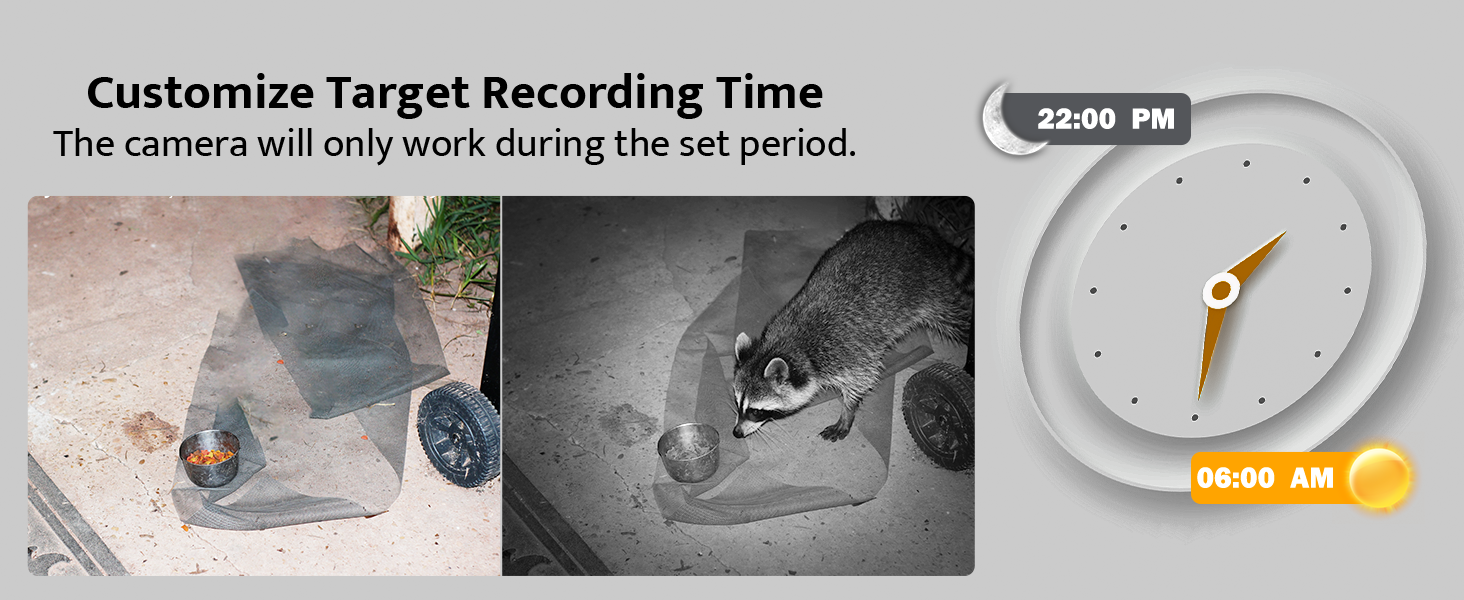
ചിത്രം 8: നൈറ്റ് വിഷൻ പ്രകടനം.
Viewക്യാപ്ചർ ചെയ്ത മീഡിയയിൽ
- ക്യാമറയിൽ: മോഡ് സ്വിച്ച് സ്ലൈഡുചെയ്യുക ടെസ്റ്റ്. ഉപയോഗിക്കുക മോഡ് ഫോട്ടോ പ്ലേബാക്കും വീഡിയോ പ്ലേബാക്കും തമ്മിൽ മാറാൻ ബട്ടൺ ഉപയോഗിക്കുക. UP ഒപ്പം താഴേക്ക് ബ്രൗസ് ചെയ്യാനുള്ള അമ്പടയാളങ്ങൾ files.
- കമ്പ്യൂട്ടറിൽ: നൽകിയിരിക്കുന്ന USB കേബിൾ ഉപയോഗിച്ച് ക്യാമറ നിങ്ങളുടെ കമ്പ്യൂട്ടറുമായി ബന്ധിപ്പിക്കുക, അല്ലെങ്കിൽ SD കാർഡ് നീക്കം ചെയ്ത് നിങ്ങളുടെ കമ്പ്യൂട്ടറുമായി ബന്ധിപ്പിച്ചിരിക്കുന്ന ഒരു കാർഡ് റീഡറിലേക്ക് ഇടുക. ക്യാമറ അല്ലെങ്കിൽ SD കാർഡ് ഒരു നീക്കം ചെയ്യാവുന്ന ഡിസ്കായി ദൃശ്യമാകും, ഇത് നിങ്ങൾക്ക് ആക്സസ് ചെയ്യാനും കൈമാറാനും അനുവദിക്കുന്നു. files.

ചിത്രം 9: Viewക്യാമറ സ്ക്രീനിൽ.

ചിത്രം 10: കൈമാറ്റം fileഒരു കമ്പ്യൂട്ടറിലേക്ക് എസ്.
മെയിൻ്റനൻസ്
- വൃത്തിയാക്കൽ: ക്യാമറ ലെൻസും ഹൗസിംഗും വൃത്തിയാക്കാൻ മൃദുവായതും ഉണങ്ങിയതുമായ തുണി ഉപയോഗിക്കുക. അബ്രസീവ് ക്ലീനറുകൾ ഒഴിവാക്കുക.
- ബാറ്ററി മാറ്റിസ്ഥാപിക്കൽ: സ്ക്രീനിൽ ബാറ്ററി ചാർജ് കുറയുന്നതായി കാണിക്കുമ്പോഴോ പ്രകടനം കുറയുമ്പോഴോ 8 AA ബാറ്ററികളും മാറ്റിസ്ഥാപിക്കുക.
- SD കാർഡ് മാനേജുമെന്റ്: പതിവായി ബാക്കപ്പ് ചെയ്യുന്നത് പ്രധാനമാണ് fileഒപ്റ്റിമൽ റെക്കോർഡിംഗ് പ്രകടനം ഉറപ്പാക്കുന്നതിനും ഡാറ്റ കറപ്ഷൻ തടയുന്നതിനും ക്യാമറയുടെ മെനുവിലെ SD കാർഡ് ഫോർമാറ്റ് ചെയ്യുക.
- വാട്ടർപ്രൂഫ് സംരക്ഷണം: ക്യാമറയ്ക്ക് IP66 വാട്ടർപ്രൂഫ് റേറ്റിംഗ് ഉണ്ട്, ഇത് പൊടിയിൽ നിന്നും ശക്തമായ വെള്ളച്ചാട്ടങ്ങളിൽ നിന്നും അതിനെ സംരക്ഷിക്കുന്നു. പ്രത്യേകിച്ച് ബാറ്ററി അല്ലെങ്കിൽ SD കാർഡ് കമ്പാർട്ടുമെന്റുകളിലേക്ക് പ്രവേശിച്ചതിന് ശേഷം, അതിന്റെ വാട്ടർപ്രൂഫ് സമഗ്രത നിലനിർത്തുന്നതിന് എല്ലാ ലാച്ചുകളും സുരക്ഷിതമായി അടച്ചിട്ടുണ്ടെന്ന് ഉറപ്പാക്കുക.

ചിത്രം 11: IP66 വാട്ടർപ്രൂഫ് ഡിസൈൻ.
ട്രബിൾഷൂട്ടിംഗ്
| പ്രശ്നം | സാധ്യമായ കാരണം | പരിഹാരം |
|---|---|---|
| ക്യാമറ പവർ ഓൺ ചെയ്യുന്നില്ല. | ബാറ്ററികൾ കുറവാണ് അല്ലെങ്കിൽ തെറ്റായി ഇൻസ്റ്റാൾ ചെയ്തിട്ടുണ്ട്. മോഡ് സ്വിച്ച് ഓഫാണ്. | ബാറ്ററികൾ മാറ്റിസ്ഥാപിക്കുക അല്ലെങ്കിൽ ശരിയായ പോളാരിറ്റി ഉറപ്പാക്കുക. TEST അല്ലെങ്കിൽ ON എന്നതിലേക്ക് സ്വിച്ച് സ്ലൈഡ് ചെയ്യുക. |
| മോശം രാത്രി കാഴ്ച ചിത്രങ്ങൾ. | IR LED-കൾ തടസ്സപ്പെട്ടു. ക്യാമറ വിഷയത്തിൽ നിന്ന് വളരെ അകലെയാണ്. | തടസ്സങ്ങൾ നീക്കുക. ക്യാമറ ലക്ഷ്യസ്ഥാനത്തിന് അടുത്തായി (65 അടിക്കുള്ളിൽ) സ്ഥാപിക്കുക. |
| ക്യാമറ ചലനം റെക്കോർഡ് ചെയ്യുന്നില്ല. | PIR സെൻസിറ്റിവിറ്റി വളരെ കുറവാണ്. SD കാർഡ് നിറഞ്ഞു അല്ലെങ്കിൽ കേടായി. | ക്രമീകരണങ്ങളിൽ PIR സെൻസിറ്റിവിറ്റി വർദ്ധിപ്പിക്കുക. SD കാർഡ് ഫോർമാറ്റ് ചെയ്യുക അല്ലെങ്കിൽ മാറ്റിസ്ഥാപിക്കുക. ക്യാമറ ഓൺ മോഡിലാണെന്ന് ഉറപ്പാക്കുക. |
| തീയതി/സമയം തെറ്റാണ്. | വളരെ നേരം ബാറ്ററികൾ നീക്കം ചെയ്തിട്ടില്ല അല്ലെങ്കിൽ സജ്ജീകരിച്ചിട്ടില്ല. | ടെസ്റ്റ് മോഡ് ക്രമീകരണങ്ങളിൽ തീയതി/സമയം വീണ്ടും നൽകുക. |
| Fileകൾ ആകാൻ കഴിയില്ല viewകമ്പ്യൂട്ടറിൽ എഡിറ്റ് ചെയ്തു. | USB കണക്ഷൻ പ്രശ്നം. റീഡറിൽ SD കാർഡ് ശരിയായി ചേർത്തിട്ടില്ല. | USB കേബിൾ സുരക്ഷിതമായി ബന്ധിപ്പിച്ചിട്ടുണ്ടെന്ന് ഉറപ്പാക്കുക. മറ്റൊരു USB പോർട്ട് അല്ലെങ്കിൽ കാർഡ് റീഡർ പരീക്ഷിക്കുക. |
സ്പെസിഫിക്കേഷനുകൾ
| ഫീച്ചർ | വിശദാംശങ്ങൾ |
|---|---|
| മോഡൽ | TC30 |
| ഫലപ്രദമായ സ്റ്റിൽ റെസല്യൂഷൻ | 48 മെഗാപിക്സലുകൾ |
| വീഡിയോ ക്യാപ്ചർ റെസല്യൂഷൻ | 4K (30fps) |
| കണ്ടെത്തൽ ആംഗിൾ | 120 ഡിഗ്രി |
| ട്രിഗർ വേഗത | 0.3 സെക്കൻഡ് |
| നൈറ്റ് വിഷൻ റേഞ്ച് | 65 അടി (20 മീറ്റർ) |
| IR LED- കൾ | 36pcs 850nm |
| വാട്ടർപ്രൂഫ് റേറ്റിംഗ് | IP66 |
| സംഭരണം | മൈക്രോ എസ്ഡി കാർഡ് (128GB വരെ, 32GB ഉൾപ്പെടുന്നു) |
| പവർ ഉറവിടം | 8x AA ബാറ്ററികൾ (ഉൾപ്പെടുത്തിയിരിക്കുന്നു) അല്ലെങ്കിൽ DC 6V/2.0A ബാഹ്യ പവർ സപ്ലൈ (ഉൾപ്പെടുത്തിയിട്ടില്ല) |
| അളവുകൾ (L x W x H) | 8.07 x 5.19 x 4 ഇഞ്ച് |
| ഭാരം | 1.59 പൗണ്ട് |
വാറൻ്റിയും പിന്തുണയും
ഉയർന്ന നിലവാരമുള്ള ഉൽപ്പന്നങ്ങളും മികച്ച ഉപഭോക്തൃ സേവനവും നൽകുന്നതിന് usogood പ്രതിജ്ഞാബദ്ധമാണ്. നിങ്ങളുടെ usogood TC30 ട്രെയിൽ ക്യാമറ ഒരു വാറന്റിയും സമർപ്പിത വിൽപ്പനാനന്തര പിന്തുണയും നൽകുന്നു.
ഏതെങ്കിലും അന്വേഷണങ്ങൾ, സാങ്കേതിക സഹായം അല്ലെങ്കിൽ വാറന്റി ക്ലെയിമുകൾ എന്നിവയ്ക്കായി, ദയവായി ഞങ്ങളുടെ ഉപഭോക്തൃ സേവന ടീമുമായി ബന്ധപ്പെടുക. 48 മണിക്കൂറിനുള്ളിൽ എന്തെങ്കിലും പ്രശ്നങ്ങൾ പരിഹരിക്കുക എന്നതാണ് ഞങ്ങളുടെ ലക്ഷ്യം.
ഉപഭോക്തൃ സേവന ഇമെയിൽ: support@usogood.co

ചിത്രം 12: ഉപഭോക്തൃ പിന്തുണ കോൺടാക്റ്റ് വിവരങ്ങൾ.


