1. ആമുഖം
Thank you for choosing the DOVOX Bluetooth Marine Stereo Receiver. This waterproof gauge radio system is designed for robust performance in marine and off-road environments, including boats, ATVs, UTVs, and other recreational vehicles. It features Bluetooth connectivity, AM/FM radio, USB and AUX inputs, and a 2.8-inch LCD display. This manual provides detailed instructions for installation, operation, and maintenance to ensure optimal performance and longevity of your device.

2 സുരക്ഷാ വിവരങ്ങൾ
Please read all safety instructions carefully before installing and operating the device. Failure to follow these guidelines may result in injury or damage to the unit.
- Ensure proper wiring and connections to prevent electrical shorts or fire hazards.
- Disconnect the vehicle's battery before beginning installation to avoid electrical shock.
- യൂണിറ്റിനെ ദീർഘനേരം തീവ്രമായ താപനിലയിലോ നേരിട്ടുള്ള സൂര്യപ്രകാശത്തിലോ തുറന്നുകാട്ടരുത്.
- While the unit is IPX5 water-resistant, avoid submerging it or exposing it to high-pressure water jets.
- ഏതെങ്കിലും ഘട്ടങ്ങളെക്കുറിച്ച് നിങ്ങൾക്ക് ഉറപ്പില്ലെങ്കിൽ, ഇൻസ്റ്റാളേഷനായി ഒരു പ്രൊഫഷണലിനെ സമീപിക്കുക.
3. പാക്കേജ് ഉള്ളടക്കം
പാക്കേജിൽ എല്ലാ ഇനങ്ങളും ഉണ്ടെന്ന് ഉറപ്പാക്കുക:
- Boat Audio System (DOVOX Bluetooth Marine Stereo Receiver)
- Wires Harness
- മൗണ്ടിംഗ് കിറ്റുകൾ
- ഉപയോക്തൃ മാനുവൽ
4. ഉൽപ്പന്നം കഴിഞ്ഞുview
The DOVOX Marine Stereo Receiver is designed for durability and ease of use in challenging environments. Its compact gauge-style design allows for flexible installation.

പ്രധാന സവിശേഷതകൾ:
- Marine-grade Construction: IPX5 water-resistant rating protects against water, humidity, and salt.
- ബ്ലൂടൂത്ത് കണക്റ്റിവിറ്റി: Seamlessly stream music from your smartphone, tablet, or MP3 player.
- Multimedia Inputs: USB 2.0 port and 3.5mm AUX input for various audio sources, supporting ID3 tag വായന.
- AM/FM റേഡിയോ: Features 18 FM and 12 AM station memory for real-time broadcasts.
- High-Definition LCD Display: 2.8-inch digital LCD display for clear visibility, even in direct sunlight.
- പ്രകാശമുള്ള ബട്ടണുകൾ: Rubber-coated buttons with illumination for enhanced visibility and easy interaction.
- ശക്തമായ ഓഡിയോ ഔട്ട്പുട്ട്: Delivers 200W peak power with rich RCA output jacks for speakers, ampലിഫയറുകൾ, സബ് വൂഫറുകൾ.
- ഓഡിയോ ഇഷ്ടാനുസൃതമാക്കൽ: Bass, treble, balance, fader controls, and custom preset EQ options.
5. ഇൻസ്റ്റലേഷൻ
Proper installation is crucial for the performance and longevity of your marine stereo. Refer to the wiring diagram and follow these general steps.

ഇൻസ്റ്റലേഷൻ ഘട്ടങ്ങൾ:
- തയ്യാറാക്കൽ: Disconnect the negative terminal of your vehicle's battery. Choose a suitable mounting location that is secure and allows for proper wiring.
- മൗണ്ടിംഗ്: Cut a circular opening in the dashboard or mounting panel according to the unit's dimensions (approximately 3.5 inches diameter). Secure the unit using the provided mounting kits.
- വയറിംഗ്: Connect the wiring harness to the corresponding power, ground, and speaker wires of your vehicle. Refer to the wiring diagram for specific connections:
- മഞ്ഞ വയർ: Constant 12V power (for memory retention).
- റെഡ് വയർ: Switched 12V accessory power (ignition).
- ബ്ലാക്ക് വയർ: ഗ്രൗണ്ട്.
- സ്പീക്കർ വയറുകൾ: Connect to your speakers (Front Left, Front Right, Rear Left, Rear Right).
- RCA ഔട്ട്പുട്ടുകൾ: ബാഹ്യമായി ബന്ധിപ്പിക്കുക amplifiers or subwoofers as needed.
- യുഎസ്ബി ഇൻപുട്ട്: USB ഉപകരണങ്ങൾ ബന്ധിപ്പിക്കുക.
- AUX ഇൻപുട്ട്: Connect external audio sources via 3.5mm jack.
- ആൻ്റിന: Connect your AM/FM antenna.
- പരിശോധന: Reconnect the battery and power on the unit to test all functions.
- അന്തിമ സുരക്ഷ: Ensure all connections are secure and insulated to prevent shorts and water ingress.
6. പ്രവർത്തന നിർദ്ദേശങ്ങൾ
Familiarize yourself with the control buttons and their functions for optimal use.
അടിസ്ഥാന നിയന്ത്രണങ്ങൾ:
- പവർ ബട്ടൺ (ⓘ): യൂണിറ്റ് ഓൺ / ഓഫ് ചെയ്യുന്നതിന് അമർത്തുക.
- VOL- / VOL+ ബട്ടണുകൾ: വോളിയം ലെവൽ ക്രമീകരിക്കുക.
- ബാൻഡ് ബട്ടൺ: In radio mode, cycles through AM/FM bands. In other modes, may function as a menu or mode selection.
- ◀◀ / ▶▶ Buttons: Skip tracks (USB/Bluetooth) or tune radio stations (AM/FM).
- ▶▶ / ▌▌ Button: Play/Pause (USB/Bluetooth).
7. ബ്ലൂടൂത്ത് കണക്റ്റിവിറ്റി
Connect your Bluetooth-enabled device to stream audio wirelessly.
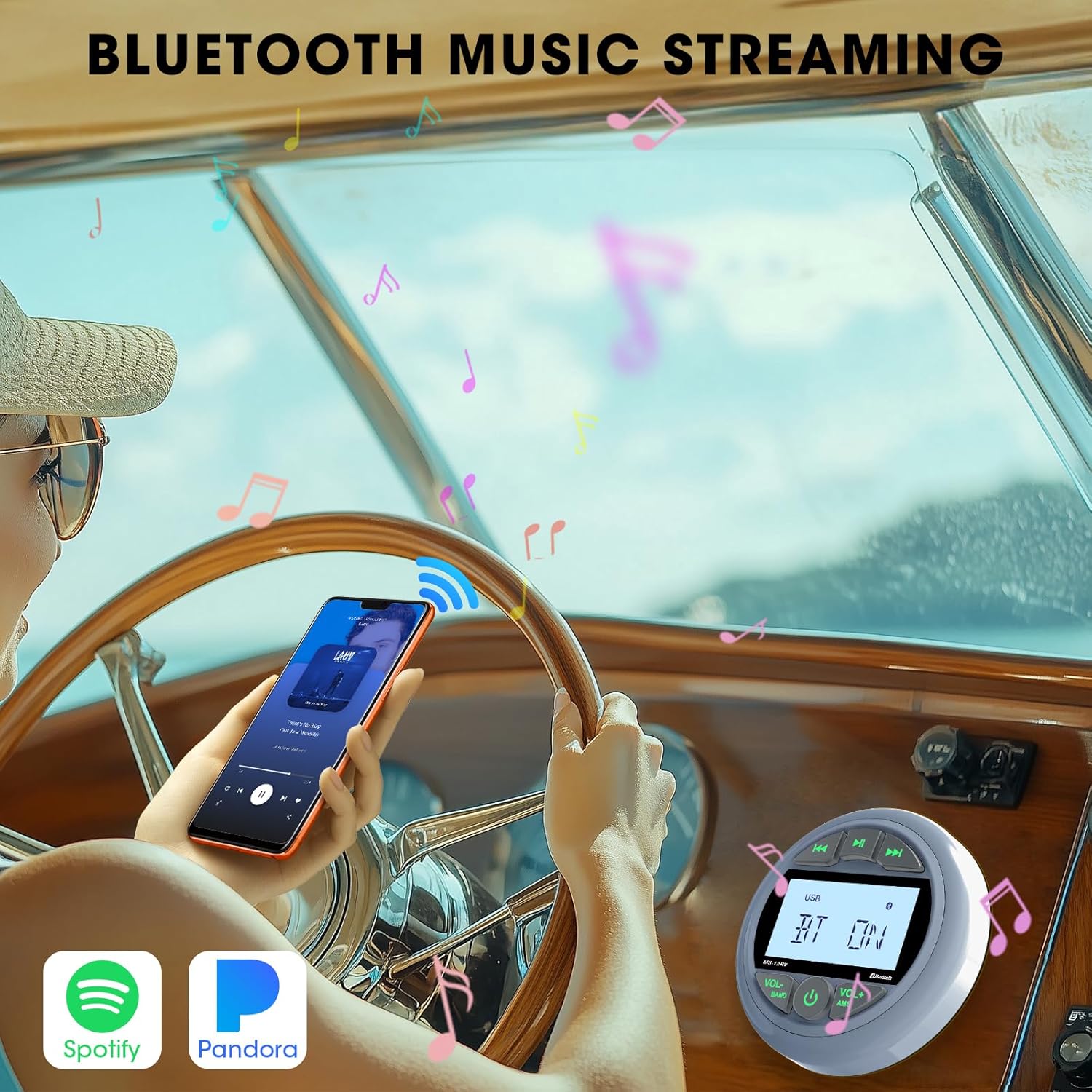
ജോടിയാക്കൽ ഘട്ടങ്ങൾ:
- Power on the stereo receiver.
- Select Bluetooth mode using the appropriate button (refer to your unit's specific button layout if different from general controls). The display will show "BT ON" or a similar indicator.
- നിങ്ങളുടെ മൊബൈൽ ഉപകരണത്തിൽ, ബ്ലൂടൂത്ത് പ്രവർത്തനക്ഷമമാക്കി ലഭ്യമായ ഉപകരണങ്ങൾക്കായി തിരയുക.
- Select "DOVOX" or a similar device name from the list.
- Once paired, the display will indicate a successful connection, and you can begin streaming audio.
8. USB and AUX Playback
The unit supports playback from USB flash drives and external devices via the AUX input.

യുഎസ്ബി പ്ലേബാക്ക്:
- MP3 അല്ലെങ്കിൽ WMA ഓഡിയോ അടങ്ങിയ യുഎസ്ബി ഫ്ലാഷ് ഡ്രൈവ് ചേർക്കുക fileയുഎസ്ബി പോർട്ടിലേക്ക് എസ്.
- The unit will automatically switch to USB mode and begin playback. If not, select USB mode manually.
- Use the ◀◀ / ▶▶ buttons to navigate tracks and the ▶▶ / ▌▌ button to play/pause.
AUX ഇൻപുട്ട്:
- Connect your external audio device (e.g., MP3 player, smartphone) to the 3.5mm AUX input jack using an audio cable.
- Select AUX mode on the stereo receiver.
- Control playback directly from your connected device.
9. റേഡിയോ ഓപ്പറേഷൻ (AM/FM)
Access and store your favorite AM and FM radio stations.

ട്യൂണിംഗും പ്രീസെറ്റുകളും:
- ബാൻഡ് തിരഞ്ഞെടുക്കുക: Press the BAND button to cycle through FM1, FM2, FM3, AM1, and AM2 bands.
- സ്വമേധയാലുള്ള ട്യൂണിംഗ്: Briefly press the ◀◀ / ▶▶ buttons to tune to the next/previous frequency step.
- Automatic Seek: Press and hold the ◀◀ / ▶▶ buttons to automatically seek the next strong station.
- സ്റ്റോർ പ്രീസെറ്റുകൾ: To store a station, tune to the desired frequency, then press and hold one of the preset buttons (usually 1-6, or a combination with VOL+/VOL- depending on the model) until you hear a beep.
- പ്രീസെറ്റുകൾ തിരിച്ചുവിളിക്കുക: Briefly press the preset button to recall a stored station.
10. ഓഡിയോ ക്രമീകരണങ്ങൾ
Customize your listening experience with the available audio adjustments.

Adjusting Audio:
- EQ പ്രീസെറ്റുകൾ: Press the EQ button (or a combination with VOL+/VOL-) to cycle through preset equalizer modes (e.g., Pop, Rock, Classic, Flat).
- ബാസ്/ട്രെബിൾ: Access bass and treble controls through the menu system (refer to specific button functions for your model). Adjust levels to your preference.
- ബാലൻസ്/ഫേഡർ: Adjust audio balance between left/right speakers and fader between front/rear speakers.
- സബ് വൂഫർ putട്ട്പുട്ട്: If connected, control subwoofer level through the menu.
11. പ്രശ്നപരിഹാരം
പൊതുവായ പ്രശ്നങ്ങളും അവയുടെ പരിഹാരങ്ങളും അറിയാൻ ഈ വിഭാഗം കാണുക.
| പ്രശ്നം | സാധ്യമായ കാരണം | പരിഹാരം |
|---|---|---|
| യൂണിറ്റ് പവർ ഓണാക്കുന്നില്ല. | വൈദ്യുതി കണക്ഷൻ ഇല്ല; ഫ്യൂസ് പൊട്ടി; തെറ്റായ വയറിംഗ്. | Check power and ground connections. Verify fuse is intact. Ensure correct wiring as per diagram. |
| സ്പീക്കറുകളിൽ നിന്ന് ശബ്ദമില്ല. | Volume too low; Mute activated; Incorrect speaker wiring; Faulty speakers. | Increase volume. Check if mute is active. Verify speaker connections. Test with known good speakers. |
| ബ്ലൂടൂത്ത് കണക്റ്റ് ചെയ്യുന്നില്ല. | Bluetooth not enabled on device/stereo; Device too far; Interference; Already connected to another device. | Ensure Bluetooth is active on both devices. Move device closer. Disconnect from other devices. Try re-pairing. |
| USB ഉപകരണം തിരിച്ചറിഞ്ഞില്ല. | പിന്തുണയ്ക്കുന്നില്ല file format; USB drive not formatted correctly; Faulty USB drive. | ഉറപ്പാക്കുക files are MP3/WMA. Format USB drive to FAT32. Try a different USB drive. |
| Condensation inside LCD screen. | High humidity or rapid temperature changes in marine environment. | This can occur in high humidity. Allow time for the moisture to dissipate naturally. Ensure unit is not directly exposed to extreme temperature shifts or direct water spray. If persistent, contact support. |
| മോശം റേഡിയോ സ്വീകരണം. | ആന്റിന ബന്ധിപ്പിച്ചിട്ടില്ല; കേടായ ആന്റിന; ദുർബലമായ സിഗ്നൽ ഏരിയ. | Check antenna connection. Inspect antenna for damage. Try moving to an area with stronger signal. |
12 സ്പെസിഫിക്കേഷനുകൾ
Detailed technical specifications for the DOVOX Bluetooth Marine Stereo Receiver.
| ഫീച്ചർ | വിശദാംശങ്ങൾ |
|---|---|
| ഉൽപ്പന്ന അളവുകൾ | 3.5"D x 4.3"W x 4.3"H (8.89cm D x 10.92cm W x 10.92cm H) |
| ഇനത്തിൻ്റെ ഭാരം | 1.52 പൗണ്ട് (0.69 കി.ഗ്രാം) |
| മോഡൽ നമ്പർ | 5d0f5745-0d28-48b1-8af5-04e72b8ea3e3 |
| ബ്രാൻഡ് | DOVOX |
| കണക്റ്റിവിറ്റി ടെക്നോളജി | ഓക്സിലറി, ബ്ലൂടൂത്ത്, യുഎസ്ബി |
| കൺട്രോളർ തരം | പുഷ് ബട്ടൺ |
| പ്രത്യേക ഫീച്ചർ | 2.8 Inch Digital Display Screen, Multi Color Illuminated Buttons, Bluetooth Audio Streaming, FM AM Receiver, IPX5 Water Resistant, Preamp Out Subwoofer, 200W Max Power, USB AUX-in, Equalizer |
| അനുയോജ്യമായ ഉപകരണങ്ങൾ | Amplifier, Smartphone, Speaker, Subwoofer |
| കണക്റ്റർ തരം | ആർസിഎ |
| ഓഡിയോ put ട്ട്പുട്ട് മോഡ് | സ്റ്റീരിയോ |
| സറൗണ്ട് സൗണ്ട് ചാനൽ കോൺഫിഗറേഷൻ | 4 |
13. പരിപാലനം
Regular maintenance helps ensure the longevity and optimal performance of your marine stereo.
- വൃത്തിയാക്കൽ: ഒരു സോഫ്റ്റ് ഉപയോഗിക്കുക, ഡിamp cloth to clean the unit's surface. Avoid abrasive cleaners or solvents that may damage the finish or display.
- വാട്ടർ എക്സ്പോഷർ: While IPX5 rated, it is recommended to wipe down the unit after exposure to saltwater to prevent salt buildup and corrosion.
- കണക്ഷനുകൾ: Periodically check all wiring connections for corrosion or looseness, especially in harsh marine environments.
- സംഭരണം: If storing the vehicle for an extended period, ensure the unit is clean and dry. Consider covering it to protect from dust and environmental elements.
14. വാറൻ്റിയും പിന്തുണയും
DOVOX products are manufactured to high-quality standards. This product comes with a standard manufacturer's warranty against defects in materials and workmanship. For specific warranty details, please refer to the warranty card included with your purchase or contact DOVOX customer support.
For technical assistance, troubleshooting not covered in this manual, or warranty claims, please contact DOVOX customer support through the retailer where the product was purchased or visit the official DOVOX webബന്ധപ്പെടാനുള്ള വിവരങ്ങൾക്കുള്ള സൈറ്റ്.


