ആമുഖം
This manual provides detailed instructions for the operation and maintenance of your Fockety MP3 MP4 Player. Please read this manual thoroughly before using the device to ensure proper functionality and to maximize your user experience.
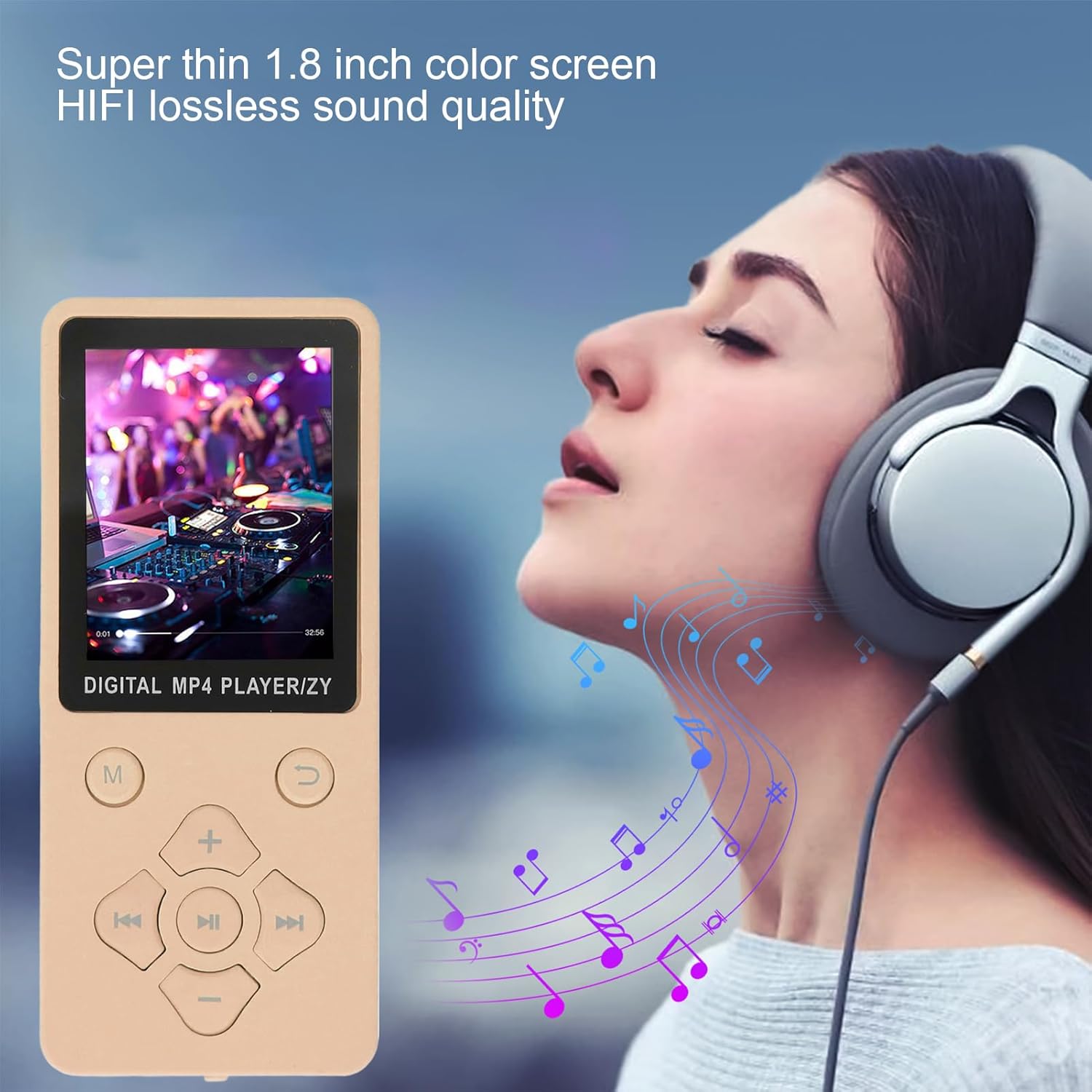
The Fockety MP3 MP4 Player features a super thin design and a 1.8-inch color screen, delivering HIFI lossless sound quality.
പ്രധാന സവിശേഷതകൾ:
- ബ്ലൂടൂത്ത് 5.0 കണക്റ്റിവിറ്റി: Equipped with an updated Bluetooth 5.0 chip for stable connection and easy pairing with Bluetooth headphones or speakers. Note: Cannot pair with computer or phone Bluetooth.
- മൾട്ടിഫങ്ഷണൽ ഉപകരണം: Supports MP3 music playback, voice recording, e-books (TXT format), photo viewing, and video playback (AMV format). Features an independent volume control for ease of use.
- ഹൈ-സ്പീഡ് യുഎസ്ബി 2.0: Functions as a card reader or file storage. Easily transfer music files or folders by dragging and dropping when connected to a computer.
- HIFI Lossless Sound: Enjoy crisp and rich audio through the powerful built-in speaker. Compatible with various formats including MP3, WMA, APE, FLAC, WAV, and OGG.
- വികസിപ്പിക്കാവുന്ന മെമ്മറി: Supports a small memory card up to 128GB (not included), allowing storage for over 10,000 songs and numerous e-books.
സജ്ജമാക്കുക
1. അൺബോക്സിംഗും ഘടകങ്ങളും
Carefully unpack your MP3 MP4 Player. Ensure all components are present:
- Fockety MP3 MP4 Player
- യുഎസ്ബി ഡാറ്റ കേബിൾ
- ഇയർഫോണുകൾ
- ഉപയോക്തൃ മാനുവൽ
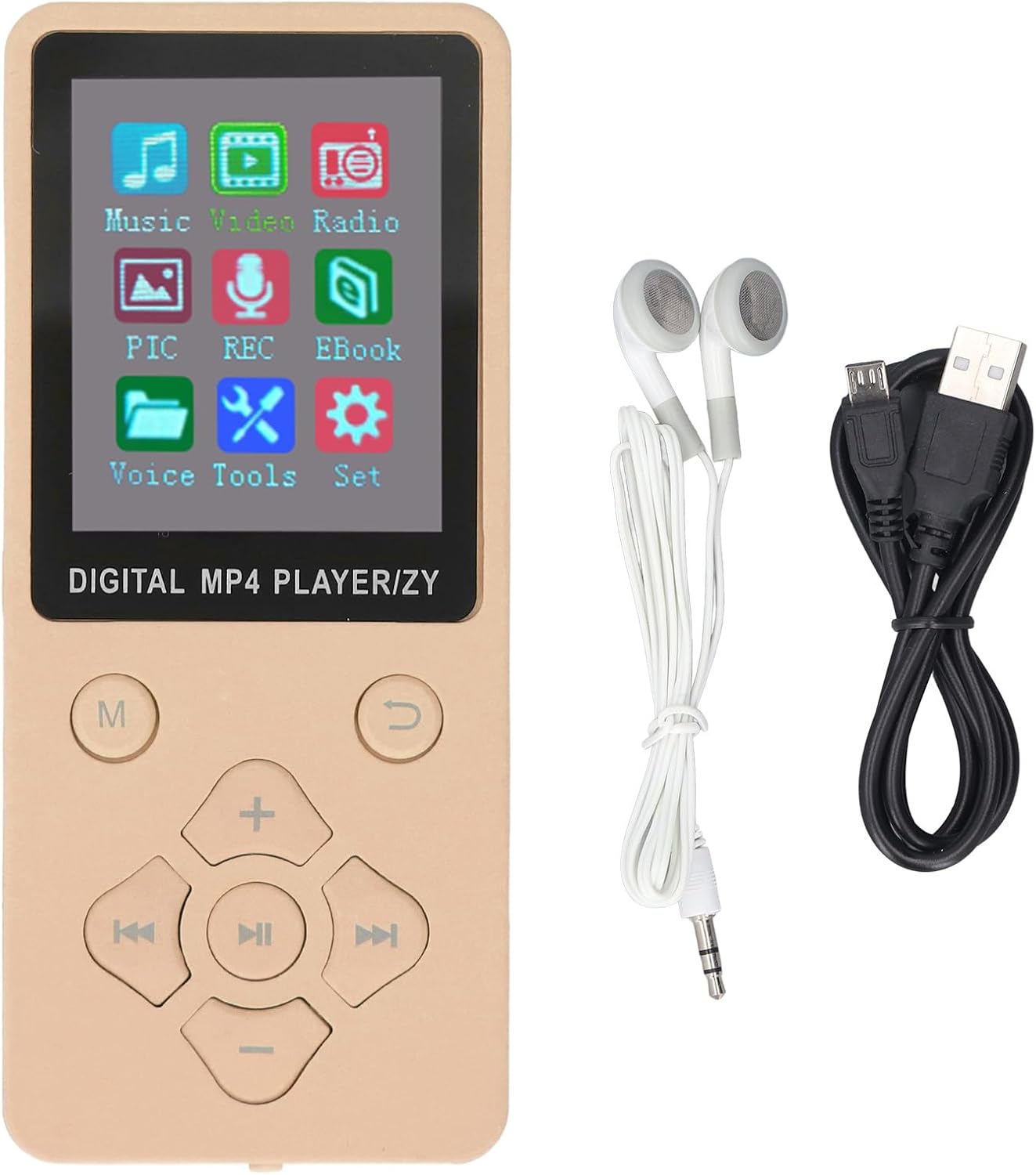
The MP3 MP4 Player comes with essential accessories for immediate use.
2 ഉപകരണം ചാർജ് ചെയ്യുന്നു
- Connect the small end of the USB data cable to the player's USB port.
- Connect the larger end of the USB data cable to a USB power adapter (not included) or a computer's USB port.
- The device will indicate charging status on the screen. A full charge typically takes 1 to 2 hours.
3 ഒരു മെമ്മറി കാർഡ് ചേർക്കുന്നു
The device supports a small memory card (TF card) up to 128GB for expanded storage. The memory card is not included.
- Locate the TF-CARD slot on the side or back of the player.
- Gently insert the memory card into the slot until it clicks into place. Ensure the card is oriented correctly.
- നീക്കം ചെയ്യാൻ, കാർഡ് പുറത്തേക്ക് വരുന്നത് വരെ സൌമ്യമായി അകത്തേക്ക് തള്ളുക.
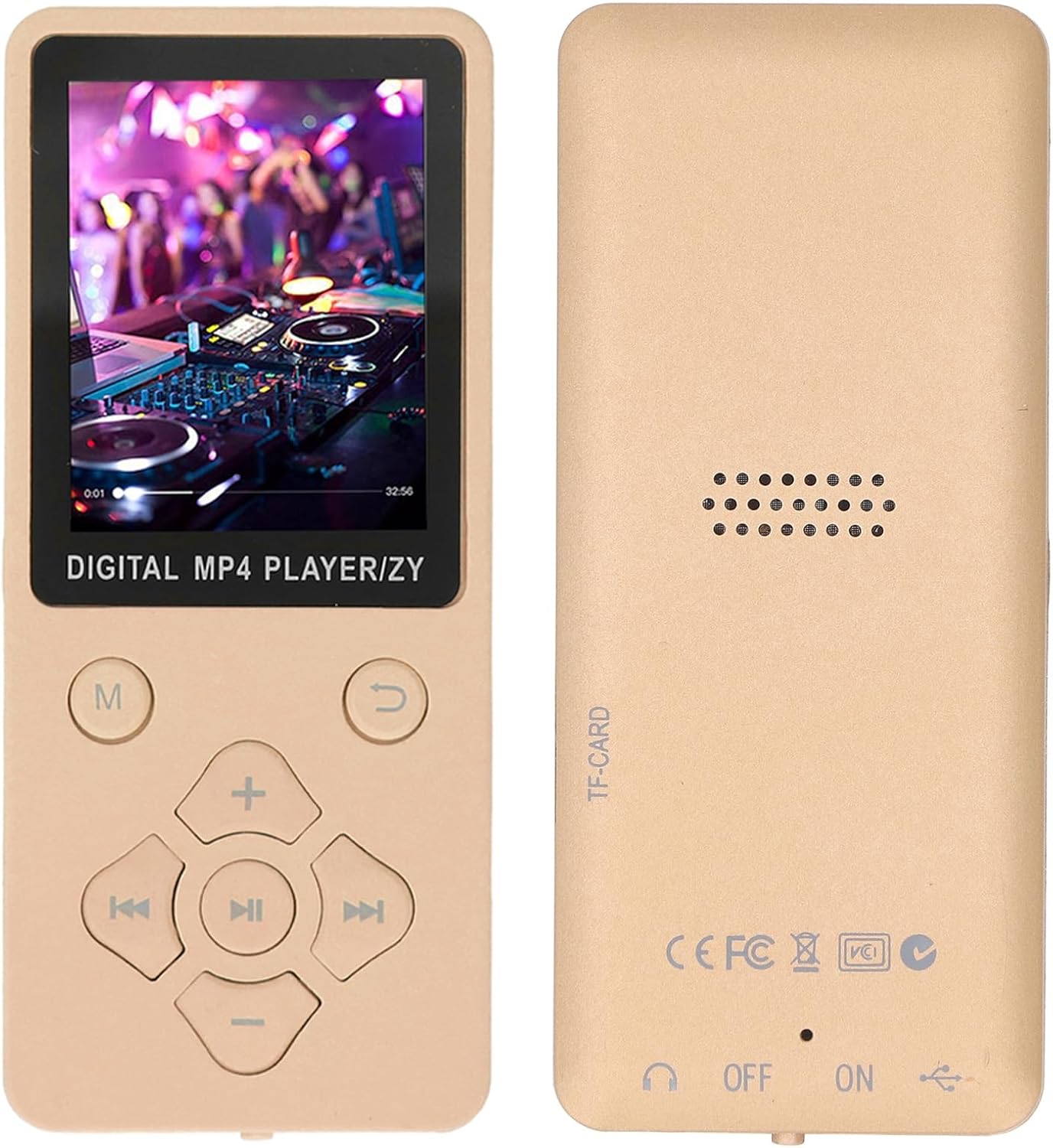
The back of the player indicates the TF-CARD slot for expandable memory.
4. പവർ ഓൺ/ഓഫ്
- പവർ ഓൺ ചെയ്യാൻ, ഓൺ/ഓഫ് സ്വിച്ച് 'ഓൺ' സ്ഥാനത്തേക്ക് സ്ലൈഡ് ചെയ്യുക.
- പവർ ഓഫ് ചെയ്യാൻ, ഓൺ/ഓഫ് സ്വിച്ച് 'ഓഫ്' സ്ഥാനത്തേക്ക് സ്ലൈഡ് ചെയ്യുക.
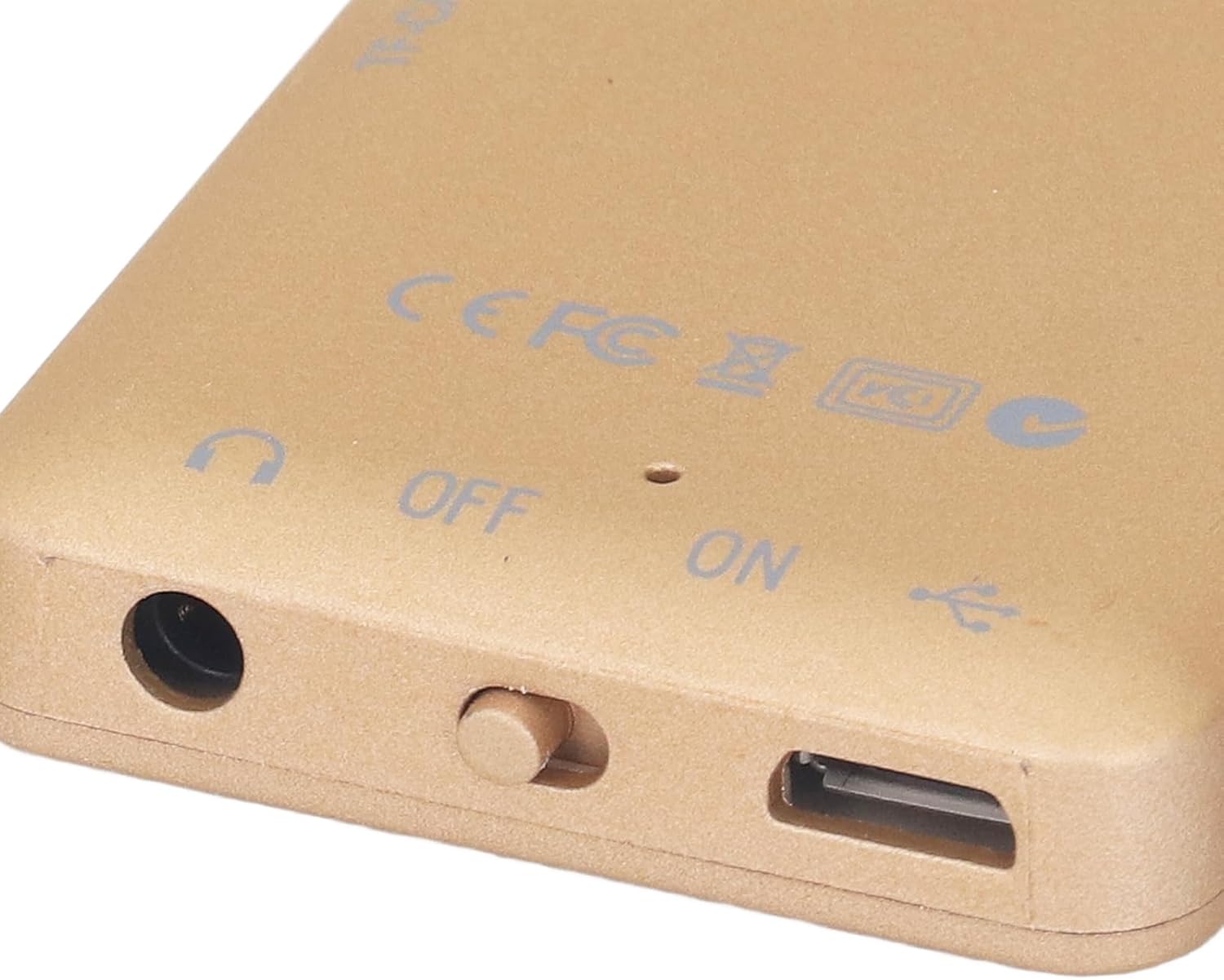
The ON/OFF switch is located on the bottom edge of the device, next to the headphone jack and USB port.
പ്രവർത്തന നിർദ്ദേശങ്ങൾ
1. അടിസ്ഥാന നാവിഗേഷൻ
The player features a set of physical buttons for navigation and control:
- എം (മെനു) ബട്ടൺ: Access the main menu or return to the previous menu.
- പ്ലേ/പോസ് ബട്ടൺ (മധ്യഭാഗം): പ്ലേബാക്ക് ആരംഭിക്കുക അല്ലെങ്കിൽ താൽക്കാലികമായി നിർത്തുക.
- മുമ്പത്തെ/അടുത്ത ബട്ടണുകൾ: Navigate through lists or skip tracks/chapters.
- Volume Up (+) / Volume Down (-) Buttons: വോളിയം ലെവൽ ക്രമീകരിക്കുക.
- Return Button (U-turn arrow): മുമ്പത്തെ സ്ക്രീനിലേക്കോ മെനുവിലേക്കോ മടങ്ങുക.

The main menu provides access to all functions of the player.
2. സംഗീതം പ്ലേ ചെയ്യുന്നു
- പ്രധാന മെനുവിൽ നിന്ന്, 'സംഗീതം' തിരഞ്ഞെടുക്കുക.
- Browse your music library by artist, album, genre, or all songs.
- Select a song and press the Play/Pause button to begin playback.
- Use the Previous/Next buttons to skip tracks and the Volume buttons to adjust audio levels.
3. വീഡിയോകൾ പ്ലേ ചെയ്യുന്നു
The player supports AMV video format. Videos in other formats may need to be converted before playback.
- പ്രധാന മെനുവിൽ നിന്ന്, 'വീഡിയോ' തിരഞ്ഞെടുക്കുക.
- വീഡിയോ തിരഞ്ഞെടുക്കുക file നിങ്ങൾ കളിക്കാൻ ആഗ്രഹിക്കുന്നു.
- Press the Play/Pause button to start the video.
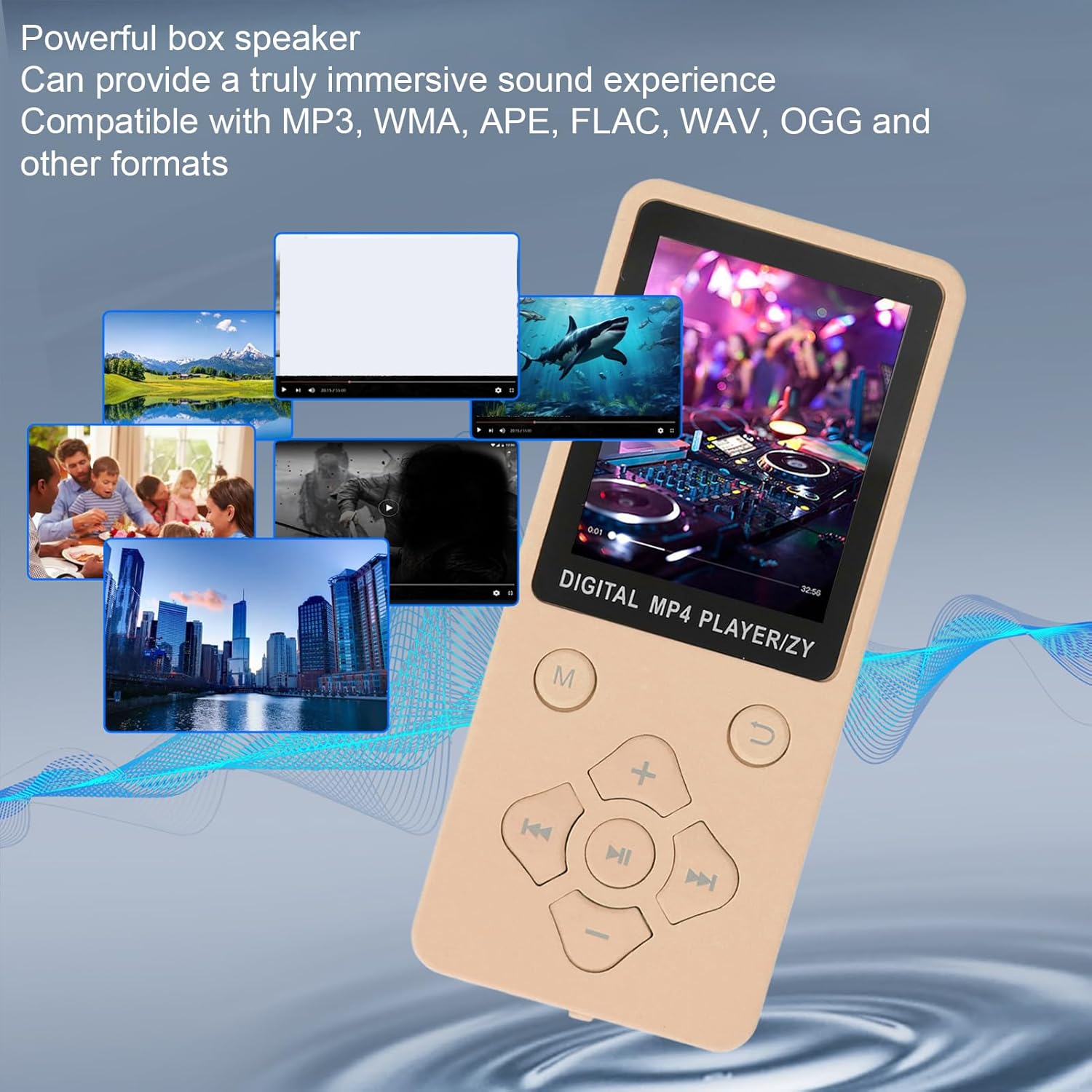
The player supports various media types, including video playback.
4. ബ്ലൂടൂത്ത് ഉപയോഗിക്കുന്നത്
- From the main menu, navigate to 'Settings' and then 'Bluetooth'.
- ബ്ലൂടൂത്ത് 'ഓൺ' ചെയ്യുക.
- The player will scan for available Bluetooth devices.
- ജോടിയാക്കാൻ ലിസ്റ്റിൽ നിന്ന് നിങ്ങളുടെ ബ്ലൂടൂത്ത് ഹെഡ്ഫോണുകളോ സ്പീക്കറോ തിരഞ്ഞെടുക്കുക.
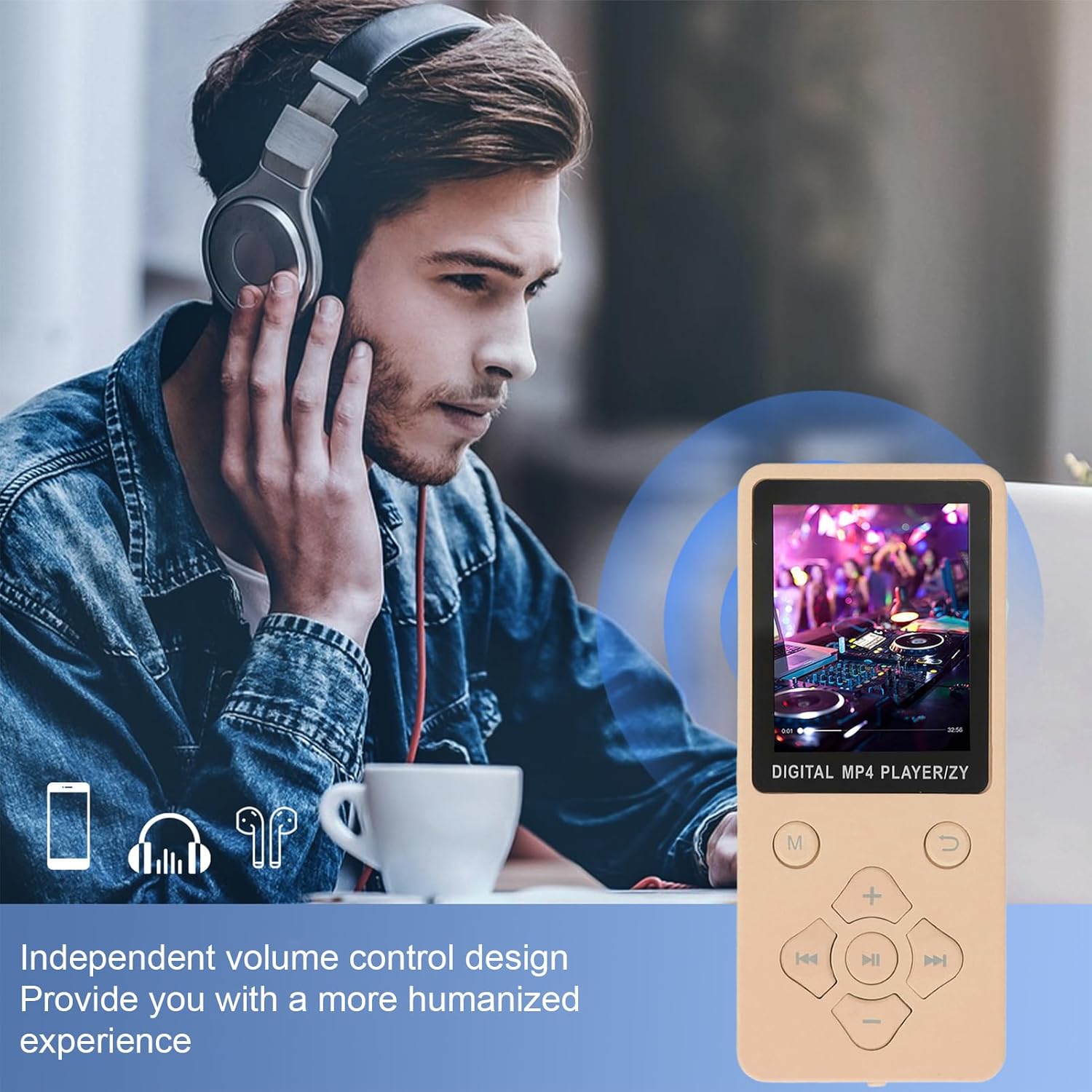
The player offers independent volume control for a personalized audio experience, especially when using Bluetooth headphones.
5. എഫ്എം റേഡിയോ
- Connect wired earphones to the player; they act as the antenna for the FM radio.
- From the main menu, select 'Radio'.
- Use the navigation buttons to scan for stations or manually tune to a frequency.
6. വോയ്സ് റെക്കോർഡർ
- From the main menu, select 'REC' (Record).
- Press the Play/Pause button to start recording.
- Press it again to stop and save the recording.
7. E-book Reader
The player supports TXT format e-books.
- From the main menu, select 'Ebook'.
- Choose your desired TXT file to open and read.
മെയിൻ്റനൻസ്
1. വൃത്തിയാക്കൽ
- ഉപകരണത്തിന്റെ സ്ക്രീനും ബോഡിയും വൃത്തിയാക്കാൻ മൃദുവായതും ഉണങ്ങിയതും ലിന്റ് രഹിതവുമായ ഒരു തുണി ഉപയോഗിക്കുക.
- Avoid using liquid cleaners, aerosols, or harsh chemicals, as they may damage the surface or internal components.
2. ബാറ്ററി പരിചരണം
- ബാറ്ററി ലൈഫ് വർദ്ധിപ്പിക്കാൻ, ബാറ്ററി ഇടയ്ക്കിടെ പൂർണ്ണമായും ഡിസ്ചാർജ് ചെയ്യുന്നത് ഒഴിവാക്കുക.
- ദീർഘനേരം ഉപയോഗിക്കാത്തപ്പോൾ ഉപകരണം തണുത്തതും വരണ്ടതുമായ സ്ഥലത്ത് സൂക്ഷിക്കുക.
- ഉപകരണത്തെ അങ്ങേയറ്റത്തെ താപനിലയിൽ തുറന്നുകാട്ടരുത്.
3. സോഫ്റ്റ്വെയർ അപ്ഡേറ്റുകൾ
നിർമ്മാതാവിന്റെ webഒപ്റ്റിമൽ പ്രകടനവും പുതിയ സവിശേഷതകളിലേക്കുള്ള ആക്സസും ഉറപ്പാക്കാൻ ലഭ്യമായ ഏതെങ്കിലും ഫേംവെയർ അപ്ഡേറ്റുകൾക്കായുള്ള സൈറ്റ്.
ട്രബിൾഷൂട്ടിംഗ്
If you encounter issues with your Fockety MP3 MP4 Player, please refer to the following common solutions:
- ഉപകരണം ഇനിപ്പറയുന്നവയിൽ പവർ ഓൺ ആകില്ല: Ensure the battery is charged. Connect the player to a power source using the USB cable and try again. Check the ON/OFF switch is in the 'ON' position.
- Bluetooth-ലേക്ക് കണക്റ്റുചെയ്യാൻ കഴിയില്ല: Ensure Bluetooth is enabled on both the player and the target device (headphones/speaker). Make sure the target device is in pairing mode. Remember, the player cannot pair with computer or phone Bluetooth.
- Music/Video fileകളിക്കുന്നില്ല: എന്ന് പരിശോധിക്കുക files are in a supported format (MP3, WMA, APE, FLAC, WAV, OGG for music; AMV for video). Ensure the files are properly transferred to the device or memory card.
- ശബ്ദമില്ല: Check the volume level. Ensure earphones are properly connected or Bluetooth audio device is paired and connected.
- സ്ക്രീൻ പ്രതികരിക്കുന്നില്ല അല്ലെങ്കിൽ നിശ്ചലമാണ്: Try restarting the device by sliding the ON/OFF switch to 'OFF' and then 'ON' again.
- Memory card not detected: Ensure the memory card is inserted correctly and fully. Try reinserting the card or using a different compatible memory card.
For further assistance, please refer to the 'Support' section.
സ്പെസിഫിക്കേഷനുകൾ
| മോഡൽ | Fockety8smuh0ixfe-14 |
| പ്രദർശിപ്പിക്കുക | 1.8 ഇഞ്ച് കളർ സ്ക്രീൻ |
| ബ്ലൂടൂത്ത് പതിപ്പ് | 5.0 |
| ബാറ്ററി തരം | 180mAh ലിഥിയം അയൺ ബാറ്ററി |
| ചാർജിംഗ് സമയം | 1-2 മണിക്കൂർ |
| സംഗീത പ്ലേബാക്ക് സമയം | Up to 10 hours (lossless music) |
| വികസിപ്പിക്കാവുന്ന മെമ്മറി | Supports up to 128GB small memory card (not included) |
| പിന്തുണയ്ക്കുന്ന സംഗീത ഫോർമാറ്റുകൾ | MP3, WMA, OGG, APE, FLAC, WAV |
| പിന്തുണയ്ക്കുന്ന വീഡിയോ ഫോർമാറ്റുകൾ | AMV (converted video) |
| പിന്തുണയ്ക്കുന്ന ഇമേജ് ഫോർമാറ്റുകൾ | JPG, JPEG, BMP/GIF |
| Supported E-book Format | ടെക്സ്റ്റ് |
| മെറ്റീരിയൽ | എബിഎസ് |
| ഉൽപ്പന്ന ഭാരം | 76 ഗ്രാം |
| പാക്കേജ് അളവുകൾ | 17 x 8 x 2 സെ.മീ |
വാറൻ്റി വിവരങ്ങൾ
This product is covered by a standard manufacturer's warranty. Please retain your proof of purchase for any warranty claims. For specific warranty terms and conditions, refer to the documentation provided at the time of purchase or contact your retailer.
ഉപഭോക്തൃ പിന്തുണ
If you have any questions, require technical assistance, or need further support regarding your Fockety MP3 MP4 Player, please contact your point of purchase or refer to the official Fockety webബന്ധപ്പെടാനുള്ള വിവരങ്ങൾക്കുള്ള സൈറ്റ്.


