1. ആമുഖം
This manual provides essential information for the proper use and maintenance of your GOODTEL G9 11-inch Android Tablet. Please read this manual thoroughly before operating the device to ensure optimal performance and longevity.
The GOODTEL G9 tablet features an 11-inch 2K display, an octa-core processor, 16GB RAM (8GB fixed + 8GB expandable), 256GB ROM (expandable up to 1TB via Micro SD), an 8600mAh battery, 5G Wi-Fi, Bluetooth 5.0, and 13MP rear and 5MP front cameras. It operates on Android 13 and is GMS certified.

Image 1.1: GOODTEL G9 Tablet overview, highlighting 2K display, 16GB RAM, 256GB ROM, and Android OS.
2. പാക്കേജ് ഉള്ളടക്കം
പാക്കേജ് തുറക്കുമ്പോൾ, എല്ലാ ഇനങ്ങളും നിലവിലുണ്ടെന്നും നല്ല നിലയിലാണെന്നും ദയവായി പരിശോധിക്കുക. സ്റ്റാൻഡേർഡ് പാക്കേജിൽ ഇവ ഉൾപ്പെടുന്നു:
- GOODTEL G9 11-inch Android Tablet
- പവർ അഡാപ്റ്റർ
- യുഎസ്ബി ടൈപ്പ്-സി കേബിൾ
- സംരക്ഷണ കേസ്
- സ്ക്രീൻ പ്രൊട്ടക്ടർ (മുമ്പ് പ്രയോഗിച്ചതോ വേറിട്ടതോ)
- ഉപയോക്തൃ മാനുവൽ (ഈ പ്രമാണം)
Image 2.1: The GOODTEL G9 Tablet and its standard accessories.
3. സജ്ജീകരണം
3.1. പ്രാരംഭ ചാർജിംഗ്
ആദ്യ ഉപയോഗത്തിന് മുമ്പ്, ടാബ്ലെറ്റ് പൂർണ്ണമായും ചാർജ് ചെയ്യുക.
- ടാബ്ലെറ്റിന്റെ ചാർജിംഗ് പോർട്ടിലേക്ക് യുഎസ്ബി ടൈപ്പ്-സി കേബിൾ ബന്ധിപ്പിക്കുക.
- കേബിളിൻ്റെ മറ്റേ അറ്റം പവർ അഡാപ്റ്ററുമായി ബന്ധിപ്പിക്കുക.
- ഒരു മതിൽ ഔട്ട്ലെറ്റിലേക്ക് പവർ അഡാപ്റ്റർ പ്ലഗ് ചെയ്യുക.
- Allow the tablet to charge until the battery indicator shows 100%.
3.2. പവർ ഓൺ/ഓഫ്
- പവർ ഓണാക്കാൻ: Press and hold the Power button until the GOODTEL logo appears.
- പവർ ഓഫ് ചെയ്യാൻ: പവർ ബട്ടൺ അമർത്തിപ്പിടിക്കുക, തുടർന്ന് സ്ക്രീനിലെ ഓപ്ഷനുകളിൽ നിന്ന് "പവർ ഓഫ്" തിരഞ്ഞെടുക്കുക.
- പുനരാരംഭിക്കാൻ: പവർ ബട്ടൺ അമർത്തിപ്പിടിക്കുക, തുടർന്ന് സ്ക്രീനിലെ ഓപ്ഷനുകളിൽ നിന്ന് "പുനരാരംഭിക്കുക" തിരഞ്ഞെടുക്കുക.
3.3. പ്രാരംഭ സജ്ജീകരണ വിസാർഡ്
The first time you power on the tablet, an on-screen setup wizard will guide you through basic configurations:
- ഭാഷ തിരഞ്ഞെടുക്കൽ: നിങ്ങൾ തിരഞ്ഞെടുത്ത ഭാഷ തിരഞ്ഞെടുക്കുക.
- Wi-Fi കണക്ഷൻ: ഇന്റർനെറ്റ് ആക്സസ് ചെയ്യാൻ ഒരു Wi-Fi നെറ്റ്വർക്കിലേക്ക് കണക്റ്റുചെയ്യുക.
- Google അക്കൗണ്ട്: നിങ്ങളുടെ ഗൂഗിൾ അക്കൗണ്ട് ഉപയോഗിച്ച് സൈൻ ഇൻ ചെയ്യുകയോ പുതിയൊരെണ്ണം സൃഷ്ടിക്കുകയോ ചെയ്യുക. ഗൂഗിൾ പ്ലേ സ്റ്റോറിൽ നിന്ന് ആപ്പുകൾ ഡൗൺലോഡ് ചെയ്യുന്നതിന് ഇത് ആവശ്യമാണ്.
- തീയതിയും സമയവും: ശരിയായ തീയതിയും സമയവും സജ്ജമാക്കുക.
- സുരക്ഷ: Set up a screen lock (PIN, pattern, password, or facial recognition).
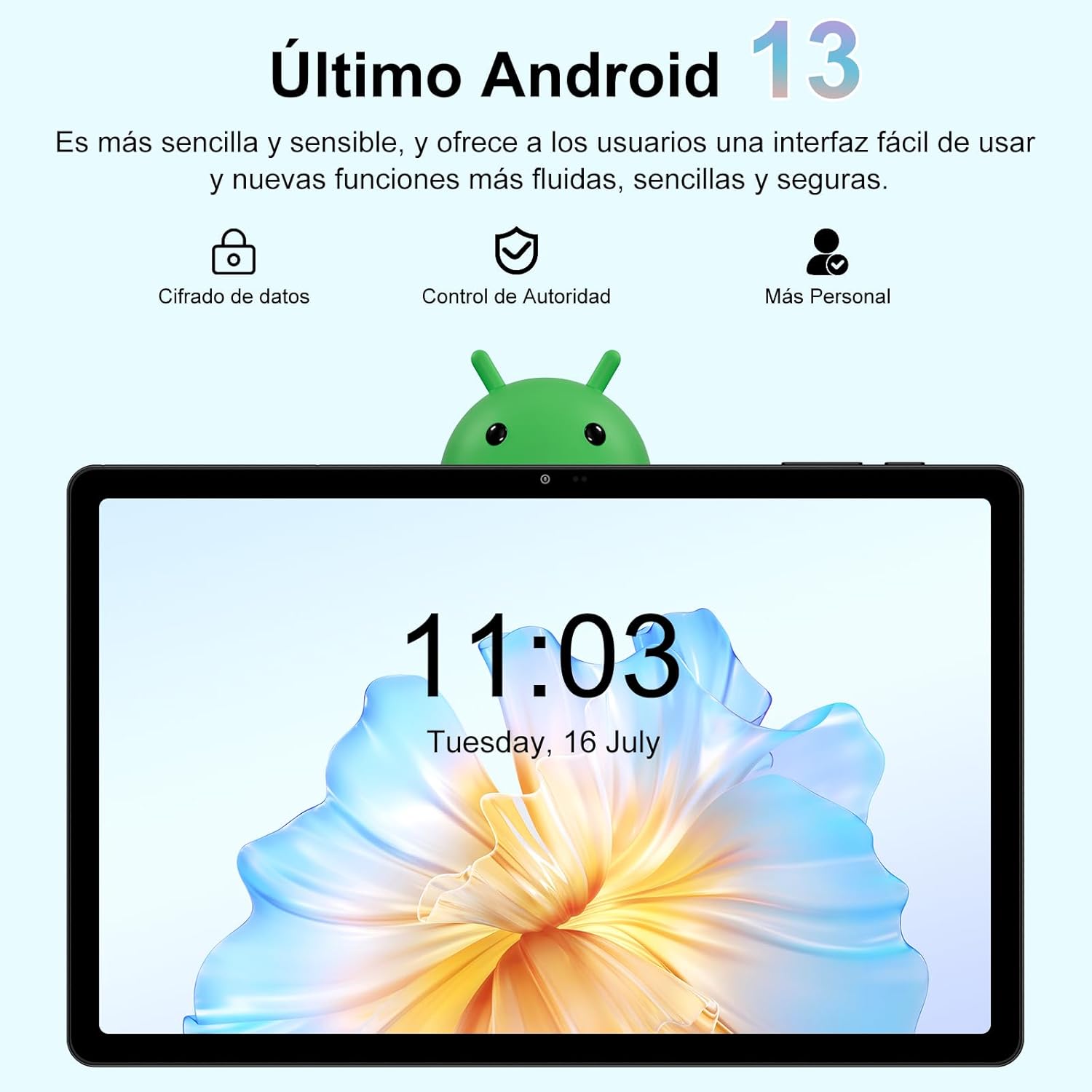
Image 3.1: The Android 13 operating system interface on the GOODTEL G9 Tablet.
4. ടാബ്ലെറ്റ് പ്രവർത്തിപ്പിക്കൽ
4.1. ഡിസ്പ്ലേയും നാവിഗേഷനും
The GOODTEL G9 features an 11-inch 2K Incell HD display with a resolution of 2000x1200 pixels, offering vibrant colors and rich details.
- സ്പർശന ആംഗ്യങ്ങൾ: സ്റ്റാൻഡേർഡ് ആൻഡ്രോയിഡ് ടച്ച് ജെസ്റ്ററുകൾ (ടാപ്പ്, സ്വൈപ്പ്, പിഞ്ച്-ടു-സൂം) ഉപയോഗിച്ച് ഇന്റർഫേസ് നാവിഗേറ്റ് ചെയ്യുക.
- ഹോം സ്ക്രീൻ: നിങ്ങളുടെ ആപ്പുകളും വിജറ്റുകളും ആക്സസ് ചെയ്യുക.
- അറിയിപ്പ് പാനൽ: സ്ക്രീനിന്റെ മുകളിൽ നിന്ന് താഴേക്ക് സ്വൈപ്പ് ചെയ്യുക view അറിയിപ്പുകളും ദ്രുത ക്രമീകരണങ്ങളും.
- സമീപകാല ആപ്പുകൾ: Tap the square navigation button (or swipe up and hold) to view കൂടാതെ അടുത്തിടെ ഉപയോഗിച്ച ആപ്ലിക്കേഷനുകൾക്കിടയിൽ മാറുക.

Image 4.1: The 11-inch display of the GOODTEL G9 Tablet.
4.2. പ്രകടനവും സംഭരണവും
The tablet is equipped with an 8-core 2.0 GHz processor, 16GB RAM (8GB fixed + 8GB expandable), and 256GB internal storage (ROM). Storage can be expanded up to 1TB using a Micro SD card (not included).
- ആപ്പ് മാനേജ്മെൻ്റ്: Install and uninstall applications from the Google Play Store.
- File മാനേജ്മെൻ്റ്: Use the pre-installed file manager to organize your documents, photos, and videos.
- മൾട്ടിടാസ്കിംഗ്: The generous RAM allows for smooth multitasking and app switching.

Image 4.2: Memory and storage capabilities of the GOODTEL G9 Tablet.
4.3. ക്യാമറകൾ
The GOODTEL G9 features a 13MP rear camera and a 5MP front camera, suitable for capturing photos, videos, and video calls.
- ഫോട്ടോ എടുക്കുന്നു: ക്യാമറ ആപ്പ് തുറന്ന് നിങ്ങളുടെ ഷോട്ട് ഫ്രെയിം ചെയ്യുക, ഷട്ടർ ബട്ടൺ ടാപ്പ് ചെയ്യുക.
- വീഡിയോകൾ റെക്കോർഡുചെയ്യുന്നു: ക്യാമറ ആപ്പിൽ വീഡിയോ മോഡിലേക്ക് മാറി റെക്കോർഡ് ബട്ടൺ ടാപ്പ് ചെയ്യുക.
- ക്രമീകരണങ്ങൾ: Adjust camera settings such as resolution, flash, and timer within the Camera app.

ചിത്രം 4.3: ഉദാamples of photos taken with the GOODTEL G9 Tablet cameras.
4.4. കണക്റ്റിവിറ്റി
- വൈഫൈ: Supports dual-band 2.4G and 5G Wi-Fi for stable and fast internet access. Go to Settings > Network & internet > Wi-Fi to connect to a network.
- ബ്ലൂടൂത്ത് 5.0: Connect to wireless headphones, speakers, and other Bluetooth-enabled devices. Go to Settings > Connected devices > Bluetooth.
- ജിപിഎസ്: Integrated GPS allows for navigation and location-based services.
- OTG (ഓൺ-ദി-ഗോ): Supports OTG connectivity for connecting USB peripherals like flash drives or external keyboards/mice.

Image 4.4: Connectivity features of the GOODTEL G9 Tablet.
4.5. ബാറ്ററി മാനേജ്മെന്റ്
The tablet is equipped with an 8600mAh high-capacity battery, providing extended usage time for reading, browsing, and multimedia consumption.
- ബാറ്ററി സേവർ: Enable battery saver mode in Settings > Battery to extend battery life.
- ചാർജിംഗ്: Use the provided Type-C charger for optimal charging.
- ബാറ്ററി ആരോഗ്യം: ബാറ്ററിയുടെ ആയുസ്സ് വർദ്ധിപ്പിക്കുന്നതിന് തീവ്രമായ താപനിലയും ബാറ്ററി ഇടയ്ക്കിടെ പൂർണ്ണമായും ഡിസ്ചാർജ് ചെയ്യുന്നതും ഒഴിവാക്കുക.

Image 4.5: The 8600mAh high-capacity battery.
5. പരിപാലനം
- വൃത്തിയാക്കൽ: ടാബ്ലെറ്റിന്റെ സ്ക്രീനും ബോഡിയും വൃത്തിയാക്കാൻ മൃദുവായ, ലിന്റ് രഹിത തുണി ഉപയോഗിക്കുക. ഉരച്ചിലുകൾ ഉള്ള ക്ലീനറുകളോ ലായകങ്ങളോ ഉപയോഗിക്കുന്നത് ഒഴിവാക്കുക.
- സോഫ്റ്റ്വെയർ അപ്ഡേറ്റുകൾ: മികച്ച പ്രകടനവും സുരക്ഷയും ഉറപ്പാക്കാൻ സിസ്റ്റം അപ്ഡേറ്റുകൾ പതിവായി പരിശോധിച്ച് ഇൻസ്റ്റാൾ ചെയ്യുക. ക്രമീകരണങ്ങൾ > സിസ്റ്റം > സിസ്റ്റം അപ്ഡേറ്റ് എന്നതിലേക്ക് പോകുക.
- ഡാറ്റ ബാക്കപ്പ്: Periodically back up important data to a cloud service or external storage device.
- സ്റ്റോറേജ് മാനേജ്മെന്റ്: അനാവശ്യമായവ പതിവായി നീക്കം ചെയ്യുക files and cache to free up storage space and maintain performance.
- പരിസ്ഥിതി വ്യവസ്ഥകൾ: ടാബ്ലെറ്റ് തീവ്രമായ താപനിലയിലോ, നേരിട്ടുള്ള സൂര്യപ്രകാശത്തിലോ, ഉയർന്ന ആർദ്രതയിലോ ഏൽക്കുന്നത് ഒഴിവാക്കുക.
6. പ്രശ്നപരിഹാരം
- ടാബ്ലെറ്റ് ഓണാക്കുന്നില്ല: Ensure the battery is charged. Connect the charger and try again. If it still doesn't turn on, perform a forced restart by holding the power button for 10-15 seconds.
- ആപ്പുകൾ ക്രാഷാകുകയോ മരവിക്കുകയോ ചെയ്യുന്നു: ആപ്പ് അടച്ച് വീണ്ടും തുറക്കുക. ആപ്പിന്റെ കാഷെ മായ്ക്കുക (ക്രമീകരണങ്ങൾ > ആപ്പുകൾ > [ആപ്പ് നാമം] > സംഭരണവും കാഷെയും > കാഷെ മായ്ക്കുക). പ്രശ്നം നിലനിൽക്കുകയാണെങ്കിൽ, ആപ്പ് അൺഇൻസ്റ്റാൾ ചെയ്ത് വീണ്ടും ഇൻസ്റ്റാൾ ചെയ്യുക.
- വൈഫൈ കണക്ഷൻ പ്രശ്നങ്ങൾ: Ensure Wi-Fi is enabled. Restart your router and the tablet. Forget the network and reconnect.
- മന്ദഗതിയിലുള്ള പ്രകടനം: ആവശ്യമില്ലാത്ത പശ്ചാത്തല ആപ്പുകൾ അടയ്ക്കുക. കാഷെ മായ്ക്കുക, താൽക്കാലികം files. Consider performing a factory reset if performance issues persist after other troubleshooting steps (back up your data first).
- സ്ക്രീൻ പ്രതികരിക്കുന്നില്ല: Restart the tablet. If the issue continues, contact customer support.
7 സ്പെസിഫിക്കേഷനുകൾ
| ഫീച്ചർ | സ്പെസിഫിക്കേഷൻ |
|---|---|
| മോഡൽ | GOODTEL G9 |
| ഓപ്പറേറ്റിംഗ് സിസ്റ്റം | ആൻഡ്രോയിഡ് 13 |
| ഡിസ്പ്ലേ വലിപ്പം | 11 ഇഞ്ച് |
| ഡിസ്പ്ലേ റെസല്യൂഷൻ | 2000 x 1200 pixels (2K Incell HD) |
| പ്രോസസ്സർ | MediaTek Octa-Core, 2.0 GHz |
| റാം | 16 GB (8 GB fixed + 8 GB expandable) |
| ആന്തരിക സംഭരണം (ROM) | 256 ജിബി |
| വികസിപ്പിക്കാവുന്ന സംഭരണം | Up to 1 TB via Micro SD card |
| പിൻ ക്യാമറ | 13 എം.പി |
| മുൻ ക്യാമറ | 5 എം.പി |
| ബാറ്ററി ശേഷി | 8600 mAh (ലിഥിയം-അയോൺ) |
| കണക്റ്റിവിറ്റി | 5G Wi-Fi (802.11a/b/g/n), Bluetooth 5.0, GPS, Type-C, OTG |
| അളവുകൾ | 17 x 12 x 0.8 സെ.മീ |
| ഭാരം | 480 ഗ്രാം |
8. വാറൻ്റിയും പിന്തുണയും
Your GOODTEL G9 Tablet comes with a standard manufacturer's warranty. Please refer to the warranty card included in your package for specific terms and conditions.
For technical support, troubleshooting assistance, or warranty claims, please contact GOODTEL customer service through the retailer where you purchased the product or visit the official GOODTEL webസൈറ്റ്.
ഓൺലൈൻ പിന്തുണ: Visit the GOODTEL Store on Amazon


